
The Codex CI/CD Pipeline Playbook: 15 Prompts for Automated Build Systems, Deployment Configurations, and Release Management
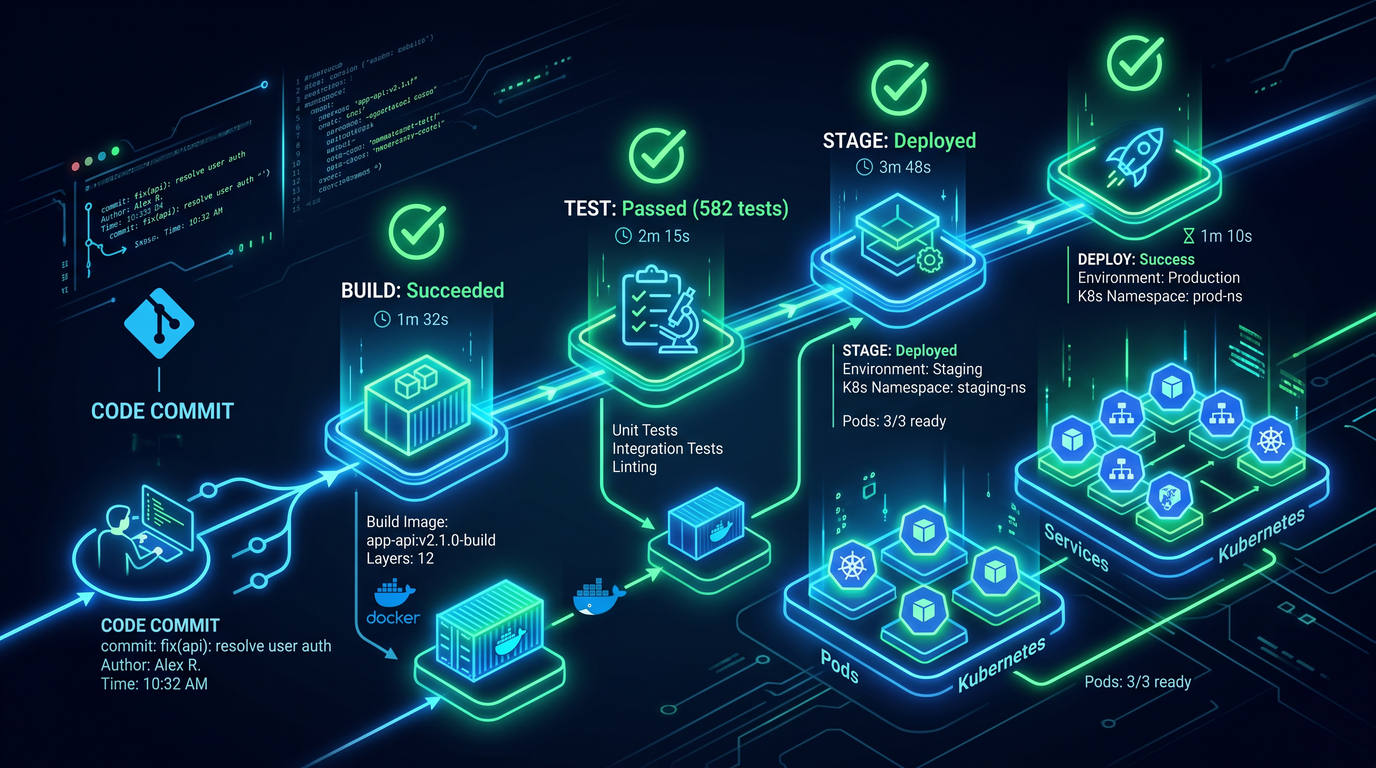
Modern DevOps teams must deliver software faster, safer, and with fewer manual errors. The emergence of code-generating AI assistants such as Codex offers a new way to scale CI/CD automation: instead of hand-crafting every workflow, you can prompt Codex to generate, refactor, and maintain build, deploy, and release assets with repeatable precision. This playbook distills field-tested prompts into a practical, copy-and-paste reference for common continuous integration and delivery tasks. Every prompt includes usage context, expected outputs, and customization tips so that you can adapt patterns to your stack and platform.
This is not a one-size-fits-all set of scripts. Instead, think of these 15 prompts as reliable scaffolding. They help you bootstrap or improve your pipelines, and they train your AI coding partner to incorporate compliance, performance, and reliability requirements from the outset. As your workflows evolve, you can extend these prompts—adding your constraints and conventions—so that Codex becomes a consistent co-maintainer of your CI/CD system.
For maximum value, give Codex as much context as possible: your repository structure, languages and frameworks, target environments, security baselines, and success criteria. Each prompt suggests what inputs to provide and how to direct outputs into files and directories. The prompts are neutral with respect to CI vendors, but sample snippets for GitHub Actions, GitLab CI, CircleCI, and Jenkins are included where useful.
See also:
CI/CD pipelines often interact heavily with databases during migration and deployment stages. Our Codex Database Engineering Playbook provides 20 prompts for schema design, query optimization, and migration scripts that integrate seamlessly with automated build and deployment workflows. The Codex Database Engineering Playbook: 20 Prompts.
and
The quality of AI-generated pipeline configurations depends heavily on prompt engineering techniques. Our Codex Prompt Engineering Playbook covers 15 prompts specifically optimized for reducing hallucinations and improving the reliability of AI-generated infrastructure code, test configurations, and deployment manifests. The Codex Prompt Engineering Playbook: 15 Prompts for Optimizing AI-Generated Code.
Table of Contents
- Section 1: Build System Automation
- Section 2: Deployment Configurations
- Section 3: Release Management
Section 1: Build System Automation
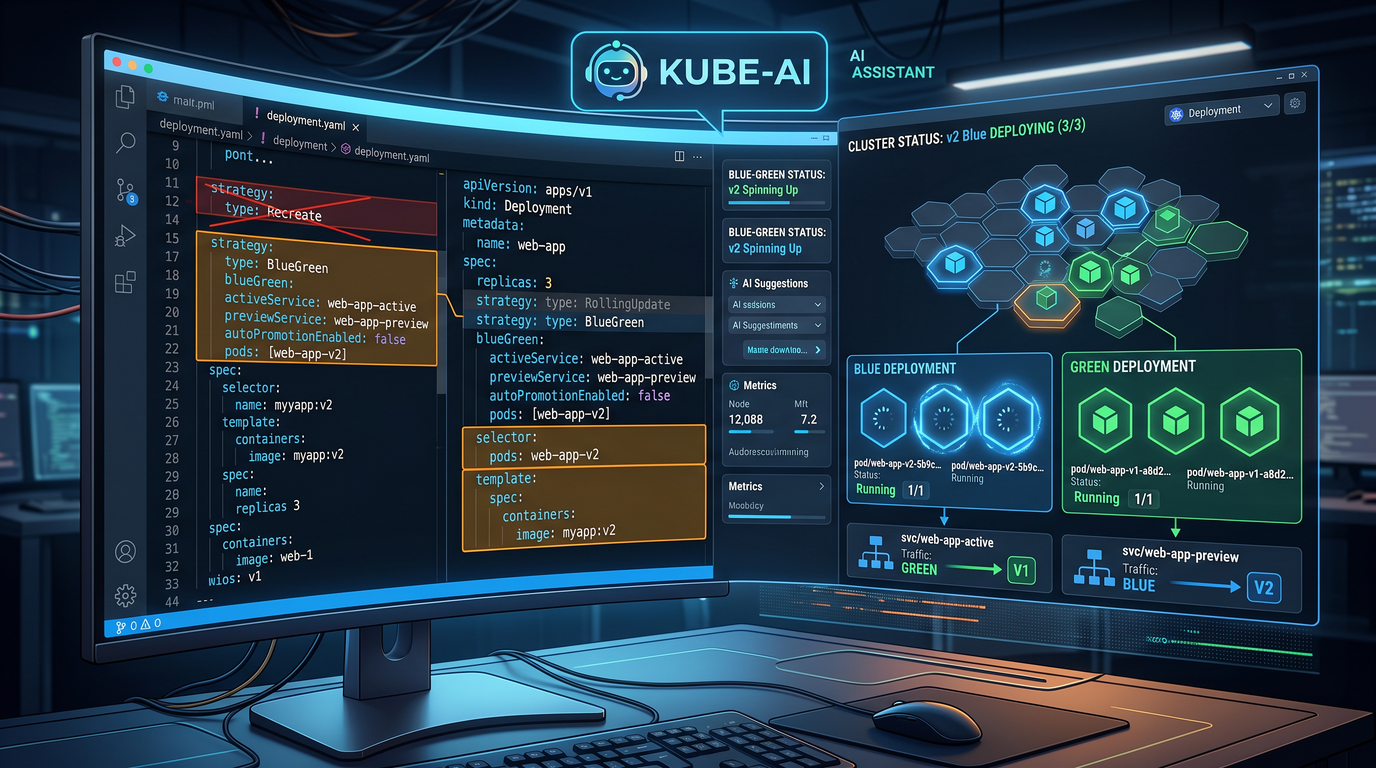
Automating builds is the backbone of any CI/CD pipeline. In this section, you will find five prompts for Codex that generate secure, reproducible, and portable build assets. Each prompt emphasizes deterministic outputs, caching, and verification, with special attention paid to polyglot monorepos and cross-platform requirements.
Prompt 1: Multi-stage Docker builds
When to use this: Use this prompt when you need a production-grade Dockerfile that minimizes image size, enforces least privilege, and bakes in build-time optimizations and health checks. It’s suitable for Node.js, Python, Go, Java, Rust, and polyglot services. It will generate multi-stage builds, optional SBOM generation, and non-root runtime users.
Full Prompt
Act as a senior DevOps engineer. Generate a production-ready multi-stage Dockerfile and supporting docs for the service described below. Ask ONLY if essential details are missing. Then emit final outputs as files.

Service context:
- Language and version: {{LANGUAGE_AND_VERSION}} (e.g., Node.js 20, Python 3.11, Go 1.22, Java 21, Rust 1.78)
- Build tool and commands: {{BUILD_TOOL_AND_COMMANDS}} (e.g., npm ci && npm run build; poetry install; mvn -DskipTests package)
- Runtime command: {{RUNTIME_COMMAND}} (e.g., node dist/server.js; gunicorn app:app; java -jar app.jar; ./app)
- App directory (relative to repo root): {{APP_DIR}}
- Ports and health endpoints: {{PORTS_AND_HEALTH}} (e.g., 8080, /healthz)
- Target OS/arch: {{TARGETS}} (e.g., linux/amd64)
- Needs: {{NEEDS}} (e.g., minimal image, non-root user, healthcheck, caching, SBOM)
- Optional: private registries, proxies, extra packages, build args

Deliverables:
1) Dockerfile (multi-stage) with:
   - Builder stage using official language image
   - Cache-friendly layer ordering
   - Minimal runtime stage (e.g., distroless, alpine, or slim) with non-root
   - Healthcheck
   - Build-time ARGs and environment variables
   - Copy only build artifacts required at runtime
   - Optional: SBOM generation (syft/grype, trivy) and labels (org.opencontainers.image.*)

2) Makefile targets and Notes:
   - Targets: docker-build, docker-buildx, docker-run, docker-push, docker-scan
   - BuildKit enabled examples
   - Example .dockerignore

3) Documentation (DOCKER.md) describing:
   - How to build locally and with Buildx (multi-platform)
   - How cache works and how to bust cache safely
   - Security posture (non-root, updates, scanning)
   - Runtime configuration via env vars

Output format:
- Use a file manifest like:
  FILE: Dockerfile
  {{content}}
  FILE: .dockerignore
  {{content}}
  FILE: Makefile
  {{content}}
  FILE: DOCKER.md
  {{content}}

Constraints:
- Avoid copying the entire repo (only needed artifacts)
- Use UID:GID 10001:10001 non-root by default
- Put OCI labels in runtime stage
- Prefer distroless or alpine for runtime where reasonable
- Explain any distro-specific packages you add
Expected Output
- A complete Dockerfile with builder and runtime stages optimized for caching and minimal footprint.
- A .dockerignore tuned to your framework to prevent bloating the context.
- A Makefile with build, run, push, and scan targets, including Docker Buildx examples.
- A DOCKER.md guide explaining decisions, security choices, and usage.
Customization Tips
- Swap runtime base images: distroless for maximum security, alpine for shell utilities, or slim for broader compatibility.
- Set BuildKit secrets for private registries using docker buildx build –secret to avoid leaking credentials in layers.
- Enable SBOM: ask Codex to integrate syft or trivy and store reports in ./artifacts/.
- For Go and Rust, pin CGO and linker flags; for Java, enable JLink or jdeps to reduce footprint.
- Enforce reproducible builds by pinning package versions and utilizing lockfiles (package-lock.json, poetry.lock, go.sum).
Example Snippet
# Partial example runtime stage
FROM gcr.io/distroless/base-debian12 AS runtime
ENV NODE_ENV=production
USER 10001:10001
WORKDIR /app
COPY --from=builder /app/dist ./dist
EXPOSE 8080
HEALTHCHECK --interval=30s --timeout=3s --start-period=10s CMD ["CMD-SHELL","wget -qO- http://127.0.0.1:8080/healthz || exit 1"]
ENTRYPOINT ["node","dist/server.js"]
Prompt 2: Monorepo build orchestration
When to use this: If your repository contains multiple applications and libraries, you need selective builds and dependency-aware pipelines. This prompt helps Codex generate a monorepo-aware CI configuration that builds only what changed, reuses caches effectively, and supports matrix jobs across multiple tools (Nx, Turborepo, Lerna, Bazel, custom scripts).
Full Prompt
You are Codex acting as a monorepo CI architect. Create a CI pipeline that:
- Detects changed packages/projects and builds/tests only affected ones
- Supports tooling: {{TOOLING}} (e.g., Nx, Turborepo, Lerna, Bazel, custom)
- Supports languages: {{LANGUAGES}} (e.g., Node, Go, Java, Python, Rust)
- Runs on CI platform: {{CI_PLATFORM}} (e.g., GitHub Actions, GitLab CI)
- Includes caching: per-package caches, Docker layer cache (if needed), and remote cache (if available)
- Includes job matrices for OS or Node/Java/Python versions as applicable
- Enforces required checks and fast-fail on broken dependencies
- Exposes artifacts and test reports
- Uses code owners or ownership metadata (optional) to target review teams

Repository:
- Root: {{REPO_ROOT}}
- Package layout: {{PACKAGE_LAYOUT_DESCRIPTION}}
- Affected detection: {{AFFECTED_COMMAND}} (e.g., nx affected --target=build)
- Build command per package type: {{PACKAGE_BUILD_COMMANDS}}
- Test command per package type: {{PACKAGE_TEST_COMMANDS}}

Deliverables:
1) CI config file(s) for {{CI_PLATFORM}} with:
   - Pull request workflow: lint, affected build, affected test, summary
   - Main branch workflow: full build matrix and release-ready artifacts
   - Cache strategy and restore keys
   - Conditional steps based on file changes
   - Upload of artifacts and code coverage

2) Helper scripts:
   - scripts/list-affected.sh (determine changed packages)
   - scripts/ci-summary.sh (aggregate results)

3) README-CI.md with diagrams and maintenance tips

Output format:
- FILE: {{CI_FILEPATH}}
  {{content}}
- FILE: scripts/list-affected.sh
  {{content}}
- FILE: scripts/ci-summary.sh
  {{content}}
- FILE: README-CI.md
  {{content}}

Rules:
- Minimize CI minutes by skipping unrelated jobs
- Use concurrency/cancel-in-progress for PRs
- Provide annotations for failed steps
- Ask only if essential details are missing, then output final files
Expected Output
- Vendor-specific CI YAML with pull request and main branch workflows.
- Change detection logic using git diff or native tooling (e.g., nx affected).
- Cache configuration with sensible restore keys and fallback behavior.
- Helper scripts for affected-package listing and CI summary, plus documentation.
Customization Tips
- Map package types to specific executors (e.g., node packages to Node 20, Go packages to 1.22) via matrix strategy.
- Introduce repository-level caches for dependency managers: npm, pnpm, yarn, pip, poetry, maven, gradle, cargo.
- Integrate container builds per service only when their directories change; push images with content-addressable tags.
- Add code ownership mapping to route reviewers and to gate merges by affected team.
- Produce an artifacts manifest to support SBOM correlation per service.
Example Snippet (GitHub Actions)
jobs:
  affected:
    runs-on: ubuntu-latest
    outputs:
      matrix: ${{ steps.set-matrix.outputs.matrix }}
    steps:
      - uses: actions/checkout@v4
      - id: affected
        run: ./scripts/list-affected.sh > affected.json
      - id: set-matrix
        run: echo "matrix=$(cat affected.json)" >> $GITHUB_OUTPUT
  build:
    needs: affected
    strategy:
      matrix: ${{fromJson(needs.affected.outputs.matrix)}}
    runs-on: ubuntu-latest
    steps:
      - uses: actions/checkout@v4
      - run: npm ci
      - run: npm run build --workspace ${{matrix.package}}
Prompt 3: Build cache optimization
When to use this: Use this prompt to have Codex design a cache strategy for faster builds across developer machines and CI runners. It covers dependency caches, compiler caches, Docker layer caching, and remote cache services. It’s especially effective in polyglot codebases.
Full Prompt
As an expert in CI performance, propose and implement a cache plan for the repo below. Generate CI config and docs.

Inputs:
- CI platform: {{CI_PLATFORM}}
- Languages and package managers: {{LANGUAGES_AND_PM}} (e.g., Node-pnpm, Python-poetry, Java-maven, Rust-cargo, Go-mod)
- Container builds: {{CONTAINER_BUILDS}} (yes/no; buildx, Kaniko, BuildKit)
- Compiler caches: {{COMPILER_CACHE}} (e.g., ccache/sccache)
- Remote cache: {{REMOTE_CACHE}} (e.g., GitHub Actions cache, GitLab cache, Gradle remote cache, Bazel)
- Cache invalidation signals: {{INVALIDATION_RULES}} (e.g., lockfile change, compiler version, env var)
- Workload size and timeouts: {{BUILD_PROFILE}}

Tasks:
1) Document cache keys and restore keys per language
2) Configure CI YAML with restore/save steps
3) Add compiler cache integration (ccache/sccache) for C/C++/Rust where applicable
4) Configure Docker layer caching and BuildKit with cache-from/cache-to
5) Provide scripts to warm and prune caches
6) Provide troubleshooting guide and metrics (e.g., cache hit rate)

Output:
- FILE: {{CI_FILEPATH}}
  {{content}}
- FILE: scripts/cache-warm.sh
  {{content}}
- FILE: scripts/cache-prune.sh
  {{content}}
- FILE: CACHING.md
  {{content}}

Constraints:
- Fallback gracefully when cache is cold or unavailable
- Keep caches bounded; show how to size them
- No secrets ever stored in caches
- Include validation command to verify cache keys
Expected Output
- Cache key schemes keyed on OS, architecture, language version, and lockfiles.
- Build steps for dependency and compiler caches with restore/save and fallback behavior.
- BuildKit configuration for container layer caching, including cache mount examples.
- Documentation describing how to test cache hits and how to reset caches cleanly.
Customization Tips
- Use hashFiles-like functions (where supported) for fine-grained dependency caches.
- For large repo caches, split caches per workspace or package to avoid eviction thrash.
- Record cache hit/miss metrics to a dashboard for continuous tuning.
- In secure environments, store caches on private runners with encrypted disks.
Example Snippet (Docker Buildx)
docker buildx build \
  --cache-from=type=registry,ref={{REGISTRY}}/{{IMAGE}}:buildcache \
  --cache-to=type=registry,ref={{REGISTRY}}/{{IMAGE}}:buildcache,mode=max \
  -t {{REGISTRY}}/{{IMAGE}}:{{TAG}} .
Prompt 4: Cross-platform compilation
When to use this: Use when you need reproducible builds for multiple operating systems and architectures (Linux, macOS, Windows; x86_64 and ARM64). This prompt directs Codex to produce matrix-driven CI workflows, appropriate toolchains, signing and notarization hooks, and artifact publishing.
Full Prompt
Act as a cross-platform build engineer. Generate a CI workflow to compile and package {{PROJECT_NAME}} for:
- OS: {{OS_MATRIX}} (e.g., ubuntu-latest, macos-13, windows-2022)
- Architectures: {{ARCH_MATRIX}} (e.g., amd64, arm64)
- Language/toolchain: {{LANG_TOOLCHAIN}} (e.g., GoReleaser for Go; Rust with cross; CMake+Ninja; Java JLink; .NET)
- Optional signing/notarization: {{SIGNING}} (e.g., cosign, gpg, Apple notarization)

Requirements:
1) Matrix build and test with per-platform dependencies
2) Deterministic compiler flags and reproducible timestamps where possible
3) Archive formats per OS (tar.gz, zip, pkg/msi if applicable)
4) Optional SBOM (syft) and provenance (SLSA/cosign attestations)
5) Upload release artifacts and checksums
6) Document local reproduction commands

Deliverables:
- CI YAML: {{CI_FILEPATH}}
- Release script (scripts/release-local.sh)
- BUILDING.md with platform notes and troubleshooting

Assumptions:
- Keep secrets (signing keys) as CI secrets and access via secure mechanisms
- Use minimal privileges; no admin unless necessary
- Provide a dry-run target for PRs
Expected Output
- Matrix CI workflow building and testing across OS/arch combinations.
- Artifact packaging and upload, with optional signing and SBOM.
- Documentation on reproducibility and local equivalence of CI commands.
Customization Tips
- For Go, prefer GoReleaser configuration with reproducible builds enabled; set GOFLAGS and CGO settings.
- For Rust, use sccache and cross for consistent containers; lock toolchain via rust-toolchain.toml.
- For C/C++, leverage CMake toolchain files and ccache on Linux and macOS.
- For Java, use jlink to produce custom runtime images per target platform.
Example Snippet (GoReleaser)
builds:
  - id: cli
    env:
      - CGO_ENABLED=0
    goos: [linux, darwin, windows]
    goarch: [amd64, arm64]
    flags: [-trimpath]
    ldflags:
      - "-s -w -X main.version={{VERSION}}"
archives:
  - formats: [tar.gz, zip]
checksum:
  name_template: "checksums.txt"
Prompt 5: Dependency vulnerability scanning
When to use this: Security is part of build quality. Use this prompt to add automated scanning for vulnerabilities and license compliance to your CI pipeline. It includes gating policies, SARIF outputs for code platforms, and remediation workflows.
Full Prompt
As a DevSecOps engineer, integrate dependency and image vulnerability scanning into CI.

Context:
- Languages and package managers: {{LANGS_AND_MANAGERS}}
- Container images: {{IMAGES_TO_SCAN}} (if applicable)
- Tools allowed: {{TOOLS}} (e.g., Trivy, Grype, OWASP Dependency-Check, pip-audit, npm audit, Snyk)
- Fail policy: {{POLICY}} (e.g., fail on critical/high; warn on medium)
- Output format: SARIF, JSON, HTML; upload as artifacts; add PR annotations if supported
- Allowlist: {{ALLOWLIST}} (CVEs or packages with expiration dates)
- Schedule: run on PRs and a daily baseline scan

Deliverables:
- CI steps to run scans for each ecosystem
- Policy gating logic with overridable thresholds
- Artifact upload and PR annotation
- SECURITY-SCANS.md explaining usage, triage, and suppression with expiry
- Optional: SBOM generation and diff between main and PR

Output format:
- FILE: {{CI_FILEPATH}}
  {{content}}
- FILE: SECURITY-SCANS.md
  {{content}}
- FILE: .vuln-allowlist.json
  {{content}}

Rules:
- Avoid leaking secrets in logs
- Use fixed tool versions for determinism
- Include an override input to unlock blocked merges by security approvers only
Expected Output
- CI steps invoking scanners with pinned versions and explicit databases.
- Threshold-based failing and allowlist with expiry timestamps.
- SARIF output for security dashboards and PR annotations.
- Clear documentation for triage and remediation workflows.
Customization Tips
- Use SBOMs (CycloneDX or SPDX) to standardize inputs across scanners and environments.
- Run image scans on base images as well as final images; track drift separately.
- Schedule weekly deep scans with more exhaustive settings and daily light scans.
- Export scan metrics to your SIEM or vulnerability management platform.
Example Snippet (Trivy in GitHub Actions)
- uses: aquasecurity/[email protected]
  with:
    scan-type: fs
    format: sarif
    severity: CRITICAL,HIGH
    output: trivy-results.sarif
- uses: github/codeql-action/upload-sarif@v3
  with:
    sarif_file: trivy-results.sarif
Section 2: Deployment Configurations
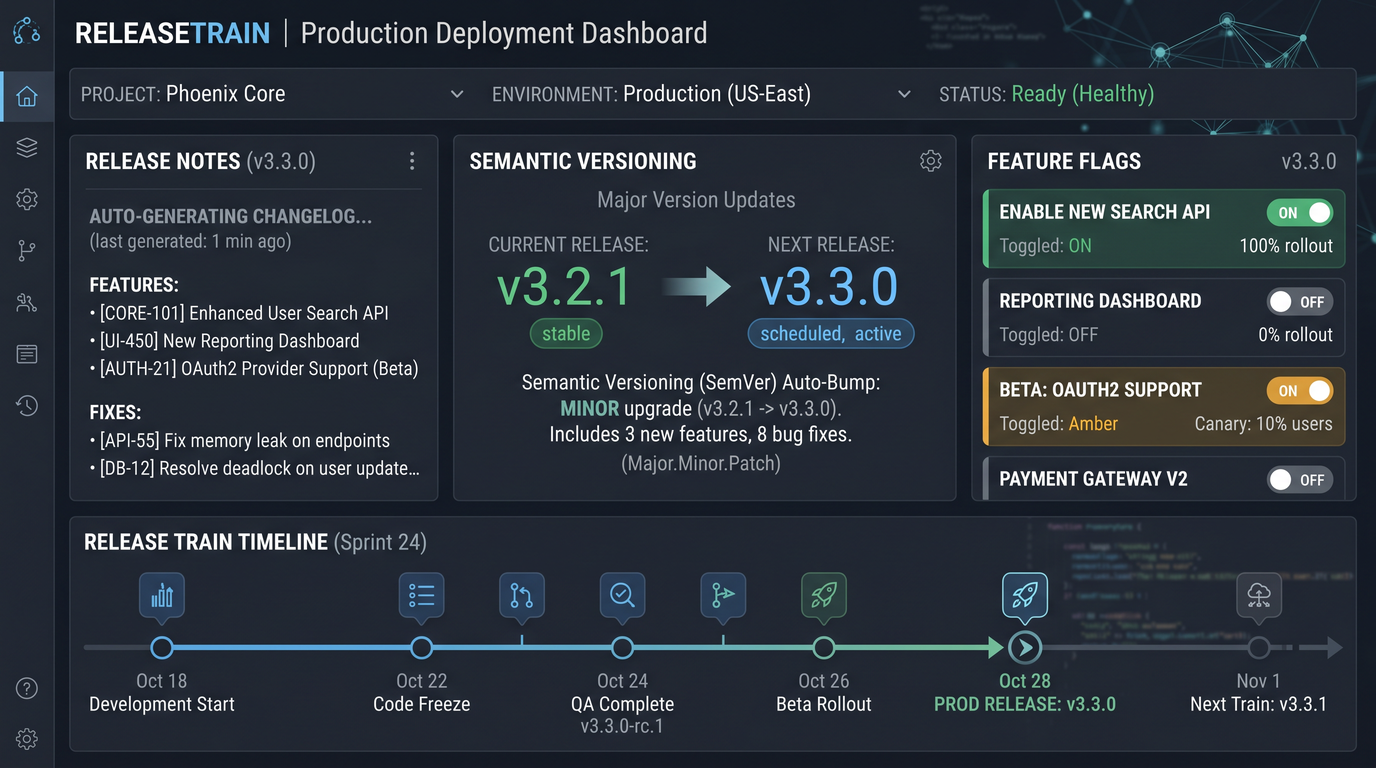
Good deployments are boring deployments. In this section, Codex prompts generate Kubernetes manifests or Helm charts, blue/green and canary strategies, and robust environment layering with secrets automation. The goal: consistent, reversible releases with progressive exposure and tight security controls.
Prompt 6: Kubernetes manifest generation
When to use this: Use this prompt to produce clean Kubernetes specs (or Helm/Kustomize) for stateless services with autoscaling, proper probes, resource requests/limits, and optional service mesh annotations. It ensures reproducible manifests per environment and a tidy GitOps structure.
Full Prompt
You are Codex acting as a Kubernetes platform engineer. Generate Kubernetes deployment assets for {{SERVICE_NAME}}.

Inputs:
- Container image: {{IMAGE}} and tag strategy: {{TAG_STRATEGY}} (e.g., sha256 digest)
- Ports and probes: {{PORT_PROBES}} (http path, initialDelay, period)
- Resources: {{RESOURCES}} (requests/limits)
- Config: {{CONFIG}} (env vars, ConfigMaps, Secrets, volumes)
- HPA policy: {{HPA_POLICY}} (CPU/memory thresholds)
- Ingress: {{INGRESS}} (class, hostnames, TLS, path type)
- Namespace: {{NAMESPACE}}
- Platform constraints: {{CONSTRAINTS}} (PodSecurity, node selectors, tolerations)
- Packaging: {{PACKAGING}} (plain YAML, Kustomize overlays, or Helm chart)
- GitOps repo structure: {{GITOPS_LAYOUT}} (e.g., clusters/{{cluster}}/apps/{{service}})

Deliverables:
1) Base manifests: Deployment, Service, HPA, ConfigMap, Secret (as templates), Ingress
2) Overlays (dev/stage/prod) with differences (replicas, resources, domains)
3) Documentation: DEPLOYMENT.md with apply commands and validation checks
4) Optional service mesh annotations (Istio/Linkerd) if requested

Output format (use file manifest):
- FILE: k8s/base/deployment.yaml
  {{content}}
- FILE: k8s/base/service.yaml
  {{content}}
- FILE: k8s/base/hpa.yaml
  {{content}}
- FILE: k8s/overlays/dev/kustomization.yaml
  {{content}}
- FILE: DEPLOYMENT.md
  {{content}}

Rules:
- Use readiness and liveness probes
- Use resource requests/limits
- Avoid embedding secrets in plain text; use placeholders
- Prefer immutable image references via digest
- Generate labels and annotations following Kubernetes recommended labels
Expected Output
- Base manifests with standard labels, probes, and resource settings.
- Environment overlays that parameterize replicas, domains, and configs.
- Documentation with kubectl and kustomize commands, validation steps, and rollout status checks.
Customization Tips
- Switch to a Helm chart if you prefer templating and release management with Helm.
- Leverage Kustomize for simple overlays such as replica counts or environment-specific env vars.
- Attach PodDisruptionBudgets and PodSecurityContexts to harden operations.
- Use imagePullSecrets for private registries and enforce namespace-level admission policies.
Example Snippet (Deployment)
apiVersion: apps/v1
kind: Deployment
metadata:
  name: {{SERVICE_NAME}}
  labels:
    app.kubernetes.io/name: {{SERVICE_NAME}}
spec:
  replicas: 3
  selector:
    matchLabels:
      app: {{SERVICE_NAME}}
  template:
    metadata:
      labels:
        app: {{SERVICE_NAME}}
    spec:
      serviceAccountName: {{SERVICE_NAME}}
      containers:
        - name: app
          image: {{IMAGE}}@{{DIGEST}}
          ports:
            - containerPort: 8080
          readinessProbe:
            httpGet:
              path: /ready
              port: 8080
          livenessProbe:
            httpGet:
              path: /health
              port: 8080
          resources:
            requests:
              cpu: "200m"
              memory: "256Mi"
            limits:
              cpu: "1"
              memory: "512Mi"
Prompt 7: Blue-green deployment setup
When to use this: Choose blue/green when you want zero-downtime deployments with instant traffic switching and easy rollback. This prompt creates two parallel environments and a switch mechanism (Service selector or Ingress routing). It can target Kubernetes, AWS ASG with ALB, or other orchestrators.
Full Prompt
Act as a release engineer. Create a blue/green deployment plan and manifests for {{TARGET_PLATFORM}}.

Context:
- Platform: {{TARGET_PLATFORM}} (e.g., Kubernetes, AWS EC2+ALB, ECS)
- App name: {{APP_NAME}}
- Image: {{IMAGE}}
- Health check: {{HEALTH_CHECK}}
- Switch method: {{SWITCH_METHOD}} (Kubernetes Service selector swap, Ingress rule switch, ALB target group shift)
- Traffic policy: all-or-nothing with quick verification
- Observability: {{OBSERVABILITY}} (logs, metrics, traces to verify)
- Rollback: instant revert to previous color
- CI trigger: on image tagged release or on manual approval

Deliverables:
1) Blue and green deployment specs
2) Traffic switch asset (Service or Ingress change; ALB target group update)
3) CI/CD steps to:
   - Deploy new color
   - Run smoke tests and health checks
   - Switch traffic if healthy
   - Monitor and auto-rollback on failure
4) Documentation with runbook and diagrams

Output format:
- FILE: k8s/bluegreen/deployment-blue.yaml
  {{content}}
- FILE: k8s/bluegreen/deployment-green.yaml
  {{content}}
- FILE: k8s/bluegreen/service.yaml
  {{content}}
- FILE: .ci/bluegreen.yml
  {{content}}
- FILE: BLUEGREEN-RUNBOOK.md
  {{content}}
Expected Output
- Two identical deployments labeled by color with a Service pointing at one color at a time.
- Automated smoke tests executed before switching traffic.
- CI steps with manual approval gates and clear rollback instructions.
Customization Tips
- Add pre-traffic database migration gating and post-traffic synthetic checks.
- Use progressive traffic flips (e.g., 10%, 50%, 100%) if your switch method supports it.
- Include automated DNS health checks and circuit breakers if exposed publicly.
Example Snippet (Service Switch)
apiVersion: v1
kind: Service
metadata:
  name: {{APP_NAME}}
spec:
  selector:
    app: {{APP_NAME}}
    color: blue
  ports:
    - port: 80
      targetPort: 8080
Prompt 8: Canary release configuration
When to use this: If you want progressive delivery with controlled risk, canaries allow partial traffic exposure and metric-based promotion. This prompt creates the necessary routing, metrics checks, and promotion rules using service mesh or ingress controllers.
Full Prompt
As a progressive delivery engineer, configure a canary rollout for {{SERVICE_NAME}}.

Inputs:
- Platform/tooling: {{TOOLING}} (e.g., Istio VirtualService, Linkerd SMI, Argo Rollouts, NGINX Ingress canary)
- Metrics provider: {{METRICS}} (Prometheus, Datadog, CloudWatch) and thresholds: {{THRESHOLDS}}
- Steps: {{STEPS}} (e.g., 5%, 20%, 50%, 100% with hold times)
- Abort conditions: {{ABORT_CONDITIONS}} (error rate, p95 latency, saturation)
- Smoke tests: {{SMOKE_TESTS}} (synthetic checks to run between steps)
- CI integration: {{CI}} (manual approvals, automatic promotions)

Deliverables:
1) Canary resources (Istio VirtualService/DestinationRule or Argo Rollouts)
2) Metric analysis templates and queries
3) CI workflow with promotion/rollback logic and notification hooks
4) Documentation CANARY.md with dashboards and runbook

Output:
- FILE: k8s/canary/rollout.yaml
  {{content}}
- FILE: k8s/canary/metrics-templates.yaml
  {{content}}
- FILE: .ci/canary.yml
  {{content}}
- FILE: CANARY.md
  {{content}}

Rules:
- Start with low traffic percentages
- Hold and validate metrics between steps
- Auto-rollback on threshold breach
- Record all changes for audit (annotations and logs)
Expected Output
- Canary rollout YAML with progressive steps and pause hooks.
- Metrics templates with queries tuned to your SLOs.
- CI orchestration for automatic promotions and notifications upon success or failure.
Customization Tips
- When using Argo Rollouts, integrate AnalysisTemplates wired to metrics and Webhooks.
- For Istio, clearly separate subsets and weigh traffic using VirtualService routes.
- Throttle change rate by adding minimum hold times and manual approvals during business hours.
Example Snippet (Argo Rollouts)
apiVersion: argoproj.io/v1alpha1
kind: Rollout
metadata:
  name: {{SERVICE_NAME}}
spec:
  strategy:
    canary:
      steps:
        - setWeight: 5
        - pause: { duration: 2m }
        - setWeight: 20
        - pause: { duration: 5m }
        - setWeight: 50
        - pause: { duration: 10m }
        - setWeight: 100
Prompt 9: Environment-specific configs
When to use this: Environments differ in replicas, resources, endpoints, and sometimes features. This prompt tells Codex to generate configuration layering with Kustomize overlays or Helm values, plus GitOps-ready directory structures and change management guidelines.
Full Prompt
You are Codex as an environment configuration engineer. Build environment-specific config layering for {{SERVICE_NAME}}.

Inputs:
- Environments: {{ENVS}} (e.g., dev, staging, prod)
- Differences: {{DIFFS}} (replicas, CPU/memory, image tag policy, ingress hosts, feature flags)
- Packaging choice: {{PACKAGING}} (Kustomize overlays or Helm values)
- GitOps repo: {{GITOPS_REPO}}; target path: {{TARGET_PATH}}
- Secrets: handled by {{SECRETS_TOOL}} (e.g., Sealed Secrets, SOPS); do not commit plaintext
- Validation: {{VALIDATION}} (kubectl diff, policy checks, admission controls)

Deliverables:
1) Base manifests or Helm chart with sane defaults
2) Overlays or values-{{env}}.yaml for each environment
3) Directory layout for GitOps with clusters/env separation
4) ENV-CONFIG.md explaining how to propose and review changes
5) CI checks that validate manifests per env

Output format:
- FILE: k8s/base/kustomization.yaml
  {{content}}
- FILE: k8s/overlays/dev/kustomization.yaml
  {{content}}
- FILE: k8s/overlays/staging/kustomization.yaml
  {{content}}
- FILE: k8s/overlays/prod/kustomization.yaml
  {{content}}
- FILE: ENV-CONFIG.md
  {{content}}
Expected Output
- Clearly separated and documented configuration layers that avoid drift.
- Policies to ensure review and testing for environment-specific changes.
- Automation that renders manifests per environment to catch errors early.
Customization Tips
- Add policy-as-code checks (OPA/Gatekeeper or Kyverno) to enforce guardrails.
- Use JSON6902 patches for precise, reviewable changes in Kustomize.
- Commit rendered manifests to a validation branch to aid diff-based reviews.
Example Snippet (Kustomize overlay)
apiVersion: kustomize.config.k8s.io/v1beta1
kind: Kustomization
resources:
  - ../../base
patchesStrategicMerge:
  - replica-patch.yaml
configMapGenerator:
  - name: app-env
    literals:
      - FEATURE_FLAG_X=false
Prompt 10: Secrets management automation
When to use this: Secrets should not live in CI configs or Git. This prompt integrates a secrets backend and secure injection patterns into your pipelines. It supports Vault, AWS Secrets Manager, GCP Secret Manager, Azure Key Vault, Sealed Secrets, or SOPS with age.
Full Prompt
As a security engineer, integrate secure secrets management into our CI/CD and deployments.

Inputs:
- Secret backend: {{BACKEND}} (Vault, AWS SM, GCP SM, Azure KV, SOPS, Sealed Secrets)
- Access pattern: {{ACCESS}} (CI-time retrieval, runtime via sidecar/CSI, sealed manifests)
- Auth method: {{AUTH_METHOD}} (OIDC, IRSA/Workload Identity, AppRole)
- Rotation policy: {{ROTATION}} (e.g., 90 days; automatic rotation)
- Encryption standards: {{ENCRYPTION}}
- Audit/compliance: {{AUDIT}} (logging, approvals)
- Target services: {{SERVICES}}
- Environment scope: {{ENVS}}

Deliverables:
1) CI snippets that retrieve secrets just-in-time with least privilege
2) Kubernetes integration (CSI driver, annotations, or sealed resources)
3) Example policy documents/roles authorizing access
4) SECRETS.md with rotation playbook and redaction rules
5) Bootstrap script to provision required roles/policies

Output format:
- FILE: .ci/secrets.yml
  {{content}}
- FILE: k8s/secrets/README.md
  {{content}}
- FILE: policies/{{BACKEND}}-policy.hcl
  {{content}}
- FILE: scripts/bootstrap-secrets.sh
  {{content}}

Rules:
- Do not print secrets to logs
- Use short-lived tokens
- Verify fail-closed behavior when secrets missing
- Provide local development path using dotenv or dev-only variables
Expected Output
- CI steps that authenticate to a secrets backend via OIDC or cloud-native identities, not static keys.
- Runtime injection patterns using sidecars or CSI drivers where applicable.
- Policies and roles demonstrating least privilege.
- Documentation for rotation, auditing, and break-glass procedures.
Customization Tips
- Prefer identity federation to avoid long-lived CI credentials.
- Add pre-commit hooks to block accidental commits of secrets.
- Create environment and namespace scoping boundaries in your policies.
- Automate rotation and notify owners of impending expirations.
Example Snippet (Kubernetes Secret Store CSI)
apiVersion: secrets-store.csi.x-k8s.io/v1
kind: SecretProviderClass
metadata:
  name: {{SERVICE_NAME}}-secrets
spec:
  provider: aws
  parameters:
    objects: |
      - objectName: "/{{ENV}}/{{SERVICE_NAME}}/DB_PASSWORD"
        objectType: "secretsmanager"
Section 3: Release Management
Release processes govern how versions are tagged, how changes are communicated, and how risk is managed. The prompts in this section guide Codex to create automated semantic versioning rules, changelogs, feature flag orchestration, safe rollback procedures, and coordinated release trains for multi-team, multi-service organizations.
Prompt 11: Semantic versioning automation
When to use this: This prompt automates SemVer 2.0.0 version bumps, Git tags, and package version updates based on commit messages or PR labels. It’s suitable for mono and poly-repos across multiple languages and package registries.
Full Prompt
You are Codex as a release tooling engineer. Implement semantic versioning automation.

Inputs:
- Trigger: {{TRIGGER}} (merge to main, manual dispatch)
- Source of truth: {{SOURCE}} (Conventional Commits, PR labels)
- Scopes: {{SCOPES}} (global version or per-package versions in monorepo)
- Package managers: {{PMS}} (npm/pnpm/yarn, poetry/pip, maven/gradle, cargo, go modules)
- Tag format: {{TAG_FORMAT}} (e.g., v{{version}})
- Pre-release channels: {{PRERELEASE}} (alpha, beta, rc)
- Registry publish: {{REGISTRY_PUBLISH}} (npm registry, PyPI, GH Packages, Docker tags)
- Signing: {{SIGNING}} (cosign/gpg)
- Changelog integration: {{CHANGELOG_INTEGRATION}} (hook to changelog prompt)

Deliverables:
1) CI workflow to compute next version: major/minor/patch based on commits/labels
2) Update package versions and inter-dependencies if monorepo
3) Create Git tag and GitHub/GitLab release (optional)
4) Publish artifacts to registries
5) VERSIONING.md with rules and examples

Output:
- FILE: .ci/release.yml
  {{content}}
- FILE: scripts/next-version.sh
  {{content}}
- FILE: VERSIONING.md
  {{content}}

Rules:
- Idempotent: reruns do not double-increment
- Support dry-run mode for PRs
- Commit message format and label mapping must be documented
- Store computed version in an artifact and environment variable
Expected Output
- A CI workflow that parses commits, calculates the next SemVer, updates files, creates tags, and optionally publishes.
- Scripts that are safe to re-run and that support dry-run preview.
- Documentation for developers on how messages map to versions.
Customization Tips
- Enforce Conventional Commits with a commit lint or PR check.
- For monorepos, manage per-package changelogs and version ranges consistently.
- Integrate image tagging: push image:version and image:sha; keep :latest only for development.
Example Snippet (Conventional Commits mapping)
feat: minor bump
fix: patch bump
perf!: major bump
BREAKING CHANGE: major bump
Prompt 12: Changelog generation
When to use this: A clear changelog improves trust and reduces support load. This prompt creates a standardized, category-aware changelog generator that works with Conventional Commits or PR labels, and publishes release notes alongside artifacts.
Full Prompt
Act as a technical writer and tooling engineer. Generate automated changelog tooling.

Inputs:
- Source: {{SOURCE}} (Conventional Commits or PR labels)
- Categories: {{CATEGORIES}} (e.g., Features, Fixes, Performance, Docs, Chores, Breaking)
- Scope: {{SCOPE}} (global or per-package)
- Output: {{OUTPUT}} (CHANGELOG.md, GitHub Releases notes)
- Templates: {{TEMPLATES}} (markdown with sections and comparison links)
- Footer: {{FOOTER}} (upgrade notes, breaking changes migration)
- Include contributors: {{CONTRIBUTORS}} (yes/no)
- Range: {{RANGE}} (previous tag ... new tag)

Deliverables:
1) changelog config (e.g., conventional-changelog, git-cliff, release-please)
2) CI step to generate and publish notes
3) Template with linkified commits, PRs, authors
4) CHANGELOG-GUIDE.md for maintainers

Output:
- FILE: .changelog/config.toml
  {{content}}
- FILE: .ci/changelog.yml
  {{content}}
- FILE: templates/release-notes.md
  {{content}}
- FILE: CHANGELOG-GUIDE.md
  {{content}}

Rules:
- Group by categories with stable order
- Include comparison links between tags
- Highlight breaking changes and migration steps
- Support dry-run and append-only behavior
Expected Output
- Changelog generator configuration with category mapping and templates.
- CI steps to produce CHANGELOG.md and publish release notes on tags.
- Guidance for contributors to ensure high-quality entries.
Customization Tips
- Include per-service sections for monorepos by scanning commit scopes.
- Enrich notes with SBOM links, vulnerability fixes, and feature flags introduced.
- Generate an HTML version for product marketing and customer success teams.
Example Snippet (git-cliff template excerpt)
{{#each commits}}
- {{message}} by @{{author}} in {{hash}}
{{/each}}
Prompt 13: Feature flag management
When to use this: Feature flags decouple deployment from release. This prompt lets Codex integrate flags into your pipeline and coordinate their lifecycle with releases, supporting platforms like LaunchDarkly, Unleash, and OpenFeature.
Full Prompt
You are Codex acting as a release toggles engineer. Integrate feature flag management with our CI/CD.

Inputs:
- Flag platform: {{PLATFORM}} (LaunchDarkly, Unleash, OpenFeature)
- Environments: {{ENVS}} (dev/staging/prod)
- Flags: {{FLAGS}} (IDs, descriptions, default states, targeting rules)
- Safety: {{SAFETY}} (kill switch, prerequisite flags)
- Audit: {{AUDIT}} (who changed what and when)
- CI hooks: {{CI_HOOKS}} (create flag on PR, enable in dev, partial rollout on staging, 100% prod after canary)

Deliverables:
1) Scripts to create/update flags via API
2) CI steps that set flag states per environment during deployments
3) Runbook FLAG-RUNBOOK.md for toggling, gradual ramps, and emergency off
4) Observability integration: emit flag state to logs/metrics

Output:
- FILE: scripts/flags-sync.js (or .py)
  {{content}}
- FILE: .ci/flags.yml
  {{content}}
- FILE: FLAG-RUNBOOK.md
  {{content}}

Rules:
- Separate config and secrets (API keys) securely
- Support approval for production flag changes
- Expose dry-run mode that prints intended diffs
Expected Output
- Automation that syncs flags definitions from code to your flag provider.
- CI workflows that gate production flag rollout behind approvals and canary results.
- Runbooks to manage on-call toggles safely with auditability.
Customization Tips
- Adopt a flags-as-code repo to declare flags and lifecycles; link each flag to a Jira ticket.
- Emit flag variations to telemetry to correlate with performance and errors.
- Schedule flag cleanups for retired features to reduce complexity.
Example Snippet (LaunchDarkly API call)
curl -s -X PATCH "https://app.launchdarkly.com/api/v2/flags/{{PROJECT}}/{{FLAG_KEY}}" \
  -H "Authorization: {{LD_TOKEN}}" -H "Content-Type: application/json" \
  --data '[{"op":"replace","path":"/environments/prod/on","value":true}]'
Prompt 14: Rollback procedures
When to use this: When a deployment or release misbehaves, you need a tested, documented, and automated rollback. This prompt produces rollback playbooks, CI steps, and guardrails that handle application code, configuration, and database migrations.
Full Prompt
As a site reliability engineer, define automated rollback procedures.

Context:
- Platform: {{PLATFORM}} (Kubernetes with Helm, Argo Rollouts, or raw manifests)
- State: {{STATE}} (stateless/stateful, DB migrations, caches)
- Observability: {{OBS}} (alerts, dashboards)
- Criteria: {{CRITERIA}} (SLO breaches, error budgets, manual triggers)
- Release artifacts: {{ARTIFACTS}} (images, charts, manifests)
- Rollback target: {{TARGET}} (previous stable version or known good tag)
- Access: {{ACCESS}} (who can trigger, approvals required)

Deliverables:
1) CI job to execute rollback: select target, apply manifests/helm rollback, verify
2) Runbook ROLLBACK.md: pre-checks, steps, verification, postmortem notes
3) Scripts for database safe-guarding: reversible migrations, toggles for destructive steps
4) Automated validation: smoketests after rollback, traffic rebalancing, cache cleansing (if needed)

Output:
- FILE: .ci/rollback.yml
  {{content}}
- FILE: scripts/rollback.sh
  {{content}}
- FILE: ROLLBACK.md
  {{content}}

Rules:
- Implement fail-closed where applicable
- Record audit logs of actor and reason
- Provide read-only dry-run that shows intended actions
- Include a 5-minute quick checklist for on-call engineers
Expected Output
- Automated rollback workflows with selection of target revision and verification steps.
- Runbooks that prioritize safety and clarity under time pressure.
- Database migration policies for forward-only schemas or safe downgrades.
Customization Tips
- Adopt feature flags for risky changes so rollback can be flag-first before code rollback.
- Practice rollbacks in non-production and record run times and pitfalls.
- Automate post-rollback smoke tests including synthetic user journeys.
Example Snippet (Helm rollback)
helm history {{RELEASE}}
helm rollback {{RELEASE}} {{REVISION}} --wait --timeout 10m
kubectl rollout status deploy/{{DEPLOYMENT}} -n {{NAMESPACE}}
Prompt 15: Release train coordination
When to use this: If many teams ship services that must align on a cadence, a release train model provides predictability. This prompt creates the coordination mechanisms: branching, code freeze windows, checklists, and cross-service validation pipelines.
Full Prompt
You are Codex as a release program manager. Set up a release train system.

Inputs:
- Cadence: {{CADENCE}} (e.g., weekly Tuesday 10:00 UTC)
- Scope: {{SCOPE}} (services included; mono or multi-repo)
- Branching: {{BRANCHING}} (release branch naming, stabilization windows)
- Gates: {{GATES}} (quality gates, security scans, approvals)
- Environments: {{ENVS}} (staging soak, production)
- Communication: {{COMM}} (status page, Slack/Teams, email)
- Artifacts: {{ARTIFACTS}} (images, packages, manifests)
- Audits: {{AUDITS}} (evidence for compliance)

Deliverables:
1) Calendar-driven CI jobs: cut release branches/tags on schedule
2) Freeze and thaw controls with PR labels and merge restrictions
3) Aggregated validation pipeline that builds/tests all in-scope services with integration tests
4) RELEASE-TRAIN.md with roles, RACI, and runbooks
5) Templates for announcements and incident comms

Output:
- FILE: .ci/release-train.yml
  {{content}}
- FILE: RELEASE-TRAIN.md
  {{content}}
- FILE: templates/release-announcement.md
  {{content}}
- FILE: templates/release-incident-notice.md
  {{content}}

Rules:
- Provide opt-out for teams not ready, with justification and traceability
- Maintain a clear dashboard of status and blockers
- Include rollback plan for the entire train or individual cars
Expected Output
- Scheduled automation that creates branches/tags and assembles release candidates.
- Freeze windows that are enforced by repository settings and PR checks.
- Central dashboards and checklists to track readiness per service.
Customization Tips
- Define clear entry/exit criteria for the train with SLO checks and dependency compatibility matrices.
- Add performance regression checks in staging soak periods before production.
- Use signed attestations for released artifacts to improve supply chain trust.
Example Snippet (Scheduled job)
on:
  schedule:
    - cron: "0 10 * * 2" # Tuesdays 10:00 UTC
jobs:
  cut-release-branch:
    runs-on: ubuntu-latest
    steps:
      - uses: actions/checkout@v4
      - run: ./scripts/cut-release.sh {{TRAIN_NAME}}-$(date +%Y.%m.%d)
How to Use This Playbook Effectively
These prompts are designed to be copied into your AI coding assistant session and filled with your specifics. For best results:
- Start with a small scope. For example, apply Prompt 1 to a single service and validate the Docker image’s size, start time, and security posture before scaling.
- Provide concrete inputs. Replace placeholders with exact versions, commands, file paths, and environment names. Where you do not know the ideal value, instruct Codex to propose safe defaults.
- Iterate in short cycles. Ask Codex to generate outputs, run them in a sandbox, collect metrics (build times, image sizes, vulnerability counts), and then refine prompts to optimize.
- Codify your policies. Extend each prompt with your organization’s requirements: allowed base images, minimum probe settings, resource defaults, and approval gates.
- Version your automation. Store generated files in the repo with code review and tests. Consider a dedicated automation directory and a CODEOWNERS entry for your platform team.
Quality and Security Guardrails to Add
Your pipelines should be resilient to mistakes and attacks. As you adopt the prompts above, consider these additional guardrails:
- Policy-as-code. Use OPA/Gatekeeper or Kyverno to enforce baseline standards on Kubernetes resources: required labels, disallowed image registries, no privileged pods, and network policies.
- Supply chain integrity. Sign container images and artifacts with cosign; generate SBOMs; verify provenance with SLSA attestations. Gate deployments on verified signatures.
- Least privilege. Use minimal IAM roles for CI and runtime. Prefer identity federation (OIDC/Workload Identity) over static keys. Rotate and audit regularly.
- Observability. Emit structured logs, metrics, and traces for each deployment step. Tag telemetry with version, environment, and git SHA for precise correlation.
- Backpressure and rollbacks. Always include health checks, circuit breakers, and rapid rollback mechanisms. Practice chaos engineering to validate procedures.
Sample CI Templates to Kickstart
Below are small vendor-specific snippets that you can paste into your prompts or repos to get started faster. Adjust them based on the outputs Codex generates.
GitHub Actions: Basic Build and Test
name: ci
on:
  pull_request:
  push:
    branches: [main]
jobs:
  build-test:
    runs-on: ubuntu-latest
    steps:
      - uses: actions/checkout@v4
      - uses: actions/setup-node@v4
        with:
          node-version: "20"
          cache: "npm"
      - run: npm ci
      - run: npm test -- --ci --reporter=junit
      - uses: actions/upload-artifact@v4
        with:
          name: junit
          path: reports/junit.xml
GitLab CI: Docker Build with Caching
docker-build:
  image: gcr.io/kaniko-project/executor:latest
  stage: build
  variables:
    DOCKER_CONFIG: /kaniko/.docker
  script:
    - /kaniko/executor --context "${CI_PROJECT_DIR}" --destination "${CI_REGISTRY_IMAGE}:${CI_COMMIT_SHA}" --cache=true
CircleCI: Workflow with Approval Gate
version: 2.1
workflows:
  release:
    jobs:
      - build
      - hold:
          type: approval
          requires:
            - build
      - deploy:
          requires:
            - hold
Jenkins Declarative: Parallel Stages
pipeline {
  agent any
  stages {
    stage('Build') {
      parallel {
        stage('Service A') { steps { sh 'make -C services/a build' } }
        stage('Service B') { steps { sh 'make -C services/b build' } }
      }
    }
  }
}
Troubleshooting and Anti-Patterns
Even with well-structured prompts, teams can run into issues. Watch out for these common pitfalls and use the suggested remedies:
- Flaky builds due to network or nondeterminism. Remedy: pin versions, use lockfiles, and seed reproducible timestamp flags; add retry wrappers with exponential backoff for external registries.
- Cache poisoning and stale artifacts. Remedy: scope caches by language version and OS; include lockfile hashes; implement periodic prune jobs; surface cache hit rate metrics.
- Secrets in logs. Remedy: scrub logs; configure CI to mask patterns; use secret backend integrations with short-lived tokens and avoid echoing values.
- Deployment drift across environments. Remedy: use overlays and a single source of truth; validate manifests per environment in CI; rely on GitOps tools for reconciliation.
- Slow rollbacks. Remedy: pre-define rollback targets; test rollback pipelines regularly; add feature flags as a first line of defense.
- Overly complex prompts. Remedy: start simple and iterate. Split large deliverables into separate prompts and link them together with clear handoffs.
Governance and Compliance Considerations
Regulated industries require traceability and evidence. The prompts above can be extended to capture and store the right artifacts:
- Audit trails. Instruct Codex to add annotations and logs for deployment approvals, rollbacks, and flag changes; store them in an append-only location.
- Evidence collection. Persist SBOMs, test reports, vulnerability scan results, and promotion checklists alongside release tags.
- Separation of duties. Encode multi-approval gates for production deployments and flag changes; restrict CI secrets to environment scopes.
- Data residency and privacy. For scanning tools and telemetry, ensure endpoints and storage comply with regional requirements.
Extending the Playbook with Your Standards
Once these prompts are working for your team, extend them to reflect your unique constraints:
- Golden images and base layers. Standardize base OS images and toolchains; add vulnerability SLAs; codify update cadence in prompts.
- Ops SLOs. Embed SLO thresholds in canary and rollout prompts; force promotions to check SLOs rather than raw success metrics.
- Cost efficiency. Add build time budgets, resource quotas, and idle runner shutdown policies to cache and build prompts.
- Cross-team templates. Package prompts as internal templates, and annotate them with your internal wiki links and ownership contacts.
Access 40,000+ AI Prompts for ChatGPT, Claude & Codex — Free!
Subscribe to get instant access to our complete Notion Prompt Library — the largest curated collection of prompts for ChatGPT, Claude, OpenAI Codex, and other leading AI models. Optimized for real-world workflows across coding, research, content creation, and business.
Conclusion
Automating CI/CD with Codex is not about replacing engineers—it’s about amplifying them. With precise prompts that encode your standards, you can scale consistent, secure, and observable pipelines across many services and teams. These 15 prompts cover the core lifecycle from building to deploying to releasing, and they are intentionally designed to be extended. Adapt them to your context, measure results, and continuously refine.
For deeper dives and advanced scenarios, consult your platform engineering team’s internal docs and consider creating a shared repository of prompts tuned to your toolchain. Remember: the quality of AI-generated automation improves when you provide thorough context, unambiguous goals, and clear output formatting requirements.
Explore more:
When choosing which AI coding agent to integrate into your CI/CD pipeline, our 2026 comparison of Cursor, Claude Code, GitHub Copilot, OpenAI Codex, Windsurf, and Devin benchmarks each tool’s performance on automated code review, test generation, and deployment script creation. The 2026 AI Coding Agent Comparison: Cursor vs Claude Code vs Copilot vs Codex.
and .
