
The Complete Guide to ChatGPT and Codex Shared Context: Memory, Projects, and Cross-Platform Workflows
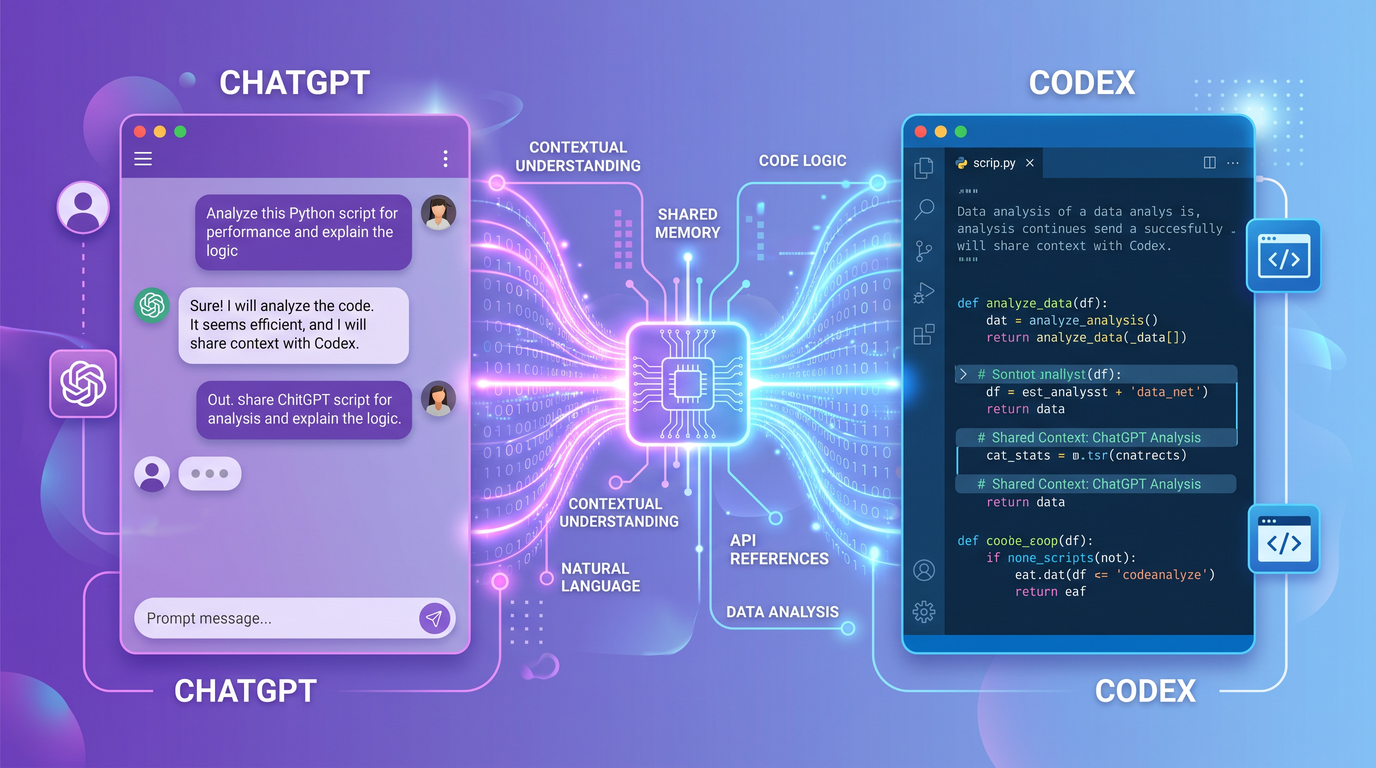
The promise of truly unified AI work is simple to state and hard to achieve: think in one place, build in another, and never repeat yourself. This guide explores the concept and practice of shared context between conversational assistants (ChatGPT) and code-focused assistants (Codex) so you can carry your goals, decisions, and artifacts from chat to code and back again without friction. Whether you are organizing a long-running research project, implementing a feature, or debugging a tricky defect, shared context lets your AI tooling remember what matters, where it came from, and what to do next.
Because platform capabilities evolve, consider this guide both practical and architectural. It outlines how shared context generally works, the moving parts you’ll interact with, common workflow patterns, and the constraints you’ll need to respect. Availability and details can vary by product version, organization policy, and region. Use this as a blueprint to set up, evaluate, and refine your own cross-platform workflows.
What Shared Context Means Between ChatGPT and Codex
Shared context is the connective tissue that allows your conversational assistant (ChatGPT) and your coding assistant (Codex) to operate as one memory- and project-aware system. When shared context is working, your assistants “know” the same project goals, constraints, decisions, files, and definitions, and they can pass this understanding back and forth seamlessly as you move between chat and code.
Think of context as layered:
- User memory: Stable facts about you, your preferences, and long-term goals that persist across chats and sessions. For example, the programming languages you prefer, coding standards you follow, or how you like your summaries formatted.
- Project memory: The shared knowledge base specific to a named project or repo—scope, architecture decisions, tasks, definitions, schemas, and acceptance criteria. This binds your chat sessions and IDE activity to the same set of facts and artifacts.
- Session context: The recent turns in a single conversation. This is volatile and limited by the model’s token window, but it’s where work-in-progress lives.
- Artifact context: Files, code symbols, tests, and documents tied to a project. Context-aware assistants reference these to ground outputs and reduce hallucination.
- Tool context: Runtime environment details such as installed dependencies, environment variables, test fixtures, and command histories in the IDE or terminal.
The goal of shared context is to keep these layers synchronized, discoverable, and safe. If you brainstorm an API contract in ChatGPT, your Codex assistant should be able to find that contract when it scaffolds an implementation. If Codex learns from a failing test and a stack trace, ChatGPT should be able to explain the root cause and propose a remediation plan, using the same vocabulary and filenames.
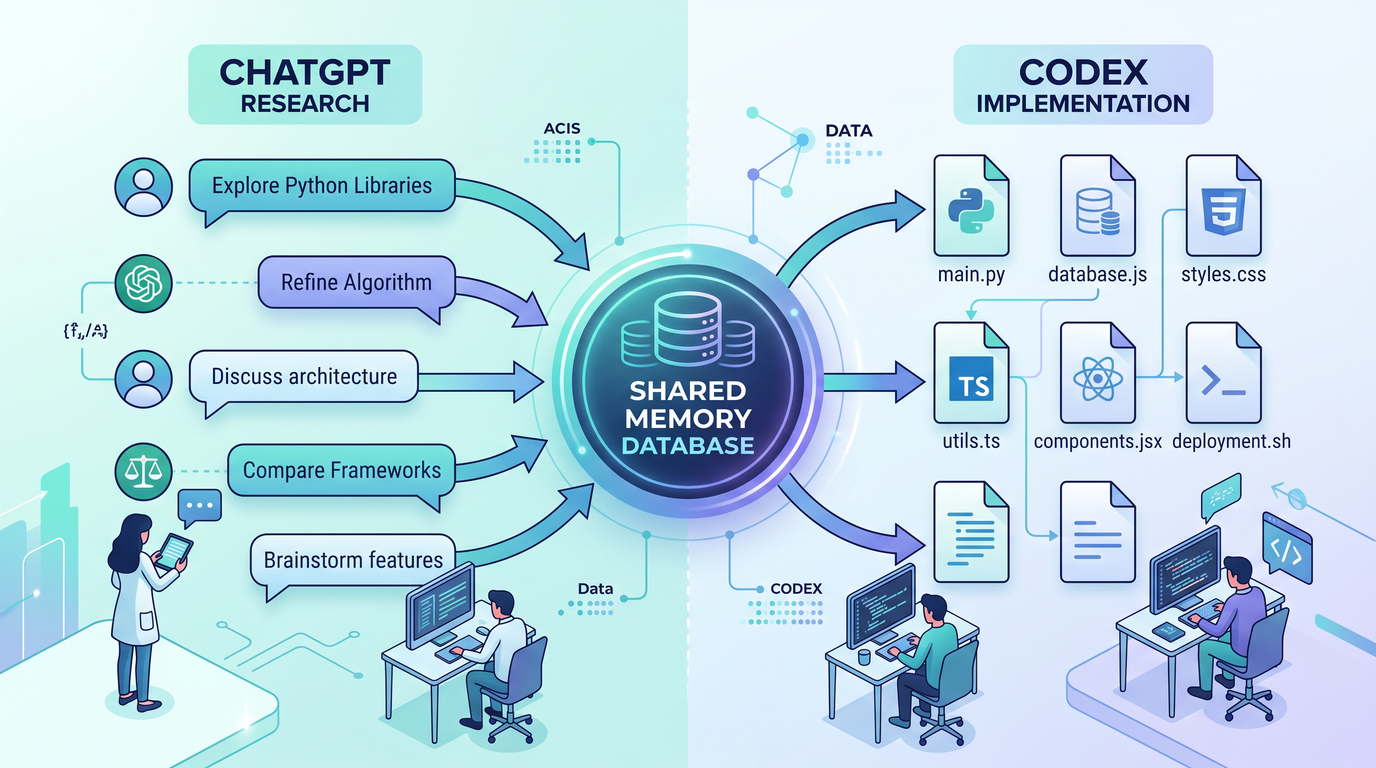
Shared context is not just a feature; it is a discipline. It depends on consistent naming, careful scoping, and deliberate summarization. The more you curate and label your context—project manifests, architecture notes, canonical decisions—the better your assistants will collaborate with each other and with you.
How Memory Synchronizes Across Platforms
Memory synchronization is the mechanism by which your long-lived facts and project knowledge travel between ChatGPT and Codex. While implementations vary, the architecture typically includes identity, namespaces, capture triggers, a shared store, and governance controls that determine what is shared, when, and with whom.
Core principles of cross-platform memory
- Identity and scope: Memory is associated with a user identity and optionally a team or organization identity. Within that, memory is segmented into namespaces (e.g., “global-user,” “org,” “project:alpha-webapp”).
- Explicit capture: Memory works best when you explicitly “promote” facts from a chat or IDE session into durable memory, rather than relying on inference alone.
- Semantic structure: Memories have types (preference, decision, definition, task), content, provenance (where they came from), and retention policies.
- Bidirectional flow: When you update a decision in one place, the change propagates to other surfaces that subscribe to that project’s namespace.
- Least-privilege access: Assistants only see memory relevant to the current context (e.g., the active project). Sensitive fields such as secrets should never be stored as memory.
Conceptual memory object model
The following JSON illustrates a conceptual schema for memory entries that can be synchronized across platforms. Treat this as a reference model for how to label and reason about your data, whether you’re using a built-in memory feature or a custom store.
{
  "id": "mem_01HZX7WQ2QV7Y9P4ZQ7X9K5J6N",
  "namespace": "project:alpha-webapp",
  "type": "decision",             // "preference" | "fact" | "definition" | "task" | "decision"
  "title": "Adopt REST for v1 API",
  "content": "We will implement the external API as REST over HTTPS for v1. GraphQL is deferred.",
  "tags": ["api", "v1", "architecture"],
  "provenance": {
    "source": "chatgpt",
    "conversation_id": "conv_abc123",
    "message_id": "msg_def456",
    "author": "[email protected]",
    "timestamp": "2026-07-07T10:23:50Z"
  },
  "visibility": "org",            // "private" | "project" | "org"
  "retention": {
    "expires_at": null,
    "review_after": "2026-10-01T00:00:00Z"
  },
  "links": [
    {"rel": "issue", "href": "https://tracker.example.com/ISSUE-124"},
    {"rel": "file", "href": "repo://alpha-webapp/docs/api/decisions/0001-adopt-rest.md"}
  ],
  "checksum": "sha256:607f75...",
  "version": 3
}
Synchronization events and lifecycle
- Capture events: Explicit user actions like “Save to project memory,” adding tags, or promoting a chat summary to a canonical note. In IDEs, commit messages or test runs can also trigger captures (e.g., “save failing test summary to project”).
- Propagation: A context broker publishes updates to subscribers (ChatGPT sessions connected to the project, Codex IDE instances with the project loaded). Sync is eventual but should be quick enough to feel real-time.
- Conflict handling: Edits may race. Favor a merge-first strategy with human review for semantic conflicts. Provide an audit trail and the ability to roll back.
- Expiry and review: Stale or superseded memory can cause drift. Set review dates so old decisions surface for confirmation or pruning.
Manual vs. automatic memory
Automated memory extraction (e.g., “detect preferences,” “summarize this thread into decisions”) can help, but you should be able to override it. A good rule of thumb: automate capture, curate meaning. Treat automated summaries as drafts you refine and promote.
Security boundaries
Memory sync should honor your identity provider, group membership, and project access lists. Project memory must never smuggle secrets; use dedicated vaults for credentials and inject them at runtime in the IDE or CI. In shared organizations, ensure project namespaces do not leak into private chats.
Project-Level Context Sharing Architecture
Projects are the backbone of shared context. They bundle documents, code, decisions, tasks, and indexes behind a single name and permission set. When ChatGPT and Codex attach to the same project, they can exchange grounded references: filenames, symbol paths, test names, and issue IDs that both sides can resolve.
Key components
- Project manifest: A machine-readable file that names the project and points to its context: documentation, ADRs (architecture decision records), glossaries, and semantic indexes.
- Context index: A vector or keyword index of project artifacts used for retrieval, citation, and grounding in both chat and IDE surfaces.
- Change feed: A log of significant updates (merged PRs, schema changes, ADR updates) that can trigger re-indexing or memory refresh.
- Permissions model: Role-based access control (RBAC) that determines who can read/write memory, approve automated updates, or link external systems (issue trackers, doc hubs).
- Context broker: The service that routes context between surfaces—e.g., dispatching a new ADR to chat subscribers and prompting Codex to regenerate stubs or tests.
- Provenance and audit: Tamper-evident logs of what context influenced which outputs, especially useful for regulated environments and incident postmortems.
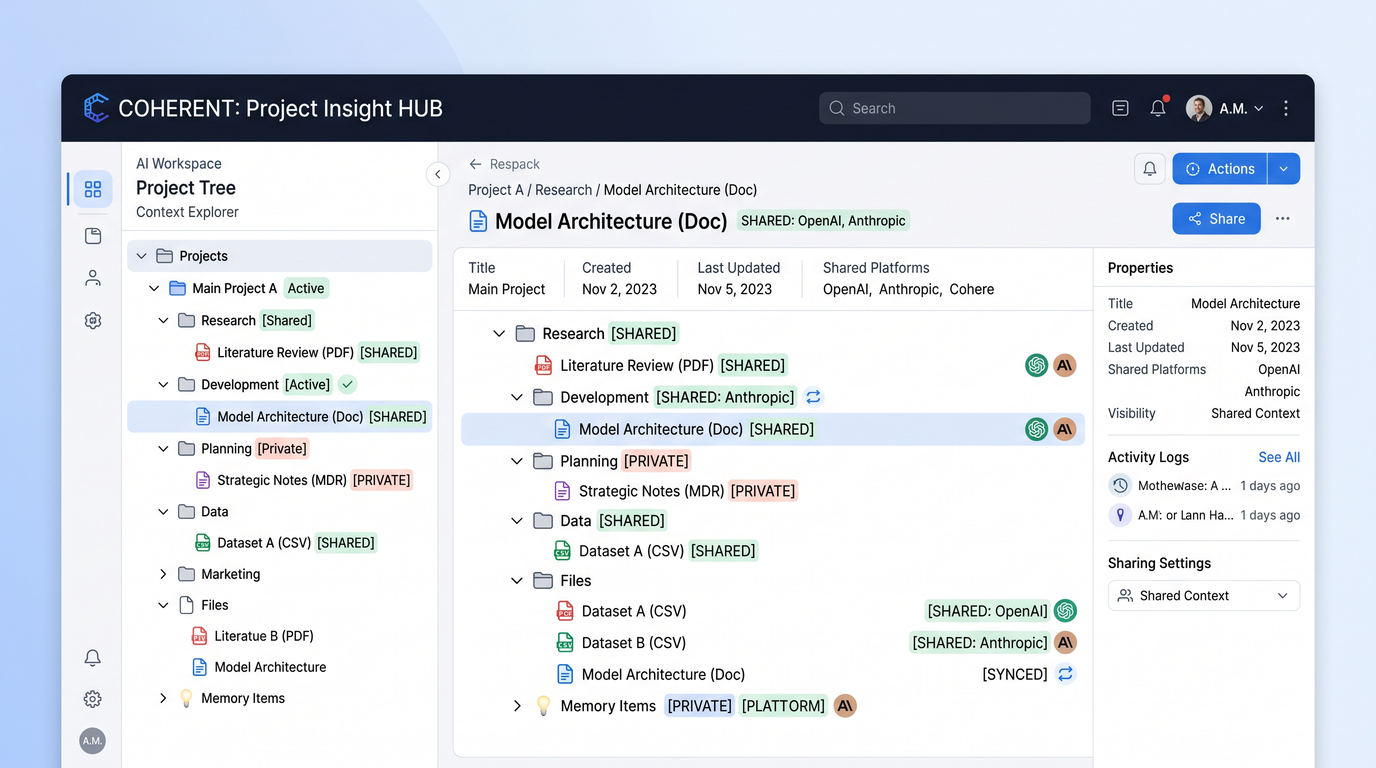
Example project manifest
Here’s a conceptual project.context.json manifest. Some tools use YAML instead; the shape is what matters.
{
  "project": {
    "id": "proj_alpha_webapp",
    "name": "Alpha WebApp",
    "description": "Customer portal for order tracking and returns.",
    "repo": "[email protected]:org/alpha-webapp.git",
    "primary_language": "TypeScript",
    "issue_tracker": "https://tracker.example.com/projects/ALPHA/board",
    "default_branch": "main"
  },
  "context": {
    "glossary": [
      "docs/glossary.md"
    ],
    "decisions": [
      "docs/adr/0001-adopt-rest.md",
      "docs/adr/0002-authn-oauth2.md"
    ],
    "style_guides": [
      "docs/style/frontend.md",
      "docs/style/backend.md"
    ],
    "specs": [
      "docs/specs/api-v1.yaml"
    ],
    "test_plans": [
      "docs/tests/e2e-plan.md"
    ]
  },
  "indexing": {
    "include": ["src/", "docs/"],
    "exclude": ["node_modules/", "dist/"],
    "refresh_on_events": ["merge_to_main", "tag_release", "schema_change"]
  },
  "memory": {
    "namespaces": [
      "project:alpha-webapp"
    ],
    "retention_days": 365,
    "review_schedule_cron": "0 9 1 * *"  // 1st of every month, 09:00
  },
  "permissions": {
    "owners": ["[email protected]"],
    "maintainers": ["[email protected]"],
    "viewers": ["[email protected]"]
  },
  "integrations": {
    "ci": "https://ci.example.com/pipelines/alpha-webapp",
    "docs": "https://docs.example.com/alpha-webapp"
  }
}
How ChatGPT and Codex use the manifest
- ChatGPT: Uses the manifest to load and cite relevant documents, propose tasks, and align on definitions during discussions.
- Codex: Uses the manifest to scope code navigation, add in-file citations to decisions, enforce style guides, and scaffold tests based on test plans.
- Both: Subscribe to the change feed, update indexes, and refresh summaries when something material changes (e.g., API spec updated).
Project graph and discovery
In mature setups, projects form a graph: libraries, services, and docs link to each other. Context brokers can follow edges to prefetch related definitions when needed, while still respecting boundaries to avoid context explosion.
Cross-Platform Workflow Patterns
The real power of shared context shows up in day-to-day workflows. Below are three repeatable patterns you can adopt and adapt. Each relies on consistent naming, explicit promotion of key facts to project memory, and clear handoffs between ChatGPT and Codex.
Pattern 1: Research in ChatGPT → Implement in Codex
Use this pattern when you need to explore trade-offs, survey APIs, and refine requirements before writing code. The handoff produces a crisp specification and a task list that Codex can execute against the repo.
Steps
- Frame the problem in ChatGPT: Provide constraints, success criteria, and non-goals. Ask for options and trade-offs grounded in your project’s decisions and style guides.
- Decide and promote: Convert key outcomes into project memory entries: one decision record, one definition (e.g., data model), and one task list.
- Generate an implementation brief: Ask ChatGPT to produce a “one-pager” with context, scope, acceptance criteria, and a skeletal directory layout.
- Handoff to Codex: In the IDE, ask Codex to “implement the one-pager” by scaffolding files, stubs, and tests, citing relevant decisions and specs.
- Iterate in the IDE: Run tests, fill in logic, and keep Codex grounded by referencing decision IDs and filenames from the brief.
- Back-summarize to ChatGPT: Once a prototype runs, have Codex summarize key changes to memory: repo paths, entry points, and new configuration.
Prompts you can reuse
// ChatGPT: research and decide
You are collaborating on project:alpha-webapp. Using the project's ADRs and style guides,
1) list 3 viable options to add order search by date range,
2) compare them for complexity, performance, and UX implications,
3) recommend one, and
4) draft acceptance criteria.
Cite relevant files/ADRs by path.
// ChatGPT: implementation brief
Consolidate the selected option into a one-pager:
- Context
- Non-goals
- Data model changes
- API endpoints (with method and path)
- UI changes
- Acceptance criteria
- Tests to add
- File plan (paths)
End with a checklist of tasks labeled [TASK].// Codex (IDE): scaffold with citations
Implement the "Order search by date range" one-pager from project:alpha-webapp.
- Create files per the File plan
- Insert TODOs with [TASK] labels
- Add tests that reference docs/tests/e2e-plan.md
- Cite ADR 0001-adopt-rest.md in API handlers
When files exist, update them in place; otherwise, create new files.Pattern 2: Debug in Codex → Explain in ChatGPT
When you’re deep in the IDE and something breaks, Codex is closest to the code and runtime. But once you have a fix or a theory, ChatGPT is ideal for converting the technical narrative into plain language for stakeholders or writing a thorough post-incident note. Shared context keeps the story coherent in both places.
Steps
- Reproduce and instrument in the IDE: Ask Codex to propose a minimal repro and add targeted logs or asserts. Keep test names descriptive.
- Capture the incident timeline: Use Codex to summarize the failure, root cause hypothesis, affected modules, and a mitigation plan. Promote this to project memory as an “incident note.”
- Fix and verify: Implement the fix. Generate a diff summary and link commit hashes to the incident note.
- Explain in ChatGPT: Open the project-linked chat and ask for a human-friendly explanation tailored to a specific audience. Include the incident note reference for grounding.
- Publish and link: Promote the final explanation to project docs and link it back to the incident memory entry.
Reusable snippets
// Codex: capture incident summary
Summarize the failing test in /src/orders/tests/date-range.spec.ts.
Include:
- Symptom and repro steps
- Logs or stack traces (sanitized)
- Suspected root cause with file and function names
- Proposed fix with code pointers
- Risk assessment and test plan
Save as project memory: type=incident, title="Date range search fails for Feb 29", tags=["orders","search","bug"]
// ChatGPT: stakeholder-friendly explanation
Using project:alpha-webapp memory, write a non-technical update for the weekly status.
Audience: Product + Support.
Topic: "Date range search issue (Feb 29)".
Focus: Impact scope, current status, mitigation, next steps. Keep to 150 words.
Link the incident note and commit hashes if available.Pattern 3: Plan in ChatGPT → Execute in Codex
For larger initiatives, start with a plan—milestones, roles, and deliverables—then let Codex run the day-to-day tasks within the codebase. Shared context keeps task labels, file plans, and definitions aligned through the entire cycle.
Steps
- Roadmap in ChatGPT: Draft milestones, success metrics, and dependencies. Use project memory to anchor terminology and component names.
- Break down into tasks: Ask ChatGPT to generate an actionable backlog with labels, owners, and DoD (definition of done). Promote tasks to project memory and your issue tracker.
- Execute in Codex: Pull tasks into the IDE. For each task, Codex loads relevant files, applies style guides, and keeps citations up to date.
- Close the loop: As tasks complete, Codex updates memory and optionally posts back to your chat thread with a concise summary.
Backlog prompt
// ChatGPT: backlog creation
Create a prioritized backlog for "Add order search by date range" in project:alpha-webapp.
For each item:
- Title
- Description (with acceptance criteria)
- Files impacted
- Estimated effort (S/M/L)
- [TASK-ID] short slug
Then generate a summary table with TASK-ID → file paths. Save tasks to project memory.
Task execution prompt
// Codex: execute a task
Work on [TASK-ID]=orders-date-range-ui.
- Open the listed files
- Implement UI changes following docs/style/frontend.md
- Add tests per docs/tests/e2e-plan.md
- Reference decisions in docs/adr/
When done, summarize changes and link to [TASK-ID].
Managing Context Windows and Token Limits
No matter how smart your assistants are, they operate within strict context windows. Efficiently packaging the right information—neither too much nor too little—is an essential skill. Below are strategies to stay within limits without losing fidelity.
Principles for efficient context
- Summarize aggressively, cite precisely: Keep full documents out of the prompt and include short, high-signal summaries with stable citations to the originals (file paths, headings, anchors).
- Chunk by intent: Split large artifacts into logical chunks aligned to tasks, not arbitrary sizes. Store chunk summaries in project memory with tags that match your workflows.
- Pin evergreen facts: Promote definitions and decisions to stable memory so they can be pulled in without re-sending entire histories.
- Prefer diffs over full files: When debugging or reviewing, send line ranges and unified diffs to Codex rather than entire modules.
- Use retrieval: Let assistants fetch only the most relevant chunks via an index rather than embedding everything up front.
Context pack pattern
A context pack is a curated bundle of short summaries and citations designed for a specific task. It fits in the prompt window and tells the assistant where to fetch more.
{
  "task": "Implement order search by date range",
  "project": "alpha-webapp",
  "facts": [
    {"id": "def_orders", "summary": "Order has id, created_at, status, total", "cite": "docs/glossary.md#order"},
    {"id": "adr_rest", "summary": "Public API is REST v1; auth OAuth2", "cite": "docs/adr/0001-adopt-rest.md"},
    {"id": "spec_api", "summary": "GET /api/orders?start=YYYY-MM-DD&end=YYYY-MM-DD", "cite": "docs/specs/api-v1.yaml#orders"}
  ],
  "files": [
    {"path": "src/api/orders.ts", "lines": "1-120"},
    {"path": "src/orders/tests/date-range.spec.ts", "lines": "all"}
  ],
  "acceptance": [
    "Filtering by start/end dates returns inclusive range",
    "Invalid ranges return 400 with error code ORD_RANGE_INVALID"
  ]
}
Summarization templates
// ChatGPT: summarize a long doc into a reusable memory entry
Summarize docs/specs/api-v1.yaml for "Order endpoints" into < 120 tokens.
Include: endpoints, parameters, response schema names.
Store as project memory type=definition, title="Order API v1 summary", tags=["api","orders","v1"]
// Codex: generate a focused diff summary
Given the diff below, summarize intent, risks, and tests impacted.
Output ≤ 120 tokens and cite files with line numbers.
--- a/src/api/orders.ts
+++ b/src/api/orders.ts
@@ -42,6 +42,12 @@ export async function getOrders(req, res) {
+ const { start, end } = req.query;
+ if (!isValidRange(start, end)) {
+ return res.status(400).json({ code: "ORD_RANGE_INVALID" });
+ }
+ filters.date = { start, end };
const items = await orders.list(filters);
...Token budgeting tactics
- Hard caps: Decide a max prompt size per task (e.g., 2k tokens) and build templates to fit within it.
- Sliding window: For long discussions, periodically compress the history into a “state of work” memory entry and restart with a fresh thread linked to the same project.
- Anchor documents: Rather than pasting specs repeatedly, pin a stable “Spec summary” memory entry and reference it by title.
- De-duplicate: Teach your assistants to detect and strip repeated content (same file or decision included twice).
- Use line tokens: When referencing code, prefer short line spans or function-level excerpts over entire files.
Privacy and Data Handling Considerations
Shared context expands what assistants can remember and act upon. It also increases your responsibility to manage data ethically and securely. Treat memory and project context with the same care you apply to source code and production data.
Data classification and scope
- Classify memory: Tag entries as public, internal, confidential, or restricted. Restrict visibility to “project” or “org” when appropriate.
- PII and secrets: Never store secrets (API keys, passwords) or raw PII in memory. Redact logs before capture. Use a secrets manager for credentials and rotate keys regularly.
- Minimum necessary: Capture only what is needed to reconstruct context later (e.g., a sanitized error signature and file path rather than full logs).
Retention and deletion
- Time-bound memory: Set review dates. Automatically archive or delete stale entries to reduce risk and drift.
- Right to be forgotten: Ensure you can delete memory entries and their replicas across systems; keep audit logs of deletions.
Provenance and accountability
- Source tracking: Store where each memory came from (chat message ID, commit hash, file path). This supports audits and postmortems.
- Change approvals: For sensitive projects, require human approval before promoting automated summaries or decisions to shared memory.
Organization policies
- Opt-in defaults: Especially for cross-team projects, default new threads to read-only access until the user explicitly links the project.
- Data residency: If required, ensure indexes and memory stay in approved regions and accounts.
- Tool whitelists: Limit which external integrations can pull or push project memory.
Redaction and sanitization patterns
// Codex: sanitize logs before saving to memory
Redact tokens that match:
- OAuth2 bearer tokens: /Bearer\s+[A-Za-z0-9\.\-_]+/
- Email addresses: /\b[A-Z0-9._%+-]+@[A-Z0-9.-]+\.[A-Z]{2,}\b/i
- UUIDs: /\b[0-9a-f]{8}-[0-9a-f]{4}-[1-5][0-9a-f]{3}-[89ab][0-9a-f]{3}-[0-9a-f]{12}\b/i
Replace with <REDACTED:TYPE> before saving.
Save only the first 10 lines around the error.
Best Practices for Organizing Shared Projects
The following habits magnify the value of shared context. Adopt them early and encode them into your templates and linters.
- Name everything consistently: Use a stable project slug (e.g.,
alpha-webapp). Mirror it in repo names, issue trackers, and memory namespaces. - Use ADRs for decisions: Short, numbered architecture decision records improve traceability. Cite them in code comments and prompts.
- Keep a living glossary: Define domain terms and update them as they evolve. Let assistants draw from this rather than guessing.
- Write one-pagers for features: Small, current, and scoped. Put them under
docs/features/and reference them in PRs. - Tag aggressively: Use tags like
api,ui,orders,auth, andtestto route retrieval accurately. - Promote summaries, not walls of text: Store compact summaries with citations. Keep source docs canonical and unchanged.
- Close the loop: After coding, backfill memory with what changed and why. Future you will thank present you.
- Set review cadences: Calendar monthly memory reviews for each active project to prune, update, and merge duplicates.
- Use templates: Prefer checklists and forms for decisions and incident notes to reduce ambiguity and drift.
Suggested project structure
alpha-webapp/
  docs/
    adr/
      0001-adopt-rest.md
      0002-authn-oauth2.md
    features/
      order-date-range-search.md
    specs/
      api-v1.yaml
    tests/
      e2e-plan.md
    glossary.md
    style/
      frontend.md
      backend.md
  src/
    api/
    ui/
    orders/
    shared/
  project.context.json
Reference table: Context responsibilities
| Area | Primary owner | Stored as | Used by |
|---|---|---|---|
| Definitions/Glossary | Product/Domain lead | Docs + memory (definition) | ChatGPT + Codex |
| Decisions (ADRs) | Tech lead | Docs + memory (decision) | ChatGPT + Codex |
| Feature one-pagers | PM + Eng | Docs + memory (task/plan) | ChatGPT + Codex |
| Incident notes | On-call | Docs + memory (incident) | ChatGPT + Codex |
| Code indexes | DevTools/Platform | Index store | Codex (+ ChatGPT via retrieval) |
Limitations and Workarounds
Shared context doesn’t remove all friction. Knowing the boundaries helps you plan mitigations and keep teammates aligned on expectations.
- Context window limits: Even with retrieval, assistants can’t hold everything in mind. Workaround: use context packs, pin summaries, and keep conversations scoped.
- Indexing latency: New files or docs may not be searchable immediately. Workaround: request a targeted refresh or paste small, critical snippets with citations temporarily.
- Ambiguous namespaces: If two projects share similar names or file paths, assistants may cross-wire references. Workaround: include the explicit project slug in prompts and memory entries.
- Automated memory drift: Auto-summaries can be overconfident or outdated. Workaround: require human approval before promoting to shared memory and schedule reviews.
- Security boundaries: Org rules may prevent certain data from flowing between surfaces. Workaround: design your manifests to keep sensitive content out of shared memory and rely on controlled retrieval.
- Model version skew: ChatGPT and Codex might run different model versions. Workaround: pin model versions for critical work or rely on stable summaries and tests to enforce consistency.
- Attachments and binaries: Large files (images, PDFs) may not index well. Workaround: summarize and extract key metadata; store originals in a doc system linked from memory.
- Offline work: IDEs offline can’t sync new memory. Workaround: queue local summaries and sync when back online; avoid relying on stale decisions without verification.
- Conflict resolution: Simultaneous edits to the same memory entry cause merges. Workaround: adopt an “edit via PR” model for important decisions and incident notes.
- Non-determinism: Assistants may paraphrase differently across sessions. Workaround: use templates and canonical phrasing in summary titles and key definitions.
Future Roadmap for Unified AI Workspaces
The trajectory for shared context is toward more seamless, secure, and explainable collaboration across tools and teams. While details and timelines vary by platform, here are capabilities the ecosystem is converging on and that you can plan for.
- Unified project graph: A first-class, queryable graph linking code, docs, tests, incidents, and issues, with typed edges and provenance.
- Context quality scoring: Built-in metrics for memory freshness, coverage, and conflict density, with recommendations to improve.
- Zero-trust memory sync: End-to-end encryption for project memory with keys managed by your organization and per-namespace access grants.
- Live presence and co-editing: Real-time collaboration where ChatGPT and Codex annotate the same file or note simultaneously with conflict-free merging.
- Intent-aware indexing: Indexes that adapt to the task at hand (refactor, debug, write tests) and proactively hydrate context packs.
- Policy-aware assistants: Models that natively understand and enforce your org’s compliance policies, redaction rules, and approval gates.
- Cross-tool automations: Declarative workflows that trigger on context events (e.g., “new ADR → regen SDKs → open PRs → notify chat”).
- Richer provenance: Fine-grained traceability from outputs back to specific lines, decisions, and conversations.
- Offline-first modes: Local caches and indexes with safe and resumable sync, improving privacy and resilience.
As these capabilities solidify, the distinction between “chat” and “code” assistants will matter less than the integrity of your shared context and the quality of your workflows.
Frequently Asked Questions
Does shared context mean everything I say in ChatGPT is saved to project memory?
No. Good implementations default to explicit promotion, meaning you must actively save a message or summary to project memory. Some signals (e.g., tagging a message as a decision) can prompt a save suggestion, but you should retain control.
Can I limit what Codex sees from ChatGPT?
Yes. Scope access by project and by memory type. For example, allow Codex to read definitions and decisions but not private preferences. You can also run IDE sessions with read-only memory to prevent accidental writes.
How do I keep cross-platform work consistent when team members use different tools?
Enforce consistency at the project level: a manifest, standardized ADRs, a living glossary, and templates for feature briefs and incidents. Assistants become interchangeable when they consume the same context in the same shapes.
What if my organization bans long-term memory?
You can still benefit from project-level context by relying on retrieval from indexed files and ephemeral session summaries. Store durable context in your repo (ADRs, one-pagers) and treat assistants as consumers rather than custodians of memory.
Is vector search required?
No, but it helps. Smaller projects may work well with keyword search and structured manifests. As projects grow, semantic retrieval improves relevance and reduces prompt size by fetching only the most pertinent chunks.
How do I manage duplicated or conflicting memory entries?
Deduplicate during monthly reviews. Merge entries with the same title and overlapping content, keep the best provenance, and update references. Consider unique slugs (e.g., DEC-001, DEF-ORDERS-001) to reduce collisions.
What about non-code artifacts like designs or PDFs?
Extract key facts into summaries, store citations to the originals, and keep the originals in a system that supports previews and access controls. Codex will primarily use summaries, while ChatGPT can link out to the full artifacts.
How do I avoid leaking sensitive data when asking for help with bugs?
Sanitize logs, redact PII and tokens, and summarize errors instead of pasting wholesale traces. Store only what is necessary to reproduce and fix the issue. Add a preflight redaction step to your IDE prompts.
Troubleshooting Checklist
- ChatGPT can’t see project docs: Verify the thread is linked to the correct project. Ask it to list the project manifest and key files.
- Codex proposes changes that ignore decisions: Ensure ADRs are included in the manifest and indexed. Rebuild the index and prompt Codex with explicit ADR references.
- Memory entries don’t appear cross-platform: Check the namespace and visibility. Confirm sync status and recent errors in activity logs.
- Search is returning irrelevant chunks: Tighten tags, re-chunk long files logically, and add better summaries to guide retrieval.
- Prompts are too long: Switch to context packs. Summarize and cite rather than pasting full content.
- Conflicts in memory edits: Adopt an approval flow or PR-like mechanism for key entries. Merge with care and keep the most credible provenance.
- IDE offline: Queue local summaries and sync later. Avoid making decisions that depend on missing context; note them for review.
Templates and Snippets
Decision (ADR) template
# [DEC-###] Title
Date: YYYY-MM-DD
Status: Proposed | Accepted | Superseded by DEC-###
Context:
- <why this decision is needed>
Decision:
- <the choice made>
Consequences:
- <ripples, risks, mitigations>
References:
- docs/specs/<file>
- issues/<link>
Feature one-pager template
# Feature: <name>
Context: <project, users, goals>
Non-goals: <out of scope items>
API changes: <paths and methods>
UI changes: <pages/components>
Acceptance criteria: <list>
Test plan: <unit/e2e cases>
File plan: <paths>
ChatGPT context pack prompt
Assemble a context pack for [TASK] in [PROJECT].
Include:
- 3-5 key facts (summaries + citations)
- 2-3 file excerpts (short)
- Acceptance criteria
Keep total under 1,800 tokens.
Codex refactor prompt
Refactor [FILE] to extract [FUNCTIONALITY] into [NEW MODULE].
Constraints:
- Follow docs/style/backend.md
- Preserve public API
- Update/add tests per docs/tests/e2e-plan.md
Cite ADRs that influenced structure.
Output a diff summary.
Incident note template
# Incident: <title>
Date/Time:
Impact:
Symptoms:
Root Cause (hypothesis):
Fix:
Risk/Backout:
Follow-ups:
References:
- commits:
- files:
- decisions:
Access 40,000+ AI Prompts for ChatGPT, Claude & Codex — Free!
Subscribe to get instant access to our complete Notion Prompt Library — the largest curated collection of prompts for ChatGPT, Claude, OpenAI Codex, and other leading AI models. Optimized for real-world workflows across coding, research, content creation, and business.
Next Steps and Further Reading
You now have the mental models, setup steps, and patterns to turn ChatGPT and Codex into a cohesive workspace. Start small: choose one active project, add a minimal manifest, and pilot the three workflow patterns for two weeks. Measure rework, turnaround time, and clarity of handoffs. Iterate on your templates and tags.
For deeper dives on enabling and tuning memory and on organizing your workspace for code-first flows, see:
Shared context becomes especially powerful when building multi-agent teams that need to coordinate on complex tasks. Our guide to OpenAI’s Agent-Team feature explains how to prevent role conflicts and manage agent hierarchy when multiple agents share project memory and file context. How to Build Multi-Agent Teams with OpenAI’s Agent-Team Feature.
and
Understanding shared context is essential for developers building custom AI agents that maintain state across multi-step workflows. Our tutorial on OpenAI’s Responses API covers the progression from single-turn chat to autonomous workflows that leverage persistent memory and project-level context. How to Build Custom AI Agents with OpenAI’s Responses API.
As you standardize these practices, your assistants will become easier to trust, faster to reason, and better at transferring intent across tools. The future of unified AI workspaces is already here—it just needs good context.
