
The integration of Apple Health data with ChatGPT represents one of the most significant leaps forward in personalized AI-assisted wellness — and most users are barely scratching the surface of what’s possible. With ChatGPT’s Health feature now allowing direct access to your sleep metrics, workout logs, heart rate variability, nutrition data, and even medical records, the quality of insights you receive is entirely dependent on the quality of prompts you feed the model. Vague questions produce vague answers; precision-engineered prompts produce actionable, personalized health intelligence that would previously have required a team of specialists to generate. This masterclass gives you 25 battle-tested prompts across five critical health domains, along with the setup knowledge and strategic context to use them effectively.
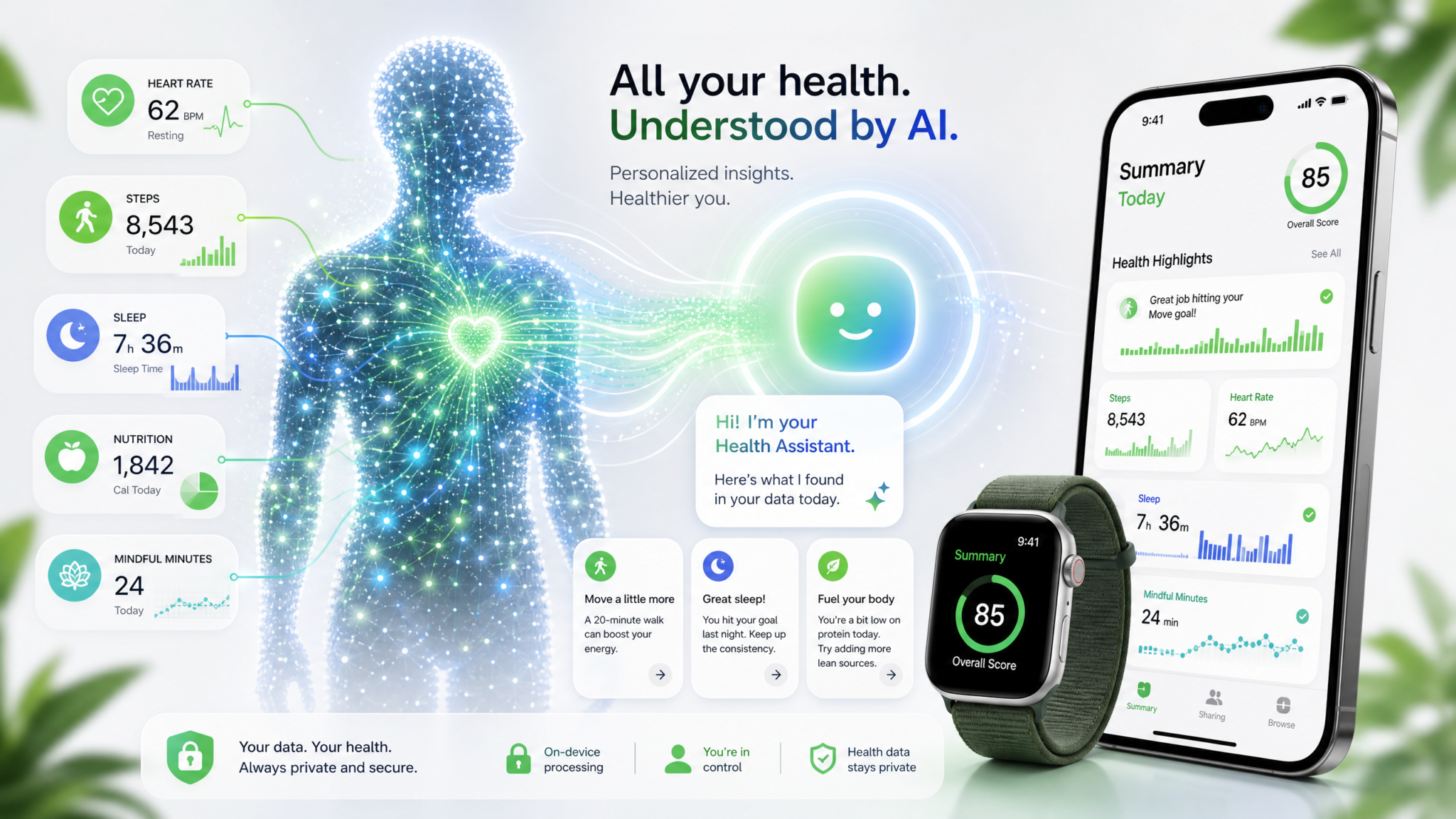
Setting Up Health in ChatGPT: What You Need to Know Before You Start
Before diving into the prompts themselves, getting the integration configured correctly is essential — because the accuracy of every response depends entirely on the data pipeline you establish. The Health feature in ChatGPT (available on iOS through the ChatGPT app) connects directly to your Apple Health app, which serves as the central aggregator for data from your iPhone, Apple Watch, third-party fitness apps like Strava, MyFitnessPal, Oura Ring, and Garmin, as well as manually entered records and synced medical documents.
Step-by-Step Setup Process
- Update to the latest ChatGPT iOS app version — Health integration requires the most current release. Check the App Store for updates before attempting to connect.
- Navigate to Settings within ChatGPT — Tap your profile icon, go to Settings, then look for the “Health” or “Connected Apps” section depending on your app version.
- Grant Apple Health permissions — You’ll be prompted to authorize specific data categories. Be intentional here: grant access to the categories most relevant to your goals (sleep, activity, heart rate, nutrition, body measurements, medical records).
- Connect your medical records — If your healthcare providers use a compatible EHR (Electronic Health Record) system such as Epic, Cerner, or Allscripts, you can connect them directly through Apple Health under Health Records. These then become accessible to ChatGPT through the same integration.
- Verify data is populating — Before running any analysis prompts, ask ChatGPT a simple test question like “What does my Apple Health data show for the past 7 days?” to confirm the connection is active and data is flowing correctly.
Data Categories Available for Analysis
| Category | Data Types Included | Primary Sources |
|---|---|---|
| Activity & Fitness | Steps, workouts, active calories, VO2 max, exercise minutes | Apple Watch, iPhone, Strava, Garmin |
| Sleep | Sleep stages, duration, heart rate during sleep, respiratory rate | Apple Watch, Oura Ring, Sleep Cycle |
| Heart Health | Resting HR, HRV, ECG readings, blood oxygen, cardio fitness | Apple Watch Series 4+ |
| Nutrition | Calories, macros, micronutrients, water intake | MyFitnessPal, Cronometer, manual entry |
| Body Measurements | Weight, BMI, body fat percentage, lean mass | Smart scales, manual entry |
| Medical Records | Lab results, medications, immunizations, clinical notes | Connected healthcare providers |
| Mindfulness | Mindfulness minutes, state of mind, stress levels | Apple Mindfulness, Calm, Headspace |
Privacy Considerations You Cannot Afford to Ignore
Health data is among the most sensitive personal information that exists, and understanding how ChatGPT handles it is non-negotiable before you proceed. OpenAI processes your health data to generate responses within your conversation session, but you should review their current privacy policy to understand data retention specifics. Critically: do not share your Apple Health data in shared or team ChatGPT accounts — use only your personal account with a strong, unique password and two-factor authentication enabled. You can also navigate to your ChatGPT settings and disable “Improve the model for everyone” to prevent your health data from being used in training. Additionally, consider which specific data categories you grant access to — there is no requirement to connect all categories simultaneously. Start with the domains most relevant to your immediate goals and expand access deliberately.
For users with particularly sensitive medical conditions, it may be worth consulting with your healthcare provider about what information is appropriate to share with AI systems. The prompts in this masterclass are designed to generate insights and patterns — they are not a replacement for clinical diagnosis or medical advice, and the most effective use of this tool is as a preparatory and analytical layer that enhances your conversations with actual healthcare professionals. The ChatGPT Voice Desktop Playbook: 15 Prompts for Hands-Free Agent Control, Computer Use, and Multi-Agent Orchestration
Category 1: Sleep Analysis Prompts
Sleep is the foundational pillar of health optimization, and it’s also the category where Apple Health data tends to be richest — particularly for Apple Watch users who wear their device overnight. The following five prompts are engineered to extract maximum insight from your sleep data, identify patterns that surface-level apps miss, and generate personalized interventions based on your specific metrics rather than generic advice.
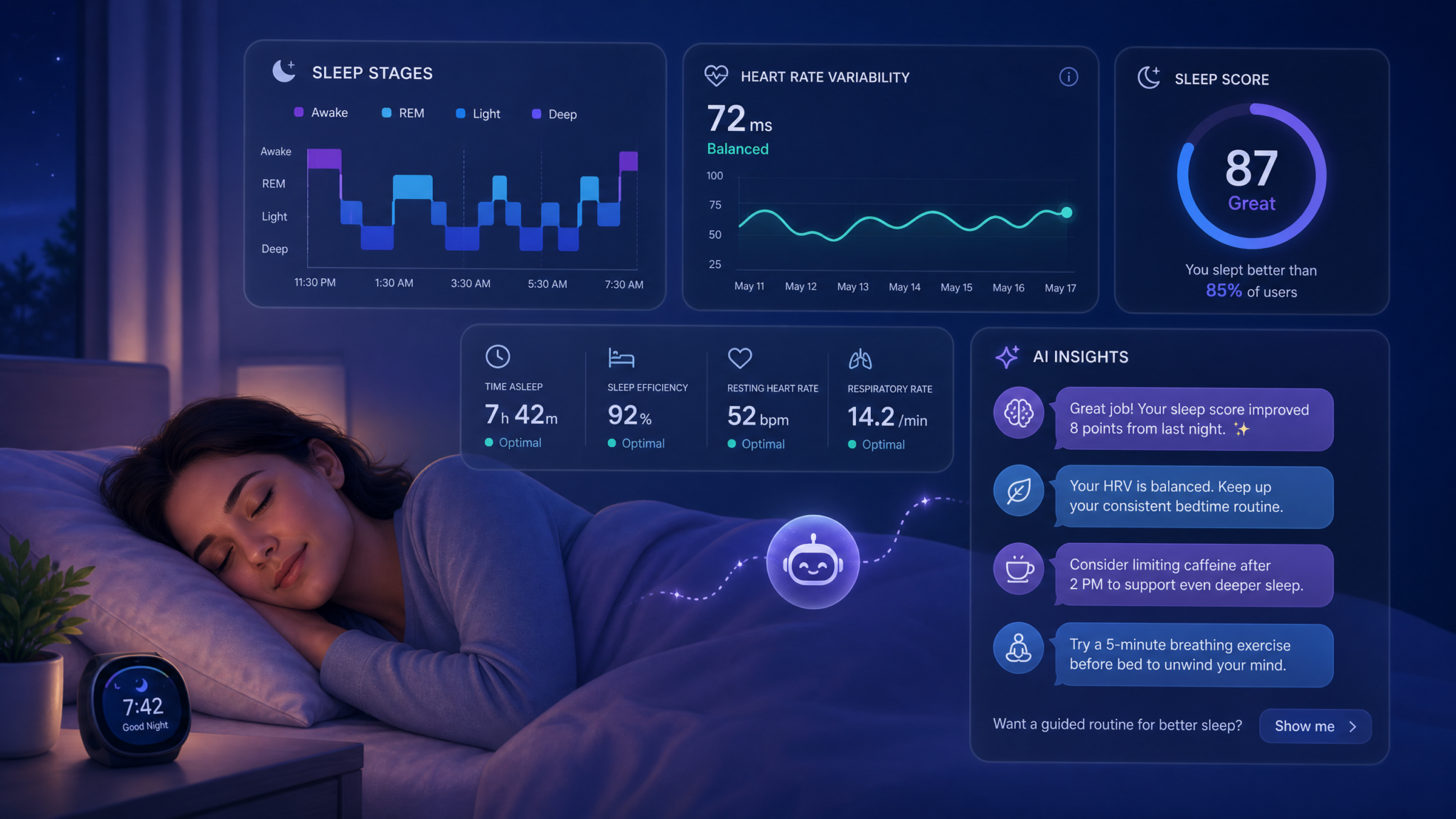
Prompt 1: Comprehensive Sleep Quality Audit
“Analyze my Apple Health sleep data from the past 30 days and provide a comprehensive sleep quality audit. Break down my average time in each sleep stage (REM, deep, light, and awake), identify my sleep efficiency percentage, and flag any nights where my metrics deviated significantly from my personal averages. Cross-reference my sleep start times with my next-day resting heart rate and HRV data to identify whether sleep timing consistency correlates with cardiovascular recovery quality. Present your findings in a structured report with a severity rating for any issues identified, and provide three specific, evidence-based interventions I should implement based on my actual data patterns — not generic sleep hygiene advice.”
Why this prompt works: It specifies the exact data types to analyze, requests cross-referencing between datasets (a capability most users never leverage), demands personalization over generic advice, and sets a clear output format. The cross-referencing between sleep timing and HRV is particularly powerful — it often reveals that sleep consistency matters more than duration for recovery quality.
Prompt 2: Sleep Debt Calculation and Recovery Protocol
“Using my Apple Health sleep data from the past 90 days, calculate my cumulative sleep debt relative to my apparent sleep need (determined by identifying nights when I slept without an alarm and comparing to my alarm-set nights). Break this down by week to show whether my sleep debt is growing, stable, or being repaid. Based on the pattern you identify, create a 4-week sleep debt recovery protocol that accounts for my actual schedule constraints — look at my calendar activity patterns if available, or ask me for my weekly schedule. The protocol should specify target bedtimes and wake times, nap recommendations if appropriate, and criteria I can use to assess whether the protocol is working using my own Apple Watch metrics.”
Prompt 3: Sleep Environment and Lifestyle Correlation Analysis
“I want to identify what external factors are most significantly impacting my sleep quality. Using my Apple Health data, correlate my sleep stage distribution and sleep efficiency scores with the following variables from the same data: evening workout timing (workouts logged within 4 hours of sleep onset), daily step count, active calorie burn, and mindfulness minutes logged. For each variable, calculate the correlation direction and approximate strength. Then identify the top two behavioral patterns that appear to most consistently precede my worst sleep nights (bottom 20% by sleep efficiency) and my best sleep nights (top 20%). Give me specific numerical thresholds — for example, ‘Nights following workouts logged after 8pm show X% lower deep sleep on average.’”
Prompt 4: HRV-Based Recovery and Readiness Assessment
“Analyze my heart rate variability data from the past 60 days alongside my sleep data to build a personalized readiness model. First, establish my HRV baseline range and identify the threshold below which my next-day performance and sleep quality tend to be compromised (look for correlations between low HRV mornings and subsequent sleep efficiency). Then identify the lifestyle patterns from my Apple Health data — workout intensity the previous day, sleep duration, resting heart rate trends — that most reliably predict low HRV mornings. Create a simple daily readiness scoring rubric I can use, with specific HRV ranges and associated recommended training intensities. Include a ‘warning sign’ checklist based on my personal data patterns, not population averages.”
Prompt 5: Chronotype Identification and Schedule Optimization
“Using my Apple Health sleep data from the past 6 months, identify my apparent chronotype by analyzing my natural sleep and wake times on days when I appear to have slept without an alarm (look for weekend patterns or days with unusual sleep duration consistency). Compare this to my weekday sleep patterns to quantify my ‘social jet lag’ — the difference between my biological and social sleep timing. Based on my identified chronotype and current schedule, provide specific recommendations for optimizing my daily schedule: ideal workout windows, peak cognitive performance periods, optimal meal timing, and the single most impactful change I could make to my sleep timing to reduce my social jet lag. Quantify the expected benefit in terms of sleep quality metrics I can track.”
Category 2: Fitness Optimization Prompts
Fitness optimization through ChatGPT’s Health integration goes far beyond counting workouts. The real power lies in analyzing training load, recovery balance, cardiovascular adaptation, and the relationship between exercise variables and downstream health markers. These five prompts are designed for users who are serious about making data-driven training decisions. 10 ChatGPT Prompts for Personal Finance: Budgeting, Investing, and Tax Planning with GPT-5.5
Prompt 6: Training Load and Recovery Balance Analysis
“Analyze my workout data from the past 12 weeks in Apple Health and assess my training load management. Calculate my acute training load (7-day rolling average of active calories or workout minutes) versus my chronic training load (28-day rolling average) to identify my current acute:chronic workload ratio. Flag any weeks where this ratio exceeded 1.3 (injury risk zone) or dropped below 0.8 (detraining zone). Cross-reference high-load weeks with my sleep quality metrics and resting heart rate trends from the same period to identify whether my recovery was adequate. Based on this analysis, provide a specific 4-week training load progression plan that keeps my workload ratio in the optimal 0.8-1.3 range while still allowing for progressive overload.”
Prompt 7: VO2 Max Trend Analysis and Cardiovascular Fitness Roadmap
“Pull my VO2 max estimates from Apple Health across the full available time range and analyze the trend. Identify periods of significant improvement, plateau, or decline and correlate these with changes in my training patterns visible in the workout data (frequency, duration, workout type distribution). Based on my current VO2 max estimate, tell me exactly where I fall in the age and sex-specific fitness categories, what the next category threshold is, and what the research suggests is the most efficient training approach to move to the next level. Create a specific 8-week cardiovascular training block with weekly targets for workout frequency, duration, and intensity distribution (expressed as percentage of workouts at different heart rate zones) calibrated to my current fitness level.”
Prompt 8: Workout Type Effectiveness Audit
“I want to know which types of workouts in my Apple Health history have been most effective for my stated goal of [INSERT YOUR PRIMARY FITNESS GOAL: e.g., improving cardiovascular fitness / increasing strength / weight loss]. Analyze my workout history by type (running, cycling, strength training, HIIT, yoga, etc.) and correlate each workout type with changes in the health markers most relevant to my goal — for example, if my goal is cardiovascular fitness, correlate workout types with VO2 max trend; if weight loss, correlate with body weight trend and active calorie patterns. Identify which workout types I’m currently underutilizing relative to their apparent effectiveness in my data, and which I may be overemphasizing. Give me a specific revised weekly workout distribution recommendation with target frequency, duration, and intensity for each workout type.”
Prompt 9: Resting Heart Rate Trend and Cardiovascular Health Assessment
“Analyze my resting heart rate data from Apple Health over the past 12 months. Identify the overall trend direction and calculate the rate of change per month. Flag any periods of sustained elevation (more than 5 bpm above my personal baseline for 7+ consecutive days) and correlate these with potential causes visible in my data — increased training load, reduced sleep, illness periods (look for activity drops combined with elevated resting HR). Based on my current resting heart rate and trend, assess my cardiovascular adaptation trajectory and identify the specific training and recovery behaviors from my own data that appear most strongly associated with my lowest resting heart rate readings. Create a 30-day protocol targeting a measurable reduction in resting heart rate, with weekly check-in metrics.”
Prompt 10: Step Count and Non-Exercise Activity Analysis
“Analyze my daily step count data from the past 90 days, separating my non-exercise activity thermogenesis (NEAT — steps and movement outside of logged workouts) from my structured exercise activity. Calculate my average NEAT contribution and identify which days of the week and which times of day I’m most and least active outside of workouts. Research shows NEAT can account for 15-50% of total daily energy expenditure — based on my data, estimate my NEAT contribution and identify the specific behavioral patterns (high-step days versus low-step days) that most influence it. Then give me three specific, practical NEAT optimization strategies tailored to my apparent lifestyle patterns, with projected impact on weekly calorie expenditure. Include specific step targets for different day types based on my historical patterns.”
Category 3: Nutrition and Weight Management Prompts
Nutrition data in Apple Health is only as good as what gets logged, but even partial nutrition data combined with weight trends, activity levels, and metabolic markers can generate surprisingly powerful insights. These prompts are designed to work with whatever nutrition data you have available — whether you’re a meticulous calorie tracker or someone who only occasionally logs meals — and to cross-reference nutritional patterns with other health markers for a more complete picture.
Prompt 11: Caloric Balance and Weight Trend Reconciliation
“Using my Apple Health data, reconcile my logged caloric intake, estimated caloric expenditure (from active calories plus estimated basal metabolic rate based on my body measurements), and actual weight trend over the past 60 days. Identify whether my weight trend is consistent with my apparent caloric balance or whether there are discrepancies that suggest systematic logging errors, metabolic adaptation, or water retention patterns. Calculate my apparent maintenance calories based on the periods where my weight was most stable, and compare this to standard TDEE calculations based on my activity level. If there are significant discrepancies, identify the most likely explanations and provide specific logging behavior recommendations to improve accuracy. Based on this reconciliation, calculate the specific daily caloric target I should be aiming for to achieve [INSERT GOAL: weight loss/maintenance/muscle gain] at a sustainable rate.”
Prompt 12: Macronutrient Distribution Optimization
“Analyze my macronutrient intake data from Apple Health for the past 30 days and compare my actual macro distribution against evidence-based targets for my activity level and body composition goals. Based on my workout frequency and type from my fitness data, calculate my estimated daily protein requirement and identify how many days per week I’m hitting versus missing this target. Do the same for carbohydrate timing relative to workout days versus rest days if the data allows. Identify my three most consistent nutritional deficiency patterns and provide specific food substitution strategies — not just ‘eat more protein’ but ‘based on your apparent eating patterns, adding X to Y existing meal would close your protein gap by approximately Z grams.’ Also flag any micronutrient gaps visible in my data that have known implications for athletic performance or recovery.”
Prompt 13: Eating Pattern and Metabolic Health Analysis
“Using my nutrition logging timestamps and meal data from Apple Health, analyze my eating patterns over the past 45 days. Calculate my average eating window (time between first and last calorie logged each day), identify my meal frequency distribution, and flag days with extreme patterns (very large single meals, very long fasting periods, or very short eating windows). Cross-reference my eating window data with my sleep quality and next-morning resting heart rate to identify whether meal timing appears to correlate with recovery quality in my personal data. Based on these patterns, identify whether a time-restricted eating approach might benefit me, and if so, provide specific recommended eating windows that align with my apparent lifestyle schedule. Include the specific metabolic markers I should track over the next 90 days to assess whether any changes are working.”
Prompt 14: Hydration Analysis and Performance Correlation
“Analyze my water intake logs from Apple Health alongside my workout performance data and sleep quality metrics for the past 60 days. Identify my average daily water intake and calculate it relative to my body weight (target is approximately 35ml per kg of body weight, adjusted upward for exercise). Identify the days and weeks where my hydration was lowest and correlate these with any changes in my workout performance metrics (active calories, workout duration, heart rate response) and sleep quality scores. Flag any patterns that suggest chronic under-hydration. Then create a personalized hydration protocol that accounts for my workout schedule, providing specific daily targets for rest days versus training days, and pre/during/post-workout hydration guidelines based on my typical workout duration and intensity from my historical data.”
Prompt 15: Body Composition Trend Analysis and Recomposition Assessment
“Using my body weight, body fat percentage (if available), and lean mass data from Apple Health, combined with my nutrition and workout data, analyze my body composition trend over the past 6 months. Distinguish between periods of true fat loss versus muscle gain versus weight fluctuation driven by water and glycogen. If my body fat percentage data is available, calculate my lean mass trend separately and identify whether I’m achieving body recomposition (simultaneous fat loss and muscle gain) or simply weight change. Based on my training type distribution and protein intake patterns, assess whether my current approach is optimized for my apparent body composition goals. Provide a specific 12-week nutrition and training periodization plan targeting body recomposition, with monthly body composition targets and the specific metrics I should track to assess progress.”
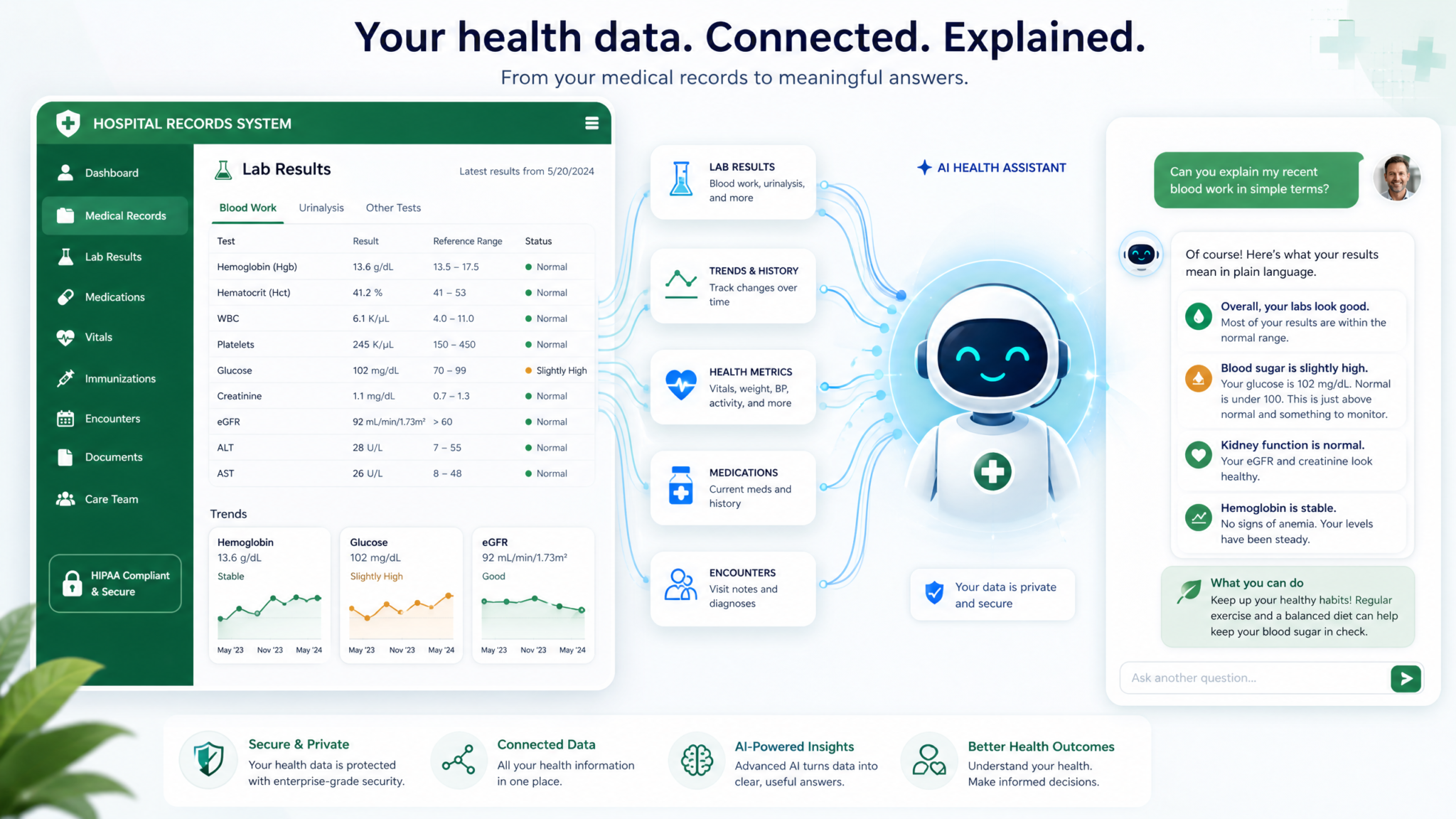
Category 4: Medical Records Interpretation Prompts
The ability to connect medical records to ChatGPT through Apple Health is genuinely transformative — not because AI replaces your doctor, but because it gives you the analytical foundation to have far more informed conversations with your healthcare team. Most patients receive lab results with little context, struggle to understand how different markers relate to each other, and have no framework for tracking their health trajectory over time. These prompts are designed to close that gap. Always use the outputs as preparation for medical conversations, not as standalone medical advice. The ChatGPT Voice Desktop Playbook: 15 Prompts for Hands-Free Agent Control, Computer Use, and Multi-Agent Orchestration
Prompt 16: Comprehensive Lab Results Interpretation
“I’ve connected my medical records through Apple Health, which includes my recent lab results. Please provide a comprehensive interpretation of my most recent complete blood count (CBC), comprehensive metabolic panel (CMP), and lipid panel. For each marker that falls outside the reference range, explain: (1) what the marker measures physiologically, (2) what the specific deviation from normal suggests, (3) how significant the deviation is (minor, moderate, or significant concern), and (4) what lifestyle factors — visible in my Apple Health data — might be contributing to this result. Then identify the three markers I should prioritize discussing with my physician at my next appointment, and provide me with three specific, evidence-based questions I should ask about each. Present everything in plain language with medical terminology defined in parentheses.”
Prompt 17: Longitudinal Health Marker Trend Analysis
“Using all available lab results in my connected medical records, create a longitudinal trend analysis for my key metabolic and cardiovascular health markers. Specifically, track the trend direction for: fasting glucose, HbA1c (if available), LDL cholesterol, HDL cholesterol, triglycerides, blood pressure readings, and any inflammatory markers (CRP, ESR). For each marker, calculate the rate of change per year and classify the trend as improving, stable, or deteriorating. Identify which markers have shown the most significant change — positive or negative — over the full available time range. Cross-reference any significant trend changes with lifestyle pattern changes visible in my Apple Health data from the same periods. Provide a prioritized list of the markers requiring the most urgent attention and the lifestyle interventions with the strongest evidence base for each.”
Prompt 18: Medication and Supplement Interaction Assessment
“Based on my medication list from my connected medical records and any supplements I’m currently taking (I’ll list them: [INSERT YOUR SUPPLEMENTS]), provide a comprehensive interaction assessment. Identify any known interactions between my medications and supplements, classify each interaction by severity (minor, moderate, major), and explain the physiological mechanism of any significant interactions. Cross-reference my medication list with my Apple Health data — specifically, are any of my current medications known to impact the health markers I’m tracking, such as heart rate, blood pressure, sleep quality, or exercise capacity? Identify any metrics in my Apple Health data that could be partially explained by medication effects rather than lifestyle factors. Also flag any nutritional depletions commonly associated with my medications that I should discuss with my physician.”
Prompt 19: Pre-Appointment Health Summary Generation
“I have a [INSERT APPOINTMENT TYPE: annual physical / cardiology / endocrinology / etc.] appointment in [X days/weeks]. Using my connected medical records and Apple Health data, generate a comprehensive pre-appointment health summary that I can share with my physician. The summary should include: (1) key changes in my health metrics since my last visit, with specific numbers and trend directions; (2) new symptoms or health concerns I should proactively raise, identified from anomalies in my data; (3) questions about my current medications or lab results that warrant clarification; (4) my lifestyle data summary showing my average sleep, activity level, and nutrition patterns over the past 90 days; and (5) a prioritized list of health goals I want to discuss and the specific interventions I’m considering. Format this as a structured document I can print or share digitally.”
Prompt 20: Chronic Condition Management Optimization
“I’m managing [INSERT CONDITION: e.g., Type 2 diabetes / hypertension / hypothyroidism / PCOS / etc.]. Using my medical records and Apple Health data, provide a comprehensive analysis of how well my current lifestyle and treatment approach is managing this condition. Specifically: analyze the relevant biomarkers from my lab history to assess my control trajectory; identify which lifestyle behaviors in my Apple Health data — exercise patterns, sleep quality, nutrition data, stress indicators — show the strongest correlation with better versus worse control periods in my data; and flag any periods where my metrics suggest suboptimal management that I should discuss with my care team. Then create a 90-day lifestyle optimization plan specifically targeted at improving the key biomarkers for my condition, with weekly targets I can track using my Apple Watch and Health app.”
Access 40,000+ AI Prompts for ChatGPT, Claude & Codex — Free!
Subscribe to get instant access to our complete Notion Prompt Library — the largest curated collection of prompts for ChatGPT, Claude, OpenAI Codex, and other leading AI models. Optimized for real-world workflows across coding, research, content creation, and business.
Category 5: Holistic Wellness Planning Prompts
The most sophisticated use of ChatGPT’s Health integration isn’t analyzing individual data streams in isolation — it’s synthesizing patterns across all of your health data to generate a coherent, personalized wellness strategy. These five prompts are designed to leverage the full breadth of your connected data and produce integrated, actionable plans that account for the complex interplay between sleep, fitness, nutrition, stress, and medical health. For users who want to go even deeper into prompt engineering for health applications, understanding How to Use ChatGPT Like a Power User: 15 Advanced Features Most People Miss in 2026 will help you customize these templates further.
Prompt 21: Annual Health Optimization Roadmap
“Using the full breadth of my Apple Health data and connected medical records, conduct a comprehensive annual health assessment and generate a 12-month optimization roadmap. Start by identifying my top three health strengths — areas where my data shows I’m performing above average for my age and sex — and my top three health vulnerabilities — areas where my data shows the greatest risk or the most room for improvement. For each vulnerability, provide: the specific data evidence supporting the assessment, the potential long-term health implications if unaddressed, and a quarterly action plan with specific, measurable targets. Structure the 12-month roadmap with distinct quarterly themes and objectives, monthly metric targets, and weekly habit commitments. Include a dashboard of the 10 key metrics I should track monthly to assess my overall health trajectory, with specific target ranges for each.”
Prompt 22: Stress and Recovery Balance Assessment
“Conduct a comprehensive stress and recovery balance assessment using all available data in my Apple Health. Use my HRV trends, resting heart rate patterns, sleep quality data, mindfulness minutes, and activity levels as proxies for physiological stress load and recovery capacity. Identify periods over the past 6 months where my data suggests I was in a state of cumulative stress overload (characterized by declining HRV, elevated resting HR, poor sleep quality, and reduced activity) versus periods of optimal recovery balance. Correlate these periods with my training load and any available lifestyle data. Calculate my current stress-to-recovery ratio and provide a specific 6-week recovery optimization protocol that addresses the specific deficit patterns in my data. Include daily recovery practices with time commitments, weekly targets for each key recovery metric, and criteria for knowing when I’ve restored my baseline.”
Prompt 23: Longevity and Healthspan Optimization Plan
“Based on my Apple Health data and medical records, conduct a longevity-focused health assessment using the key biomarkers and fitness metrics most strongly associated with healthspan and longevity in the current scientific literature. Specifically, assess my performance on: VO2 max (one of the strongest predictors of all-cause mortality), grip strength if available, resting heart rate, HRV, sleep quality and duration, fasting glucose trend, lipid panel trajectory, and body composition. For each marker, tell me where I currently stand relative to longevity-optimized ranges, not just clinical normal ranges. Identify my single highest-leverage intervention — the one change to my lifestyle that would most improve my overall longevity biomarker profile based on my specific weakest links. Then create a 6-month longevity optimization protocol prioritizing the interventions with the strongest evidence base and the greatest potential impact on my specific data profile.”
Prompt 24: Personalized Periodization and Seasonal Health Planning
“Analyze my Apple Health data across the past 12 months and identify seasonal patterns in my health metrics — variations in sleep duration, activity levels, mood indicators, weight, and any other cyclical patterns. Identify which seasons or months show my best and worst performance across key health markers. Based on these personal seasonal patterns, create a year-round periodization plan that strategically adjusts my training load, nutrition targets, sleep goals, and recovery practices to work with my natural rhythms rather than against them. For the current season, provide specific weekly targets for sleep, exercise, nutrition, and recovery. Include proactive strategies for the seasons where my data shows I historically underperform, with specific interventions to prevent the predictable declines. This should function as a living framework I can update annually as new data accumulates.”
Prompt 25: Integrated Weekly Health Review Template
“Create a personalized weekly health review protocol based on my Apple Health data patterns. Using my past 90 days of data as the baseline, identify the 8-10 metrics that are most informative for my specific health profile and goals — these should be the metrics that show the most meaningful week-to-week variation and have the strongest correlations with my overall health trajectory. For each metric, define my personal optimal range, my acceptable range, and my ‘action required’ threshold based on my historical data. Then generate a structured weekly review template I can use every Sunday that: summarizes the past week’s performance against these targets, identifies the single most important win and the single most important area for improvement, asks me three reflective questions specific to my health patterns, and outputs a priority focus for the coming week. Make this review completable in under 15 minutes.”
Advanced Tips for Getting the Most Accurate Responses
Tip 1: Always Specify Your Time Window
ChatGPT can access different time ranges of your health data, but without explicit direction, it may default to shorter or longer windows than are optimal for the analysis you need. Always specify the exact time period in your prompt — “past 30 days” for acute pattern analysis, “past 6-12 months” for trend analysis, and “full available history” for longitudinal assessments. For sleep analysis, 30-90 days provides enough data to identify patterns without being diluted by older behavioral phases. For cardiovascular trend analysis, 12+ months reveals meaningful adaptation trajectories.
Tip 2: Request Cross-Referenced Analysis, Not Single-Stream Analysis
The most powerful insights come from correlating data across multiple streams. Instead of asking “How is my sleep?” ask ChatGPT to correlate your sleep quality with your HRV, resting heart rate, and previous day’s training load simultaneously. Single-stream analysis produces information; cross-referenced analysis produces insight. The prompts in this masterclass are specifically designed to leverage this capability — study the structure of the prompts to understand how to build this cross-referencing into your own custom queries.
Tip 3: Establish Your Baselines First
Before running any optimization analysis, run a baseline-establishment prompt first: “Using my Apple Health data, establish my personal baseline ranges for the following metrics over the past 90 days: [list your key metrics]. Present these as average, standard deviation, and 10th/90th percentile ranges.” Having these baselines on record in the conversation allows all subsequent analysis to be calibrated to your personal norms rather than population averages — which is where genuinely personalized insights emerge.
Tip 4: Use Follow-Up Prompts to Drill Down
The 25 prompts in this masterclass are starting points, not endpoints. After receiving any analysis, use targeted follow-up prompts to drill into the most interesting or concerning findings. If ChatGPT identifies a correlation between evening workouts and poor sleep quality, follow up with: “For the specific nights where I exercised within 3 hours of sleep and had below-average sleep efficiency, what was the average workout duration and intensity? Is there a threshold below which evening exercise doesn’t appear to negatively impact my sleep?” This iterative drilling is where the most actionable personal insights emerge.
Tip 5: Ask for Confidence Levels and Data Quality Assessment
Always ask ChatGPT to flag where the analysis is limited by data quality or quantity. Add this to any complex analysis prompt: “Also assess the confidence level of your findings — flag any conclusions that are based on limited data points or that may be confounded by data gaps in my Apple Health record.” This prevents you from over-indexing on spurious correlations that might appear in limited datasets, and it guides you toward the areas where improving your data logging would most improve the quality of future analyses.
Prompt Customization Framework
| Component | Generic Version | Optimized Version |
|---|---|---|
| Time Specification | “Recently” | “Past 90 days, with weekly breakdown” |
| Data Scope | “My health data” | “My sleep stages, HRV, and resting heart rate” |
| Analysis Type | “Analyze and tell me what you find” | “Calculate correlation coefficients and flag statistical outliers” |
| Output Format | “Give me advice” | “Present as prioritized action list with specific numerical targets” |
| Personalization | “Based on best practices” | “Based specifically on my data patterns, not population averages” |
| Actionability | “What should I do?” | “Provide a 4-week protocol with weekly check-in criteria” |
Frequently Asked Questions
Q: Does ChatGPT store my Apple Health data permanently after I share it?
ChatGPT accesses your Apple Health data within the context of your conversation session. OpenAI’s current privacy policy indicates that conversation data may be retained for a period to improve services unless you opt out. To minimize data retention, you can disable “Improve the model for everyone” in your ChatGPT settings, and you can delete specific conversations containing health data through the conversation history management tools. For the most current and definitive information on data handling, review OpenAI’s privacy policy directly, as these policies are subject to update. It’s also worth noting that data accessed through the Health integration is governed by both OpenAI’s policies and Apple’s Health data sharing framework.
Q: What if my Apple Health data has gaps or inconsistent logging — will the analysis still be useful?
Yes, but with important caveats. ChatGPT can work with partial data, and the prompts in this masterclass include instructions to flag data quality limitations. For sleep data, even 70-80% coverage over a 90-day period provides enough data for meaningful pattern analysis. For nutrition data, which tends to have the most logging gaps, focus on the prompts that analyze patterns during logged periods rather than absolute totals. The most important step is to explicitly ask ChatGPT to note where conclusions are based on limited data — this prevents over-confident recommendations from sparse datasets. Improving your logging consistency in the highest-priority data categories before running major analyses will always improve output quality.
Q: Can I use these prompts if I don’t have an Apple Watch — only an iPhone?
Absolutely, though the data richness will be lower. iPhone-only Apple Health data includes step count, distance, flights climbed, and some sleep data (if you use a third-party sleep app that writes to Apple Health). You’ll lose the continuous heart rate monitoring, HRV, blood oxygen, and sleep stage breakdown that Apple Watch provides. For iPhone-only users, the most valuable prompt categories are Nutrition and Weight Management (Prompts 11-15), Medical Records Interpretation (Prompts 16-20), and the activity-focused portions of Fitness Optimization. You can also supplement iPhone data by connecting third-party apps — Oura Ring data writes to Apple Health and provides excellent sleep and HRV data without requiring an Apple Watch.
Q: How do I connect my medical records to Apple Health for use with these prompts?
Apple Health supports direct connection to healthcare providers using compatible EHR systems including Epic, Cerner, Allscripts, athenahealth, and many others. To connect: open the Health app on your iPhone, tap your profile picture, select “Health Records,” then “Add Account.” You’ll see a list of healthcare organizations near you or you can search by name. After selecting your provider, you’ll authenticate using your patient portal credentials, and Apple Health will automatically sync your lab results, medications, immunizations, and clinical notes. Not all healthcare providers are supported — if yours isn’t listed, you can manually import PDF records through the Health app’s document scanning feature. For the Medical Records prompts (16-20) to work optimally, connecting at least your most recent lab results is essential.
Q: Are the health insights from these prompts accurate enough to make real decisions from?
The insights generated by these prompts are best understood as sophisticated pattern analysis and hypothesis generation, not clinical diagnosis. They are highly valuable for: identifying trends and correlations in your personal data, preparing informed questions for your healthcare provider, understanding your lab results in context, and designing evidence-based lifestyle interventions. They are not appropriate for: diagnosing medical conditions, adjusting prescription medications, or replacing professional medical evaluation for concerning symptoms. The most effective use model is to treat ChatGPT’s health analysis as a highly intelligent research assistant that helps you arrive at your medical appointments better informed, with better questions, and with a clearer understanding of your own health data. This combination of AI-assisted preparation and professional medical judgment is where the real value lies.
Article by Markos Symeonides | ChatGPT AI Hub
