
⚡ The Brief
- What it is: OpenAI Codex CLI is a command-line interface tool designed to automate complex data workflows using advanced prompt engineering and context management strategies.
- Who it’s for: This tool is ideal for developers and data engineers looking to streamline large-scale data processing tasks and integrate with diverse APIs using AI-driven code generation.
- Key takeaways: Codex CLI excels in managing context windows, token budgeting, and prompt chunking to ensure accurate and efficient workflow automation, leveraging stateful sessions for iterative refinement.
- Pricing/Cost: Pricing details for Codex CLI are typically based on usage and subscription models, similar to other AI tools like GPT-5.4 and Claude Opus 4.7.
- Bottom line: OpenAI Codex CLI is a powerful tool for developers seeking to enhance productivity in data pipeline automation through sophisticated prompt engineering techniques.
✓ Instant access✓ No spam✓ Unsubscribe anytime
Deep Dive into OpenAI Codex CLI’s Prompt Engineering and Context Management for Complex Data Workflows
One of the fundamental capabilities that empower OpenAI Codex CLI to automate sophisticated data workflows and generate contextually accurate code lies in its advanced prompt engineering and context management strategies. Understanding and leveraging these mechanisms is crucial for practitioners aiming to optimize Codex CLI for real-world, large-scale projects that involve multi-step data processing, integration with diverse APIs, or iterative code refinement. The 2026 AI Coding Tools Showdown: Codex, Claude Code, Cursor, Copilot, and Gemini CLI Compared
Context Window Management and Chaining Prompts
OpenAI Codex is built on GPT-based architectures, which operate within a fixed token limit for each prompt-response cycle. Codex CLI intelligently manages this context window by segmenting complex tasks into modular prompt chains, enabling multi-turn interactions that maintain state and accumulate information progressively. The Complete Developer Guide to OpenAI Codex 2026: API Setup, Use Cases, and Best Practices
- Token Budgeting: Codex CLI internally estimates token usage for user instructions, intermediate code snippets, and AI-generated completions to avoid truncation or loss of critical context.
- Prompt Chunking: For extensive data pipeline specifications or large datasets, the CLI breaks down instructions into discrete sub-tasks (e.g., data ingestion, transformation logic, validation checks), sequentially invoking the Codex model and aggregating outputs.
- Stateful Sessions: By persisting partial completions and embedding them as context in subsequent prompts, Codex CLI supports iterative refinement, enabling users to review, approve, and adjust each stage of automated workflow generation.
This layered prompt engineering approach is essential for avoiding common pitfalls such as context loss, hallucinated code, or incomplete workflow generation that can occur with naive single-shot prompt usage.
Dynamic Prompt Templates and Customization
Codex CLI provides a sophisticated template engine that allows users to define dynamic prompt structures tailored to specific domains or data workflows. These templates incorporate variables for dataset metadata, schema definitions, business logic parameters, and environment variables, enabling:
- Domain-Specific Adaptation: Templates can embed domain knowledge, such as SQL dialects, data formats (CSV, Parquet, JSON), or API request schemas, ensuring the generated code conforms to organizational standards.
- Parameter Injection: Users can pass runtime parameters (e.g., filter conditions, aggregation columns, or date ranges) that Codex uses to tailor the generated ETL or analysis scripts dynamically.
- Reusable Workflow Blueprints: Templates serve as reusable blueprints for recurring tasks, such as daily data refresh, anomaly detection, or report generation, reducing the need for manual coding and accelerating development cycles.
By exposing these templating capabilities via the CLI interface, Codex enables automation pipelines to be both flexible and maintainable, balancing AI creativity with predictable behavior.
Integration with External Data Sources and APIs
In practical data workflows, automated code generation must interact with heterogeneous data sources and external services. Codex CLI supports this by allowing users to specify connection details, authentication credentials, and API schemas directly within prompts or configuration files, enabling the AI agent to generate context-aware integration code.
- Database Connectivity: Users can define database connection strings and schema metadata, prompting Codex to generate optimized SQL queries, data extraction scripts, or data quality checks tailored to specific RDBMS platforms.
- REST and GraphQL APIs: By supplying API endpoint definitions and authentication mechanisms (e.g., OAuth tokens, API keys), Codex CLI can produce client code for data retrieval, transformation, and ingestion into downstream analytics pipelines.
- Cloud Storage and Streaming Services: The CLI supports generation of code snippets for interacting with cloud-native storage (AWS S3, Azure Blob Storage) and streaming platforms (Kafka, Kinesis), enabling event-driven workflows and real-time data processing.
This extensibility ensures that Codex-generated workflows can seamlessly integrate into existing enterprise ecosystems without requiring extensive manual glue code.
Automated Testing and Validation of Generated Workflows
Given the complexity of AI-generated code for data workflows, robust automated testing is paramount to ensure reliability and correctness. Codex CLI includes functionality to generate unit tests, data validation scripts, and error-handling routines based on the workflow specifications.
- Test Case Generation: Based on data schema definitions and expected transformations, Codex can generate test scripts that verify data integrity, type consistency, and transformation accuracy.
- Mock Data Injection: The CLI can produce synthetic datasets or mock API responses to simulate various edge cases, enabling thorough testing without dependence on live systems.
- Continuous Integration Compatibility: Generated tests can be automatically integrated into CI/CD pipelines, supporting regression testing and ensuring that iterative workflow updates maintain expected behavior.
These testing capabilities significantly reduce the manual QA burden and enhance confidence in AI-generated automation scripts.
Performance Optimization and Resource Management
For data workflows that operate at scale or require high-performance execution, Codex CLI provides advanced configuration options to optimize generated code for efficiency:
- Vectorized Operations: Codex can generate code utilizing vectorized libraries such as NumPy and Pandas for batch processing, minimizing Python-level loops and maximizing throughput.
- Parallelization Constructs: The CLI supports generation of multi-threaded or multi-process code segments using libraries like concurrent.futures or Dask, enabling parallel data transformations.
- Memory Footprint Controls: By incorporating streaming data processing patterns and chunked file reading/writing, Codex-generated workflows can handle large datasets without exhausting system memory.
Fine-tuning these parameters through prompt customization or CLI flags allows users to balance performance and resource consumption tailored to their infrastructure constraints.
Summary
Mastering the advanced prompt engineering, context management, and integration features of OpenAI Codex CLI unlocks its full potential for automating complex, end-to-end data workflows. By leveraging dynamic prompt templates, multi-turn interactions, and integration with diverse data sources, practitioners can generate robust, maintainable, and efficient code. Furthermore, built-in mechanisms for automated testing and performance optimization ensure that AI-assisted workflows meet enterprise-grade reliability and scalability requirements.
Industry Impact and Future Implications of OpenAI Codex CLI in Automated Data Workflows
The advent of OpenAI Codex CLI represents a significant shift in how data science, software development, and automation converge within modern enterprises. By embedding advanced AI-driven code generation directly into command-line interfaces, Codex CLI catalyzes a new paradigm of productivity, efficiency, and innovation. This section delves into the transformative impact of Codex CLI on industry workflows, its positioning within the competitive landscape, and the broader implications for the future of AI-assisted programming.
Transforming Data Engineering and Software Development Pipelines
OpenAI Codex CLI fundamentally alters the mechanics of data engineering and software development by introducing AI-augmented automation at the command line. Traditional data workflows often involve repetitive, error-prone manual coding for ETL processes, data cleaning, and integration tasks. Codex CLI automates these steps by generating syntactically correct, context-aware code snippets and entire pipeline components based on natural language prompts.
- Accelerated Development Cycles: Codex CLI reduces the latency between ideation and implementation, enabling developers to prototype data workflows and application features rapidly without switching contexts from their terminals.
- Improved Code Quality and Consistency: By leveraging Codex’s deep understanding of programming languages and best practices, the CLI minimizes typical coding errors, enforces style guides, and promotes reusable, modular code structures.
- Lower Barrier to Entry: Non-specialists and junior engineers can engage more effectively with complex data workflows by simply describing their objectives in natural language, democratizing access to programming capabilities.
Market Analysis: Positioning Codex CLI Amidst AI-Powered Development Tools
The market for AI-assisted development tools is experiencing rapid growth, with numerous vendors integrating machine learning models into code editors, integrated development environments (IDEs), and cloud platforms. OpenAI Codex CLI distinguishes itself through its unique focus on terminal-centric workflows and seamless integration with shell scripting environments.
- Complement to Existing IDE Plugins: Unlike AI code assistants embedded within graphical IDEs, Codex CLI caters to power users who prefer command-line interactions, enabling automation scripts, CI/CD pipeline integration, and remote server usage without graphical dependencies.
- Open-Source Advantage: Being open-source facilitates community-driven enhancements, transparency in AI model usage, and adaptability across diverse organizational requirements, contrasting with proprietary AI coding assistants locked within specific platforms.
- Subscription Tiers and Scalability: Codex CLI’s tiered subscription model allows organizations to scale usage according to project demands, providing cost-effective access to advanced AI capabilities for both small teams and enterprise deployments.
Competitive Landscape and Differentiators
Several competitors operate in the space of AI-assisted coding, including GitHub Copilot, TabNine, and Kite, all of which focus largely on in-IDE experiences. Codex CLI’s competitive advantages include:
- Terminal-Native Interaction: Supports developers who rely heavily on shell scripting, command chains, and remote development environments where GUI-based tools are less practical.
- Extensibility and Integration: Codex CLI can be scripted and chained with other CLI tools, enabling complex automation workflows such as scheduled data processing jobs, automated testing, and deployment tasks.
- Multi-Language Support: While optimized for Python and data workflows, Codex CLI’s underlying AI model supports multiple programming languages, facilitating cross-language code generation and transformation in heterogeneous environments.
Future Implications: AI-Driven Development and Automation Ecosystems
Looking forward, OpenAI Codex CLI is positioned to be a foundational component in the evolving ecosystem of AI-driven software development. Key future implications include:
- Increased Automation of Entire Data Pipelines: Integration with orchestration frameworks and cloud-native tools will enable Codex CLI to generate, validate, and deploy entire data workflows autonomously, reducing human intervention.
- Context-Aware and Adaptive Coding: Advances in AI context retention and user intent modeling will allow Codex CLI to maintain session state across multiple commands, offering progressively refined suggestions tailored to project-specific coding standards and architectural patterns.
- Collaboration and Code Review Automation: Future iterations may incorporate AI-powered collaborative features, such as automated pull request generation, code review annotations, and inline documentation generation, streamlining team workflows.
- Ethical and Security Considerations: As AI-generated code becomes ubiquitous, the industry must address potential risks such as inadvertent introduction of vulnerabilities, licensing conflicts, and bias in generated logic, prompting the development of robust auditing and governance frameworks integrated with tools like Codex CLI.
Conclusion
OpenAI Codex CLI is more than a tool; it represents a strategic inflection point in software and data engineering practices. By harnessing AI capabilities within the command-line environment, it empowers developers to automate complex coding tasks, improve workflow efficiency, and foster innovation. As the technology matures and integrates deeper into development ecosystems, Codex CLI and similar tools will be instrumental in shaping the future landscape of AI-assisted programming and automated data workflows.
Advanced Strategies and Best Practices for Maximizing OpenAI Codex CLI in Automated Data Workflows
Get Free Access to 40,000+ AI Prompts
Join 40,000+ AI professionals. Get instant access to our curated Notion Prompt Library with prompts for ChatGPT, Claude, Codex, Gemini, and more — completely free.
Get Free Access Now →No spam. Instant access. Unsubscribe anytime.
Optimizing Prompt Engineering for Precise Code Generation
One of the most critical factors influencing the quality of code generated by OpenAI Codex CLI is the design of prompts. Effective prompt engineering ensures that the AI understands the context and delivers syntactically correct, efficient, and maintainable code. To optimize prompt construction:
- Be Explicit and Context-Rich: Include relevant details such as the data schema, desired output format, and specific libraries or frameworks to be used. For example, specify whether Pandas, PySpark, or SQL should be leveraged for data processing.
- Use Structured Instructions: Format prompts as stepwise instructions or comments within code snippets to guide the AI’s generation process. This reduces ambiguity and improves code relevance.
- Leverage Few-Shot Learning: Incorporate examples of desired input-output pairs or small code snippets within your prompt to demonstrate expected behavior, facilitating more accurate completions.
- Iterate and Refine: Test multiple prompt variants and analyze the resulting code quality. Utilize Codex CLI’s approval modes to review and incrementally improve prompts for complex workflows.
Integrating Codex CLI into Continuous Integration and Deployment Pipelines
For organizations seeking to embed automated code generation within their software development lifecycle, integrating Codex CLI into CI/CD workflows can enhance productivity while maintaining code quality and compliance.
- Automated Script Generation: Configure Codex CLI to generate or update ETL scripts based on evolving data requirements automatically. Set triggers on data schema changes or new data source integrations.
- Code Review Automation: Use the CLI’s approval modes in conjunction with automated testing frameworks to validate generated code before merging into main branches. This minimizes human error and accelerates reviews.
- Version Control Hooks: Integrate Codex CLI commands within Git hooks to automatically generate unit tests, documentation, or refactor code on commit or pull request events.
- Security and Compliance Checks: Incorporate static code analysis and security scanners post-generation to detect vulnerabilities or non-compliance with coding standards, ensuring generated code meets organizational policies.
Managing Token Limits and API Usage for Large-Scale Workflows
OpenAI’s API imposes token limits per request, which can be a bottleneck when generating or processing large codebases or datasets. Efficient management of API usage is essential for scalability and cost control:
- Chunk Large Inputs: Split extensive data descriptions, codebases, or transformation steps into manageable segments. Use iterative prompting where each chunk builds upon the previous context.
- Context Window Optimization: Minimize extraneous information in prompts to conserve tokens. Remove redundant comments or unrelated code snippets that do not contribute to the current generation task.
- Cache and Reuse Outputs: Store generated code snippets or analysis results locally and reuse them where applicable instead of invoking the API repeatedly for identical requests.
- Batch Requests Strategically: When generating multiple related code components, group them in batch operations where feasible to reduce overhead and improve throughput.
- Monitor API Usage: Use OpenAI’s usage dashboards and logging to track token consumption patterns, identify inefficiencies, and forecast budget needs accurately.
Common Pitfalls and How to Avoid Them
- Over-Reliance on AI Without Verification: While Codex CLI accelerates code generation, AI-generated code may contain subtle bugs or inefficiencies. Always perform thorough testing, profiling, and code reviews to ensure correctness.
- Ignoring Data Privacy and Security: Avoid sending sensitive or proprietary data directly in prompts. Implement data anonymization or synthetic data generation before feeding inputs to the AI to comply with privacy regulations.
- Insufficient Error Handling in Generated Code: Ensure prompts explicitly request robust exception handling and logging within generated scripts, particularly for ETL processes that deal with unpredictable data sources.
- Lack of Modularity: Guide Codex to generate modular and reusable code components rather than monolithic scripts to facilitate maintenance and scalability.
- Neglecting Environment Compatibility: Specify runtime environments, package versions, and dependencies in prompts to prevent incompatibility issues during execution.
Leveraging Advanced Features for Enhanced Workflow Automation
OpenAI Codex CLI includes advanced capabilities that, when harnessed properly, can elevate automation efficiency:
- Custom Templates and Macros: Create reusable prompt templates or macros for recurring data workflows. This standardizes code generation across teams and reduces prompt engineering effort.
- Multi-Language Support: Utilize Codex CLI’s ability to generate code in multiple programming languages to build polyglot pipelines, enabling integration with diverse systems and tools.
- Interactive Debugging Sessions: Engage Codex CLI in iterative debugging by feeding error messages or stack traces back into the prompt. This facilitates AI-assisted root cause analysis and fix generation.
- Automated Documentation Generation: Request Codex CLI to produce comprehensive docstrings, usage guides, and architecture diagrams from codebases, improving maintainability and onboarding speed.
- Fine-Tuning and Custom Models: For organizations with specialized domain requirements, consider fine-tuning Codex or deploying custom OpenAI models via the CLI to improve relevance and accuracy.
Expert Recommendations for Sustainable AI-Driven Development
To fully realize the benefits of OpenAI Codex CLI in automated data workflows, experts recommend the following strategic approaches:
- Establish Governance Policies: Define clear guidelines on AI-generated code usage, ownership, and review processes to maintain quality and accountability.
- Invest in Training and Upskilling: Equip development and data teams with skills in prompt engineering, AI-assisted debugging, and ethical AI use to maximize tool effectiveness.
- Maintain Hybrid Workflows: Combine AI-generated outputs with human expertise rather than full automation to balance speed with reliability.
- Continuously Monitor and Improve: Set up feedback loops to gather user experiences, update prompt templates, and refine integration points regularly.
- Stay Informed on OpenAI Updates: Keep abreast of new features, API enhancements, and best practices from OpenAI to leverage the latest innovations securely and efficiently.
Introduction to OpenAI Codex CLI for Automated Data Workflow and Code Generation
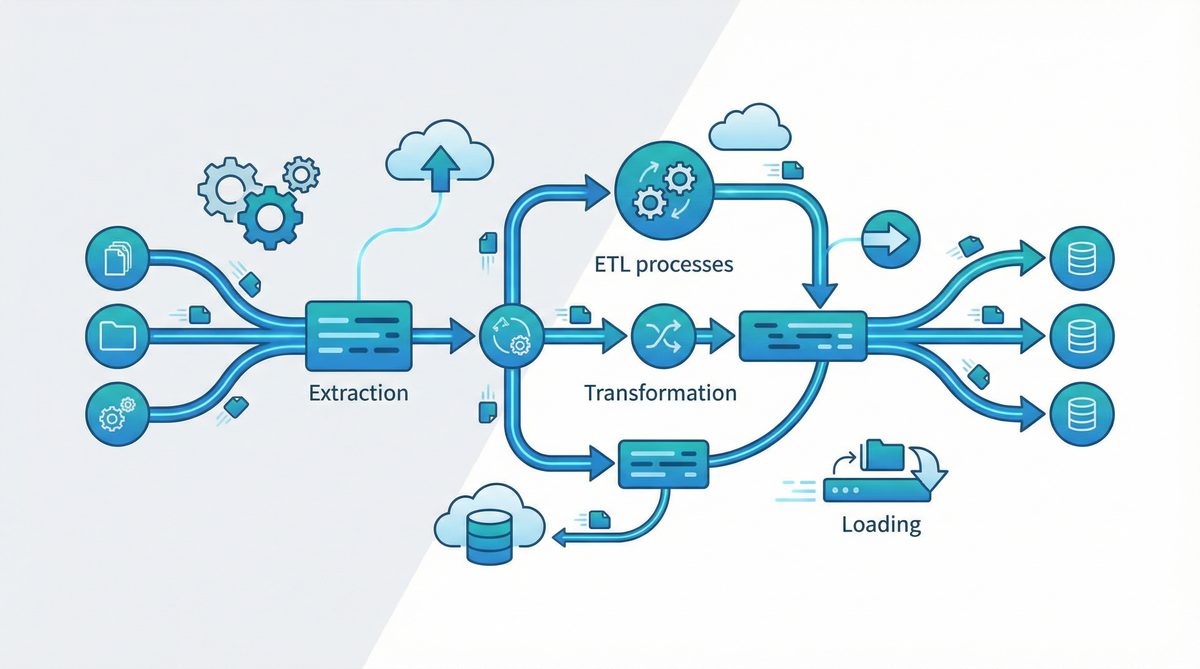
OpenAI Codex CLI is an open-source, terminal-based AI coding agent designed to streamline and automate various stages of data workflows and software development. By leveraging advanced AI capabilities, Codex CLI empowers developers and data professionals to perform tasks such as exploratory data analysis (EDA), Python-based extract-transform-load (ETL) pipeline creation, and automated test generation directly from the command line interface.
In this comprehensive tutorial, we will explore how to effectively use OpenAI Codex CLI to automate data workflows, integrate it with your existing development processes, and optimize productivity with its latest features and subscription tiers.
Getting Started with OpenAI Codex CLI
Get Free Access to 40,000+ AI Prompts
Join 40,000+ AI professionals. Get instant access to our curated Notion Prompt Library with prompts for ChatGPT, Claude, Codex, Gemini, and more — completely free.
Get Free Access Now →No spam. Instant access. Unsubscribe anytime.
Before diving into advanced usage scenarios, it is essential to understand the installation and setup process for OpenAI Codex CLI. Since it is an open-source tool, you can access the source repository, clone it locally, and install dependencies to get started.
Installation and Setup
- Clone the repository: Use Git to clone the Codex CLI repository to your local machine.
- Install dependencies: Ensure you have Python 3.7+ installed. Install required packages via
pip install -r requirements.txt. - API key configuration: Set up your OpenAI API key as an environment variable to enable authenticated requests.
- Run the CLI: Invoke Codex CLI commands from your terminal to interact with the AI agent.
Understanding Approval Modes
Codex CLI provides three distinct approval modes that dictate how code suggestions and transformations are handled:
- Suggest mode: The AI agent proposes code snippets or transformations, but requires explicit user approval before integrating changes.
- Auto-edit mode: Codex CLI automatically applies edits to your codebase but allows users to review changes before final commit.
- Full-auto mode: The agent autonomously performs code generation and modifications without manual intervention, ideal for fully automated workflows.
Choosing the appropriate approval mode depends on your trust level in the AI’s outputs and the criticality of the codebase being modified.
Integration with Local Development Workflows
One of the strengths of OpenAI Codex CLI is its seamless operation from the local terminal, enabling direct integration with typical developer toolchains. You can incorporate Codex CLI commands into existing shell scripts, continuous integration pipelines, or IDE terminal windows to augment productivity without leaving your working environment.
For example, you can automate the generation of test cases immediately after code commits or auto-generate EDA reports as part of your data ingestion process. The CLI’s flexibility ensures it fits naturally into diverse development scenarios.
Automated Exploratory Data Analysis with Codex CLI
Exploratory Data Analysis (EDA) is a foundational step in data science that involves summarizing the main characteristics of datasets. Codex CLI enhances this process by automating EDA report generation using AI, saving valuable time and providing actionable insights faster.
Generating EDA Reports
To generate an EDA report using Codex CLI, you typically provide the dataset path as an input parameter. The AI agent will analyze the data, detecting data types, missing values, distributions, and correlations, then output a comprehensive Python script or Jupyter notebook that performs the EDA. This script can be customized or executed directly.
Example command:
codex eda --input data/sales_data.csv --output reports/sales_eda.py --mode suggest
This command instructs Codex CLI to analyze the sales_data.csv file, generate an EDA script saved as sales_eda.py, and await approval before finalizing changes.
Customizing EDA Outputs
Codex CLI allows you to specify additional options such as which visualizations to include (histograms, box plots, scatter matrices), statistical summaries, or even domain-specific analyses. This level of automation can significantly reduce the repetitive coding effort commonly associated with data exploration.
Building Python ETL Pipelines Using Codex CLI
Extract-Transform-Load (ETL) pipelines are critical for data engineering workflows, enabling the movement and transformation of data from sources to destinations. Codex CLI simplifies ETL pipeline creation by generating Python code tailored to your specifications.
Creating ETL Scripts
By providing instructions such as data sources, transformations, and load targets, Codex CLI can produce robust ETL scripts ready for deployment. For example, you can specify to extract data from a CSV file, apply normalization and filtering, then load it into a SQL database.
Sample command:
codex etl --extract csv:data/raw/customers.csv --transform "normalize,filter missing" --load sql:customers_db --mode auto-edit
This instructs Codex CLI to generate and auto-edit an ETL pipeline script that executes the described operations, with changes subject to user review.
Testing and Validation of ETL Pipelines
An important aspect of data workflows is ensuring ETL pipelines function correctly. Codex CLI supports automated test generation for ETL scripts, producing unit tests that verify data integrity and transformation logic. This feature accelerates quality assurance and continuous integration processes.
Automated Test Generation for Codebases
Testing is essential for reliable software development. Codex CLI facilitates automated test case generation for Python projects by analyzing existing code and producing relevant tests.
Generating Unit Tests
Using Codex CLI, you can generate unit tests for specific functions or modules:
codex testgen --target my_module.py --mode suggest
The AI agent will analyze my_module.py and propose test cases which you can review and approve before integration.
Expanding Test Coverage
Regularly invoking Codex CLI’s test generation capabilities can help maintain and expand test coverage as your codebase evolves, reducing the manual overhead of writing boilerplate test code.
Leveraging the New Pro Tier for Enhanced Codex Usage
OpenAI recently introduced a $100/month Pro tier subscription for Codex CLI users, which offers 5x increased Codex usage limits compared to the free tier. This upgrade is ideal for teams and professionals who require higher throughput for automated code generation, data workflows, and test automation.
Subscribing to the Pro tier unlocks:
- Increased request quotas supporting larger projects and more frequent automation.
- Priority access to new features and improvements.
- Enhanced support for enterprise integration scenarios.
Developers can upgrade their accounts seamlessly via the Codex CLI interface or the official OpenAI dashboard.
Best Practices for Using Codex CLI in Your Development Workflow
- Choose the appropriate approval mode: Start with suggest mode for critical codebases to maintain control, then progress to auto-edit or full-auto as confidence grows.
- Integrate with version control: Use Git branches and pull requests to review AI-generated changes systematically.
- Combine with existing CI/CD pipelines: Automate EDA, ETL, and test generation as part of your build and deployment processes.
- Regularly update your Codex CLI tool: Stay current with improvements and new features to maximize productivity.
- Monitor AI outputs: Although Codex CLI is powerful, always validate generated code to avoid subtle errors or security issues.
Conclusion
OpenAI Codex CLI is a versatile and powerful tool that integrates AI-assisted code generation and automation directly into the terminal environment. From automated exploratory data analysis and Python ETL pipeline creation to test generation, Codex CLI enhances developer efficiency while maintaining control through flexible approval modes.
By adopting Codex CLI and leveraging its new Pro tier, data scientists, engineers, and developers can accelerate workflows, improve code quality, and seamlessly scale automation within their projects. This tutorial has outlined essential usage scenarios and best practices to help you get started and make the most out of OpenAI Codex CLI.
For more advanced integrations and examples, consider exploring related resources and community tutorials available at OpenAI Codex Now Offers Pay-As-You-Go Pricing for Teams: What It Means for Developers.
Useful Links
- OpenAI Codex CLI GitHub Repository
- OpenAI Codex Model Documentation
- Pandas Data Analysis Library Documentation
- Pytest Testing Framework Documentation
- Python ETL Pipeline Tutorials at Real Python
🕐 Instant∞ Unlimited🎁 Free
Frequently Asked Questions
How does Codex CLI manage context in prompts?
Codex CLI uses a modular approach to manage context, segmenting complex tasks into smaller, manageable prompt chains. This allows for multi-turn interactions that maintain state and progressively accumulate information, ensuring that the AI can handle complex workflows without losing context.
What are the benefits of using prompt chunking?
Prompt chunking in Codex CLI breaks down extensive instructions into discrete sub-tasks, which are processed sequentially. This method ensures that each part of a complex task is handled efficiently, preventing issues like context loss or incomplete code generation, and allows for more accurate and reliable AI outputs.
Can Codex CLI templates be customized for specific domains?
Yes, Codex CLI provides a dynamic template engine that allows users to customize prompt structures for specific domains. These templates can incorporate domain-specific knowledge, such as dataset metadata and business logic, enabling the AI to generate more relevant and contextually accurate code for specialized applications.
What is token budgeting in Codex CLI?
Token budgeting is a strategy used by Codex CLI to estimate and manage the number of tokens used in user instructions, intermediate code snippets, and AI-generated completions. This helps prevent truncation or loss of critical context, ensuring that the AI can process and respond to prompts effectively within its token limits.
How does Codex CLI support iterative code refinement?
Codex CLI supports iterative code refinement through stateful sessions, where partial completions are persisted and embedded as context in subsequent prompts. This allows users to review, approve, and adjust each stage of the workflow, ensuring that the final output meets their requirements and standards.
What makes Codex CLI suitable for large-scale projects?
Codex CLI is suitable for large-scale projects due to its advanced prompt engineering techniques, such as context window management, prompt chunking, and dynamic templates. These features enable efficient handling of complex data workflows, integration with diverse APIs, and iterative refinement, making it a robust tool for developers managing extensive data processing tasks.
Get Free Access to 40,000+ AI Prompts
Join 40,000+ AI professionals. Get instant access to our curated Notion Prompt Library with prompts for ChatGPT, Claude, Codex, Gemini, and more — completely free.
Get Free Access Now →No spam. Instant access. Unsubscribe anytime.
