
The 2026 AI Coding Tools Showdown: Codex, Claude Code, Cursor, Copilot, and Gemini CLI Compared
⚡ The Brief
- What it is: A comparison of top AI coding tools in 2026, including Codex, Claude Code, Cursor, Copilot, and Gemini CLI.
- Who it’s for: Developers and engineering leaders seeking to enhance productivity and code quality with AI tools.
- Key takeaways: Insight into each tool’s strengths, weaknesses, and ideal use cases, focusing on integration and AI-driven development.
- Pricing/Cost: Varies by tool, with options ranging from free tiers to enterprise-level subscriptions, depending on features and usage.
- Bottom line: Choosing the right AI coding tool is crucial for maximizing development efficiency and innovation in 2026.
✓ Instant access✓ No spam✓ Unsubscribe anytime
The landscape of software development is being rapidly reshaped by the rise of powerful AI coding assistants. By 2026, these tools have moved from novelties to indispensable partners in the coding process, offering everything from intelligent code completion to full-fledged, AI-driven development environments. For developers and engineering leaders, selecting the right AI coding tool is no longer a matter of preference but a strategic decision that can significantly impact productivity, code quality, and innovation. This guide provides a comprehensive showdown of the top five AI coding tools that are defining the industry: OpenAI’s Codex, Anthropic’s Claude Code, the AI-native editor Cursor, GitHub’s Copilot, and Google’s Gemini CLI.
We will delve into the unique strengths and weaknesses of each tool, examining their underlying models, feature sets, integration capabilities, and ideal use cases. Whether you are a solo developer looking to accelerate your workflow or a large enterprise aiming to standardize your AI-assisted development practices, this in-depth comparison will equip you with the knowledge needed to make an informed decision. The evolution of these tools is a testament to the incredible progress in artificial intelligence, and understanding their nuances is key to harnessing their full potential. How Development Teams Are Adopting AI Coding Assistants in 2026: Codex and Claude Code in Production
OpenAI Codex: The Foundational Powerhouse
OpenAI Codex, the model that initially powered the first versions of GitHub Copilot, remains a formidable force in the AI coding arena. Its deep integration with the OpenAI API allows for a high degree of customization and flexibility, making it a favorite among developers who need to build bespoke coding solutions. Codex’s strength lies in its raw power of code generation and understanding, capable of translating natural language prompts into complex code snippets across a vast array of programming languages. Its ability to understand context from comments and surrounding code allows it to generate remarkably accurate and relevant suggestions.
However, Codex is not without its limitations. As a foundational model, it often requires more setup and configuration than its more productized counterparts. Developers typically interact with it via API calls, which, while powerful, can be less seamless than a deeply integrated IDE extension. Furthermore, while its knowledge base is extensive, it can sometimes produce code that is outdated or relies on deprecated libraries, requiring developers to be vigilant. Despite these challenges, for tasks requiring heavy customization, such as automated code refactoring pipelines or domain-specific language generation, Codex offers a level of control that is hard to match. The developer community around Codex is robust, with many open-source projects leveraging its capabilities to create innovative tools.
Claude Code: The Conversational Coder
Anthropic’s Claude Code has carved out a unique niche for itself by focusing on a conversational and context-aware approach to AI-assisted coding. Unlike tools that primarily focus on single-line or block-level completions, Claude Code excels at engaging in a dialogue with the developer. It can understand and remember the context of a conversation, allowing it to provide more relevant and nuanced assistance over longer coding sessions. This makes it particularly well-suited for complex tasks that require iterative refinement, such as debugging, refactoring large codebases, or exploring different implementation strategies.
Claude Code’s constitutional AI model, which is trained to be helpful, harmless, and honest, also provides a layer of safety and reliability that is particularly appealing in enterprise environments. It is less likely to generate insecure or problematic code, and it can often explain its reasoning and provide alternative suggestions. The primary interface for Claude Code is often a chat-based UI, which can be a double-edged sword. While it fosters a natural and intuitive interaction model, it can also be less efficient for developers who are used to the rapid-fire suggestions of inline completion tools. 99+ Successful ChatGPT Prompts for Literature Review to I… Nevertheless, for developers who value a collaborative and interactive coding partner, Claude Code offers a compelling and powerful alternative.

Cursor: The AI-Native Code Editor
Cursor represents a paradigm shift in how developers interact with AI coding assistants. Instead of being a plugin or an extension, Cursor is a full-fledged, AI-native code editor built from the ground up with artificial intelligence at its core. This deep integration allows for a seamless and intuitive user experience that is unmatched by other tools. Features like AI-powered code editing, automated debugging, and intelligent project-wide refactoring are not just add-ons but are woven into the fabric of the editor itself. Cursor can understand the entire context of a project, including all files and dependencies, enabling it to provide incredibly accurate and context-aware assistance.
The editor’s ‘AI chat’ feature allows developers to ask questions and get help without ever leaving their coding environment. It can also automatically generate documentation, write tests, and even help to onboard new developers to a codebase. The main drawback of Cursor is that it requires developers to switch to a new editor, which can be a significant hurdle for those who are deeply invested in their existing workflows and toolchains. However, for those who are willing to make the leap, Cursor offers a glimpse into the future of software development—a future where the line between the developer and the AI is increasingly blurred. Its growing popularity, especially among startups and agile development teams, is a testament to its innovative and powerful approach.
GitHub Copilot: The Ubiquitous Assistant
GitHub Copilot, now powered by more advanced models than the original Codex, has become the most widely adopted AI coding assistant on the market. Its deep integration with Visual Studio Code, the world’s most popular code editor, has made it incredibly accessible to millions of developers. Copilot’s strength lies in its seamless, ‘in-the-flow’ experience. It provides intelligent, multi-line code completions in real-time, often anticipating the developer’s next move with uncanny accuracy. This can lead to significant productivity gains, especially for repetitive or boilerplate coding tasks.
Copilot’s ‘Chat’ feature further enhances its capabilities, allowing developers to ask coding-related questions, get explanations for code snippets, and even generate entire functions or classes from natural language prompts. However, the very thing that makes Copilot so powerful—its ubiquity and ease of use—can also be a weakness. It can sometimes be overly eager to provide suggestions, leading to a ‘firehose’ of code that can be overwhelming or distracting. Developers also need to be mindful of the quality and security of the code it generates, as it can occasionally produce suboptimal or vulnerable code. Claude Mythos Preview: Inside Anthropic’s Most Powerful AI Model and Why It’s Being Restricted Despite these caveats, Copilot has fundamentally changed the way many developers write code, and its continued evolution will undoubtedly keep it at the forefront of the AI coding revolution.
Gemini CLI: The Command-Line Companion
Google’s Gemini CLI brings the power of the advanced Gemini family of models directly to the command line, offering a unique and powerful tool for developers who live in the terminal. The Gemini CLI is not just a code completion tool; it is a versatile assistant that can help with a wide range of development tasks, from writing shell scripts and debugging command-line tools to generating documentation and even managing cloud infrastructure. Its ability to understand and generate code in a variety of languages, combined with its deep integration with the shell, makes it an incredibly powerful tool for automation and scripting.
One of the standout features of the Gemini CLI is its ability to interact with other command-line tools. It can pipe the output of one command to another, process text streams, and even generate complex command chains to accomplish a specific task. This makes it an ideal companion for DevOps engineers, system administrators, and anyone who spends a significant amount of time working in a terminal environment. The main limitation of the Gemini CLI is its learning curve. To unlock its full potential, developers need to be comfortable with the command line and be willing to learn its specific syntax and commands. However, for those who are, the Gemini CLI offers a level of power and flexibility that is unmatched by any other tool on this list.
Feature and Capability Comparison
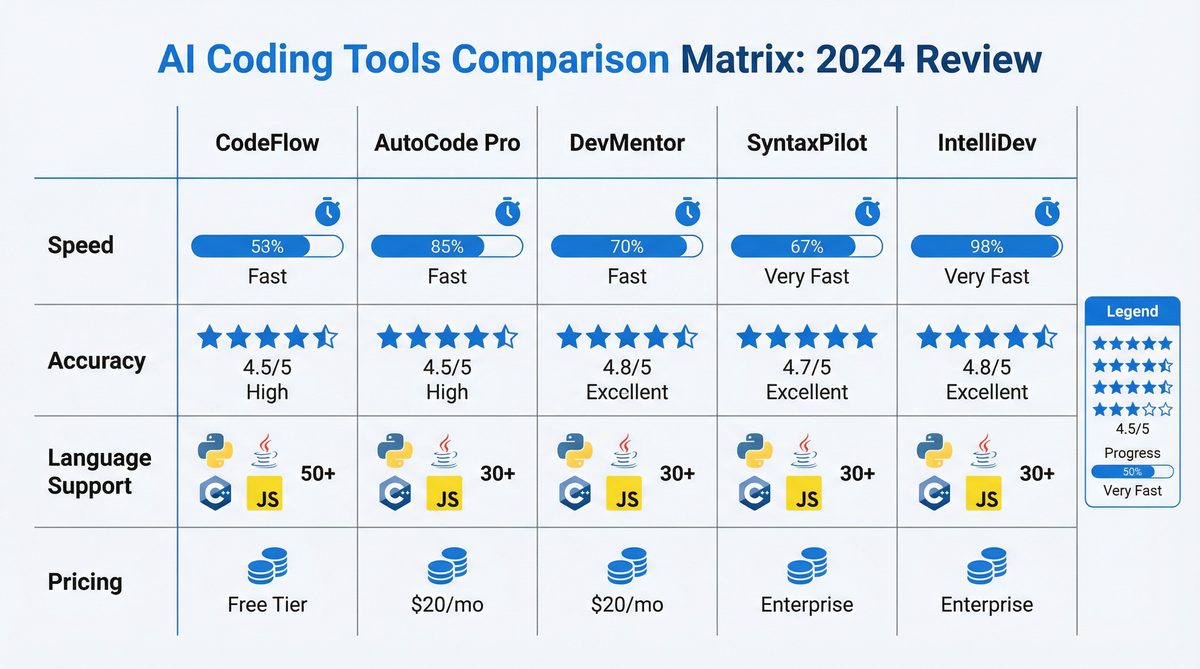
To provide a clearer picture of how these tools stack up against each other, the following table breaks down their key features and capabilities. This comparison is based on their performance and feature sets as of early 2026.
| Feature | Codex | Claude Code | Cursor | Copilot | Gemini CLI |
|---|---|---|---|---|---|
| Primary Interface | API | Chat-based | Native IDE | IDE Extension | Command Line |
| Context Awareness | File-level | Conversational | Project-wide | File-level | Shell/Piped Input |
| Best For | Custom Solutions | Complex Debugging | AI-Native Workflow | General Productivity | Automation & DevOps |
| Learning Curve | High | Low | Medium | Low | High |
Access 40,000+ AI Prompts for ChatGPT, Claude & Codex — Free!
Subscribe to get instant access to our complete Notion Prompt Library — the largest curated collection of prompts for ChatGPT, Claude, OpenAI Codex, and other leading AI models. Optimized for real-world workflows across coding, research, content creation, and business.
Access Free Prompt LibraryConclusion: Choosing Your AI Coding Partner
The 2026 AI coding landscape is rich and diverse, offering a range of tools to suit different needs and workflows. The choice of which tool to adopt is a personal one, and it depends heavily on your specific requirements. For those who need maximum flexibility and control, the raw power of OpenAI’s Codex API is unparalleled. For developers who thrive on collaboration and dialogue, Claude Code offers a unique and powerful conversational experience. Cursor provides a tantalizing glimpse into the future of AI-native development, while GitHub Copilot remains the undisputed king of seamless, in-the-flow productivity. And for the command-line warriors, the Gemini CLI offers a level of automation and control that is simply unmatched.
Ultimately, the best way to choose the right tool is to experiment. All of these tools offer free trials or tiers, and spending some time with each one will give you a much better sense of which one is the right fit for you. As AI continues to evolve, the capabilities of these tools will only continue to grow, and staying abreast of the latest developments will be crucial for any developer who wants to stay at the top of their game. The AI coding revolution is here to stay, and the tools we’ve discussed in this article are at the very forefront of this exciting new era.
🕐 Instant∞ Unlimited🎁 Free
Frequently Asked Questions
How does Codex enhance coding productivity?
Codex enhances productivity by translating natural language prompts into complex code snippets, supporting a wide array of programming languages. Its deep integration with the OpenAI API allows for high customization, making it ideal for developers needing bespoke solutions. However, it requires more setup than some other tools, which might affect seamless integration.
What makes Claude Code unique among AI tools?
Claude Code stands out due to its emphasis on ethical AI and safety, leveraging Anthropic's research to provide a robust coding assistant. It focuses on providing contextually relevant suggestions while maintaining high safety standards, making it suitable for developers concerned with ethical AI deployment and secure coding practices.
Can Gemini CLI integrate with existing development environments?
Yes, Gemini CLI is designed to integrate smoothly with existing development environments. It offers a command-line interface that supports various programming languages and tools, facilitating seamless integration into developers' workflows. Its flexibility and adaptability make it a strong choice for teams using diverse tech stacks.
What are the benefits of using Cursor as an AI-native editor?
Cursor offers an AI-native editing experience, providing real-time code suggestions and completions directly within the editor. It supports modern prompt engineering techniques like chain-of-thought and structured outputs, enhancing the coding process by making it more intuitive and efficient for developers.
How does GitHub Copilot assist in code quality improvement?
GitHub Copilot improves code quality by offering intelligent code completions and suggestions based on extensive training data. It helps developers write cleaner, more efficient code by understanding context and providing relevant recommendations, thus reducing errors and enhancing overall code quality.
What are the limitations of using AI coding tools?
AI coding tools, while powerful, have limitations such as dependency on internet connectivity, potential for generating incorrect code, and the need for human oversight. They may also require configuration for optimal performance and might not fully understand complex project-specific contexts without additional input from developers.
