
OpenAI Codex Major Update: Desktop Computer Use, Subagents, and Memory
On April 16, 2026, OpenAI unveiled a transformative update to its flagship AI coding assistant, Codex. This latest release introduces groundbreaking capabilities that significantly expand Codex’s operational scope, usability, and intelligence. Among the headline features are the ability for Codex to control desktop applications on macOS, the introduction of parallel subagents working concurrently in the background, a refined image generation model named gpt-image-1.5, and new integrations with popular developer and productivity platforms such as GitLab, Atlassian Rovo, and Microsoft Suite.
✓ Instant access✓ No spam✓ Unsubscribe anytime
Additionally, Codex now includes a native web browsing experience via an in-app browser, a persistent memory system designed to retain user context and preferences, and an intelligent scheduling mechanism allowing it to autonomously plan and execute tasks in the future. These enhancements collectively position OpenAI Codex as a formidable competitor to Anthropic’s Claude Code, aiming to redefine AI-assisted programming workflows and desktop automation.
Revolutionizing Desktop Automation: Codex Now Commands macOS Applications
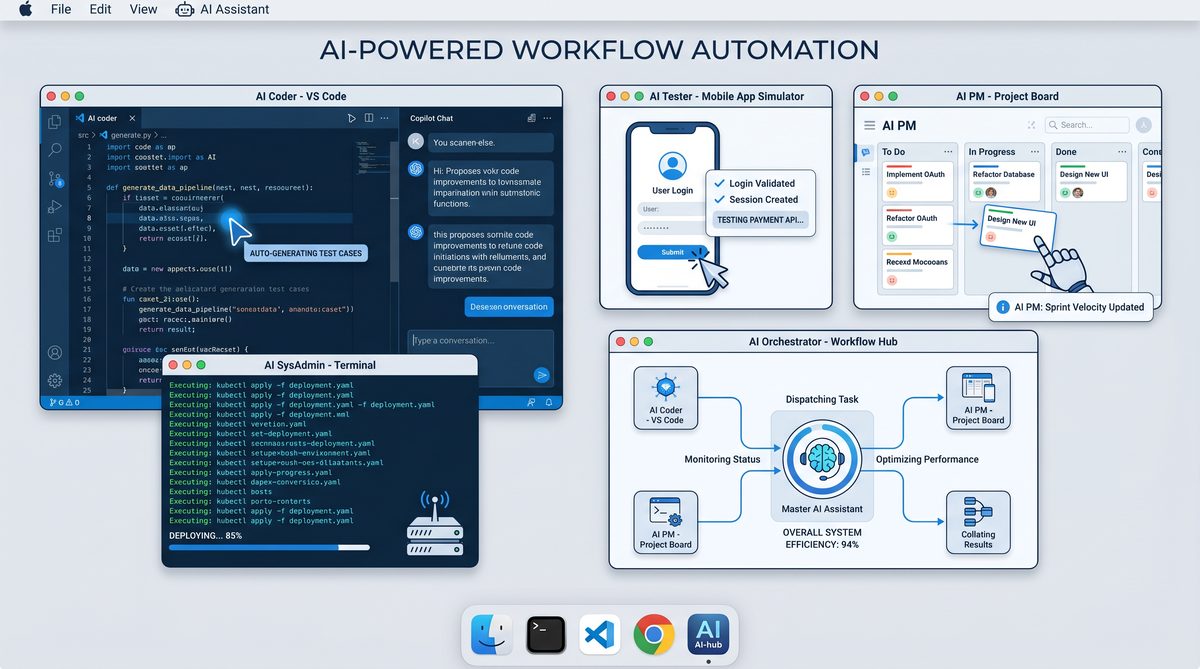
One of the most significant advancements in this update is Codex’s newfound ability to directly interact with desktop applications on macOS. Historically, Codex’s capabilities were primarily confined to generating code snippets, automating terminal commands, or integrating with cloud-based development environments. With the April 2026 update, Codex transcends these boundaries by becoming an active agent on the desktop itself.
Through a sophisticated interface layer, Codex can now control applications such as text editors, IDEs, productivity software, and even system utilities. For example, developers can instruct Codex to open Xcode, modify files, run build scripts, or manage system configurations without leaving the AI environment.
This functionality is enabled by leveraging macOS’s accessibility APIs and scripting frameworks, allowing Codex to simulate user interactions, manipulate UI elements, and perform complex sequences of commands. The implications for developer productivity are profound:
- Seamless Multitasking: Codex can automate repetitive desktop tasks, freeing developers to focus on higher-level problem-solving.
- Context-Aware Assistance: The AI can dynamically adjust its behavior based on the state of applications and system resources.
- End-to-End Development: From coding and testing to deployment, Codex now supports a holistic workflow within the macOS ecosystem.
For instance, a developer working on a Swift app can ask Codex to open Interface Builder, adjust UI components, run unit tests, and commit changes to a Git repository—all via natural language instructions. This bridges the gap between code generation and real-world development environments in an unprecedented manner.
Such desktop integration also opens avenues for cross-application scripting and automation that were previously manual or fragmented. This represents a shift in AI’s role from a passive assistant to an active collaborator on a developer’s local machine.
Parallel Subagents: Multitasking and Background Operations at Scale
Another landmark feature introduced in this update is the concept of subagents. Rather than functioning as a monolithic AI responding to sequential user queries, Codex can now spawn multiple autonomous agents that operate concurrently in the background.
Each subagent can specialize in discrete tasks, ranging from code analysis, documentation generation, continuous integration monitoring, to resource optimization. This parallelism allows Codex to handle complex, multi-threaded workflows without blocking the main interaction thread.
For example, while a primary subagent helps with code editing, secondary subagents can simultaneously:
- Monitor code repositories for merge conflicts and vulnerabilities.
- Generate comprehensive API documentation based on recent commits.
- Run automated tests and report results asynchronously.
This architecture enhances Codex’s scalability and responsiveness, enabling a fluid, uninterrupted user experience. The subagents communicate through a managed orchestration layer that ensures coherent task delegation, conflict resolution, and efficient resource utilization.
Developers can explicitly create, manage, and terminate subagents via natural language commands or through a visual dashboard embedded within the Codex interface. This empowers users to tailor Codex’s multitasking behavior to their specific project requirements.
Moreover, the subagent system supports long-running tasks, allowing Codex to maintain ongoing processes that track project health metrics or proactively suggest improvements based on codebase evolution. This persistent background operation is a game-changer, especially for large-scale software projects.
Enhanced Visual Creativity: Introducing GPT-Image-1.5
In parallel with the expanded computational and automation capabilities, OpenAI has upgraded Codex’s image generation prowess by integrating the new gpt-image-1.5 model. This model builds on previous iterations with significant improvements in resolution, style diversity, and contextual coherence.
Unlike traditional text-to-image models that focus solely on generating standalone images, gpt-image-1.5 is optimized for software development use cases:
- UI/UX Mockups: Generate detailed interface designs directly from descriptive prompts, helping bridge the gap between conceptualization and implementation.
- Diagram Generation: Create accurate flowcharts, architecture diagrams, and data visualizations to complement code documentation.
- Iconography and Assets: Produce consistent icon sets and graphical assets tailored to specific application themes.
Developers can embed image generation tasks within their coding workflows, enabling Codex to automatically create illustrative content that enhances readability and collaboration. For example, a prompt like “Generate a flowchart showing the authentication process with OAuth2” will yield a clear, professional diagram ready for integration into project documentation.
This blend of natural language understanding and visual creativity further solidifies Codex’s position as a comprehensive AI partner for software teams, combining code and design in a unified interface.
New Plugin Ecosystem: GitLab, Atlassian Rovo, and Microsoft Suite Integration
To enrich Codex’s interoperability with existing development and productivity tools, OpenAI has released a suite of new plugins:
| Plugin | Description | Key Features |
|---|---|---|
| GitLab | Seamless integration with GitLab repositories and CI/CD pipelines. |
|
| Atlassian Rovo | Enhanced project management with Atlassian’s Rovo platform. |
|
| Microsoft Suite | Integration with Office 365 apps including Word, Excel, and Outlook. |
|
These plugins extend Codex’s utility beyond pure coding tasks to encompass the broader spectrum of software project management and communication. By directly interfacing with popular platforms, Codex minimizes context switching and centralizes workflow management, fostering increased efficiency.
Additionally, Codex’s plugin architecture supports extensibility, allowing organizations to develop custom connectors tailored to their internal tools and processes. This flexibility underscores OpenAI’s commitment to making Codex a versatile, enterprise-ready assistant.
Native Web Browsing: In-App Browser for Real-Time Information Retrieval
Responding to the increasing demand for AI models capable of up-to-date information access, Codex now features a native web browsing capability via an embedded in-app browser. This allows the model to access, parse, and utilize live web content during interactions, overcoming the limitations of static training data.
The in-app browser supports:
- Dynamic Documentation Lookup: Fetch the latest API docs, language references, and libraries.
- Issue and Dependency Tracking: Access online repositories and package managers to verify versions and known bugs.
- Research and Learning: Retrieve relevant tutorials, technical articles, or community discussions on demand.
For example, when a user asks Codex about recent changes in the Python standard library or new features in a JavaScript framework, Codex can perform a targeted web search and summarize findings within the conversation.
This feature significantly enhances Codex’s autonomy and reliability, making it an indispensable assistant for developers needing accurate, real-time information.
Persistent Memory: Context, Preferences, and Personalized AI Assistance
One of the most transformative elements of this update is the introduction of a persistent memory system. Codex can now remember previous interactions, user preferences, project context, and custom settings across sessions. This persistent memory enables a much more personalized and contextually aware AI experience.
Key memory functionalities include:
- User Preferences: Remembering coding style choices, preferred languages, and formatting conventions.
- Project Context: Retaining knowledge about ongoing projects, dependencies, and architectural decisions.
- Conversation History: Maintaining dialogue threads to avoid repetitive explanations and to build on prior discussions.
This memory capability allows Codex to act more like a human collaborator who understands the nuances and history of the work, rather than a stateless tool. For example, Codex can recall that a team prefers tabs over spaces, or that a particular module requires strict type checking, and adjust generated code accordingly.
Security and privacy considerations are paramount, and OpenAI has implemented robust encryption and access controls to safeguard stored memories. Users can review, modify, or delete memory entries at any time, ensuring transparency and control.
Scheduling and Autonomous Task Execution: Future-Proofing Development Workflows
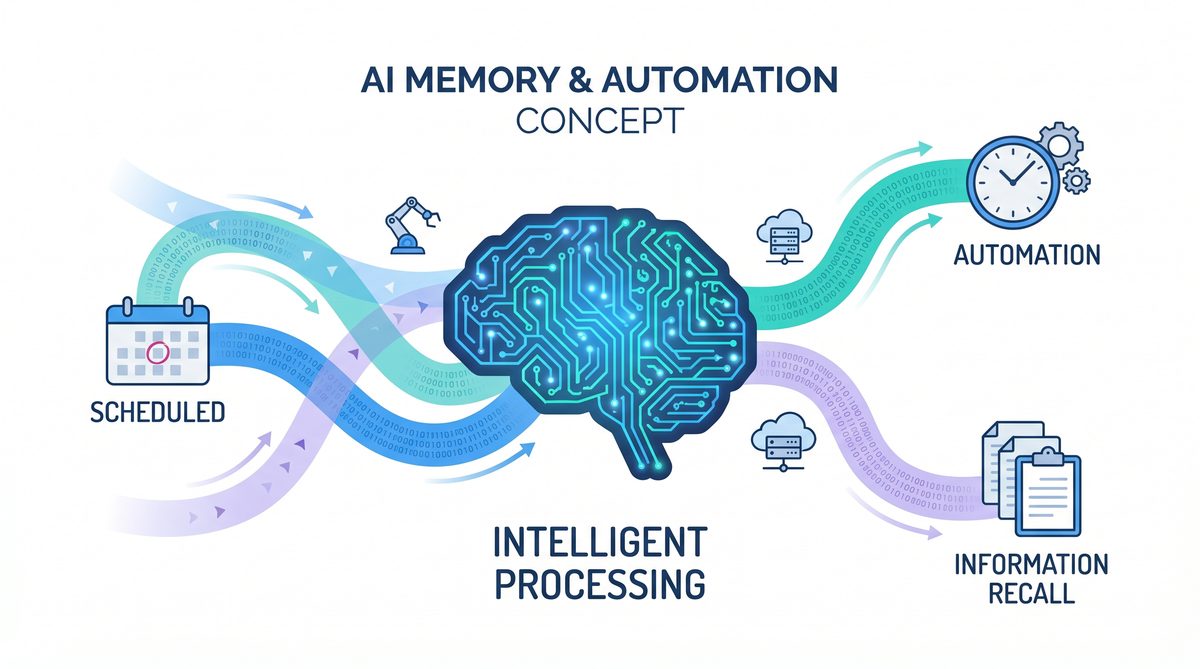
The new update introduces a sophisticated scheduling engine within Codex, empowering it to plan, queue, and execute tasks at designated future times autonomously. Combined with the persistent memory and subagent capabilities, this transforms Codex into a proactive assistant capable of managing complex, time-sensitive workflows.
Use cases for this feature include:
- Deferred Code Reviews: Scheduling automated code analysis and feedback during off-hours to optimize resource usage.
- Periodic Reporting: Generating and delivering project status reports or documentation updates on a recurring basis.
- Automated Reminders and Follow-Ups: Tracking deadlines and prompting users about upcoming milestones or pending tasks.
Codex can “wake up” automatically at scheduled intervals, assess project state, and perform necessary actions without requiring user initiation. This capability enhances productivity by ensuring critical tasks are not overlooked and by distributing workload efficiently over time.
From a technical standpoint, the scheduling system is tightly integrated with the subagent framework, allowing multiple scheduled jobs to run in parallel, each with its own memory context and operational parameters.
Competition with Claude Code: The Race for AI-Powered Development Dominance
OpenAI’s latest Codex update arrives amid intensifying competition in the AI-assisted coding space, notably from Anthropic’s Claude Code. Claude Code has positioned itself as a developer-friendly assistant emphasizing safety, interpretability, and collaborative coding features.
OpenAI’s enhancements with desktop application control, multitasking subagents, persistent memory, and integrated web browsing represent a strategic response designed to widen Codex’s appeal and capabilities. While Claude Code excels in conversational safety and alignment, Codex’s new features cater to scalability, automation, and cross-platform functionality.
This competitive dynamic is driving rapid innovation, benefiting developers through increasingly powerful and versatile AI tools. Industry observers anticipate that the next wave of improvements will focus on deeper integration with cloud-native environments, enhanced explainability, and refined user customization.
When implementing these advanced AI workflows, understanding the underlying model architecture is crucial. Our comprehensive analysis of How to Use OpenAI Codex CLI for Automated Data Pipelines: A Step-by-Step Tutorial explores how parameter scaling affects reasoning capabilities in modern LLMs.
Useful Links and Resources
Here are some valuable resources to help you explore the topics covered in this article:
- OpenAI Official Blog
- OpenAI Codex Documentation
- ChatGPT Desktop App
- OpenAI API Reference
- OpenAI Developer Forum
- GitHub Copilot
Conclusion
The April 2026 Codex update marks a pivotal moment in AI-assisted software development. By enabling desktop automation on macOS, introducing parallel subagents, upgrading image generation with gpt-image-1.5, expanding plugin support, embedding a native web browser, and incorporating persistent memory and scheduling, OpenAI has significantly broadened Codex’s utility and intelligence.
These features collectively empower developers to achieve unprecedented levels of productivity, automation, and collaboration. As Codex directly challenges competitors like Claude Code, the rapid pace of innovation promises to continuously reshape how software is conceived, built, and maintained.
For developers seeking to deepen their understanding of AI-driven development environments, exploring the nuances of integration strategies and orchestration patterns is essential. Our detailed guide on From Prompts to AI Skills: How to Build Reusable Prompt Workflows for ChatGPT, Claude, and Codex offers insights into designing modular AI workflows optimized for complex projects.
As AI continues advancing, tools like Codex will become indispensable partners in navigating the complexities of modern software engineering, driving forward the next generation of intelligent development platforms.
To get started with these new features and maximize Codex’s potential, reviewing best practices and security considerations is advisable. Our curated resource on How to Use OpenAI Codex as Your AI Coding Agent: Complete Setup and Workflow Guide provides actionable recommendations and case studies from industry leaders.
Useful Links
- OpenAI Official Blog: Codex April 2026 Update
- Apple Accessibility APIs Documentation
- GitLab API Documentation
- Atlassian Rovo Official Site
- Microsoft 365 Developer Documentation
- OpenAI GPT-Image Repository
- Anthropic Claude Code Overview
- MDN Web Docs: Window.open()
- Wikipedia: Software Agent
- Google AI Blog: Memory in AI Assistants (March 2026)
🕐 Instant∞ Unlimited🎁 Free
Get Free Access to 40,000+ AI Prompts
Join 40,000+ AI professionals. Get instant access to our curated Notion Prompt Library with prompts for ChatGPT, Claude, Codex, Gemini, and more — completely free.
Get Free Access Now →No spam. Instant access. Unsubscribe anytime.
