
10 Production-Ready Prompts for Claude Managed Agents: From Dreaming Configuration to Multiagent Orchestration
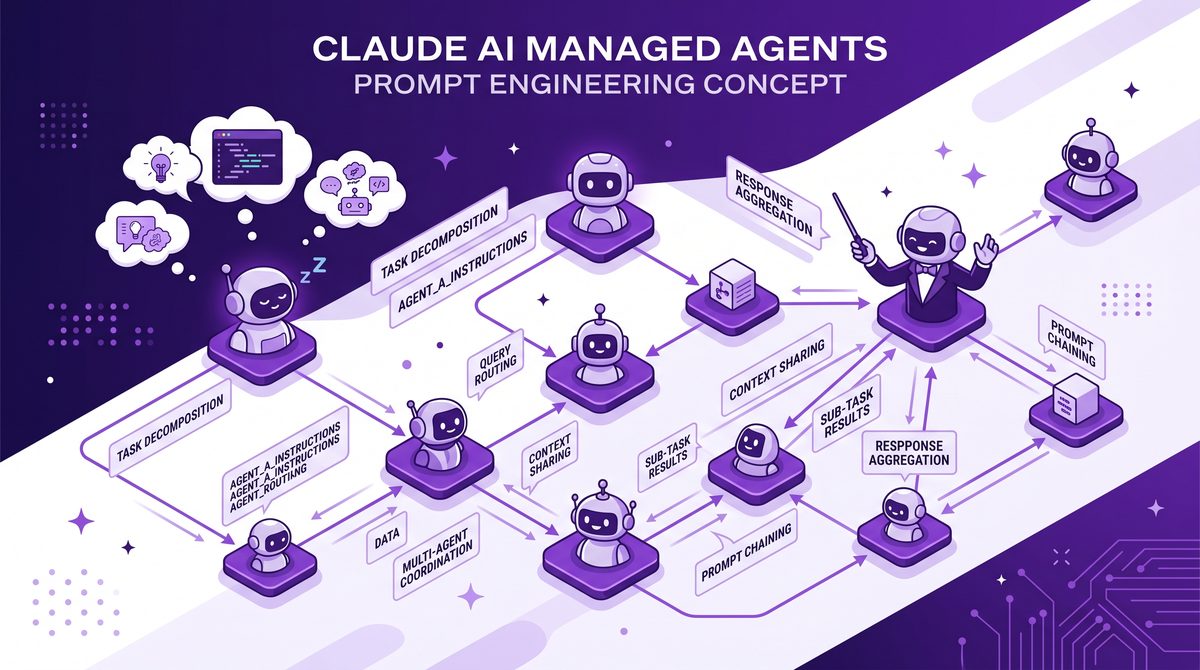
10 Production-Ready Prompts for Claude Managed Agents: From Dreaming Configuration to Multiagent Orchestration
Claude managed agents have rapidly evolved as powerful tools to automate complex workflows, enhance decision-making, and facilitate multiagent orchestration. However, unlocking their full potential requires finely tuned prompts that align with production-grade requirements — robust, reliable, and scalable interactions that deliver consistent results in real-world environments.
In this comprehensive guide, we present 10 production-ready prompts for Claude managed agents, spanning the spectrum from initial dreaming and configuration to advanced multiagent collaborations. Each prompt is crafted for immediate copy-paste use, accompanied by explanations of its intent, context, and variations to adapt to specific scenarios.
⚡ The Brief
- What: Practical 2026 framework for moving from basic prompts to intent-structured interactions with Claude and ChatGPT.
- Who it’s for: Developers, prompt engineers, and power users building production LLM workflows.
- Key takeaways: How to use CoT, ToT, meta-prompts, personas, and hybrid Claude+ChatGPT setups without overcomplicating stacks.
- Pricing / cost angle: Covers how prompt design impacts token usage, inference cost, and latency at scale.
- Bottom line: Treat prompting as a design discipline around intent, not a bag of tricks for phrasing individual questions.
Understanding Claude Managed Agents and Their Prompting Paradigm
Claude managed agents operate by interpreting carefully designed prompts to perform autonomous tasks within defined parameters. Unlike ad-hoc single-turn interactions, these agents thrive on structured instructions that define roles, goals, constraints, and interaction protocols.
Effective prompting for Claude managed agents involves:
- Clarity: Explicit roles and objectives to minimize ambiguity.
- Contextual awareness: Incorporation of relevant environmental or domain data.
- Adaptability: Dynamic instructions that enable agents to adjust behavior based on outcomes or inputs.
- Inter-agent coordination: Clear communication and orchestration strategies for multiagent environments.
Below, we dive directly into production-ready prompt templates tailored for common and advanced use cases.

1. Dreaming Configuration Prompt: Define Agent’s Role and Capabilities
This foundational prompt enables you to “dream” or conceptualize an agent’s role, capabilities, and limits before deployment. It acts as the blueprint for all subsequent interactions.
You are a Claude managed agent named "{AgentName}". Your primary role is to {BrieflyDescribeRole}.
Capabilities: {List of Capabilities, e.g., data analysis, report generation, email handling}.
Constraints: {List hard boundaries, e.g., no internet access, must comply with privacy standards}.
When uncertain, ask clarifying questions before proceeding.
Begin by summarizing your role and capabilities.
Example:
You are a Claude managed agent named "DataInsightBot". Your primary role is to analyze monthly sales data and generate executive summaries.
Capabilities: data parsing, trend detection, natural language report generation.
Constraints: no access to external databases, reports must not exceed 500 words.
When uncertain, ask clarifying questions before proceeding.
Begin by summarizing your role and capabilities.
2. Context Injection Prompt: Feeding Domain-Specific Knowledge
To optimize agent output, injecting relevant domain knowledge or situational context is essential. This prompt template embeds such context dynamically.
You are "{AgentName}". Before executing your task, carefully review the following context:
"{ContextData}"
Use this information to inform all reasoning and responses. If the context contradicts your default knowledge, prioritize the provided context.
Usage scenario: Feeding a competitive landscape summary for a market research agent.
3. Task Instruction Prompt: Precise Action Definition
Clearly specifying the task with expected deliverables ensures focused and measurable outputs.
Your task is to {DetailedTaskDescription}.
Deliverables: {List expected outputs, e.g., bullet point summary, CSV file, code snippet}.
Prioritize accuracy and brevity. If assumptions are required, explicitly state them.
Example:
Your task is to review the attached customer feedback dataset and identify the top three recurring complaints.
Deliverables: a bullet point list summarizing each complaint with example quotes.
Prioritize accuracy and brevity. If assumptions are required, explicitly state them.
4. Iterative Refinement Prompt: Enabling Stepwise Improvement
Production environments often require multi-turn refinement. This prompt instructs the agent to propose output, accept feedback, and iterate accordingly.
Produce an initial version of {OutputDescription}.
Once delivered, await feedback and incorporate requested changes.
Respond only with the updated output unless clarifying questions are necessary.
Example:
Produce an initial version of the quarterly business intelligence report summary.
Once delivered, await feedback and incorporate requested changes.
Respond only with the updated output unless clarifying questions are necessary.
5. Error Handling and Self-Correction Prompt
Robust agents need to detect and correct internal inconsistencies or errors proactively.
After completing your task, review your output for any logical errors, contradictions, and formatting issues.
If issues are detected, correct them before submission.
Document any corrections made in a short summary.
6. Multiagent Collaboration Initialization Prompt
When orchestrating multiple Claude agents, define their individual roles and communication protocols upfront.
You are Agent "{AgentName}" in a multiagent system.
Your role: {AgentRole}.
You will communicate with agents: {ListOtherAgents}.
Use the agreed communication format: {FormatDescription}.
Coordinate your outputs to ensure consistency and avoid duplication.
This prompt lays the groundwork for synchronized multiagent workflows.
7. Orchestration Control Prompt: Task Delegation and Monitoring
This prompt equips a managing agent to delegate subtasks to specialized agents and monitor their progress.
As the orchestrator agent, assign the following subtasks:
1. {Subtask1} -> Agent {Agent1}
2. {Subtask2} -> Agent {Agent2}
Track each agent's status and compile their outputs into a unified result.
If an agent encounters issues, request clarification or reassignment.
8. Output Formatting and Compliance Prompt
Standardizing output format is critical for downstream consumption or integration.
Produce your output strictly adhering to the following format:
{SpecifyFormat, e.g., JSON schema, markdown table, XML tags}.
Ensure all required fields are populated and values are validated against format constraints.
Example:
Produce your output strictly adhering to the following JSON schema:
{
  "summary": "string",
  "key_metrics": {
    "revenue": "number",
    "growth_rate": "number"
  },
  "recommendations": ["string"]
}
9. Security and Privacy Compliance Prompt
Ensuring agents handle sensitive data appropriately is a must in production settings.
You must comply with all relevant security and privacy policies.
Do not include personally identifiable information (PII) in outputs unless explicitly authorized.
If sensitive data is required, mask or anonymize it according to best practices.
Confirm compliance in your response summary.
10. Post-Execution Summary and Logging Prompt
For auditability and continuous improvement, prompt the agent to generate an execution summary and log key decisions.
Upon completion, provide a concise summary of your actions, key decisions made, and any challenges encountered.
Include timestamps if applicable.
Prepare this summary for logging purposes.

Adapting and Combining Prompts for Complex Workflows
In real-world deployments, these prompts are often combined or extended to fit nuanced workflows. For example, an orchestrator agent might use the Multiagent Collaboration Initialization Prompt in tandem with the Orchestration Control Prompt to supervise a team of specialized Claude agents executing a multi-step process.
Similarly, integrating the Security and Privacy Compliance Prompt with the Output Formatting and Compliance Prompt ensures outputs are both usable and compliant with organizational policies.
If you want to learn more about advanced prompting techniques, we have a comprehensive guide that covers the CTF method, which can be paired with these production-ready prompts for even greater effectiveness.
Best Practices for Prompt Management in Production
- Version Control: Track prompt versions to maintain reproducibility and facilitate rollback if needed.
- Testing and Validation: Rigorously test prompts in staging environments with representative data.
- Monitoring: Continuously monitor agent outputs for anomalies or degradation in quality.
- Documentation: Maintain clear documentation of prompt intents, parameters, and expected behaviors.
To ensure smooth multiagent orchestration, consider implementing a centralized prompt repository and orchestration dashboard that provides visibility into agent interactions and state.
For insights on coordinating multiple AI agents and building resilient workflows, explore our resources on multiagent orchestration strategies.
Conclusion
These 10 production-ready prompts provide a solid foundation to configure, operate, and orchestrate Claude managed agents effectively in complex environments. By leveraging clear role definitions, contextual awareness, iterative refinement, and robust multiagent protocols, you can unlock scalable automation and intelligent collaboration.
Remember, prompt engineering is iterative — continuously refine these templates based on operational feedback and evolving requirements. With disciplined management, Claude agents become powerful collaborators driving innovation and efficiency at scale.
For a deep explore agent configuration patterns and orchestration frameworks, refer to our detailed analyses on Claude agent configuration best practices.
Frequently Asked Questions
What is intent-based prompting?
It means designing prompts around the user’s goal and constraints, not just the surface wording of the question.
Do I always need Chain-of-Thought reasoning?
No. Use CoT for harder reasoning; for simple tasks it increases tokens without much benefit.
How is Tree-of-Thought different from Chain-of-Thought?
Tree-of-Thought explores multiple reasoning paths in parallel, while Chain-of-Thought follows a single linear chain.
When should I combine Claude and ChatGPT in one workflow?
When you want Claude’s safety and summarization paired with ChatGPT’s creative or code-heavy strengths.
How do advanced prompts affect cost?
Longer prompts and explicit reasoning increase token usage, so you should reserve them for high-value tasks.
What is the best way to learn prompt engineering in 2026?
Treat it as product design: iterate on real use cases, track failure modes, and document patterns that consistently work.
Access 40,000+ AI Prompts for ChatGPT, Claude & Codex — Free!
Subscribe to get instant access to our complete Notion Prompt Library — the largest curated collection of prompts for ChatGPT, Claude, OpenAI Codex, and other leading AI models. Optimized for real-world workflows across coding, research, content creation, and business.
Access Free Prompt Library