
How to Automate E-commerce Advertising with ChatGPT’s New Product Feed Integration
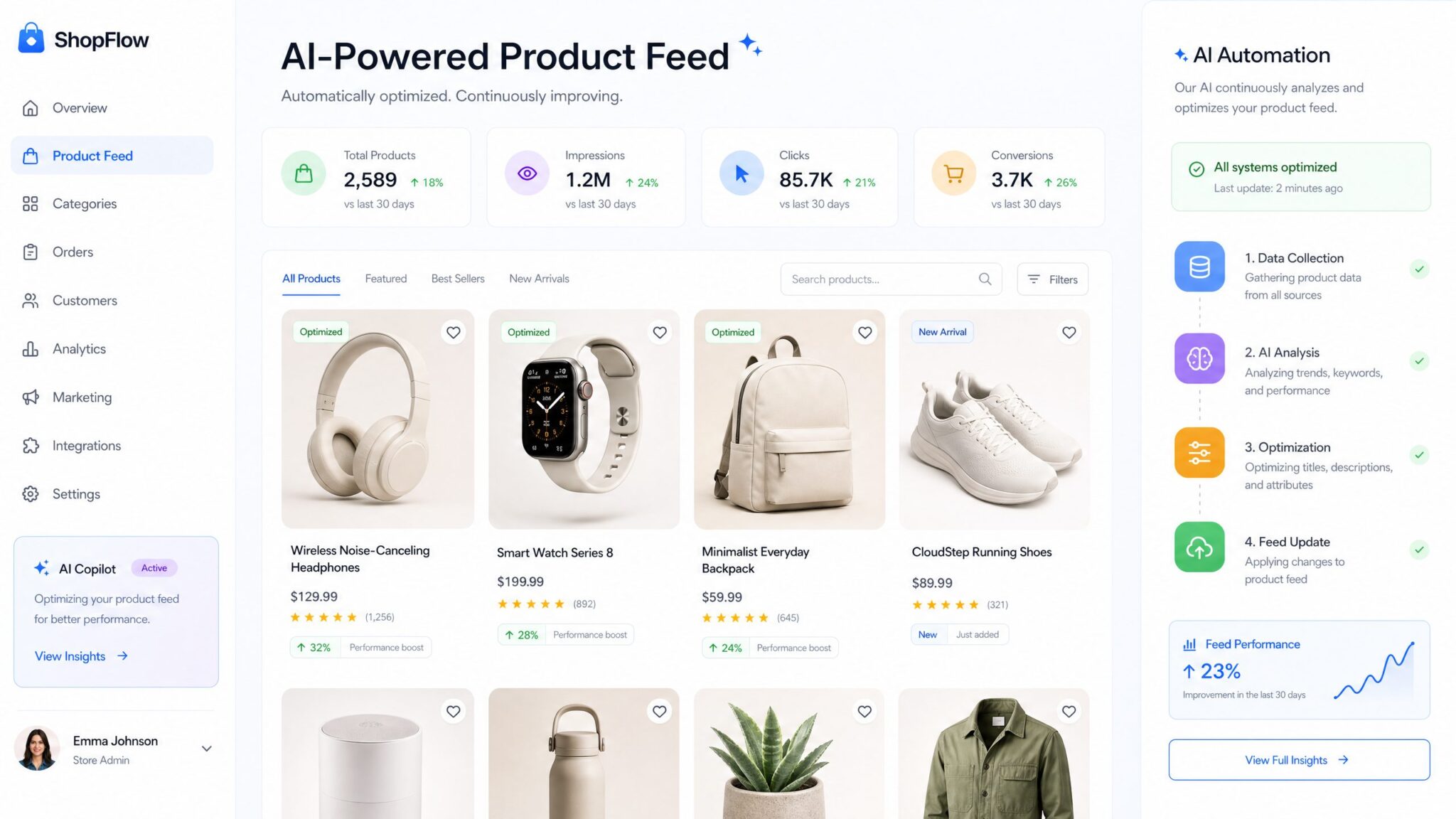
In today’s hyper-competitive e-commerce landscape, effective advertising is a cornerstone for success. Yet, manual ad creation for extensive product catalogs is time-consuming and inefficient, often leading to missed opportunities and inconsistent messaging. ChatGPT’s groundbreaking product feed integration within its self-serve Ads Manager revolutionizes this process by automating the generation of tailored ads directly from your product data.
This comprehensive guide will provide you with an in-depth walkthrough to master this powerful tool, helping you optimize your advertising workflows, enhance campaign effectiveness, and drive sustained growth. Leveraging AI-powered automation not only saves valuable time but also empowers your marketing teams to focus on strategic initiatives rather than repetitive tasks.
Understanding ChatGPT’s Product Feed Integration for Ads
Before delving into practical implementation, it’s critical to comprehend what ChatGPT’s product feed integration entails and the value it brings to your advertising strategy. At its core, this integration facilitates a seamless connection between your e-commerce product catalog and ChatGPT’s Ads Manager platform.
By importing your product feed—which includes crucial data such as product titles, descriptions, images, pricing, stock availability, and promotions—ChatGPT can dynamically generate creative ad copies tailored to each item. The AI analyzes product attributes and employs sophisticated natural language generation algorithms to craft engaging headlines, compelling descriptions, and effective calls to action.
This automation eliminates the typical dependency on manual ad copywriting and enables rapid scaling of campaigns with fresh, relevant messaging that adjusts automatically as your catalog evolves. Furthermore, the system supports dynamic updates, ensuring your ads remain up-to-date with your inventory changes, price fluctuations, or promotional events, all without additional manual input.
This innovation is a transformative step for e-commerce businesses looking to harness AI to fuel advertising performance and operational efficiency.
Step 1: Prepare Your Product Catalog for Seamless Integration
The success of AI-generated advertising hinges on the quality and structure of your product feed. Preparing your data diligently ensures that ChatGPT can deliver the most accurate and compelling ads tailored to your brand. Consider the following best practices:
- Supported Formats: Export your feed in widely accepted formats such as CSV, XML, or JSON. E-commerce platforms like Shopify, WooCommerce, Magento, and BigCommerce typically offer these export options.
- Comprehensive and Clean Data: Include all critical fields: product ID, name, category, detailed description, price, stock status, image URLs, SKU, and promotional tags (e.g., “20% off,” “New Arrival”). The richness of your data directly influences the quality of generated ads.
- Consistency in Naming Conventions: Use standardized and clear naming for product titles and categories to enhance ad relevance and targeting precision.
- High-Quality Imagery: Ensure that product images are high resolution with publicly accessible URLs. Images that fail to load or appear pixelated can reduce ad effectiveness.
- Data Validation: Regularly audit the feed to eliminate duplicates, incorrect prices, or broken image links to avoid ad errors.
Properly prepared feeds empower ChatGPT’s AI to extract product highlights, competitive advantages, and key selling points that resonate with your target market.
Step 2: Accessing and Setting Up ChatGPT’s Self-Serve Ads Manager
Initiating your automated ad campaigns requires access to the self-serve Ads Manager platform on ChatGPTAIHub.com. This streamlined interface has been engineered to accommodate users with varying degrees of technical expertise.
- Create an Account or Log In: Head over to ChatGPTAIHub.com and register for an account. If you are already a member, simply sign in to your dashboard.
- Navigate to Ads Manager: In your user dashboard, locate the “Ads Manager” tab. This launches the primary workspace for ad automation.
- Connect Your Product Feed: Select the product feed integration option. You can upload your product catalog file directly or establish an API connection with your e-commerce platform for automatic syncing.
- Validate Data Import: After upload, the platform performs automatic validation. Review any highlighted errors or warnings, address issues such as missing fields or invalid URLs, and confirm the feed accuracy.
This initial setup ensures ChatGPT has access to up-to-date and validated product information for ad generation.
Step 3: Configuring Campaign Objectives and Audience Targeting
With your catalog connected, defining clear advertising goals and audience parameters is vital for maximizing the impact of your campaigns.
- Select Campaign Objective: Choose from preset objectives such as:
- Brand Awareness: Increase visibility among a broad audience.
- Traffic Generation: Drive visitors to your website or product pages.
- Conversions: Promote direct purchases, sign-ups, or other desired actions.
- Define Target Audience: Leverage demographic filters including age, gender, location, language, interests, and behaviors. Custom audience uploads and retargeting options help pinpoint users who have interacted with your brand previously.
- Budget and Scheduling: Set daily or total budgets and schedule campaign start and end dates. Adjust budgets dynamically based on performance insights.
Setting specific goals and audience parameters empowers ChatGPT to tailor ad copy and creatives that best align with your marketing strategy, maximizing ROI.
Step 4: Automating Ad Creation from Your Product Catalog
This step showcases the core power of ChatGPT’s Ads Manager—the automated generation of ad creatives based on your product feed data. AI-driven automation vastly reduces manual effort while enhancing creativity and personalization. Here’s how it works:
- Choose Ad Formats: Available options include:
- Carousel Ads: Showcase multiple products in a scrollable format.
- Single Image Ads: Highlight a featured product with an impactful image and compelling copy.
- Video Ads: If provided, integrate video URLs for richer engagement.
- Customize Creative Style: Select your brand’s voice and tone from presets such as formal, casual, promotional, storytelling, or playful.
- Dynamic Text Generation: ChatGPT utilizes your product data to generate effective headlines, descriptions, and CTAs. For example, it can highlight unique selling points, discounts, or limited-time offers dynamically across your catalog.
Once these parameters are in place, clicking “Generate Ads” triggers the AI to produce hundreds or even thousands of tailored ads within minutes. These results can be previewed, downloaded, or directly published onto integrated ad platforms.
Comparison of ChatGPT Ads Manager Ad Formats
| Ad Format | Best Use Case | Creative Flexibility | Platform Support |
|---|---|---|---|
| Carousel Ads | Showcase multiple products or features | High — customizable order, text, and images | Facebook, Instagram, Google Display |
| Single Image Ads | Focus on best sellers or promotions | Moderate — single product spotlight | All major platforms |
| Video Ads | Engage users with rich media | High — if video content is provided | Facebook, YouTube, Instagram Stories |
Step 5: Reviewing and Customizing Generated Ads
Although ChatGPT’s automation is powerful, oversight guarantees brand consistency and compliance with marketing standards. The Ads Manager affords comprehensive control to refine AI-generated ads before launch:
- Edit Text: Adjust headlines, product descriptions, and call-to-actions for clarity and persuasion based on your brand’s voice.
- Image Management: Swap out images if any are unsuitable or suboptimal. You can upload custom images or select from your product gallery.
- Product Exclusions: Remove specific products from your campaign to focus your budget strategically or omit discontinued items.
- Preview Mode: Visualize how ads will appear on various platforms and devices to check layout, text truncation, and image quality issues.
This flexibility balances automation benefits with human creativity, ensuring high-performing, on-brand advertisements.
Step 6: Publishing and Monitoring Campaign Performance
After refining your ads, it’s time to launch your campaigns. ChatGPT’s Ads Manager integrates directly with leading advertising networks such as Facebook Ads and Google Ads, allowing:
- Direct Publishing: Push your AI-generated ads seamlessly to chosen platforms without leaving the Ads Manager interface.
- Real-Time Analytics: Access dashboard metrics including impressions, click-through rates (CTR), conversions, cost per acquisition (CPA), and return on ad spend (ROAS).
- Dynamic Optimization: Based on performance data, adjust audience targeting, budgets, and creative styles. You can also trigger new ad generations to reflect updated catalogs or seasonal promotions.
Continuous monitoring and iterative optimization leverage AI’s full power to maximize your marketing outcomes over time.
Advanced Strategies to Maximize ChatGPT Ads Automation
To reach the next level of advertising sophistication with ChatGPT, consider incorporating these advanced best practices:
- Maintain Up-to-Date Feeds: Schedule regular syncs of your product feed, especially during product launches, sales, or inventory updates, ensuring ads reflect the latest information.
- Capitalize on Seasonal Campaigns: Use the AI’s creative style options to generate memorable ads around holidays, clearance events, and special promotions, increasing relevance and engagement.
- Experiment Creatively: Test multiple ad tones—formal vs. casual, urgency vs. storytelling—and formats to discover which resonated best with your audience segments.
- Integrate with Analytics and CRM: Combine Ads Manager insights with your broader marketing analytics and customer relationship management systems to track end-to-end sales funnels and attribution.
- Leverage Multilingual Capabilities: Utilize ChatGPT to generate ad content in multiple languages to cater to global markets, fostering international growth.
- Use AI-Powered Audience Segmentation: Harness AI algorithms for segmenting your customer base more precisely, delivering personalized ads with higher conversion potential.
These approaches help you unlock the full capability of automated advertising for sustained business growth.
Deepening Integration: Beyond Product Feed Advertising
ChatGPT’s product feed integration represents just one facet of AI-driven e-commerce marketing innovation. Discover additional AI capabilities designed to elevate your marketing ecosystems:
- Conversational Ad Copy Generation: Engage users with interactive chatbots that can adapt messaging based on user queries and preferences in real-time.
- Multi-Channel Campaign Coordination: Automate cohesive ad experiences across social media, email marketing, SMS, and more with unified AI orchestration.
- Advanced AI Audience Insights: Employ machine learning to identify emerging segments, product affinities, and behavioral trends shaping ad targeting strategies.
For businesses interested in AI’s expanding role in marketing and infrastructure automation, the case study OpenAI Codex Background Agents Automate Infrastructure provides valuable insights into accelerating workflows via AI agents. Similarly, explore structured prompting for deep reasoning in advertising strategies at Advanced Prompting with Claude Opus 4.7.
Further, understanding autonomous multi-step AI systems can enhance the sophistication of your marketing automation, detailed comprehensively at Evolution of AI Agents and Autonomous Systems.
Summary Table: Benefits of Automating E-commerce Ads with ChatGPT
| Feature | Description | Benefit |
|---|---|---|
| Product Feed Integration | Direct connection to e-commerce product catalog | Automates up-to-date ad creation for each product |
| AI Language Generation | Dynamic copywriting with tailored messaging | Enhances creativity and personalization at scale |
| Multi-Platform Publishing | Integration with Facebook, Google Ads, and others | Simplifies deployment and campaign management |
| Performance Analytics | Real-time reporting and optimization tools | Empowers data-driven improvements and ROI growth |
| Creative Flexibility & Editing | Customizable text, images, and product selections | Maintains brand consistency and quality control |
Useful Links
- Moz Beginner’s Guide to SEO – A foundational resource for optimizing web content and digital advertising.
- Google Merchant Center & Product Feeds – Official documentation for managing product feeds on Google Ads.
- Facebook Business Help Center – Guidance on Facebook Ads product feed requirements and best practices.
- WordStream PPC Advertising Guide – Comprehensive guide on pay-per-click campaigns and automation.
- Neil Patel’s Take on AI-Powered Copywriting Tools – Insights into applying AI in marketing.
- Shopify Guide to Product Feeds for Ads – Practical tips for Shopify merchants in ad automation.
- SEMrush Article on AI in Digital Marketing – Trends and use cases of AI assisting marketers worldwide.
- Google Ads Policies – Advertising policies to ensure compliant campaigns.
- Hootsuite Digital Marketing Guide – Comprehensive resource for social media ad strategies.
- OpenAI IPO 2026: Complete Guide – Explore the developments shaping the AI industry and advertising tools.
