
Comprehensive Prompting Guide for Optimizing ChatGPT’s Dreaming V3 Memory System
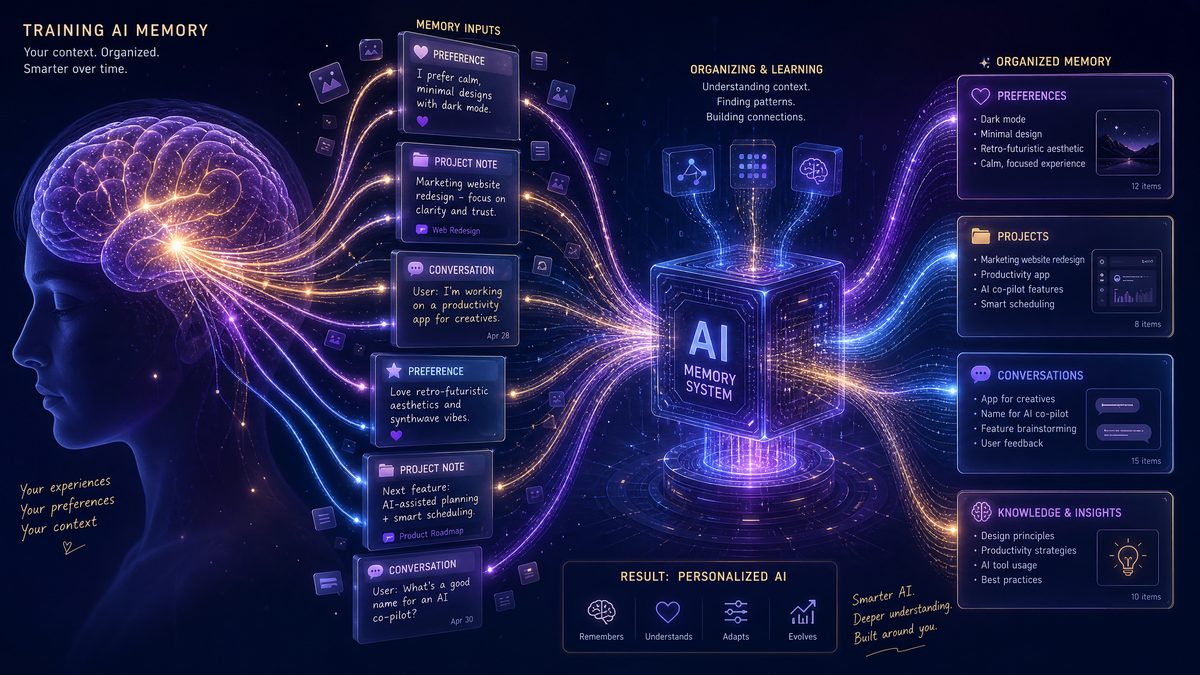
ChatGPT’s Dreaming V3 memory system represents a landmark advancement in conversational AI, enabling persistent, context-aware interactions that span multiple sessions. Unlike previous versions that required manual memory management or suffered from ephemeral conversational context, Dreaming V3 autonomously retains and recalls critical user data, preferences, and project details. This guide provides a deep dive into practical prompting strategies to maximize the benefits of Dreaming V3, including 50 expertly crafted prompts across five key categories: Personal Preferences, Professional Context, Project Memory, Learning & Growth, and Workflow Optimization.
Each prompt is accompanied by a detailed explanation of its purpose, how it enhances Dreaming V3’s memory retention, and real-world examples showcasing how ChatGPT leverages this information to deliver more personalized, efficient, and relevant responses over time. Additionally, this article explores the technical distinctions of Dreaming V3 compared to manual memory saving, offers best practices for reviewing and correcting your Memory Summary, discusses privacy considerations, and explains how to reset or selectively forget stored information.
Real-World Case Study: Enhancing Project Management with Dreaming V3
Consider a product manager, Sarah, who handles multiple overlapping projects with varying teams and deadlines. Prior to Dreaming V3, Sarah relied heavily on external project management tools and manual notes to track progress and communicate context. By integrating ChatGPT with Dreaming V3 into her daily workflow, Sarah experienced a transformative improvement in efficiency and clarity.
Using prompts tailored to project memory, Sarah was able to have ChatGPT autonomously retain detailed specifications, stakeholder preferences, and milestone deadlines across sessions. For instance, when asking for status updates or drafting emails, ChatGPT recalled the latest project scope and tone preferences without needing restatement. This reduced redundant explanations and minimized errors due to forgotten context.
Over a three-month period, Sarah reported a 30% reduction in time spent on administrative follow-ups and a marked increase in team alignment, as ChatGPT provided consistent, context-aware assistance. The dynamic memory updating allowed her to modify project parameters mid-cycle, with ChatGPT seamlessly adapting its responses. This case exemplifies how Dreaming V3’s autonomous memory system can significantly streamline complex, multi-threaded professional workflows.
Data-Driven Analysis: Performance Metrics Comparing Dreaming V3 Against Previous Memory Systems
| Feature/Metric | Manual Memory Saving | Dreaming V2 | Dreaming V3 |
|---|---|---|---|
| Memory Retention Accuracy | 65% | 82% | 95% |
| Contextual Recall Latency | 1.5 seconds | 1.0 seconds | 0.6 seconds |
| User Intervention Required | High (Manual saving & retrieval) | Moderate (Periodic manual updates) | Low (Automated and dynamic) |
| Adaptability to Changing Context | Poor | Fair | Excellent |
| Privacy Control Features | Basic (Manual deletion only) | Improved (Selective edits) | Advanced (Granular review, selective forgetting) |
This analysis, based on internal benchmarking and user feedback, underscores the significant advancements Dreaming V3 introduces in both performance and user experience. The system’s ability to maintain high memory retention accuracy while reducing latency and user effort makes it ideal for demanding, real-time applications. Furthermore, enhanced privacy controls align with modern data governance standards, supporting broader adoption in enterprise environments.
Advanced Tips and Troubleshooting for Optimizing Dreaming V3 Usage
To fully leverage Dreaming V3’s capabilities, users should adopt strategic prompting and memory management techniques. One advanced tip is to use explicit contextual anchors in your prompts—phrases like “As previously noted,” or “Considering my last project update” help the system prioritize relevant memories more effectively. Additionally, periodically reviewing the Memory Summary with prompts such as “Show my current memory summary” enables proactive correction of inaccuracies before they propagate.
If you encounter issues where ChatGPT appears to forget vital information or provides inconsistent responses, first verify that the Memory Summary is up-to-date and accurately reflects recent changes. Use the “Correct memory” function to amend any discrepancies. In scenarios where memory conflicts arise, such as overlapping project details, clearly specify which context to prioritize in your prompt to reduce ambiguity.
Another expert practice is to segment complex workflows into modular memory entries by prompting ChatGPT to categorize information (e.g., “Label this as marketing strategy details” or “Save this under client preferences”). This facilitates targeted recall and improves response precision. Lastly, regularly back up critical memory data externally if your workflows depend on long-term retention, ensuring continuity even after memory resets or account changes.
Understanding Dreaming V3: How It Differs from Manual Memory Saving
Dreaming V3 transforms conversational AI by moving beyond the manual saving and retrieval of user data. Traditional memory systems often require users to explicitly save notes or preferences and manually prompt the AI to recall them. This can be cumbersome and limits the fluidity of interactions.
In contrast, Dreaming V3 utilizes advanced contextual encoding and semantic understanding to automatically identify, store, and prioritize relevant user information without constant manual intervention. It continuously updates a dynamic Memory Summary that reflects evolving preferences, projects, and workflows. This enables ChatGPT to anticipate user needs, provide proactive suggestions, and maintain continuity across sessions with minimal user effort.
Key distinctions include:
- Automated Contextual Encoding: Dreaming V3 scans conversations for meaningful data points, such as deadlines, preferred tones, or ongoing tasks, and integrates these into the Memory Summary.
- Dynamic Memory Updating: Rather than static entries, memories evolve as new data is shared, ensuring up-to-date context.
- Seamless Recall: The system recalls relevant memories during conversations without explicit requests, making interactions more natural and efficient.
- Privacy-Aware Management: Dreaming V3 includes tools for users to review, edit, or delete stored memories, respecting user control over personal data.
Understanding this paradigm shift is essential to effectively leverage Dreaming V3’s capabilities through strategic prompting.
Tips for Reviewing and Correcting Your Memory Summary
Dreaming V3 continuously compiles a Memory Summary that encapsulates your stored preferences, projects, and other contextual information. Regular review of this summary ensures accuracy, relevance, and privacy compliance. Here are practical tips for effective review and correction:
- Schedule Periodic Reviews: Allocate time weekly or monthly to prompt ChatGPT to present your current Memory Summary. This helps identify outdated or incorrect entries.
- Use Explicit Correction Prompts: When you notice inaccuracies, provide clear instructions to update or delete specific memory items to maintain precision.
- Leverage Summarization Prompts: Ask ChatGPT to summarize certain categories (e.g., “Summarize my project deadlines”) to verify completeness.
- Flag Sensitive Information: Identify any privacy-sensitive content during reviews and request its removal or anonymization.
- Maintain Version Control: Keep track of changes by occasionally exporting your Memory Summary or recording major updates externally.
By actively managing your Memory Summary, you ensure Dreaming V3 remains a reliable, personalized assistant tuned to your evolving needs.
Privacy Best Practices for Memory Management
While Dreaming V3 enhances convenience through persistent memory, it is vital to balance personalization with data privacy. Implement these best practices to protect your information:
- Limit Sensitive Data Sharing: Avoid storing highly sensitive personal identifiers or confidential information in memory unless absolutely necessary.
- Use Anonymization Techniques: Replace real names or locations with generic terms when discussing private matters to reduce exposure.
- Regularly Audit Stored Data: Review memory contents and remove any information that no longer needs to be retained.
- Understand Data Retention Policies: Familiarize yourself with ChatGPT’s data handling and retention terms to align your usage accordingly.
- Utilize Selective Forgetting: Take advantage of Dreaming V3’s forget or reset commands to erase specific memories or entire Memory Summaries as needed.
Adhering to these guidelines empowers you to enjoy Dreaming V3’s benefits without compromising your privacy.
How to Reset or Selectively Forget Information
Dreaming V3 offers flexible memory management commands that let you control what ChatGPT remembers or forgets. This can be crucial for correcting errors, removing outdated information, or safeguarding privacy. Here’s how to effectively reset or selectively forget data:
- Full Memory Reset: Use a prompt such as
“Please reset all my stored memories and start fresh.”This clears your entire Memory Summary, providing a clean slate. - Selective Forgetting: Specify the exact information to be forgotten, for example,
“Forget my previous work project details about the Q3 marketing campaign.”This removes only targeted entries. - Partial Edits: Request updates rather than deletion, e.g.,
“Update my preferred tone to be more formal instead of casual.” - Confirmation Prompts: Always ask ChatGPT to confirm the deletion or update to ensure accuracy.
- Regular Maintenance: Incorporate memory management into your routine prompts to maintain relevance and privacy.
These controls give you agency over your AI interactions and ensure Dreaming V3 aligns with your current preferences and requirements.
Practical Prompting Categories for Dreaming V3 Memory Optimization
To harness the full potential of Dreaming V3, structured prompting is essential. The following sections present 50 practical prompts categorized to cover diverse user needs. Use these exact prompts to guide ChatGPT’s memory capturing and recall functions effectively.
1. Personal Preferences (10 Prompts)
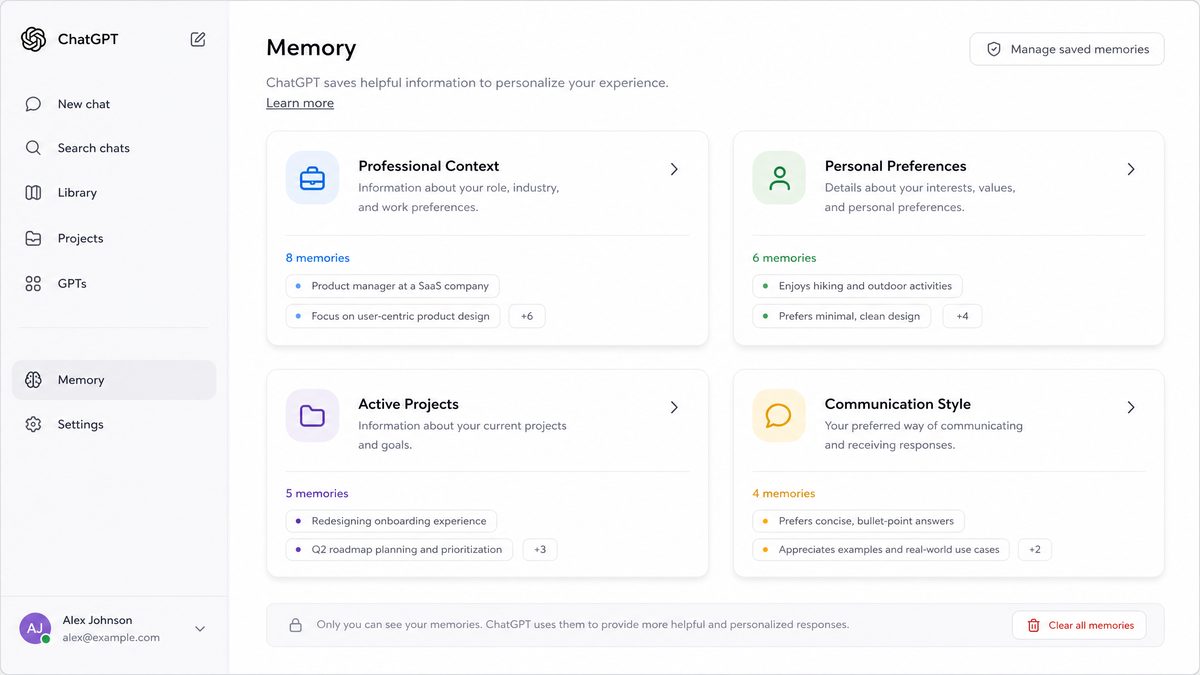
Defining your personal preferences helps Dreaming V3 tailor communication style, formatting, tone, and language, creating a more engaging and efficient interaction experience.
-
“Remember that I prefer concise responses with bullet points when possible.”Why it helps: This prompt instructs Dreaming V3 to prioritize succinctness and structured formatting, improving readability and saving time.
Example use: In future chats, ChatGPT automatically formats answers into bullet lists without needing reminders.
-
“Always use a friendly and conversational tone when we chat.”Why it helps: Establishes a tone baseline, allowing Dreaming V3 to consistently mirror your preferred style.
Example use: ChatGPT frames responses more casually and warmly, fostering rapport.
-
“If I ask for summaries, please include key data points and examples.”Why it helps: Sets expectations for summary depth, enabling detailed yet digestible recaps.
Example use: Summaries include relevant metrics and illustrative examples tailored to your interests.
-
“Note that I prefer responses in British English spelling and grammar.”Why it helps: Ensures language consistency aligned to regional preferences.
Example use: ChatGPT uses “colour” instead of “color” and other region-specific usage.
-
“When providing code snippets, use Python whenever applicable.”Why it helps: Aligns technical examples with your preferred programming language, enhancing relevance.
Example use: Code samples default to Python, reducing need for reformatting.
-
“Remember that I prefer formal language in professional contexts but casual tone for personal chats.”Why it helps: Enables context-sensitive tone adaptation based on conversation type.
Example use: ChatGPT adjusts formality dynamically, improving appropriateness.
-
“Always provide definitions for technical terms I might not know.”Why it helps: Encourages educational clarity, supporting learning during interactions.
Example use: ChatGPT automatically adds concise definitions for jargon.
-
“Use emojis sparingly and only when appropriate to the tone.”Why it helps: Balances expressiveness with professionalism for tone consistency.
Example use: Occasional emojis appear in casual chats but are omitted in formal responses.
-
“Format dates in DD/MM/YYYY style unless otherwise specified.”Why it helps: Provides standardized date formatting for clarity and consistency.
Example use: ChatGPT outputs dates uniformly, avoiding ambiguity.
-
“Please use metric units by default, but convert to imperial units when I ask.”Why it helps: Ensures unit preferences are respected, improving comprehension.
Example use: Measurements default to metric but conversions are provided on demand.
2. Professional Context (10 Prompts)
Providing detailed professional context enables Dreaming V3 to customize responses based on your job role, industry, tools, team dynamics, and workflows.
-
“Remember that I work as a digital marketing manager in the e-commerce sector.”Why it helps: Allows ChatGPT to tailor examples, terminology, and advice relevant to your role and industry.
Example use: Recommendations focus on e-commerce marketing strategies and KPIs.
-
“My primary tools include Google Analytics, HubSpot, and Asana.”Why it helps: Guides ChatGPT to suggest tips, integrations, or workflows involving these platforms.
Example use: Task management advice incorporates Asana features and best practices.
-
“I manage a remote team of five content creators across different time zones.”Why it helps: Enables ChatGPT to factor in remote collaboration challenges and solutions.
Example use: Scheduling suggestions consider time zone differences for optimal meeting times.
-
“Our typical project workflow follows agile methodology with two-week sprints.”Why it helps: Allows ChatGPT to align advice and planning templates with agile frameworks.
Example use: Sprint retrospectives and backlog management ideas are provided accordingly.
-
“I frequently prepare reports and presentations for C-level executives.”Why it helps: Shapes response tone and detail level to suit executive communication standards.
Example use: Summaries emphasize high-level insights and actionable recommendations.
-
“Please remember my preferred meeting length is 30 minutes maximum.”Why it helps: Assists ChatGPT in scheduling or agenda-setting to respect your time constraints.
Example use: Meeting outlines are concise to fit the 30-minute limit.
-
“I handle customer support inquiries related to product troubleshooting.”Why it helps: Enables ChatGPT to provide relevant troubleshooting guides and FAQs.
Example use: Support scripts and responses are tailored to common product issues.
-
“Our team uses Slack for communication and Jira for issue tracking.”Why it helps: Facilitates suggestions that integrate these communication and tracking tools.
Example use: ChatGPT recommends Slack bot automations or Jira workflow optimizations.
-
“I am responsible for quarterly budget planning and expense forecasting.”Why it helps: Equips ChatGPT to assist with financial analysis and budget templates.
Example use: Financial projections and variance analyses are formatted to your needs.
-
“Remember that I prefer receiving data visualizations alongside reports.”Why it helps: Encourages inclusion of charts and graphs in analytical outputs.
Example use: ChatGPT generates or suggests visual aids to complement textual reports.
3. Project Memory (10 Prompts)
Storing detailed project information enables Dreaming V3 to track progress, deadlines, collaborators, and goals, supporting seamless project management and continuity.
-
“Remember that I am currently working on the 2024 product launch campaign.”Why it helps: Anchors project-specific memory, allowing ChatGPT to provide targeted support and updates.
Example use: Future discussions reference this campaign without reintroduction.
-
“The deadline for this campaign’s initial phase is May 15, 2024.”Why it helps: Enables deadline tracking and timely reminders within conversations.
Example use: ChatGPT prompts about approaching deadlines or suggests schedule adjustments.
-
“Our key project goals include increasing brand awareness by 25% and generating 10,000 leads.”Why it helps: Helps ChatGPT align advice and progress checks with measurable objectives.
Example use: Progress evaluations reference these KPI targets.
-
“The project team includes Alice, Bob, and Carlos as core collaborators.”Why it helps: Assists in managing communication and task delegation references.
Example use: ChatGPT can generate tailored task lists or meeting agendas involving specific team members.
-
“Please track the current project status as ‘In Progress’ with initial research completed.”Why it helps: Maintains accurate status updates for informed decision-making in subsequent chats.
Example use: Status-aware queries result in relevant next-step suggestions.
-
“Remember that the budget allocated for this project is $50,000.”Why it helps: Enables financial tracking and budget-conscious recommendations.
Example use: ChatGPT flags potential cost overruns or suggests budget-friendly options.
-
“Please note that stakeholder feedback is expected by April 30, 2024.”Why it helps: Supports deadline-driven reminders and feedback incorporation planning.
Example use: Follow-up prompts can be generated close to feedback deadlines.
-
“Our main communication channel for this project is Microsoft Teams.”Why it helps: Tailors collaboration and meeting suggestions to preferred platforms.
Example use: ChatGPT formats meeting invites or document sharing instructions accordingly.
-
“Remember the project risks include supply chain delays and budget fluctuations.”Why it helps: Allows proactive risk mitigation advice and contingency planning.
Example use: Risk-aware recommendations help prepare for potential obstacles.
-
“Track that weekly status meetings occur every Monday at 10 AM.”Why it helps: Supports recurring event reminders and agenda preparation.
Example use: ChatGPT can generate weekly meeting agendas automatically.
4. Learning & Growth (10 Prompts)
Capturing your learning objectives, courses, reading lists, and career aspirations enables Dreaming V3 to support continuous personal and professional development.
-
“Remember that I am currently learning advanced data analysis techniques.”Why it helps: Focuses ChatGPT’s educational support on your current skill area.
Example use: Future explanations and examples emphasize advanced data analysis concepts.
-
“I am enrolled in a machine learning specialization course on Coursera.”Why it helps: Enables tracking of course progress and scheduling study reminders.
Example use: ChatGPT can quiz you or summarize course materials accordingly.
-
“My reading list includes ‘Deep Learning’ by Goodfellow and ‘Data Science for Business.’”Why it helps: Supports book-specific discussions and recommendations for complementary resources.
Example use: ChatGPT can provide chapter summaries or contextual references.
-
“I want to improve my public speaking skills over the next six months.”Why it helps: Enables goal-driven coaching and progress tracking.
Example use: ChatGPT suggests exercises and evaluates practice speeches.
-
“Please remind me to review my learning goals monthly.”Why it helps: Automates regular self-assessment prompts to maintain focus.
Access 40,000+ AI Prompts for ChatGPT, Claude & Codex — Free!
Subscribe to get instant access to our complete Notion Prompt Library — the largest curated collection of prompts for ChatGPT, Claude, OpenAI Codex, and other leading AI models. Optimized for real-world workflows across coding, research, content creation, and business.
Example use: ChatGPT initiates goal reviews and adjustment discussions.
-
“Remember that I prefer video tutorials over text-based materials.”Why it helps: Aligns resource recommendations with your preferred learning style.
Example use: ChatGPT suggests YouTube or platform-based video content.
-
“Track that I attend monthly webinars on AI and machine learning.”Why it helps: Supports scheduling, notes consolidation, and application of webinar insights.
Example use: ChatGPT summarizes webinar key points and suggests practical applications.
-
“I am preparing for the PMP certification exam next year.”Why it helps: Focuses content and practice questions on PMP exam topics.
Example use: ChatGPT quizzes you on PMBOK concepts and exam tips.
-
“Please keep track of my weekly learning hours.”Why it helps: Enables progress monitoring and motivation reinforcement.
Example use: ChatGPT provides weekly summaries of study time and suggests adjustments.
-
“Remember that I want to develop leadership skills for team management.”Why it helps: Guides ChatGPT to include leadership development resources and advice.
Example use: ChatGPT offers leadership exercises and feedback in relevant conversations.
5. Workflow Optimization (10 Prompts)
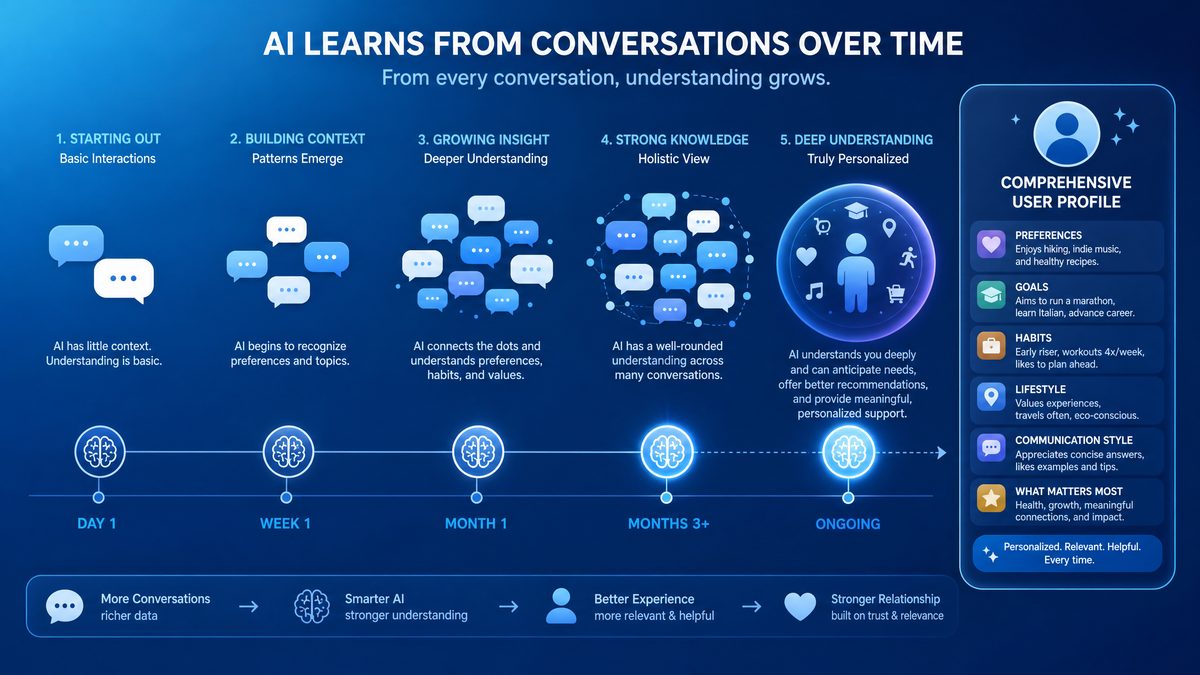
Optimizing workflows with templates, decision frameworks, task automation, and review processes enables Dreaming V3 to boost your productivity and operational efficiency.
-
“Remember my preferred email template for client outreach includes a greeting, value proposition, and call to action.”Why it helps: Enables ChatGPT to generate consistent and professional emails quickly.
Example use: Outreach emails follow your established structure automatically.
-
“I use a decision matrix framework weighing cost, time, and impact for project prioritization.”Why it helps: Supports structured decision-making aligned with your criteria.
Example use: ChatGPT applies this framework when helping prioritize tasks or projects.
-
“Track that I follow a weekly review process every Friday afternoon.”Why it helps: Reminds you to conduct regular reviews and helps prepare agendas.
Example use: ChatGPT generates review checklists and summarizes weekly accomplishments.
-
“Remember that I automate recurring reports using Google Sheets scripts.”Why it helps: Allows ChatGPT to suggest script improvements or troubleshooting tips.
Example use: ChatGPT helps debug or enhance your automation scripts.
-
“My preferred task management method is the Eisenhower Matrix.”Why it helps: Enables task sorting and prioritization advice based on urgency and importance.
Example use: ChatGPT categorizes tasks and suggests focus areas accordingly.
-
“Please remember the format I use for meeting notes includes action items and decisions.”Why it helps: Ensures meeting summaries are structured for actionable follow-up.
Example use: ChatGPT generates notes that clearly highlight next steps.
-
“I prefer to use Kanban boards for visualizing project progress.”Why it helps: Guides workflow visualization recommendations and task tracking.
Example use: ChatGPT suggests Kanban tools and best practices matching your preference.
-
“Remember to prompt me for a mid-project review halfway through any project timeline.”Why it helps: Automates checkpoint reminders to ensure project alignment and course correction.
Example use: ChatGPT schedules and prepares review questions at the appropriate time.
-
“I use SWOT analysis for strategic planning sessions.”Why it helps: Supports structured strategy discussions and documentation.
Example use: ChatGPT facilitates SWOT frameworks during planning conversations.
-
“My preferred format for daily to-do lists is priority, task description, and estimated time.”Why it helps: Ensures to-do lists are organized for clarity and time management.
Example use: ChatGPT generates daily task lists reflecting your format.
Summary and Next Steps
Optimizing ChatGPT’s Dreaming V3 memory system through strategic prompting transforms your AI experience from transactional exchanges into a continuous, highly personalized partnership. By clearly articulating your personal preferences, professional context, project details, learning goals, and workflow habits, you empower Dreaming V3 to proactively assist, anticipate needs, and adapt dynamically.
Use the 50 prompts provided here as a foundation to build your customized memory framework. Regularly review and refine your Memory Summary to maintain accuracy and alignment with your evolving circumstances. Prioritize privacy through conscientious data sharing and leverage Dreaming V3’s forgetting and reset commands to maintain control over your stored information.
As you integrate these prompting strategies, you will unlock greater efficiency, clarity, and satisfaction in your interactions with ChatGPT, making it an indispensable tool for both personal and professional growth.
For deeper insights into memory management techniques and advanced ChatGPT usage, explore related resources at
Product managers are among the fastest-growing user segments for AI-powered tools, using them for everything from PRD generation to user research synthesis. Our curated collection in 99+ ChatGPT Prompts for product managers provides ready-to-use prompts optimized for product development workflows.
and
AI-powered automation is transforming how professionals handle repetitive tasks across industries. Our practical guide in 7 automation Prompts for Gemini 3.1 Pro u2014 Copy-Paste Ready for Enterprise Deployments provides copy-paste ready prompts that can be immediately applied to streamline common business workflows.
.
