
ChatGPT Scheduled Tasks Get a Major Overhaul: How the New Dedicated Page, Web Monitoring, and Agentic Automations Transform Personal and Business Productivity
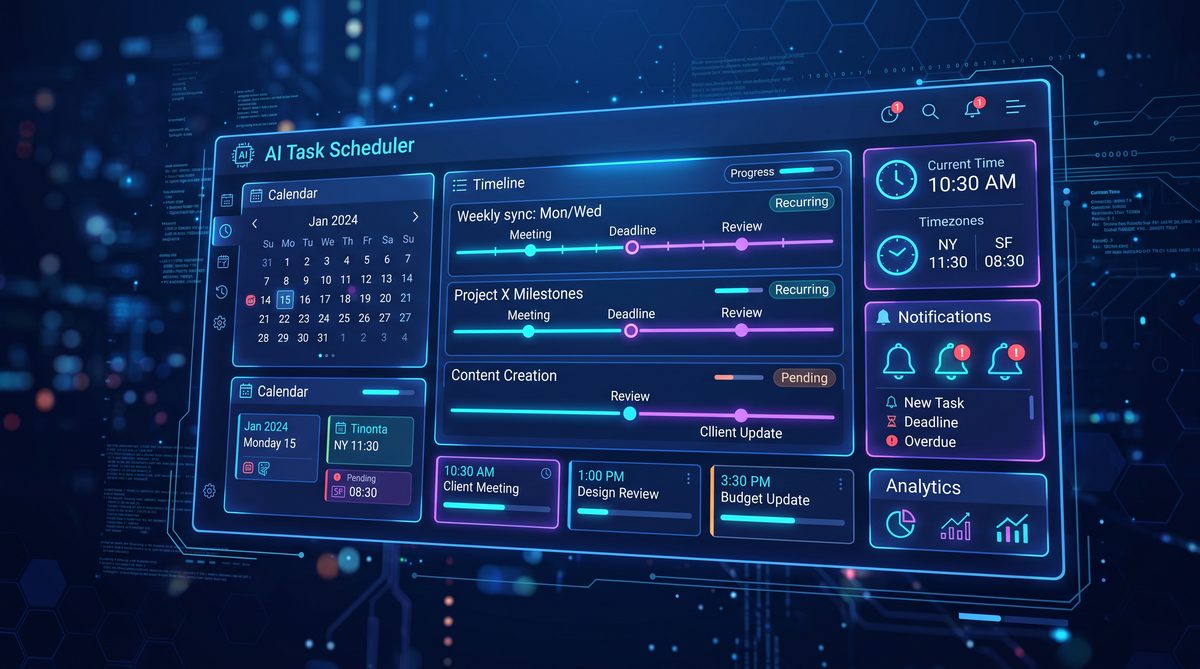
ChatGPT Scheduled Tasks Update — June 17–18, 2026: Dedicated Scheduled Page, One‑Off Reminders, Recurring Background Work, and Web Monitoring
On June 17–18, 2026, OpenAI released a major update to ChatGPT’s Scheduled Tasks. The update introduces a dedicated Scheduled page in the ChatGPT web and mobile apps, formalizes one‑off reminders, expands the platform’s recurring background work capabilities, and adds first‑class web monitoring features. This release is focused on turning ChatGPT from an instant conversational assistant into a robust, autonomous scheduler and watchtower for workflows that require timing, persistence, and external state observation.
Introduction: Why this update matters
The 2026 Scheduled Tasks update marks a significant step toward making ChatGPT behave like a proactive, long‑lived automation engine that can manage events over days, weeks, or months. Historically, ChatGPT has excelled at generating and responding to content during a single session. With Scheduled Tasks’ new capabilities, developers and users can now create time‑bound operations — from simple reminders to distributed background jobs that monitor websites, trigger multi‑step flows, and integrate with external systems.
Beyond the user experience improvements, the update codifies constraints and patterns necessary for reliable automation: explicit scheduling semantics, visibility through a purpose‑built Scheduled page, developer primitives for idempotency and retries, and features for monitoring external web resources. For organizations scaling ChatGPT in production, these changes reduce operational friction and increase trust.
Key components of the release
- Dedicated Scheduled page: a single place to view, manage, and audit all scheduled items (reminders, recurring tasks, monitors).
- One‑off reminders: first‑class scheduled messages and actions with explicit triggers and delivery guarantees.
- Recurring background work: a safe execution environment for periodic or cron‑like tasks, with controls for concurrency, idempotency, and cancellation.
- Web monitoring: native page change detection, structured diffing, and rule‑based triggers to raise alerts or kick off automations.
This article provides an in‑depth technical and product analysis of the update, practical examples for developers and administrators, configuration options, recommended practices for reliability and security, and enterprise integration notes for cost controls and large deployments.
Intended audience
This article is intended for product managers, SREs, enterprise architects, technical program managers, and developers who are evaluating or already using ChatGPT Scheduled Tasks in production. It explains how to adopt the new features safely, how to integrate with existing control systems, and how to architect workflows that are predictable, observable, and cost‑effective.
Dedicated Scheduled page: a single source of truth
The launch introduces a dedicated Scheduled page inside ChatGPT. This page centralizes all scheduled entities and provides unified views and controls. From the product perspective, the Scheduled page acts as a dashboard and an operational console. From a technical perspective, it is an orchestration UI that surfaces scheduling metadata, run history, logs, and linkable artifacts (webhook endpoints, execution IDs, and monitoring rules).
Core UI features
- Upcoming timeline: chronological list of pending reminders and next runs for recurring tasks.
- History and logs: execution records with timestamps, outputs, error classes, and replay controls.
- Manual triggers: ability to run a scheduled task on demand, with optional parameters for test runs.
- Drift detection and re‑scheduling: guidance when a task could not run and options for catch‑up runs.
- Access controls and sharing: role‑based scopes to delegate visibility and management while preserving audit trails.
Data model surfaced in the Scheduled page
Each scheduled entity is represented with a compact model that the UI exposes and that developers can manipulate through the API:
- id — stable identifier.
- type — one_of {reminder, recurring_job, monitor}.
- owner — user or org context.
- schedule — human and machine readable (cron or RFC 3339 for one‑off times).
- target — action to execute (message, webhook, code block, or monitor rule).
- state — pending, running, failed, disabled, completed.
- history — linked run records with logs and artifacts.
Operational integrations
The Scheduled page integrates with other product surfaces and organizational controls. Administrators can add policy rules that apply to scheduled tasks (retention, allowed webhook destinations, allowed compute resources) and view spend forecasts associated with upcoming runs. For organizations already managing budgets centrally, the Scheduled page provides a clear mapping between scheduled activity and projected spend.
Administrators should note the Scheduled page’s export and audit features: CSV and JSON exports of execution history are available for compliance reporting and incident post‑mortems.
One‑off reminders: design and guarantees
One‑off reminders are the simplest new primitive: schedule a message, notification, or action at a precise future time. They are optimized for human workflows — notifications for appointments, deadlines, or time‑sensitive follow‑ups — but they also support webhook callbacks for machine workflows.
Behavioral contract
When creating a one‑off reminder, the platform offers explicit delivery semantics:
- At‑most‑once preferred delivery: By default, reminders will be delivered at most once to avoid duplicate notifications that could confuse end users. This is consistent with human‑facing reminders.
- Optional at‑least‑once for webhooks: For machine callbacks, you can opt into at‑least‑once semantics with idempotency keys so that receivers can deduplicate if needed.
- Windowed delivery: The system allows small windows for network retransmission; for critical reminders, the platform provides retry and escalation options.
API example: creating a one‑off reminder
Developers can create reminders via the Scheduled Tasks API. The following example demonstrates a JSON payload that schedules a reminder to send a message and call a webhook at the same time:
{
  "type": "reminder",
  "owner_id": "user_12345",
  "schedule": {
    "run_at": "2026-07-01T09:00:00Z"
  },
  "payload": {
    "message": "Prepare quarterly budget review: bring updated forecast.",
    "webhook": {
      "url": "https://hooks.example.com/reminders",
      "method": "POST",
      "headers": {
        "Content-Type": "application/json",
        "X-Idempotency-Key": "reminder-20260701-user12345"
      },
      "body": {
        "subject": "Quarterly budget review",
        "due": "2026-07-01T09:00:00Z"
      }
    }
  },
  "delivery_options": {
    "user_notification": true,
    "webhook_idempotency": true,
    "escalation_if_failed_minutes": 30
  }
}
Delivery options and escalation
Key delivery options developers should consider:
- User notification: Send an in‑app message, push notification, or email to the owner(s) when the reminder triggers.
- Webhook idempotency: Instruct the platform to attach idempotency metadata for safe retries on the receiver side.
- Escalation rules: Configure escalation (e.g., notify a backup account or a Slack channel) after a configurable failure window.
Edge cases and best practices
When scheduling one‑off reminders, consider time zones, DST transitions, and user context. The Scheduled Tasks API accepts RFC 3339 timestamps and also supports ISO 8601 timezone‑aware strings. If the recipient’s timezone is relevant, explicitly store and pass a timezone to avoid ambiguity.
Use structured payloads for webhooks and attach idempotency keys where at‑least‑once semantics are selected. Avoid embedding secrets directly in scheduled webhook configs; instead, store secrets in a managed secrets store and reference them by secure identifier.
UI workflow
On the Scheduled page, one‑off reminders appear in the upcoming timeline and in the pending list. Users can edit the run time, change messages, or cancel before the run time. Administrators can apply retention rules to automatically purge reminder history after a compliance window.
Recurring background work: capabilities and constraints
Recurring background work is a more powerful primitive geared toward automation tasks that require periodic execution: nightly data summaries, scheduled content generation, daily scraping jobs, or periodic status checks against third‑party systems. The update introduces a safe execution environment and primitives designed for production reliability.
Scheduling syntax and semantics
Recurring schedules support two syntaxes:
- Cron expressions: Standard cron fields with an optional timezone parameter for human operators.
- ISO recurrence rules (RRULE): For complex recurrence patterns like “first weekday of the month.”
Examples:
// Daily at 03:00 UTC (cron)
"schedule": {
  "cron": "0 3 * * *",
  "timezone": "UTC"
}

// First weekday of the month at 08:00 America/New_York (RRULE)
"schedule": {
  "rrule": "FREQ=MONTHLY;BYDAY=MO,TU,WE,TH,FR;BYSETPOS=1",
  "time_of_day": "08:00",
  "timezone": "America/New_York"
}
Execution environment
Recurring tasks execute in a constrained sandbox that enforces limits on runtime duration, network egress, CPU and memory usage, and filesystem access. Tasks can perform the following actions:
- Generate content via ChatGPT prompts.
- Call external webhooks or APIs respecting allowed destination policies.
- Store artifacts in the owner’s managed storage or forward to configured external endpoints.
- Emit logs and metrics to the Scheduled page and to enterprise integrations like SIEMs or logging backends.
Idempotency and concurrency controls
Recurring jobs often must be idempotent because retries and overlapping windows can occur. The Scheduled Tasks system offers primitives to help:
- Execution locks: Option to enforce single active run per scheduled job. If a job’s previous run is still active when the next run starts, the platform can either queue, drop, or escalate based on configuration.
- State store bindings: Lightweight key‑value bindings that allow scheduled tasks to store state between runs (e.g., last_processed_cursor). These bindings are atomic and support conditional updates to help implement optimistic concurrency control.
- Idempotency tokens: Optionally attached to outgoing webhooks and artifacts so receivers can deduplicate repeated deliveries.
Retry policy and backoff
The recurring job configuration includes a flexible retry policy with the following parameters:
- Initial retries count and max retries.
- Backoff strategy: linear, exponential, or custom (with jitter).
- Retry window: maximum time to attempt retries before marking as permanently failed.
- Escalation actions after permanent failure (notify owner, run a compensating task, or run a diagnostic job).
API example: creating a recurring job
{
  "type": "recurring_job",
  "owner_id": "org_98765",
  "name": "daily_sales_summary",
  "schedule": {
    "cron": "0 6 * * *",
    "timezone": "America/Los_Angeles"
  },
  "task": {
    "run": {
      "language": "prompt",
      "prompt_id": "prompt_sales_summary_v3",
      "context_bindings": {
        "cursor_key": "sales_summary_cursor"
      }
    },
    "delivery": {
      "webhook": {
        "url": "https://ci.example.com/ingest/summaries",
        "idempotency_enabled": true
      }
    }
  },
  "retry_policy": {
    "max_retries": 5,
    "backoff": "exponential",
    "max_retry_window_minutes": 240
  },
  "concurrency": {
    "max_parallel_runs": 1,
    "on_overlap": "wait"
  }
}
Observability
Each run produces a structured execution record containing:
- Run ID and parent scheduled job ID.
- Start and end timestamps and execution duration.
- Resource consumption metrics (CPU, memory, network bytes).
- Output artifacts (links to generated messages, files, and webhook responses).
- Failure classification: transient vs permanent.
Cost and quota considerations
Recurring tasks can accumulate cost quickly, especially when they perform heavy language model operations or frequent web scraping. The platform exposes estimated costs per run in the Scheduled page and provides quota controls. For enterprise customers, Scheduled Tasks integrates with organizational spend controls so admins can automatically suspend or throttle tasks based on spend budgets.
To learn more about setting and enforcing cost limitations and budgets that tie into scheduled operations, see the organizational guidance available at the OpenAI Spend Controls resource:
Organizations implementing ChatGPT scheduled tasks at scale need robust cost governance frameworks. Our enterprise guide to OpenAI spend controls and usage analytics provides a comprehensive methodology for monitoring token consumption, setting departmental budgets, and optimizing AI costs across distributed teams using the new administrative dashboard and real-time usage alerts. The Enterprise Guide to OpenAI Spend Controls and Usage Analytics.
. This resource explains spend quotas, alerting thresholds, automated suspensions, and how Scheduled Tasks reports projected spend to the same budgeting systems, enabling teams to view scheduled run forecasts alongside usage from interactive sessions. By integrating Scheduled Tasks with spend controls, administrators can prevent runaway recurring jobs from breaching monthly budgets and can set up automated policies to scale down noncritical schedules during cost shocks.
Web monitoring: page watchers, diffing, and triggers
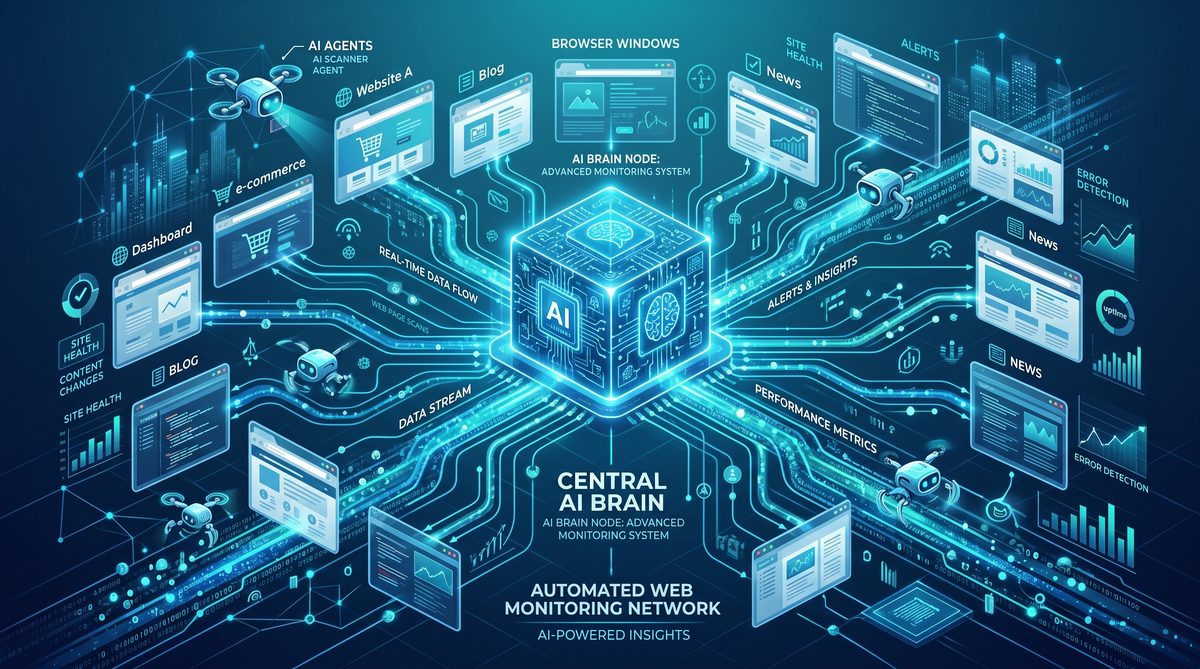
Web monitoring is one of the most strategically significant additions. It enables Scheduled Tasks to act as a lightweight monitoring system that watches a URL for changes, applies rule sets to detect meaningful updates, and triggers actions when those rules evaluate to true. The monitoring system is not intended to fully replace dedicated uptime monitors but provides high‑value capabilities for content change detection and integration with ChatGPT workflows.
Use cases
- Price monitoring: detect product price changes and generate purchase recommendations.
- Regulatory page changes: watch public policy or legal notices and notify compliance teams.
- Content updates: watch blog posts, documentation pages, or release notes and trigger downstream summaries or social posts.
- Data‑driven workflows: detect table updates and extract structured data for ingestion.
Monitoring primitives
Key elements of the web monitoring system:
- Target URL — the page or endpoint to watch.
- Fetch options — custom headers, cookies, and request methods (GET, POST) allowed within policy constraints.
- Selectors — CSS or XPath selectors to focus diffs on specific page fragments.
- Normalization rules — whitespace trimming, HTML sanitizer, or regular expression scrubbing to ignore non‑semantic changes.
- Comparison strategy — textonly diff, DOM structural diff, JSON diff (for APIs), or table‑aware diffs for tabular data extraction.
- Triggering conditions — boolean rule expressions (e.g., changed AND contains “$”) or threshold rules (e.g., price delta > 5%).
- Action bindings — run a ChatGPT prompt, call a webhook, send a notification, or create a task in a downstream system.
Polling vs push integrations
Standard monitors use platform‑driven polling on a schedule (e.g., every 5 minutes to daily). For pages that support webhooks (push), the monitor can accept incoming webhooks and use the platform as a rule engine and execution environment. Push integrations reduce polling overhead and cost.
Example monitor configuration
{
  "type": "monitor",
  "owner_id": "team_analytics",
  "name": "product_price_watch",
  "target": {
    "url": "https://store.example.com/products/widget-42",
    "fetch_options": {
      "method": "GET",
      "headers": {
        "User-Agent": "ChatGPT/1.0 (monitors)"
      }
    }
  },
  "selector": "#product-info .price",
  "normalization": [
    {"type": "strip_currency_symbols"},
    {"type": "trim"}
  ],
  "comparison": {
    "strategy": "text",
    "threshold": {
      "type": "relative_delta",
      "value": 0.05
    }
  },
  "schedule": {
    "cron": "*/15 * * * *",
    "timezone": "UTC"
  },
  "actions": {
    "on_change": [
      {
        "type": "run_prompt",
        "prompt_id": "price_change_summary",
        "params": {
          "format": "slack_message"
        }
      },
      {
        "type": "webhook",
        "url": "https://hooks.example.com/price-alerts",
        "idempotency": true
      }
    ]
  }
}
When a change is detected, the platform produces a structured event with metadata and diffs. That event can be inspected in the Scheduled page and forwarded to downstream integrations. The event payload contains fields like old_value, new_value, diff, detected_at, and links to the rendered snapshot used for diffs.
Snapshotting and record retention
The monitoring system retains snapshots according to retention policies set on the Scheduled page. Snapshots are useful for forensic analysis and compliance. For high‑frequency monitoring, consider using summary strategies to reduce storage usage (e.g., keep full snapshots daily and lightweight hashes for intermediate checks).
Rate limiting and ethical crawling
The platform enforces polite crawling behavior and respects robots.txt where technically feasible. Monitors are also rate‑limited to protect third‑party resources. For high‑scale or mission‑critical monitoring of partner systems, coordinate with the monitored site via push integrations or partner APIs to avoid unintentionally violating terms of service.
For architecture teams integrating ChatGPT’s monitors into enterprise device fleets and managed app deployments, consider the Samsung Enterprise Deployment guidance to determine policy and device configuration patterns:
The scale of enterprise AI adoption is accelerating rapidly, as demonstrated by Samsung Electronics’ decision to deploy ChatGPT Enterprise and Codex to all 267,000 employees worldwide. Our detailed analysis of this landmark deployment examines the technical infrastructure, change management strategies, and measurable productivity gains that Samsung achieved within the first 90 days of their global rollout. Samsung Electronics Deploys ChatGPT Enterprise and Codex to All Employees.
. This enterprise guidance explains device provisioning, app management, and security constraints that often interact with scheduled agents and monitors. When deploying monitors in corporate environments, administrators typically centralize credentials and proxies; the Samsung Enterprise Deployment document outlines recommended patterns for secure certificate distribution, single sign‑on, and configuration management that pair well with Scheduled Tasks’ managed secrets and network egress policies.

Security, privacy, and governance
The update includes extensive security and governance controls, reflecting the importance of scheduled operations’ long‑lived access to resources and potential to generate cost. These controls cover authentication, secrets management, network egress, and auditability.
Authentication and authorization
Scheduled tasks are created and owned by a user or an organizational entity and inherit the entity’s permission model. Role‑based access control (RBAC) defines which users can view, create, edit, or disable scheduled items. The Scheduled page supports organization‑level delegation for teams and service accounts with fine‑grained scopes (create_only, manage_own, manage_all, view_logs).
Secrets handling
Secrets must never be embedded directly in scheduled configurations. Instead, the platform provides a managed secrets store. Scheduled tasks may reference secrets by stable identifiers which the execution runtime resolves at run time. Secrets are audited, have version history, and rotate without changing scheduled configurations.
Network policies and allowed destinations
Administrators can define allowed and denied network destination lists for scheduled tasks. This prevents scheduled jobs from exfiltrating data or contacting arbitrary hosts. Policies can be applied per org, folder, or individual scheduled entity. For external vendors who require access to restricted APIs, admins can create allowlist exceptions with approval workflows and expiry.
Data minimization and retention
The Scheduled page exposes retention policies for artifacts and logs. For privacy‑sensitive operations, schedule creators can opt to disable snapshot retention or encrypt snapshots with customer‑managed keys. Audit logs show who created, modified, or triggered a task and include run summaries that are adequate for forensic analysis while minimizing personally identifiable information (PII).
Compliance and export
Export features allow security and compliance teams to extract execution history and snapshots in JSON/CSV formats. The exports include cryptographic signatures for tamper evidence when needed for compliance audits.
Reliability, observability, and SLA
This release adds operational guarantees and metrics telemetry to make scheduled operations production‑ready.
Service level and error classifications
The platform provides an SLA for scheduled tasks’ control plane (creation, modification) and a best‑effort operational target for execution reliability. Runs are classified as:
- Success — completed within configured resource limits and delivered to all targets.
- Transient failure — temporary failure that is retried according to policy (e.g., network error contacting an external webhook).
- Permanently failed — unrecoverable (e.g., misconfiguration, invalid target, policy violation).
Metrics and alerts
Key metrics emitted per scheduled entity include:
- Runs per window.
- Run success rate.
- Average resource usage per run.
- Retry counts and backoff distribution.
- Webhook latency and error distribution.
Teams can create alerting rules (on Scheduled page or via external integrations) to notify on outliers: rising error rates, increased run durations, or sudden cost spikes attributable to scheduled activity.
Tracing and distributed context
Each scheduled run propagates a trace context header for distributed tracing. When a run calls a webhook, the platform sends X-Trace-Id and other contextual metadata so that downstream systems can stitch traces together across systems. This is valuable for debugging performance issues between ChatGPT scheduled runs and enterprise services.
Developer examples: APIs, webhooks, and server handlers
This section provides practical code and configuration examples. Examples are intentionally concise and focus on the integration points you will most commonly use: creating scheduled items, handling incoming webhook notifications, and storing state for idempotency.
Creating a scheduled job via REST
POST /v1/scheduled_tasks
Content-Type: application/json
Authorization: Bearer sk-...

{
  "type": "recurring_job",
  "owner_id": "org_98765",
  "name": "weekly_inventory_check",
  "schedule": {
    "cron": "0 2 * * 1",
    "timezone": "UTC"
  },
  "task": {
    "run": {
      "language": "prompt",
      "prompt_text": "Fetch last week's inventory counts and return anomalies"
    },
    "delivery": {
      "webhook": {
        "url": "https://internal.example.com/ingest/inventory",
        "headers": {
          "X-Org-Id": "org_98765"
        }
      }
    }
  },
  "retry_policy": {
    "max_retries": 3,
    "backoff": "linear",
    "backoff_minutes": 5
  }
}
Webhook receiver: idempotent handler (Node.js/Express)
const express = require('express');
const bodyParser = require('body-parser');
const app = express();
app.use(bodyParser.json());

// Simple in‑memory idempotency store for demo—use a durable store in production
const processed = new Map();

app.post('/ingest/inventory', async (req, res) => {
  const idempotencyKey = req.headers['x-idempotency-key'] || req.body.run_id;
  if (processed.has(idempotencyKey)) {
    // Already processed
    return res.status(200).json({status: 'duplicate', run_id: idempotencyKey});
  }

  try {
    // Process payload
    const payload = req.body;
    // ... business logic here ...

    // Mark processed
    processed.set(idempotencyKey, {processedAt: new Date().toISOString()});
    res.status(200).json({status: 'ok', run_id: idempotencyKey});
  } catch (err) {
    console.error('Processing failed', err);
    res.status(500).json({status: 'error'});
  }
});

app.listen(3000, () => console.log('Receiver listening on 3000'));
Using the state store for cursors
Scheduled tasks can read and update a lightweight state store bound to the job. Typical pattern:
// Pseudocode in a scheduled run
const state = bindings.get('cursor_key') || {cursor: null};

const data = fetchDataSince(state.cursor);
processData(data);

if (data.length > 0) {
  // Update cursor atomically
  bindings.put('cursor_key', {cursor: data[data.length - 1].id});
}
Testing and dry runs
The Scheduled page and API support dry_run mode to validate schedules and task behavior without performing side effects. Dry runs simulate execution, validate webhooks, execute prompts against low‑cost sandbox models, and return a simulated execution record for inspection.
Use case comparison and decision table
Not every automation requirement should use the new Scheduled Tasks primitives. The table below helps teams decide among interactive ChatGPT sessions, Scheduled Tasks (one‑off), recurring background work, and specialized enterprise automation tools.
| Characteristic | Interactive Session | One‑off Reminder | Recurring Background Work | Dedicated Automation Platform |
|---|---|---|---|---|
| Best for | Ad‑hoc queries, exploratory prompts | Single future notification or action | Periodic, ongoing jobs and monitors | Complex orchestration, high throughput |
| Scheduling | Not supported | Fixed timestamp | Cron / RRULE | Advanced scheduling and workflows |
| Execution environment | Ephemeral session | Platform delivery (message/webhook) | Sandboxed runtime with state | Customer-controlled infra |
| Idempotency tools | Manual | Basic idempotency option | State store, locks, idempotency | Rich concurrency and transactional semantics |
| Cost predictability | Variable | Low (single run) | Requires budgeting; forecast available | Usually better for scale |
| When to choose | One‑off help or generating content now | Remind someone or trigger a single action later | Maintain an ongoing automation (reports, watchers) | Highly regulated, mission‑critical orchestrations |
Use this comparison when deciding where Scheduled Tasks fits in your automation stack. Teams often adopt a hybrid approach: use ChatGPT Scheduled Tasks for content generation, monitoring, and lightweight automation, and pair it with dedicated automation platforms for high‑volume transactional workflows.
Migration guidance and operational checklist
If you have existing automation patterns that rely on ad‑hoc scheduling, calendar reminders, or external cron services that call ChatGPT, consider the following migration steps:
Assessment
- Inventory current scheduled operations and their resource profiles (frequency, LLM usage, web calls).
- Classify jobs by criticality, data sensitivity, and cost impact.
- Identify jobs that benefit from built‑in state and idempotency vs those needing raw infrastructure control.
Design
- Map jobs to new primitives: reminders for single alerts; recurring job for periodic automations; monitor for web watchers.
- Design retries, idempotency, and state schema for each job.
- Specify retention and snapshot policies aligned with compliance needs.
Migrate
- Start with low‑risk jobs and leverage dry_run mode to validate behavior.
- Use Scheduled page manual trigger to test runs and inspect logs.
- Gradually move higher frequency or higher cost jobs after implementing spend controls and alerts.
Operational checklist
- Enable organizational policies for allowed destinations and secrets management.
- Integrate scheduled metrics into your monitoring/alerting stack.
- Establish cost budgets and tie Scheduled Tasks forecasts to spend alerts.
- Document and test escalation and rollback procedures.
- Train team members on the Scheduled page for triage and debugging.
Best practices and governance
To get the most value while minimizing risk and cost, adopt the following best practices:
Naming and metadata
- Use consistent naming conventions (team_prefix.function.environment) to simplify filtering and billing attribution.
- Attach tags and owner metadata to every scheduled entity for easy operational reporting.
Cost control
- Set conservative frequency for monitors and recurring jobs; prefer event‑driven push where possible.
- Use model selection and prompt efficiency to reduce per‑run LLM cost.
- Leverage Scheduled page cost forecasts and integrate with enterprise spend controls to create automated suspensions for cost overruns.
Reliability
- Make tasks idempotent and use state store atomic updates.
- Use concurrency limits to prevent cascading load on downstream systems.
- Set up alerting for failure modes such as repeated transient failures or sudden error bursts.
Security
- Centralize secrets in the platform’s secrets store and use short‑lived credentials where possible.
- Enforce allowlists for outbound destinations and use proxies for auditing where required by compliance.
- Apply principle of least privilege to scheduled items and service accounts.
Enterprise deployment considerations
Large organizations and IT teams will want to align Scheduled Tasks with existing device and app management practices. The Scheduled Tasks update interacts with enterprise deployment considerations in a number of ways:
Provisioning and service accounts
Enterprises should use dedicated service accounts for scheduled workloads rather than individual user tokens. Service accounts can be instrumented with limited scopes and can be audited centrally. This pattern simplifies rotation and revocation and reduces the blast radius of compromised individual credentials.
Network topology and proxies
Many enterprises require scheduled jobs to route network egress through corporate proxies. Scheduled Tasks supports configuring egress proxies at the organization level and allows scheduled jobs to use those proxies for outbound webhooks and monitors.
Device managers and policy orchestration
For customers deploying ChatGPT across managed devices at scale, including mobile and desktop fleets, the platform provides integration points with MDM and policy orchestration tools. Admins can enforce Scheduled Tasks features with organization‑level policies and preapprove certain scheduled actions so end users can create jobs without manual review. For details on integrating a broad device fleet and recommended security patterns, consult the Samsung Enterprise Deployment playbook:
The scale of enterprise AI adoption is accelerating rapidly, as demonstrated by Samsung Electronics’ decision to deploy ChatGPT Enterprise and Codex to all 267,000 employees worldwide. Our detailed analysis of this landmark deployment examines the technical infrastructure, change management strategies, and measurable productivity gains that Samsung achieved within the first 90 days of their global rollout. Samsung Electronics Deploys ChatGPT Enterprise and Codex to All Employees.
. That playbook addresses controlled rollout strategies, enterprise app store distribution, integration with SSO and device certificates, and lifecycle management—factors that are often prerequisites when enabling scheduled background work that interacts with internal services from user devices.
Audit and compliance
Enterprises should centralize scheduled activity auditing in SIEMs and retain execution evidence in compliance‑grade stores. The Scheduled page supports export and streaming of audit events to partners’ monitoring systems using webhooks or log forwarders.
Roadmap and future directions
The platform team has published a roadmap that hints at several next steps building on this release:
- Expanded channels: bi‑directional integrations with calendar platforms to create reminders from events and to write back outcomes.
- Richer trigger types: support for event streams and message bus triggers (e.g., Kafka or Pub/Sub) to reduce polling.
- Policy automation: automated policy enforcement that can modify schedules or scale concurrency in response to organizational signals.
- Custom runtime extensions: allowing vetted customer code to run inside a constrained environment for complex data transformations.
Feedback loops from the developer community and enterprise customers will inform the priority of these features. Particularly, integration with event streams and push triggers is highly requested since it reduces cost and improves timeliness for many monitoring and automation scenarios.
Frequently asked technical questions
How are scheduled tasks billed?
Billing depends on the task type and actions performed. Reminders that only generate a small in‑app message are lower cost than recurring jobs that run LLM prompts or perform extensive web scraping. The Scheduled page provides per‑run cost estimators. For organizations, forecasted scheduled costs are integrated into organizational spend dashboards to enable preemptive controls.
What happens if a scheduled job runs during a policy blackout?
If an organization has an active policy that prevents outbound webhooks (for example, during an incident), the platform will classify webhook delivery as a transient or permanent failure depending on the policy type. Administrators can configure the default behavior: queue until policy is lifted, drop with notification, or run a compensating local action. Policy metadata is included in run logs.
Can scheduled tasks access private internal APIs?
Yes, when configured to use organization egress proxies and when allowed by network and policy rules. For highly restricted internal APIs, enterprises should route scheduled egress through private connectors or VPN attachments and provision service account credentials using the secrets store.
How does web monitoring handle dynamic content?
Monitoring supports selectors and normalization rules to target stable elements. For single‑page apps that render dynamic content via JavaScript, the monitor can optionally fetch a pre‑rendered snapshot using a headless browser mode. That mode is rate‑limited and subject to policy controls due to increased resource demand.
Access 40,000+ AI Prompts for ChatGPT, Claude & Codex — Free!
Subscribe to get instant access to our complete Notion Prompt Library — the largest curated collection of prompts for ChatGPT, Claude, OpenAI Codex, and other leading AI models. Optimized for real-world workflows across coding, research, content creation, and business.
Conclusion: operationalizing ChatGPT as a scheduler and watcher
The June 17–18, 2026 Scheduled Tasks update transforms ChatGPT’s role in production automation. With a dedicated Scheduled page, first‑class one‑off reminders, robust recurring background work capabilities, and built‑in web monitoring, the platform now offers a coherent set of primitives for practical, reliable automations. These features are designed with enterprise needs in mind: observability, security, governance, and cost control.
For teams considering adoption, the practical path is incremental: start with one‑off reminders and low‑risk monitors, validate cost and reliability expectations using dry runs and the Scheduled page, then migrate recurring jobs that benefit from the platform’s state store and idempotency features. Integrate Scheduled Tasks with your organization’s spend controls and deployment patterns early to avoid surprises and to ensure predictable operational behavior.
Organizations that pair Scheduled Tasks with existing enterprise deployment best practices and budgeting controls will be best positioned to realize the benefits of proactive automation without introducing unacceptable risk. To plan and enforce spend controls across scheduled runs, see organizational guidance at the OpenAI Spend Controls documentation:
Organizations implementing ChatGPT scheduled tasks at scale need robust cost governance frameworks. Our enterprise guide to OpenAI spend controls and usage analytics provides a comprehensive methodology for monitoring token consumption, setting departmental budgets, and optimizing AI costs across distributed teams using the new administrative dashboard and real-time usage alerts. The Enterprise Guide to OpenAI Spend Controls and Usage Analytics.
. For secure, large‑scale rollouts tied to device management and app policy, consult the Samsung Enterprise Deployment guidance to align scheduled operations with device provisioning and enterprise security lifecycle requirements:
The scale of enterprise AI adoption is accelerating rapidly, as demonstrated by Samsung Electronics’ decision to deploy ChatGPT Enterprise and Codex to all 267,000 employees worldwide. Our detailed analysis of this landmark deployment examines the technical infrastructure, change management strategies, and measurable productivity gains that Samsung achieved within the first 90 days of their global rollout. Samsung Electronics Deploys ChatGPT Enterprise and Codex to All Employees.
.
As the platform continues to evolve, expect additional integrations that reduce polling, expand trigger surfaces, and enhance governance. The Scheduled page will likely become the central operational hub for many teams, enabling them to treat ChatGPT not only as a conversational partner but also as an auditable, controlled automation engine.
