
40 ChatGPT-5.5 Prompts for UX Designers: User Journey Mapping, Wireframe Descriptions, Usability Testing Scripts, and Design System Documentation

Welcome to the Prompts Masterclass: a field-tested set of 40 production-ready prompts engineered for UX designers who want to accelerate discovery, define flows with clarity, test with rigor, and document design systems with confidence. Whether you are refining an onboarding journey, producing narrative wireframe descriptions, drafting usability testing scripts, or hardening a design system, these prompts are designed to give you repeatable structures, precise outputs, and guardrails that reduce ambiguity.
Every prompt below is fully parameterized with [bracketed] variables so you can drop it into your workflow, customize it in seconds, and get highly structured deliverables. Each prompt also includes an expected output format and a short note on when to use it. To help teams standardize collaboration, many outputs use repeatable schemas (lists, tables, and YAML/JSON-like structures) that work well across product, research, and engineering stakeholders.
Suggested companion topics:
For a deeper exploration of related concepts, our comprehensive guide on Why ChatGPT’s Futures Class of 2026 Signals OpenAI’s Pivot to Develo provides detailed strategies and practical implementation steps that complement the techniques discussed in this article.
,
For a deeper exploration of related concepts, our comprehensive guide on The 2026 AI Coding Agent Comparison: Cursor vs Claude Code vs GitHub Copilot vs provides detailed strategies and practical implementation steps that complement the techniques discussed in this article.
,
For a deeper exploration of related concepts, our comprehensive guide on The Codex Database Engineering Playbook: 20 Prompts for Schema Design, Query Opt provides detailed strategies and practical implementation steps that complement the techniques discussed in this article.
How to Use This Masterclass
- Start by selecting a prompt from the relevant section (Journey Mapping, Wireframe and UI Descriptions, Usability Testing Scripts, or Design System Documentation).
- Replace bracketed variables with your context (e.g., [persona_name], [product], [prototype_link]).
- Paste the prompt into ChatGPT-5.5. If you don’t have values yet, ask ChatGPT to propose defaults and then iterate.
- Follow the “Expected output format” for quickly validating what you receive and for easier handoffs to stakeholders.
- Iterate: refine variables, add constraints, and re-run to converge on a production-ready artifact.
Prompt Catalog Overview
| Section | Prompts | Primary Output |
|---|---|---|
| Section 1: User Journey Mapping Prompts (10) | End-to-end journeys, JTBD forces, cross-channel O2O, onboarding experiments, error recovery, localization, and more. | Journey maps, opportunity lists, stage-by-stage metrics, comparative tables. |
| Section 2: Wireframe and UI Description Prompts (10) | Screen-by-screen specs, IA, forms, data tables, dashboards, empty states, search, and notifications. | UI trees, layout specs, content hierarchy, responsive states, accessibility notes. |
| Section 3: Usability Testing Script Prompts (10) | Moderated/unmoderated test scripts, think-aloud, first-click, tree tests, accessibility testing, benchmarking. | Consent language, tasks, probes, success criteria, data capture templates. |
| Section 4: Design System Documentation Prompts (10) | Tokens, component specs, interaction states, motion, content guidelines, governance, and accessibility checklists. | Component anatomy, variant definitions, token maps, usage/do-n’t guidelines. |
Section 1: User Journey Mapping Prompts
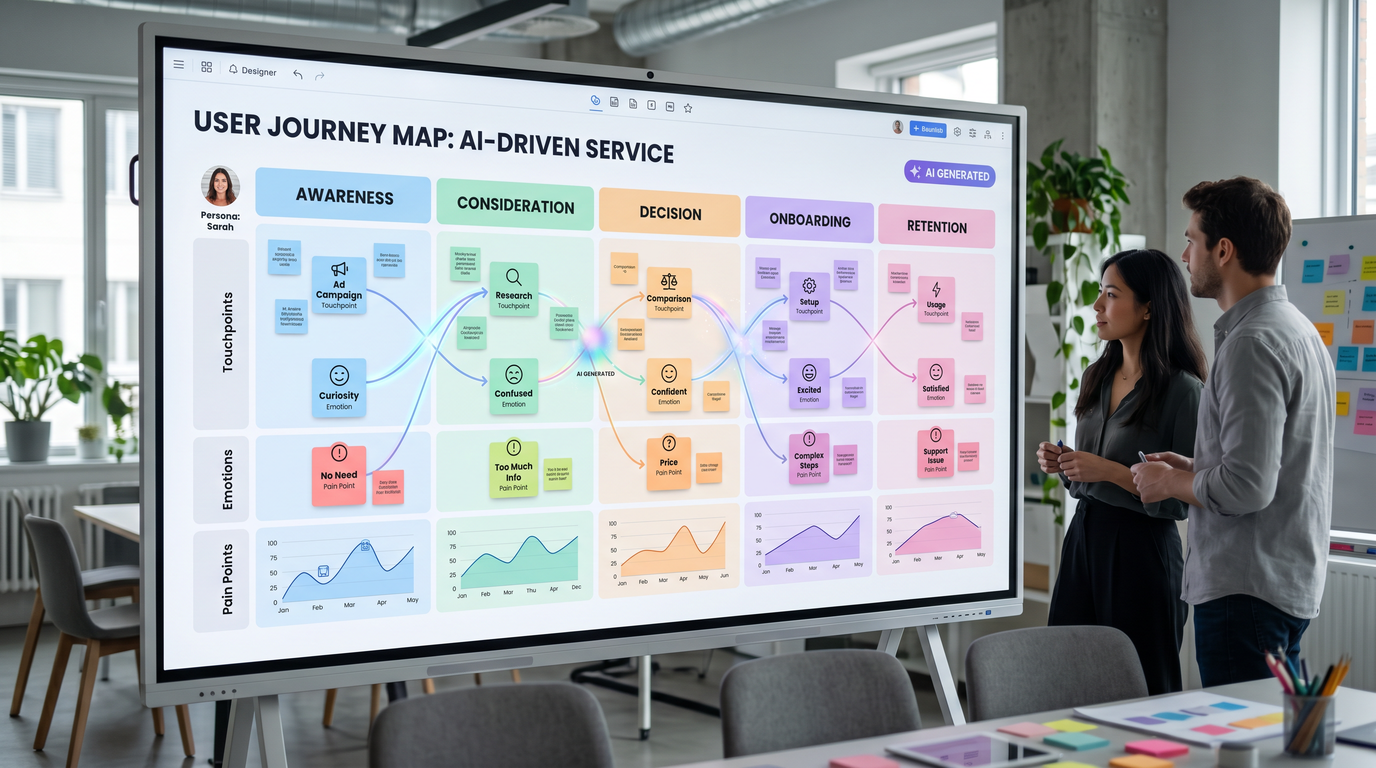
1.1 End-to-End Journey Map for a Primary Persona
When to use: Use this to establish a clear baseline journey for your primary persona across all stages, channels, and touchpoints. Ideal early in discovery or when aligning cross-functional teams on a shared understanding of the experience.
Prompt:
You are a senior UX strategist. Create an end-to-end journey map for [persona_name] using [product_or_service] in [market_or_industry] to achieve [primary_goal]. Include stages: [awareness_stages], [consideration_stages], [activation_stages], [habit_stages], [retention_stages], [advocacy_stages]. Reflect cross-channel touchpoints across [channels_list] and devices [devices_list]. Consider constraints: [constraints], policies: [policies], and success criteria: [north_star_metric], [supporting_metrics].

For each stage:
- Jobs-to-be-done, key tasks, context triggers, decision criteria.
- Emotional curve (1–5 scale) and quotes (verbatim tone).
- Touchpoints, artifacts, and actors (e.g., CS, sales, product).
- Pain points, friction hotspots, and potential failure modes.
- Accessibility considerations for [assistive_tech] and [accessibility_needs].
- Metrics to instrument and diagnostic signals (quant + qual).
- Opportunities (prioritized by impact x effort) with hypotheses.

Assume current known gaps: [known_gaps]. Surface assumptions and risks.

Output a structured artifact ready for stakeholder review.
Expected output format:
{
  "persona": "[persona_name]",
  "goal": "[primary_goal]",
  "stages": [
    {
      "name": "Awareness - [stage_name]",
      "jobs": ["..."],
      "tasks": ["..."],
      "emotions_1_to_5": 3,
      "verbatim_quote": "\"...\"",
      "touchpoints": ["web", "mobile app", "..."],
      "pain_points": ["..."],
      "accessibility": ["..."],
      "metrics": {"leading": ["..."], "lagging": ["..."]},
      "opportunities": [{"hypothesis": "...", "impact": "H/M/L", "effort": "H/M/L"}],
      "assumptions": ["..."],
      "risks": ["..."]
    }
  ],
  "instrumentation_plan": ["event", "metric", "tool"]
}
1.2 JTBD Forces-Driven Journey (Push/Pull/Anxieties/Inertia)
When to use: Choose this when you need to structure your journey around Jobs to Be Done forces, highlighting what propels and blocks adoption. It’s ideal for repositioning, onboarding redesign, and competitive switching analysis.
Prompt:
Map the user journey for the job: [core_job_to_be_done] within [context_situation] for [persona_name]. Frame stages around the JTBD “forces” model: Push of the current situation, Pull of the new solution, Anxieties about the new solution, Habit/Inertia of the present. Incorporate competitors [competitors], switching triggers [switch_triggers], and anxieties [key_anxieties].

For each stage:
- Define job steps, desired outcomes, and progress markers.
- Identify pushes/pulls and articulate anxieties and inertia with examples.
- Evidence: behaviors, search terms, and decision heuristics.
- Intervention ideas: messaging, features, and nudges with testable hypotheses.
- Metrics: [primary_metric], [secondary_metrics].

Include a forces diagram and a prioritized interventions backlog.
Expected output format:
Forces Diagram:
- Push: ...
- Pull: ...
- Anxieties: ...
- Inertia: ...

Journey Stages:
1) Stage: [name]
   - Job steps: ...
   - Desired outcome: ...
   - Evidence: ...
   - Interventions: ...
   - Metrics: ...

Prioritized Backlog (Impact x Confidence x Effort):
- [Idea] - ICE score: X.X
1.3 Multi-Persona Journey Comparison Matrix
When to use: Use this to compare behaviors of multiple personas or segments side-by-side to find divergence and convergence points that inform customization, personalization, and roadmap prioritization.
Prompt:
Create a comparative journey matrix for [persona_A], [persona_B], and [persona_C] using [product_or_service] in [market]. Stages: [stage_list]. Compare for each stage: key task, success definition, channel preference, device, friction, emotion (1–5), accessibility issues, content needs, and support touchpoints.

Highlight unique requirements, shared needs, and conflicts with evidence from [data_sources] and [research_artifacts]. Recommend personalization levers: [personalization_dimensions].
Expected output format:
| Stage | Persona | Key Task | Success | Channel | Device | Friction | Emotion | Accessibility | Content | Support |
|-------|---------|---------|---------|---------|--------|----------|---------|---------------|---------|---------|
| [..]  | [..]    | [..]    | [..]    | [..]    | [..]   | [..]     | [..]    | [..]          | [..]    | [..]    |

Findings:
- Shared: ...
- Unique: ...
- Conflicts: ...
Recommendations:
- Personalization levers: ...
1.4 Accessibility-Lens Journey Audit
When to use: Apply this to uncover barriers experienced by users with disabilities across the journey. It is essential before major releases, for compliance readiness, and when your product must perform well with assistive technologies.
Prompt:
Conduct an accessibility-lens journey audit for [persona_or_user_group] using [product_or_service] across stages [stage_list]. Consider assistive technologies [assistive_tech], input methods [input_methods], and constraints [accessibility_constraints].

For each stage and touchpoint:
- Identify tasks and potential barriers (WCAG 2.2 [wcag_level]).
- Keyboard/gesture paths and focus order checks.
- Screen reader narratives and announced roles/names/states.
- Color contrast, motion sensitivity, and time-based controls.
- Error prevention and recovery affordances.
- Recommended fixes with severity, scope, and owner functions.

Include a risk heatmap and a remediation backlog prioritized by user impact and implementation effort.
Expected output format:
{
 "stages": [{
   "name": "[stage]",
   "touchpoint": "[web/app/kiosk]",
   "barriers": [{"wcag": "2.2.[x]", "issue": "...", "severity": "H/M/L"}],
   "keyboard_path": ["Tab -> ..."],
   "sr_narrative": ["..."],
   "contrast": [{"component": "...", "ratio": "X:1"}],
   "recommendations": [{"fix": "...", "owner": "Design/Eng", "effort": "S/M/L"}]
 }],
 "risk_heatmap": [["H","M","L"]],
 "remediation_backlog": [{"item": "...", "priority": 1}]
}
1.5 Cross-Channel O2O (Online-to-Offline) Journey Map
When to use: Use this for retail and service experiences that span online research, in-store pickup, service centers, or field operations. It captures handoff failures and data continuity across channels.
Prompt:
Map the O2O journey for [persona_name] completing [goal] across channels [channels_list] and locations [locations]. Include transitions (online → store, store → delivery) and systems: [pos_system], [crm], [inventory_system].

For each transition:
- Trigger, user expectation, available data, and required data.
- Handoff failures: identity mismatch, inventory mismatch, context loss.
- Staff and system interactions, SLAs [sla_targets].
- Recovery flows and “plan B”.
- Metrics: wait time, pickup SLA, NPS, conversion, cancellations.

Propose instrumentation events and alert thresholds for operational monitoring.
Expected output format:
O2O Stages:
1) Online Research → Store Visit
   - Trigger: ...
   - Data carried: ...
   - Handoff risks: ...
   - Staff/system steps: ...
   - Recovery path: ...
   - Metrics & thresholds: ...

Instrumentation:
- Event: [name], Properties: [...], Alert at: [threshold]
1.6 Experiment-Focused Onboarding Journey
When to use: Deploy this when rethinking onboarding. It frames the journey as a set of falsifiable hypotheses with experiment-ready definitions, reducing time-to-value and churn.
Prompt:
Create an onboarding journey for [new_user_segment] in [product_area] with the goal [activation_goal]. Constraints: [constraints]. Hypotheses: [onboarding_hypotheses]. Cohorts: [cohorts]. Define moments of value, aha triggers, and dropout points.

For each step:
- Entry condition, action, expected outcome, time-to-completion.
- Hypothesis and experiment design (A/B or MAB), success metric [activation_metric], guardrail metrics [guardrails].
- Empty-state and error-state guidance.
- Tooltips/coaching pattern selection with localization [locales].

Include an experiment backlog and a phased rollout plan (beta → GA) with kill criteria.
Expected output format:
{
 "steps": [{
   "name": "...",
   "entry": "...",
   "action": "...",
   "expected_outcome": "...",
   "hypothesis": "...",
   "experiment": {"type": "A/B", "metric": "[activation_metric]", "guardrails": ["..."]},
   "states": {"empty": "...", "error": "..."},
   "localization": ["[locales]"]
 }],
 "rollout_plan": [{"phase": "beta", "criteria": "..."}],
 "kill_criteria": ["..."]
}
1.7 Post-Purchase Support Journey with Churn Prevention
When to use: Great for subscription products and complex services where post-purchase experience drives retention. Surfaces proactive support opportunities and escalation paths.
Prompt:
Map the post-purchase journey for [customer_segment] after acquiring [product_or_plan]. Channels: [support_channels]. SLAs: [sla_targets]. Capture account milestones [milestones], likely issues [known_issues], and churn signals [churn_signals].

For each milestone:
- Proactive comms, help surface placement, and knowledge assets.
- Self-serve vs assisted flows and routing logic.
- SLA compliance checks and escalation ladders.
- Churn risk scoring (features: [risk_features]) and interventions.

Provide a scorecard for operational performance and CX outcomes.
Expected output format:
Journey Milestones:
- [Milestone]: Triggers, Self-serve path, Assisted path, SLA, Escalation, Content

Scorecard:
- CSAT: ...
- FRT: ...
- Resolution rate: ...
- Churn risk index: ...
1.8 Error Recovery Journey for Critical Flows
When to use: Use this to design graceful failure and recovery for sensitive operations (checkout, identity verification, payments). Essential for resilience and trust.
Prompt:
Design an error recovery journey for the critical flow [critical_flow_name] in [product]. Error classes: [error_types] (user, system, network, 3rd-party). Compliance: [regulatory_requirements]. Payment/state integrity requirements: [state_requirements].

For each error class:
- Detection signals and user-visible symptoms.
- User-friendly diagnosis and next best action.
- State preservation, idempotency, and retry policies.
- Support routes and SLAs [sla_targets].
- Logging/telemetry and incident management hooks.

Deliver copy guidelines and visuals for errors, warnings, and confirmations.
Expected output format:
Error Class: [error_type]
- Detection: ...
- Symptoms: ...
- UX Pattern: ...
- State handling: ...
- Next best action: ...
- Telemetry: Event [...], Fields [...], Severity [...]

Copy Guidelines:
- Error: ...
- Warning: ...
- Confirmation: ...
1.9 Localization & Compliance Journey Variants
When to use: Apply this when launching in new markets or updating flows for regulatory change. It reduces risk by aligning copy, consent, payments, and identity flows with local norms and laws.
Prompt:
Produce localized journey variants for [market_locales] for [flow_name]. Include payment methods [payment_methods], KYC/AML [kyc_requirements], privacy/consent [privacy_laws], date/time/number formats [locale_formats], and cultural norms [cultural_notes].

For each locale:
- Stage-by-stage differences and copy deltas.
- Required legal checkpoints and consent UX patterns.
- Alternative payments and error handling.
- RTL/LTR layout implications and input masks.
- QA checklist and instrumentation deltas.

Prioritize changes by risk and user impact; propose rollout gates.
Expected output format:
{
 "locale": "[xx-XX]",
 "differences": [{"stage": "...", "copy_delta": "...", "legal": "..."}],
 "payments": ["..."],
 "layout": {"direction": "LTR/RTL", "implications": ["..."]},
 "qa_checklist": ["formatting", "input mask", "validation"],
 "rollout_gates": ["legal sign-off", "payment certification"]
}
1.10 B2B Procurement and Admin Journey
When to use: Perfect for enterprise products with multi-actor journeys (buyer, approver, legal, finance, IT). Helps you document governance, security reviews, and contract obstacles.
Prompt:
Map the B2B procurement journey for [org_size] and [industry] purchasing [product]. Roles: [buyer_roles], [approver_roles], [security_roles], [legal_roles], [finance_roles], [it_roles]. Processes: [vendor_risk_process], [security_review], [contracting_workflow].

For each phase:
- Information needs, decision criteria, blockers, and artifacts required.
- Security/compliance checkpoints (e.g., SOC2, ISO, DPA).
- Pricing/procurement negotiations and approval matrices.
- Implementation kickoff and SSO/SCIM provisioning.
- Renewal drivers, expansion playbooks, and risk flags.

Deliver a RACI and a stakeholder comms plan with timelines.
Expected output format:
B2B Phases:
- Discovery, Evaluation, Security, Legal, Procurement, Implementation, Adoption, Renewal

Artifacts:
- Checklist per phase, Required docs, Owners

RACI:
- Role → Responsible, Accountable, Consulted, Informed

Comms Plan:
- Milestone, Audience, Message, Channel, Owner, Date
Section 2: Wireframe and UI Description Prompts
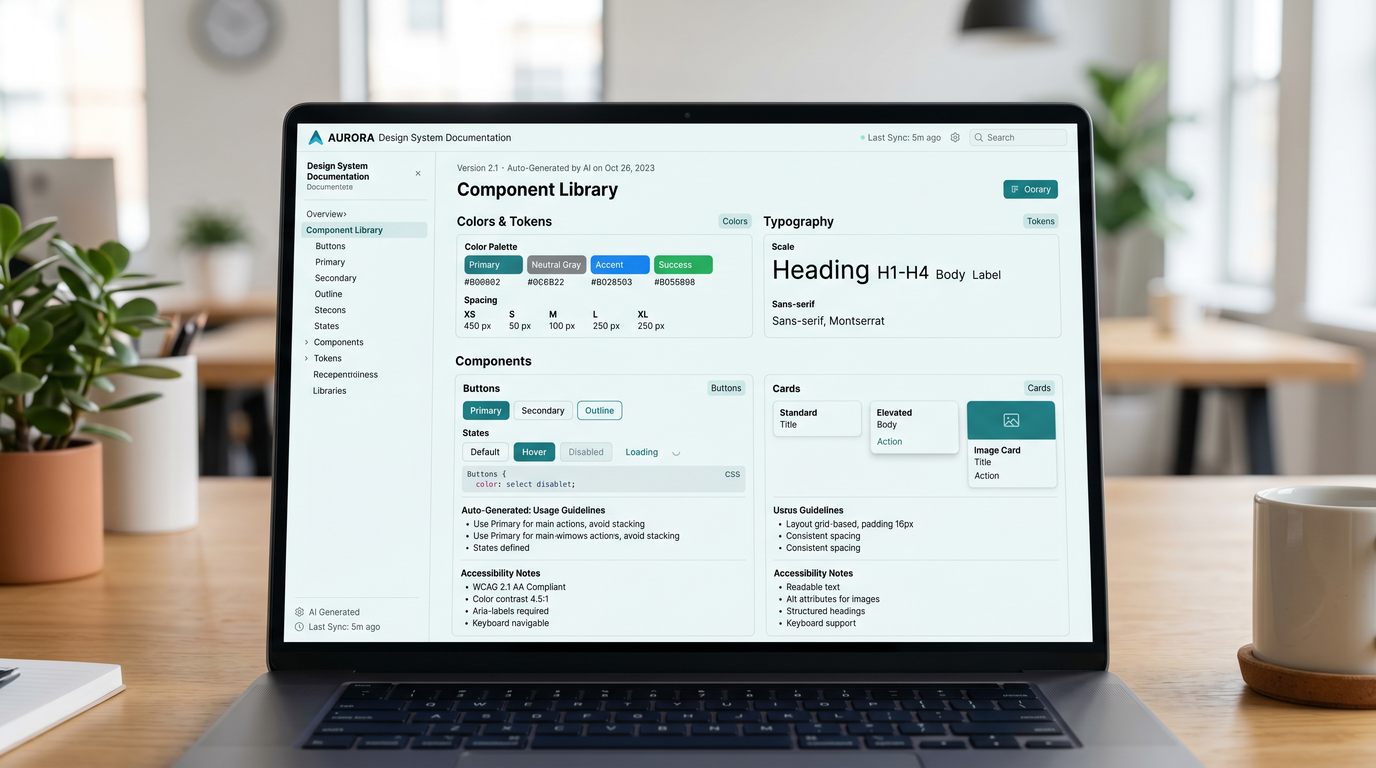
2.1 Narrative Wireframe Description for a Core Page
When to use: Use this to create a narrative + structural description of a screen before committing to visuals. It aligns stakeholders on content hierarchy, interactions, and constraints.
Prompt:
Produce a narrative wireframe description for [page_type] in [product], for [persona_name], with the primary action [primary_action] and secondary actions [secondary_actions]. Content hierarchy: [content_hierarchy]. Responsive breakpoints: [breakpoints]. Constraints: [constraints], performance targets: [performance_targets], accessibility: [accessibility_targets].

Include:
- Page objective and success criteria.
- Regions (header, main, sidebar, footer), component list, and content priority.
- Interaction patterns (hover, focus, pressed, loading, empty, error).
- Copy guidance (headlines, CTAs, helper text, error messages).
- Responsive behavior and layout rules by [breakpoints].
- Telemetry: events to track and definitions.

Output a UI tree and a step-by-step narrative.
Expected output format:
UI Tree:
- Page: [page_type]
  - Header: ...
  - Main: ...
  - Sidebar: ...
  - Footer: ...

Narrative:
1) Purpose: ...
2) Components and priority: ...
3) State behaviors: ...
4) Copy: ...
5) Responsive rules: ...
6) Telemetry: ...
2.2 Flow-to-Wireframe Translation (Screen Specs per Step)
When to use: Convert a flow diagram directly into screen-level specifications. Useful for driving alignment with engineering and for estimating scope.
Prompt:
Translate the flow steps [flow_steps] for [use_case] into wireframe screen specifications. Include state variants, required components, copy, validation rules, navigation patterns, and system messages. Target devices: [devices]. Constraints: [constraints].

For each step/screen:
- Name, purpose, primary/secondary actions.
- Data inputs/outputs, validation, error handling.
- Components and content details.
- Navigation and focus order.
- Loading/empty/success states.
- Analytics events and test IDs [qa_ids].
Expected output format:
[
 {"screen": "S1 - [name]",
  "purpose": "...",
  "actions": {"primary": "...", "secondary": ["..."]},
  "io": {"inputs": ["..."], "outputs": ["..."]},
  "validation": ["..."],
  "components": ["..."],
  "nav_focus_order": ["..."],
  "states": {"loading": "...", "empty": "...", "success": "...", "error": "..."},
  "analytics": ["event: ...", "test_id: [qa_ids]"]
 }
]
2.3 Mobile Navigation Model and Information Architecture
When to use: When choosing between bottom tabs, segmented controls, drawers, or hybrid navigation for mobile. Ensures scalability and discoverability.
Prompt:
Design a mobile navigation model for [app_name] targeting [platforms] with IA goals [ia_goals] and key sections [sections]. Consider usage frequency, task criticality, and growth roadmap [roadmap_horizon]. Address accessibility [a11y_requirements] and handedness.

Deliver:
- Primary nav pattern choice (tabs vs drawer vs hybrid) with rationale.
- Tab/section definitions, icon labels, and badge logic.
- Deep-linking and back-stack rules.
- Empty/first-run navigation coaching.
- Future scalability plan for +[future_sections].
Expected output format:
Navigation:
- Primary: [pattern], Tabs: [Tab1, Tab2, ...]
- Secondary: [pattern], Routes: [...]
Rules:
- Deep links: ...
- Back stack: ...
- Badges: ...
Scalability:
- Additions: ...
- Degradations to avoid: ...
2.4 Empty State System (Acquisition, Activation, Recovery)
When to use: Use this to systematize empty states so they’re purposeful, branded, and measurable. Ideal during onboarding and for data-light views.
Prompt:
Create an empty state system for [feature_areas] in [product]. User segments: [segments]. Objectives: [objectives]. Voice/tone: [voice_tone]. Include visuals guidance [illustration_style] and measurement strategy [metrics].

For each empty state:
- Scenario, purpose, and desired action.
- Components and copy (headline, body, CTA, helper).
- Alternatives for error/empty by cause.
- Accessibility notes (SR text, color contrast).
- Success metrics and experiments (e.g., tooltip vs modal).
Expected output format:
{
 "empty_states": [{
   "scenario": "...",
   "components": ["..."],
   "copy": {"headline": "...", "body": "...", "cta": "..."},
   "a11y": ["..."],
   "metrics": {"primary": "...", "secondary": ["..."]},
   "experiments": ["..."]
 }]
}
2.5 Data Table and Bulk Actions Specification
When to use: For complex tables with sorting, filtering, pagination, and bulk actions. Ensures consistency across admin and analytics views.
Prompt:
Define a data table spec for entity [entity_name] with columns [columns], density modes [density_modes], and operations [row_actions], [bulk_actions]. State needs: [loading_states], [empty_states], [error_states]. Performance: [row_limit], [virtualization].

Include:
- Column definitions (header, tooltip, type, width/resize, sort, filter).
- Row interaction model (selection, hover, keyboard navigation).
- Bulk action flows and confirmation dialogs.
- Sticky headers/footers and responsive behavior.
- Accessibility (semantics, focus, SR announcements).
- Test IDs [qa_ids] and analytics events.
Expected output format:
Table Spec:
- Columns: [{id, label, type, width, sort, filter}]
- Row interactions: ...
- Bulk actions: ...
- States: loading/empty/error
- Responsiveness: ...
- A11y: roles, aria, keyboard
- QA/Analytics: ...
2.6 Modal vs Dedicated Page Decision with Alternatives
When to use: When you need to decide if a task belongs in a modal, drawer, or a full page. This prompt outputs rationale and fallback patterns.
Prompt:
Evaluate the UI pattern for [task_name] in [context]: modal, side drawer, or dedicated page. Constraints: [complexity], [validation_rules], [navigation_requirements], [a11y_requirements]. Traffic: [traffic_level]. Provide recommended default and two alternatives with trade-offs and fail-safes.

Produce wireframe-level content for all three options and rules for when to escalate from lightweight to heavyweight UI.
Expected output format:
Decision:
- Default: [pattern], Why: ...
Alternatives:
- Option A: ...
- Option B: ...
Escalation Rules:
- If [condition], switch to [pattern]
Wireframe Content (each):
- Regions, Components, Copy, States
2.7 Search and Results Page with Faceted Filtering
When to use: For search-heavy experiences. Structures result cards, filters, ranking, empty results, and performance considerations.
Prompt:
Design a search experience for [domain] featuring queries [query_types], result cards [card_fields], and facets [facets_list]. Ranking: [ranking_signals]. Performance: [latency_budget]. Accessibility: [a11y_targets].

Specify:
- Query input patterns (suggestions, history, voice).
- Result card layout, metadata, and microinteractions.
- Facets behavior (multi-select, chips, collapsible, sticky).
- Empty/no-match and error handling.
- Analytics and experiments (ranking tweaks, facet usage).
Expected output format:
{
 "query": {"patterns": ["..."], "assist": ["..."]},
 "card": {"fields": ["..."], "actions": ["..."]},
 "facets": [{"name": "...", "type": "single/multi", "ui": "checkbox/chips"}],
 "states": {"empty": "...", "error": "..."},
 "analytics": ["..."]
}
2.8 Form Design Spec with Validation and States
When to use: For any multi-field form. Ensures consistent labels, help text, validation, error copy, and progressive disclosure.
Prompt:
Produce a comprehensive form spec for [form_name] used in [flow_context]. Fields: [fields_list]. Validation rules: [validation_rules]. Progressive disclosure: [disclosure_rules]. Accessibility targets: [a11y_targets]. Localization: [locales]. Performance: [submission_sla].

Include:
- Field-by-field details (label, placeholder, help, mask, validation, error copy).
- Grouping, steps (if wizard), and progress indicators.
- Keyboard/focus order, screen reader semantics.
- Loading, partial save, auto-save, and retry.
- Analytics and test IDs [qa_ids].
Expected output format:
Form: [form_name]
- Fields:
  - [id]: label, type, mask, validation, error, help
- Groups/Steps: ...
- States: loading/success/error
- Accessibility: roles, aria, focus order
- Analytics/QA: ...
2.9 Dashboard Layout with KPIs and Widgets
When to use: For first-launch dashboards or admin portals. Clarifies KPIs, card hierarchy, refresh, and interaction rules.
Prompt:
Define a dashboard for [persona] in [product_area]. KPIs: [kpi_list]. Widgets: [widgets]. Grid: [grid_system]. Refresh: [refresh_policy]. Personalization: [personalization_rules].

Include:
- Card hierarchy and placement rationale.
- Interaction patterns per widget (filters, drill-down, hover, time range).
- Loading/skeleton behaviors and data freshness.
- Alert thresholds and notifications tie-in.
- Accessibility and keyboard support.
Expected output format:
Dashboard:
- Grid: [grid_system]
- Cards: [{title, size, position, kpi, interactions}]
- States: skeleton/loading/error
- Freshness: timestamps, auto-refresh
- Alerts: thresholds → actions
2.10 Notifications Center and Preferences
When to use: For systems that send many updates. Controls noise, prioritization, and user agency across channels.
Prompt:
Design a notifications center for [product] that handles [notification_types] across channels [channels]. Prioritization model: [priority_rules]. Controls: [user_preferences]. Compliance: [regional_rules]. Performance: [latency_budget].

Specify:
- Inbox layout, grouping, read/unread, bulk actions.
- Notification card anatomy and actions.
- Per-channel settings (email, push, SMS, in-app).
- Snooze/mute patterns and do-not-disturb schedules.
- Retention, archival, and export.
- Accessibility: focus management and announcements.
Expected output format:
{
 "inbox": {"groups": ["..."], "bulk_actions": ["..."]},
 "card": {"fields": ["title", "timestamp", "badge", "actions"]},
 "preferences": [{"channel": "email", "options": ["..."]}],
 "controls": {"snooze": "...", "dnd": "..."},
 "retention": {"policy": "...", "export": "..."}
}
Section 3: Usability Testing Script Prompts
3.1 Unmoderated Usability Test Plan and Script
When to use: Ideal for rapid validation with remote participants. Provides standard instructions, tasks, and success criteria for platforms like Usertesting, Lyssna, or Maze.
Prompt:
Create an unmoderated usability test plan for [prototype_link] targeting [target_users] on [devices]. Study goals: [goals]. Tasks: [task_list]. Timebox: [time_limit]. Metrics: [primary_metrics], [secondary_metrics]. Consent and privacy per [legal_requirements].

Include:
- Study overview and participant criteria.
- Pre-task screener.
- Instructions and think-aloud reminder.
- Task list with success criteria and failure recovery.
- Post-task questions and final survey (SUS/UMUX-LITE) [survey_links].
- Data capture: video, clicks, first-click, completion time.
Expected output format:
Plan:
- Overview: ...
- Audience: ...
- Screener: Q1..Qn
- Instructions: ...
- Tasks: [{task, steps, success, timebox}]
- Post-task: questions
- Final survey: link
- Data capture: ...
3.2 Moderated Think-Aloud Protocol
When to use: For deeper qualitative insights where a facilitator can probe. Includes standardized openings, probes, and closures.
Prompt:
Draft a moderated think-aloud script for [prototype_or_live_product] with goals [research_goals]. Participants: [participant_profile]. Schedule: [session_length]. Tools: [tools_stack]. Add facilitator prompts, neutral probes, and contingency language.

Include:
- Consent, recording notice, confidentiality.
- Warm-up questions.
- Core tasks with context-setting scenarios.
- Probes: [probe_questions].
- Wrap-up and debrief questions.
- Note-taking template and timestamps guidance.
Expected output format:
Script:
1) Introduction & Consent: ...
2) Warm-up: ...
3) Tasks:
   - Task 1: Scenario, Steps, Success
   - Probes: ...
4) Wrap-up: ...
Artifacts:
- Notetaker template
- Timestamp schema
3.3 First-Click Test Script
When to use: To evaluate information scent and IA clarity using static mocks or screenshots before building interactive prototypes.
Prompt:
Generate a first-click test plan for images [screen_images] to assess discoverability of [target_actions]. Audience: [participants]. Hypothesis: [hypothesis]. Metrics: first-click success %, time to first click, backtracks.

Include:
- Intro and instructions.
- Per-image task phrasing.
- Success areas (hotspots) coordinates [hotspots_spec].
- Timing and retry rules.
- Post-image questions (confidence rating).
Expected output format:
{
 "intro": "...",
 "images": [{
   "id": "Screen-1",
   "task": "...",
   "success_areas": [{"x":0,"y":0,"w":0,"h":0}],
   "timing": {"max": "sec"},
   "retries": 0,
   "post_questions": ["confidence (1-5)"]
 }],
 "metrics": ["first_click_success", "time_to_first_click"]
}
3.4 Tree Testing Protocol for IA Validation
When to use: Validate your sitemap/IA structure before UI design. Confirms whether users can find content using label-only trees.
Prompt:
Create a tree testing plan using IA tree [sitemap_tree] to validate findability for [tasks_to_validate]. Participants: [target_audience]. Success criteria: [success_metrics]. Tools: [tool_choice].

Include:
- Intro and instructions for label-only testing.
- Task list and correct path(s).
- Metrics: directness, success, time.
- Debrief questions on labels and mental models.
Expected output format:
Tree Test:
- IA: [sitemap_tree]
- Tasks: [{task, correct_path}]
- Metrics: directness, success, time
- Debrief: questions
3.5 Accessibility Usability Test (Screen Reader and Keyboard)
When to use: When evaluating flows for screen reader and keyboard-only usability with real users who use assistive technology.
Access 40,000+ AI Prompts for ChatGPT, Claude & Codex — Free!
Subscribe to get instant access to our complete Notion Prompt Library — the largest curated collection of prompts for ChatGPT, Claude, OpenAI Codex, and other leading AI models. Optimized for real-world workflows across coding, research, content creation, and business.
Prompt:
Write an accessibility usability test plan for [flows] with [screen_readers] on [platforms]. Participants: [participants_profile]. Objectives: [a11y_objectives]. Include keyboard-only tasks and SR reading order checks.

Provide:
- Consent, expectations, and accommodations.
- Setup checklist (SR verbosity, punctuation).
- Tasks with SR script expectations (landmarks, roles, names, states).
- Error recovery scenarios.
- Observation sheet and success metrics (completion, errors, SR mismatches).
Expected output format:
A11y Test:
- Setup: ...
- Tasks: [{task, expected_sr_announcements, keyboard_path}]
- Scenarios: errors/recovery
- Metrics: completion, errors, mismatches
- Observation sheet: template
3.6 Mobile Usability Test for Native Apps
When to use: Optimize mobile interactions including gestures, biometric flows, and offline handling.
Prompt:
Create a mobile usability test script for [app_name] v[app_version] on [platforms] with goals [goals]. Tasks: [tasks]. Device setup: [device_setup], network conditions: [network_conditions]. Include gestures, permission prompts, and background/foreground transitions.

Add:
- Moderator checklist (screen share, camera position).
- Safety language for sensitive data.
- Post-session mobile-specific debrief.
Expected output format:
Mobile Script:
- Setup & Safety: ...
- Tasks: [{task, gestures, permissions, offline/online}]
- Moderator checklist: ...
- Debrief: ...
3.7 Competitive Benchmark Usability Study
When to use: Compare your flow with competitors to identify parity gaps and differentiation opportunities.
Prompt:
Design a competitive benchmark usability study comparing [our_product] vs [competitor_A], [competitor_B] on tasks [tasks]. Participants: [participants]. Metrics: [time_on_task], [success_rate], [error_rate], [subjective_ratings]. Counterbalance order to control learning effects.

Include:
- Intro and neutral positioning.
- Task scripts for each product.
- Data capture templates and rating scales.
- Analysis plan (stats tests, practical significance thresholds).
Expected output format:
Benchmark:
- Products: ...
- Tasks: ...
- Metrics: ...
- Counterbalancing: Latin square
- Analysis: test type, thresholds
- Templates: data sheet
3.8 Remote Moderated Test Logistics and Checklist
When to use: Ensure smooth remote sessions with minimal friction. Standardizes prep, recruiting, and backups.
Prompt:
Produce a remote moderated testing logistics checklist for [study_name] using [tools] across [timezones]. Participants: [participants]. Incentives: [incentives]. Security: [security_policies]. Include comms templates, calendar holds, backups, and risk mitigations.

Deliver:
- Pre-session checklist (tech checks, NDA, backups).
- Session day-of runbook.
- Post-session data handling and incentives.
- Templates: emails, calendar invites, back-channel chat.
Expected output format:
Logistics:
- Timeline: ...
- Pre-session: ...
- Day-of: ...
- Post-session: ...
Templates:
- Email: ...
- Invite: ...
- Back-channel: ...
Risks & mitigations: ...
3.9 Post-Test Survey (SUS/UMUX-LITE + Custom)
When to use: Standardizes post-test attitudinal data collection to complement behavioral metrics.
Prompt:
Create a post-test survey combining SUS and UMUX-LITE plus custom items for [product_area]. Audience: [participants]. Include instructions, Likert scales, and optional open-text. Add demographic questions relevant to [study_goals] and privacy guidance [privacy_rules].

Provide scoring instructions and a reporting template.
Expected output format:
Survey:
- Instructions: ...
- SUS (10 items; 5-point)
- UMUX-LITE (2 items; 7-point)
- Custom: ...
- Demographics: ...
Scoring:
- SUS: ...
- UMUX-LITE: ...
Reporting:
- Charts and cutoffs
3.10 Internal “Bug Bash” Usability Blitz
When to use: Fast, internal heuristic + task-based evaluation with cross-functional participants. Great ahead of beta or GA.
Prompt:
Develop an internal bug bash plan for [product_version] targeting [areas]. Participants: [internal_roles]. Timebox: [duration]. Tasks: [tasks]. Scoring: [severity_scale]. Tools: [capture_tools].

Include:
- Kickoff deck outline.
- Task sheets with success criteria.
- Heuristic checklist (Nielsen + a11y).
- Capture form and triage process.
- Debrief agenda and follow-up tracking.
Expected output format:
Bug Bash:
- Agenda: ...
- Tasks: [{task, criteria}]
- Heuristics: list
- Capture: form template
- Triage: labels, owners, SLA
- Debrief: actions
Section 4: Design System Documentation Prompts
4.1 Design Token Architecture and Naming
When to use: Establish or refactor a token system that supports themes, modes, and scale. Ensures semantic tokens and naming consistency.
Prompt:
Define a design token architecture for [design_system_name]. Base tokens: [brand_palette], [typography], [spacing_scale], [radius_scale], [z_index_scale]. Semantic tokens: [semantic_categories]. Modes: [modes] (e.g., light/dark/high-contrast). Naming convention: [naming_convention]. Output platform mappings: [platform_targets].

Include:
- Token hierarchy (base → semantic → component).
- Naming patterns and do/don’t examples.
- Mode overrides and contrast targets [contrast_targets].
- Versioning and deprecation strategy.
Expected output format:
Tokens:
- Base: color.*, type.*, space.*, radius.*, z.*
- Semantic: bg.*, text.*, border.*, action.*
- Component: button.*, input.*, card.*
Modes:
- light/dark/high-contrast overrides
Naming:
- Pattern: [namespace]-[role]-[variant]-[state]
Versioning:
- Semver, deprecation flags
4.2 Component Spec Template (Anatomy, Variants, States)
When to use: Standardize how components are documented. Useful for any new component or when closing gaps in existing documentation.
Prompt:
Create a component specification for [component_name] in [design_system_name]. Include anatomy (slots), variants [variants], sizes [sizes], states [states], behaviors [behaviors], accessibility [a11y_requirements], tokens [related_tokens], and code APIs [framework_targets].

Document usage guidelines with do/don’t examples, performance constraints [perf_targets], and testing guidance [qa_guidance].
Expected output format:
Component: [component_name]
- Anatomy: slots diagram/list
- Variants & sizes: ...
- States: default/hover/focus/active/disabled/loading
- Behavior: ...
- Accessibility: roles, aria, keyboard, focus
- Tokens: ...
- API: props/attrs, events
- Usage: do/don’t
- Performance: ...
- Testing: ...
4.3 Interactive States and Focus Management Guidelines
When to use: Clarify how interactive states behave across devices and input methods. Reduces inconsistencies and a11y regressions.
Prompt:
Document interactive states and focus management for [component_set] in [design_system_name]. Inputs: [input_methods]. Accessibility targets: [a11y_targets]. Include focus styles per mode [focus_modes], motion preferences [motion_prefs], and high-contrast overrides.

Define:
- State transitions and visual deltas.
- Pointer vs keyboard parity.
- Focus traps and escape routes for overlays.
- Reduced motion alternatives and performance budgets [perf_budgets].
Expected output format:
States:
- hover, focus-visible, active, selected, disabled
Focus:
- Style spec, ring sizes/colors, contrast
Overlays:
- Trap rules, escape keys
Motion:
- Transitions with reduced-motion fallbacks
4.4 Content Design Guidelines (Voice, Tone, Localization)
When to use: Align microcopy across the product, including error copy, helper text, and CTAs, with guidelines for localization.
Prompt:
Create content guidelines for [product_or_system] covering voice [voice_principles], tone-by-scenario [tone_scenarios], microcopy patterns [microcopy_patterns], and localization rules [localization_policies]. Include examples for errors, confirmations, empty states, and security-sensitive flows.

Provide glossary and forbidden phrases, plus measurement plan (readability, comprehension testing).
Expected output format:
Content Guidelines:
- Voice: principles, examples
- Tone: scenario matrix
- Patterns: error, helper, CTA, tooltip
- Localization: placeholders, pluralization, RTL
- Glossary: ...
- Forbidden: ...
- Measurement: ...
4.5 Iconography Standards and Asset Pipeline
When to use: Harmonize visual language of icons and ensure efficient build pipelines and RTL mirroring rules.
Prompt:
Define iconography standards for [design_system_name]. Grid: [grid_size], stroke: [stroke_width], corner: [corner_radius], optical alignment: [alignment_rules]. Name scheme: [naming_convention]. Fallback/RTL rules: [rtl_rules]. Export pipeline: [pipeline_tools], bundles: [bundle_targets].

Include do/don’t and accessibility (contrast, target size, alt approach).
Expected output format:
Iconography:
- Grid & stroke: ...
- Naming: ...
- RTL: mirroring rules
- Export: SVG → sprite/JSX
- Accessibility: contrast, size
4.6 Motion Guidelines and Performance Budgets
When to use: Standardize motion across components with duration/easing scales, while accounting for reduced motion and performance constraints.
Prompt:
Create motion guidelines for [design_system_name]. Duration scale: [duration_scale], easing: [easing_curves], elevations [elevation_levels]. Use cases: [motion_use_cases]. Performance budget: [perf_budget_ms]. Accessibility: [reduced_motion_prefs].

Provide examples, timing charts, and platform-specific notes.
Expected output format:
Motion:
- Duration scale: xs/s/m/l/xl
- Easing: standard/accelerate/decelerate
- Use cases: enter/exit/feedback
- Performance: <= [perf_budget_ms]ms
- Reduced motion: rules
4.7 Theming and Dark Mode Documentation
When to use: Introduce themed experiences or dark mode without sacrificing contrast, brand, or readability.
Prompt:
Document theming and dark mode for [design_system_name]. Semantic tokens: [semantic_tokens]. Contrast targets: [contrast_targets]. Elevation/shadows: [elevation_rules]. Image/illustration treatment: [image_guidelines]. Mode switching: [mode_switching_rules].

Include component-level examples, pitfalls, and QA checklist for color contrast, glare, and night shifts.
Expected output format:
Theming:
- Semantic tokens mapping
- Mode overrides: dark/high-contrast
- Elevation: shadows/opacities
- Images: treatment rules
QA:
- Contrast checks, screenshots, device tests
4.8 Contribution Model and Governance
When to use: Scale your design system with community contributions while maintaining quality and release cadence.
Prompt:
Define contribution and governance for [design_system_name]. Repo structure: [repo_structure]. Review process: [review_process]. CI/CD: [ci_cd]. Release cadence: [release_cadence]. Ownership model: [ownership]. RFC template: [rfc_template]. Security: [security_policies].

Include contributor ladder, SLA for reviews, and documentation completeness criteria.
Expected output format:
Governance:
- Roles: core, contributors, consumers
- Process: proposal → review → merge → release
- SLA: PR review X days
- Release: cadence, versioning
- Docs completeness: checklist
4.9 Component Deprecation and Migration Policy
When to use: Avoid breaking consumers by defining transparent deprecation timelines and migration tools.
Prompt:
Create a deprecation policy for [design_system_name]. Criteria: [deprecation_criteria]. Announcement timeline: [timeline]. Migration aids: [codemods], [lint_rules], [docs]. Support window: [support_window]. Backward-compat flags: [compat_flags].

Provide stakeholder comms templates and migration checklist per component.
Expected output format:
Deprecation:
- Criteria: ...
- Timeline: announce → deprecated → removed
- Migration: codemod, examples, QA plan
- Support: window
- Comms: email, changelog, release notes
4.10 Accessibility Checklist per Component
When to use: Standardize accessibility acceptance criteria for every component and state. Reduces regressions and accelerates QA.
Prompt:
Produce an accessibility checklist for [component_name] at [wcag_level]. Include keyboard spec [keyboard_spec], roles, ARIA patterns [aria_patterns], focus order, labels, error messaging, and touch target sizes [target_sizes]. Include testing steps with [assistive_tech].

Provide pass/fail criteria and common pitfalls with examples.
Expected output format:
Checklist:
- Roles/ARIA: ...
- Keyboard: tab, enter, space, esc
- Labels: visible & programmatic
- Errors: announcement rules
- Targets: size, spacing
Testing:
- Steps with [assistive_tech]
- Pass/Fail examples
Practical Tips for Adapting These Prompts
- Start specific: Fill in [bracketed] variables with real constraints (SLA, regulations, devices) to avoid generic outputs.
- Normalize outputs: Many prompts yield structures (JSON/YAML-like, tables). Keep the same schemas across projects for speed and comparability.
- Measure as you design: Every journey and wireframe prompt includes metrics or telemetry—don’t skip them. They turn designs into measurable bets.
- Accessibility first: Section 1 and 4 prompts deliberately integrate accessibility. Use those items as acceptance criteria, not as afterthoughts.
- Operationalize: Use logistics, governance, and deprecation prompts to ensure your practice scales cleanly across teams and releases.
Appendix: Example Variable Sets You Can Copy-Paste
Speed up your first pass by copying one of these example variable bundles and pasting them into any prompt that matches. Replace values as needed.
Example A — Consumer Fintech Onboarding:
[persona_name]: "Amina, 28, urban, budget-conscious, Android user"
[product_or_service]: "Personal finance app"
[primary_goal]: "Connect a bank and categorize first 20 transactions"
[channels_list]: "Mobile app, Email"
[devices_list]: "Android phone, 6.1-inch, 1080p"
[assistive_tech]: "TalkBack"
[constraints]: "Bank OAuth latency up to 5s; KYC for payouts"
[north_star_metric]: "Day-3 activation"
[supporting_metrics]: "Bank-link success rate; time-to-first-budget"
[known_gaps]: "Inconsistent error messages in bank-link flow"
Example B — B2B SaaS Admin Dashboard:
[persona]: "Ops Manager, 35–50, manages 10–50 agents"
[product_area]: "Contact-center performance"
[kpi_list]: "AHT, CSAT, SLA adherence, queue length"
[grid_system]: "12-col desktop, 8-col tablet"
[refresh_policy]: "Every 60s; manual refresh with cooldown"
[personalization_rules]: "Reorder cards; save filters per user role"Example C — Global E-commerce Localization:
[market_locales]: "en-US, de-DE, ar-SA"
[payment_methods]: "Cards, PayPal, Klarna, Mada"
[privacy_laws]: "GDPR, CCPA, regional marketing opt-ins"
[kyc_requirements]: "KYC for high-value orders"
[locale_formats]: "DD.MM.YYYY (de-DE), Gregorian/Hijri (ar-SA)"
[cultural_notes]: "Price decimal separators; salutation norms"Final Notes and Next Steps
These 40 prompts are designed to be practical, composable, and shareable. Use them to cut through ambiguity, align teams fast, and ship experiences that are measurable, accessible, and resilient. Build a small internal library using the expected output formats here so anyone in your team can contribute. As you iterate, capture what works and evolve the variables, patterns, and acceptance criteria that best fit your product.
Explore related workflows and advanced patterns here:
For a deeper exploration of related concepts, our comprehensive guide on 45 ChatGPT-5.5 Prompts for Technical Writers: API Documentation, SDK Guides, Rel provides detailed strategies and practical implementation steps that complement the techniques discussed in this article.
,
For a deeper exploration of related concepts, our comprehensive guide on How to Build Multi-Agent Teams with OpenAI’s Agent-Team Feature: Preventin provides detailed strategies and practical implementation steps that complement the techniques discussed in this article.
,
For a deeper exploration of related concepts, our comprehensive guide on Ship Your First AI Feature in 30 Days: Startup Playbook provides detailed strategies and practical implementation steps that complement the techniques discussed in this article.
Access 40,000+ AI Prompts for ChatGPT, Claude & Codex — Free!
Subscribe to get instant access to our complete Notion Prompt Library — the largest curated collection of prompts for ChatGPT, Claude, OpenAI Codex, and other leading AI models. Optimized for real-world workflows across coding, research, content creation, and business.
