
OpenAI’s Superapp Strategy: Unifying ChatGPT, Codex, and Agents into the Enterprise Work OS
Audience: CIOs, CTOs, Heads of Product, Engineering Leaders, Enterprise Architects, and AI Program Managers
The Superapp Concept: What OpenAI Is Building and Why
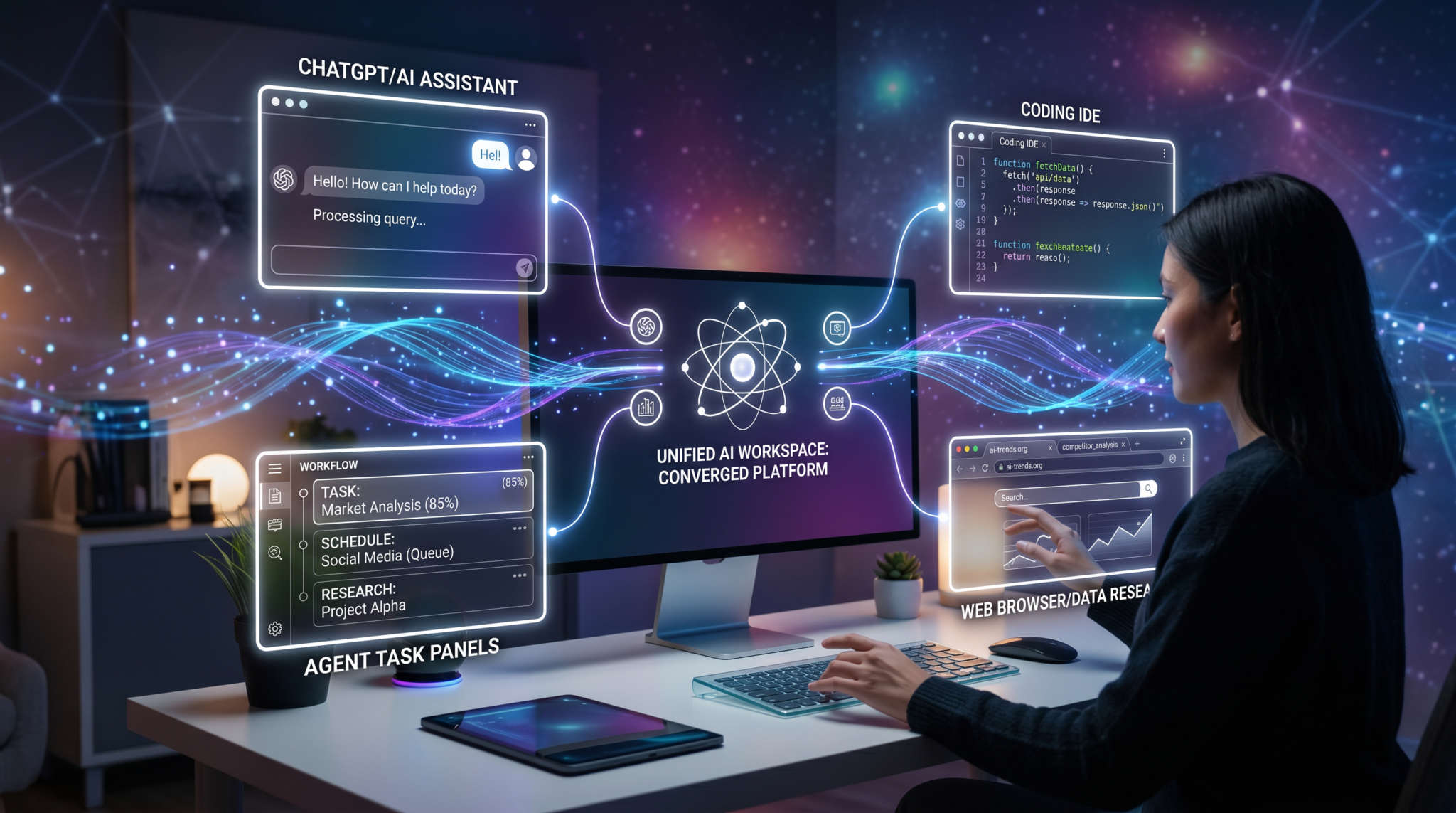
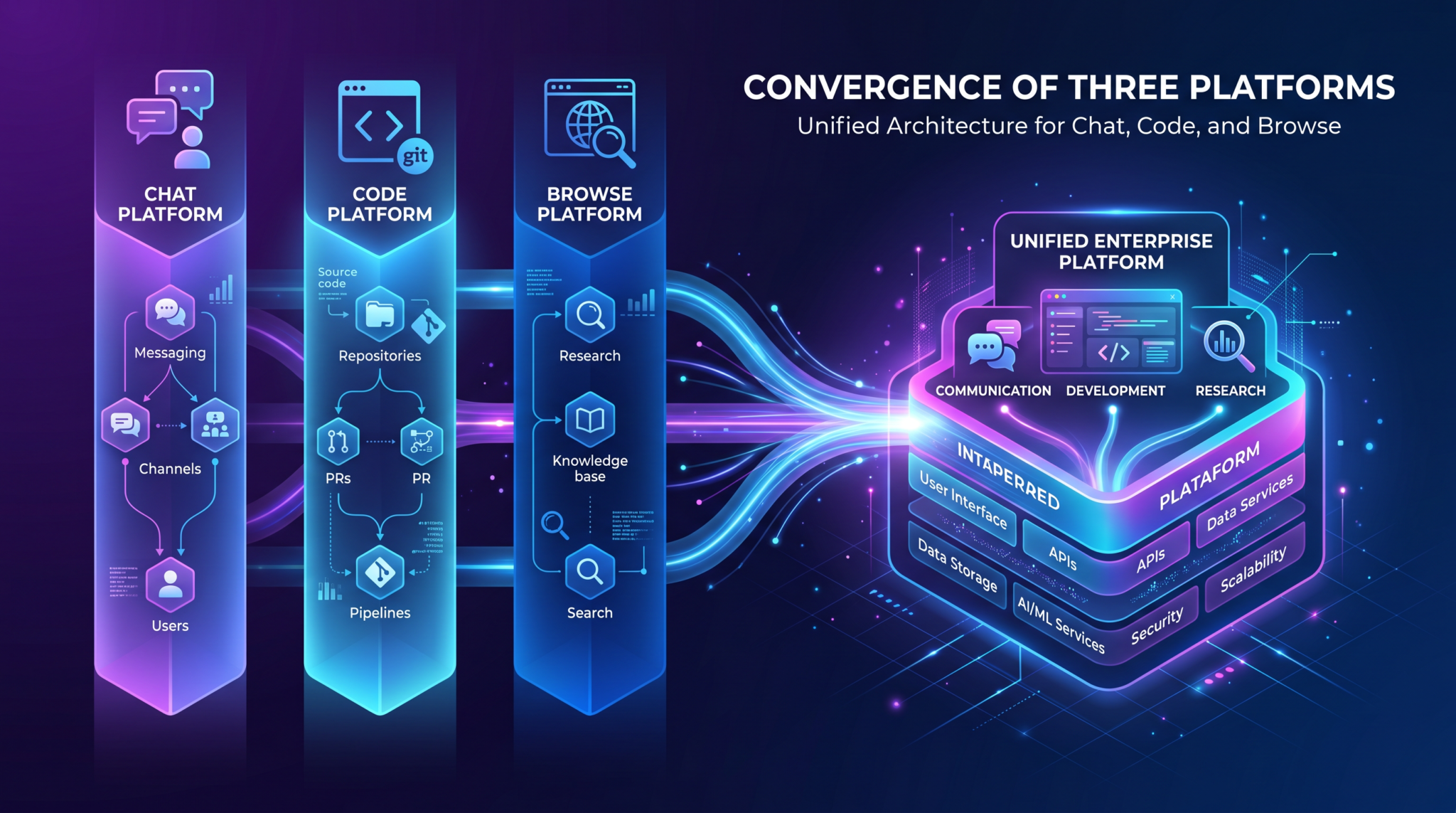
OpenAI is converging ChatGPT, Codex, and agent tooling into a unified superapp platform that spans chat, code, documents, terminals, and an in-app browser. The strategic goal is to convert the fragmented AI experience—separate chat windows, IDE extensions, notebooks, and web automations—into a coherent, governed Work OS where human operators and AI agents share the same workspace, data, and controls. Rather than treating chat as a standalone destination, the superapp re-centers work around persistent projects with tasks, branches, and automations that agents can safely execute under enterprise policy.
This shift is not cosmetic. It recognizes two realities: first, ChatGPT has scaled to 800M+ weekly active users, making it the default learning and problem-solving surface for knowledge workers; second, enterprise AI adoption stalls when outputs must be manually ported into development, operations, or business systems. A superapp closes that loop, moving from “assistive text completion” to “policy-constrained task execution” with artifacts, logs, and approvals preserved in one system. In this model, Codex becomes the command center for agents; ChatGPT provides natural-language reasoning, planning, and collaboration; and the Atlas browser anchors research, RAG, and web automations in a controlled environment.
Strategically, the superapp underpins OpenAI’s enterprise expansion and reportedly aligns with IPO readiness. Consolidation reduces customer confusion and sales friction, enables consistent governance across modalities, and provides a durable platform for premium model releases. Leadership alignment—exemplified by Thibault Sottiaux overseeing both ChatGPT and Codex—signals intent: fewer silos, faster roadmap coordination, and a single pane of glass for users and admins.
Key idea: The superapp reframes AI from “a chat agent that suggests” to “a governed platform that executes.” This unlocks measurable productivity while satisfying security, audit, and compliance requirements.
Timeline: From Separate Products to Unified Platform (2024–2026)
The convergence from standalone apps to a unified superapp unfolds across three phases. The dates below synthesize public pacing and reported strategy, focusing on capability consolidation rather than marketing labels.
Phase 1 — Foundations (2024)
- ChatGPT consolidates enterprise-grade capabilities (SSO, admin console, content controls) and deepens knowledge worker use cases. Admin-facing guardrails start converging across chat and tool use.
- Desktop footprint begins with macOS. The desktop client integrates system-level capture, low-latency conversation, and local file context—laying groundwork for persistent projects.
- Assistants, tools, and GPTs mature toward repeatable task patterns (e.g., code review summaries, spreadsheet transformations), but remain mostly chat-triggered and user-driven.
Phase 2 — Unification (2025)
- Codex evolves from “coding companion” to project-centric workspace. Tasks, branches, file views, terminals, and scheduler-like automations gain cohesion, making Codex a daily driver for engineering and operations teams.
- Atlas browser emerges as a built-in, policy-aware browsing surface for research, data extraction, and testing of web flows—usable by both humans and agents, with capture and citation primitives.
- Accounts, permissions, and audit unify so a single policy stack governs chat, workspace actions, browser access, and tool invocation. Enterprise deployment models (managed identities, conditional access, network egress controls) stabilize.
Phase 3 — Command Center (2026)
- In February 2026, Codex is described as the “command center for agents.” Project graphs visualize agent plans, dependencies, and execution status. Approvals and budgets become first-class controls.
- Windows desktop release introduces native agent sandboxing and deep PowerShell support, extending automation reach into enterprise fleets while preserving least-privilege execution.
- Multi-surface continuity: chat, Codex workspace, and Atlas browser behave as one system—stateful, synchronized, and auditable—backed by a single admin plane.
| Period | User Experience | Agent Capability | Governance |
|---|---|---|---|
| 2024 | Chat-first, desktop client seeds | Tool invocation with human-in-the-loop | Separate controls across surfaces |
| 2025 | Workspace-centric projects | Repeatable tasks, scheduled automations | Unified permissions and audit fabric |
| 2026 | Seamless chat–workspace–browser | Policy-constrained execution graphs | Enterprise-grade sandboxing, approvals, budgets |
Codex as the “Work OS” — Command Center for Agents
Codex is not “an IDE with AI.” It is the operational core where humans and agents co-own a project. The unit of work is a Task—an intention with a concrete definition, context, and constraints. Tasks assemble into a branchable plan with checkpoints, approvals, and verifiable outputs (artifacts and logs). Agents operate inside this structure subject to role-based permissions and environment sandboxes.
Core Concepts
- Projects: A durable container for context—files, credentials (scoped), automations, and execution history. Projects map to products, services, or business processes.
- Tasks: Declarative work items with inputs, acceptance criteria, tool access, and execution budgets. Tasks can run interactively (human-in-the-loop) or headless via automations.
- Branches: Isolated lines of change or investigation (e.g., “hotfix/log-rotation”), supporting safe experimentation by agents and humans with diffable artifacts.
- Artifacts: Typed outputs (code diffs, notebooks, reports, test results) that agents generate and attach to tasks; artifacts are versioned and signed for provenance.
- Terminals: Ephemeral, sandboxed shells bound to a project with controlled credentials and network policies. Agent terminal sessions are logged and replayable.
- Automations: Schedules and triggers (cron-like or event-based) that run tasks under defined policies, with budgets (time, token, API calls) and escalation rules.
Why “Work OS” Matters
Enterprises do not measure success in chats written; they measure lead time reduction, mean time to recovery (MTTR), and change failure rate. Codex’s Work OS orientation attaches AI to these levers. For engineering: agents open branches, propose diffs, run tests, file tickets, and roll out changes via controlled pipelines. For operations: agents triage alerts, correlate logs, run safe remediations, and document incident timelines. For business: agents reconcile datasets, populate dashboards, and draft reports that tie to source evidence via Atlas browser captures.
Codex improves accountability by translating intent (“reduce p95 latency by 20%”) into plan graphs with checkable outcomes. It also centralizes approvals: e.g., “Security sign-off required if new environment variables are introduced” becomes policy, not folklore.
Convergence of ChatGPT, Codex, and Atlas Browser
The superapp works because chat, workspace, and browser are peers, not silos. A single conversation—rooted in ChatGPT—can spawn a Codex task with a linked Atlas research trail, or conversely, a Codex branch discussion can surface into ChatGPT for stakeholder review. Agents can read and act across these surfaces with policy coherence.
ChatGPT: Collaborative Reasoning and Intent Capture
- Natural-language planning that transforms vague needs into structured tasks with acceptance tests.
- Context carryover: Chat memories translate into project context under enterprise policy (admins can set retention windows and redaction rules).
- Human alignment: Chat threads become approval gates—“Ship this branch if regression tests remain green for 24 hours.”
Codex: Execution, Artifacts, and Governance
- Project graph view: tasks, dependencies, and branch lineage. Agent runs display progress, logs, and resource consumption.
- File and terminal integration with fine-grained permissions. Agents obtain only the access the task requires.
- Automations orchestrate repetitive workloads—nightly test suites, weekly compliance checks, monthly cost optimizations—each with budget ceilings and alerts.
Atlas Browser: Evidence, Extraction, and Safe Web Automation
Atlas is the in-app browser surface designed for research, data collection, testing, and controlled web automations. It supports user-driven exploration and agent-driven navigation with transparent capture and citation.
- Evidence capture: snapshots, DOM extractions, and text captures with timestamps and source URLs; content is attached to tasks for reproducibility.
- Policy-aware browsing: admin-defined allow/deny lists, cookie isolation, and consent alignment for data collection.
- Automation primitives: form fill, click, wait, and scrape steps that agents use to execute playbooks against SaaS tools or internal web apps—recorded and auditable.
Together, these surfaces make “research → plan → execute → verify” continuous and observable. An analyst can research in Atlas, draft a plan in ChatGPT, hand off to Codex agents for execution, and report back with linked evidence—without switching tools or losing auditability.
Desktop App Strategy: macOS First, Windows with PowerShell
OpenAI’s desktop rollout underscores the superapp’s “workstation-native” direction. macOS arrived first, consistent with developer concentration and a tractable hardware–software matrix. The macOS client anchors low-latency interactions, local file context, and an ergonomic bridge between chat, workspace, and browser.
Why macOS First
- Ecosystem consolidation: a relatively uniform platform for packaging, keyboard navigation, screen capture, and privacy permissions (e.g., file and screen access prompts).
- Developer affinity: many product teams and ML practitioners already use macOS as their daily driver, improving early feedback loops for Codex and agent features.
- Security posture: Apple’s sandboxing and notarization pipelines provide predictable controls for enterprise deployments through MDM.
Windows Release: Native Agent Sandboxing and PowerShell
The Windows client expands the superapp’s automation reach across global enterprise fleets. Two implementation pillars matter most:
- Native agent sandboxing: agents execute in constrained containers with scoped filesystem, registry, and network access, minimizing blast radius. Sandboxes can be classed by trust level and task type.
- PowerShell integration: agents run vetted PowerShell modules and scripts under role-based policies. Output is streamed back to tasks, with command-level logs for audit and rollback.
Enterprises should expect policy controls that bind agent privileges to identity, device posture, and network context. For example, “Allow PowerShell remediation only on corporate-owned devices with EDR healthy” becomes enforceable in the Windows client policies.
Agent Architecture: How Tasks, Branches, Files, Terminals, and Automations Work Together
Under the hood, agent execution in the superapp follows a plan-then-act cycle within a governed runtime. The architecture can be viewed as four cooperating layers: Orchestration, Capabilities, Environment, and Governance.
1) Orchestration Layer
- Planner: transforms a human intent (via ChatGPT) or a template (in Codex) into a directed acyclic graph (DAG) of tasks with explicit dependencies and acceptance criteria.
- Dispatcher: schedules tasks to agent runtimes based on policy, resource budgets, and expected duration; supports preemption and backoff strategies.
- Observer: monitors runtime signals—token usage, API calls, error rates, file diffs, test results—and feeds them back to the planner for replanning or escalation.
2) Capabilities Layer
- Tools and connectors: code editors, test runners, package managers, database clients, web automation primitives, cloud SDKs, and enterprise app APIs with scoped tokens.
- Data interfaces: structured RAG endpoints, vector stores, and cataloged datasets with schema and PII classification available to agents under policy.
- System operations: shell/PowerShell modules, process management, and diagnostics, each wrapped with logging and guardrail prompts.
3) Environment Layer
- Files: project-scoped virtual filesystem mapping local and remote repositories with content filters (e.g., agents cannot read secrets files unless policy-bound).
- Terminals: ephemeral shells with environment variable injection from a secrets vault; every command, stdout/stderr, and exit code is stored as a tamper-evident log.
- Atlas browser: headless or interactive browsing context with isolated cookies and network routes for internal versus external web automation.
4) Governance Layer
- Policy engine: declarative constraints (who/what/where/when) for each tool, dataset, and environment; supports break-glass and multi-party approvals.
- Audit and provenance: immutable execution logs that tie artifacts to inputs, agents, tools, and time, enabling forensics and regulatory evidence.
- Budgeting: time, token, and cost ceilings per task or project; soft and hard stops with notification and escalation.
Execution Flow
- Intent intake in ChatGPT or task template selection in Codex.
- Planner generates or updates the DAG; tasks map to branches and artifacts.
- Dispatcher allocates tasks to agent runtimes with bound capabilities.
- Agents operate within terminals, files, and Atlas browser contexts as allowed; every step logs to the task record.
- Observer evaluates acceptance criteria; failing nodes trigger replanning or human escalations.
- Upon success, artifacts are signed and linked; automations may schedule follow-ups (e.g., watch for regressions for 48 hours).
This architecture turns agents into safe, composable workers that leave a paper trail. It also enables progressive autonomy: the same plan can run fully automated in a dev sandbox, semi-automated in staging (with approvals), and suggest-only in production.
Enterprise Implications: Why IT Departments Care
IT organizations evaluate AI through the lenses of productivity, control, and risk. The superapp model advances all three by embedding AI into governed workflows and endpoints rather than keeping it in a web-only chat silo.
Productivity and Standardization
- Unified surface: fewer tools to deploy and train; chat, coding, research, and automation share controls and telemetry.
- Reusable automations: codify repetitive tasks (e.g., quarterly access reviews, cost anomaly checks) once in Codex and apply across teams.
- Cross-role collaboration: analysts, developers, and operations staff work in the same project with tailored permissions and shared artifacts.
Governance and Compliance
- One policy plane: consistent DLP, data residency, and consent controls across chat, file access, terminals, and web automations.
- Audit alignment: task-centric logs tie together all surfaces, simplifying SOX, ISO 27001, SOC 2, and incident postmortems.
- Vendor risk management: consolidation reduces the number of AI vendors handling sensitive data; contracts and DPAs simplify.
Cost and Procurement
- License consolidation: one platform replaces multiple subscriptions (chat, IDE AI, RPA-lite, browser automation).
- Usage governance: budgets and metering at task and project levels curb runaway spend; chargeback models become feasible.
- Device posture leverage: desktop clients respect EDR, MDM, and conditional access, improving ROI on existing security investments.
For executive sponsors, the question becomes: if AI can now plan and execute under policy, where do we achieve the fastest payback without expanding risk? The answer typically lies in operations toil, internal tooling maintenance, compliance evidence gathering, and data hygiene—high-volume, rule-bound work that benefits from safe automation and impeccable audit trails.
The Competitive Landscape: vs Microsoft Copilot, Anthropic Claude, Google Gemini
The superapp enters a crowded field where horizontal assistants are anchoring into enterprise stacks. Understanding differentiation is essential for platform strategy, integrations, and spend allocation.
Microsoft Copilot
- Strengths: deep integration with Microsoft 365, Teams, Windows, Power Platform, and Azure; identity and device trust are first-class citizens.
- Gaps the superapp targets: cross-vendor development workflows, research capture with linked evidence, and a unified project graph spanning chat, files, terminals, and browser automations.
- Coexistence pattern: Copilot remains the default inside M365, while the superapp handles multi-system projects and agent-driven automations with richer execution controls.
Anthropic Claude
- Strengths: model helpfulness and safety emphasis, strong reasoning, and simplicity for end-users; artifacts-like experiences aid developer workflows.
- Gaps the superapp targets: native terminals, system-level sandboxes, and persistent project orchestration with budgets and approvals baked in.
- Coexistence pattern: Claude for conversational ideation; the superapp for governed execution that requires terminals, browser automation, and enterprise policy unification.
Google Gemini
- Strengths: Workspace and Google Cloud integration, strong search and web capabilities, agent frameworks tied to Vertex AI and Google services.
- Gaps the superapp targets: consistent desktop sandboxes across macOS and Windows, and first-party unification of chat, code workspace, and policy-aware browser in a single app.
- Coexistence pattern: Gemini shines in Workspace-native document workflows; the superapp orchestrates cross-environment execution where terminals, repositories, and non-Google SaaS are central.
| Dimension | OpenAI Superapp | Microsoft Copilot | Anthropic Claude | Google Gemini |
|---|---|---|---|---|
| Unified Surfaces | Chat + Workspace + Browser | M365 apps + Windows | Chat + artifacts | Chat + Workspace (Docs/Sheets) + Cloud tools |
| Agent Execution | Tasks/branches, terminals, automations | Graph-based flows, Power Platform | Tool use, fewer system-level controls | Vertex agents, AppSheet automations |
| Desktop Sandboxing | macOS + Windows native | Windows native | Browser-first | Browser + ChromeOS orientation |
| Governance Focus | Unified policy plane across surfaces | Entra/Intune integrated | Safety at model level | Cloud IAM + DLP |
Developer Workflow Changes: From Chat Interface to Workspace Interface
Developers will experience a material shift: the primary AI surface becomes a workspace organized around projects, tasks, branches, and artifacts rather than a single infinite chat. The chat remains—but as a control plane for planning, approvals, and discussion attached to concrete work items.
Daily Flow in the Superapp
- Start in Codex: open a project, review the task board, and examine failing nodes in the plan graph.
- Use ChatGPT to refine scope: define acceptance tests or sanity checks; convert discussion into a task with a branch scaffold.
- Let agents propose diffs: agents open branches, implement changes, run tests; you review artifacts (diffs, logs, benchmarks) in one place.
- Iterate with Atlas: capture web references, API docs, or competitor behavior; attach evidence to the task to justify design choices.
- Merge and automate: once satisfied, promote the branch; configure a follow-up automation to monitor regression metrics for a period.
Why This Outperforms Chat-Only
- Persistent context: tasks carry structured inputs and acceptance criteria; agents don’t re-learn context each session.
- Verifiable outputs: artifacts are typed and testable; governance requires approvals when risk thresholds are crossed.
- Reduced cognitive load: instead of scrolling history, developers navigate a plan graph with status and dependencies.
Organizations should retrain teams to think in “task + artifact” units and to treat the chat as an overlay to orchestrate, not the storage of record. Codex becomes the record; ChatGPT and Atlas are how you think, discuss, and gather evidence.
For a deeper look at day-to-day mechanics, see our Codex development workflow guide.
Security and Governance: Permissions, Audit Trails, Sandboxing
The superapp’s viability in enterprises depends on security controls that match or exceed those of traditional tooling. Below are the pillars security and compliance teams should evaluate and configure from day one.
Identity, Access, and Secrets
- SSO and conditional access: enforce MFA and device posture; bind agent capabilities to the signed-in user or service principal.
- Role- and task-based controls: permissions scoped to projects, tools, datasets, terminals, and browser automations; approvals required for privilege escalation.
- Secrets management: central vault integration; policy determines which tasks can read which secrets; all access logged and alertable.
Data Handling and DLP
- Data classification: tasks inherit classification from project; agents cannot exfiltrate higher-classification data to lower-trust tools or destinations.
- Redaction and minimization: sensitive fields auto-redacted in logs and chat; prompt inputs are filtered to prevent unintentional leakage.
- Residency and routing: model calls and storage follow residency policy; admins can pin regions and restrict cross-border processing.
Execution Controls
- Sandboxing: terminals with filesystem/network guardrails; Windows adds native sandboxing for registry and process controls; macOS leverages OS-level app sandboxes.
- Budgeting and rate limits: cap token usage, external API calls, and runtime; enforce per-task and per-project ceilings with alerts and auto-stop.
- Change controls: mandatory reviews for destructive operations (e.g., database writes, production deploys); two-person rule for break-glass sessions.
Audit and Forensics
- Unified logs: every command, file edit, browser action, and tool call is tied to a task and user/agent identity with timestamps.
- Provenance: artifacts are signed; origin inputs (files, web captures) are hashed and referenced for verification.
- Telemetry export: SIEM integrations for anomaly detection; data normalized across chat, Codex, and Atlas.
These controls turn AI from a shadow IT risk into an auditable, governable asset. Security leaders should be part of the platform steering committee and codify policies as code from the outset.
For enterprise-focused controls in ChatGPT specifically, see our breakdown of ChatGPT enterprise features.
What’s Coming Next: GPT-5.6 Sol Ultra in Codex, Expanded Agent Capabilities
OpenAI’s model roadmap feeds directly into the superapp. The next wave, signposted by references to GPT-5.6 Sol Ultra in Codex contexts, implies higher-latency but superior planning and code synthesis reserved for task execution, while lighter models power conversational throughput. Expect dynamic model selection: planners reach for the most capable model for plan synthesis and refactoring; executors use optimized models for tool routing and code edits.
Anticipated Capability Expansions
- Multi-agent ensembles: specialized agents (planner, researcher, implementer, tester, reviewer) coordinate under a single task, each with scoped permissions.
- Policy-aware RAG: retrieval pipelines enforce data entitlements and masking at query-time, reducing the need for data duplication while protecting PII/PHI.
- Local assist: selective on-device inference for privacy-sensitive pattern checks, diff summarization, or autocomplete, with seamless handoff to cloud models for heavy reasoning.
- Atlas automation kits: reusable playbooks for common SaaS and internal tools; parameterized and signed, with versioning and approval workflows.
- Observability layer: dashboards that quantify agent ROI (time saved, incidents remediated, code review throughput) by team, project, and automation.
Model improvements alone do not deliver enterprise value; it is the unification of models with governance, sandboxes, and project graphs that converts raw intelligence into measurable outcomes. The superapp is the vessel for that conversion.
Practical Guide: How to Prepare Your Organization for the Unified Platform
Preparation requires coordinated action across IT, security, data, and line-of-business teams. The goal is to land quick wins while establishing durable guardrails and a re-usable automation portfolio.
1) Establish a Cross-Functional AI Platform Council
- Membership: platform engineering, security, data governance, legal, procurement, and champions from software, operations, and analytics teams.
- Mandate: define policy baselines, prioritize pilot use cases, evaluate telemetry, and steer change management.
2) Inventory Systems, Data, and Automatable Tasks
- Systems: code repositories, CI/CD, ticketing, observability, cloud accounts, SaaS tools, and internal web apps.
- Data: catalog datasets by sensitivity and residency; mark PII/PHI and regulated domains for strict policies.
- Tasks: identify high-toil, rule-based workflows that cause delays or interruptions (e.g., on-call runbooks, access reviews, cost anomaly triage, data reconciliation).
3) Define Policy as Code from Day One
- Identity-bound permissions: map roles to tools and datasets per environment (dev, staging, prod).
- Execution budgets: set defaults and escalation paths; treat cost ceilings as quality gates.
- Approval rules: enforce multi-party review for high-risk operations; pre-approve low-risk automations in dev/staging.
4) Pilot in Contained Domains with Clear Metrics
- Engineering: agent-led branch proposals for bug fixes and dependency updates; measure PR cycle time and defect escape rate.
- Operations: incident triage suggestions with approved remediations; measure MTTR and alert fatigue reduction.
- Analytics: Atlas-backed research and report generation with citations; measure analyst throughput and rework.
5) Build an Automation Catalog
- Template tasks: parameterized tasks for common jobs (upgrade library, rotate keys, backfill data, reconcile spend).
- Atlas playbooks: reusable browser automation sequences for SaaS admin tasks (license audits, permission checks).
- Governance profiles: attach policy packs (sandbox levels, budgets, approvals) to templates to standardize safety.
6) Integrate with Tooling You Already Trust
- Source of truth: connect repos, ticketing, and observability; ensure agents can read/write with scoped tokens.
- Security stack: route logs to SIEM; enforce EDR and DLP on desktop clients; apply conditional access rules.
- Data access: integrate with data catalogs and entitlement systems to enforce row/column-level security.
7) Upskill Teams and Adjust Processes
- Training: teach “task + artifact + approval” as the unit of work; reframe chat as orchestration interface.
- Runbooks: translate human runbooks into agent-executable tasks with testable acceptance criteria.
- Change management: socialize policy defaults and escalation paths; publish a living automation catalog.
8) Govern Rollout with Transparent Metrics
- Value metrics: time saved, cycle time reductions, MTTR improvements, and automation coverage ratio.
- Risk metrics: number of policy violations prevented, sandbox escapes (should be zero), and break-glass events.
- Adoption metrics: active projects, agent-run success rates, and user NPS segmented by role.
For a market overview to benchmark against alternatives, see our landscape of AI agent platforms.
Reference Architecture and KPIs
Reference Architecture
- Identity and Access: SSO provider with conditional access; role mapping to project, tools, and datasets.
- Network and Egress: allowlist model endpoints; proxy Atlas traffic; segment dev/staging/prod through network policies.
- Secrets: centralized vault; short-lived tokens; task-scoped secret injection; rotation via automations.
- Observability: export audit logs to SIEM; set alerts on budget overages, privileged tool invocations, and break-glass events.
- Desktop: macOS and Windows clients managed via MDM; device posture required for agent execution.
- Data: catalog with sensitivity tags; RAG endpoints enforce entitlements; logs redact sensitive fields by default.
Key Performance Indicators
| KPI | Definition | Target After 90 Days |
|---|---|---|
| Automation Coverage | % of candidate tasks executed by agents at least once | 30–40% |
| Cycle Time Reduction | Change lead time improvement on agent-touched PRs | 20–30% |
| MTTR Improvement | Mean time to recovery reduction on incidents using agent runbooks | 15–25% |
| Policy Violations Prevented | Count of blocked unapproved operations (per month) | Baseline + trending down |
| User Adoption | Weekly active projects and agent run success rate | Growing WAUs; >80% success rate |
Decision Checklists and Rollout Plan
Security Review Checklist
- Identity: SSO enforced; conditional access configured; service principals for automations.
- Permissions: per-project RBAC; per-tool and per-terminal policies; approvals for privileged actions.
- Data: classification tags; DLP rules; residency pinned; prompt and log redaction enabled.
- Execution: sandbox profiles (dev/staging/prod); budgets and rate limits; break-glass controls with justification.
- Audit: log export to SIEM; retention policies; provenance signatures on artifacts.
Architecture Readiness Checklist
- Integrations: repositories, CI/CD, ticketing, observability, secrets vault, data catalogs connected.
- Atlas networking: proxy in place; allow/deny lists configured; cookie isolation tested.
- Desktop posture: EDR/MDM enforcement; Windows sandbox policies and PowerShell module allowlists defined.
- Automation catalog: priority templates published; owners assigned; SLAs set for maintenance.
30-60-90 Day Rollout Plan
| Phase | Objectives | Deliverables | Metrics |
|---|---|---|---|
| Days 0–30 | Establish guardrails and pilots | Policy baselines, initial integrations, 3 pilot use cases | Policy coverage, pilot NPS, first automation runs |
| Days 31–60 | Prove value and harden | Automation catalog v1, SIEM dashboards, budget alerts | Cycle time gains, MTTR reduction, violation prevention |
| Days 61–90 | Scale and standardize | Policy-as-code repo, training program, expanded teams | Adoption growth, automation coverage ≥30% |
Access 40,000+ AI Prompts for ChatGPT, Claude & Codex — Free!
Subscribe to get instant access to our complete Notion Prompt Library — the largest curated collection of prompts for ChatGPT, Claude, OpenAI Codex, and other leading AI models. Optimized for real-world workflows across coding, research, content creation, and business.
Executive FAQ
How does the superapp affect our existing ChatGPT deployment?
Expect convergence rather than replacement. ChatGPT remains the conversational front door. Codex and Atlas add project persistence, execution, and evidence. Admins gain a single policy plane across surfaces. Existing enterprise features carry forward with tighter integration.
Will developers still use IDEs?
Yes. IDEs stay essential for local editing and debugging. The superapp becomes the orchestration and evidence layer: tasks, agent runs, terminals, and artifacts. IDE plugins can complement by linking local edits to Codex tasks and branches.
What are the fastest payback use cases?
Agent-led dependency updates, linting and refactoring, playbook-driven incident triage, compliance evidence gathering via Atlas, and SaaS admin hygiene (license audits, permission checks) tend to show immediate ROI.
How do we prevent agents from overreaching?
Bind every capability to role, device posture, and project; require approvals for high-risk operations; use budgets; keep terminals and Atlas automations sandboxed; and export telemetry to SIEM for anomaly detection.
What changes with the Windows release?
Native agent sandboxing tightens control on Windows fleets; PowerShell integration expands automation reach across endpoints and servers while preserving auditability and least-privilege.
Who should own the platform internally?
Platform engineering with a charter to partner with security and data governance. Line-of-business teams own their automation catalogs and acceptance criteria, but platform sets the guardrails and provides shared tooling.
How does the rumored IPO intersect with product strategy?
An IPO typically favors predictable enterprise revenue and coherent product narratives. The superapp simplifies packaging, unifies governance, and creates clear upgrade paths tied to premium models—aligning product with enterprise purchasing and compliance processes.
