
Configure Touch ID Verification for Codex MCP Requests: Permission Boundaries, Workspace Identity, Approval Evidence, and Recovery

What Touch ID verification adds to Codex MCP requests in 0.155.0
OpenAI’s official changelog lists Codex CLI 0.155.0 on September 17, 2026, and includes “Touch ID verification for MCP requests in supported local macOS TUI sessions” among the release’s new features. The important operational reading is narrow: in the supported local terminal user interface on supported Macs, Codex can require a platform Touch ID verification step when an MCP request is being made. That step can help confirm that the person present at the Mac is the local device user who satisfied the platform biometric prompt, but it does not prove that the request is allowed by a workspace administrator, that the MCP server is safe, that the tool call is within scope, or that the data being sent is permitted.
The reason this matters is that MCP requests can sit at a dangerous intersection: an agentic coding session, a local workspace, an external or local tool server, credentials or OAuth sessions, and a human approval flow. Touch ID verification can raise the assurance that a sensitive request was not triggered silently by a background process, stale terminal session, or unattended prompt. It does not transform the Mac’s biometric check into a complete authorization system. Teams that treat the fingerprint prompt as “approval” risk collapsing separate controls that should remain independent.
This guide treats Touch ID-backed MCP verification as one layer in a multi-control design. The layer is useful when it is paired with Codex permissions, MCP server governance, workspace identity controls, approval evidence, and recovery procedures. The same layer becomes risky when it is used as a shortcut for broad tool permissions, blanket network access, unreviewed data movement, destructive commands, external publication, payments, legal commitments, or credential changes. A biometric prompt can confirm presence; it cannot decide business purpose.
OpenAI’s Codex security documentation frames filesystem access, network access, command execution, approvals, and review behavior as explicit trust boundaries. Administrators can use approval modes that always ask for external-file edits and internet use, selectively ask for potentially unsafe actions, or apply administrator-defined custom policies. The documentation also notes that “Full access” can be disabled through requirements configuration. Touch ID verification should be layered onto those boundaries rather than placed above them.
For advanced Codex users, the practical question is not “Is Touch ID secure?” but “What fact does this prompt establish, who can rely on that fact, and what evidence remains afterward?” A supported Mac can verify a local device user through the operating system flow. It does not verify the repository owner’s intent, the workspace’s current identity posture, the MCP server’s change-control status, the data classification of the files involved, or whether a manager, legal reviewer, security owner, or customer has approved the action. Each of those must be evaluated through a separate control.
This guide covers Codex CLI 0.153.0 changes around terminal ergonomics, remote plugin marketplaces, safer reconnects, Guardian history, approval history, and MCP control behavior. The Codex CLI 0.153.0 Complete Guide: Vim Undo, Remote Plugin Marketplaces, Safer Reconnects, Guardian History, and MCP Controls article is a focused companion for Codex MCP Controls because it is the strongest match for a marker about Codex MCP controls because the excerpt explicitly names MCP control behavior and approval history in Codex CLI.
The core boundary: authentication is not authorization
In identity systems, authentication answers “Who or what is presenting?” Authorization answers “What may that identity do in this context?” Touch ID verification for a local Codex MCP request is an authentication-adjacent control because it can require the local user to satisfy a device-level platform prompt. It is not a complete authorization decision because it does not independently inspect policy, data rights, task scope, regulatory limits, procurement approval, customer contracts, or tool trust.
A safe deployment keeps seven layers separate: device-user authentication, workspace identity, MCP server identity, tool permission, data authorization, business approval, and audit evidence. If any one layer is missing, the team should not fill the gap by pointing to Touch ID success. For example, a developer may successfully verify with Touch ID before a tool request, yet the MCP server may still be unapproved for the workspace, the requested file may contain confidential customer data, or the requested action may require a change ticket.
The changelog’s wording also matters because it limits the feature to “supported local macOS TUI sessions” and “supported Macs.” That is not a universal guarantee across every operating system, Codex surface, remote environment, build, enterprise policy, or rollout state. Administrators should avoid policies that assume Touch ID will always be available. A secure policy needs a defined recovery path for unsupported Macs, unavailable sensors, cancelled prompts, failed verification, remote sessions, accessibility constraints, device repair, and emergency access scenarios.
A failed or unavailable biometric verification should never become a reason to downgrade the request into unverified execution. The appropriate design is a recovery workflow: pause the request, record the reason, require an approved alternate verification or administrative exception, and preserve enough evidence for later review. The wrong design is a bypass button, a shared account, a teammate’s fingerprint, a blanket allow rule, or disabling the administrator’s Codex requirements because the biometric prompt created friction.
Operational rule: treat Touch ID success as evidence that a local platform verification occurred for a supported session, not as evidence that the requested MCP action is safe, permitted, scoped, lawful, or approved.
A practical control matrix for Touch ID-backed MCP requests
The following matrix separates the assurance layers that often get conflated during MCP rollout. Use it when writing administrator policy, incident runbooks, developer guidance, or evidence requirements. The goal is to prevent a single biometric prompt from carrying more meaning than it can support.
| Control layer | Question it answers | What Touch ID can contribute | What Touch ID does not prove | Required companion control |
|---|---|---|---|---|
| Device-user authentication | Is the local Mac user present and able to satisfy the platform verification flow? | In supported local macOS TUI sessions on supported Macs, Touch ID verification can add a local user-presence check for MCP requests. | It does not prove the person is acting under the right workspace, role, ticket, contract, or business authority. | Device management, screen-lock policy, account hygiene, session timeout rules, and documented recovery procedures. |
| Workspace identity | Which Codex, ChatGPT, or organizational workspace context is being used? | It can add friction before a request proceeds in the local session. | It does not prove that the workspace identity is correct, current, or authorized for the repository and task. | Workspace membership review, account switching controls, identity-aware logging, and administrative policy. |
| MCP server identity | Which MCP server is receiving the request or exposing the tool? | It may confirm that a local user approved proceeding at that moment, depending on supported behavior and policy. | It does not establish that the MCP server is trusted, patched, owned, reviewed, or connected to an approved environment. | Server allowlists, owner assignment, change review, version tracking, endpoint inventory, and disablement for unknown servers. |
| Tool permission | What can the MCP tool do: read, write, execute, call a network service, modify records, or trigger side effects? | It can provide a user-presence checkpoint before a tool request. | It does not limit the tool’s capability or guarantee least privilege. | Codex permissions, sandbox configuration, command restrictions, network rules, and administrator-defined approval requirements. |
| Data authorization | Is the data in scope for this tool, task, user, jurisdiction, and retention rule? | It can help show that a local verified user was present before the request. | It does not classify data, grant privacy rights, waive confidentiality, or satisfy legal basis requirements. | Data classification, repository boundaries, redaction, minimum necessary access, and records of permitted use. |
| Business approval | Has a qualified human approved a consequential action? | It can be one item of supporting evidence that the local requester was present. | It does not approve payments, purchases, publication, deletion, credential changes, legal commitments, customer messages, or production changes. | Change tickets, peer review, manager sign-off, legal or security review, and explicit final confirmation before external or destructive action. |
| Audit evidence | Can the organization reconstruct what happened, when, under which identity, and with what approval? | It may add a verification event to the evidence story if logs capture it according to the product and environment behavior. | It does not automatically create a complete audit trail or prove the content of the user’s intent. | Timestamped logs, request details, tool identity, policy decision, approval record, diff or output capture, and incident-retention rules. |
This matrix should be used as a design checklist before enabling MCP tools broadly. A team can decide that high-risk MCP requests require Touch ID plus administrator approval plus a ticket reference plus a data classification check. A different team may decide that low-risk read-only internal documentation queries require only workspace authentication and an approved MCP server. The point is to make the decision explicit and reviewable rather than allowing a biometric prompt to imply everything.
This enterprise security guide explains OpenAI API mutual TLS, X.509 workload identity federation, certificate configuration, and identity provider setup for organization-controlled API access. The OpenAI API Mutual TLS and X.509 Workload Identity: Complete Enterprise Security Guide article is a focused companion for Enterprise Identity Governance because touch ID verification and workspace identity boundaries need an identity-governance companion, and this post directly addresses enterprise workload identity rather than generic AI governance.
Supported local TUI sessions: what administrators should assume and what they should not
The changelog identifies the feature in the context of supported local macOS TUI sessions on supported Macs. Administrators should therefore avoid writing universal control language such as “all MCP requests are biometrically verified.” A more accurate policy phrase is: “Where supported and enabled, local macOS Codex TUI MCP requests may require platform Touch ID verification; unsupported sessions must follow the documented alternate approval path.” That phrasing leaves room for plan, account, app, region, rollout, build, and workspace-policy variation.
Local TUI context matters because the trust model is different from a browser-only workflow, a remote automation service, a CI runner, or a shared terminal environment. Touch ID depends on the local device’s platform security flow. If a developer is using a remote shell, virtual desktop, shared jump host, containerized environment, or non-macOS workstation, administrators should not assume that the same verification event exists. The policy should define whether MCP is permitted in those environments and what compensating controls are required.
Supported Mac context also matters for recovery. Hardware failure, enrolled-fingerprint changes, operating system updates, device replacement, and accessibility needs can make biometric verification unavailable. The conservative recovery pattern is to require a verified alternate path that is at least as controlled as the normal path: identity confirmation through approved enterprise identity processes, a time-limited exception, scoped MCP access, explicit ticketing, and post-use review. The recovery pattern should not be a broad exemption that outlives the incident.
Security teams should also avoid asking users to expose biometric information. Touch ID verification is a platform flow; the organization should not request fingerprints, images of fingers, biometric templates, screenshots of sensitive prompts, or recordings of the verification act. Evidence should focus on the request, the policy decision, the local verification result if surfaced by approved logs, the user and workspace identity, and the human approval record for consequential actions.
How Touch ID fits with Codex permissions and approvals
OpenAI’s Codex security-administration documentation describes permissions and approvals as explicit trust boundaries for filesystem access, network access, command execution, and review behavior. That means Touch ID should be modeled as a precondition or additional confirmation for specific MCP requests, not as a replacement for the existing permission system. If administrator policy says that internet use must be approved, a successful biometric check does not remove the need for that approval. If policy says external-file edits always require review, Touch ID does not make the edit automatically acceptable.
Administrators should map MCP tools by capability rather than by convenience. A read-only documentation search tool is materially different from a tool that can create tickets, rotate credentials, update production configuration, send Slack messages, publish packages, delete branches, or write to an external database. Touch ID may be reasonable as one checkpoint for several of those tools, but the permission and approval model must still reflect the tool’s worst credible side effect.
For coding teams, the most common failure mode is confusing “the user touched the sensor” with “the user reviewed the request.” A developer might verify quickly because the prompt appears routine, while the tool request includes an unexpected path, endpoint, repository, branch, customer identifier, or command argument. A safe interface and workflow should require the user to review the material facts of the request before verification, and high-risk actions should require a second explicit approval after the generated plan or diff is visible.
For enterprise administrators, the most important design question is which requests should trigger verification. A conservative starting policy is to require the strongest available verification for MCP requests that cross workspace boundaries, access sensitive repositories, call external networks, modify state, invoke credential-related workflows, or produce external side effects. Low-risk internal read-only requests may still need logging and server allowlisting, but may not require the same escalation if organizational policy permits.
Recommended policy language for separating consent, approval, and evidence
The following sample language is a recommendation, not an OpenAI policy statement. It is designed for teams that want to adopt Touch ID-backed MCP verification without overstating what it proves. Legal, HR, security, and works-council review may be necessary depending on jurisdiction and organizational context.
Recommended policy clause: Touch ID-backed MCP verification

Where supported by Codex, macOS, the local TUI environment, and workspace policy,
MCP requests may require platform Touch ID verification before proceeding. A successful
Touch ID verification establishes only that the local platform verification step was
satisfied for that session. It does not establish business authorization, data access
rights, tool trust, external publication approval, payment approval, legal approval,
or permission to perform destructive actions.

All MCP requests remain subject to Codex permissions, administrator policy, workspace
identity controls, server allowlists, data classification rules, task scope, and
human approval requirements. Failed, cancelled, or unavailable Touch ID verification
must pause the request and follow the approved recovery process. Users must not share
accounts, enroll another person’s biometric factor for work bypass purposes, disable
security controls, or grant blanket tool permissions to avoid verification.
This clause deliberately avoids promising that every MCP request is biometrically protected. It also tells users what not to do during friction: do not borrow identity, do not bypass, and do not treat verification as universal authorization. The wording is especially important in mixed fleets where some developers use supported Macs and others use unsupported devices or remote environments.
A second clause should define consequential operations. This prevents teams from debating whether a specific MCP request is “just a tool call” after the fact. Consequential operations should include external messages, submissions, payments, purchases, bookings, destructive actions, permission changes, publication, legal commitments, credential changes, production changes, and other operations that materially affect customers, systems, finances, rights, or obligations.
Recommended policy clause: consequential MCP actions

Codex and MCP tools must not perform consequential operations solely on the basis of
Touch ID verification. Consequential operations require explicit qualified human
approval, visible review of the proposed action, confirmation of the target system
and data scope, and preservation of evidence sufficient for audit and incident review.
These policy clauses are intentionally conservative. They allow Touch ID to improve local assurance while preserving the decision rights of administrators, security teams, legal reviewers, data owners, and business approvers. They also provide a defensible answer when an incident review asks why a biometric prompt was not treated as a blanket approval.
Opening configuration decisions before enabling the feature
Before rolling the feature into routine MCP use, administrators should inventory where Codex CLI 0.155.0 or later is actually installed, which users are running supported local macOS TUI sessions, and which MCP servers are configured. The official changelog is point-in-time release evidence, not proof that every account, build, workspace, or environment has the same behavior. A staged rollout with a known test group is safer than assuming uniform availability.
The first configuration decision is the risk tier for each MCP server. Assign owners, document purpose, identify whether the server is local or external, record what data it can access, and describe the side effects its tools can produce. A server that only reads a local index of public developer documentation belongs in a different tier from a server that can create cloud resources, change identity permissions, query customer data, or publish artifacts.
The second configuration decision is the minimum approval path for each risk tier. Low-risk read-only tools may require server allowlisting and logging. Medium-risk tools may require Touch ID verification plus request review. High-risk tools should require Touch ID where supported, explicit human approval, task or ticket linkage, data-owner authorization, and post-action evidence. If the tool can delete, publish, pay, purchase, submit, change permissions, or make legal commitments, the default should be human review before execution and preserved evidence after execution.
The third configuration decision is the recovery path. Define what happens when Touch ID is cancelled, fails, is unavailable, or is not supported. The secure response is not “try another unverified route.” The secure response is to stop the MCP request, verify identity through an approved alternate mechanism, confirm business authorization, and create a record explaining why the alternate path was used. Recovery exceptions should be time-limited, scoped to the task, and reviewed after use.
The fourth configuration decision is evidence retention. Decide what must be captured for an MCP request: user identity, workspace identity, device or session context where appropriate, MCP server identity, tool name, request summary, files or resources involved, approval prompts, policy outcome, denial or cancellation reason, resulting diff or output, and timestamps. Avoid collecting unnecessary confidential content, secrets, personal identifiers, or biometric data. Evidence should support accountability without expanding the data exposure created by the tool call.
Who should care: developers, founders, administrators, security teams, and legal-technology users
Developers should care because Touch ID prompts can appear in the middle of a flow that feels like ordinary coding but may involve external tools, workspace files, credentials, or network services. The safest habit is to read the MCP request as if approving a pull request: check target, scope, data, command, side effect, and rollback. If the request is unclear, cancel it and ask Codex to restate the intended action in concrete terms before attempting again.
Founders and engineering leaders should care because early-stage teams often adopt powerful tool integrations before formal governance catches up. A biometric prompt can create a false sense of enterprise readiness if the company has not assigned MCP server ownership, separated production from development, defined data classes, or documented who may approve external actions. Touch ID is a helpful control only when the business process around it is mature enough to interpret the signal correctly.
Enterprise administrators should care because supported local biometric verification introduces a new policy dimension across a heterogeneous fleet. Some users may have supported Macs, some may not, and some may work in remote or restricted environments where the feature is irrelevant. Administrators need policy language that works across that diversity while preserving least privilege and avoiding discriminatory or inaccessible recovery practices.
Security teams should care because MCP requests can become an agent-mediated path to data movement, command execution, and external side effects. Touch ID can reduce unattended-session risk, but it does not eliminate prompt injection, malicious tool behavior, compromised dependencies, misconfigured servers, overbroad permissions, stale identity sessions, or user error. Security review should focus on the full chain: prompt, model output, MCP server, tool capability, Codex permission, data scope, approval, action, and evidence.
Legal-technology professionals and compliance teams should care because tool-mediated work can touch privileged, confidential, regulated, or client-owned materials. A verified local user does not automatically have authority to transmit documents to a tool, summarize privileged material, modify a filing, send a client communication, or commit an organization to a legal position. Any legal, regulatory, or client-facing use should require qualified human review and documented authorization independent of biometric success.
The opening operating principle
The operating principle for this guide is simple: Touch ID verification can be valuable evidence of local user presence for supported Codex MCP requests, but it must be surrounded by independent controls for identity, permission, data, approval, and audit. The more consequential the tool action, the less acceptable it is to rely on any single signal. A fingerprint prompt is a checkpoint, not a governance program.
The next sections of this guide should be read with that boundary in mind. Configuration is not just a toggle; it is a decision about what facts your organization needs before an MCP request can proceed, what happens when those facts are missing, and what evidence remains if something goes wrong. OpenAI’s release notes identify the new Touch ID capability; administrators and users remain responsible for placing it inside a least-privilege, review-led workflow.
Architecture and permission boundaries for Touch ID-backed MCP verification

Before enabling Touch ID verification for Codex MCP requests, treat the feature as one layer in a larger authorization architecture, not as a replacement for that architecture. OpenAI’s changelog describes Touch ID verification for MCP requests in supported local macOS TUI sessions on supported Macs in Codex CLI 0.155.0. That statement establishes a narrow platform and session context: a local terminal user may be asked to complete a platform verification flow before an MCP request proceeds. It does not establish that every Codex environment, every macOS build, every MCP server, every workspace, or every enterprise policy path supports the same behavior.
The safest implementation model separates six identities that are often collapsed in casual discussions: the physical person at the keyboard, the local operating-system user, the ChatGPT or Codex account identity, the workspace or organization identity, the MCP server identity, and the downstream service identity used by a tool. Touch ID can help confirm that a local user is present for a supported local request, but it does not prove that the workspace authorized the request, that the tool’s target system accepts the action, that the user has data rights, or that a business approver has reviewed the consequence.
For developers and administrators, this distinction matters most when an MCP tool can cross a boundary that the normal editor experience would not cross: reading files outside a repository, calling a network service, invoking a command, updating an issue tracker, retrieving documents, writing to a database, or submitting a change to an external system. OpenAI’s Codex security documentation frames filesystem access, network access, command execution, approvals, and review behavior as explicit trust boundaries. Touch ID should be layered onto those boundaries rather than treated as a shortcut around them.
Platform prerequisites and rollout assumptions
The minimum safe assumption is that Touch ID-backed verification is available only where the official release note says it is available: supported local TUI sessions on supported Macs. An enterprise rollout plan should therefore start with inventory, not policy drafting. The inventory should record the Codex CLI version, operating-system family, whether the session is local or remote, whether the user is in the TUI, whether the machine supports the platform biometric flow, and whether the organization allows biometric verification for this class of local development action.
Codex CLI 0.155.0 is the release identified by OpenAI as adding Touch ID verification for MCP requests. The following 0.155.1 release, according to the OpenAI changelog, is a focused bug fix that disables reasoning summaries by default in new local TUI sessions to avoid request rejection by providers that do not support them while respecting explicit reasoning-summary settings. Administrators should not treat 0.155.1 as a broader Touch ID feature release. If a deployment guide requires Touch ID MCP verification, it should pin that requirement to the supported 0.155.0-era capability while still testing the exact installed build and account policy.
A practical prerequisite checklist should include device capability, local session type, account sign-in state, workspace policy, MCP server configuration, administrator-defined permission requirements, and the organization’s recovery process for failed verification. The recovery process is not optional. If biometric verification is unavailable because of device capability, accessibility needs, enrollment state, operating-system restrictions, or a transient platform prompt failure, the approved path should be an administrator-defined alternate verification and approval procedure, not a silent downgrade to unverified execution.
| Prerequisite | What to verify before enablement | Operational warning |
|---|---|---|
| Codex build | Confirm the installed CLI version and read the current OpenAI changelog for point-in-time behavior. | Do not assume all 0.155.x behavior is identical or that future builds keep the same defaults. |
| Platform support | Confirm the user is on a supported Mac using a supported local TUI session. | Do not infer support for remote terminals, CI runners, Linux, Windows, WSL, browser sessions, or non-TUI contexts unless officially documented. |
| Workspace policy | Confirm whether administrator requirements allow, require, or restrict the relevant MCP request class. | Touch ID success must not override workspace restrictions or administrator-defined custom policies. |
| MCP server trust | Identify the server, tools, transport, owner, authentication model, and permitted data scope. | A local verification prompt does not make an unknown or overbroad MCP server trustworthy. |
| Recovery path | Document what happens when verification is denied, cancelled, unavailable, or inconsistent with the expected user. | Do not instruct users to borrow another person’s session, share accounts, disable controls, or bypass verification. |
Local user verification: what the Touch ID event should mean
A Touch ID prompt should be interpreted as evidence that the local platform completed a user-verification flow for the active session at that moment. It should not be interpreted as consent to every downstream effect. For example, a developer might verify a request to inspect a local repository tool, but that does not automatically authorize the tool to send repository contents to an external service, modify protected branches, purchase cloud resources, create customer-facing tickets, or update production data.
Security teams should define the verification event in narrow language: “The local user completed platform verification for this MCP request prompt.” That phrasing avoids two dangerous expansions. First, it avoids converting verification into business approval. Second, it avoids converting a local device signal into proof of organizational entitlement. The right entitlement question is still answered by workspace policy, role assignment, tool configuration, downstream service authorization, and the business workflow attached to the requested action.
Developers should also avoid designing MCP tools that hide broad behavior behind a benign-looking verified request. A request described as “summarize project status” should not fetch private customer records, call external APIs, update issue states, or write files outside the project unless those effects are disclosed before approval and separately permitted by policy. When a tool has multiple side effects, the prompt should expose the action class, target system, data categories, and whether the result leaves the local workspace.
Recommended control principle: use Touch ID to strengthen local user presence for a specific MCP request, then separately evaluate whether the request is permitted by workspace policy, server trust, filesystem scope, network rules, command permissions, and human approval requirements.
Workspace-scoped identity and account switching boundaries
Workspace-scoped identity is the policy and audit context in which Codex operates for an organization or project. It may determine what models, connectors, tools, repositories, and administrative requirements apply to a user’s work. Touch ID does not replace that context. A verified local user can still be in the wrong workspace, signed into the wrong account, using the wrong repository, or connected to an MCP server configured for another project.
OpenAI’s changelog notes that Codex 0.155.0 included fixes around account switching that invalidate previous-identity remote-control sessions, cached WebSocket state, and model catalogs. Treat that as an important identity-separation signal, not as a reason to merge logs or reuse state across identities. If a user switches between a personal account, a contractor account, and an enterprise workspace, administrators should require fresh context checks before MCP requests are approved. The check should include visible account identity, workspace, repository root, branch, MCP server list, and the intended downstream destination.
For enterprise administrators, the key rule is that workspace identity authorizes a context, not a person’s intent. A user might legitimately have access to two workspaces with incompatible confidentiality obligations. Touch ID can confirm the person at the device, but it cannot decide whether code from one workspace may be summarized using an MCP tool associated with another workspace. That decision belongs to workspace policy, data-classification rules, contractual obligations, and human review.
This article explains how the Data plugin in ChatGPT Work and Codex uses semantic layers, permissions, dashboard publishing, and validation without acting as a permission bypass. The Use the Data Plugin in ChatGPT Work and Codex: Semantic Layers, Permissions, Dashboard Publishing, and Validation article is a focused companion for Codex Permission Design because it directly discusses permissions in Codex-connected workflows and reinforces the permission-boundary theme better than unrelated design or prompting posts.
Build a server and tool inventory before enabling verification
An MCP deployment should have a server and tool inventory before Touch ID verification is relied on for any operational workflow. The inventory should name each MCP server, its owner, installation method, version-management approach, authentication mechanism, tool list, data stores it can reach, network destinations it can contact, filesystem paths it can read or write, and whether each tool is read-only, write-capable, externally visible, or consequential. This is not paperwork for its own sake; it is the map administrators need when a verified request later has an unexpected effect.
For each server, classify tools by action type rather than by friendly name. A tool named “lookup customer context” may be read-only if it searches a local documentation index, but it may be high-risk if it queries a production customer database or exports content to a third-party system. A tool named “prepare release notes” may be low-risk if it drafts local text, but consequential if it publishes to a public website or sends external notifications. Permission design should follow the action, data, and destination, not the label.
| Inventory field | Why it matters | Example decision rule |
|---|---|---|
| Server owner | Identifies who patches, configures, and responds to incidents involving the MCP server. | Disable or quarantine servers without a named owner for managed workspaces. |
| Tool action class | Separates read, write, execute, submit, publish, delete, and permission-changing behavior. | Require human approval for write, external submission, deletion, and permission changes even after Touch ID. |
| Data categories | Determines whether the tool can access source code, customer data, credentials, regulated records, or confidential documents. | Block tools that can access restricted data unless the workspace policy and business purpose explicitly allow it. |
| Network destinations | Shows whether data may leave the local environment or approved internal systems. | Allow only documented destinations; require review for new domains, services, or external APIs. |
| Filesystem scope | Prevents tools from reading or modifying paths outside the intended project. | Constrain tools to the repository or approved workspace directories unless an exception is documented. |
| Credential use | Determines whether the tool relies on user tokens, provider credentials, OAuth, or service accounts. | Never expose secrets in prompts, logs, transcripts, examples, or approval messages; use approved credential mechanisms only. |
The inventory should be updated when a server changes version, gains a tool, changes authentication, expands network access, or moves from personal experimentation into a shared workspace. A Touch ID prompt displayed after such a change is not adequate notice by itself. Users need a clear request description, and administrators need a change record showing why the new capability is allowed.
Filesystem boundaries: local files are not automatically in scope
OpenAI’s Codex security administration materials identify filesystem access as a trust boundary. That boundary remains in force even when an MCP request is verified through Touch ID. A common misconfiguration is to treat a repository checkout as the only meaningful boundary while allowing a tool to read sibling directories, shell history, local configuration folders, downloaded archives, or temporary files. Those paths may contain credentials, client documents, private notes, unrelated source code, or regulated information that the current task does not require.
A least-privilege filesystem policy should start with the active repository or an explicitly approved workspace directory. It should then define whether generated artifacts, build caches, test fixtures, and documentation directories are in scope. If a tool needs files outside that boundary, the request should state the exact path class and purpose before approval. A user’s successful Touch ID verification confirms local presence for the prompt; it does not create a right to inspect private files that are unrelated to the task.
For legal-technology and enterprise knowledge-work settings, filesystem boundaries deserve special attention because matter files, privileged communications, HR records, financial exports, and client documents may sit near ordinary project files. A Codex session for a public repository should not silently read a confidential contract folder simply because both exist under the same home directory. Administrators should set default-deny behavior for external-file edits and reads where supported by policy, then require explicit review for exceptions.
Recommended filesystem review checklist before approving an MCP request:
1. Confirm the active workspace and repository root.
2. Identify every path the tool proposes to read, write, rename, or delete.
3. Reject broad paths such as a home directory unless a qualified administrator has approved the scope.
4. Check whether the paths may contain secrets, customer data, legal material, health data, youth data, or unrelated proprietary code.
5. Require a separate approval for destructive writes, external-file edits, or generated artifacts that overwrite existing work.
6. Preserve the request text, approval decision, timestamp, and resulting diff or file-access evidence where policy requires auditability.
Network boundaries and MCP destinations
Network access is a separate permission boundary because it determines whether data can leave the local environment or reach systems that perform external side effects. OpenAI’s Codex security documentation describes internet use and network access as areas governed by approval modes and administrator policy. Touch ID does not change the sensitivity of a network call. A verified local prompt to call a public API, an internal service, a ticketing system, or a document platform still needs permission based on data classification, destination trust, and the effect of the request.
Administrators should maintain an allowlist for approved MCP network destinations where organizational policy supports that model. The allowlist should identify domains or services by business purpose, data category, permitted tools, authentication model, and owner. The operational goal is not merely to block unknown hosts; it is to make the approval prompt meaningful. A user cannot responsibly approve “use the network” if the real destination, data payload, and side effect are unclear.
Network controls should distinguish retrieval from submission. Retrieving public package metadata, searching approved internal documentation, or checking a known repository host can present different risks from uploading code, sending a message, creating a ticket, publishing content, submitting a form, or invoking a production API. Human approval remains mandatory for external messages, submissions, purchases, bookings, payments, permission changes, publication, legal commitments, and other consequential operations. Touch ID success is not blanket authorization for any of those actions.
| Network activity | Risk question | Recommended policy posture |
|---|---|---|
| Read approved documentation | Is the destination trusted and is the content non-confidential or authorized for this workspace? | Permit only through documented tools and record the destination where audit policy requires it. |
| Fetch dependency metadata | Could the request reveal private package names, repository structure, or project intent? | Require project-specific rules for private repositories and sensitive dependency names. |
| Upload files or snippets | Does the payload contain proprietary code, secrets, personal data, legal material, or regulated records? | Require explicit human approval and data-classification review; block if the destination is not approved. |
| Create or update an external record | Will the action notify people, change workflow state, or create an official business artifact? | Require human approval after visual review of exact content, destination, and account identity. |
| Invoke production systems | Could the call change data, permissions, infrastructure, billing, or availability? | Use separate production-change controls; do not rely on Touch ID as deployment approval. |
Command permissions and execution policy
Command execution deserves its own policy because a command can combine filesystem, network, process, and credential effects in a single line. OpenAI’s security documentation includes command execution among the explicit trust boundaries for Codex. A verified MCP request that triggers a command should therefore be evaluated for the executable, arguments, working directory, environment variables, input files, output destinations, and destructive potential.
The safest approval prompt for a command-capable tool is specific rather than categorical. “Run tests in the current repository” is more reviewable than “execute command.” “Run the project’s unit test command without network access and without modifying tracked files” is better still if it accurately describes the sandbox and expected effects. If the tool proposes installation, migration, deletion, file permission changes, credential updates, network downloads, process management, or deployment, the request should escalate to explicit human review under the organization’s normal change-control procedure.
Developers should not place trust in wrapper scripts solely because they live inside the repository. A repository script can read environment variables, modify files, contact the network, or execute nested commands. Before approving a Touch ID-backed MCP command request, reviewers should inspect the script or rely on a known, version-controlled command policy. When a command is newly introduced by the same agent session, require a separate review of the diff before execution; otherwise, the agent may be executing behavior that no human has validated.
Recommended command review fields:
- Command or tool name
- Full arguments as displayed to the user
- Working directory
- Files expected to be read
- Files expected to be created, modified, or deleted
- Network access expectation
- Credential or environment-variable exposure risk
- Whether the command can affect production, billing, permissions, external users, or legal obligations
- Human approver and approval timestamp for consequential actions
Sandboxing and allowlists should remain the enforcement layer
Sandboxing and allowlists are enforcement controls; Touch ID is a verification signal. Conflating the two creates a dangerous failure mode: once a user verifies locally, the system may be assumed to have permission to do anything the process can technically do. The better architecture is to keep sandbox rules, filesystem limits, network allowlists, command restrictions, and administrator-defined approval requirements active after verification. The verification event should be a prerequisite for certain requests, not a capability grant that expands the sandbox.
OpenAI’s Codex security administration documentation describes approval modes that can always ask for external-file edits and internet use, selectively ask for potentially unsafe actions, or follow administrator-defined custom policies. It also notes that “Full access” can be disabled through requirements configuration. The practical implication is that organizations can design stricter-than-default workflows where local verification is required for sensitive MCP requests while full access remains unavailable and unsafe actions still require approval.
Allowlist design should be narrow enough to be enforceable and broad enough to avoid training users to approve exceptions reflexively. For MCP servers, allowlists can cover server identifiers, permitted tool names, approved network destinations, repository roots, command templates, and data classifications. For enterprise workspaces, a useful pattern is to create separate allowlists for development repositories, documentation sources, internal ticket systems, and production operations. Production operations should remain behind additional change-control gates even if the same person can verify with Touch ID locally.
Administrator requirements and workspace policy
Administrator-defined requirements are the place to express organizational policy that individual users should not be able to override. Examples include disabling full access, requiring approval for external-file edits, requiring approval for internet use, blocking unknown MCP servers, limiting command execution, and preserving evidence for higher-risk actions. Touch ID can support these requirements by verifying a local user before a request proceeds, but it should not let a user self-authorize around administrator policy.
Founders and small teams often defer formal permission design until after an incident because early MCP workflows feel local and developer-only. That is a mistake when tools can touch customer systems, source code, cloud projects, or financial operations. A minimal administrator policy should name approved MCP servers, define which tool classes are allowed, require human approval for consequential actions, forbid credential disclosure, and specify what evidence must be retained. The policy can be short, but it must be enforceable.
For regulated or high-confidentiality settings, the administrator policy should also address client-matter segregation, retention, litigation hold, professional secrecy, security incident reporting, data localization, and approval authority. A lawyer using a Codex-assisted workflow should not treat local biometric verification as client consent or legal review. A healthcare, education, or youth-safety workflow should not treat local verification as permission to process sensitive records. The identity and consent requirements come from the governing organization, law, contract, and professional duties, not from Touch ID.
| Policy layer | Question it answers | What Touch ID does not answer |
|---|---|---|
| Local user verification | Did a local platform verification flow complete for this request? | Whether the action is allowed by the organization. |
| Workspace identity | Which organizational context and account policy apply? | Whether the user personally consents to every downstream effect. |
| MCP server policy | Is this server and tool approved for this workspace? | Whether the tool implementation is safe in all future versions. |
| Filesystem policy | Which paths may be read, written, or deleted? | Whether unrelated local files are appropriate for the task. |
| Network policy | Which destinations and payload types are permitted? | Whether publication, submission, or external messaging is approved. |
| Business approval | Who is authorized to approve the consequence? | Whether the person at the keyboard has authority to bind the organization. |
Least privilege for MCP tools
Least privilege means the MCP server and tool receive only the access needed for the specific task, for the shortest practical time, in the narrowest practical workspace. A tool that only needs to read generated documentation should not receive write access to source files. A tool that only needs a local repository should not receive access to the user’s home directory. A tool that only needs internal documentation should not receive general internet access. Touch ID verification should not expand those privileges; it should confirm the user is present for a request within them.
A useful least-privilege pattern is to divide tools into read-only local, write-local, network-read, network-write, command-execute, and administrative classes. Read-only local tools may still expose sensitive information if they read the wrong files. Write-local tools can corrupt work or alter evidence. Network-write tools can publish, submit, notify, or exfiltrate. Command-execute tools can combine all of those risks. Administrative tools can alter permissions, identities, credentials, or infrastructure. Each class should have separate approval and logging expectations.
Organizations should also limit standing access. If an MCP server is needed only for a particular project, it should not remain enabled across unrelated workspaces. If a tool is needed only during release preparation, it should not be available during routine coding. If a user changes role, project, account, or workspace, the server inventory and allowlists should be reviewed. OpenAI’s account-switching fix in the 0.155.0 notes reinforces the operational need to separate identity-scoped state, but administrators still need their own lifecycle process for access review.
How to describe MCP requests so users can make a real decision
Approval prompts and request descriptions should be written for decision quality. A good request description tells the user what server is asking, which tool will run, what data it will access, what files it may change, whether it will use the network, what command it may execute, what external system it may affect, and what the expected output is. A weak request description asks for trust without context, which turns Touch ID into a ceremony rather than a meaningful control.
For internal tool builders, the most important design rule is to make risk visible before the platform verification flow. If the user only sees the sensitive details after touching the sensor, the verification event cannot represent informed approval. The request should be specific enough that a user can cancel when the target path, destination, account, branch, issue, document, or command is wrong. Cancellation should be treated as a normal safety action, not as an error to work around.
Recommended MCP request description template:
Server: <approved MCP server name>
Tool: <specific tool name>
Workspace: <visible workspace or organization context>
Repository or path scope: <exact root or file set>
Network destination: <none, approved internal service, or named external destination>
Action class: <read, write, execute, submit, delete, permission change>
Expected result: <plain-language outcome>
Human approval required after verification: <yes/no and why>
Evidence to retain: <request, decision, diff, log, ticket, or change record>
Use this template as a policy proposal, not as a claim about a specific Codex user-interface layout. Current display details may vary by build, plan, platform, rollout, account, and workspace policy. The operational point is stable even if the UI differs: users need enough information to reject the wrong request, and administrators need enough evidence to reconstruct why a request was allowed.
Denied, cancelled, failed, and unavailable verification states
A mature configuration treats every non-success state as meaningful. “Denied” can mean the user intentionally refused the request. “Cancelled” can mean the user was uncertain, interrupted, or noticed a mismatch. “Failed” can mean the platform check did not complete. “Unavailable” can mean the device, session, build, or operating-system state does not support the flow. None of these states should automatically trigger a less secure path.
The correct recovery process depends on the action class. For a low-risk read-only local request, an organization may permit a documented alternate approval path if the platform verification flow is unavailable. For a network-write, deletion, credential, permission, production, publication, payment, booking, external-message, or legal-commitment action, recovery should require explicit qualified human approval and often a separate system of record. If the user cannot verify, the system should stop or escalate; it should not ask a colleague to authenticate, disable protections, or run an equivalent command outside the approved workflow.
Incident response teams should review repeated cancellations, unexpected verification prompts, requests from unknown MCP servers, prompts appearing in the wrong workspace, and prompts that follow account switching. These patterns can indicate misconfiguration, user confusion, stale identity state, prompt-injection attempts, or tool behavior that is broader than documented. The review should preserve timestamps, user identity context, workspace, server name, tool name, request text, decision state, and any resulting filesystem or network evidence.
Configuration workflow for a conservative rollout
A conservative rollout begins with a non-production pilot in a limited workspace. Select a small set of approved MCP servers with named owners, known tool behavior, narrow filesystem scope, and no automatic external side effects. Confirm the installed Codex version, supported local macOS TUI behavior, administrator policy, and logging expectations. Then run representative requests that cover read-only local access, local file writes, network retrieval, command review, cancellation, failed verification, and recovery.
- Document the workspace identity, account type, device class, Codex version, and session type used in the pilot.
- Create a server and tool inventory with action classes, data categories, network destinations, filesystem paths, and credential mechanisms.
- Disable or restrict full access where administrator requirements support that policy, especially for shared and regulated workspaces.
- Require approval for external-file edits, internet use, command execution, and potentially unsafe actions according to OpenAI’s documented permission concepts and the organization’s risk model.
- Add Touch ID verification only as an additional local-user verification step for eligible MCP requests.
- Test denied, cancelled, failed, unavailable, wrong-workspace, and account-switch scenarios before expanding usage.
- Review evidence quality by reconstructing what happened from logs, prompts, diffs, timestamps, and approval records.
- Expand gradually only after administrators confirm that users understand the difference between verification and authorization.
The pilot should not use production credentials, confidential customer data, privileged legal documents, health information, youth data, private keys, recovery codes, or payment instruments. If the organization needs to validate behavior involving sensitive systems, use approved staging environments, synthetic records, redacted fixtures, and qualified reviewers. Do not paste secrets into prompts or approval notes to prove that controls work.
Least-privilege examples for common teams
A software team using MCP for repository assistance can start with a read-only documentation server, a local repository analysis tool, and a test-running command policy that avoids network access. Touch ID verification may be required before an MCP request reads a broader set of project files or invokes a local test command, but pull-request creation, branch deletion, release tagging, deployment, or issue updates should still require explicit human review through the team’s normal workflow.
A founder-led startup using MCP to connect code, tickets, and customer feedback should separate drafting from submission. Codex may help draft a changelog entry, triage note, or customer reply, but sending that message externally requires a human to review the exact recipient, content, account identity, confidentiality implications, and business commitment. Touch ID verification can confirm local presence before the tool prepares the draft; it must not send the message automatically.
A legal-technology team should keep matter-specific tools and repositories isolated by client and engagement. An MCP request to search a knowledge base should be limited to the authorized matter or internal research collection. Touch ID does not establish client consent, privilege review, conflict clearance, filing authority, or permission to submit documents to a court, regulator, counterparty, or public website. Those steps require qualified legal professionals and the organization’s formal approval process.
An education or parent-supervised computing environment should treat local verification as an adult or authorized-user presence check only if the platform, account, and policy actually support that interpretation. It should not be used to infer that a minor has permission to share personal data, publish content, contact outsiders, bypass school policy, or process sensitive records. Administrators should configure narrow tools, disable unnecessary network access, and require adult review for external communication or publication.
Permission boundaries to document in your runbook
Your runbook should contain a concise boundary statement that every operator can repeat during an incident: Touch ID verifies a local user through a supported platform flow for a specific request; it does not authorize the tool, the data, the destination, the business consequence, or the organization’s legal position. That sentence prevents the most common governance error: treating a convenient authentication step as if it were a complete approval system.
The runbook should also name the administrator who owns MCP policy, the security reviewer who owns exceptions, the workspace owner who approves server inventory changes, and the business approver for consequential operations. When these roles are unclear, users under time pressure may approve prompts they do not understand. Clear ownership reduces the risk that a biometric prompt becomes a substitute for review.
- Document local verification: what a successful platform prompt means, where it is available, and how it is recorded.
- Document workspace identity: how users confirm the active account, organization, workspace, repository, and project before approval.
- Document server trust: which MCP servers are approved, who owns them, and how tool changes are reviewed.
- Document data scope: which files, records, repositories, and data categories may be accessed by each tool class.
- Document network scope: which destinations are allowed and which external submissions require human review.
- Document command scope: which commands are permitted, which require review, and which are prohibited in the workspace.
- Document recovery: what happens when verification is denied, cancelled, failed, or unavailable.
- Document evidence: which prompts, decisions, diffs, logs, tickets, and timestamps must be retained.
When implemented this way, Touch ID-backed verification becomes a useful checkpoint inside a permissioned Codex MCP workflow. It strengthens local user-presence assurance for supported sessions while preserving the controls that actually authorize work: workspace identity, administrator policy, tool inventory, sandboxing, allowlists, approvals, and evidence review.
Request workflow and evidence: from intent to retained approval record
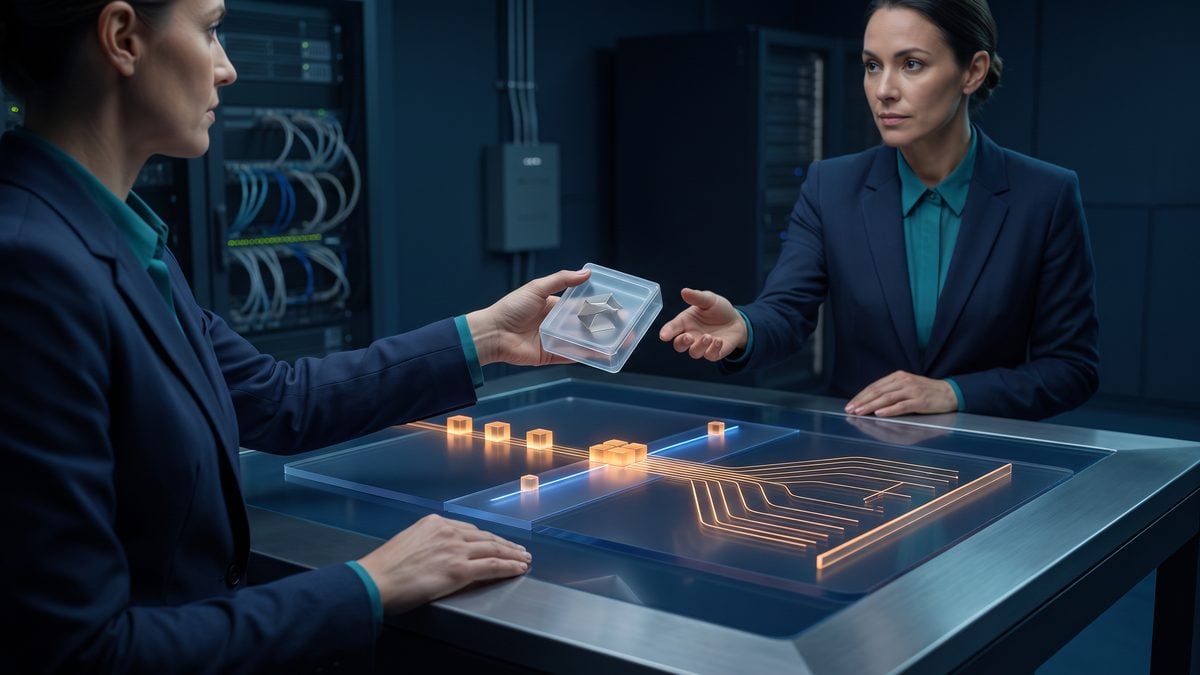
A Touch ID prompt for a Codex MCP request is only one checkpoint in a larger control flow. OpenAI’s changelog describes Touch ID verification for MCP requests in supported local macOS TUI sessions, while the Codex security and permissions documentation treats filesystem access, network access, command execution, approvals, and review behavior as separate trust boundaries. The safest operational pattern is therefore not “biometric prompt equals approval,” but “biometric verification happens after intent, data, destination, tool, and policy checks have made the request understandable enough for a human to approve or deny.”
This section provides a conservative request workflow that security teams, enterprise administrators, founders, and advanced Codex users can adapt into a runbook. It assumes that supported local Touch ID verification is available for the local TUI session, but it does not assume universal rollout, production readiness, or identical behavior across every plan, workspace, provider, device, operating-system version, MCP server, or account policy. Where the product UI or implementation differs, keep the control objective: no MCP request should execute until the user can identify the requesting workspace, the destination, the data class, the requested tool action, the consequence, and the retained evidence.
End-to-end workflow overview
The following workflow separates decision points that are often compressed into a single “approve” moment. Each stage has a clear purpose: establish intent, classify data, validate the destination, inspect the tool action, verify the local user, apply Codex approval and workspace policy, execute only the approved operation, verify the result, and retain enough evidence for later review. If any stage fails, the correct response is to deny, cancel, escalate, or recover through an approved path rather than bypass verification or broaden permissions.
| Stage | Control objective | Minimum evidence to retain | Stop condition |
|---|---|---|---|
| 1. Intent capture | Confirm what the user or task is trying to accomplish before any MCP tool is invoked. | Prompt summary, task identifier, repository or workspace name, human requester if applicable. | Ambiguous objective, mismatched task, unexpected request source, or request unrelated to the active work. |
| 2. Data classification | Determine whether files, prompts, outputs, or retrieved data contain restricted, confidential, regulated, privileged, or customer-sensitive material. | Classification label, scoped file paths or data categories, redaction decision, reviewer notes. | Secrets, credentials, personal data, privileged legal material, health data, youth data, payment data, or confidential customer content without a documented lawful and business purpose. |
| 3. Destination check | Validate the MCP server, external endpoint, network destination, account, or workspace receiving the request. | Server name, configured destination, workspace identity, account identity, allowlist status, OAuth or provider state where visible without exposing secrets. | Unknown server, expired or unexpected authentication, mismatched account, unapproved internet access, or destination outside policy. |
| 4. Tool and action review | Inspect the exact tool capability and consequence before the request is presented for local verification. | Tool name, requested action, parameters summary, affected files or objects, expected side effects. | Destructive action, external publication, payment, purchase, permission change, legal commitment, or message submission without explicit qualified human approval. |
| 5. Biometric prompt | Verify that the local device user is present in a supported Touch ID flow. | Verification status, timestamp, device/session context if available through approved logs. | Denied, cancelled, timed out, unavailable, unexpected, or repeated prompt that does not match the reviewed request. |
| 6. Codex approval | Apply the Codex permission and approval policy, including administrator-defined requirements, sandbox limits, and allowlists. | Approval decision, mode or policy applied, reviewer identity or role where appropriate, rationale for consequential actions. | Policy denies the action, approval evidence is missing, or the requester cannot explain the business purpose. |
| 7. Execution | Run only the approved request, with no silent expansion of scope. | Command or tool invocation summary, execution timestamp, result status, generated artifacts, relevant non-secret logs. | Tool attempts new destinations, additional file access, privilege escalation, unexpected commands, or altered parameters. |
| 8. Result verification | Confirm that the action produced the intended result and did not create unauthorized side effects. | Diffs, output checks, tests, destination confirmation, reviewer sign-off, rollback note if needed. | Unexpected file modifications, changed permissions, inconsistent output, failed tests, unexplained external side effects, or stale workspace identity. |
| 9. Evidence retention | Store a durable approval record without retaining secrets or unnecessary sensitive content. | Request digest, classification, approval record, verification outcome, execution summary, result verification, incident notes if applicable. | Evidence cannot be retained safely, contains secrets, conflicts with retention policy, or cannot support later audit. |
This tutorial covers building human-in-the-loop Codex app-server workflows with asynchronous questions and bounded approvals for long-running agent tasks. The How to Build Human-in-the-Loop Codex App-Server Workflows with Asynchronous Questions and Bounded Approvals article is a focused companion for Human Approval Workflows because it is specifically about Codex human approval patterns, making it a precise support link for Touch ID approval and verification workflows.
Stage 1: capture intent before the MCP request is formed
Intent capture should happen before an MCP server receives a request, not after a biometric prompt appears. A user might ask Codex to “check the deployment config,” but the resulting MCP tool could attempt to read repository files, query an external service, or change a remote object depending on the server and tool configuration. The runbook should require a short intent statement that identifies the task, the expected data source, the intended destination, and the permitted outcome.
Recommended workflow: require the operator to write or confirm a one-sentence request brief before approving an MCP action. A practical format is: “For workspace [workspace name], use [MCP server/tool] to [read/query/update] [scoped object] for [business reason]; do not access [excluded data] or perform [excluded actions].” This sentence gives the human a basis for comparing the request shown by Codex with the work they actually intended.
Request brief template:
Workspace:
Repository or project:
Human requester:
MCP server:
Tool/action:
Data scope:
Destination:
Business purpose:
Explicit exclusions:
Consequence level:
Required approver:
Retention record location:
Intent capture also protects against accidental context drift. Codex 0.155.0 release notes include account-switching fixes that invalidate previous-identity remote-control sessions, cached WebSocket state, and model catalogs. That improvement should be treated as a boundary reinforcement, not as a reason to ignore identity review. If the workspace, project, account, or branch changed recently, the operator should pause and confirm that the MCP request belongs to the current identity and not to a stale task.
Stage 2: classify the data before it leaves the local boundary
Data classification is the first substantive authorization question. Touch ID can verify a local user through the supported platform flow, but it does not establish that the user is allowed to send a file, snippet, dataset, customer record, legal document, source code segment, or operational log to a specific MCP server. Codex security documentation frames filesystem access and network access as explicit trust boundaries, so the classification decision should be made before any request is allowed to cross those boundaries.
Recommended classification labels: use simple labels that developers can apply under time pressure. For example: public for information already approved for public release; internal for routine non-public operational material; confidential for sensitive business, customer, financial, security, or proprietary content; restricted for secrets, credentials, privileged legal material, regulated personal data, youth-related sensitive data, payment information, or data subject to a special handling regime. The organization should define these labels in policy and map them to allowed MCP destinations.
A request involving secrets should normally stop rather than proceed to biometric verification. The operator should not paste, speak, upload, or transmit passwords, tokens, private keys, recovery codes, one-time passcodes, account numbers, or unnecessary personal identifiers into a prompt, tool argument, transcript, issue, support ticket, or evidence bundle. If a task requires authentication, use approved provider authentication flows and credential-handling mechanisms; do not expose raw credentials to Codex, MCP servers, logs, or reviewers who do not need them.
For legal-technology teams, data classification must include privilege and confidentiality review. An attorney or qualified legal operations reviewer may decide that a document can be processed under a specific engagement and retention policy, but Touch ID verification by a local user is not a privilege waiver analysis, client authorization, court-filing approval, or legal advice. Any external filing, client message, contract submission, settlement communication, or legal commitment requires explicit human approval by an authorized person.
Stage 3: verify the MCP server, destination, and workspace identity
An MCP request has at least three identities that must not be conflated: the local device user, the Codex workspace or account identity, and the MCP server or external destination identity. Touch ID verification addresses local user presence in supported local macOS TUI sessions. Workspace identity determines which organizational context, repository, policy, and account are active. MCP server identity determines which tool provider or local server receives the request. A safe workflow verifies all three before approval.
Destination check procedure: compare the MCP server name, configured destination, workspace, account, repository, and branch against the request brief. If the server uses provider authentication or OAuth, confirm that the visible account context matches the intended workspace without exposing tokens. The 0.155.0 changelog notes clearer MCP expired-OAuth reporting and reconnect guidance; treat an expired OAuth state as a reason to reauthenticate through the approved flow, not as permission to paste tokens, downgrade controls, or use another person’s session.
Administrators should maintain a server inventory that separates local-only tools, internal network tools, approved SaaS destinations, development-only MCP servers, and prohibited destinations. A developer should be able to answer: “Is this MCP server approved for this data class, this workspace, this action type, and this user role?” If the answer depends on tribal knowledge, the request should be paused until an administrator updates the inventory or grants a documented exception.
Destination checks also help with supply-chain and impersonation risk. A tool name that looks familiar is not enough. The request should identify the configured server instance, the account or tenant, and the action semantics. If a local MCP server was recently installed, updated, or modified, the operator should treat the next request as higher risk until the server configuration, permissions, and logs have been reviewed.
Stage 4: review the exact tool action and side effects
Codex approval should be tied to the exact tool action, not to a broad category such as “use MCP” or “access the project.” The Codex permissions and security documentation distinguishes filesystem access, network access, command execution, approvals, sandbox behavior, and administrator-defined policies. A request that reads a local configuration file is materially different from a request that writes to a remote service, changes permissions, deletes a task artifact, sends a message, or triggers a deployment workflow.
Recommended action taxonomy: classify MCP actions as read-only local, read-only external, local write, external write, destructive, credential or permission change, or consequential external action. Read-only does not mean risk-free, because reading confidential data into an unapproved server can be a disclosure. External write and consequential actions should require a stronger approval record and a human who has authority over the relevant system, customer, publication channel, financial account, legal matter, or production environment.
| Action type | Examples | Approval expectation | Evidence expectation |
|---|---|---|---|
| Read-only local | Inspect a scoped source file, parse a local build log, summarize a non-sensitive configuration. | User approval under existing filesystem policy. | File path scope, classification, request summary, result check. |
| Read-only external | Query a permitted issue tracker, retrieve approved documentation, inspect a non-sensitive remote status. | User approval plus destination allowlist check. | Destination, account context, query summary, data class. |
| Local write | Edit a project file, create a patch, update a generated artifact. | User approval and diff review before any commit, publication, or deployment. | Patch, file list, tests, reviewer sign-off. |
| External write | Create a ticket, update a document, modify a remote configuration. | Explicit human approval by an authorized user before submission. | Before/after summary, destination, approver, timestamp, rollback plan. |
| Destructive | Delete files, remove tasks, alter worktrees, revoke access, overwrite remote records. | Strong approval, backup or rollback check, and confirmation that retention requirements are met. | Object identifiers, clean-state evidence where applicable, approval rationale, recovery option. |
| Credential or permission change | Rotate credentials, grant access, change OAuth scopes, update secrets configuration. | Security-owner approval through approved identity and access-management processes. | Change request, approver role, affected scope, audit log reference without secret values. |
| Consequential external action | Send a customer message, publish content, submit a filing, make a purchase, trigger payment, deploy to production. | Qualified human approval is mandatory; biometric verification alone is insufficient. | Final content reviewed, authority confirmed, submission record, post-action verification. |
When the tool request includes parameters, the operator should review the parameter values rather than approving the tool name. A request to “update issue” is not reviewable unless the issue, target project, new text, attachments, mentions, and visibility are known. A request to “read files” is not reviewable unless the file paths and data categories are bounded. A request to “call deployment status” is not reviewable unless the environment and account are visible.
Stage 5: treat the Touch ID prompt as local-user verification, not final authorization
The biometric prompt should be shown only after the operator has enough information to decide whether the request is expected. OpenAI’s changelog describes Touch ID verification for MCP requests in supported local TUI sessions on supported Macs. The safe interpretation is narrow: the platform flow can verify that a local enrolled user is present, but it does not independently verify organizational authority, data rights, tool trustworthiness, destination safety, or the correctness of the model-generated plan.
Recommended user decision rule: approve the Touch ID prompt only when all of the following are true: the workspace identity is expected; the MCP server and destination are approved for the data class; the displayed action matches the request brief; the action is within the user’s authority; the request does not include secrets or unnecessary sensitive data; and the existing Codex permission policy would allow the operation. If any item is false or unknown, cancel the prompt and investigate.
Users should not approve a biometric prompt out of habit. Repeated prompts, prompts that appear after idle time, prompts following a workspace switch, prompts for a server the user did not intend to call, or prompts that appear while the user is not actively reviewing the request should be treated as unexpected. The correct action is to deny or cancel, capture non-sensitive context, and review logs or session state according to the organization’s incident procedure.
Operational warning: never ask another person to provide Touch ID for your Codex session, never leave a session positioned so another person can approve prompts casually, and never treat a successful biometric check as permission to bypass administrator policy, sandboxing, allowlists, or required human review.
Stage 6: apply Codex approval policy after verification
Codex approval policy remains the enforcement layer after local-user verification. OpenAI’s Codex security-administration guidance frames approvals and review behavior as explicit controls, including modes that ask for external-file edits and internet use, selectively ask for potentially unsafe actions, and support administrator-defined custom policies. Touch ID should be layered onto those approval controls; it should not replace them, weaken them, or convert a denied action into an allowed one.
For high-risk workspaces, administrators should require two distinct records: a verification event showing the local user completed the supported platform prompt, and an authorization record showing that the requested action was allowed under policy. Those records may be adjacent in the user experience, but they answer different questions. Verification answers “was the local user present?” Authorization answers “was this action permitted for this data, destination, workspace, and business purpose?”
This Codex privacy and security guide uses a screen-capture incident to explain local-data exposure, permission boundaries, and enterprise controls, reinforcing why biometric verification must remain only one layer in a hardened local workflow. The Codex Privacy and Security for Enterprise: Lessons from the June 2026 Screen-Capture Incident and How to Protect Your Organization article is a focused companion for Codex Local Project Hardening because it addresses Codex-specific local privacy and security controls more directly than a basic installation walkthrough.
Sample policy proposal: “Touch ID verification may be used as a local presence check for MCP requests in supported local macOS TUI sessions. It does not grant new filesystem, command, network, external-write, destructive, credential, or administrative permissions. Any MCP request that modifies external systems, changes access, deletes data, sends messages, publishes content, triggers payments, or creates legal or operational commitments requires explicit human approval by an authorized person and must produce an auditable evidence record.”
Stage 7: execute only the approved request and watch for scope expansion
Execution should be constrained to the approved action. If the approved request was to query one issue, the tool should not update the issue, enumerate unrelated projects, or retrieve confidential attachments. If the approved request was to read a scoped file, it should not traverse a directory tree or package unrelated source code into a larger request. If the approved request was to create a local patch, it should not push a branch, open a pull request, or send a message without a separate approval.
Operational workflow: immediately after approval, monitor whether the action attempts additional file access, network access, command execution, or external writes. If the tool asks for a second permission, treat it as a new request and re-run intent, classification, destination, and action review. Do not assume that the earlier Touch ID success carries forward to a different server, tool, file set, or destination. Replayed or chained requests are particularly risky because the user may remember approving the first step and overlook that the second step has a different consequence.
Where possible, prefer dry-run, read-only, preview, or diff-producing operations before writes. This is a recommendation, not a claim about every MCP server’s capabilities. If a tool cannot provide a preview for a consequential action, the organization should either prohibit that action through MCP or require an out-of-band review and submission process controlled by the system of record.
Stage 8: verify results before treating the task as complete
Result verification is separate from successful execution. A tool can complete without producing the intended business result, and a daemon or session can recover after interruption without proving that prior work finished correctly. OpenAI’s changelog notes thread and goal recovery after daemon restarts, but recovery should be treated as continuity support rather than proof of correctness, completion, or valid external side effects. The operator must still verify outputs, diffs, destination state, tests, and records.
Verification checklist: inspect the files or objects that changed; compare the actual destination with the intended destination; run applicable tests or validation steps; confirm that no unauthorized files were read or modified; check whether generated logs or artifacts contain secrets; and record whether a rollback, follow-up approval, or incident review is needed. For legal, finance, health, education, youth-safety, and regulated workflows, route the output through the appropriate qualified reviewer before external use.
For code changes, a practical verification bundle includes a diff, test results, dependency or configuration changes, generated files, and a statement of what was not changed. For external system updates, the bundle should include the object identifier, before/after summary, user-visible content, destination tenant, timestamp, and approver. For read-only queries, retain enough detail to show that the destination and query scope were authorized without storing unnecessary confidential content.
Stage 9: retain evidence without retaining unnecessary sensitive content
Evidence retention supports incident response, compliance review, team learning, and dispute resolution. It should not become a shadow database of secrets, customer data, privileged documents, or biometric material. The organization should store request metadata, classifications, approval decisions, tool names, timestamps, result summaries, and reviewer notes, while redacting or excluding raw credentials, private keys, one-time codes, unnecessary personal identifiers, protected health information, sensitive youth data, and privileged content unless retention is required and approved under a specific policy.
Recommended evidence record: store a stable request identifier, Codex session identifier if available under local policy, workspace name, repository or project, active account context, MCP server and tool, data classification, destination, approval mode, Touch ID verification outcome, user approval outcome, execution status, result verification, and incident disposition. Avoid recording biometric templates or attempting to export platform biometric data. The useful audit fact is that a supported platform verification succeeded, failed, was cancelled, timed out, or was unavailable; the organization should not collect biometric material.
Evidence record fields:
request_id:
timestamp_utc:
workspace:
account_context:
repository_or_project:
mcp_server:
mcp_tool:
action_type:
data_classification:
destination:
request_brief:
touch_id_status: approved | denied | cancelled | timed_out | unavailable | unexpected | replay_suspected
codex_policy_decision: allowed | denied | escalated
human_approver:
execution_status:
result_verification:
rollback_or_follow_up:
redactions_applied:
retention_category:
incident_reference:
Retention periods should follow the organization’s legal, security, privacy, and operational requirements. A startup may keep minimal security logs for a defined period; an enterprise may need longer retention for privileged operations, regulated environments, or customer commitments. In either case, do not preserve more content than necessary to prove what happened, who approved it, what system was affected, and how the result was verified.
Handling denied, cancelled, timed-out, and unavailable verification
A denied or cancelled biometric prompt is a security-relevant outcome, not an inconvenience to route around. The runbook should state that a denied, cancelled, timed-out, or unavailable Touch ID verification blocks the MCP request unless an approved recovery process is completed. The recovery process should preserve the same authorization standard; it should not downgrade to blanket approval, another person’s identity, disabled security controls, or execution outside Codex policy.
| State | Likely interpretation | Required response | Evidence to retain |
|---|---|---|---|
| Denied | The local user rejected the prompt or the verification did not succeed. | Do not execute. Confirm whether the request was expected. If unexpected, begin incident review. | Request summary, prompt context, denial timestamp, user note, incident reference if opened. |
| Cancelled | The user or system cancelled before completion. | Do not treat cancellation as approval. Re-run full review if the user wants to try again. | Cancellation status, reason if known, whether parameters changed before retry. |
| Timed out | The request was not verified within the expected window. | Do not auto-execute. Require a fresh request and fresh review. | Timeout timestamp, active workspace, pending action, whether session was idle. |
| Unavailable | The supported platform flow is not available for the session, device, build, account, or policy state. | Use the documented recovery or alternative approval process. Do not disable controls to force execution. | Availability reason if visible, build and device context, recovery approver, final decision. |
| Unexpected | The prompt does not match the task, server, account, action, or timing the user expected. | Cancel, capture non-sensitive context, review session state, and escalate if replay or compromise is possible. | Mismatch description, server/tool, workspace, account context, reviewer notes. |
| Replay suspected | A previously reviewed action appears to be repeated, resubmitted, or chained with altered parameters. | Deny, compare request digest and parameters, invalidate stale assumptions, and require a new approval if legitimate. | Original and new request summaries, parameter differences, timestamps, disposition. |
Repeated cancellations can indicate usability friction, but they can also indicate uncertainty, accidental prompts, stale state, or a user who does not understand the action. Administrators should review patterns without pressuring users to approve faster. The goal is not to maximize prompt acceptance; it is to ensure that accepted prompts correspond to authorized, understood, and bounded requests.
Handling unexpected and replayed requests
Unexpected requests require a stronger response than ordinary denial because they may indicate prompt injection, stale session state, wrong workspace identity, a modified MCP server, an expired authentication recovery path, or a user misunderstanding. A request is unexpected when the displayed server, tool, data, destination, timing, or account context differs from the operator’s intent. It is also unexpected when it appears immediately after switching accounts, recovering a daemon session, reconnecting OAuth, or changing project directories.
Unexpected request procedure: cancel the prompt, do not retry immediately, record a non-sensitive summary, verify the active account and workspace, inspect the pending tool request, review recent changes to MCP server configuration, and confirm whether any prior approval could have triggered the action. If the request involved confidential data, external write capability, credential scope, or destructive action, escalate to the security owner before resuming. If the cause is benign, such as a stale task or wrong project directory, start a new request with a fresh brief and fresh approval evidence.
Replay risk exists when an old request is resubmitted after conditions have changed. A request approved yesterday for a development branch should not automatically be valid today after a branch switch, account switch, policy change, OAuth reconnect, or production incident. A request approved for one destination should not be replayed against another tenant, repository, or server instance. Evidence records should include enough request digest information to distinguish a fresh approval from a repeated prompt.
Replay review questions:
1. Is the workspace identity the same as the original approved request?
2. Is the account or tenant the same?
3. Is the MCP server instance the same?
4. Are the tool parameters identical?
5. Is the data classification unchanged?
6. Is the destination unchanged?
7. Is the business purpose still valid?
8. Has the approval policy changed?
9. Has the user reviewed the request again?
10. Is there a new timestamped approval record?
If any replay review answer is uncertain, deny the request and require a new approval. This rule is intentionally conservative because the harm from a mistaken replay can be greater than the inconvenience of re-reviewing a legitimate action.
Evidence examples for common MCP request patterns
The level of evidence should match the consequence of the action. A low-risk local read may need a compact record. A production configuration update, permission change, legal filing, customer communication, purchase, or deletion needs a richer record with authority, review, and rollback detail. The following examples are recommendations that teams can adapt; they are not claims about a particular Codex UI label or a universal logging format.
| Pattern | Acceptable scope | Evidence bundle | Human checkpoint |
|---|---|---|---|
| Local code inspection through MCP | Specific files or directories relevant to the task. | Request brief, file list, classification, Touch ID status, tool summary, findings. | User confirms files are in scope before access. |
| Issue tracker query | Approved project, issue, milestone, or label set. | Destination tenant, query scope, account context, returned object identifiers, summary without unnecessary personal data. | User confirms project and data class before query. |
| Remote document update | One named document or record with approved visibility. | Before/after text summary, approver, destination, timestamp, rollback or version history reference. | Authorized owner approves final text before submission. |
| Repository patch creation | Local patch only, no push or merge unless separately approved. | Diff, tests, changed files, generated artifacts, reviewer sign-off. | Developer reviews patch before commit, push, or pull request. |
| Production operational change | Approved maintenance window and system of record. | Change ticket, risk assessment, approver, command or tool summary, verification, rollback plan. | Production owner approves before execution and verifies after execution. |
| Permission or credential-related change | Specific identity, role, scope, and duration. | Access request, security approval, affected scope, audit log reference, no secret values. | Security or IAM owner approves through official process. |
For founders and small teams, the same principle can be implemented with lighter tooling: a shared change log, a pull request template, and a short approval note may be sufficient for low-risk internal work. For enterprise administrators, the evidence should integrate with existing security event management, change-management, ticketing, data-loss prevention, and retention systems. In both cases, the evidence must be understandable after the fact by someone who was not present during the session.
Operational stop rules for users and administrators
Stop rules make the workflow usable because they remove the burden of improvising under pressure. A user should know in advance that certain conditions always require cancellation and review. Administrators should publish these rules in plain language and reinforce them during rollout, because biometric prompts can feel routine once users see them repeatedly.
- Stop if the destination is unknown. Do not approve an MCP request when the server, tenant, external account, or network destination is unclear.
- Stop if the data class is uncertain. Treat unknown data as confidential until classified by an authorized person.
- Stop if secrets appear. Do not transmit credentials, tokens, private keys, one-time codes, recovery codes, or unnecessary personal identifiers.
- Stop if the action is consequential. Payments, purchases, bookings, external messages, publications, filings, deployments, permission changes, and deletions require explicit qualified human approval beyond local verification.
- Stop if the prompt is unexpected. Cancel prompts that appear at the wrong time, in the wrong workspace, for the wrong server, or after account switching or daemon recovery.
- Stop if verification fails or is unavailable. Use the approved recovery process; do not bypass, downgrade, or borrow another identity.
- Stop if evidence cannot be retained safely. If the action cannot produce an appropriate non-secret record, escalate before execution.
These stop rules should apply even when a deadline is urgent. Urgency is a reason to involve the right approver faster, not a reason to disable security controls or rely on biometric success as a blanket approval.
Recovery after failed or unavailable verification
Recovery should preserve the same security posture as the normal path. A supported Mac may have Touch ID unavailable because of device state, operating-system policy, user enrollment, build support, local session limitations, or administrative settings. The exact cause can vary, so the runbook should avoid brittle assumptions and focus on approved alternatives: retry only after confirming the same request, use an administrator-approved non-biometric approval process if policy permits, or move the task to a device and session that meets the supported verification requirements.
Recovery workflow recommendation: record the failed or unavailable state, classify the action, determine whether the request is time-sensitive, obtain approval from the designated owner, and execute only through an approved path that preserves logs and review. If the action is high consequence, postpone execution until verification or a formally equivalent control is available. Do not respond to failure by granting full access, disabling administrator requirements, changing allowlists without approval, or executing the MCP action manually in a way that avoids audit.
When recovery follows an account switch, OAuth reconnect, daemon restart, or project change, require a fresh request brief. The 0.155.0 changelog’s identity and recovery fixes are useful operational improvements, but they do not remove the need to confirm the current account, workspace, model/provider context, destination, and approval policy before resuming work.
Useful Links
- OpenAI ChatGPT and Codex changelog
- OpenAI Codex security administration documentation
- OpenAI Codex permissions documentation
- OpenAI Codex agent approvals and security documentation
- OpenAI Codex pull request 43624
- OpenAI Codex pull request 43712
- OpenAI Codex pull request 43715
Recovery, exception handling, and audit readiness for Touch ID-backed MCP verification
Touch ID-backed verification for MCP requests is useful only if the recovery path is as controlled as the normal path. OpenAI’s Codex changelog describes Touch ID verification for MCP requests in supported local macOS TUI sessions, and the Codex security documentation frames filesystem access, network access, command execution, approvals, and review behavior as separate trust boundaries. The operational implication is strict: when biometrics are unavailable, cancelled, denied, or failed, the request must stop and move into an approved recovery process. It must not silently fall back to unverified execution, weaker identity, broad tool access, or a “try another person’s device” workaround.
This section provides a recovery model for administrators, developers, founders, security teams, legal-technology professionals, and advanced Codex users who need defensible procedures. The goal is not to make biometric checks the center of the security model. The goal is to make Touch ID one evidence point inside a layered control system that still respects workspace identity, MCP server identity, least privilege, administrator policy, approval records, and incident response.
Approved recovery model for unavailable biometrics
An unavailable biometric condition should be treated as an operational exception, not as user consent. Common causes include a replacement device that has not been enrolled, a local operating-system biometric issue, a supported-build mismatch, a user working from a device that does not support the platform flow, or a temporary local prompt failure. Because OpenAI describes the feature as applying to supported local TUI sessions on supported Macs, administrators should expect availability to depend on platform, build, account, and workspace policy rather than assuming universal behavior.
Recommended policy: if Touch ID verification is required for a class of MCP request, an unavailable biometric prompt must block that request until an approved recovery method is completed. The recovery method may verify the user through an administrator-approved identity process, reissue device access, or move the work to a compliant device, but it should not change the tool’s data scope, network scope, or approval mode merely to get the job done.
| Exception state | Immediate user action | Administrator or security action | What must not happen |
|---|---|---|---|
| Touch ID unavailable on the device | Stop the MCP request and record the task, workspace, server, tool, and requested action. | Confirm whether the device, build, and policy are supported before approving another path. | Do not execute the MCP request without equivalent approved verification and authorization evidence. |
| User cancels the prompt | Treat the action as not approved and do not retry automatically. | Review whether cancellation was intentional, accidental, or caused by unclear request details. | Do not infer consent from prior approvals or from the fact that the user remained logged in. |
| Biometric check fails | Stop and report the failure through the defined support or security channel. | Assess possible device, account, policy, or attempted misuse conditions. | Do not downgrade to unverified execution, shared credentials, broad session reuse, or another user’s identity. |
| Prompt appears for an unexpected tool | Deny or cancel and preserve visible details. | Investigate tool configuration, MCP server trust, prompt-injection risk, and recent configuration changes. | Do not approve merely because the tool name resembles an expected integration. |
| Prompt appears after account switching | Stop until the active account, workspace, repository, and MCP server are confirmed. | Validate identity separation and clear stale assumptions from the previous identity. | Do not treat cached state, prior WebSocket sessions, or old model catalogs as still valid for the new identity. |
Recovery documentation should record the reason biometrics were unavailable, the exact request that was blocked, the identity that requested recovery, the person who approved the exception, the verification method used, the authorization basis, and any limits placed on the recovered session. This record should avoid retaining unnecessary secrets, personal biometric data, privileged legal content, source material unrelated to the decision, or confidential customer data beyond what is necessary for auditability.
Device replacement and re-enrollment procedure
Device replacement is one of the highest-risk recovery scenarios because a valid user may need to resume work quickly while security teams must prevent stale device trust from following an old machine. A new Mac that supports the platform biometric flow may still need workspace enrollment, local configuration, MCP server connection review, repository access review, and confirmation that Codex policies are in effect. Touch ID success on the new device should not be accepted as evidence that old approvals, external destinations, or tool scopes are still valid.
Recommended workflow: require a device replacement ticket before enabling MCP requests that depend on Touch ID verification. The ticket should identify the user, workspace, device inventory reference, reason for replacement, repositories or projects needed, MCP servers required, and the risk tier of the tools. For legal, finance, production infrastructure, healthcare, youth-safety, customer-data, and external-publication workflows, require an additional approver who understands the business consequence of the tools being restored.
- Freeze stale assumptions. Mark the previous device as no longer trusted for local MCP verification decisions. If the device was lost, stolen, reassigned, or wiped outside normal custody, escalate to incident review rather than routine replacement.
- Rebuild from managed configuration. Install or update Codex through the organization’s approved process and confirm the local TUI build and workspace policy before testing MCP verification.
- Reconfirm identity context. Verify that the active account and workspace are the intended ones. OpenAI’s changelog notes account switching invalidating previous-identity remote-control sessions, cached WebSocket state, and model catalogs; administrators should still require users to verify current identity before authorizing consequential MCP requests.
- Reauthorize MCP connections deliberately. Review each MCP server and tool rather than importing an old “all tools enabled” posture. The server identity, destination, and data category should be documented.
- Perform a non-consequential verification test. Use a harmless, low-scope request to confirm that the Touch ID prompt appears and that approval evidence is preserved. Do not test with deletion, payment, publication, credential rotation, production modification, or client-file transfer.
- Restore only approved work. Reopen tasks after confirming repository identity, branch, workspace, sandbox policy, and approval mode. Recovery of a thread or goal should not be treated as proof that prior work completed correctly.
Organizations should not ask users to share biometric enrollment details, fingerprints, device unlock credentials, recovery codes, one-time passwords, private keys, or account tokens as part of replacement. The helpdesk can verify identity and device compliance without collecting secrets or biometric material.
Account changes, workspace identity, and stale-session recovery
Account changes deserve special handling because the identity that can unlock a local machine is not necessarily the same identity authorized to operate in a Codex workspace. A consultant may have multiple client workspaces. An enterprise administrator may switch between privileged and non-privileged accounts. A founder may use a personal project and a company workspace on the same device. In each case, Touch ID verifies a local user through the platform flow, but it does not prove that the currently selected workspace, account, repository, or MCP server is the right one.
OpenAI’s changelog notes a 0.155.0 fix around account switching invalidating previous-identity remote-control sessions, cached WebSocket state, and model catalogs. Treat that as an engineering improvement, not as a reason to ignore identity checks. Operators should still require visible confirmation of the active workspace identity before approving MCP tools that can read sensitive files, call external services, access the network, or affect production systems.
Recommended stop rule: after account switching, do not approve any MCP request that uses remembered context until the user confirms the active account, workspace, repository path, branch or environment, MCP server name, destination domain or service, and data class. If any of those fields cannot be confidently confirmed, the request should be cancelled and reconstructed from the correct identity context.
For enterprise administrators, the recovery runbook should distinguish between identity repair and authorization repair. Identity repair confirms that the right person is signed into the right workspace with the right device. Authorization repair confirms that the person is allowed to perform the requested action against the specific data, server, and destination. A successful local biometric prompt can support identity repair, but it cannot complete authorization repair by itself.
This article covers OpenAI enterprise workspace updates including model testing, Codex policy audit logs, the Groups Admin API, group managers, and preserving audit evidence. The OpenAI Ships Model Test, Codex Policy Audit Logs, Groups Admin API, and Group Managers for Enterprise Workspaces article is a focused companion for Audit Evidence Design because it directly addresses Codex policy audit logs and audit evidence, which aligns with designing evidence for Touch ID approvals and recovery reviews.
MCP OAuth expiry, reconnect, and server trust recovery
OpenAI’s changelog lists clearer MCP expired-OAuth reporting and reconnect guidance among the relevant 0.155.0 fixes. Expired OAuth is a normal operational event, but it is also a useful security checkpoint. Reconnection should verify the MCP server identity, requested scopes, workspace association, and user intent. It should never require exposing tokens to Codex prompts, chat transcripts, issue trackers, terminal output, screenshots, or support messages.
Recommended reconnect procedure: when an MCP OAuth session expires, stop the pending tool action, record the request context, reconnect only through the approved provider flow, and then re-review the MCP request after reauthentication. Do not assume that the request still has the same risk after reconnect, because the active account, workspace, server configuration, or scopes may have changed while the session was expired.
| Reconnect question | Why it matters | Conservative decision rule |
|---|---|---|
| Is the MCP server the expected one? | A similarly named server can route data or actions to the wrong destination. | Cancel if the server identity, owner, or configuration cannot be confirmed. |
| Did the OAuth scopes change? | Expanded scopes may permit broader reads, writes, or external effects. | Require administrator or data-owner review for any expanded or unclear scope. |
| Is the active workspace still correct? | Account switching and stale context can mix personal, client, and enterprise environments. | Confirm workspace and repository before allowing the tool request to continue. |
| Is the original user intent still valid? | A user may have cancelled, changed tasks, or moved to a different branch while auth was expired. | Restate the exact action and require a fresh approval decision. |
| Does the request involve consequential action? | Payments, publication, legal commitments, deletion, permission changes, and production actions require human approval. | Require explicit qualified human approval even after successful reconnect and Touch ID verification. |
Security teams should preserve reconnect evidence without preserving access tokens. Suitable evidence includes timestamps, provider name, workspace identifier, server name, requested tool action, approval mode, approver, and outcome. Unsuitable evidence includes bearer tokens, refresh tokens, session cookies, private keys, passwords, recovery codes, and screenshots that expose secrets.
Incident response for failed, suspicious, or unexpected verification
A failed biometric check is not automatically an incident, but it is never a bypass condition. Treat repeated failures, prompts for unexpected MCP tools, prompts after account switching, prompts involving sensitive data, or prompts that appear without a clear user-initiated request as security signals. OpenAI’s Codex security documentation emphasizes explicit trust boundaries around filesystem access, network access, command execution, approvals, and review behavior; incident response should examine each boundary rather than focusing only on the biometric prompt.
Recommended severity model: classify a suspicious verification event by the potential side effect, not by whether the prompt technically appeared. A prompt for a read-only metadata request in a sandboxed project may be low severity if no data left the environment. A prompt for a tool that can modify production configuration, send external messages, alter permissions, delete files, access client records, or submit legal material should be handled as high severity until reviewed.
- Contain the request. Cancel the MCP action, stop related automation, and avoid retrying until the request is understood. If the tool could have made external changes, preserve state rather than immediately cleaning up evidence.
- Preserve minimal evidence. Capture the visible request details, timestamp, active workspace, account, repository path, MCP server, tool name, requested operation, approval outcome, and relevant logs. Do not copy secrets or unnecessary confidential content into the incident record.
- Check identity boundaries. Confirm the local device user, active Codex account, workspace, and any recent account switching. Review whether stale sessions or cached context could have influenced the request.
- Check authorization boundaries. Determine whether the user had business approval, data rights, and tool permission for the specific action. Touch ID success, if present, should be treated only as local-user verification evidence.
- Check server and destination boundaries. Validate the MCP server identity, OAuth state, requested scopes, network destination, and whether the tool behavior matched the user-facing description.
- Decide on remediation. Remediation may include revoking or narrowing MCP permissions, rotating affected provider credentials through approved processes, disabling a server integration, retraining users, opening a vendor or internal engineering issue, or escalating to legal, privacy, or compliance review.
- Document final disposition. Record whether the event was benign, user error, misconfiguration, suspected compromise, policy violation, or confirmed incident. Include why the conclusion was reached and what changed afterward.
Incident responders should avoid destructive “cleanup” before evidence is preserved. Deleting tasks, wiping worktrees, changing permissions, or reconnecting providers can be necessary, but each can also destroy the facts needed to understand what happened. For consequential systems, require an incident lead to approve cleanup sequencing.
Emergency access without biometric bypass
Emergency access is often where good controls fail. A production outage, filing deadline, client emergency, or security containment action can create pressure to bypass Touch ID verification. The safer design is a documented break-glass process that provides emergency authorization without pretending that the biometric requirement succeeded. Emergency access should be rare, time-limited, logged, independently approved, and reviewed after use.
Recommended break-glass policy: when a required Touch ID verification cannot be completed during an emergency, the organization may authorize an alternate controlled path only if the action is necessary, proportionate, time-bound, and approved by designated emergency approvers. The evidence record should state that biometric verification was unavailable or failed; it should not mark the request as biometrically verified.
| Emergency control | Minimum requirement | Operational warning |
|---|---|---|
| Named emergency approvers | At least one role with authority over the affected system, data, or client matter. | Do not let the requester self-approve high-impact MCP actions. |
| Time limit | Define a narrow window for the emergency session or task. | Do not leave elevated permissions in place after the emergency has passed. |
| Scope limit | Permit only the server, tool, repository, data class, and action required for the emergency. | Do not grant blanket MCP access because one urgent action is blocked. |
| Evidence capture | Record the reason, approver, action, timestamp, outcome, and follow-up owner. | Do not store tokens, private content, or privileged material unnecessarily in the evidence bundle. |
| Post-incident review | Review within a defined period and remove temporary access. | Do not normalize repeated break-glass use as an alternative workflow. |
Emergency access should still require human approval for external messages, submissions, payments, purchases, bookings, destructive actions, permission changes, publication, legal commitments, production changes, and other consequential operations. If the emergency involves legal duties, regulated data, health or safety issues, minors, financial controls, or contractual commitments, involve qualified professionals responsible for those obligations.
Periodic recertification for users, devices, MCP servers, and approvals
Touch ID-backed MCP verification should be recertified because the trust environment changes over time. Users leave teams, devices are replaced, MCP servers add tools, OAuth scopes change, repositories move, and workspace policies evolve. A quarterly or semiannual review is often appropriate for sensitive workspaces, while lower-risk teams may choose a different schedule based on their risk model. The important rule is that recertification should review all boundaries, not just whether a biometric prompt still appears.
Recommended recertification checklist: confirm that each user still needs MCP access, each device remains managed or otherwise approved, each MCP server has a documented owner, each tool has an assigned risk class, approval modes still match the data and side effects, and exception records have been reviewed. For high-impact environments, include sample evidence testing to verify that approval-review actions and authorization evidence are preserved as intended.
- User access: verify current role, employment or contractor status, workspace membership, project assignment, and need for each MCP tool category.
- Device posture: confirm supported local environment, replacement history, loss or theft records, operating-system management status where applicable, and whether the device is still appropriate for sensitive work.
- Workspace identity: verify that personal, client, staging, production, research, and legal workspaces are not being mixed through stale configuration or informal habits.
- MCP server inventory: review server ownership, business purpose, authentication method, OAuth expiry behavior, tool list, data categories, and external destinations.
- Permission policy: confirm filesystem, command, network, sandbox, allowlist, and approval settings against current Codex security guidance and organization policy.
- Approval evidence: sample retained records for clarity, minimization, timestamps, request specificity, approver identity, and outcome accuracy.
- Exception history: review unavailable biometric cases, failed prompts, emergency access, reconnect events, denied requests, and incident tickets for patterns.
- Training and attestations: require users to acknowledge that biometric success is not authorization for external, destructive, privileged, regulated, or consequential actions.
Recertification should produce decisions, not just a spreadsheet. Remove unused MCP servers, narrow tools that no longer need broad access, adjust approval modes for higher-risk workflows, retire stale exceptions, and schedule remediation owners. If an MCP server lacks a clear owner or documented purpose, disable or quarantine it until ownership and scope are established through the approved process.
RACI model for recovery and exception handling
A RACI model prevents unclear responsibility when verification fails. The requester should not decide alone whether a failed biometric prompt can be ignored. The administrator should not approve a legal or client-data action without the business owner. Security should not become the default approver for every productivity exception. Assign responsibility according to the type of decision: identity, device, tool configuration, data rights, business authorization, incident response, and audit retention.
| Activity | Responsible | Accountable | Consulted | Informed |
|---|---|---|---|---|
| Report unavailable or failed Touch ID verification | Requester | Team lead or workspace owner | IT support, security | Project owner where the task is delayed |
| Approve device replacement for MCP work | IT administrator | Workspace administrator | Security, manager, compliance where applicable | Requester and MCP server owner |
| Validate active account and workspace after account switching | Requester | Workspace owner | IT administrator for access issues | Security if stale-session behavior is suspicious |
| Reconnect expired MCP OAuth session | Requester or approved integration owner | MCP server owner | Security for scope changes, data owner for sensitive data | Workspace administrator |
| Approve break-glass emergency access | Emergency approver named in policy | System, data, or business owner | Security, legal, privacy, compliance, or operations as needed | Affected team and audit owner |
| Investigate suspicious MCP verification event | Security or incident-response lead | Security leadership or designated risk owner | Requester, MCP server owner, IT administrator, legal/privacy where needed | Workspace owner and affected stakeholders |
| Perform periodic recertification | Workspace administrator | Business owner for the workspace | Security, compliance, MCP server owners, team leads | Users whose access changes |
Small teams can combine roles, but they should not combine incompatible decisions. For example, a founder may be both workspace owner and business approver, but the same person should still create a written record when bypassing normal timing during an emergency. In regulated or client-sensitive environments, independent review is often necessary even if the tooling does not technically require it.
Audit questions for administrators and security reviewers
Auditors should test whether the organization can explain what Touch ID verification proves, what it does not prove, and how exceptions are handled. The best audit questions are practical and evidence-based: they ask for a recent record, a denied request, a recovery ticket, a recertification decision, or a proof that a failed verification did not lead to unverified execution.
- Scope question: Which MCP request categories require Touch ID verification, and which are controlled by other approval modes?
- Boundary question: Where does the policy state that Touch ID verifies a local user but does not prove business authorization, data rights, server trust, or legal approval?
- Failure question: Show one example of an unavailable or failed biometric event and the approved recovery path used.
- Downgrade question: What prevents a failed biometric prompt from silently downgrading to unverified execution or broader permissions?
- Account question: How do users confirm active workspace identity after account switching, especially when working across personal, client, and enterprise contexts?
- OAuth question: How are expired MCP OAuth sessions reconnected without exposing tokens or assuming the old request is still approved?
- Server question: Who owns each MCP server, and when was its tool list, OAuth scope, and business purpose last reviewed?
- Approval question: Which actions require human approval even after successful Touch ID verification, including deletion, publication, permission changes, payments, legal commitments, and production changes?
- Evidence question: What logs, timestamps, request summaries, approver records, and outcomes are retained, and what sensitive content is deliberately excluded?
- Emergency question: How many break-glass events occurred in the review period, who approved them, and what remediation followed?
- Training question: How are users taught to deny unexpected MCP prompts, avoid entering secrets, and escalate suspicious verification events?
- Recertification question: Which users, devices, servers, and tools were removed or narrowed during the last access review?
Audit readiness improves when evidence is designed before an incident occurs. A useful record should identify the request, the user, the active workspace, the MCP server and tool, the permission policy applied, the verification outcome, the separate approval outcome, and the final execution result. It should not become a dumping ground for code secrets, client documents, authentication artifacts, or private personal information unrelated to the decision.
Sample recovery runbook language
The following sample language is a policy example, not a statement of OpenAI product behavior. Adapt it to your organization’s legal, security, privacy, accessibility, labor, and compliance requirements before use.
Policy: Touch ID-backed MCP request verification recovery

1. Touch ID verification, where available in supported local Codex TUI sessions
   on supported Macs, is a local-user verification step for covered MCP requests.
   It is not a substitute for workspace authorization, data-owner approval,
   administrator policy, MCP server trust review, or human approval for
   consequential actions.

2. If Touch ID verification is failed, unavailable, denied, cancelled, timed out,
   or appears for an unexpected request, the MCP action must not execute.
   The user must cancel or stop the request and submit a recovery or incident
   record according to the risk class of the tool and data.

3. No user, administrator, or support operator may bypass the requirement by
   using another person's local account, shared credentials, copied tokens,
   unapproved device enrollment, blanket MCP permissions, or silent downgrade
   to unverified execution.

4. Recovery may be approved only by designated roles. The recovery record must
   include the user, workspace, device or environment, MCP server, tool, requested
   action, data class, verification failure mode, separate authorization basis,
   approver, timestamp, duration, and final outcome.

5. Emergency access must be time-limited, scope-limited, logged, and reviewed.
   The record must state that biometric verification did not complete; it must
   not misrepresent emergency authorization as successful biometric verification.

6. After device replacement, account switching, OAuth reconnect, MCP server
   change, or policy change, covered MCP requests require fresh review before
   execution. Recovered threads, cached context, and prior approvals do not prove
   current authorization.

7. Consequential actions, including external messages, submissions, payments,
   purchases, bookings, destructive changes, permission changes, publication,
   legal commitments, and production operations, always require explicit human
   approval from the appropriate authority.
This language intentionally separates verification, authorization, and approval. It also makes the evidence record honest when emergency access occurs. That honesty matters because an audit trail that says “verified” when the real event was “biometric unavailable but emergency-approved” creates false assurance and can hide process failures.
Conclusion: design recovery before the prompt fails
Touch ID-backed verification for Codex MCP requests can strengthen local-user verification in supported environments, but it should never become a shortcut around policy. OpenAI’s Codex materials place approvals, filesystem access, command execution, network access, sandboxing, allowlists, and review behavior at explicit trust boundaries. Touch ID belongs inside that structure as one verification signal, not above it as a universal authorization mechanism.
The safest recovery posture is simple: failed or unavailable biometric verification stops the request; approved recovery records what happened; account, workspace, server, OAuth, data, and tool scope are revalidated; consequential actions still require qualified human approval; and emergency access is honest, narrow, logged, and reviewed. Organizations that apply this model can gain the usability benefits of local biometric verification without training users to treat a failed prompt as an obstacle to work around.
Non-bypass rule: A failed biometric check, unavailable biometric method, or Touch ID unavailable state must not bypass verification and must not downgrade the request to unverified execution. Stop, preserve the request evidence, and use only the organization’s approved recovery process.
Access 40,000+ AI Prompts for ChatGPT, Claude & Codex — Free!
Subscribe to get instant access to our complete Notion Prompt Library — the largest curated collection of prompts for ChatGPT, Claude, OpenAI Codex, and other leading AI models. Optimized for real-world workflows across coding, research, content creation, and business.
Useful Links
- OpenAI ChatGPT and Codex changelog
- OpenAI Codex security administration documentation
- OpenAI Codex permissions documentation
- OpenAI Codex agent approvals and security documentation
- OpenAI Codex pull request 43624
- OpenAI Codex pull request 43712
- OpenAI Codex pull request 43715
