
Codex CLI 0.153.0 Complete Guide: Vim Undo, Remote Plugin Marketplaces, Safer Reconnects, Guardian History, and MCP Controls
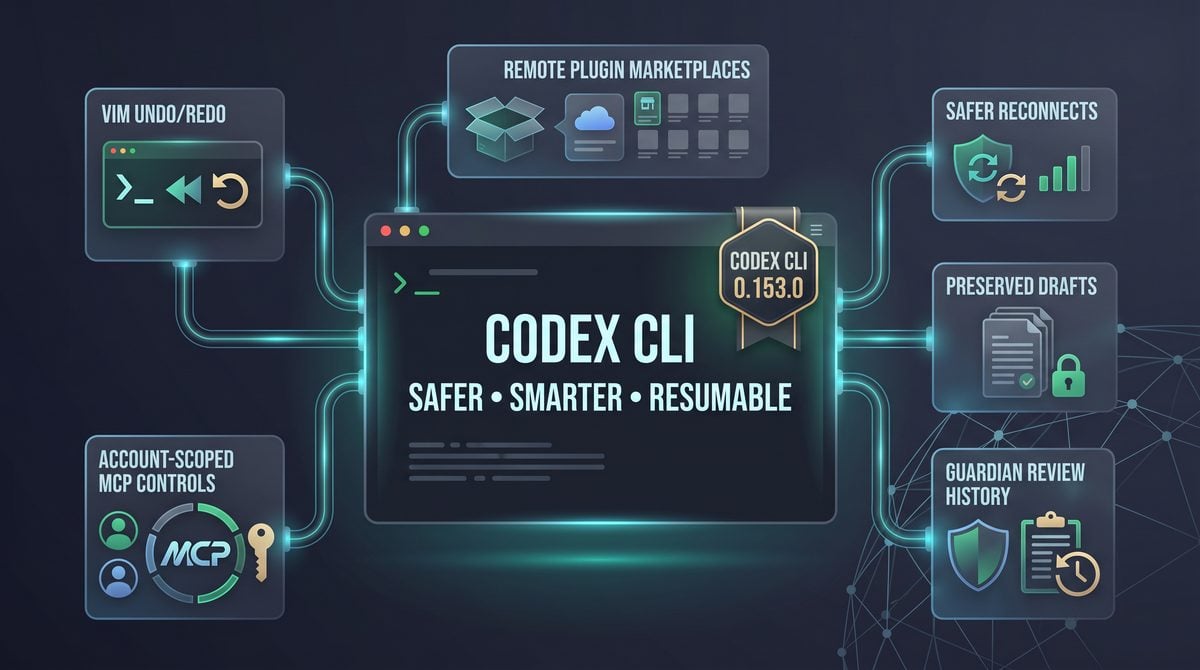

What shipped in Codex CLI 0.153.0 on September 3
OpenAI’s September 3 Codex changelog identifies Codex CLI 0.153.0 as a release focused on terminal ergonomics, plugin distribution, reconnect safety, approval history, and MCP control behavior. This is not a cosmetic update: it changes how operators recover from disconnected app-server sessions, how teams discover remote plugins, how terminal users undo edits, and how remembered approvals are scoped. If your team uses Codex as part of a daily terminal workflow, this release deserves a compatibility review rather than a blind background upgrade.
The most immediately visible TUI change is Vim-style undo and redo. Codex now supports u for undo and Ctrl+R for redo in Vim input mode, while preserving pasted content and attachments. That preservation detail matters because AI-assisted terminal work often begins with large pasted snippets, stack traces, diffs, or attached context. In earlier workflows, users who relied on modal editing needed to be careful when revising complex prompts that included pasted material. In 0.153.0, the undo model is designed to keep that richer input intact while still allowing fast keyboard-driven correction.
The release also expands the plugin CLI with remote marketplace support. According to OpenAI’s changelog and the related implementation notes, the plugin CLI can now list, install, and remove remote plugins. JSON output for remote catalog entries includes fields such as source, version, install policy, and authentication policy. For enterprise administrators, those fields are more than display metadata: they are the minimum information needed to decide whether a plugin can be admitted into a controlled developer environment, routed through an internal approval process, or blocked until ownership and authentication requirements are reviewed.
Codex CLI 0.153.0 adds a configuration control for automatic recaps: tui.auto_recap = false. This disables automatic recaps while preserving the manual /recap command. The distinction is important for teams that treat recap text as part of an auditable development record. Automatic summaries can be useful in long sessions, but regulated or high-change environments may prefer an explicit operator action before summarizing context. This release gives those teams a cleaner way to turn off automatic recap behavior without removing the manual recap tool from the operator’s workflow.
The TUI history is also fuller in this release. OpenAI lists broader history coverage for patches, terminal input, and completed commands. That matters during incident response, code review, and pair-debugging because the terminal transcript often becomes the working memory for what the agent proposed, what the user entered, and what commands were completed. Fuller history does not replace your repository, shell logging, or ticketing system, but it reduces the chance that an important patch or command disappears from the interactive context before the operator can review it.
Allowance visibility changes are included for Plus and Team users, with earlier warnings documented by OpenAI. The operational value is straightforward: earlier warnings help users avoid discovering a limit only after investing time in a long task. For founders and team leads, this is mostly a planning feature; for developers, it is a prompt-timing feature. If a task requires a large refactor, dependency investigation, or multi-file patch, earlier warning behavior can inform whether to proceed, split the work, or hand off to another environment before the session becomes constrained.
For OpenAI Codex CLI, How to Set Up Codex CLI on Your Local Machine: The Complete Developer Walkthrough for 2026 is the most relevant adjacent resource. The local Codex CLI setup walkthrough explains installation and baseline terminal operation, giving readers the prerequisite environment for applying the 0.153.0 continuity, plugin, and warning improvements.
Install or upgrade Codex CLI 0.153.0 with npm
Use npm installation only in environments where your organization already permits global Node-based CLI tools. The practical risk is not npm itself; it is uncontrolled version drift across developer laptops, CI runners, remote hosts, and shared workstations. Before upgrading, record the currently installed Codex version, the Node and npm versions used by the host, and whether the machine participates in production support, regulated development, or automated workflows.
# Check the currently installed Codex CLI version
codex --version

# Check the Node.js and npm runtime used by this host
node --version
npm --version
For an upgrade to the current npm-published Codex package, use your standard package-management process. In many developer environments that means installing the Codex package globally with npm. If your organization pins versions, prefer the explicit version form so every host lands on the same release rather than whatever is current at execution time.
# Upgrade to the latest published Codex CLI package
npm install -g @openai/codex@latest

# Version-pinned install for reproducible rollout
npm install -g @openai/[email protected]

# Confirm the upgrade completed
codex --version
If npm reports a permissions error, do not solve it by running arbitrary commands with elevated privileges on a managed workstation. Use the organization’s approved Node version manager, package prefix, device-management policy, or software distribution mechanism. A CLI that can modify files, invoke terminal commands, interact with plugins, and coordinate MCP tools should be installed in a way that your administrators can audit and roll back.
For shared servers and remote development hosts, install 0.153.0 during a maintenance window or after active Codex sessions have ended. This release contains reconnect and history changes that are beneficial, but upgrading while users have live sessions can make troubleshooting ambiguous: if a transcript, queued input, or plugin state behaves unexpectedly, you need to know whether the behavior came from the old binary, the new binary, the app-server connection, or a mixed state during replacement.
How 0.153.0 differs from 0.152.0
The safest way to compare 0.153.0 with 0.152.0 is to focus on the capabilities OpenAI lists as new in the September 3 release. If your team is currently on 0.152.0, assume it does not include the 0.153.0-specific behaviors until you verify otherwise in your own environment. That means no reliance on the new Vim undo and redo behavior, no assumption that remote plugin marketplaces are available through the plugin CLI, no use of tui.auto_recap = false as a deployed policy, and no dependency on the revised reconnect safety model until the host is upgraded and tested.
| Area | 0.153.0 behavior to verify after upgrade | Why it matters operationally |
|---|---|---|
| Terminal editing | Vim undo with u and redo with Ctrl+R, while preserving pasted content and attachments. |
Reduces accidental prompt loss when editing long instructions, pasted logs, or attached context. |
| Plugin management | Remote marketplace list, install, and remove support in the plugin CLI; JSON entries include source, version, install policy, and authentication policy. | Enables more structured plugin discovery and governance, but requires marketplace trust review. |
| Recaps | tui.auto_recap = false disables automatic recaps while keeping manual /recap. |
Lets teams choose explicit recap creation when summaries affect review or audit workflows. |
| History | Fuller TUI history for patches, terminal input, and completed commands. | Improves operator review and recovery during long debugging or refactoring sessions. |
| Reconnect safety | After app-server drops, drafts and transcripts are preserved while uncertain or queued submissions remain paused for review. | Prevents uncertain work from being silently replayed after a transport failure. |
| Guardian and approvals | Revised Guardian behavior in Full Access and User approval modes, with Guardian review history persisting across compaction, restarts, and forks. | Improves continuity of safety review records without removing sensitive-action checks. |
| MCP controls | Remembered MCP approvals are account-scoped; relative MCP executable paths are more reliable on macOS. | Reduces approval leakage risk across accounts and improves predictable tool startup on macOS hosts. |
The most important difference from a safety perspective is the app-server disconnect model. OpenAI’s implementation notes describe a TUI offline state when an external app-server transport disconnects during startup, event streaming, or submission. In that state, drafts, queued input, expanded pastes, attachments, and agent-overview input remain editable, while submissions, remote actions, and automatic queue replay are blocked. Pending views and asynchronous work are canceled, stale completions are ignored, and users are directed to copy work and relaunch. This is a conservative design: it favors human review over silent retry when the system cannot be certain what was submitted.
That behavior is especially relevant for operators using Codex inside high-stakes terminal sessions. If a prompt might trigger a patch, a deployment command, a database migration, or a remote action, uncertainty after a disconnect is dangerous. The new model does not promise that every network failure becomes harmless, and it does not eliminate the need for backups or source control. It does create a clearer failure boundary: preserved local work can be reviewed, while uncertain submissions do not automatically resume without the user having a chance to inspect the state.
The Guardian and MCP changes should also be read carefully. OpenAI notes revised Guardian behavior in Full Access and User approval modes, plus persistence of Guardian review history across compaction, restarts, and forks. This does not mean sensitive-action checks disappear, and it does not mean a prior confirmation gives permanent permission for unrelated risky activity. It means the review history has better continuity across session transformations that previously could have made the safety context harder to reconstruct.
For MCP, account-scoped remembered approvals are the key governance point. If developers use multiple accounts, shared machines, or role-based access patterns, remembered approvals should not be treated as device-global consent. After upgrading, administrators should test approval prompts under separate accounts and confirm that remembered decisions match the organization’s expectations. The macOS relative-path improvement is useful for reliability, but it is not a substitute for explicitly managed executable paths in production-grade MCP configurations.
Who should upgrade promptly
Recommendation: upgrade promptly if your team uses Codex for long-running terminal sessions, remote app-server workflows, plugin management, MCP-backed tools, or approval-sensitive work. The reconnect behavior alone justifies early evaluation for teams that have experienced dropped transports, disappearing local context, or uncertainty about whether a queued instruction actually reached the agent. The release is particularly relevant to developers who keep Codex sessions open while switching networks, sleeping laptops, reconnecting to remote hosts, or working through mobile-to-desktop handoffs.
Plugin administrators should also prioritize evaluation because remote marketplace support changes the governance surface. The ability to list, install, and remove remote plugins is useful only if the organization can answer basic questions: which sources are trusted, which authentication policies are acceptable, which install policies require approval, and where plugin inventory is recorded. If those answers do not exist yet, 0.153.0 is the right moment to create them before marketplace usage becomes informal developer practice.
Teams that rely on Vim-style terminal editing should upgrade after a short local smoke test. The new undo and redo behavior can materially improve prompt composition, especially when developers paste logs, attach files, and iterate on multi-part instructions. The test should include the exact input patterns your team uses: pasted stack traces, multi-line prompts, attachments, command snippets, and cancellation. A feature that feels simple in a release note can still interact with terminal emulators, shell environments, and remote sessions in environment-specific ways.
Enterprise administrators should prioritize controlled pilots over fleet-wide same-day deployment. This release touches user experience, plugin discovery, approval state, and reconnect behavior, which means the blast radius of an unnoticed configuration issue is wider than a narrow bug-fix release. Start with a representative group: one macOS user with MCP paths, one Linux or remote-host user, one plugin administrator, one heavy TUI user, and one operator who regularly handles interrupted sessions. Require each participant to document pass/fail results before expanding.
If Codex is used mainly for occasional local prompts with no plugins, no MCP servers, no remote app-server dependency, and no long-lived terminal sessions, the urgency is lower. Those users still benefit from editing and history improvements, but they are less exposed to the reconnect and approval-state issues that make 0.153.0 operationally important. In that case, schedule the upgrade through your normal dependency-update cadence rather than interrupting active work.
Compatibility-first migration checklist
Use this checklist before making 0.153.0 the default Codex CLI version on developer machines, remote hosts, or managed workstations. The goal is not to slow adoption; it is to prevent a terminal-agent upgrade from changing approval, plugin, or reconnect behavior without a record of what changed.
- Inventory current installations. Record
codex --version, installation method, operating system, shell, terminal emulator, Node version, npm version, active plugins, MCP configuration, and whether the host connects to an app server. - Pin the rollout version. Use
npm install -g @openai/[email protected]for reproducible testing instead of relying only on@latest. Record the date, installer output, and verification command result. - Test Vim undo and redo with real input shapes. Paste a multi-line prompt, attach the kind of context your team normally uses, edit in Vim mode, press
u, then pressCtrl+R. Confirm pasted content and attachments remain available as expected. - Review recap policy. If automatic recaps are not desired, test
tui.auto_recap = falsein a non-critical session and confirm manual/recapstill works for users who need explicit summaries. - Validate plugin marketplace governance. Run plugin listing in the formats your administrators use, inspect JSON fields for source, version, install policy, and authentication policy, and decide which remote sources are approved for installation.
- Simulate reconnect failure safely. In a disposable session, interrupt the external app-server transport and verify that drafts, queued input, expanded pastes, attachments, and transcript context are preserved while submissions and remote actions are not silently replayed.
- Check Guardian review continuity. In a test session that exercises approval-sensitive behavior, restart or fork where appropriate for your workflow and verify that Guardian review history remains understandable after the transition.
- Verify MCP approval scoping. Test remembered MCP approvals under separate accounts if your environment supports multiple user identities. Confirm that one account’s remembered approval does not create an unintended approval expectation for another account.
- Test macOS MCP executable paths. If you use relative MCP executable paths on macOS, validate startup from the terminal locations developers actually use, not only from a clean shell in the project root.
- Document fallback steps. Tell users how to copy drafts, preserve transcripts, stop using remote actions during an uncertain reconnect state, and report the exact session conditions that preceded a failure.
For Codex Terminal Workflows, How to Set Up Codex on Linux for Terminal-First Development: Complete Playbook from Installation to Advanced Workflow Integration is the most relevant adjacent resource. The terminal-first Linux playbook covers advanced Codex CLI integration, shell-oriented development, and operational workflow design, complementing this guide’s release-specific productivity changes.
Productivity changes: editing control, recap discipline, richer history, and earlier usage signals

Codex CLI 0.153.0 makes the terminal user interface more forgiving for long, multi-step work: users can undo and redo draft edits with Vim-style keys, keep pasted content and attachments intact through draft operations, disable automatic recaps without losing manual recap access, and inspect a fuller local history of what happened in the TUI. Treat these as workflow controls rather than cosmetic shortcuts; they reduce the chance that a developer loses a carefully staged instruction, forgets what command completed, or burns through session allowance without a checkpoint.
Use Vim undo and redo for safer prompt drafting
OpenAI’s changelog for Codex CLI 0.153.0 states that the TUI now supports Vim undo with u and redo with Ctrl+R. The practical value is highest when prompts are not single sentences: architecture instructions, multi-file patch requests, refactor constraints, pasted stack traces, and test logs often evolve through several edits before submission. Instead of deleting and reconstructing a draft manually, operators can step backward through edits and then reapply them if they overshoot.
| Action | Key | Best use | Operational warning |
|---|---|---|---|
| Undo the most recent draft edit | u |
Recover text removed during prompt cleanup, reverse an accidental paste, or restore a previous instruction ordering. | Undo is a drafting aid, not a substitute for reviewing the final prompt before submission. |
| Redo an undone draft edit | Ctrl+R |
Reapply an edit after comparing two prompt versions or after undoing too far. | Redo should be checked against the current task state; a restored instruction may no longer match the files or terminal output. |
A reliable pattern is to compose in stages: first state the desired outcome, then paste relevant errors or diffs, then add boundaries such as “do not change public API names” or “only update tests in this package.” If a later boundary becomes too broad, use u to revert the last edit and restate it narrowly. If the reverted boundary was actually correct, Ctrl+R restores it without requiring a second paste or manual reconstruction.
Example drafting sequence:
1. Type the task objective:
   "Fix the failing auth middleware tests."

2. Paste the failing test output.

3. Add boundaries:
   "Do not change token validation semantics. Prefer a test-only fixture update if valid."

4. If the boundary is wrong, press u and replace it.

5. If the old boundary was better, press Ctrl+R and review before sending.
The important 0.153.0 detail is that OpenAI describes the new undo behavior as preserving pasted content and attachments. For teams that use Codex with large traceback blocks, copied terminal output, screenshots, design files, or other attachments supported by their environment, this matters because the draft is not just plain text typed one character at a time. A prompt may include a pasted migration error plus an attached schema diagram; the editing model should help preserve the assembled work while the user refines the instruction.
Recommendation: before submitting a prompt that includes a long paste or attachment, perform a quick “draft integrity” check: confirm the pasted block is still present, confirm any attachment reference still appears as expected in the TUI, and confirm the final instruction still names the intended files, tests, or constraints. Undo and redo reduce accidental loss, but they do not validate whether the request is logically safe or complete.
Protect full drafts during reconnect-sensitive work
The productivity improvement also intersects with the reconnect behavior documented for the TUI. OpenAI’s implementation notes for the disconnect safety model describe preservation of drafts, queued input, expanded pastes, attachments, and agent-overview input when an external app-server transport drops. The key operating principle is conservative: work that the user has assembled remains editable, while uncertain submissions and automatic replay are blocked so the user can review before taking further action.
For a developer, this changes the recovery playbook after a connection problem. Instead of immediately retyping a partially composed request, first inspect the visible draft and queued input. If the draft still contains the intended paste and attachments, copy critical content to a local scratch buffer if the TUI recommends relaunching, then restart deliberately. Do not assume that a prompt was submitted merely because it had been queued; the safer behavior is to pause ambiguous submissions so the user can decide whether to resend, revise, or discard.
- Stop typing new instructions after a disconnect notice. Adding more work before reviewing the queue can make it harder to determine what was submitted and what remained local.
- Review the draft, expanded paste, and attachment indicators. Confirm that the task still contains the correct context and does not duplicate a previously submitted instruction.
- Copy irreplaceable text before relaunching if prompted. Treat copied stack traces, customer reproduction steps, or migration notes as valuable working material.
- After reconnecting, compare the transcript with the queued draft. If the agent never received the instruction, resend only after editing out stale or duplicated context.
This is especially relevant for operators running production-adjacent tasks, because a duplicated instruction can be more harmful than a lost one. A patch request that says “apply the same migration and restart the worker” should not be replayed automatically after an uncertain disconnect. The 0.153.0 behavior is designed around review, not silent recovery, so the human operator remains responsible for confirming the next submission.
Disable automatic recaps while keeping manual /recap
Codex CLI 0.153.0 adds a configuration switch, tui.auto_recap = false, for users who want to disable automatic recaps. OpenAI’s changelog also states that manual /recap remains available. This separation is useful because automatic summaries and human-triggered summaries solve different problems: automatic recaps reduce context drift without intervention, while manual recaps let the user choose the exact milestone at which a summary is worth creating.
# Codex configuration example:
# Disable automatic TUI recaps while retaining manual /recap usage.

[tui]
auto_recap = false
Use this setting when the team already has a disciplined checkpoint process. For example, a maintainer may want a recap only after tests pass, after a patch is reviewed, or before switching from diagnosis to implementation. In that workflow, an automatic recap in the middle of investigation can be less useful than a manually timed summary that captures the decision, the files changed, the remaining risk, and the next test command.
For Codex Context Management, Why OpenAI Reduced Codex Context Windows for GPT-5.6 and What It Means for Developer Workflows is the most relevant adjacent resource. The context-window analysis explains how reduced Codex context capacity affects developer workflows, clarifying why recaps, history notes, token-budget awareness, and experimental context management matter.
Recommended manual /recap moments:
- After the root cause is identified but before requesting code changes.
- After a patch is applied and before running a broad test suite.
- Before switching repositories, branches, or deployment targets.
- Before pausing a session that another teammate may resume.
- After rejecting an approach, so the next turn does not rediscover it.
A good manual recap should be short but operationally complete. Include the current goal, confirmed facts, files or commands already inspected, changes made, tests run, failures still open, and decisions that should not be revisited. Avoid using /recap as a narrative transcript; the value is to preserve working state in a form that helps the next turn make a better decision.
Use fuller TUI history for review, handoff, and debugging
OpenAI’s changelog says 0.153.0 provides fuller TUI history for patches, terminal input, and completed commands. This is a practical improvement for developers who need to answer three questions after a long session: what changed, what command was requested, and what actually completed. In a terminal workflow, those details are often scattered across scrollback, shell history, patch files, and memory; bringing more of them into TUI history makes the session easier to audit and resume.
| History item | Why it matters | How to use it in practice |
|---|---|---|
| Patches | Shows the concrete code or file changes produced during the session. | Review before asking for a second refactor, and compare against version-control diffs before committing. |
| Terminal input | Records commands or command-like input used as part of the workflow. | Re-run only after checking branch, environment, and side effects; do not blindly repeat destructive commands. |
| Completed commands | Helps distinguish commands that merely started from commands that reached completion. | Use during handoff to tell a teammate which tests, builds, or diagnostics already finished. |
For handoffs, ask the current operator to produce a final note based on the fuller history rather than memory alone. The note should list applied patches, completed commands, commands that were intentionally not run, and the next safest verification step. This prevents a common failure mode where the next person reruns an expensive or environment-sensitive command because the transcript does not clearly show whether it completed.
Example handoff note based on TUI history:
- Patches applied: auth middleware test fixture update; no production token parser changes.
- Completed commands: package-level auth tests completed; full integration suite not run.
- Terminal input reviewed: no deployment or database migration command executed.
- Next step: run the integration suite in the staging-safe environment before merge.
Richer history should not be treated as a compliance archive unless an organization has separately validated retention, access, export, and governance behavior for its environment. Its immediate value is local operational clarity: fewer repeated commands, fewer forgotten patches, and better continuity when a Codex session crosses from one developer to another.
Respond to earlier allowance warnings for Plus and Team users
Codex CLI 0.153.0 also brings earlier allowance warnings for Plus and Team users, according to OpenAI’s changelog. The release notes do not provide thresholds in the supplied sources, so administrators should not build automation around a specific remaining amount. Instead, treat the warning as a planning signal: the current work may need to be narrowed, checkpointed, or resumed later under the team’s normal account and usage policy.
When an allowance warning appears, the safest immediate action is to preserve state before starting any broad new task. Run a manual /recap if recaps are part of the workflow, copy any irreplaceable draft content, and ask for a concise next-step plan instead of a large implementation. This converts remaining capacity into decision quality rather than spending it on exploratory work that may stop mid-patch.
- Checkpoint the session. Summarize the goal, files changed, commands completed, and unresolved failures.
- Reduce the next request size. Ask for one focused patch, one diagnosis, or one test command rather than a multi-package plan.
- Avoid starting irreversible work. Do not begin production changes, external communications, or deployment-adjacent actions when capacity uncertainty could interrupt review.
- Prepare a clean resume path. Record the branch, working tree status, and next command so another session can continue safely.
For team administrators, the policy decision is whether allowance warnings should trigger a mandatory handoff note. In repositories with high-risk changes, require users to produce a recap and leave the working tree in an inspectable state before continuing. In lower-risk exploratory work, a lighter rule may be enough: capture the current hypothesis, the most relevant file paths, and the next command to run.
Suggested productivity profiles for 0.153.0
Recommendation for solo developers: keep the default recap behavior unless automatic summaries have been interrupting a deliberate workflow. Adopt the Vim undo keys immediately, because they improve prompt editing without requiring process changes. When a disconnect occurs, prioritize draft inspection over fast resubmission, especially if the prompt contained a long paste or attachment.
Recommendation for maintainers and reviewers: consider disabling automatic recaps only if the team already writes milestone summaries. Pair tui.auto_recap = false with a documented rule that /recap is run after diagnosis, after patch application, and before handoff. Use fuller TUI history to verify completed commands before approving a pull request or asking Codex for a second round of changes.
Recommendation for enterprise administrators: document allowance-warning behavior in the same runbook as reconnect recovery and session handoff. Users should know whether to stop, summarize, switch tasks, or contact an administrator when warnings appear. Do not rely on the warning to enforce security boundaries; it is a usage signal, while approvals, Guardian behavior, MCP controls, and organizational policy remain separate controls.
The productivity theme in 0.153.0 is controlled continuity. Undo and redo help users compose better prompts, preserved drafts reduce lost work during uncertain transport states, manual recap control lets disciplined teams choose their own checkpoints, fuller history improves review, and earlier allowance warnings encourage smaller, safer next steps. The teams that benefit most will be the ones that convert these features into explicit habits rather than treating them as background conveniences.
Plugin marketplaces, MCP approvals, and Guardian state: the new security surface in 0.153.0

Codex CLI 0.153.0 expands plugin administration beyond a purely local inventory by adding remote marketplace list, install, and remove support in the plugin CLI. OpenAI’s implementation notes for the remote catalog work describe catalog entries that can appear in codex plugin list, JSON output that exposes marketplace-relevant metadata, scoped catalog caching, one retry path for add misses, and different fallback behavior depending on whether the user requested a general remote listing or explicitly selected a remote marketplace. Treat this as both a usability improvement and a new supply-chain boundary: operators now need a policy for which marketplaces are trusted, which plugins may be installed, and which authentication requirements are acceptable.
For Codex Plugin Marketplace, How to Import and Govern ChatGPT Plugin Marketplaces from GitHub: Enterprise Workspace Playbook is the most relevant adjacent resource. The GitHub plugin-marketplace governance playbook covers repository imports, synchronization, removal behavior, and workspace controls, providing the administrative layer behind the CLI’s new remote-marketplace support.
# Recommended operator discovery sequence for 0.153.0
codex plugin list
codex plugin --help
codex plugin install --help
codex plugin remove --help

# Automation rule:
# Do not script marketplace installs until you have confirmed the local CLI help,
# JSON output format, required authentication behavior, and rollback procedure.
What the remote marketplace JSON fields are for
OpenAI’s PR notes for the remote marketplace work say JSON listings expose source, version, install policy, and authentication policy. Those fields are not cosmetic. They are the minimum metadata an administrator needs to decide whether a plugin can be installed automatically, must go through review, requires a signed-in user, or should be blocked from a managed environment. A local script should fail closed when any of those fields are absent, unknown, or inconsistent with the expected marketplace.
| JSON metadata | Operational meaning | Decision rule |
|---|---|---|
source |
Identifies where the catalog entry came from, such as a local curated catalog or a remote marketplace entry as represented by the CLI output. | Install only from sources your team has approved. If the source does not match the expected marketplace or collection, require manual review. |
version |
Shows the version advertised for the plugin entry, giving operators a stable value to compare during review, upgrade, and rollback planning. | Record the version before installation. Do not approve “latest” style operational runbooks unless your environment explicitly accepts automatic drift. |
install policy |
Describes the installation policy associated with the catalog entry in JSON output. | Block automation when the policy is unfamiliar. Route the entry to a human owner if installation behavior could modify shared state or require elevated access. |
authentication policy |
Describes whether and how authentication is expected for the plugin entry in the catalog metadata. | Require security review for plugins that need account-level access, tokens, or external authentication flows. Do not test those plugins with production credentials first. |
A useful automation pattern is to split marketplace operations into three stages: inventory, policy evaluation, and execution. Inventory reads the JSON listing and stores the source, version, install policy, and authentication policy with a timestamp. Policy evaluation compares the record with your approved-source list and risk rules. Execution runs install or remove only after the record passes review. That separation makes later incident response easier because you can answer which catalog entry was visible, what policy was evaluated, and which command changed the local environment.
{
  "example_policy_check": {
    "required_fields": ["source", "version", "install_policy", "authentication_policy"],
    "allowed_sources": ["approved-remote-marketplace", "approved-internal-collection"],
    "manual_review_if": [
      "authentication_policy is not recognized",
      "install_policy allows behavior not covered by the workstation baseline",
      "version differs from the reviewed version",
      "source differs from the expected collection"
    ]
  }
}
The sample above is a proposed workflow, not an OpenAI schema guarantee. Use it to design your own control plane around the fields OpenAI says are present in JSON output. The key implementation point is that your automation should validate the actual JSON emitted by your installed CLI instead of assuming field spelling, enum values, or marketplace naming conventions across future releases.
Cache and fallback behavior changes how failures should be interpreted
OpenAI’s PR notes say catalogs are cached by scope and collection. That matters because two users can see different marketplace inventory if they are querying different scopes or collections, and the same user may temporarily see cached results after a network or service issue. In managed environments, include the scope and collection in your audit logs whenever you list, install, or remove a remote plugin. Without those values, a later reviewer may not be able to reproduce the inventory that led to the installation decision.
The implementation also says add misses trigger one refetch. Operationally, that means a failed add is not always a final statement that the plugin does not exist; the CLI may refetch once to catch a stale cache or recently published entry. Do not wrap installs in aggressive retry loops on top of that behavior. If the CLI has already attempted its refetch path and the add still fails, repeated retries can create confusing logs, mask a real catalog issue, or increase the chance that an operator installs a different version after a later catalog update.
Fallback behavior is intentionally different for broad listings and explicitly selected remote marketplaces. OpenAI’s notes say failed unfiltered remote listings preserve the local curated catalog, while explicitly selected remote marketplace failures surface errors. The decision rule is straightforward: if a general list still shows local curated entries, do not assume the remote marketplace is healthy; if a specifically selected remote marketplace errors, treat that as a marketplace availability or access problem and stop the rollout until the error is understood.
Operator warning: a successful local curated listing is not proof that a remote marketplace is reachable. In 0.153.0, unfiltered listing failures can preserve local curated results, so deployment scripts should check whether remote entries were actually returned before approving remote installs.
Install and remove should be treated as state-changing operations
Remote plugin installation changes the executable and behavioral surface available to Codex. Removal changes it again, and can break workflows that assumed a plugin was present. For developer laptops, require the operator to capture the pre-change plugin list, the selected entry metadata, the command output, and the post-change plugin list. For CI images, prefer rebuilding from a pinned manifest rather than installing interactively on long-lived hosts. For shared workstations, require a named owner for every installed remote plugin so stale entries can be removed during access reviews.
A safe rollout pattern is to install a remote plugin first in a disposable environment with no production credentials, then run a small battery of commands that exercise discovery, authentication prompts, failure handling, and removal. If the plugin requires authentication, test with a purpose-built low-privilege account or sandbox identity. If the plugin touches files, repositories, ticket systems, deployment targets, or customer data, document the exact permission boundary before approving it for normal developer use.
Account-scoped remembered MCP approvals reduce repeat prompts but raise account hygiene requirements
Codex CLI 0.153.0 also changes remembered MCP approvals so they are account-scoped. OpenAI’s changelog describes this as a reliability and safety change, and the practical effect is that an approval remembered for one account should be understood as belonging to that account’s trust history rather than only to a single terminal session. This can reduce repetitive approval prompts, but it also makes account sharing more dangerous because the approval memory follows the account boundary described by the product, not an informal team convention.
For enterprises, the main rule is simple: do not use shared Codex accounts for MCP-enabled workflows. If two engineers need different tool access, they need separate accounts and separately reviewed approvals. If a contractor, vendor, or employee changes role, treat remembered MCP approvals as part of the access review. If your organization documents break-glass or temporary access, include MCP approval state in the cleanup checklist rather than only revoking repository or cloud permissions.
For MCP Tool Security, OpenAI Rolls Out MCP Support for ChatGPT Enterprise: What Model Context Protocol Means for Your Organization is the most relevant adjacent resource. The enterprise MCP guide explains connector architecture, organizational rollout, and tool-boundary considerations, helping teams review remote plugins and account-scoped approvals as security controls rather than convenience features.
Relative MCP executable paths on macOS are more reliable, but explicit paths still reduce ambiguity
OpenAI’s changelog says Codex CLI 0.153.0 improves reliability for relative MCP executable paths on macOS. This is useful for teams that keep MCP server binaries or wrapper scripts inside a repository and want the same configuration to work across cloned workspaces. The improvement should reduce path-resolution surprises on macOS, but it should not be used as a reason to make path behavior implicit in production-grade setups.
The safest convention is to use relative paths only when the working directory is well defined by the project and the executable is version-controlled with the repository or produced by a deterministic build step. For shared configuration, document the expected base directory and include a preflight command that checks the executable exists before Codex starts the MCP server. For high-risk tools that can alter infrastructure, access secrets, or write to customer-facing systems, prefer an absolute path to a managed wrapper script that performs its own environment validation.
# Proposed macOS preflight pattern for a project-scoped MCP executable
# Adapt the paths to your repository; this is an operational example.

test -x ./tools/mcp/example-server || {
  echo "MCP executable is missing or not executable: ./tools/mcp/example-server"
  exit 1
}

# Then start Codex from the documented project root so relative paths resolve predictably.
Guardian behavior in Full Access and User approval modes
OpenAI’s changelog for 0.153.0 says Guardian behavior was revised in Full Access and User approval modes. The important boundary for administrators is that these changes must not be interpreted as removing safety checks. The locked source guidance for this release is explicit: confirmation-only Guardian handling changes do not erase sensitive-action checks or requests for user input. In other words, a smoother or revised Guardian path is not equivalent to unrestricted execution.
In Full Access mode, operators should assume Codex has a broader ability to act in the local environment, so Guardian events and confirmations matter more, not less. A team using Full Access should restrict it to trusted workspaces, low-surprise repositories, and users trained to recognize sensitive operations. If a task could delete data, exfiltrate secrets, modify production infrastructure, push commits, change dependencies, or call an external service with privileged credentials, the human owner should still review the requested action and the surrounding context before allowing it to proceed.
In User approval mode, Guardian-related confirmation flow should be treated as one part of the user-decision boundary. The user still needs to understand what is being approved, whether the action is reversible, which files or systems are affected, and whether the request matches the original task. A good approval prompt is narrow: “run this test command,” “apply this patch,” or “read this file.” A poor approval prompt is broad: “continue with everything needed,” because it hides the actual action boundary and makes later audit difficult.
| Area | Security risk | 0.153.0 behavior to account for | Recommended control |
|---|---|---|---|
| Remote marketplace listings | Operators may confuse local curated results with reachable remote catalog entries. | Failed unfiltered remote listings can preserve the local curated catalog. | Require scripts to verify that remote entries were actually returned before allowing remote installs. |
| Remote plugin installation | A plugin can expand what Codex can do, authenticate to, or execute. | The plugin CLI can list, install, and remove remote plugins. | Review source, version, install policy, and authentication policy before installation. |
| Catalog caching | Stale or scope-specific catalog data can produce inconsistent operator decisions. | Catalogs are cached by scope and collection; add misses trigger one refetch. | Log scope, collection, selected entry metadata, and command output for each change. |
| MCP remembered approvals | Shared accounts can inherit approval history that was intended for another user. | Remembered MCP approvals are account-scoped. | Ban shared accounts for MCP workflows and include approvals in access-review cleanup. |
| macOS MCP paths | Relative executables can resolve differently if users start Codex from different directories. | Relative MCP executable paths are more reliable on macOS. | Define the working directory, run preflight checks, and use managed absolute wrappers for high-risk tools. |
| Guardian in Full Access | Broad local permissions can make a mistaken approval more damaging. | Guardian behavior was revised, but sensitive-action checks are not erased. | Limit Full Access to trusted workspaces and require explicit review for destructive or credentialed actions. |
| Guardian in User approval mode | Users may approve vague requests without understanding the action boundary. | Confirmation-only handling changes do not replace requests for user input. | Train users to approve narrow, concrete actions and reject broad continuation requests. |
| Guardian history | Lost review history can cause repeated prompts, inconsistent decisions, or weak audit trails. | Review history persists across compaction, restarts, and forks. | Preserve task identifiers and transcript context when handing work between users or sessions. |
Guardian review history now survives more lifecycle events
Codex CLI 0.153.0 preserves Guardian review history across compaction, restarts, and forks, according to OpenAI’s changelog. This is a subtle but important reliability improvement because long-running coding sessions often compress history, restart after environment changes, or fork into related task paths. If review history disappeared at those boundaries, the system could lose useful context about what had already been reviewed and why the session reached its current state.
History preservation across compaction matters because compaction changes how much prior conversation is represented in the active context. Operators should not assume compaction is a clean slate for safety state. If a sensitive operation was reviewed earlier, the safer model is that its review trail remains part of the session’s durable history even if the visible transcript has been summarized or compressed. When reviewing a compacted session, ask Codex or the operator to surface the relevant prior decision before continuing with a related sensitive action.
History preservation across restarts helps when the CLI or workstation needs to relaunch during a task. A restart should not automatically erase the safety trail for Guardian-reviewed decisions. This is especially useful for dependency upgrades, refactors, and test-fix loops that require closing terminals, changing shells, or reconnecting to an app-server. The operator should still verify the resumed workspace state, because preserved review history does not prove that the filesystem, branch, credentials, or remote services are unchanged after the restart.
History preservation across forks is useful when a task splits into alternate approaches, such as “minimal patch” versus “larger refactor,” or when a user forks a thread to investigate a failure without losing the original path. The safety implication is that prior Guardian review context can remain available to the forked line of work. The operational warning is that a fork can diverge quickly: a prior approval for reading a file or running a test does not automatically justify a new destructive command, a deployment, or a credentialed external action in the fork.
Recommended rollout checklist for plugin and MCP security
- Inventory first: run the plugin list command and capture JSON metadata before installing or removing anything from a remote marketplace.
- Validate metadata: require source, version, install policy, and authentication policy to be present and recognized by your local policy engine.
- Separate discovery from execution: let developers browse marketplace entries, but require approval or automation gates before installation in managed environments.
- Handle cache behavior explicitly: log scope and collection, avoid aggressive retry loops, and distinguish local curated fallback from a healthy remote marketplace.
- Use individual accounts: because remembered MCP approvals are account-scoped, shared accounts create unnecessary ambiguity and should be removed from MCP workflows.
- Constrain MCP paths: on macOS, take advantage of improved relative path reliability only when the project root is documented and preflight checks are in place.
- Keep Guardian boundaries intact: do not treat revised Full Access or User approval behavior as permission to skip sensitive-action review.
- Preserve review context: when compaction, restart, or fork occurs, carry forward task identifiers, branch names, command logs, and the reason prior approvals were granted.
The net effect of these changes is that Codex CLI 0.153.0 gives teams more flexible extension management while making safety state more durable. The correct administrative response is not to disable the new marketplace and MCP conveniences by default; it is to wrap them in reviewable metadata checks, account-specific approvals, path discipline, and Guardian-aware operating procedures that match the sensitivity of the work being delegated.
Reliability changes that matter during real operator work
Codex CLI 0.153.0 is not only a feature release; it also changes how the terminal UI behaves when its app-server connection becomes unreliable. OpenAI’s changelog describes safer reconnection behavior in which drafts and transcripts are preserved, while uncertain or queued submissions remain paused for review. The practical meaning is important: after a drop, the interface should protect user-authored work and conversation context, but it should not silently replay a request when Codex cannot prove whether the previous submission reached the server.
This is the right default for developer operations because duplicate submissions can be dangerous. A repeated “run the migration,” “remove the generated files,” or “push this branch” request can create inconsistent state if the first copy already reached the remote side. In 0.153.0, the safer expectation is that ambiguous work is held for the user to inspect rather than retried automatically. Operators should treat this as a reliability improvement, not as a promise that every interrupted session can continue without human review.
What happens when the TUI loses the app-server transport
OpenAI’s implementation notes for the disconnect safety model describe app-server transport drops during startup, event streaming, or submission. In those cases, the TUI enters an offline state. Drafts, queued input, expanded pasted content, attachments, and agent-overview input remain editable, while submissions, remote actions, and automatic queue replay are blocked. Pending views and asynchronous work are canceled, and stale completions are ignored so that old events do not appear as current state after the connection has already failed.
The operational rule is simple: if the TUI reports a disconnected or offline condition, assume that local text is recoverable but remote state is uncertain. Copy or save the draft, review the transcript, and relaunch through your normal entry point instead of repeatedly pressing send. This is especially important when the prompt included a tool action, a shell command request, a patch application, or a production-adjacent instruction that could be harmful if submitted twice.
| State after a disconnect | Expected operator interpretation | Recommended action |
|---|---|---|
| Draft text is still visible | The local edit buffer was preserved. | Copy it to a scratch file or leave it in place until the session is relaunched. |
| Transcript remains available | The visible conversation can still support triage and handoff. | Review the last confirmed assistant and tool events before deciding what to resend. |
| Queued or uncertain submission is paused | Codex is avoiding an unsafe automatic replay. | Manually decide whether the instruction is still valid, should be edited, or should be discarded. |
| Remote actions are blocked | The UI cannot safely coordinate with the app server. | Do not rely on the disconnected session for approvals, plugin changes, or tool execution. |
| Old completion output does not continue streaming | Stale events are being ignored after the failure boundary. | Relaunch and resume from confirmed transcript state rather than from partial output. |
Preserved drafts and transcripts are not the same as confirmed execution
The key reliability distinction in 0.153.0 is between preserving what the user wrote and confirming what the system executed. A preserved draft means the TUI retained the text, paste expansion, attachment reference, or queued input that the user was preparing. A preserved transcript means the session still contains readable prior context. Neither fact proves that the last submitted instruction was accepted, processed, or rejected by the app server.
For engineering teams, the review workflow should separate “recover the user’s intent” from “verify the system’s effect.” Recovering intent can be done from the draft and transcript. Verifying effect requires checking the repository, command output, issue tracker, deployment system, or other external system that Codex may have touched before the disconnect. This distinction prevents teams from trusting a conversational artifact as an audit record for state-changing operations.
Recommended reconnect triage note

1. Record the approximate time of the disconnect.
2. Copy the preserved draft or queued prompt before relaunching.
3. Mark the last assistant/tool event that was fully visible before the drop.
4. Check external state directly: git status, test output, deployment status, ticket status, or file timestamps.
5. Edit the prompt before resending so it is idempotent:
   "Before changing anything, inspect the current state and report what already happened."
6. Avoid resending destructive or production-impacting instructions without a fresh explicit approval.
Paused submissions reduce duplicate-action risk
The most important safety behavior is that uncertain submissions remain paused instead of being replayed automatically. This matters for prompts that combine analysis with an action, such as “apply the patch and run the fixer,” “remove unused files,” or “update the plugin configuration.” If the transport drops at the boundary between user submission and server acknowledgement, automatic replay could produce a second execution. Pausing forces a human to resolve the ambiguity.
Recommendation: write reconnect-safe prompts during long-running or network-sensitive work. A reconnect-safe prompt asks Codex to inspect current state before taking action, names the intended target precisely, and requires a summary before any irreversible step. For example, instead of resending “delete the generated artifacts,” send “inspect whether the generated artifacts were already deleted; list the files you believe are safe to remove; wait for confirmation before deleting anything.” This style works with the new pause behavior rather than against it.
Compression, resume, and workspace-root checks during rollout
OpenAI’s changelog notes broader compressed-history resume behavior in 0.153.0. For operators, the relevant question is not whether a compressed transcript is shorter; it is whether a resumed session still gives Codex enough verified context to continue safely. Compression can make long sessions more manageable, but it also increases the importance of explicit operator checkpoints, because summarized history may omit assumptions that were obvious in the uncompressed turn-by-turn transcript.
During rollout, treat compression and resume as a testable reliability surface. Start with non-production repositories, create a long session with patches, terminal input, and completed commands, then resume it after compaction or restart. The pass condition should be concrete: Codex should retain enough visible or summarized context for the operator to understand what changed, what remains pending, and which instructions require fresh confirmation. If the resumed session cannot support that review, the team should avoid using long compressed sessions for sensitive changes until its workflow is adjusted.
Symlinked workspace roots deserve special attention because path identity affects safety checks, patch targeting, and human review. The conservative rollout test is to open Codex from both the symlink path and the canonical project path, then verify how resume, transcript references, file paths, and patch previews appear. Do not assume that two visually similar roots are operationally equivalent in your environment. If your team uses symlinks for monorepos, mounted workspaces, or developer aliases, document the approved invocation path and include it in onboarding instructions.
| Rollout test | Why it matters | Pass criterion |
|---|---|---|
| Resume after restart | Validates that transcript and pending context remain understandable. | The operator can identify completed work, pending work, and actions needing confirmation. |
| Resume after compressed history | Checks whether compaction preserves enough context for safe continuation. | The resumed session does not require guessing about prior approvals or file changes. |
| Open from symlinked root | Exposes path ambiguity before it affects real patches. | Patch previews and file references point to the intended workspace. |
| Disconnect during queued prompt | Confirms the new pause behavior under failure. | The draft is preserved and the queued submission is not silently replayed. |
App-server metadata and asynchronous questions
Codex CLI 0.153.0 introduces nullable model and reasoningEffort thread metadata in the configuration/API surface. Integrators should interpret this as a schema-compatibility requirement: a thread may not always have a concrete model value or reasoning-effort value available to the client. Dashboards, logs, policy engines, and internal wrappers should not crash, reject a thread, or fabricate a default label merely because these fields are null.
Recommendation for administrators: update validators and analytics pipelines so nullable metadata remains explicit. If a field is null, store it as null or display “not provided” in internal tooling. Do not convert null to a guessed model name for reporting, billing attribution, or incident review. Guessed metadata becomes dangerous during audits because it looks authoritative even though the app server did not provide the value.
Example metadata handling rule

if thread.model is null:
    display_model = "not provided"
    policy_decision = "use workspace and account policy; do not infer model"

if thread.reasoningEffort is null:
    display_reasoning = "not provided"
    do_not_block_only_because_null = true
The release also supports asynchronous structured questions through request_user_input_async when the model catalog permits that tool. OpenAI’s implementation notes describe one or more structured questions, optional suggested answers, readable fallback text through app-server events and history, and continued turn execution while the question is outstanding. This gives app-server workflows a better way to ask for missing information without freezing the entire turn.
For Codex Guardian Safety, The Codex Guardian Auto-Review Playbook — 10 Prompts for Automated Code Review, PR Feedback, and Quality Gates is the most relevant adjacent resource. The Codex Guardian playbook demonstrates automated review, PR feedback, and quality gates, giving practical context for the Guardian-history continuity improvements that now persist across restarts and compaction.
Operational warning: an asynchronous answer can clarify intent while the agent continues working, but it should not expand the agent’s authority. If the next step is sensitive, require an explicit bounded approval that names the action, target, and acceptable scope.
Upgrade testing and rollback plan for 0.153.0
Teams should test 0.153.0 as a behavior change, not just as a binary upgrade. The highest-risk areas are plugin marketplace operations, MCP approval memory, app-server reconnect boundaries, compressed-history resume, and asynchronous question handling in any custom app-server integration. A small pilot group should run the release against representative repositories before organization-wide adoption, especially where Codex is used near production code, regulated data, or privileged internal tools.
- Baseline the current version. Record the previously approved Codex CLI version, install source, configuration files, and any wrapper scripts before upgrading the pilot group.
- Run reconnect tests. Simulate an app-server drop during startup, streaming, and queued submission. Confirm that drafts and transcripts remain available and that uncertain submissions are paused.
- Exercise resume paths. Resume sessions after restart and after history compression. Include at least one repository opened through a symlink if that pattern exists in your organization.
- Validate metadata consumers. Confirm that internal logging and policy systems accept nullable
modelandreasoningEffortfields without inventing values. - Test asynchronous questions. Where supported by the catalog, verify that structured questions appear clearly in events and history, and that approval-required actions still require separate authorization.
- Review plugin and MCP controls. Confirm that remote plugin list/install/remove behavior, account-scoped remembered MCP approvals, and Guardian review history match your administrative policy.
A rollback plan should be prepared before the pilot starts. Keep the previous known-good installer, package lock, container image, or endpoint configuration available through your normal software distribution process. If a test reveals unsafe replay behavior, unreadable resumed context, path confusion in symlinked roots, or broken integration handling for nullable metadata, stop the rollout and return the affected group to the approved prior version while preserving logs and transcripts for diagnosis.
Rollback decision rule: roll back for safety ambiguity, not only for crashes. A build that runs but makes operators unsure whether an action was submitted, whether a resumed session refers to the right workspace, or whether an approval was actually granted is not acceptable for privileged workflows. Conversely, minor UI differences or a need to update internal documentation may be handled by training if the safety and audit boundaries remain clear.
Operational conclusion for administrators and developers
Codex CLI 0.153.0 strengthens reliability where it matters most: at the boundary between user intent, remote app-server state, and potentially sensitive actions. The release preserves drafts and transcripts after app-server drops, pauses uncertain submissions instead of replaying them, broadens compressed-history resume behavior, exposes nullable app-server metadata, and adds structured asynchronous questions when supported. Those changes make Codex easier to operate in long-running sessions, but they also require teams to test their own wrappers, approval policies, plugin controls, and workspace conventions.
The safest adoption pattern is a staged rollout with explicit reconnect, resume, symlink-root, metadata, and async-question tests. Developers should learn to resend interrupted work as state-inspecting prompts rather than duplicate commands. Operators should preserve rollback paths and treat ambiguous execution as a safety event. Founders and enterprise administrators should view this release as an opportunity to tighten Codex governance: make approvals explicit, keep metadata honest, document workspace roots, and verify that recovery behavior works before relying on it during critical work.
Access 40,000+ AI Prompts for ChatGPT, Claude & Codex — Free!
Subscribe to get instant access to our complete Notion Prompt Library — the largest curated collection of prompts for ChatGPT, Claude, OpenAI Codex, and other leading AI models. Optimized for real-world workflows across coding, research, content creation, and business.
Useful Links
- OpenAI ChatGPT and Codex changelog entry for Codex CLI 0.153.0
- OpenAI Codex GitHub release: rust-v0.153.0
- OpenAI Codex PR #42150: remote plugin marketplace support
- OpenAI Codex PR #41911: TUI disconnect safety model
