
Codex Becomes OpenAI’s Desktop Work OS: How the Unified Workspace Changes Developer Workflows in 2026
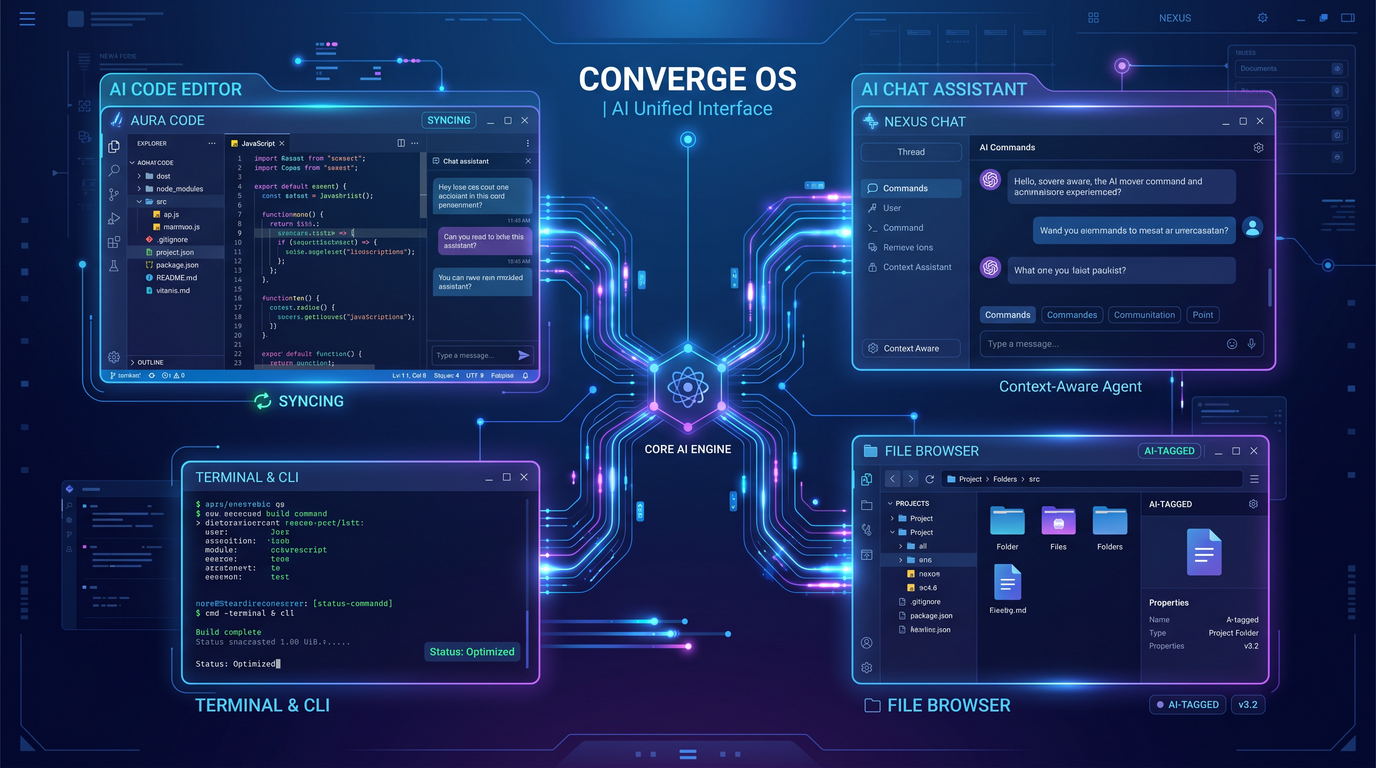
OpenAI’s developer story has reached a turning point in 2026: the company is converging ChatGPT, Codex, and its agent tooling into a unified desktop workspace that treats the machine on your desk as the primary collaboration surface between humans and AI. Dubbed by many in the industry as a “Work OS,” the new Codex desktop app is not just another code assistant—it’s a local operating layer for orchestrating agents, managing projects, browsing, running terminals, and reasoning over files with security guardrails. The ambition is straightforward but sweeping: make the AI the default operator of the developer workstation, while keeping developers firmly in control.
In this news analysis, we examine how OpenAI’s unified workspace came to be, what it actually does, how it compares to a fast-growing field of competitors, how it changes day-to-day developer life, and what it means for enterprises contemplating an AI-first tooling stack.
The Road to a Unified Workspace: From Separate Tools to a Desktop Work OS
To understand why the 2026 “Work OS” moment matters, it helps to recall how fragmented the landscape once was. Three different modes of working with AI coexisted—often awkwardly—in the same organization:
- Conversational problem-solving in chat interfaces like ChatGPT.
- Inline code suggestions and refactors via Codex-powered IDE extensions.
- Agent experiments stitched together with ad hoc scripts, cloud runners, and brittle tool integrations.
Each of these modes solved a real problem. Each also trapped context: a suggestion generated by an IDE model knew nothing of an exploratory chat thread that preceded it; an agent runbook rarely had visibility into the tab sprawl in a developer’s browser; and file operations initiated by different tools often duplicated or diverged. The result was workflow friction: copy–paste bridges, half-synced caches, and frequent “what changed where?” confusion.
Codex and the IDE Era
Codex’s early achievements normalized AI-in-the-loop coding. Autocomplete and inline edits seeded new feedback loops: describe an intent in a comment, watch a function scaffold appear; select a block and request a refactor; swap between language idioms based on model-translated patterns. But IDE extensions made trade-offs. Sandboxed browser UIs hid details of the local machine; background processes could not reliably orchestrate longer-running tasks; and command execution typically relied on external terminals or scripts outside the assistant’s purview. The assistant could show you a diff, but could not reliably own the state machine of your entire project workspace.
Chat as a Scratchpad, Not a System
Chat interfaces thrived as scratchpads for reasoning. Developers brainstormed architectures, generated pseudocode, and unblocked sticky design questions. Still, conversational contexts were brittle. They rarely had durable bindings to the local filesystem, to a repo’s precise state, or to running services. “Great idea, but now I have to go implement it” became the refrain—and with it, context leakage.
Agent Tooling: Powerful, but Siloed
Meanwhile, agent frameworks provided glimpses of a different future: persistent goals, tool calling, background tasks, and broad automation. But the power was gated behind setup complexity and platform choices that lived outside the day-to-day IDE and OS context. Agents could browse, call APIs, and even run remote shells, yet they remained foreign to the developer’s primary workstation, which is precisely where authority and state tend to reside: your git repo, your environment variables, your Docker daemon, your test database, your browser profiles, your SSH keys.
Why Converge Now?
By 2026, several trends converged:
- Developers demanded continuity: a single place where chat, code, files, terminals, and browsers align.
- Enterprises emphasized policy: identity, permissions, audit logs, and secrets control cannot be scattered across plugins and scripts.
- Agent capability matured: safe tool use, action explainability, and controllable autonomy became table stakes.
- Local-first execution made a comeback: rapid feedback cycles and privacy controls improved when more work ran on or near the developer’s machine.
The result is OpenAI’s unified workspace: a desktop app that elevates Codex from an in-IDE helper to the orchestrating layer for work—code-centric, but not code-only.
What “Work OS” Means for Developers
The “Work OS” label can sound like marketing unless it translates to concrete mechanics. In developer terms, a Work OS is a locally anchored control plane that:
- Coordinates multiple agents with explicit goals, tool access, and guardrails.
- Understands and governs the local file system and repo state through permissioned APIs.
- Owns terminal sessions, shells, and processes, making actions observable, reversible, and reproducible.
- Automates the browser in a policy-aware way to test, scrape, or integrate with web apps and dashboards.
- Unifies memory: chat history, plan steps, code diffs, test results, and run logs share a single timeline.
- Exposes enterprise controls around identity, secrets, data residency, and auditing.
The Codex Desktop App as Proving Ground
The Codex desktop app re-centers developer activity around a single canvas. While IDEs remain essential editors and runtimes, the Work OS sits above them, mediating actions, tracking intent, and coordinating tools. It is where plans originate, agents negotiate, commands execute, and results reconcile with your git state.
In practice, the app offers:
- Workspace binding: connect a local folder or repo and grant scoped access.
- Agent panels: run one or multiple agents with different roles (Planner, Coder, Reviewer, Runner).
- Terminal surfaces: integrated shells with preview, dry-run, and policy gates.
- Browser surfaces: a visible or headless browser instance for tests and automation.
- Runbooks: reusable sequences that codify repeated workflows (bootstrap a service, run migrations, roll back).
- Logs and memory: durable state across sessions, enabling continuity and playback.
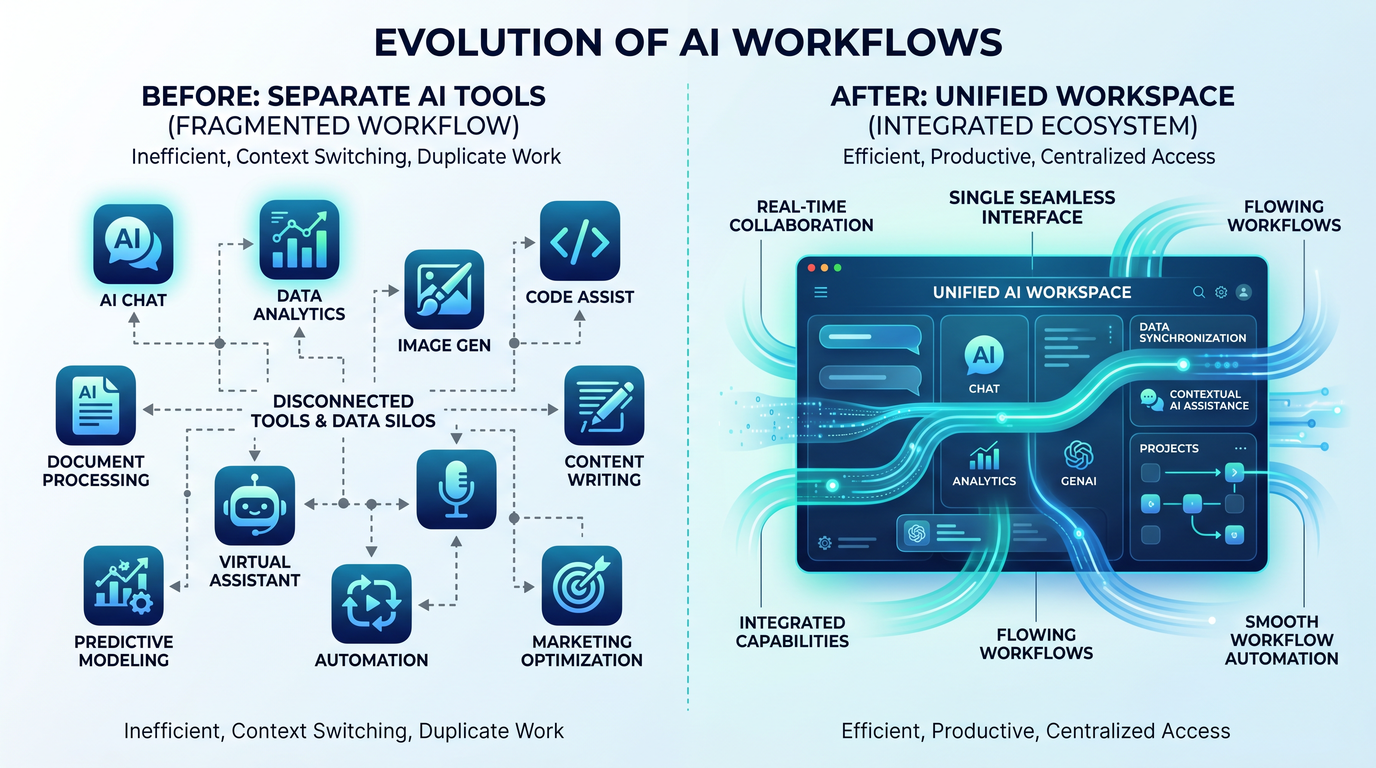
Under the Hood: Architecture of a Unified Workspace
The Work OS can be understood as three layers on the developer’s machine:
- Orchestration layer: manages agents, plans, and tool calls; handles identity and policy checks; surfaces explanations and diffs.
- Execution layer: terminals, file system adapters, process supervisors, and a browser controller; handles subprocesses with safe sandboxes.
- Observation layer: logs, traces, metrics, and memory; provides snapshots, rollbacks, and provenance metadata.
At the heart lies an agent runtime that can host multiple concurrent roles. Tool adapters are modular: file IO, git, Docker/Podman, package managers, test runners, database clients, HTTP, headless browser, and custom enterprise connectors. Policies mediate every tool call, tying into corporate identity (SSO), secrets vaults, and data boundary rules (e.g., “never exfiltrate sensitive files to external endpoints”).
Permissions and Scopes
Instead of blanket access, the Work OS implements scopes by directory, file pattern, tool, and capability. A typical grant might read: “Agent ‘Coder’ can read src/** and tests/**, suggest diffs, and open PRs in branches prefixed with ‘ai/’; it cannot push to main or access ~/.ssh.” Scopes can be time-bounded or tied to a task. The result approximates the principle of least privilege within a developer workstation context.
Observability and Reproducibility
Every action—file read, diff creation, command proposal, command execution, HTTP request—emits structured logs with request–response pairs. The Work OS presents timelines so that a developer can replay a session, compare runs, and explain why a change was made. This moves AI from a “black box” helper to an accountable participant in software development.
Hybrid Local–Cloud Execution
Even as the Work OS is local-first, some tasks demand cloud resources (large model calls, long-running CI, heavy browser automation). The workspace negotiates hybrid execution: lightweight steps run locally; heavier ones offload to managed runners, with results streamed back. The developer’s local identity and policies apply end to end.
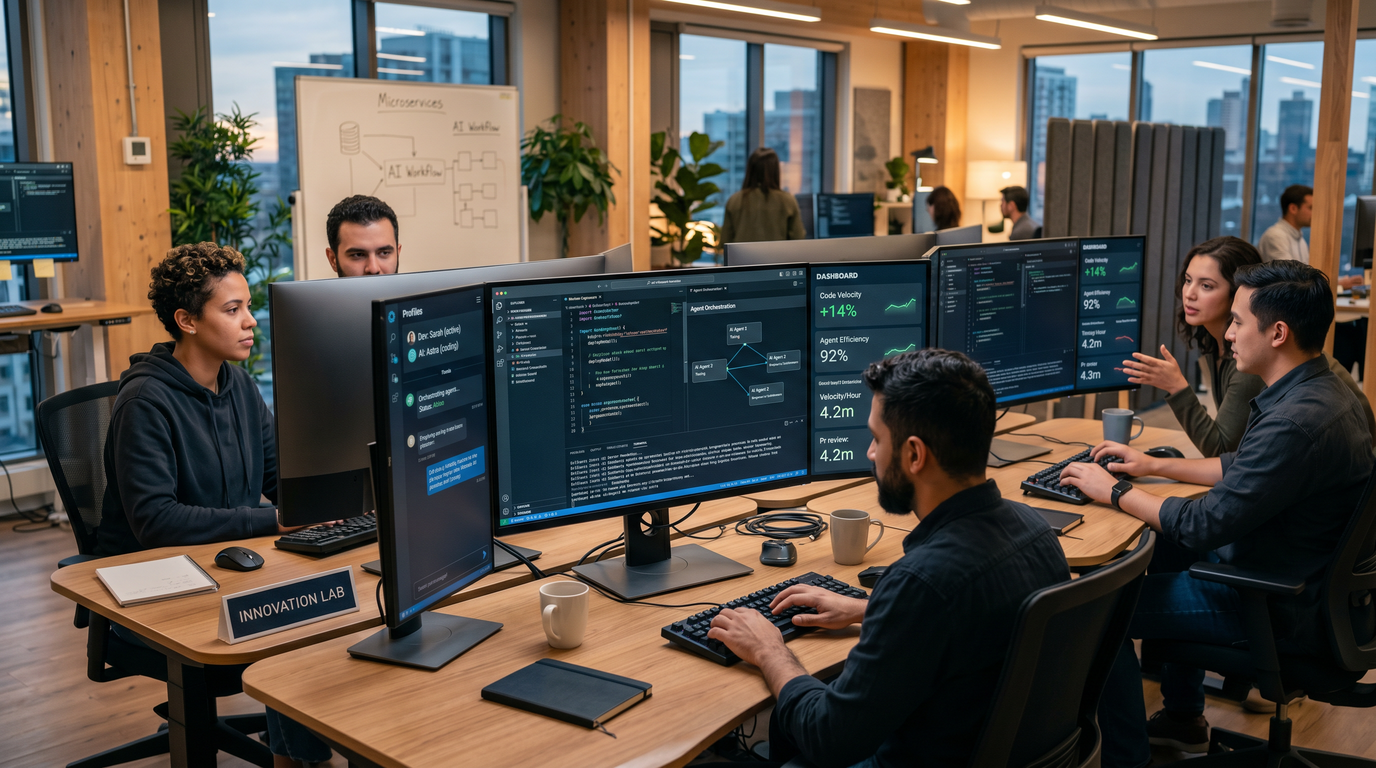
Key Features That Define a Work OS for Developers
1) Agent Orchestration That Developers Can Trust
Agent orchestration is the signature feature. It’s not merely “ask the AI to act,” but rather define roles, plans, and oversight paths that keep humans in the loop. A common pattern is a three-agent triad:
- Planner: turns a user intent into an actionable plan with steps, dependencies, and acceptance criteria.
- Coder: executes steps, writes code, proposes diffs, and runs local tests within granted scopes.
- Reviewer: inspects diffs, test output, and risks; enforces policy; requests revisions; approves merges.
Developers can swap agents, pin a model to a role, or attach an external tool to one agent only. Orchestration is visible: you can open the plan, annotate steps, fast-forward a runbook, or pause an agent mid-call.
# codex.workos.yml
version: 1
workspace:
  root: ./services/payments
  scopes:
    - name: code-read
      paths: ["src/**", "tests/**"]
      capabilities: ["fs.read"]
    - name: code-write
      paths: ["src/**", "tests/**"]
      capabilities: ["fs.write.diff", "git.branch.create", "git.commit"]
    - name: limited-shell
      capabilities: ["shell.exec"]
      deny: ["ssh", "curl http*"]
agents:
  - id: planner
    role: "Planner"
    model: "codex-planning-latest"
    tools: ["fs.read", "git.status"]
  - id: coder
    role: "Coder"
    model: "codex-codegen-latest"
    tools: ["fs.read", "fs.write.diff", "shell.exec", "test.runner"]
    scopes: ["code-read", "code-write", "limited-shell"]
  - id: reviewer
    role: "Reviewer"
    model: "codex-review-latest"
    tools: ["fs.read", "git.diff", "policy.checker"]
runbooks:
  - name: "Implement feature flag for retries"
    steps:
      - agent: planner
        action: "create-plan"
        input: "Add 'payment_retry_enabled' feature flag with config and tests"
      - agent: coder
        action: "apply-plan"
      - agent: coder
        action: "run-tests"
      - agent: reviewer
        action: "review-diff"
      - agent: reviewer
        action: "create-pr"
approvals:
  required: ["human-after-reviewer-approve"]
This kind of declarative control means teams can standardize how agents behave while letting individuals customize models and tools to their context.
2) File System Access With Guardrails and Provenance
File system access is foundational—and dangerous without care. The Work OS models file operations as reproducible transactions:
- Read: every read is logged with path and pattern; sensitive paths can be masked.
- Write: writes are proposed as diffs with semantic summaries; humans approve before committing.
- Moves and deletes: treated as atomic operations; policies can require multi-agent or human approval.
- Provenance: each change is tagged with the initiating agent, prompt context, and test evidence.
Because the workspace “knows” about git, it can segment changes into branches, annotate commits with run logs, and pre-fill PR descriptions from the plan and reviewer feedback.
3) Terminal Integration That Makes Commands Safer
Terminals are the sharpest tool in the developer kit—and the easiest to misuse. The Work OS approach is to run commands through a supervised pty with these controls:
- Preview: agents show the intended command and an explanation before execution.
- Dry-run: where supported (package managers, CLIs), commands run in simulation first.
- Resource caps: long-running processes can be capped or sandboxed.
- Sensitive gates: dangerous commands (e.g., rm -rf) require explicit human confirmation.
# Conversation excerpt and command preview
User: "Bootstrap a new microservice 'ledger' with FastAPI and Docker, add a healthcheck route, and run tests."

Planner: "Plan: scaffold service, create Dockerfile, write healthcheck, add pytest, run tests."

Coder proposes:
  shell.exec:
    command: "uv venv && source .venv/bin/activate && uv pip install fastapi uvicorn pytest"
    explanation: "Create virtualenv and install dependencies"
    dry_run_supported: true

Reviewer: "Enable dry-run and restrict writes to services/ledger/**"
Human: "Approve dry-run"

# Once dry-run passes:
Coder executes with cap: cpu=2, mem=2Gi, timeout=300s
Execution transcripts are attached to diffs and PRs, helping reviewers understand not only what changed but how the environment reached its state.
4) Browser Automation for Real-World Workflows
Many workflows extend beyond code: provisioning a test tenant, running an admin flow, validating an integration in a web dashboard, or capturing a trace. The Work OS integrates a browser controller (visible or headless) with structured actions:
- Navigate, click, fill, submit, extract, screenshot, record network trace.
- Credential scoping: profiles are policy-bound; cookies and storage are isolated per workspace.
- Deterministic replay: actions are logged with selectors and fallbacks.
# Example: instrument a test flow in the browser
plan:
  - go: "https://localhost:8080/login"
  - fill: { selector: "#email", value: "test@local" }
  - fill: { selector: "#password", value: "P@ssw0rd!" }
  - click: { selector: "button[type=submit]" }
  - waitFor: { text: "Welcome" }
  - screenshot: { path: "tests/artifacts/login.png" }
  - fetchNetworkTrace: { path: "tests/artifacts/login.har" }
Paired with unit tests and integration tests, these browser tasks bridge the gap between “it compiles” and “it works in the place people actually use it.”
How It Compares: Cursor, Windsurf, Claude Code, and the New Contenders
The unified workspace lands in a competitive arena. Tools like Cursor, Windsurf, and Claude Code have each pushed the developer experience forward. The differences often come down to where orchestration lives, how deeply terminals and browsers are integrated, and the strength of enterprise controls.
| Capability | OpenAI Codex Work OS | Cursor | Windsurf | Claude Code |
|---|---|---|---|---|
| Primary form factor | Desktop workspace + IDE plugins | IDE-centric editor experience | IDE/editor with agentic features | Editor and chat-based coding |
| Agent orchestration | Multi-agent roles, plans, runbooks, policy-aware | Single/assisted agent patterns; evolving orchestration | Agent assistance focused on code tasks | Conversational coding with tool calls |
| File system model | Scoped, policy-checked fs; diff-first writes; provenance | Project-scoped editing; diff previews | Project-scoped editing; proposes changes | Contextual file reads/writes; diff previews |
| Terminal integration | Supervised pty; dry-run; resource caps; audit logs | Command suggestions; terminal integration varies by setup | Inline terminal workflows for common tasks | Command proposals; external terminal execution |
| Browser automation | Integrated visible/headless browser; policy-scoped profiles | Focus on in-editor coding; browser via external tools | Lightweight automations; emphasis on code | Tool calling; external browser control options |
| Observability | Unified timeline with logs, traces, diffs, PRs | History in editor; change and chat logs | Task history within editor | Chat history; diff context |
| Enterprise controls | SSO, policy engine, secrets vault integration, audit | Enterprise plans; policy controls vary | Team/enterprise offerings; evolving policy set | Enterprise access controls; evolving policy features |
| Hybrid execution | Local-first with managed offload for heavy tasks | Local/editor-first; integrates with external CI/CD | Local/editor-first; integrates with CI tools | Local/editor-first; cloud-model calls |
Most competitors excel inside the editor. OpenAI’s distinguishing bet is that the desktop itself—not just the editor—should be the first-class surface for AI. The payoff is a broader canvas: terminals, browsers, system services, and multi-project orchestration are peers to code editing. The trade-off is adoption complexity: teams must introduce a new control plane and teach developers a new center of gravity for work.
How the Unified Workspace Changes Developer Workflows
The promise of a Work OS is not merely incremental speedups; it is a restructuring of how developers move from intent to impact. Below are patterns that change when orchestration and execution live in one place.
Intent-to-Plan Becomes the Default Entry Point
Instead of starting with “open the editor and type,” work often begins with a plan: write a feature request into the workspace chat, and watch a structured plan emerge—steps, risks, tests, dependencies, acceptance criteria. The plan is not a suggestion; it’s a living object tied to tools, files, and terminals. The developer edits the plan, tweaks scope and policy, then greenlights execution step-by-step or as a batch through a runbook.
Single-Timeline Debugging Across Code, Shell, and Browser
When a test fails, the Work OS surfaces everything that led there: the change set, the environment setup commands, the browser trace, and the logs from dependent services. Agents can rewind to a known good snapshot, bisect changes, or propose a minimized reproducible example. The “where did it break?” question moves from a scavenger hunt to a timeline scroll.
Continuous Micro-PRs With Automated Review
Instead of batching many changes into a large PR, the workspace encourages micro-PRs: small, verifiable diffs that pass plan-aligned tests and reviewer checks. The reviewer agent enforces standards; humans approve with context at hand. This reduces cycle time and improves change safety.
Composable Runbooks Over Tribal Knowledge
Runbooks capture repetitive workflows: adding a service, upgrading a dependency, scaffolding tests, rotating keys, or triaging incidents. Because runbooks are agent-readable and policy-checked, any teammate—or a scheduled agent—can safely execute them. Institutional knowledge moves from “ask a senior dev” to “execute the runbook and inspect the trace.”
Shift-Left on Security and Policy
With security checks embedded in the workspace tools, policy evaluation happens earlier. Secrets never leak to chat logs; commands that touch sensitive paths require elevated approvals; outgoing HTTP calls are vetted; license checks and SBOM updates run in the background. Agents help with compliance, not just with coding.
Examples of New-Style Daily Flows
- Feature spike: plan -> scaffold -> run local smoke tests -> open micro-PR with plan and evidence -> reviewer agent comments -> human approval.
- Dependency upgrade: runbook proposes changes, runs build and tests, scans licenses, updates lockfiles, opens PRs across services with a single decision log.
- Integration validation: browser agent logs into a staging dashboard, runs a setup flow, captures a HAR trace, files a bug with reproduction and environment transcript.
- Onboarding: new team member runs a “bootstrap workspace” runbook that checks tools, installs dependencies, sets environment variables, seeds local data, and verifies services—all instrumented by the Work OS.
Productivity: Speed, Quality, and the Shape of Work
Productivity in AI-assisted development is no longer just “lines of code per hour” or “latency of suggestions.” The Work OS reframes impact along three axes: lead time to change, change failure rate, and mean time to recovery. The hypothesis is simple: if plans are explicit, actions are observable, and rollbacks are native, you can move faster with less risk.
Lead Time to Change
Plans, runbooks, and agent autonomy reduce the time from idea to first diff. Automations like environment setup, fixture generation, and command previews shave minutes that multiply across teams. When browser flows and shell tasks join the same canvas, context switching falls.
Change Failure Rate
Reviewers—both AI and human—get richer evidence. Instead of reading a diff in isolation, reviewers see why the change was made, how it was generated, what tests back it up, and what commands ran. Policies catch dangerous actions. The net effect is fewer “it worked on my machine” surprises.
Access 40,000+ AI Prompts for ChatGPT, Claude & Codex — Free!
Subscribe to get instant access to our complete Notion Prompt Library — the largest curated collection of prompts for ChatGPT, Claude, OpenAI Codex, and other leading AI models. Optimized for real-world workflows across coding, research, content creation, and business.
Mean Time to Recovery
When something breaks, provenance shortens recovery. Agents can propose targeted reverts, reapply a runbook with different parameters, or spin up a debug environment that mirrors the failing context. And because the Work OS favors micro-PRs and small changes, blast radius shrinks.
In a Work OS model, the productivity story is less about typing faster and more about never losing the thread: a single system owns the narrative from intent to impact, with guardrails that institutionalize good habits.
Enterprise Implications: Identity, Security, Compliance, and Cost
Enterprises eyeing an AI-first developer stack face a familiar trio of questions: Can we control it? Can we trust it? Can we afford it? A desktop Work OS must answer all three.
Identity and Access
SSO-backed identities connect developer accounts to policy. Access decisions in the workspace reflect org structure: which teams can grant which scopes, which repositories are fair game, and which commands are walled behind approvals. Per-agent identities allow different roles to inherit distinct permissions—a Reviewer may read sensitive files or policies that a Coder cannot.
Secrets and Data Boundaries
Secrets management integrates with enterprise vaults. The Work OS never logs plaintext secrets and masks sensitive paths in transcripts. Data egress rules define what agents can send to external endpoints and models, and hybrid execution respects data residency requirements. For highly regulated environments, private model endpoints and on-prem runners offer additional controls.
Compliance and Auditability
Audit logs attach to identities, plans, and PRs. Every agent call, tool invocation, and file change includes timestamps, inputs, outputs, and policy decisions. Compliance teams can sample sessions, export traces, and map changes to tickets. SBOM generation and license checks can run continuously in the background, triggered by file watches or runbooks.
Pricing Considerations
Enterprises should expect a layered cost model that blends seat-based licensing with usage-based metering for model calls and managed offloads. Considerations include:
- Seats and roles: pricing may differentiate between creator seats (frequent plan/runbook authors) and collaborator seats (reviewers, approvers).
- Model tiers: access to stronger models for planning or code generation may carry higher per-token costs.
- Hybrid runners: browser automation at scale and heavy CI-like jobs may incur per-minute or per-run charges.
- Data control features: private endpoints, regional hosting, or on-prem runners may be premium add-ons.
The business calculus is familiar: lower lead time and failure rates versus incremental software cost. The Work OS affects both developer output and operational risk, making ROI discussions broader than “autocomplete is faster.”
Security Model: Guardrails Without Handcuffs
The Work OS security model tries to balance agency with safety. It leans on a mix of static rules and runtime checks:
- Static scopes: capability lists bound to directories and tools, codified in workspace config and policy.
- Runtime approvals: high-risk actions require human confirmation; policies can demand two-person review.
- Content filters: prevent accidental exfiltration of secrets or PII in prompts and logs.
- Sandboxing: process-level isolation for shell commands and browser sessions.
- Explainability: agents must summarize intent and impact prior to execution.
These controls are not pure friction. They provide a common language for developers, security engineers, and managers. When a reviewer rejects a change, they can point to an explainable step or a policy rationale, not just a hunch.
Hands-On: From Fresh Repo to Shipping Change
To see how it comes together, imagine a developer tasked with adding a rate limiter to a service:
- Declare intent: “Add token-bucket rate limiting to the /transfer endpoint, with config and tests.”
- Planner drafts: steps, design choices (local middleware vs. reverse proxy), and acceptance tests.
- Human edits: choose middleware approach; set performance target; add a canary plan.
- Coder executes: writes middleware, wires config, updates docs, adds unit and integration tests.
- Terminal runs: executes tests; spins up the service; benchmarks requests; stores artifacts.
- Browser agent: exercises the endpoint via a web UI; captures HAR and screenshots.
- Reviewer: inspects diffs, performance evidence, and policy checks.
- PR: micro-PR opened with plan, diffs, logs, and artifacts embedded; human approves.
- Follow-up runbook: schedules a canary rollout; monitors metrics; flags regressions.
# Example CLI sequence within the Work OS shell
codex plan new "Add token-bucket rate limiting to /transfer"
codex plan open --edit
codex runbook execute "Implement rate limiting" --step "apply-plan"
codex test run --all
codex browser run tests/scenarios/rate-limit.flow.yaml
codex review run
codex pr open --branch ai/feature/rate-limit --include-artifacts
The key is continuity: the plan is the anchor, tools are the limbs, and the timeline is the memory. The developer remains the decision-maker, but the Work OS handles the drudgery and bookkeeping.
Migration and Coexistence With Existing Toolchains
Most teams won’t flip a switch. The path to a Work OS is incremental:
- Pilot on non-critical repos or greenfield projects to test policies and runbooks.
- Adopt planning and reviewing agents first; keep coding primarily human-initiated.
- Introduce terminal supervision and browser automation where manual toil dominates.
- Migrate repetitive workflows into runbooks, starting with dependency upgrades and scaffolding.
- Expand scopes and agent autonomy as confidence grows; ratchet policies and approvals to fit risk.
Throughout, the Work OS should coexist with beloved tools. IDEs remain core editor surfaces; CI/CD systems still gate merges and deploys; observability stacks still collect metrics. The difference is who coordinates all that work on the developer’s machine—and how visible the full narrative becomes.
Risks and Open Questions
No consolidation comes without trade-offs. Teams should interrogate several open questions:
- Vendor lock-in: Do workspace configs, runbooks, and traces export cleanly? Can they run with alternative agents?
- Reproducibility: How deterministic are agent decisions and tool behaviors across machines and time?
- Offline productivity: What happens when network access is limited? Are local fallbacks robust?
- Model drift: How are planning and coding behaviors versioned and pinned? Can regressions be rolled back?
- Security surface: Does a more capable local orchestrator increase the blast radius if compromised? How strong are isolation boundaries?
- Org change: Will teams embrace plan-first, micro-PR workflows, or revert to ad hoc patterns under pressure?
These questions are not disqualifiers; they are implementation details that determine whether a Work OS becomes indispensable or remains a niche tool for enthusiasts.
What This Means for the Future of AI-Assisted Development
By reshaping where work originates and how it flows, the Work OS concept hints at a broader shift in software culture. The AI is not a bolt-on. It is a first-class peer on the team—one that can plan, act, and explain within rules negotiated by humans and institutions.
From Prompting to Programming by Intents
Prompts give way to intents, which are richer and more structured. An intent specifies goals, constraints, and outcomes—not just desired code. Plans and runbooks make intents durable and composable. This aligns with how distributed systems are actually built: as sequences of coordinated actions with acceptance criteria, not as isolated code edits.
Ambient Agents
Agents will not only execute tasks but also watch for opportunities and risks: “Tests slowed by 30% this week; suggest a profiling runbook?” or “New CVE detected in transitive dependency; open a patch PR?” The Work OS’s observation layer is fertile ground for these ambient behaviors—always-on assistants that respect privacy, policy, and team cadence.
OS-Level HCI Patterns
Human–computer interaction evolves again. Beyond chat, the Work OS blends plans, graphs, timelines, terminals, and browsers into a new kind of desktop ergonomics. The center of gravity is not a single app window but a narrative that spans tools—the developer’s machine as the stage for live, explainable collaboration with AI.
Standards and Interoperability
As runbooks, policies, and traces become more important, pressure will mount for standard formats. Enterprises will want to mix agents and vendors; developers will demand portability. Expect community-driven specs for agent graphs, tool capability schemas, policy definitions, and provenance exchanges. A healthy ecosystem will make the Work OS more valuable, not less.
Developer Playbook: Practical Tips to Capture Early Wins
- Codify your first three runbooks: project bootstrap, dependency upgrade, and test triage.
- Adopt micro-PR discipline: small, frequent changes with integrated evidence.
- Scope narrowly at first: start with read-only file access and dry-run terminals; widen as trust grows.
- Co-design policies with security: write them as checks that help developers succeed, not traps that stop progress.
- Measure what matters: track lead time, failure rate, and recovery time before and after Work OS adoption.
- Practice explainability: require agents to state intent and impact before execution; make this habit stick.
Appendix: Example Workspace Configuration and Policies
# workspace.policy.yaml
identity:
  sso_provider: "Your-SSO"
  roles:
    - name: developer
      allow_scopes: ["code-read", "code-write", "limited-shell"]
    - name: reviewer
      allow_scopes: ["code-read", "policy-read"]
      require_2fa: true
    - name: admin
      allow_scopes: ["code-read", "code-write", "limited-shell", "policy-admin"]

policies:
  approvals:
    - name: "dangerous-shell"
      match:
        tool: "shell.exec"
        patterns: ["*rm -rf*", "*:(){ :|:& };:*"]
      require: ["human-approval", "two-person"]
  secrets:
    mask_paths:
      - "/home/**/.ssh/**"
      - "/etc/**"
      - "**/.env"
    egress:
      allow_domains:
        - "internal.api.company"
      deny_domains:
        - "*.unknown.com"
  provenance:
    commit_annotations: true
    store_artifacts: ["*.png", "*.har", "coverage/**", "profiling/**"]
    retention_days: 90
# runbooks/upgrade-dependency.yaml
name: "Upgrade core dependency"
description: "Bump version, run tests, scan licenses, open PR"
parameters:
dependency: { type: "string" }
steps:
- agent: planner
action: "create-plan"
input: "Upgrade {{dependency}} to latest stable"
- agent: coder
action: "update-dependency"
input: "{{dependency}}"
- agent: coder
action: "run-tests"
- agent: reviewer
action: "scan-licenses"
- agent: reviewer
action: "review-diff"
- agent: reviewer
action: "create-pr"
approvals:
required: ["human-after-reviewer-approve"]Executive Summary for Decision-Makers
- What it is: a desktop Work OS that unifies agents, files, terminals, and browsers with enterprise policy and observability.
- Why it matters: lowers lead time, reduces change risk, and institutionalizes good practices via plans, runbooks, and provenance.
- Fit: especially strong for multi-repo, multi-service teams and regulated environments seeking traceability.
- Risks: vendor lock-in, culture shifts, and the need to manage a more capable local orchestrator.
- Next steps: pilot on a limited scope, define initial policies and runbooks, and measure against core delivery metrics.
Related Coverage
-
For a deeper exploration of related concepts, our comprehensive guide on Why ChatGPT’s Futures Class of 2026 Signals OpenAI’s Pivot to Develo provides detailed strategies and practical implementation steps that complement the techniques discussed in this article.
-
For a deeper exploration of related concepts, our comprehensive guide on The Codex Database Engineering Playbook: 20 Prompts for Schema Design, Query Opt provides detailed strategies and practical implementation steps that complement the techniques discussed in this article.
-
For a deeper exploration of related concepts, our comprehensive guide on The 2026 AI Coding Agent Comparison: Cursor vs Claude Code vs GitHub Copilot vs provides detailed strategies and practical implementation steps that complement the techniques discussed in this article.
Bottom Line
The shift from separate chat, code, and agent tools to a single desktop Work OS is as much cultural as it is technical. OpenAI’s unified workspace reframes the developer machine as a governed stage where AI can plan, act, and explain alongside humans. The gains are tangible—faster feedback, richer evidence, and safer changes—if teams invest in policies and runbooks that turn intentions into repeatable outcomes. Competition will keep the category honest, and standards will likely emerge to keep vendors interoperable. For now, the Codex Work OS approach gives developers something they have always wanted: a place where the full story of their work lives, from the first idea to the last log line.
Access 40,000+ AI Prompts for ChatGPT, Claude & Codex — Free!
Subscribe to get instant access to our complete Notion Prompt Library — the largest curated collection of prompts for ChatGPT, Claude, OpenAI Codex, and other leading AI models. Optimized for real-world workflows across coding, research, content creation, and business.
