
Codex Enterprise Analytics Masterclass: 30 Production-Ready Prompts for Usage Monitoring, Cost Optimization, and Team Performance Dashboards
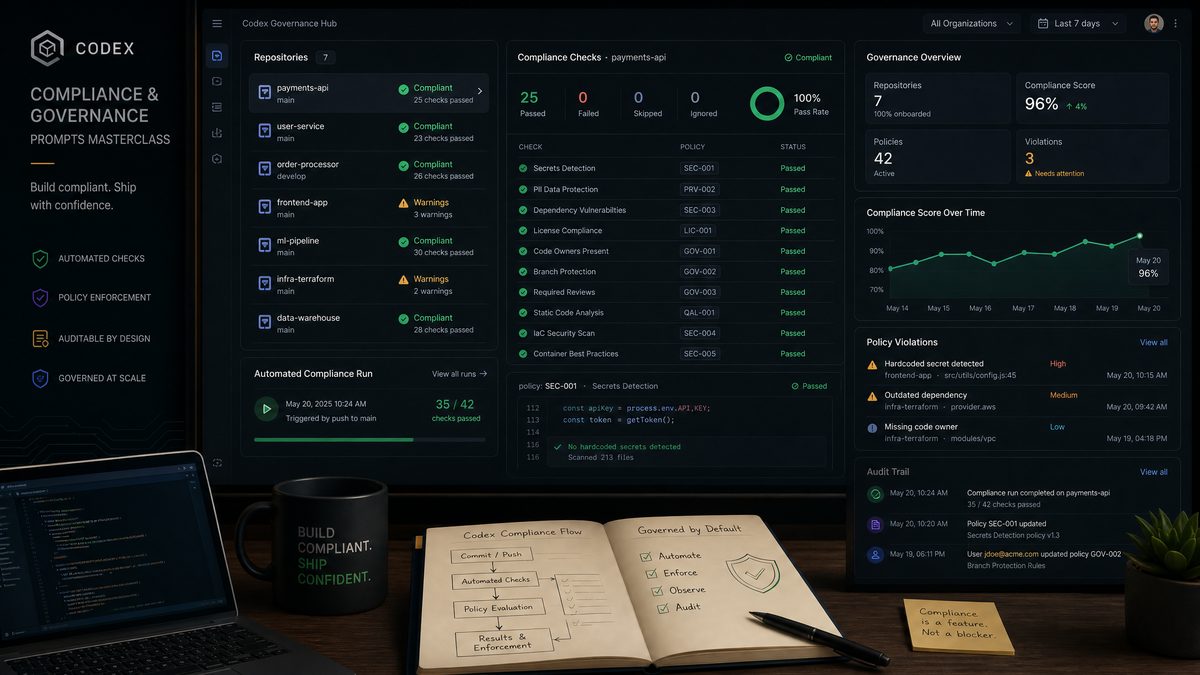
Codex Enterprise Analytics Masterclass: 30 Production-Ready Prompts for Usage Monitoring, Cost Optimization, and Team Performance Dashboards
By Markos Symeonides | June 20, 2026
Enterprise AI deployments have crossed a critical inflection point. Organizations running Codex at scale are no longer asking whether AI can automate their workflows — they’re asking how to measure, optimize, and govern the AI systems they’ve already built. The answer lies in purpose-built analytics infrastructure, and Codex’s enterprise analytics capabilities provide exactly the scaffolding needed to construct it.
This masterclass delivers 30 production-ready prompts organized across three operational pillars: usage monitoring, cost optimization, and team performance dashboards. Each prompt is designed to be copied directly into a Codex session and executed without modification, though commentary after each explains how to adapt it for your specific environment. Whether you’re a platform engineer building internal tooling, a FinOps analyst trying to bring AI spend under control, or an engineering manager who needs visibility into how your teams interact with AI assistants, this guide has a prompt that solves your exact problem.
Before diving in, it’s worth understanding why Codex is uniquely suited to this class of work. Unlike general-purpose language models that require significant prompt engineering to produce structured outputs, Codex operates with a code-first mental model that makes it exceptionally reliable at generating Python scripts, SQL queries, API integrations, and dashboard configurations. When you ask Codex to build a monitoring system, it thinks in terms of data pipelines, not prose — and that distinction matters enormously when the output needs to run in production.
Understanding Codex Enterprise Analytics: The Foundation
Codex’s enterprise analytics layer exposes a set of APIs and data structures that most organizations haven’t fully explored. At its core, the system tracks three categories of signals: token consumption per request (broken down by prompt tokens and completion tokens), latency metrics per API call, and metadata about the requesting agent — whether that’s a user, a team, a project, or a deployment environment.
The enterprise dashboard surfaces aggregate views of these signals, but the real power emerges when you pipe this raw data into your own observability stack. Organizations running Datadog, Grafana, or custom BI tools can ingest Codex usage logs directly and build monitoring layers that integrate seamlessly with their existing infrastructure.
The upcoming GPT-5.6 release will bring enhanced analytics capabilities that integrate directly with these enterprise monitoring prompts. Our coverage of what OpenAI’s Chief Scientist confirmed about GPT-5.6 reveals how next-generation models will provide deeper usage telemetry and cost prediction features for enterprise teams. GPT-5.6 Imminent: What OpenAI’s Chief Scientist Confirmed.
covers the foundational API patterns in detail, but this masterclass focuses specifically on the prompts you use to build the automation layer on top of those APIs.
One architectural decision that pays dividends early: treat your Codex usage data as a first-class event stream rather than a batch reporting source. Organizations that poll usage APIs once per day find themselves reacting to cost overruns after the fact. Organizations that stream usage events in near-real-time can set automated circuit breakers that halt runaway processes before they consume significant budget.
What the Analytics APIs Actually Return
Each API response from the Codex enterprise analytics endpoint includes the following fields that your monitoring prompts will reference:
- request_id: Unique identifier for each Codex invocation
- timestamp: ISO 8601 timestamp of the request
- model: The specific Codex model variant used (codex-1, codex-1-mini, etc.)
- prompt_tokens: Token count for the input context
- completion_tokens: Token count for the generated output
- total_tokens: Sum of prompt and completion tokens
- latency_ms: End-to-end request latency in milliseconds
- user_id: Identifier of the authenticated user or service account
- team_id: Organizational unit identifier
- project_id: Project-level grouping identifier
- cost_usd: Calculated cost for the request in USD
- status: Request outcome (success, rate_limited, error)
- error_code: Specific error type if status is not success
With this schema in mind, every prompt in this masterclass becomes immediately parseable. You’ll see these field names referenced throughout the code blocks that follow.
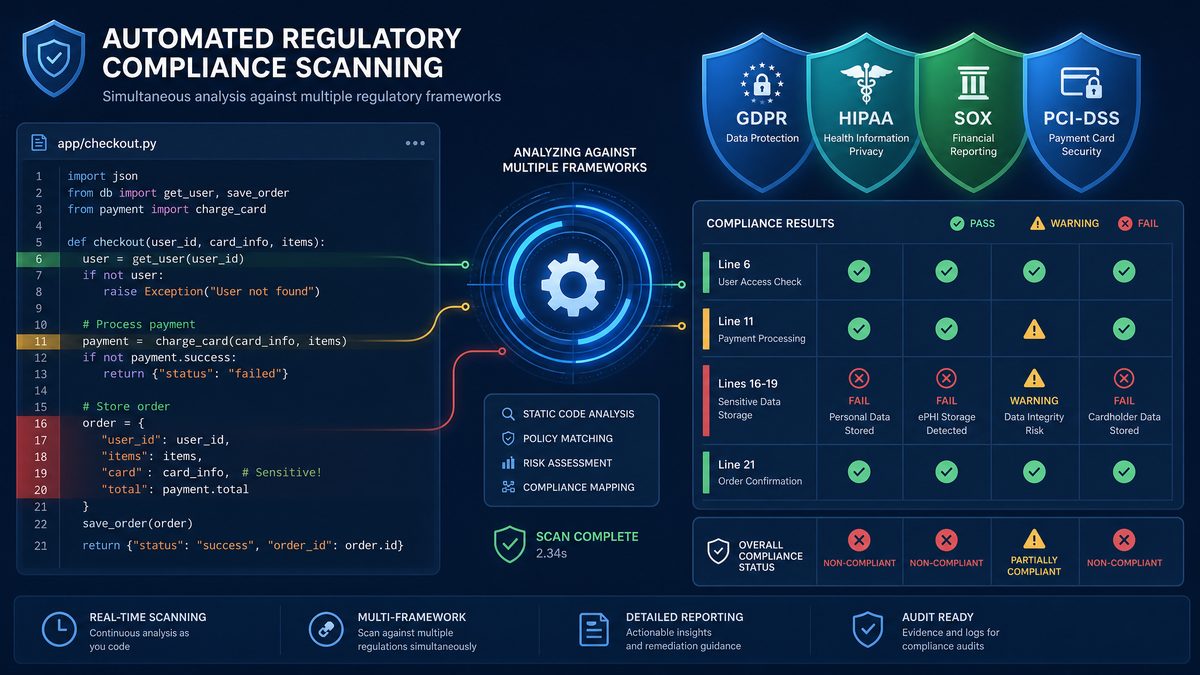
Section 1: Usage Monitoring Prompts (Prompts 1–10)
Usage monitoring is the bedrock of enterprise AI governance. Without accurate visibility into who is using Codex, how often, and for what types of tasks, every other optimization effort is guesswork. The following ten prompts build a comprehensive usage monitoring system from scratch.
Prompt 1: Real-Time Usage Ingestion Pipeline
Build a Python script that continuously polls the Codex enterprise analytics API and ingests usage events into a PostgreSQL database. The script should:

1. Authenticate using an API key stored in the environment variable CODEX_API_KEY
2. Poll the /v1/usage/events endpoint every 60 seconds using a configurable interval
3. Handle pagination using cursor-based pagination (the API returns a 'next_cursor' field)
4. Deduplicate events using request_id as the primary key to handle overlapping poll windows
5. Insert new events into a table called codex_usage_events with columns matching the API response schema (request_id, timestamp, model, prompt_tokens, completion_tokens, total_tokens, latency_ms, user_id, team_id, project_id, cost_usd, status, error_code)
6. Log ingestion statistics (events fetched, events inserted, events skipped as duplicates) to stdout in JSON format
7. Implement exponential backoff with jitter for API rate limit responses (429 status codes)
8. Gracefully handle SIGTERM for clean shutdown in containerized environments

Include a requirements.txt with all dependencies. The script should run indefinitely as a daemon process.
Expected Output: A complete Python daemon script (~150 lines) with database connection pooling, proper error handling, and a companion requirements.txt. This becomes the foundation for every other monitoring prompt in this section.
Prompt 2: Anomaly Detection for Sudden Usage Spikes
Write a Python function that detects anomalous usage spikes in Codex API consumption using a rolling z-score algorithm. The function should:

1. Accept a PostgreSQL connection string and a lookback window in hours (default: 24 hours)
2. Query the codex_usage_events table to compute hourly token consumption per team_id for the past 30 days
3. Calculate a rolling mean and standard deviation for each team's hourly consumption using a 7-day window
4. Flag any hour where consumption exceeds the rolling mean by more than 3 standard deviations as an anomaly
5. For detected anomalies, query the underlying events to identify the top 5 user_ids and project_ids contributing to the spike
6. Return a structured dictionary with: team_id, anomaly_timestamp, observed_tokens, expected_tokens, z_score, contributing_users (list), contributing_projects (list)
7. Send an alert to a Slack webhook URL (stored in SLACK_WEBHOOK_URL environment variable) with a formatted message including all anomaly details
8. Include a main() function that runs the detection on a schedule using APScheduler, executing every 15 minutes

Handle the cold-start case where a team has fewer than 7 days of history by falling back to a simple percentile-based threshold (flag if current hour exceeds the 95th percentile of all historical hours for that team).
Expected Output: A self-contained anomaly detection module with statistical rigor appropriate for production use. The z-score approach catches genuine spikes while the cold-start fallback prevents false negatives for new teams.
Prompt 3: Per-User Usage Attribution Report
Create a Python script that generates a weekly usage attribution report for all Codex users in an organization. The report should:

1. Query the codex_usage_events table for the past 7 days
2. Aggregate metrics per user_id: total_tokens, total_cost_usd, request_count, average_latency_ms, error_rate (percentage of requests with status != 'success'), most_used_model
3. Rank users by total_cost_usd descending
4. Identify the top 10% of users by cost (the "power users") and flag them in the report
5. Calculate each user's cost as a percentage of total organizational spend
6. Detect users whose week-over-week cost growth exceeds 50% (compare to the previous 7-day period)
7. Generate the report as both:
   a. A CSV file saved to /reports/weekly_usage_YYYY-MM-DD.csv
   b. An HTML email using Jinja2 templates with a sortable table, color-coded cost cells (green < $10, yellow $10-$50, red > $50), and a summary section showing total org spend, total requests, and average cost per request
8. Send the HTML email via SMTP using credentials from environment variables (SMTP_HOST, SMTP_PORT, SMTP_USER, SMTP_PASSWORD, REPORT_RECIPIENTS as comma-separated list)

Include the complete Jinja2 HTML template inline in the script as a multiline string.
Expected Output: A complete reporting script with embedded HTML template, CSV export logic, and email delivery. The color-coded table makes cost outliers immediately visible without requiring recipients to parse raw numbers.
Prompt 4: Model Usage Distribution Tracker
Write a SQL query and accompanying Python visualization script that tracks how Codex model usage is distributed across an organization over time.

The SQL query should:
1. Run against the codex_usage_events table
2. Group by model and date (truncated to day) for the past 90 days
3. Calculate for each model+day combination: request_count, total_tokens, total_cost_usd, avg_prompt_tokens, avg_completion_tokens, avg_latency_ms
4. Include a running 7-day average of cost for each model using a window function
5. Calculate each model's percentage of daily total requests and daily total cost

The Python visualization script should:
1. Execute the SQL query against PostgreSQL
2. Generate a stacked area chart showing model usage share by day (using matplotlib)
3. Generate a separate line chart showing cost per model over time with the 7-day moving average
4. Save both charts as PNG files to /reports/model_distribution_YYYY-MM-DD.png
5. Print a summary table to stdout showing the 30-day totals per model, sorted by cost descending

This is used by FinOps teams to understand whether the organization is appropriately using cheaper model variants (codex-1-mini) for simpler tasks versus the full model for complex tasks.
Expected Output: Production SQL with window functions and a matplotlib visualization script. The output directly answers the question “Are we using the right model for each task type?” — a question that drives significant cost optimization.
Prompt 5: API Error Rate Monitor with Root Cause Classification
Build a monitoring script that tracks Codex API error rates and automatically classifies errors by root cause. The script should:

1. Query codex_usage_events where status != 'success' for the past 24 hours
2. Group errors by error_code and calculate: count, percentage of total requests, affected user_ids (unique count), affected team_ids (unique count), first_occurrence, last_occurrence
3. Classify each error_code into one of these root cause categories:
   - RATE_LIMITING: error codes containing 'rate_limit' or '429'
   - CONTEXT_OVERFLOW: error codes containing 'context_length' or 'max_tokens'
   - AUTHENTICATION: error codes containing 'auth' or '401' or '403'
   - SERVER_ERROR: error codes containing '500' or '503' or 'internal'
   - TIMEOUT: error codes containing 'timeout' or 'deadline'
   - OTHER: anything not matching above patterns
4. For RATE_LIMITING errors, identify which teams are hitting limits most frequently and at what times of day
5. For CONTEXT_OVERFLOW errors, calculate the average prompt_tokens of failed requests to help teams right-size their context windows
6. Generate a JSON report with all findings and a recommended_action field for each error category:
   - RATE_LIMITING: "Consider implementing request queuing or upgrading tier"
   - CONTEXT_OVERFLOW: "Review prompt construction — average failed prompt was X tokens"
   - AUTHENTICATION: "Audit API key rotation schedule"
   - SERVER_ERROR: "Check OpenAI status page; consider retry logic"
   - TIMEOUT: "Review network configuration and request timeout settings"
7. Post the report summary to a PagerDuty webhook if error rate exceeds 5% of total requests

Include proper logging throughout.
Expected Output: A complete error classification and alerting system. The root cause categorization transforms raw error codes into actionable remediation steps, saving on-call engineers significant triage time.
Prompt 6: Latency Percentile Dashboard Data Generator
Create a Python script that computes latency percentiles for Codex API calls and formats the output for a Grafana dashboard. The script should:

1. Query codex_usage_events for the past 7 days
2. Calculate latency percentiles (p50, p75, p90, p95, p99) broken down by:
   a. Overall (all requests)
   b. Per model
   c. Per team_id
   d. Per hour of day (0-23) to identify time-of-day latency patterns
3. Use numpy's percentile function for calculations
4. Identify requests in the p99 latency bucket and extract their characteristics: avg_prompt_tokens, avg_completion_tokens, model distribution, team distribution
5. Format all output as a JSON structure compatible with Grafana's SimpleJSON datasource format, with the following panels:
   - Panel 1: Time series of p50/p95/p99 latency over 7 days (5-minute buckets)
   - Panel 2: Heatmap of latency by hour of day and day of week
   - Panel 3: Table of per-team p95 latency with week-over-week delta
6. Write the JSON to /dashboards/latency_dashboard.json
7. Also output a plain-text summary to stdout showing which teams have p95 latency above 5000ms and might benefit from switching to codex-1-mini for latency-sensitive workloads

The script should be runnable as a cron job (no persistent state required).
Expected Output: A Grafana-compatible JSON dashboard configuration alongside a plain-text operational summary. The hour-of-day breakdown frequently reveals that organizations are running batch workloads during peak hours, causing latency spikes that affect interactive users.
Prompt 7: Inactive User and Zombie Project Detector
Write a Python script that identifies inactive users and abandoned projects in the Codex enterprise deployment. The script should:

1. Query codex_usage_events to find all user_ids and project_ids that had activity in the past 90 days
2. Compare against a roster of provisioned users and projects (read from a CSV file at /config/provisioned_users.csv with columns: user_id, team_id, provisioned_date, user_email) and (/config/provisioned_projects.csv with columns: project_id, team_id, created_date, project_name)
3. Classify users into:
   - ACTIVE: had at least one request in the past 30 days
   - DORMANT: had requests 31-90 days ago but none in past 30 days
   - INACTIVE: provisioned but never made a request, or last request was more than 90 days ago
4. Classify projects into:
   - ACTIVE: had requests in past 30 days
   - STALE: last request was 31-90 days ago
   - ABANDONED: no requests in 90+ days or never used
5. For DORMANT and INACTIVE users, calculate the cost of their API keys remaining active (use the organization's average cost per user per month as the opportunity cost metric)
6. Generate a CSV report with deprovisioning recommendations, sorted by potential cost savings
7. Generate a separate report for ABANDONED projects with the total historical spend on each project
8. Output a summary showing: total provisioned users, active users, potential monthly savings from deprovisioning inactive users

This helps IT and FinOps teams right-size their Codex enterprise license and API key allocations.
Expected Output: A governance audit tool that typically surfaces 15-30% of provisioned users as inactive in mature enterprise deployments, representing immediate cost reduction opportunities.
Prompt 8: Peak Usage Prediction Model
Build a Python script that trains a simple time-series forecasting model to predict peak Codex usage periods and pre-emptively alert capacity managers. The script should:

1. Query codex_usage_events to extract hourly total_tokens and request_count for the past 60 days
2. Engineer time-based features: hour_of_day, day_of_week, is_monday, is_friday, week_number, is_month_end (last 3 days of month)
3. Train a gradient boosting model (use scikit-learn's GradientBoostingRegressor) to predict the next 24 hours of request_count
4. Use the past 7 days as a validation set and report MAE and MAPE on the validation set
5. Generate predictions for the next 24 hours with 80% prediction intervals (use quantile regression: train separate models for 10th and 90th percentiles)
6. Identify any predicted hour where the upper prediction interval exceeds the 95th percentile of historical hourly usage — flag these as HIGH_RISK hours
7. Save the trained models to /models/codex_usage_forecast.pkl using joblib
8. Output a JSON file at /forecasts/next_24h_forecast.json containing: timestamp, predicted_requests, lower_bound, upper_bound, risk_level (HIGH/MEDIUM/LOW) for each hour
9. If any HIGH_RISK hours are predicted within the next 8 hours, send an alert to the ops Slack channel

Run this script daily via cron at midnight to refresh predictions.
Expected Output: A complete ML forecasting pipeline with model persistence and operational alerting. The quantile regression approach provides honest uncertainty estimates rather than false precision, which builds trust with operations teams.
Prompt 9: Multi-Tenant Usage Isolation Validator
Create a Python script that validates that multi-tenant usage isolation is working correctly in a Codex enterprise deployment. The script should:

1. Query codex_usage_events for the past 7 days
2. For each team_id, verify that all requests from that team use only API keys that belong to that team (cross-reference against /config/team_api_key_mapping.json which maps api_key_prefix to team_id)
3. Detect any user_id that has made requests attributed to more than one team_id in the same day — this indicates possible API key sharing or misconfiguration
4. Identify any project_id that has consumed resources from multiple team budgets
5. Check for requests made outside of business hours (configurable: default 6am-10pm local time) by service accounts that should only run during business hours (read from /config/business_hours_only_accounts.txt, one user_id per line)
6. Generate a compliance report with:
   - PASS/FAIL status for each validation check
   - Details of any violations found
   - Severity classification: CRITICAL (cross-tenant data access), HIGH (API key sharing), MEDIUM (after-hours access), LOW (minor misconfigurations)
7. For CRITICAL violations, immediately send an alert to the security team email (SECURITY_EMAIL environment variable)
8. Save the full report to /reports/isolation_validation_YYYY-MM-DD.json

This script should be run daily as part of a security compliance pipeline.
Expected Output: A security compliance validator that catches multi-tenant isolation failures before they become audit findings. In regulated industries, this type of automated validation is often a compliance requirement.
Prompt 10: Usage Trend Summarizer for Executive Reporting
Write a Python script that generates a concise executive-level usage summary for monthly board or leadership reporting. The script should:

1. Query codex_usage_events for the current month-to-date and the previous complete month
2. Calculate month-over-month changes for: total_cost_usd, total_requests, unique_active_users, unique_active_projects, average_cost_per_request, error_rate
3. Identify the top 3 teams by spend growth (absolute and percentage) month-over-month
4. Calculate ROI proxy metrics: cost_per_active_user_per_day, requests_per_active_user_per_day
5. Identify the 3 most significant trends using simple heuristics:
   - If cost grew >20% MoM but active users grew <5%: flag "Cost growing faster than adoption"
   - If error_rate increased >2 percentage points: flag "Reliability degradation detected"
   - If p95 latency increased >20%: flag "Performance degradation detected"
   - If new teams onboarded this month: flag "Expansion: X new teams onboarded"
6. Generate a PowerPoint-compatible data structure (use python-pptx) with:
   - Slide 1: Key metrics scorecard (6 KPIs with MoM arrows)
   - Slide 2: Cost by team bar chart
   - Slide 3: Daily usage trend line chart for the past 60 days
   - Slide 4: Key findings and recommended actions (bullet points from trend analysis)
7. Save to /reports/executive_summary_YYYY-MM.pptx

Format all currency values as $X,XXX.XX and all percentages with one decimal place.
Expected Output: A complete executive reporting pipeline that produces a professional PowerPoint deck automatically. This eliminates the manual monthly reporting burden that typically falls on platform engineers or FinOps analysts.
Section 2: Cost Optimization Prompts (Prompts 11–20)
Cost optimization for enterprise AI deployments requires a fundamentally different mindset than traditional infrastructure cost management. With Codex, the primary cost driver is token consumption, and token consumption is shaped by prompt architecture decisions made by developers — not infrastructure configuration decisions made by ops teams. Effective cost optimization therefore requires tooling that bridges the gap between developer behavior and financial outcomes.
The prompts in this section build that bridge. They range from token efficiency analyzers that identify wasteful prompt patterns to automated budget enforcement systems that prevent cost overruns without requiring manual intervention.
Optimizing costs requires understanding the performance characteristics of each model in your stack. Our head-to-head comparison of GPT-5.4 versus OpenAI Codex provides the benchmarking data and cost-per-task analysis that enterprise teams need to configure intelligent routing rules in their analytics dashboards. GPT-5.4 vs OpenAI Codex: The 2026 Head-to-Head Comparison.
provides the theoretical background for why these optimizations work, but the prompts here give you the implementation.
Prompt 11: Token Efficiency Analyzer
Build a Python script that analyzes token efficiency across all Codex usage and identifies opportunities to reduce token consumption without degrading output quality. The script should:

1. Query codex_usage_events for the past 30 days, focusing on the ratio of completion_tokens to prompt_tokens for each request
2. Calculate a "efficiency score" for each project_id: (completion_tokens / total_tokens) * 100 — this represents what percentage of tokens are "productive output" versus input overhead
3. Flag projects where efficiency score is below 20% (meaning 80%+ of tokens are prompt overhead) as INEFFICIENT
4. For INEFFICIENT projects, calculate: average prompt_tokens, average completion_tokens, total cost in the period, estimated monthly cost at current rate
5. Estimate potential savings if the project achieved the organization's median efficiency score: ((current_prompt_tokens - target_prompt_tokens) * prompt_token_rate) * monthly_request_count
6. Identify the top 5 most expensive individual requests (by total_tokens) in the past 30 days and output their request_ids, timestamps, user_ids, project_ids, and token counts — these are candidates for manual review
7. Generate recommendations for each INEFFICIENT project:
   - If avg_prompt_tokens > 10000: "Consider implementing prompt compression or retrieval-augmented generation to reduce context size"
   - If avg_prompt_tokens > 50000: "Context window is extremely large — evaluate whether full context is necessary for each request"
   - If completion_tokens / prompt_tokens < 0.05: "Very low output-to-input ratio — consider whether simpler model variants or fine-tuning would be appropriate"
8. Output a ranked list of optimization opportunities sorted by estimated monthly savings descending

Use prompt token rate of $0.003 per 1K tokens and completion token rate of $0.015 per 1K tokens as defaults (make these configurable via environment variables).
Expected Output: An optimization opportunity ranker that translates abstract token counts into concrete dollar savings. The efficiency score metric gives teams a single number to optimize against, which dramatically simplifies goal-setting conversations.
Prompt 12: Budget Enforcement and Circuit Breaker System
Create a complete budget enforcement system for Codex enterprise that automatically throttles or blocks spending when budgets are exceeded. The system should consist of two components:

COMPONENT 1 - Budget Configuration Manager (budget_config.py):
1. Read budget configurations from /config/budgets.json with structure: {"team_id": {"daily_budget_usd": X, "monthly_budget_usd": Y, "alert_thresholds": [50, 75, 90, 100]}}
2. Provide functions to: get_budget(team_id), update_budget(team_id, budget_type, amount), get_all_budgets()
3. Validate that monthly budgets are at least 20x daily budgets (sanity check)

COMPONENT 2 - Budget Monitor and Enforcer (budget_enforcer.py):
1. Run every 5 minutes via APScheduler
2. Query codex_usage_events to calculate current daily and monthly spend per team_id
3. For each team, calculate percentage of budget consumed
4. When a team crosses an alert threshold (50%, 75%, 90%), send a Slack notification to the team's channel (read channel mapping from /config/team_slack_channels.json) with: current spend, budget limit, percentage used, projected end-of-period spend based on current rate
5. When a team reaches 100% of daily budget:
   a. Write a BLOCKED entry to a Redis key: f"codex:budget_block:{team_id}" with TTL set to end of current day
   b. Send URGENT Slack alert to both the team channel and the #finops-alerts channel
   c. Log the block event to codex_budget_events table (create table DDL included in script)
6. Implement a "grace period" system: teams can be granted a 10% budget override by writing to Redis key f"codex:budget_grace:{team_id}" — the enforcer should check for this before blocking
7. Generate a daily budget utilization report at 5pm local time showing all teams' budget status

Note: The actual API blocking should be implemented at the API gateway layer — this system generates the block signals that the gateway reads from Redis.
Expected Output: A two-component budget enforcement architecture that integrates with API gateways via Redis. The grace period mechanism is critical for preventing business disruptions during legitimate high-usage periods like product launches.
Prompt 13: Model Right-Sizing Recommender
Write a Python analysis script that recommends which Codex model variant each project should use based on their actual usage patterns and task complexity indicators. The script should:

1. Query codex_usage_events for the past 30 days, grouping by project_id and model
2. For each project currently using the full codex-1 model, analyze:
   a. Average completion_tokens per request (proxy for output complexity)
   b. Average prompt_tokens per request (proxy for context complexity)
   c. Error rate (high error rate on mini might indicate task is too complex for smaller model)
   d. Average latency (if latency is a concern, note that mini is faster)
3. Apply the following right-sizing decision tree:
   - If avg_completion_tokens < 500 AND avg_prompt_tokens < 8000: RECOMMEND codex-1-mini
   - If avg_completion_tokens < 200 AND avg_prompt_tokens < 4000: RECOMMEND codex-1-mini with HIGH CONFIDENCE
   - If avg_completion_tokens > 2000 OR avg_prompt_tokens > 32000: RECOMMEND keeping codex-1
   - Otherwise: RECOMMEND A/B TEST (run 20% of traffic on mini and compare quality)
4. For each RECOMMEND codex-1-mini project, calculate:
   - Current monthly cost (using actual usage)
   - Projected monthly cost on codex-1-mini (apply 0.1x cost multiplier as mini is ~10x cheaper)
   - Monthly savings
   - Annual savings
5. Generate a migration plan document (plain text) for each recommended project with:
   - Current model, recommended model, confidence level
   - Estimated savings
   - Migration steps: "Update model parameter in API call from 'codex-1' to 'codex-1-mini', run in shadow mode for 5 days comparing outputs, validate quality metrics, complete migration"
6. Sort all recommendations by annual savings descending and output top 20

Total estimated annual savings across all recommendations should be computed and displayed prominently.
Expected Output: A prioritized model migration roadmap with concrete dollar figures. In most enterprise deployments, 30-50% of workloads are overprovisioned to the full model when a smaller variant would suffice — this prompt surfaces those opportunities systematically.
Prompt 14: Duplicate and Redundant Request Detector
Build a Python script that identifies duplicate and semantically redundant Codex API calls that are wasting budget. The script should:

1. Query codex_usage_events for the past 7 days, fetching request_id, user_id, project_id, prompt_tokens, completion_tokens, cost_usd, and timestamp
2. Identify EXACT DUPLICATES: requests from the same user_id and project_id within a 5-minute window that have identical prompt_tokens counts (strong proxy for identical prompts without storing actual prompt content)
3. For exact duplicates, calculate: duplicate_count, wasted_cost_usd (cost of all but the first request), affected_project_ids
4. Identify HIGH-FREQUENCY PATTERNS: any project_id making more than 100 requests per hour with very similar prompt_token counts (within ±50 tokens) — these likely represent a caching opportunity
5. For high-frequency patterns, calculate: requests_per_hour, average_cost_per_request, estimated_monthly_waste_if_50_percent_cacheable
6. Identify RETRY STORMS: sequences of requests from the same user_id within 30 seconds where each has status='error' — these indicate broken retry logic without backoff
7. For retry storms, identify: user_id, project_id, storm_start_time, request_count, total_wasted_cost
8. Generate a remediation report with three sections:
   - Caching Opportunities: projects that should implement response caching, sorted by potential savings
   - Retry Logic Fixes: user_ids with broken retry patterns that need exponential backoff
   - Exact Duplicate Eliminations: immediate wins requiring only client-side deduplication
9. Estimate total monthly waste across all three categories

Output as both JSON and a human-readable text summary.
Expected Output: A waste identification report that typically uncovers 5-15% of total spend as recoverable through simple engineering fixes. Retry storms in particular are often invisible to developers but highly visible in usage data.
Prompt 15: Prompt Compression Opportunity Scanner
Create a Python script that scans usage patterns to identify projects that would benefit most from prompt compression techniques. The script should:

1. Query codex_usage_events for the past 30 days, focusing on requests where prompt_tokens > 4000
2. Group by project_id and calculate: request_count, avg_prompt_tokens, total_prompt_tokens, total_prompt_cost_usd (use $0.003 per 1K tokens), percentage of total project cost attributable to prompt tokens
3. For projects where prompt tokens account for >70% of total cost, flag as COMPRESSION_CANDIDATE
4. For each COMPRESSION_CANDIDATE, estimate savings from three compression strategies:
   a. SUMMARIZATION (30% token reduction): If project uses large context windows, replacing raw context with summaries
      - Estimated savings: total_prompt_cost * 0.30
   b. RAG_REPLACEMENT (60% token reduction): Replacing full document context with retrieved relevant chunks
      - Estimated savings: total_prompt_cost * 0.60
      - Only recommend if avg_prompt_tokens > 16000 (indicates large document context)
   c. INSTRUCTION_OPTIMIZATION (15% token reduction): Tightening system prompts and removing redundant instructions
      - Estimated savings: total_prompt_cost * 0.15
5. For each project, recommend the best strategy based on avg_prompt_tokens:
   - < 8000 tokens: INSTRUCTION_OPTIMIZATION
   - 8000-32000 tokens: SUMMARIZATION
   - > 32000 tokens: RAG_REPLACEMENT
6. Generate an implementation guide for each recommended strategy:
   - INSTRUCTION_OPTIMIZATION: "Audit system prompt for redundant instructions, examples that could be replaced with references, and verbose formatting instructions"
   - SUMMARIZATION: "Implement a pre-processing step that summarizes conversation history older than 5 turns"
   - RAG_REPLACEMENT: "Implement vector database (pgvector or Pinecone) to retrieve only relevant document chunks"
7. Rank all candidates by total annual savings potential

Output a prioritized optimization roadmap as a markdown-formatted text file saved to /reports/compression_opportunities.md.
Expected Output: A compression strategy roadmap with specific technique recommendations matched to each project's actual usage profile. The three-tier strategy framework gives engineering teams clear implementation paths rather than vague advice to "reduce token usage."
Access 40,000+ AI Prompts for ChatGPT, Claude & Codex — Free!
Subscribe to get instant access to our complete Notion Prompt Library — the largest curated collection of prompts for ChatGPT, Claude, OpenAI Codex, and other leading AI models. Optimized for real-world workflows across coding, research, content creation, and business.
Prompt 16: Cost Allocation and Chargeback Report Generator
Write a Python script that generates a monthly cost allocation and chargeback report for internal billing purposes. The script should:

1. Query codex_usage_events for the previous complete calendar month
2. Aggregate costs by team_id and project_id
3. Read a cost center mapping from /config/cost_center_mapping.json (structure: {"team_id": {"cost_center_code": "CC-1234", "department": "Engineering", "budget_owner_email": "[email protected]", "chargeback_percentage": 100}})
4. Some teams may have chargeback_percentage < 100 if they're in a subsidized period — apply the percentage to calculate the actual chargeback amount
5. Calculate for each cost center: gross_cost_usd, chargeback_amount_usd, subsidy_amount_usd, request_count, total_tokens, cost_per_request, cost_per_1k_tokens
6. Add a platform overhead fee of 8% to each team's chargeback (represents platform engineering and monitoring costs)
7. Generate two output formats:
   a. A CSV file formatted for import into SAP/Oracle financial systems with columns: cost_center_code, department, month_year, gross_cost, platform_fee, total_chargeback, currency_code (always USD)
   b. An itemized PDF report (use reportlab) with: cover page showing total monthly AI spend, per-department breakdown with pie chart, per-project detail table for each department, month-over-month comparison table
8. Email each budget owner their department's report (not the full org report) using the email from cost_center_mapping.json
9. Send the complete org-level report to FINOPS_EMAIL environment variable

Format all monetary values to exactly 2 decimal places. Include a reconciliation check: the sum of all department chargebacks plus subsidies should equal total gross cost ± $0.01.
Expected Output: A complete financial chargeback system with ERP-compatible export formats and automated distribution. The reconciliation check is critical for maintaining trust with finance teams who will scrutinize these numbers.
Prompt 17: Batch vs. Real-Time Workload Classifier
Build a Python analysis script that classifies Codex workloads as batch or real-time and recommends scheduling optimizations to reduce costs. The script should:

1. Query codex_usage_events for the past 30 days
2. For each project_id, analyze request timing patterns:
   - Calculate the distribution of requests by hour of day
   - Calculate the standard deviation of inter-request intervals (time between consecutive requests from same project)
   - Identify "burst patterns": sequences of 10+ requests within 60 seconds
3. Classify each project as:
   - INTERACTIVE: requests spread throughout business hours with low inter-request variance (< 30 seconds median interval) — these are human-driven workflows
   - BATCH_SCHEDULED: requests clustered at specific hours (>50% of requests in a 2-hour window) — these are automated pipelines
   - BATCH_CONTINUOUS: high-volume requests running continuously with consistent inter-request intervals — these are processing queues
   - MIXED: projects that show both interactive and batch patterns at different times
4. For BATCH_SCHEDULED and BATCH_CONTINUOUS projects, check if they're running during peak hours (9am-5pm business hours)
5. Calculate the potential cost savings from shifting batch workloads to off-peak hours — note that while Codex pricing doesn't currently vary by time, shifting batch work reduces peak-hour rate limiting and allows interactive workloads to run faster (quantify as latency improvement, not cost reduction)
6. For BATCH_CONTINUOUS projects running during business hours, calculate: peak_hour_request_percentage, requests_that_could_be_shifted, estimated_latency_improvement_for_interactive_users (based on reduced concurrent request load)
7. Generate a scheduling recommendation report:
   - List all batch workloads with recommended execution windows
   - Provide cron expression suggestions for each batch project (e.g., "0 2 * * *" for 2am daily)
   - Estimate the interactive user experience improvement from each shift

Output as a JSON file and a human-readable summary.
Expected Output: A workload scheduling optimizer that improves the experience for interactive users by intelligently separating batch and real-time traffic. Even when pricing is flat, reducing peak-hour contention has measurable latency benefits.
Prompt 18: API Key Rotation and Security Cost Audit
Create a security-focused cost audit script that identifies API key hygiene issues that may be contributing to unexpected costs. The script should:

1. Query codex_usage_events for the past 90 days
2. Extract the api_key_prefix field (first 8 characters of the API key, which is safe to log) from each request — if this field isn't in the schema, derive it from user_id patterns that indicate service account usage
3. Identify API keys that:
   a. Have been active for more than 90 days without rotation (compare against /config/api_key_registry.json which contains: key_prefix, created_date, last_rotated_date, owner_user_id, intended_use)
   b. Are being used from multiple IP address ranges on the same day (potential key compromise)
   c. Show usage patterns inconsistent with their intended_use (e.g., a key registered for "development" making 10,000 requests/day)
   d. Are making requests outside the geographic regions where the team operates (use a simple IP-to-region lookup)
4. For each suspicious key, calculate: total spend in past 30 days, anomaly_type, risk_score (HIGH/MEDIUM/LOW)
5. Identify any keys that have been used after their scheduled rotation date (these are zombie keys that should have been deactivated)
6. Calculate the total spend attributable to potentially compromised or misconfigured keys
7. Generate a security action plan:
   - IMMEDIATE (within 24 hours): Keys with HIGH risk score — revoke and rotate
   - THIS_WEEK: Keys older than 90 days — schedule rotation
   - THIS_MONTH: Keys with usage pattern mismatches — review and reclassify
8. Send HIGH risk findings immediately to SECURITY_EMAIL
9. Generate a CSV for the IT security team with all findings

Include estimated cost at risk (spend from suspicious keys in past 30 days) in the executive summary.
Expected Output: A security audit tool that doubles as a cost control mechanism. Compromised API keys are a surprisingly common source of unexpected AI spend, and this script provides systematic detection.
Prompt 19: Cost Forecast and Budget Planning Tool
Write a Python script that generates a 12-month cost forecast for Codex enterprise spending to support annual budget planning. The script should:

1. Query codex_usage_events for the past 12 months of historical data (or all available data if less than 12 months)
2. Aggregate to monthly totals: total_cost_usd, total_tokens, request_count, active_users, active_projects
3. Fit three forecasting models and compare their accuracy on the most recent 3 months (held out as test set):
   a. Linear trend extrapolation
   b. Exponential growth model (appropriate for early-stage adoption curves)
   c. Seasonal decomposition with trend (use statsmodels STL decomposition if available, else simple month-of-year adjustment)
4. Select the best model based on lowest MAPE on the test set and use it for the 12-month forecast
5. Generate three scenarios:
   - BASE CASE: Forecast using the best model with current growth trajectory
   - CONSERVATIVE: Base case * 0.8 (assumes growth slows)
   - AGGRESSIVE: Base case * 1.4 (assumes acceleration from new teams/projects)
6. For each scenario, calculate: monthly forecast, cumulative annual cost, month where spend would exceed common budget thresholds ($10K, $25K, $50K, $100K/month)
7. Factor in planned model price changes if provided in /config/price_changes.json (structure: {"date": "YYYY-MM-DD", "model": "codex-1", "new_price_per_1k_tokens": X})
8. Generate an Excel workbook (use openpyxl) with:
   - Sheet 1: Historical data and 12-month forecast with confidence intervals
   - Sheet 2: Three-scenario comparison table
   - Sheet 3: Budget threshold crossing dates
   - Sheet 4: Assumptions and model selection rationale
9. Include a chart on Sheet 1 showing historical actuals and forecast with confidence band

Save to /reports/annual_budget_forecast_YYYY.xlsx.
Expected Output: A complete budget planning workbook that finance teams can use directly in annual planning cycles. The three-scenario approach is specifically designed to match the format that most corporate finance teams expect for technology budget submissions.
Prompt 20: Real-Time Cost Dashboard API
Build a FastAPI application that serves real-time cost data for a live cost monitoring dashboard. The API should:

1. Connect to PostgreSQL (codex_usage_events table) and Redis (for budget block status)
2. Implement the following endpoints:
   GET /api/v1/costs/realtime - Returns current day's spend by team, refreshed every 60 seconds (cache in Redis with 60s TTL)
   GET /api/v1/costs/team/{team_id} - Returns 30-day cost history for a specific team with daily breakdown
   GET /api/v1/costs/budget-status - Returns all teams' current budget utilization percentages
   GET /api/v1/costs/top-spenders?period=day|week|month&limit=10 - Returns top N spenders for the period
   GET /api/v1/costs/hourly-trend?hours=24 - Returns hourly cost trend for the past N hours
   GET /api/v1/costs/alerts - Returns active budget alerts and blocks
   POST /api/v1/costs/budget/{team_id}/override - Grants a budget grace period (requires admin API key in header)
   GET /api/v1/health - Health check endpoint

3. All responses should follow a consistent schema: {"status": "success|error", "data": {...}, "timestamp": "ISO8601", "cache_age_seconds": N}
4. Implement API key authentication using a Bearer token (read valid tokens from /config/dashboard_api_keys.json)
5. Add rate limiting: 60 requests per minute per API key using slowapi
6. Include CORS configuration for the dashboard frontend domain (read from DASHBOARD_ORIGIN environment variable)
7. Add structured logging with request_id, endpoint, response_time_ms, and status_code for every request
8. Include a Dockerfile and docker-compose.yml for deployment

The API should handle database connection failures gracefully by returning stale cached data with a cache_age_seconds field indicating how old the data is.
Expected Output: A production-ready FastAPI service with eight endpoints, authentication, rate limiting, and Docker deployment configuration. This becomes the backend for any frontend dashboard framework the organization prefers.
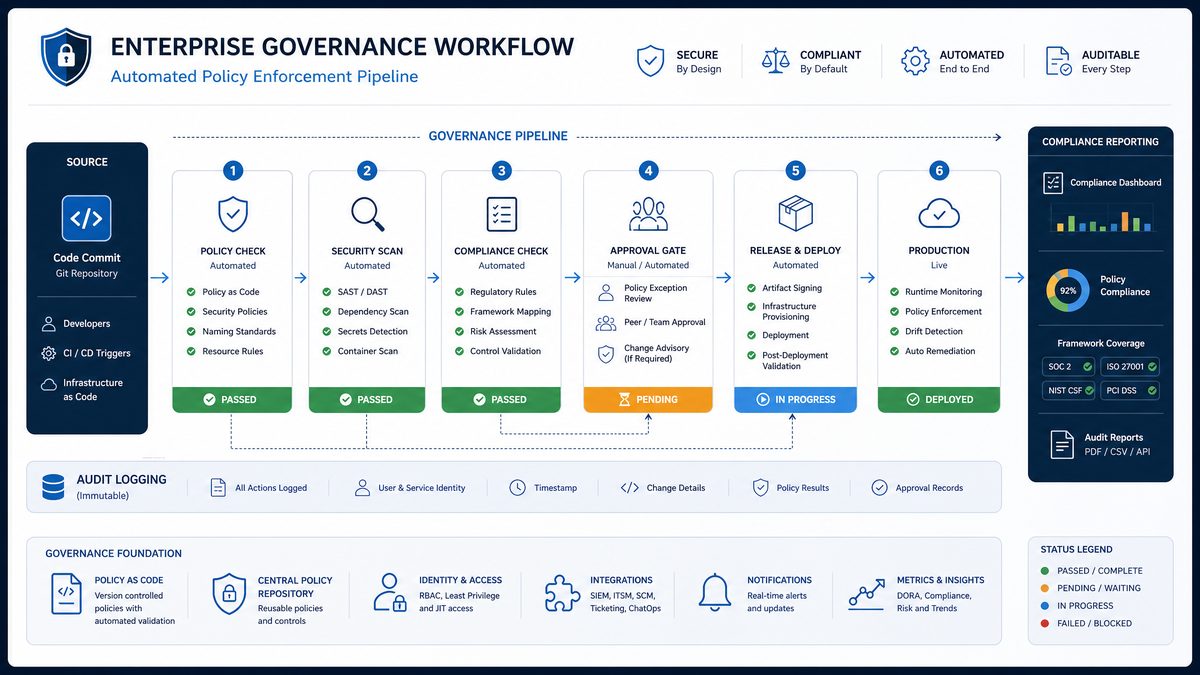
Section 3: Team Performance Dashboard Prompts (Prompts 21–30)
Team performance measurement in the context of AI-assisted development requires new metrics that traditional engineering analytics tools don't capture. The question isn't just how much code a team ships — it's how effectively they're leveraging AI assistance to improve velocity, quality, and consistency. The prompts in this section build a comprehensive team performance analytics layer that measures both AI utilization effectiveness and the downstream impact on engineering outcomes.
Prompt 21: Developer AI Adoption Scorecard
Create a Python script that generates a developer AI adoption scorecard measuring how effectively each team member is using Codex. The script should:

1. Query codex_usage_events for the past 30 days, grouped by user_id
2. Calculate the following adoption metrics for each user:
   a. FREQUENCY_SCORE (0-100): Based on active_days / working_days_in_period * 100
   b. EFFICIENCY_SCORE (0-100): Based on (completion_tokens / prompt_tokens) relative to team median — users with higher output-to-input ratios score higher
   c. BREADTH_SCORE (0-100): Based on unique project_ids used — encourages use across multiple projects rather than one workflow
   d. RELIABILITY_SCORE (0-100): Based on (1 - error_rate) * 100 — rewards users whose prompts succeed consistently
   e. COMPOSITE_SCORE: Weighted average: Frequency 30%, Efficiency 30%, Breadth 20%, Reliability 20%
3. Classify users into adoption tiers:
   - CHAMPION (composite >= 80): Power users who can mentor others
   - PROFICIENT (composite 60-79): Regular effective users
   - DEVELOPING (composite 40-59): Using Codex but not yet optimizing
   - BEGINNER (composite 20-39): Early adoption phase
   - INACTIVE (composite < 20 or no usage): Not yet adopted
4. For each tier, generate targeted recommendations:
   - CHAMPION: "Candidate for internal AI champion program — consider having them run team workshops"
   - PROFICIENT: "Focus on breadth — try using Codex for code review and documentation in addition to code generation"
   - DEVELOPING: "Efficiency improvement opportunity — review prompt construction best practices"
   - BEGINNER: "Recommend onboarding session and starter prompt library"
   - INACTIVE: "Schedule 1:1 to understand adoption barriers"
5. Generate a team-level summary showing tier distribution and average composite score
6. Output individual scorecards as JSON and a team summary as a formatted HTML report

Ensure all individual scores are anonymized in the team summary (show distribution, not individual names) to respect privacy.
Expected Output: An adoption measurement framework with privacy-preserving team aggregates and individual coaching recommendations. The tier system gives managers a clear action path for each segment of their team.
Prompt 22: Code Review Velocity Impact Analyzer
Write a Python script that correlates Codex usage patterns with code review velocity metrics to measure AI's impact on development speed. The script should:

1. Read code review data from /data/code_reviews.csv (columns: pr_id, author_user_id, reviewer_user_id, created_at, first_review_at, merged_at, lines_added, lines_removed, files_changed, review_round_count)
2. Query codex_usage_events to get Codex activity for each user in the 24 hours before each PR creation
3. Classify each PR as:
   - AI_ASSISTED: PR author had Codex activity in the 24 hours before PR creation
   - NON_AI_ASSISTED: No Codex activity in the 24 hours before PR creation
4. Calculate and compare these metrics between AI_ASSISTED and NON_ASSISTED PRs:
   a. time_to_first_review (hours from PR creation to first review comment)
   b. time_to_merge (hours from PR creation to merge)
   c. review_round_count (number of review cycles)
   d. lines_per_file_changed (complexity proxy)
   e. review_comment_density (review_round_count / files_changed)
5. Run a Mann-Whitney U test (use scipy.stats) to determine if differences are statistically significant (p < 0.05)
6. Calculate the effect size (Cohen's d) for each metric
7. Estimate the time savings per developer per month: (avg_time_to_merge_non_ai - avg_time_to_merge_ai) * ai_assisted_pr_count_per_month
8. Generate a report showing:
   - Statistical test results with p-values and effect sizes
   - Practical significance interpretation ("AI-assisted PRs merge X hours faster on average")
   - Per-team breakdown of the impact
   - Confidence intervals for all estimates
9. Flag any metrics where AI_ASSISTED PRs perform WORSE (some teams see more review cycles for AI-generated code) with a note: "Review quality concern — consider prompt engineering training"

Output as a PDF report using reportlab.
Expected Output: A statistically rigorous impact analysis that provides defensible evidence of AI's effect on development velocity. The statistical significance testing prevents organizations from drawing conclusions from noise, while the "worse performance" flag catches cases where AI assistance is creating technical debt.
Prompt 23: Team Collaboration Pattern Analyzer
Build a Python script that analyzes how Codex usage correlates with team collaboration patterns. The script should:

1. Query codex_usage_events for the past 60 days
2. Read team structure from /config/team_structure.json (structure: {"team_id": {"team_name": str, "members": [user_id], "team_lead": user_id, "sub_teams": [team_id]}})
3. For each team, calculate:
   a. ADOPTION_UNIFORMITY: Standard deviation of individual composite scores within the team — low std means uniform adoption, high std means uneven adoption
   b. COLLABORATION_SIGNAL: Percentage of team members who had Codex activity on the same day (proxy for shared workflows)
   c. LEAD_ADOPTION_RATIO: Team lead's usage relative to team average — leads who use Codex more than team average correlate with higher team adoption
   d. CROSS_PROJECT_USAGE: Number of unique project_ids used by team members — high value indicates broad experimentation
4. Identify "adoption islands": individual users with very high composite scores but whose immediate colleagues have low scores — these users are not sharing their AI workflows
5. For each adoption island, generate a recommendation: "Consider pairing [user_id] with lower-adoption teammates for knowledge transfer sessions"
6. Identify "adoption clusters": groups of 3+ users with consistently high scores who work on the same projects — these are organic AI champions
7. Correlate team-level adoption metrics with team-level performance metrics read from /data/team_performance.csv (columns: team_id, sprint_velocity, bug_rate, deployment_frequency, lead_time_for_changes)
8. Use Spearman correlation (scipy.stats.spearmanr) to test if higher adoption correlates with better performance metrics
9. Generate a network visualization data structure (nodes = users, edges = shared project usage) suitable for rendering with D3.js — output as JSON

Include a narrative summary section explaining the key findings in plain English for non-technical stakeholders.
Expected Output: A collaboration network analysis with D3.js-ready visualization data and a plain-English narrative. The adoption island detection is particularly valuable for organizations trying to scale AI adoption beyond early adopters.
Prompt 24: Sprint Performance Correlation Dashboard
Create a Python script that builds sprint-level performance correlation data for a team performance dashboard. The script should:

1. Read sprint data from /data/sprints.csv (columns: sprint_id, team_id, start_date, end_date, planned_story_points, completed_story_points, bugs_introduced, bugs_resolved)
2. Query codex_usage_events to aggregate Codex usage per team per sprint period:
   - total_requests, total_tokens, total_cost_usd, active_users, unique_projects, avg_efficiency_score
3. Calculate sprint performance metrics:
   - velocity_ratio: completed_story_points / planned_story_points
   - bug_introduction_rate: bugs_introduced / completed_story_points
   - net_bug_impact: (bugs_resolved - bugs_introduced) / completed_story_points
4. For each team, compute Pearson correlations between Codex usage metrics and performance metrics:
   - Does higher Codex usage correlate with higher velocity_ratio?
   - Does higher efficiency_score correlate with lower bug_introduction_rate?
   - Is there a lag effect? (Does high Codex usage in sprint N correlate with performance in sprint N+1?)
5. Identify the optimal Codex usage level for each team: find the usage intensity (requests per developer per day) that correlates with peak performance — above this level, diminishing returns may occur
6. Generate trend lines for each team showing velocity_ratio over the past 12 sprints overlaid with Codex adoption intensity
7. Create a JSON data structure for a React dashboard with:
   - time_series: sprint-by-sprint data for each team
   - correlations: correlation matrix with p-values
   - optimal_usage: recommended daily requests per developer per team
   - trend_direction: improving/stable/declining for each team's performance
8. Output a management summary highlighting teams where AI adoption is clearly driving performance improvement (r > 0.5, p < 0.05)
Expected Output: A sprint analytics correlation engine that produces both technical statistical outputs and executive-ready summaries. The optimal usage level calculation is particularly valuable for teams that have over-indexed on AI assistance to the point of diminishing returns.
Prompt 25: Onboarding Effectiveness Tracker
Write a Python script that tracks how quickly new team members reach Codex proficiency and measures the effectiveness of onboarding programs. The script should:

1. Read new hire data from /data/new_hires.csv (columns: user_id, team_id, start_date, onboarding_cohort, onboarding_program_version)
2. Query codex_usage_events to build a usage timeline for each new hire from their start_date forward
3. Define proficiency milestones:
   - MILESTONE_1 (First Use): Date of first Codex request
   - MILESTONE_2 (Regular Use): Date when user first achieves 5 consecutive working days with Codex activity
   - MILESTONE_3 (Efficient Use): Date when user first achieves efficiency_score > 50 on a rolling 7-day basis
   - MILESTONE_4 (Proficient Use): Date when user first achieves composite_score > 60 on a rolling 14-day basis
4. Calculate time-to-milestone for each new hire: days from start_date to each milestone
5. Compare time-to-milestone across:
   - Onboarding cohorts (are newer cohorts reaching proficiency faster?)
   - Onboarding program versions (is v2 better than v1?)
   - Teams (do some teams onboard faster due to culture or mentoring?)
6. Identify the top quartile of fastest-onboarding users and analyze their characteristics: which team they joined, which onboarding cohort, which program version — use this to identify best practices
7. Flag users who haven't reached MILESTONE_1 within 30 days of start_date — these are onboarding failures requiring intervention
8. Calculate the cost of delayed onboarding: estimate that each day a developer isn't using Codex proficiently represents X story points of velocity deficit (use 0.3 story points/day as default, configurable)
9. Generate a monthly onboarding effectiveness report showing: cohort performance curves, program version comparison, team ranking, and intervention list

Output as HTML report with embedded Chart.js visualizations (include the chart data as JavaScript variables in the HTML).
Expected Output: An onboarding analytics system with embedded interactive charts. The cost-of-delayed-onboarding metric translates adoption lag into business impact terms that resonate with leadership, creating urgency around improving onboarding programs.
Prompt 26: Prompt Quality Scoring System
Build a Python system that scores the quality of Codex prompts based on observable outcome signals (without storing actual prompt content). The script should:

1. Query codex_usage_events for the past 30 days
2. For each request, calculate a PROMPT_QUALITY_SCORE (0-100) using these proxy signals:
   a. SUCCESS_SIGNAL (40 points): status == 'success' scores 40, else 0
   b. EFFICIENCY_SIGNAL (30 points): score = min(30, (completion_tokens / prompt_tokens) * 100) — rewards prompts that generate substantial output relative to input
   c. LATENCY_SIGNAL (15 points): score = max(0, 15 - (latency_ms / 1000)) — rewards fast responses (faster responses often indicate cleaner, more parseable prompts)
   d. RETRY_PENALTY (-15 points): deduct 15 if this request_id appears to be a retry (same user_id, same prompt_tokens, within 5 minutes of a failed request)
3. Aggregate PROMPT_QUALITY_SCORE by user_id and project_id for the period
4. Identify the top 10% of requests by quality score — these represent best-practice prompt patterns
5. Identify the bottom 10% of requests by quality score — these represent problematic prompt patterns
6. For bottom 10% requests, classify the likely failure mode:
   - LOW_EFFICIENCY: completion_tokens < 50 (prompt probably too vague or over-constrained)
   - CONTEXT_BLOAT: prompt_tokens > 50000 (context is too large)
   - HIGH_RETRY_RATE: appears in retry sequences (prompt structure causing consistent failures)
   - HIGH_LATENCY: latency > 10000ms (possibly complex prompt structure)
7. Generate a "Prompt Health Report" per team showing:
   - Average prompt quality score
   - Distribution of quality scores (histogram data)
   - Most common failure modes
   - Week-over-week trend in average quality score
8. Create a leaderboard of users with highest average prompt quality scores (anonymized as "Developer A", "Developer B" etc. based on rank)
9. Generate specific coaching recommendations for each failure mode

Output as JSON for dashboard consumption and as a formatted email report.
Expected Output: A proxy-based quality scoring system that provides actionable feedback without requiring access to actual prompt content — an important privacy consideration for enterprise deployments. The anonymized leaderboard creates healthy competition without creating a surveillance culture.
Prompt 27: Cross-Team Benchmark Report
Create a Python script that generates a cross-team benchmarking report showing how each team's Codex usage compares to organizational averages and top performers. The script should:

1. Query codex_usage_events for the past 30 days
2. Calculate the following metrics per team_id:
   - requests_per_developer_per_day
   - avg_efficiency_score
   - avg_prompt_quality_score
   - adoption_rate (percentage of team members with activity in past 30 days)
   - cost_per_developer_per_month
   - error_rate
   - avg_composite_score
3. Calculate organizational percentiles (10th, 25th, 50th, 75th, 90th) for each metric
4. For each team, assign a percentile rank for each metric
5. Identify each team's strongest metric (highest percentile) and weakest metric (lowest percentile)
6. Generate a "Team Benchmark Card" for each team showing:
   - Overall rank among all teams
   - Percentile position for each metric (displayed as a radar chart data structure)
   - "Best at" (strongest metric) and "Opportunity area" (weakest metric)
   - Comparison to the top-performing team in each metric
   - Specific action to improve the weakest metric
7. Identify "role model" teams for each metric (teams in 90th percentile) and flag them as potential mentors
8. Generate a cross-team comparison table suitable for leadership review showing all teams ranked by composite score
9. Calculate the organizational "AI Maturity Score" (0-100): weighted average of median adoption_rate (40%), median efficiency_score (30%), median quality_score (30%)
10. Track AI Maturity Score month-over-month and project the month when the organization will reach score 75 (considered "advanced" maturity) based on current trajectory

Output as a PowerPoint deck (python-pptx) with one slide per team benchmark card plus an executive summary slide.
Expected Output: A benchmarking system that creates constructive competition between teams while providing specific, actionable improvement paths. The AI Maturity Score gives leadership a single metric to track organizational AI adoption progress.
Prompt 28: Technical Debt Detection via AI Usage Patterns
Write a Python script that uses Codex usage patterns as a signal for detecting areas of technical debt in the codebase. The script should:
1. Query codex_usage_events for the past 90 days
2. Read repository structure from /data/repo_file_access.csv (columns: request_id, file_path, repository_name) — this maps Codex requests to the files they were working on
3. Calculate per-file and per-directory metrics:
- request_frequency: how often Codex is invoked for this file/directory
- avg_prompt_tokens: proxy for complexity (more context needed = more complex/confusing code)
- error_rate: requests related to this file that resulted in errors
- unique_user_count: how many different developers are asking Codex about this file (high count suggests confusing code)
- retry_rate: percentage of requests for this file that are retries
4. Compute a TECHNICAL_DEBT_SIGNAL score for each file:
- Base score: request_frequency (normalized 0-100 relative to all files)
- Complexity multiplier: 1 + (avg_prompt_tokens / 10000) — files requiring larger context windows score higher
- Confusion multiplier: 1 + (unique_user_count / total_team_size) — files that confuse many developers score higher
- Instability multiplier: 1 + (retry_rate * 2) — files where AI assistance frequently fails score higher
5. Rank files by TECHNICAL_DEBT_SIGNAL and identify the top 20 as HIGH_DEBT candidates
6. Aggregate to directory level and identify HIGH_DEBT directories (directories where >30% of files are HIGH_DEBT)
7. Cross-reference with /data/git_blame.csv (columns: file_path, last_modified_date, author_user_id
