
How to Route OpenAI Codex Through LiteLLM on Amazon ECS and Bedrock: Responses API, Scoped Keys, Budgets, and Validation

What This Tutorial Builds—and What It Deliberately Does Not Move
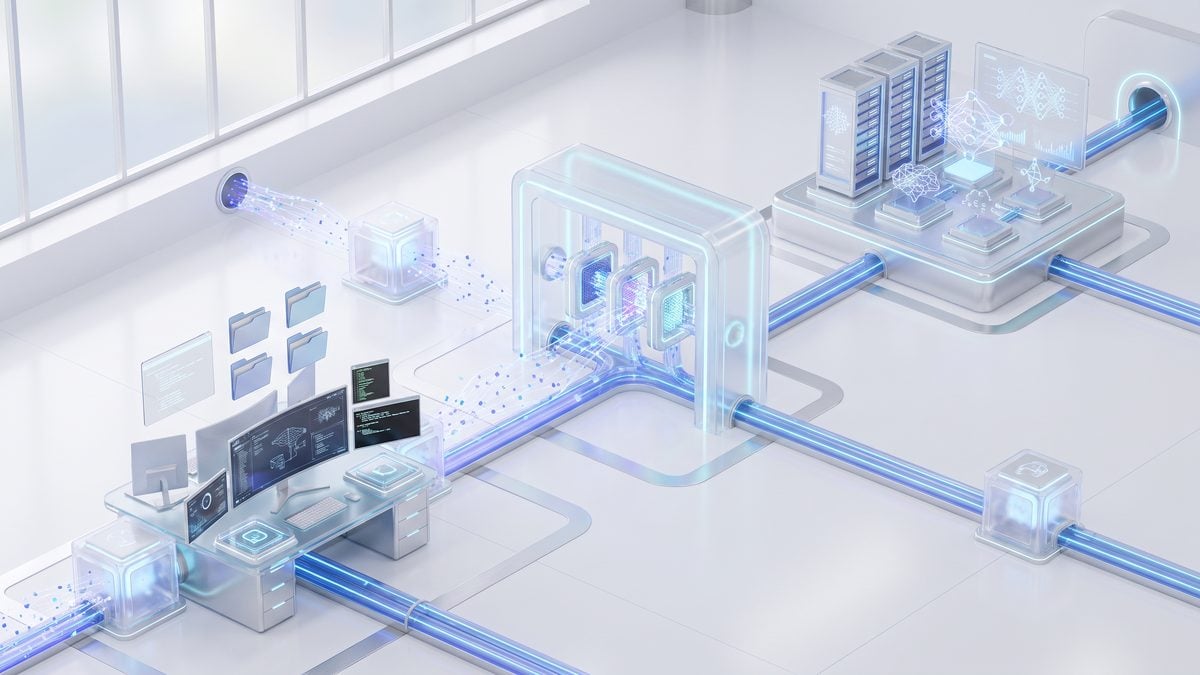
This tutorial explains the AWS reference pattern for placing a customer-operated LiteLLM gateway between OpenAI Codex and Amazon Bedrock. The important boundary is that Codex remains the software-development agent running its task loop on the user’s workstation, while LiteLLM governs model-facing turns and Amazon Bedrock supplies inference for the approved model alias. In practical terms, Codex can still read repository context, request approvals, and execute approved local tools from the desktop environment; LiteLLM does not become the tool runner, does not take over the repository sandbox, and does not execute shell commands on behalf of Codex.
Architecture boundary: Codex runs the local task and approved-tool loop on the workstation; LiteLLM authenticates and governs the model requests; Amazon Bedrock performs model inference behind the gateway route. Treat these as three separate trust and failure domains, not as one combined “agent platform.”
The AWS walkthrough positions LiteLLM as an enterprise control point for model authentication, approved model aliases, budgets, rate limits, routing, fallback policy, and request telemetry. That placement is different from a direct Bedrock setup where a client or user identity calls Amazon Bedrock without an intermediate model gateway. The gateway pattern is justified when an organization wants a separate policy surface for Codex model usage: for example, a platform team may want to expose a stable alias such as openai.gpt-5.5, cap usage by team, observe request metadata centrally, or revoke scoped keys without reconfiguring every developer’s cloud identity.
At the same time, this architecture is not a universal upgrade. A customer-operated gateway introduces an application tier, a database tier, a container supply chain, a public or private ingress path, observability, backup and restore obligations, upgrade planning, and incident response ownership. AWS explicitly presents the LiteLLM route as one option beside direct Amazon Bedrock access through IAM Identity Center when native identity and CloudTrail are sufficient, and Portkey when a managed or hybrid gateway control plane is preferred. Use the gateway only when the additional controls are worth the operational burden. For deeper context on Enterprise AI Gateway Architecture, Enterprise AI Agent Orchestration — From Pilot to Production is a practical companion. The article explains how enterprises move AI agent orchestration from pilot projects into production, covering architectural complexity and operational challenges.
The Request Path in Plain Operational Terms
The developer starts a Codex workflow from the workstation and configures Codex to send model requests to the LiteLLM gateway’s OpenAI-compatible Responses endpoint. AWS notes that Codex uses the gateway’s /v1/responses endpoint in this pattern. The gateway receives the request, validates the supplied LiteLLM key, checks policy such as alias permission and budget, routes the model call to the configured Amazon Bedrock model identifier, and returns a Responses API-shaped result back to Codex. Codex then continues its local loop, which may include asking the user to approve a tool action or using an already approved local capability.
This distinction matters for security review because the gateway controls model access, not local machine execution. If Codex proposes editing a file, running tests, invoking a package manager, or using a local development tool, those actions are still controlled by Codex’s local operating model and the workstation’s permissions. A LiteLLM key should therefore never be treated as equivalent to a workstation credential, and a successful gateway deployment should not be interpreted as sandboxing local tools. Security teams should review workstation approvals, repository access, local secrets exposure, and network egress separately from the LiteLLM and Bedrock control plane.
The AWS validation described in the source walkthrough used the Region us-east-1 and a gateway alias openai.gpt-5.5 mapped to bedrock_mantle/openai.gpt-5.5. That example is useful because it shows the intended abstraction: Codex talks to the alias exposed by the gateway, while the gateway maps that alias to a Bedrock-backed provider string. It is not a promise that the same model, provider name, capacity, or account access exists in every AWS account or Region. Before building production dependencies on the route, confirm Bedrock model availability, account enablement, and regional support in the exact target environment.
Example alias concept from the AWS walkthrough:

Codex model setting:        openai.gpt-5.5
Gateway route target:       bedrock_mantle/openai.gpt-5.5
Gateway endpoint shape:     /v1/responses

Operational interpretation:
Codex sees the approved alias.
LiteLLM enforces the key, policy, and route.
Amazon Bedrock performs inference for the mapped target.
When a Customer-Operated LiteLLM Gateway Is Justified
A customer-operated gateway is justified when platform controls need to sit between developer tools and model inference. Common triggers include team-specific budgets, separate user or team keys, a narrow list of approved aliases, model routing decisions that should not be embedded in every developer client, and centralized request telemetry for operational review. The AWS walkthrough recommends scoped user or team keys rather than distributing the LiteLLM master key, which is the right default for any multi-user deployment because it enables revocation, attribution, and blast-radius reduction.
The gateway is also justified when application leaders need to separate “which model may this workflow use?” from “which AWS identity does this human have?” In a direct Bedrock pattern, IAM and Bedrock-native controls may be enough for organizations that primarily want cloud-native identity attribution and CloudTrail visibility. In a gateway pattern, the platform team can additionally express model-facing policy in LiteLLM terms, such as aliases, budgets, and routing. That can be valuable where Codex access spans multiple teams, repositories, cost centers, or compliance profiles. For teams comparing this pattern to direct Bedrock use, provides the direct-access baseline that this gateway approach extends. For deeper context on OpenAI Codex on Amazon Bedrock, How to Access OpenAI Codex on Amazon Bedrock: Complete Enterprise Setup Guide is a practical companion. The article is an enterprise setup guide for accessing OpenAI Codex through Amazon Bedrock for software development, code review, debugging, and modernization workflows.
A gateway is less compelling when there are only a few trusted users, when direct Bedrock identity controls satisfy audit needs, when the organization cannot operate a highly available application tier, or when the required testing budget is not available. The AWS architecture adds more moving parts than a direct path. If the gateway is down, misconfigured, out of database capacity, blocked by WAF rules, or running an incompatible image, Codex model turns can fail even while Bedrock itself is healthy. That additional failure domain must be planned, monitored, and exercised before broad rollout.
AWS Components in the Reference Architecture
The reference architecture described by AWS uses standard AWS building blocks around LiteLLM rather than a single managed “Codex gateway” service. Each component has a specific operational role, and skipping one should be an explicit architecture decision rather than an accident. The following table summarizes the components called out in the AWS walkthrough and the reason each matters in this pattern.
| Component | Role in the Gateway Pattern | Operational Note |
|---|---|---|
| Application Load Balancer | Receives gateway traffic and forwards it to LiteLLM running on ECS. | Plan TLS, health checks, target group behavior, and ingress exposure deliberately. |
| AWS WAF | Adds a web filtering layer in front of the gateway. | Rules should be tested against real Codex traffic so valid Responses API calls are not blocked unexpectedly. |
| Amazon ECS on Fargate | Runs the LiteLLM container without managing EC2 hosts. | Capacity, task sizing, deployment strategy, and image provenance remain customer responsibilities. |
| Amazon RDS for PostgreSQL | Provides the backing database used by the gateway. | Database lifecycle, backups, patching windows, storage growth, and recovery testing must be owned by the operator. |
| AWS Secrets Manager | Stores sensitive configuration such as gateway secrets and provider credentials. | Use scoped application access rather than placing secrets directly in container images or client configuration. |
| AWS KMS | Supports encryption-key management for protected resources. | Key policy design should account for operations, break-glass access, and least privilege. |
| Amazon ECR | Stores the LiteLLM container image used by ECS. | AWS recommends immutable ECR image digests, which helps prevent unreviewed image drift between environments. |
| Amazon CloudWatch | Collects logs and metrics for the gateway and surrounding infrastructure. | Decide explicitly whether prompt and response logging is enabled, minimized, redacted, or disabled for the workload. |
| Optional network controls | Restrict traffic paths for ECS, RDS, and gateway access. | AWS recommends private subnets for ECS and RDS and narrow CIDRs where applicable. |
Prerequisites Before You Start
Before implementing this route, confirm that the target AWS account can access the intended Bedrock model in the selected Region. The AWS walkthrough was validated in us-east-1, but availability varies by account and Region. This is not a cosmetic check: if Bedrock access is unavailable or the model identifier differs in the deployment account, the LiteLLM gateway can be healthy while every model turn fails at the provider layer.
You also need permissions and operational readiness to create and manage the referenced AWS resources: an Application Load Balancer, WAF configuration, ECS/Fargate service, RDS for PostgreSQL instance, Secrets Manager entries, KMS keys or key usage, ECR repositories, CloudWatch logs, and network configuration. The implementation should be treated as an application deployment, not as a single developer CLI command. Assign owners for container image updates, database maintenance, TLS certificate renewal, WAF tuning, incident response, key rotation, and budget review before onboarding users.
On the Codex side, plan to configure Codex with the gateway endpoint and an approved gateway key, not a LiteLLM master key. The source walkthrough recommends scoped user or team keys, and that recommendation should be treated as a baseline control. A scoped key allows a platform team to revoke a single user or team, set narrower budgets, and reduce the impact of accidental exposure. Distributing a master key to developer workstations would collapse the control boundary the gateway was introduced to create.
Finally, allocate time for compatibility validation beyond a plain-text smoke test. AWS’s included compatibility probe checks the Responses object shape, semantic continuation using previous_response_id, server-sent event streaming, and a forced function call with a call ID. A simple prompt that returns text proves only that one request path works; it does not prove Codex can rely on continuation semantics, streaming behavior, function-call handling, cancellation behavior, revocation, failure recovery, or peak-traffic resilience. Treat full validation as part of the deployment, not as a post-launch optimization.
Cost and Availability Caveats
This walkthrough creates billable resources. The cost profile can include Bedrock inference, Fargate compute, load balancing, RDS database capacity and storage, WAF, CloudWatch logging, data transfer, secrets storage, container registry usage, and related networking resources. The exact bill depends on configuration, traffic, retention settings, and regional pricing, so do not describe the reference architecture as free or cost-neutral. For a safe proof of concept, set budgets, minimize log retention to the required period, and define cleanup steps before creating shared infrastructure.
Regional availability is equally important. AWS states that the walkthrough was validated in us-east-1, and the source notes that availability varies by account and Region. Production teams should verify three separate items: the Bedrock model is available and enabled for the account, the supporting AWS services are deployable in the selected Region, and the organization’s data-handling requirements permit the chosen regional route. If any of those checks fail, the correct response is to redesign or choose another access pattern, not to assume the validation Region generalizes automatically.
Deploy the LiteLLM Gateway on ECS as a Production-Controlled Model Boundary

AWS’s reference walkthrough places a customer-operated LiteLLM gateway between Codex and Amazon Bedrock, with Codex still owning the local task loop, repository access, approvals, and tool execution. In production terms, the gateway is not a remote Codex runtime; it is the governed model-access boundary that authenticates requests, routes approved model aliases, applies budgets and rate limits, records request telemetry, and forwards compatible calls to Bedrock.
The deployment path below follows the AWS architecture described for Amazon ECS on Fargate, Application Load Balancer, AWS WAF, Amazon RDS for PostgreSQL, AWS Secrets Manager, AWS KMS, Amazon ECR, and CloudWatch. Values such as account IDs, CIDR blocks, certificate ARNs, stack names, repository names, and model aliases are illustrative and must be replaced with values approved for your AWS account, Region, networking model, and Bedrock access.
1. Set Deployment Variables and Make the Region Decision Explicit
Start by pinning the Region, stack name, image repository, public gateway alias, and Bedrock-backed LiteLLM model string before running any mutating command. AWS says its walkthrough was validated in us-east-1 with a gateway alias openai.gpt-5.5 mapped to bedrock_mantle/openai.gpt-5.5, but availability varies by account and Region, so do not treat those values as globally available.
# Illustrative deployment variables. Replace before use.
export AWS_REGION="us-east-1"
export STACK_NAME="codex-litellm-gateway-prod"
export ECR_REPOSITORY="litellm-codex-gateway"
export LITELLM_PUBLIC_ALIAS="openai.gpt-5.5"
export LITELLM_BEDROCK_MODEL="bedrock_mantle/openai.gpt-5.5"
export ALLOWED_CLIENT_CIDR="203.0.113.0/24"
export CHANGE_SET_NAME="deploy-$(date +%Y%m%d%H%M%S)"
Use separate variables for the Codex-facing alias and the Bedrock-backed LiteLLM model identifier because they serve different purposes. The alias is what Codex users reference through the gateway, while the backing model string is the gateway’s provider mapping; separating them makes later routing, fallback, and budget policy changes auditable rather than hidden inside client configuration.
2. Run a Read-Only Preflight Before Creating Resources
The preflight should answer four questions without creating or modifying infrastructure: which AWS account will be charged, whether the selected Region is the intended Region, whether the caller can read required service state, and whether Bedrock model access is visible in that account. A successful preflight is not proof that deployment will succeed, but it catches wrong-profile and wrong-Region mistakes before CloudFormation, ECR, RDS, or ECS create billable resources.
# Read-only identity and Region checks.
aws sts get-caller-identity --region "$AWS_REGION"

# Read-only Bedrock catalog visibility check.
# Confirm that the model you plan to route through LiteLLM is available to this account and Region.
aws bedrock list-foundation-models --region "$AWS_REGION"

# Optional read-only checks for existing network and certificate inputs.
# Replace illustrative IDs with approved production IDs if you are deploying into an existing VPC.
aws ec2 describe-vpcs --region "$AWS_REGION"
aws acm list-certificates --region "$AWS_REGION"
Review the Bedrock output against the exact model family and Region approved for your environment instead of assuming that a model string from another account will work. If your organization uses a central platform account, a delegated workload account, or a restricted sandbox account, stop here until Bedrock access, network egress, and IAM boundaries are confirmed for the account that will actually host ECS.
Also decide before deployment whether prompt and response logging will be enabled, minimized, or disabled. AWS’s walkthrough calls out explicit decisions about prompt and response logging; this is not a cosmetic setting because logs may affect data retention, incident response scope, privacy review, and which teams can inspect model traffic.
3. Assign Components and Operational Responsibilities
The customer-operated gateway pattern adds useful control, but it also moves availability, patching, database lifecycle, capacity planning, and incident response into your organization’s operating model. Use the table as a deployment review checklist and assign named owners before the first production key is issued.
| Component | Production responsibility | Operational warning |
|---|---|---|
| Codex client | Runs the local task loop, repository operations, approved tools, and user approvals. | LiteLLM does not execute local Codex tools; network routing changes do not replace endpoint, host, or repository controls. |
| LiteLLM gateway on ECS/Fargate | Authenticates gateway calls, exposes the Codex-compatible /v1/responses path, routes aliases, applies budgets and rate limits, and emits telemetry. |
If the service is unavailable or incompatible, Codex model calls fail even if local files and tools are still present. |
| Amazon Bedrock | Provides the approved model endpoint behind the LiteLLM provider mapping. | Model access is account- and Region-dependent; do not promote configuration across Regions without validation. |
| Application Load Balancer | Terminates TLS, routes HTTPS traffic to the ECS service, and provides target health signals. | A healthy ALB listener does not prove Responses API semantic compatibility. |
| AWS WAF | Applies edge filtering, managed rules, optional IP constraints, and rate-oriented protections. | WAF is not a substitute for scoped LiteLLM keys, budgets, or model-level authorization policy. |
| Amazon RDS for PostgreSQL | Stores gateway state such as LiteLLM metadata required by the deployment pattern. | Schema upgrades, backups, restore tests, storage growth, and database encryption are customer responsibilities. |
| Secrets Manager and KMS | Protect database credentials, gateway secrets, and encryption keys for supported resources. | Do not distribute the LiteLLM master key to users; issue scoped user or team keys instead. |
| CloudWatch | Collects logs, metrics, alarms, and deployment signals. | Logging must be reviewed for sensitive prompt, response, repository, or user-identifying content. |
For teams standardizing model access across multiple AWS workloads, use this deployment review alongside your broader Bedrock landing-zone decisions, network segmentation standards, and audit requirements: For deeper context on AWS Bedrock Enterprise Deployment, How to Set Up OpenAI Codex on Amazon Bedrock: Complete Enterprise Deployment Guide is a practical companion. The article provides a complete enterprise deployment guide for configuring and deploying OpenAI Codex on Amazon Bedrock.
4. Build and Push an Immutable ECR Image
AWS recommends immutable ECR image digests for this gateway path because mutable tags such as latest make incident reconstruction and rollback unreliable. Build with a traceable tag, push the image, resolve the digest, and pass the digest-qualified image URI into CloudFormation rather than passing only a tag.
# Illustrative immutable image workflow. Assumes the ECR repository already exists
# or is created by a separate bootstrap process approved by your platform team.

export ACCOUNT_ID="$(aws sts get-caller-identity --query Account --output text --region "$AWS_REGION")"
export ECR_URI="${ACCOUNT_ID}.dkr.ecr.${AWS_REGION}.amazonaws.com/${ECR_REPOSITORY}"
export GIT_SHA="$(git rev-parse --short HEAD)"

aws ecr get-login-password --region "$AWS_REGION" \
  | docker login --username AWS --password-stdin "${ACCOUNT_ID}.dkr.ecr.${AWS_REGION}.amazonaws.com"

docker build --platform linux/amd64 -t "${ECR_URI}:${GIT_SHA}" .
docker push "${ECR_URI}:${GIT_SHA}"

export IMAGE_DIGEST="$(aws ecr describe-images \
  --region "$AWS_REGION" \
  --repository-name "$ECR_REPOSITORY" \
  --image-ids imageTag="$GIT_SHA" \
  --query 'imageDetails[0].imageDigest' \
  --output text)"

export IMAGE_URI="${ECR_URI}@${IMAGE_DIGEST}"
echo "$IMAGE_URI"
Record the digest, source commit, build timestamp, base image version, and LiteLLM version in your release ticket. If a later incident involves a routing error, dependency vulnerability, logging misconfiguration, or Responses API regression, the digest is the fastest way to identify the exact container that handled the affected traffic.
5. Review LiteLLM Alias Configuration Before Infrastructure Deployment
The gateway configuration must expose a stable Codex-facing alias while mapping that alias to the Bedrock-backed LiteLLM provider string. The following fragment is illustrative and shows the separation of the public alias from the backing provider; adapt it to the configuration format used by your deployment package and secret-loading pattern.
# Illustrative LiteLLM model mapping fragment.
# Confirm exact syntax against the LiteLLM version packaged in your image.

model_list:
  - model_name: openai.gpt-5.5
    litellm_params:
      model: bedrock_mantle/openai.gpt-5.5
      aws_region_name: us-east-1
Do not put long-lived user credentials, the LiteLLM master key, database passwords, or AWS access keys into the image or plaintext task definition. The AWS architecture uses Secrets Manager and KMS, and the production rule is straightforward: the container should retrieve secrets at runtime through narrowly scoped task permissions, while end users should receive scoped LiteLLM keys with budgets and rate limits rather than the master key.
6. Create and Inspect a CloudFormation Change Set
Use a CloudFormation change set so reviewers can inspect IAM roles, security groups, load balancer changes, WAF association, RDS properties, KMS usage, and ECS service updates before execution. The template path and parameter names below are illustrative; use the names provided by your approved infrastructure template or the AWS walkthrough artifacts you have adopted.
# Illustrative change-set creation. Replace template and parameter names.
aws cloudformation create-change-set \
  --region "$AWS_REGION" \
  --stack-name "$STACK_NAME" \
  --change-set-name "$CHANGE_SET_NAME" \
  --template-body file://infrastructure/template.yaml \
  --capabilities CAPABILITY_NAMED_IAM \
  --parameters \
    ParameterKey=ImageUri,ParameterValue="$IMAGE_URI" \
    ParameterKey=LiteLLMPublicAlias,ParameterValue="$LITELLM_PUBLIC_ALIAS" \
    ParameterKey=LiteLLMBedrockModel,ParameterValue="$LITELLM_BEDROCK_MODEL" \
    ParameterKey=AllowedClientCidr,ParameterValue="$ALLOWED_CLIENT_CIDR"

aws cloudformation describe-change-set \
  --region "$AWS_REGION" \
  --stack-name "$STACK_NAME" \
  --change-set-name "$CHANGE_SET_NAME"
Reject the change set if it opens ECS tasks or RDS directly to the internet, broadens ingress beyond approved CIDRs, disables encryption on stateful services, embeds secrets in parameters that will be visible to operators, replaces the RDS database unexpectedly, or introduces wildcard permissions where narrower task permissions are possible. A production deployment should make the risky parts obvious before execution, not discover them during a security review after users already have keys.
7. Execute the Deployment and Keep Compute Private
After approval, execute the reviewed change set and monitor stack events until the stack reaches a stable state. Treat stack completion as infrastructure readiness only; it does not prove that Codex can use semantic continuation, server-sent event streaming, or forced function calls through the Responses API.
aws cloudformation execute-change-set \
  --region "$AWS_REGION" \
  --stack-name "$STACK_NAME" \
  --change-set-name "$CHANGE_SET_NAME"

aws cloudformation describe-stack-events \
  --region "$AWS_REGION" \
  --stack-name "$STACK_NAME" \
  --max-items 20
The network design should keep ECS tasks and RDS in private subnets, with the Application Load Balancer as the controlled ingress point. If ECS tasks need outbound access to Bedrock, ECR, Secrets Manager, CloudWatch, or other AWS APIs, use the approved egress pattern for your environment, such as NAT gateways or VPC endpoints where supported and available in the selected Region.
Security groups should express the request path explicitly: client networks reach the ALB over HTTPS, the ALB reaches the ECS service on the container port, and the ECS service reaches PostgreSQL on the database port. RDS should not accept traffic from the ALB, user workstations, or broad VPC CIDRs when the only legitimate database client is the gateway service.
8. Enforce TLS, WAF, Encryption, and Secret Boundaries
Terminate TLS at the Application Load Balancer using an ACM certificate for the gateway hostname, and avoid accepting plaintext production traffic. If your template also creates an HTTP listener, use it only to redirect to HTTPS or omit it entirely according to your organization’s ingress standard.
Attach AWS WAF to the public load balancer when the gateway is internet-reachable or exposed to broad enterprise networks. Start with managed protections and an approved IP or CIDR strategy, then add rate-based rules only after confirming that they do not block legitimate Codex streaming, retries, or longer-running Responses requests.
Encrypt the RDS PostgreSQL database and its backups with KMS, store database credentials and gateway secrets in Secrets Manager, and restrict decryption to the task role and operational break-glass roles that have a documented need. If you enable secret rotation, validate that the LiteLLM container and database connection behavior survive rotation without requiring an unplanned service restart.
9. Configure Autoscaling and Alarms Around the Gateway, Not Just the Cluster
Autoscale the ECS service on signals that reflect gateway pressure, such as CPU, memory, and load-balancer request patterns available in your account. Scaling out the gateway can help with connection handling and concurrency, but it will not remove Bedrock account limits, model throttling, database bottlenecks, or an overly permissive client retry loop.
Create CloudWatch alarms for ALB target health, ALB 5xx responses, ECS task restarts, sustained CPU or memory saturation, RDS CPU, RDS connections, free storage, and database availability. Add log-based alerts for repeated authentication failures, unexpected use of the LiteLLM master key, budget exhaustion patterns, and provider routing errors if those events are emitted by your configured LiteLLM version.
Set separate operational thresholds for user-facing availability and cost-control events. For example, a rising 5xx rate may trigger rollback or scale-out, while repeated budget exhaustion may trigger a team quota review rather than more capacity; treating both as the same incident causes teams either to overspend or to mask genuine outages.
10. Roll Back by Digest and Protect the Database
Rollback should be planned before rollout by recording the last known-good image digest, CloudFormation parameters, LiteLLM configuration, and database migration state. If the failure is limited to the container image or gateway configuration, roll back to the previous digest through CloudFormation rather than rebuilding an older tag.
# Illustrative rollback update using a previously recorded digest.
# Replace PREVIOUS_IMAGE_URI and parameter names with your approved release record.

export PREVIOUS_IMAGE_URI="123456789012.dkr.ecr.us-east-1.amazonaws.com/litellm-codex-gateway@sha256:previousdigest"

aws cloudformation create-change-set \
  --region "$AWS_REGION" \
  --stack-name "$STACK_NAME" \
  --change-set-name "rollback-$(date +%Y%m%d%H%M%S)" \
  --use-previous-template \
  --capabilities CAPABILITY_NAMED_IAM \
  --parameters \
    ParameterKey=ImageUri,ParameterValue="$PREVIOUS_IMAGE_URI" \
    ParameterKey=LiteLLMPublicAlias,UsePreviousValue=true \
    ParameterKey=LiteLLMBedrockModel,UsePreviousValue=true \
    ParameterKey=AllowedClientCidr,UsePreviousValue=true
Do not destroy or replace the RDS database as a routine rollback step unless your incident plan explicitly calls for it and backups have been verified. Gateway state, scoped keys, budgets, and request metadata may be needed for incident investigation, user revocation, and reconciliation after a failed deployment.
After rollback, run the full Responses compatibility probe in the next section rather than accepting a plain-text smoke test. AWS’s walkthrough specifically checks the Responses object shape, semantic continuation with previous_response_id, server-sent event streaming, and a forced function call with a call ID; production readiness depends on those behaviors, not merely on receiving one successful text response.
Configure Identity, Budgets, Codex Routing, and Responses API Validation

AWS’s walkthrough treats LiteLLM as the policy boundary between Codex and Amazon Bedrock, not as the executor of repository commands. Codex keeps its local task loop, approvals, file access, shell execution, and tool use on the developer workstation or approved host, while LiteLLM governs model authentication, model aliases, routing, fallback behavior, budgets, rate limits, and request telemetry. That boundary is important for troubleshooting: a failed repository command is investigated in the Codex host environment, while an authentication failure, alias mismatch, budget denial, model-routing failure, or Responses API incompatibility is investigated at the gateway.
The operational goal in this stage is to stop treating the gateway as a shared bearer token and start treating it as an accountable model-access service. Each user, team, automation lane, or environment should receive a scoped key with a bounded set of approved model aliases, a hard spend or usage budget where supported by the gateway configuration, and request-per-minute or token-per-minute limits sized to the expected Codex workload. AWS specifically recommends scoped user or team keys instead of distributing the LiteLLM master key, because a master key makes revocation, attribution, and blast-radius control materially harder during an incident.
Use Scoped Keys Instead of a Shared Gateway Secret
A practical key model separates the gateway’s administrative credential from the keys used by Codex clients. The administrative credential should be stored as an infrastructure secret, rotated through a controlled process, and available only to the deployment and operations roles that need to manage LiteLLM. Codex users should receive scoped LiteLLM keys that can be disabled without redeploying the gateway, tied to a human owner or service owner, and limited to the alias or aliases that your platform team has approved for Bedrock routing.
| Key type | Intended holder | Controls to attach | Incident response action |
|---|---|---|---|
| Gateway master or administrative key | Platform operations only | Administrative scope, strong secret storage, tight IAM access, rotation procedure | Rotate through the controlled gateway-management path and audit any configuration changes made with it |
| User-scoped Codex key | Individual developer or researcher | Approved model alias, hard budget, RPM and TPM limits, owner attribution | Disable or rotate the single user key without disrupting unrelated teams |
| Team-scoped Codex key | Small team, lab, or product group | Team budget, shared RPM and TPM ceilings, alias allowlist, logging policy | Throttle or revoke the team while preserving other gateway traffic |
| Automation or CI key | Specific pipeline or bot identity | Narrow alias set, lower budget, deterministic workload limits, repository or environment attribution | Disable the automation lane first if logs show runaway retries or unexpected scheduled activity |
Recommendation: issue scoped keys after the alias mapping is already deployed and verified, not before. If you distribute keys while aliases are still changing, early users may cache provider names, model names, or base URLs that later diverge from the production route. In a multi-team rollout, create one pilot key with a small hard budget, verify Codex behavior, inspect LiteLLM logs, and only then issue additional keys for broader use.
Attach Hard Budgets, RPM Limits, and TPM Limits to Each Scope
Budgets and rate limits should reflect the failure mode you are trying to prevent. A hard budget limits financial exposure or account-level consumption if a key leaks, a script loops, or a Codex task fans out unexpectedly. RPM limits constrain request bursts that can overload the gateway, RDS-backed state, or downstream provider capacity. TPM limits constrain unusually large prompts, long continuations, or repeated retries with large repository context. AWS notes that LiteLLM can govern budgets and rate limits in this architecture, but the exact numeric values should be set by your own workload testing and cost policy rather than copied from a reference deployment.
- For individual users: start with a budget and rate envelope that supports ordinary interactive Codex sessions, then increase only after observing normal request shape, cancellation behavior, and peak-hour usage.
- For teams: size the budget around the team’s planned development cadence, but keep per-key limits low enough that one user or one automation path cannot consume the entire shared allowance in a short burst.
- For CI or scheduled automation: set lower RPM limits than interactive users unless the pipeline has been load-tested, because retry storms are easier to create in automation than in a supervised desktop session.
- For incident containment: make sure the on-call runbook explains how to disable or reduce a scoped key without touching the master key, redeploying ECS, or rotating every developer.
Do not use a successful plain-text request as the basis for raising budgets. The AWS compatibility probe goes beyond a basic prompt because Codex depends on more than ordinary text completion. Before increasing quotas, verify semantic continuation with previous_response_id, server-sent event streaming, and function-call behavior with call IDs. These checks belong in the same release gate as network, authentication, and cost controls, because a gateway that accepts one prompt can still fail later when Codex uses a more complex Responses API pattern.
Retrieve Secrets Without Baking Them into Images or Config Repositories
The gateway image should not contain Bedrock credentials, LiteLLM administrative keys, database passwords, TLS private material, or scoped user keys. In the AWS reference architecture, Secrets Manager and KMS are part of the control plane, and ECS tasks should retrieve only the secrets they need through an IAM role with narrow permissions. Treat environment variables as runtime injection points, not as a reason to commit secrets to source control or bake them into an ECR layer.
# Example secret-handling checklist; adapt names to your own deployment.
# 1. Store gateway administrative secret in AWS Secrets Manager.
# 2. Store database credentials in AWS Secrets Manager or the managed RDS secret flow you selected.
# 3. Grant the ECS task role permission to read only the required secret ARNs.
# 4. Do not grant developers access to the gateway administrative secret.
# 5. Issue scoped LiteLLM keys to Codex users or teams through your approved secret-distribution process.
# 6. Record owner, purpose, alias allowlist, budget, RPM limit, TPM limit, creation time, and rotation date.
For local Codex users, prefer a machine-local secret store, a managed developer credential system, or a short-lived environment injection method approved by your security team. Avoid posting scoped keys into ticket comments, repository examples, shell history, or shared chat threads. A scoped key is safer than the master key, but it is still a bearer credential that can consume budget, generate telemetry, and reach the approved Bedrock-backed aliases until it is revoked.
Configure Codex to Use the Gateway Responses Endpoint
Codex must be pointed at the LiteLLM gateway as a model provider and must use the Responses wire protocol. AWS states that Codex uses the gateway’s /v1/responses endpoint in this architecture. The validated walkthrough used an alias named openai.gpt-5.5 mapped to bedrock_mantle/openai.gpt-5.5 in us-east-1, with the explicit caveat that model availability varies by account and Region. Do not assume that the same alias or Region will work until your Bedrock access is confirmed for your account.
# Example Codex provider stanza; confirm the exact configuration location
# and syntax for your Codex CLI or desktop version before rollout.

[model_providers.litellm-bedrock]
name = "LiteLLM via Amazon Bedrock"
base_url = "https://YOUR-GATEWAY-DOMAIN/v1"
env_key = "LITELLM_API_KEY"
wire_api = "responses"

[profiles.litellm-bedrock-codex]
model_provider = "litellm-bedrock"
model = "openai.gpt-5.5"
The two most important values are the gateway base URL and wire_api = "responses". If the provider is configured for a chat-completions-style wire format, a simple request may appear to work in a separate client while Codex-specific continuation, streaming, and tool-call behavior fails. Keep the model value as the approved LiteLLM alias, not the raw Bedrock route, so platform administrators can change backend routing without forcing every Codex user to edit local configuration.
If your team maintains a local guide for Codex setup, include one paragraph explaining that LiteLLM does not grant repository permissions, does not approve shell commands, and does not run local tools. Those controls remain in Codex and the user’s host environment. This distinction prevents a common mis-escalation path where application security teams investigate the gateway for behavior that was actually caused by local tool approval, repository checkout state, host permissions, or AGENTS-style project instructions.
Run a Minimal Smoke Test Before the Strict Contract Probe
A smoke test should prove that the scoped key can authenticate, the alias resolves, the gateway can reach the Bedrock-backed route, and the response returns through the Application Load Balancer path. Keep the first test intentionally small so authentication or routing failures are easy to isolate. Use the same scoped key and alias that Codex will use, not the master key and not an internal-only alias.
# Example smoke test against the gateway's Responses endpoint.
# Replace the URL, key source, and alias with your approved values.

curl -sS https://YOUR-GATEWAY-DOMAIN/v1/responses \
  -H "Authorization: Bearer ${LITELLM_API_KEY}" \
  -H "Content-Type: application/json" \
  -d '{
    "model": "openai.gpt-5.5",
    "input": "Reply with exactly: litellm-bedrock-codex-smoke-ok"
  }'
Passing this smoke test only means that the simplest request path is alive. It does not prove Codex compatibility, does not validate streaming, does not prove that previous_response_id is honored, does not exercise forced function calls, and does not test cancellation, revocation, failure recovery, or peak traffic. Treat it as a network and authentication check, then immediately run the stricter probe before onboarding users.
Check LiteLLM and CloudWatch Logs Before Increasing Access
After the smoke test, inspect LiteLLM logs and the ECS service logs in CloudWatch. The goal is not to collect prompt content by default; the AWS walkthrough calls for an explicit decision about prompt and response logging. The goal is to verify operational metadata: the request reached the expected gateway task, the scoped key was attributed to the expected owner or team, the model alias resolved as intended, the downstream provider route was the approved Bedrock-backed route, and no unexpected fallback or denial occurred.
- Authentication: confirm the request used a scoped key, not the administrative key.
- Alias resolution: confirm
openai.gpt-5.5or your chosen alias maps to the intended Bedrock route. - Budget behavior: confirm the request is counted against the intended user or team scope.
- Rate limiting: confirm the configured RPM and TPM controls are attached to the key or team you expected.
- Provider errors: distinguish LiteLLM policy denials from downstream Bedrock availability, permission, throttling, or model-access errors.
- Logging policy: verify whether prompts and responses are stored, redacted, or omitted according to the decision your security and privacy teams approved.
Operational warning: if the logs do not let you attribute a request to a scoped identity, do not proceed to a wider Codex rollout. Without attribution, budgets and rate limits are weaker controls, and incident response becomes a gateway-wide investigation instead of a key-level containment action.
Run the Strict Responses API Compatibility Probe
The strict probe should validate the Responses API contract that Codex depends on. The four required checks are object shape, semantic continuation using previous_response_id, server-sent event completion, and a forced function call that returns a stable call ID for the follow-up function output. Teams that maintain their own API validation harness should add these checks beside schema, authentication, timeout, retry, and cancellation cases. For background on why this matters at the application boundary, use as the conceptual reference and keep the gateway-specific assertions in your own test repository. For deeper context on OpenAI Responses API Guide, The Complete Guide to OpenAI’s New Responses API: How to Build Multi-Step AI Agents with Web Search, File Analysis, and Computer Use Capabilities is a practical companion. The article is a complete guide to OpenAI’s Responses API for building multi-step AI agents with web search, file analysis, and secure code execution capabilities.
# Example Python contract probe for a LiteLLM /v1/responses route.
# This is a proposed validation harness; adjust assertions to your approved
# SDK, logging policy, timeout policy, and deployed model alias.

import json
import os
import sys
import requests

BASE_URL = os.environ["LITELLM_BASE_URL"].rstrip("/")  # e.g. https://YOUR-GATEWAY-DOMAIN/v1
API_KEY = os.environ["LITELLM_API_KEY"]
MODEL = os.environ.get("LITELLM_MODEL", "openai.gpt-5.5")

session = requests.Session()
session.headers.update({
    "Authorization": f"Bearer {API_KEY}",
    "Content-Type": "application/json",
})

def post_response(payload, stream=False):
    r = session.post(
        f"{BASE_URL}/responses",
        json=payload,
        stream=stream,
        timeout=90,
    )
    r.raise_for_status()
    return r

def require(condition, message):
    if not condition:
        raise AssertionError(message)

# 1. Object shape: response has an id, an object/type marker, and output material.
r1 = post_response({
    "model": MODEL,
    "input": "Return exactly the token: alpha-contract-ok"
})
j1 = r1.json()
require(isinstance(j1.get("id"), str) and j1["id"], "missing response id")
require("output" in j1 or "output_text" in j1, "missing output content field")
response_id = j1["id"]

# 2. Semantic continuation: previous_response_id must carry context.
r2 = post_response({
    "model": MODEL,
    "previous_response_id": response_id,
    "input": "What exact token did you just return? Reply with only that token."
})
j2 = r2.json()
text2 = json.dumps(j2).lower()
require("alpha-contract-ok" in text2, "previous_response_id did not preserve semantic context")

# 3. SSE completion: streaming must finish with a completion event or equivalent final marker.
r3 = post_response({
    "model": MODEL,
    "input": "Stream the words: beta stream complete",
    "stream": True
}, stream=True)

saw_completion = False
for raw in r3.iter_lines(decode_unicode=True):
    if not raw:
        continue
    if raw.startswith("event:") and "completed" in raw:
        saw_completion = True
    if raw.startswith("data:") and raw.strip() == "data: [DONE]":
        saw_completion = True
require(saw_completion, "stream did not expose a completion marker")

# 4. Forced function call: model must emit a function call with a call_id.
tool = {
    "type": "function",
    "name": "lookup_build_status",
    "description": "Return the build status for a repository revision.",
    "parameters": {
        "type": "object",
        "properties": {
            "revision": {"type": "string"}
        },
        "required": ["revision"],
        "additionalProperties": False
    }
}

r4 = post_response({
    "model": MODEL,
    "input": "Call lookup_build_status for revision abc123.",
    "tools": [tool],
    "tool_choice": {"type": "function", "name": "lookup_build_status"}
})
j4 = r4.json()
serialized = json.dumps(j4)
require("lookup_build_status" in serialized, "forced function call was not returned")
require("call_id" in serialized, "function call did not include a call_id")

print("LiteLLM Responses contract probe passed for", MODEL)
The object-shape check should be strict enough to detect a gateway returning a legacy or incompatible format, but flexible enough to avoid depending on incidental ordering or whitespace. The continuation check must use previous_response_id rather than repeating the whole transcript, because Codex may depend on response-linked state when continuing a task. The streaming check must read the server-sent event stream until a completion marker appears instead of assuming the first chunk proves success. The function-call check must confirm that a call ID is present, because a later function-output message needs an identifier to attach the local tool result to the model’s requested call.
For production readiness, add negative tests after the positive probe passes. Try a revoked key, an over-budget key, a disallowed alias, an intentionally low RPM or TPM setting, and a request sent to the wrong path. The expected result is not merely failure; the expected result is an explainable failure that appears in gateway logs with the correct scoped identity and without exposing secrets. This is where becomes useful: the gateway is not just infrastructure, it is an API contract that Codex clients rely on during long-running software-development tasks. For deeper context on AI API Contract Testing, API Testing and Automation for AI Applications: The Complete 2026 Guide is a practical companion. The article covers API testing and automation strategies for AI-powered applications, including APIs used for model capabilities, RAG flows, prompt routing, and agent orchestration.
Promote Only After Identity, Policy, and Contract Evidence Agree
Promote a Codex user or team from pilot to broader access only when three forms of evidence agree. First, identity evidence must show that requests are attributed to the intended scoped key or team. Second, policy evidence must show that budgets, RPM limits, TPM limits, alias allowlists, and logging decisions are enforced as designed. Third, contract evidence must show that the Responses API path supports object shape, semantic continuation, SSE completion, and forced function calls with call IDs. If any one of those is missing, the deployment is not ready for unsupervised scale-out, even if a developer can complete one successful Codex prompt through the gateway.
Operate the Gateway as a Production Control Plane
The AWS walkthrough places LiteLLM in the request path between Codex and Amazon Bedrock, so the gateway becomes part of your production AI control plane rather than a one-time setup artifact. Codex still owns the local development loop and executes approved tools on the user’s machine or host; LiteLLM governs model authentication, model aliases, budgets, rate limits, routing behavior, and telemetry for model requests. Treat that boundary as an operating contract: if the gateway is unavailable, misconfigured, over-budget, or logging the wrong data, Codex tasks that depend on that route can fail or expose more information than intended.
A practical operating model assigns one owner for gateway availability, one owner for access and budget policy, one owner for telemetry retention, and one owner for incident response. In smaller teams these can be the same person, but the responsibilities should still be explicit. The AWS reference architecture uses customer-operated ECS/Fargate, RDS for PostgreSQL, Secrets Manager, KMS, CloudWatch, an Application Load Balancer, and AWS WAF; each of those services has lifecycle, patching, retention, cost, and permissions decisions that do not disappear after the compatibility probe passes.
Define a Logging and Redaction Policy Before Broad Access
The AWS post explicitly recommends making a deliberate decision about prompt and response logging. Do not enable broad payload logging merely because it is useful during early debugging. Codex requests may include repository snippets, stack traces, file paths, customer identifiers, internal tickets, credentials accidentally pasted by a developer, or security-sensitive reproduction steps. A production policy should separate operational metadata from prompt and response bodies, and it should state who can view each class of record.
| Data category | Operational value | Recommended handling |
|---|---|---|
| Request ID, response ID, timestamp, model alias, status code | Correlates user reports, LiteLLM logs, and CloudWatch events | Retain as standard operational telemetry with access limited to platform operators |
| User or team key identifier | Attributes spend, abuse, revocation events, and quota exhaustion | Store a non-secret identifier; never log the full scoped key |
| Prompt and response text | Useful for debugging model behavior and compatibility failures | Disable by default or restrict to short-lived diagnostic windows with approval and redaction |
| Authorization headers, Bedrock credentials, master key values | No safe operational value in logs | Never log; redact at ingress, application, and log-forwarding layers |
Recommendation: start with metadata-only logging, then create a break-glass diagnostic mode for individual scoped keys or test teams. Time-box that mode, record who approved it, and verify that the mode cannot be enabled globally by an ordinary developer. If payload logging is enabled for a validation window, use synthetic repositories or intentionally sanitized tasks rather than live production code.
# Example logging policy statement for an internal runbook
Default: record request metadata, model alias, scoped-key identifier, status, latency, token counters if available, and gateway error class.
Prohibited: full API keys, LiteLLM master key, Bedrock credentials, authorization headers, and secrets from prompts.
Diagnostic exception: payload logging may be enabled only for approved test keys, for a stated time window, with documented redaction and deletion steps.
Correlate Identity Across Codex, LiteLLM, Bedrock, and CloudWatch
Scoped LiteLLM keys are the primary unit for budget and revocation in this architecture. Create keys for teams, service groups, or named pilot cohorts rather than distributing a shared gateway secret. The goal is not only spend control; it is forensic correlation. When a user reports that a Codex task failed, operators should be able to trace the request from the scoped key to LiteLLM telemetry, CloudWatch logs, the ALB access record if enabled, and the Bedrock invocation path without exposing the user’s secret value.
Use stable but non-secret labels such as team names, cost centers, environment names, and key IDs. Avoid using email addresses in high-volume logs unless your privacy policy allows it. Where possible, hash or tokenize user-level identifiers and keep the lookup table in a restricted administrative system. This gives security teams enough evidence to answer “who or what scope generated this traffic?” while reducing the blast radius of a log export.
The same principle applies here: observability is strongest when each layer emits a shared correlation key and weakest when operators rely on screenshots from a developer’s local Codex session. For deeper context on AI Gateway Observability, The Complete Prompt Engineering Stack for 2026: 15 Tools Evaluated is a practical companion. This production-stack evaluation maps observability and gateway tooling alongside prompt authoring, evaluation, optimization, and orchestration, helping platform teams place request telemetry in the wider AI delivery system.
Use CloudWatch and LiteLLM Telemetry Together
CloudWatch shows infrastructure health: ECS task restarts, CPU and memory pressure, ALB target health, WAF actions, RDS connection pressure, deployment events, and application logs. LiteLLM telemetry shows gateway-level AI operations: which alias was requested, which scoped key was used, whether budgets or rate limits blocked a request, and what error class returned to the client. Neither view is sufficient alone. A 429-like budget denial can look like an application failure to a user, while an ECS task restart can look like a model timeout from the client side.
Create dashboards that answer specific operating questions: “Are requests failing because the gateway is unhealthy, because Bedrock returned an error, because the user exhausted a LiteLLM budget, or because the client disconnected?” Keep a separate dashboard for rollout cohorts so a pilot team’s aggressive testing does not hide failures affecting production users. Alert on sustained error-rate changes, exhausted budgets for critical teams, repeated scoped-key denials, sudden traffic spikes, and RDS or ECS saturation that can degrade the gateway even while the ALB remains reachable.
Test Budgets, Cancellation, Revocation, and Recovery Before Production Use
A successful plain-text prompt is not enough evidence for Codex compatibility, and it is also not enough evidence for operations. The AWS walkthrough’s compatibility probe checks Responses object shape, semantic continuation with previous_response_id, server-sent event streaming, and a forced function call with a call ID. Production readiness should add negative and disruptive tests that prove controls fail closed.
- Budget exhaustion: create a low-budget scoped key, run requests until the threshold is reached, and confirm the denial is visible in LiteLLM telemetry and understandable to the user or support desk.
- Rate limiting: send controlled concurrent requests from a test client and verify that the configured RPM or TPM policy is enforced for the intended key or team rather than globally affecting unrelated users.
- Cancellation: interrupt a streaming Responses request and confirm that the client, gateway logs, and upstream behavior do not leave the task in a misleading “still running” state for operators.
- Revocation: revoke a scoped key and prove that subsequent requests fail promptly while other scoped keys continue to work.
- Failure recovery: restart an ECS task, simulate an unhealthy target, and confirm that alarms, retries, and user-facing errors match the runbook.
- Database dependency: test how the gateway behaves when RDS is degraded or unavailable, because budget, key, and telemetry features may depend on database health.
Operational warning: revoking a LiteLLM key stops future gateway use for that scope, but it does not undo local files, tool approvals, repository changes, or external side effects that Codex already performed on the user’s machine or connected development environment. Incident response must cover both the model-request path and the local execution environment.
Plan for Peak Traffic and Capacity, Not Average Pilot Usage
Codex usage is bursty because developers often start tasks at the beginning of a work block, after CI failures, during incident response, or before a release freeze. Size the gateway around concurrent streaming requests, database connections, and upstream model latency rather than daily average request count. A small pilot can pass all functional tests and still fail during a team-wide migration if every user starts a long-running task at the same time.
Capacity planning should include the number of active Codex users, expected concurrent tasks per user, typical streaming duration, maximum allowed RPM and TPM by scope, ECS task CPU and memory profiles, ALB target count, RDS connection capacity, and CloudWatch log ingestion volume. Do not rely on autoscaling alone. Autoscaling reacts after load appears; budgets, rate limits, and staged rollout cohorts prevent the gateway from accepting more work than it can serve predictably.
| Planning input | Why it matters | Decision rule |
|---|---|---|
| Concurrent streaming requests | Long streams tie up client and gateway resources | Load test at expected peak plus a safety margin approved by the platform owner |
| Scoped-key budgets | Prevents one team from consuming shared capacity or spend | Set pilot budgets low, then raise only after telemetry shows normal usage patterns |
| RDS connections | Gateway policy and telemetry can depend on database availability | Alarm before exhaustion and test behavior under constrained connections |
| CloudWatch retention | High-volume logs can become costly and sensitive | Use explicit retention periods and avoid prompt payloads unless approved |
Promote Deployments with Evidence, Not Hope
Promotion from development to staging to production should require a fixed evidence bundle: immutable ECR image digest, LiteLLM configuration diff, scoped-key policy diff, infrastructure change set, successful Responses compatibility probe, budget and revocation test results, rollback command, and current dashboard links. This prevents a common failure mode where a gateway image is promoted because basic chat worked, while streaming or function-call behavior changed unnoticed.
Use separate scoped keys for staging and production, and avoid reusing production budgets in pre-production load tests. When promoting a new LiteLLM version or alias mapping, run a small canary cohort before enabling broad access. If the canary shows elevated gateway errors, unexpected denials, or broken continuation behavior, roll back by image digest and configuration version rather than trying ad hoc fixes in the running service.
Prepare an Incident Response Runbook
An AI gateway incident can be a reliability issue, a cost-control issue, a data-handling issue, or an abuse issue. The first responder should classify the event before taking broad action. For example, a single exhausted team budget is usually a support and quota decision; a leaked scoped key requires revocation and log review; a suspected prompt-data exposure requires preservation of evidence, access restriction, and privacy or legal escalation according to your internal policy.
# Example incident triage checklist
1. Identify scope: one user, one scoped key, one team, one model alias, or all traffic.
2. Preserve evidence: request IDs, key IDs, timestamps, gateway logs, CloudWatch events, deployment version.
3. Contain: revoke affected scoped keys, disable an alias, reduce budgets, or scale down access if necessary.
4. Recover: restore previous image digest/configuration, verify Responses probe, and run a known-good Codex task.
5. Review: document root cause, affected data classes, budget impact, and permanent control changes.
Do not use the LiteLLM master key for user recovery, debugging, or emergency workarounds. The AWS walkthrough recommends scoped user or team keys instead of distributing the master key; incident pressure is exactly when that rule matters most. If a master key is exposed, rotate it, inspect dependent secrets, and assume all scopes that depended on that trust boundary require review.
Know When Direct Bedrock or Managed Portkey Is the Better Fit
A customer-operated LiteLLM gateway is useful when you need gateway-level aliases, scoped keys, budgets, rate limits, fallback decisions, and request telemetry under your own AWS account. It is not the lowest-operational-burden option. The AWS article notes that direct Amazon Bedrock access through IAM Identity Center can be preferable when native identity integration and CloudTrail-style governance are sufficient. Choose the direct path when your main requirement is simpler AWS-native identity and auditability, and you do not need an additional gateway policy layer for Codex traffic.
Managed or hybrid Portkey can be preferable when your organization wants gateway controls but does not want to own all gateway availability, upgrades, database lifecycle, and operational response. That choice still requires vendor, region, support-boundary, data-handling, licensing, and failure-mode review. Do not choose a managed gateway solely to avoid architecture work; choose it because its operational model matches your compliance, support, and reliability requirements better than running LiteLLM yourself.
Clean Up Deliberately After Tests, Pilots, and Retirements
The reference architecture creates billable AWS resources, so cleanup is an operational requirement rather than a housekeeping preference. After a pilot, revoke test scoped keys, remove unused model aliases, delete obsolete Secrets Manager values, retire unused ECR images according to your retention policy, and confirm that ECS services, ALB resources, WAF associations, RDS instances, log groups, and KMS-related dependencies match the intended final state. Keep only the logs required for audit, debugging, or policy, and apply explicit CloudWatch retention instead of leaving indefinite storage by accident.
For production retirement, first freeze new key issuance and notify users, then lower budgets or disable aliases, then revoke remaining scoped keys, then remove infrastructure after the final evidence export. Preserve the deployment manifest, configuration history, and incident records for the period required by your organization. Cleanup should never start by deleting the database if you still need key, spend, or incident evidence.
Access 40,000+ AI Prompts for ChatGPT, Claude & Codex — Free!
Subscribe to get instant access to our complete Notion Prompt Library — the largest curated collection of prompts for ChatGPT, Claude, OpenAI Codex, and other leading AI models. Optimized for real-world workflows across coding, research, content creation, and business.
Useful Links
- AWS: Set up OpenAI ChatGPT Codex with LiteLLM on Amazon ECS and Amazon Bedrock
- OpenAI on AWS GitHub repository
- LiteLLM documentation
- OpenAI Responses API reference
- OpenAI Help: ChatGPT Work and Codex
