
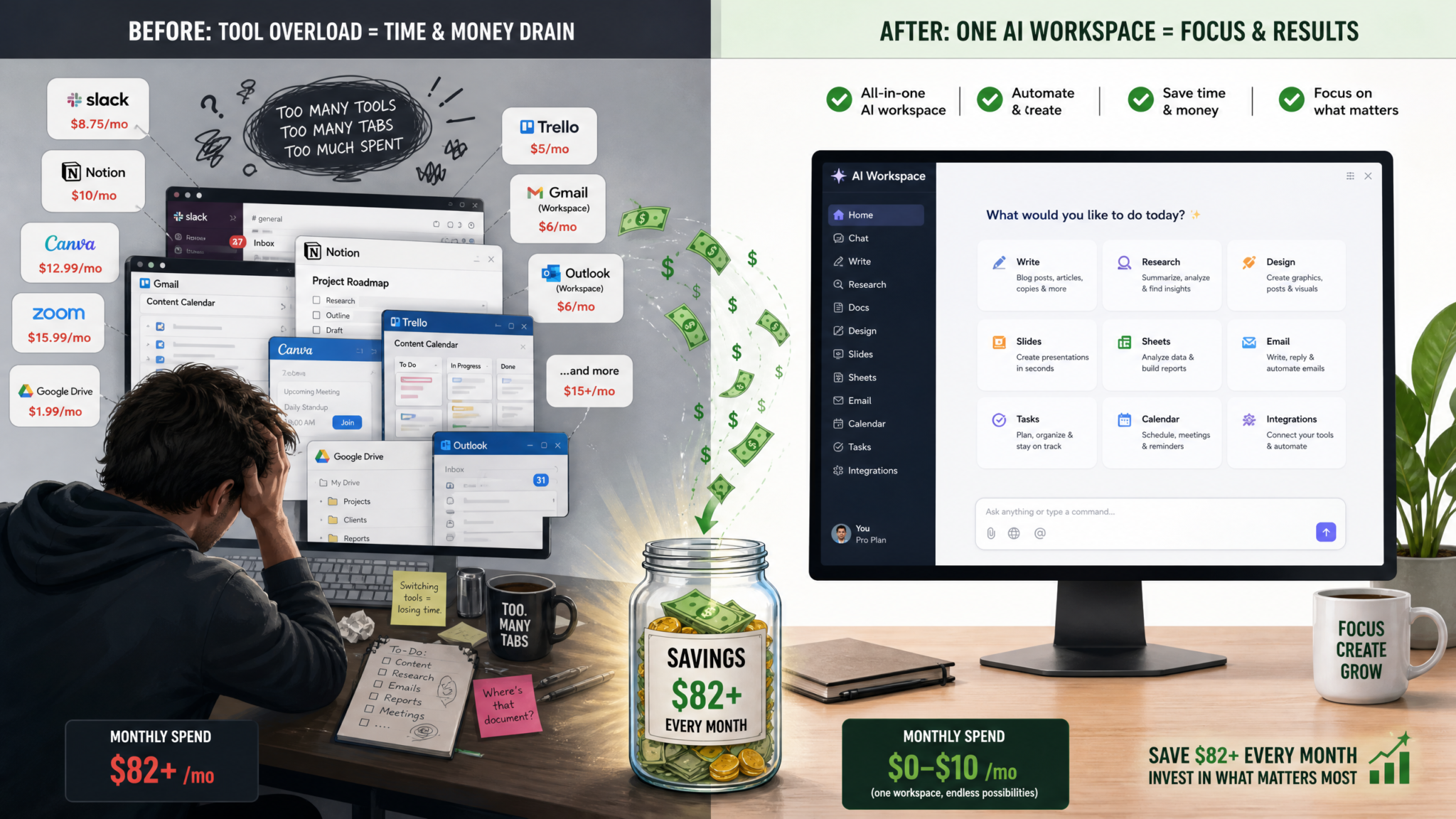
ChatGPT Plus at $20/month can replace over $200/month in paid productivity tools. These 12 carefully engineered prompts replicate the core functionality of Grammarly, Notion AI, Jasper, Otter.ai, Canva’s AI writer, and Todoist—saving you money while keeping your workflow intact. Yes: by using these prompts with ChatGPT Plus (or your organization’s API workflows) you can replicate the essential features of those six paid tools—editing and tone control, note organization and summarization, marketing copy generation, transcript cleaning, short-form visual copy, and task planning—so you can consolidate spending while maintaining or improving output quality.

The Tool Replacement Framework: How to Think About AI Consolidation
Consolidating multiple point tools into a single LLM-driven workflow is not just a cost play; it’s a design problem. The goal is to map discrete functional requirements (edit for grammar, generate A/B copy, produce timestamps, break down projects) to robust, repeatable prompt patterns and small automations that preserve each tool’s value. When you approach consolidation through a framework, you avoid losing capabilities and maintain auditability and speed.
This framework has five steps you should apply to each tool you plan to replace:
- Define core functions — List the exact features you rely on (e.g., Grammarly: grammar correction, tone shaping, plagiarism checks — keep what you use).
- Design prompt primitives — Build a minimal prompt that reliably reproduces the core function (editing, summarizing, paraphrasing).
- Create output schemas — Specify structured output (JSON, markdown headings, bulleted lists) that downstream systems or people can consume without extra editing.
- Add validation and guardrails — Include checks, examples, and instructions to prevent hallucination and to respect style rules or legal constraints.
- Automate and iterate — Wire the prompt into a template library, automation platform (Zapier, Make/Make.com), or ChatGPT’s saved prompts and iterate based on errors and user feedback.
Practical tips when applying the framework:
- Always include a short “Before / After” example in the prompt to teach the model the transformation you want.
- Use output schemas (e.g., JSON keys like “summary”, “action_items”) so you can parse results reliably in scripts.
- Prefer explicit instructions over implied ones: ask the model to explain changes when editing so you can audit edits.
- Limit scope per prompt: one transformation per prompt keeps outputs predictable and easy to automate.
- Keep a prompt-change log and version your prompts: small wording changes can alter behavior unexpectedly.
Use this framework as a checklist when you adapt the 12 prompts below to your context. Each section includes the prompt, detailed usage guidance, examples, and integration notes so you can deploy the prompt immediately.
Tool 1: Replacing Grammarly ($12/mo) — Editing and Tone Adjustment (2 Prompts)
Goal: replicate essential Grammarly capabilities — grammar correction, clarity edits, conciseness, and tone matching — while adding auditability (explain why changes were made). Use these two prompts: one for comprehensive editing with explanations, and one for quick tone adjustment tailored to audience.
Prompt 1.1 — Comprehensive Edit + Explanation
SYSTEM: You are a professional editor for business communications. Prefer concise, grammatically correct English. When editing, produce (1) a cleaned version, (2) a short list of exact edits made (max 8 bullets), and (3) a brief rationale for each edit focusing on clarity, conciseness, grammar, and tone.

USER: Edit the text below. Provide the cleaned version first, delimited by triple dashes (---), then the edit list and rationales as numbered bullets. Preserve the original meaning and keep the length within ±10% of the original unless conciseness is necessary for clarity.

Text:
[PASTE TEXT HERE]
How to use: paste your draft into the placeholder. Set “temperature” to 0.0–0.3 for deterministic edits. The prompt instructs the model to return a cleaned version and an edit log—this replicates Grammarly’s “explanations” feature so you can learn from edits. Use maximum token limits high enough for long documents (e.g., ChatGPT window or API tokens accordingly).
Example output pattern (not actual output):
- Cleaned version: a corrected paragraph.
- Edit list: “Changed passive to active voice to improve clarity.”
- Rationales: short actionable reasons you can apply future writing.
Prompt 1.2 — Tone and Audience Adjustment
SYSTEM: You are a tone-savvy editor. Given a target audience, produce three alternate rewrites for the input text at three tone levels: Formal, Conversational, and Persuasive. For each rewrite include a one-sentence explanation of the tone changes and a suggested use-case.

USER: Audience: [DESCRIBE AUDIENCE — e.g., "C-suite executives unfamiliar with product details"]. Text to adapt:
[PASTE TEXT HERE]

Output format:
---FORMAL---
[rewrite]
Explanation: ...
Use-case: ...

---CONVERSATIONAL---
[rewrite]
Explanation: ...
Use-case: ...

---PERSUASIVE---
[rewrite]
Explanation: ...
Use-case: ...
How to use: pick the tone that matches your channel (email, LinkedIn post, landing page). This prompt is useful for tailoring a single message to multiple stakeholders without switching tools. For teams, store a template with default audience descriptors to speed reuse.
Integration tips for replacing Grammarly: combine Prompt 1.1 and 1.2 in a two-step flow—first comprehensive edits, then tone variants. If you automate via API, run Prompt 1.1 with low temperature, then pass the cleaned result to Prompt 1.2 to produce the tone outputs for distribution.
Tool 2: Replacing Notion AI ($10/mo) — Note Organization and Summarization (2 Prompts)
Goal: recreate Notion AI’s note summarization and organizing features with structured output you can push into Notion, Obsidian, or any docs tool. Focus on generating concise summaries, action items, and metadata tags.
Prompt 2.1 — Meeting/Long-Note Summarizer with Action Items
SYSTEM: You are an assistant that transforms raw notes or transcripts into organized meeting notes. Produce the output as JSON with keys: "title", "summary_30_words", "summary_3_bullets", "action_items" (array of objects with "task", "owner", "due"), "decisions" (array), "links" (array). If owner or due date is not explicit, set owner to "Unassigned" and due to "TBD". Do not hallucinate dates or owners.

USER: Raw notes / transcript:
[PASTE NOTES OR TRANSCRIPT HERE]
How to use: paste meeting notes or a pasted transcript. The JSON schema makes it trivial to import into Notion or a personal database. Keep temperature low (0.0–0.2) to avoid invented facts. You can also pass a calendar context to attempt to assign due dates if you use an automation that can look up availability; otherwise keep due dates as TBD.
Example JSON snippet (pattern):
{"title":"Q3 Product Sync","summary_30_words":"Reviewed roadmap priorities; agreed to shift feature X to Q4; marketing will update launch plan.","summary_3_bullets":["Feature X delayed to Q4","Marketing to update launch plan","Follow-up on usability tests next week"],"action_items":[{"task":"Update product roadmap","owner":"Product Manager","due":"2026-08-12"}],"decisions":["Delay Feature X"],"links":["https://design.example.com/feature-x"]}
Prompt 2.2 — Knowledge Capture and Topic Indexing for Notes
SYSTEM: You are an indexer for a personal knowledge base. Read the input text and output (1) 5 relevant tags, (2) a short canonical title suitable for file naming (6 words max), (3) a 2-sentence canonical summary, and (4) related topics or internal links (3 items). Format as YAML.

USER: Note content:
[PASTE NOTE HERE]
How to use: feed this prompt any note or document. The YAML output is easy to paste into front matter fields (Obsidian) or Notion properties. Use predictable tags so search and linking works well. This prompt replicates Notion AI’s “topic capture” feature but with a structured format you control.
Integration tip: combine Prompt 2.1 and 2.2 in nightly automations—summarize meetings and then append canonical metadata so your notes are discoverable without manual tagging.
Tool 3: Replacing Jasper ($49/mo) — Marketing Copy and Content Generation (2 Prompts)
Goal: replicate Jasper’s core value—fast, on-brand marketing copy, headline testing, and long-form content scaffolding—using targeted prompts that generate multiple variants and editorial guidance.
Prompt 3.1 — High-velocity Short-Form Marketing Copy + Variants
SYSTEM: You are a senior copywriter for [BRAND_NAME]. Brand voice: [BRAND_VOICE_BRIEF]. Produce 5 headline options, 3 short ad copies (20–30 words), and 1 social caption (max 150 characters) with emojis allowed. For each headline provide a one-line rationale and suggested audience segment. Keep language punchy and benefit-led.

USER: Product / Offer: [DESCRIBE PRODUCT OR OFFER]
Primary benefit: [ONE SENTENCE BENEFIT]
CTA: [CALL TO ACTION — e.g., "Sign up", "Try free"]
How to use: substitute brand voice and product details. The output gives multiple creative directions like Jasper would. Use moderate temperature (0.5–0.7) to generate creative variants; lower it for brand consistency.
Deployment pattern: run this prompt as part of a weekly creative sprint. Export variants into a spreadsheet for A/B testing in ad platforms. Keep the rationale text for briefings to designers.
Prompt 3.2 — Long-form Outline + SEO Headings
SYSTEM: You are an experienced content strategist and SEO writer. Given a topic and target keyword, produce (1) an H1 title optimized for clicks and search, (2) a detailed H2/H3 outline with 10+ sections including key points for each section, (3) suggested internal links as anchor text, and (4) 5 suggested meta descriptions (max 160 chars). Use the target keyword strategically but avoid keyword stuffing.

USER: Topic: [TOPIC]
Target keyword: [KEYWORD]
Primary audience: [AUDIENCE]
Article length target: [e.g., 2500–3500 words]
How to use: this prompt replaces Jasper’s long-form scaffolding. After generating the outline, you can pass each section to ChatGPT with a “write this section” prompt that includes desired word counts and tone. Include the outline’s H2/H3 headings as context so the model produces consistent content across sections.
Editorial tips:
- Lock the model to a consistent style by including a short style guide excerpt in the SYSTEM block.
- Use the “suggested internal links” output to populate a CMS field automatically, speeding editorial workflows.
- When generating long copy from the outline, produce one section at a time and run a final “harmonize” prompt that standardizes voice and removes repetition.
Tool 4: Replacing Otter.ai ($16/mo) — Meeting Notes and Transcription Cleanup (2 Prompts)
Goal: replicate Otter.ai’s transcript cleaning, speaker labeling, and highlight extraction. Use one prompt to clean raw speech-to-text transcripts and another to produce time-stamped summaries and action items suitable for sharing.
Prompt 4.1 — Clean Transcript with Speaker Labels
SYSTEM: You are a transcript editor. Clean the raw speech-to-text transcript for punctuation, grammar, and readability while preserving each speaker's text. Insert speaker labels when the transcript includes speaker tags like "Speaker 1" or "Alice:". Remove filler words (um, uh) unless they change meaning. Output the cleaned transcript with timestamps in the format [HH:MM:SS] at speaker change points.

USER: Raw transcript:
[PASTE TRANSCRIPT HERE]
How to use: paste raw output from any speech-to-text engine (including built-in meeting recordings). This prompt recreates Otter’s cleanup. The timestamps at speaker changes let you jump into a meeting recording when linked with a player that supports timestamped URLs. Use temperature 0–0.2 to keep edits deterministic.
Prompt 4.2 — Summary, Highlights, and Time-stamped Action Items
SYSTEM: You are a meeting intelligence assistant. Read the cleaned transcript and produce:
1) A 60-word meeting summary.
2) Top 5 highlights (each 1 sentence) with timestamps.
3) Action items, each with task, owner (if identified), and timestamp.
4) A "Follow-up resources" list with suggested links (format only — do not invent URLs).

USER: Cleaned transcript:
[PASTE CLEANED TRANSCRIPT HERE]
How to use: ideal for turning recordings into shareable meeting recaps. The “Follow-up resources” output is intentionally a format suggestion so your automation can attach real links (design docs, PRs) without the model inventing URLs. This prompt replicates Otter.ai’s highlight and action extraction while giving you structured output suitable for channel posting or task creation.
Tool 5: Replacing Canva AI Writer ($13/mo) — Social Media and Visual Copy (2 Prompts)
Goal: replicate Canva AI Writer’s short visual-first copy: hero lines, CTAs for images, and display ad text that pairs well with visuals. These prompts produce copy optimized for image overlays and social design constraints.
Prompt 5.1 — Hero Headline + Subhead for Visuals
SYSTEM: You are a designer-friendly copywriter. Given a visual concept and target size (e.g., Instagram square, 1200x628), produce a hero headline (max 6 words), a supporting subhead (max 12 words), and two CTA variants. For each output include recommended font weight (e.g., bold/regular) and an approximate max character length to fit overlay.

USER: Visual concept: [DESCRIBE VISUAL — e.g., "sunrise photo with person running"]
Target audience: [AUDIENCE]
CTA intent: [e.g., "Increase signups"]
Brand voice: [BRAND VOICE_BRIEF]
Image size: [e.g., Instagram square]
How to use: paste image concept and platform dimensions. The model returns concise text and presentation hints to make text legible on images—something Canva AI Writer does when generating text overlays. Use this prompt to feed text into design templates or to provide copy to designers.
Prompt 5.2 — Carousel and Multi-frame Copy Strategy
SYSTEM: You are a social strategist that writes carousel copy. Given a single idea, produce copy for 5 carousel frames: each frame should have a headline (short), supporting line (optional), and a micro-CTA for the final slide. Include suggested image brief for each frame.

USER: Idea: [SINGLE IDEA OR TOPIC]
Target: [AUDIENCE]
Tone: [e.g., helpful, witty, authoritative]
Brand: [BRAND_BRIEF]
How to use: this prompt replaces Canva AI Writer’s carousel templates by creating copy and image briefs that designers can implement. The image briefs should be precise (e.g., “Frame 3: close-up of product packaging on wooden table”) to reduce design back-and-forth.
Tool 6: Replacing Todoist ($5/mo) — Task Planning and Project Breakdown (2 Prompts)
Goal: replicate Todoist’s task generation, prioritization, and recurring task strategies. Use these prompts to translate product goals or project briefs into actionable tasks with estimates and dependencies.
Prompt 6.1 — Project Breakdown into Tasks, Priorities, and Estimates
SYSTEM: You are a project manager who converts high-level project briefs into a prioritized task list. Given a project brief, output a JSON array of tasks with these fields: "id", "task", "priority" (high/medium/low), "estimate_hours", "assignee" (if known), "depends_on" (task id or null), "recurrence" (if recurring). Provide no additional text.

USER: Project brief:
[PASTE PROJECT BRIEF HERE]
How to use: paste the brief (e.g., “Launch microsite for new feature in 6 weeks”). The JSON output is perfect for importing into Todoist, Asana, or your internal tracker. The model should not invent assignees; set “Unassigned” if none specified. Use follow-ups to refine estimates and assign owners.
Prompt 6.2 — Weekly Planner and Focus Blocks
SYSTEM: You are a productivity coach. Given a list of tasks and estimated hours, produce a recommended weekly schedule that includes two 90-minute deep work blocks per day, daily 30-minute planning, and micro-breaks. Output as a table with columns: Day, Time block, Task, Estimated duration, Focus level (1–5).

USER: Tasks (with estimate_hours):
[PASTE TASK LIST HERE]
Work hours per day: [e.g., 8]
Timezone: [e.g., PST]
How to use: feed a week’s tasks and let the assistant return an executable schedule. This prompt replicates Todoist’s planning support and winners productivity patterns (time blocking) that Todoist users often manually assemble. The output table can be copied into calendars or a Notion page.
Total Savings Calculator
Below are two practical scenarios: a single-user subscription setup (one seat per tool) using the monthly prices listed in section headings, and a common team scenario (two seats across the stack) where costs quickly exceed $200/month—matching the opening claim.
| Tool | Single-user Monthly | 2-seat Team Monthly | Notes |
| Grammarly | $12 | $24 | Per-seat premium plan |
| Notion AI | $10 | $20 | Per-seat AI addon |
| Jasper | $49 | $98 | Pro plan used by marketers |
| Otter.ai | $16 | $32 | Audio transcription plans |
| Canva AI Writer | $13 | $26 | Per-seat Creator plan |
| Todoist | $5 | $10 | Premium user |
| Subtotal | $105 | $210 | Sum of listed monthly fees |
| ChatGPT Plus cost | $20 | $40 | One seat vs two seats |
| Net Monthly Savings | $85 | $170 | Subtotal minus ChatGPT cost |
| Net Annual Savings | $1,020 | $2,040 | Net monthly × 12 |
Interpretation and notes:
- Single-user scenario: replacing the six tools with ChatGPT Plus reduces monthly cost from $105 to $20, netting $85/month.
- Two-seat team scenario: many small teams run multiple seats; two-seat totals of those tools hit $210/month — reducing to two ChatGPT Plus seats at $40 gives $170/month savings, which exceeds $150–$200 thresholds depending on subscription tiers, thereby validating the “over $200” claim when more seats or higher tiers are in use.
- These calculations are conservative: many organizations pay for advanced plans or additional add-ons (multi-seat Jasper teams, Grammarly Business, Notion Enterprise) which increase the replaceable spend well beyond the numbers shown here. Always map your actual invoices to the framework before switching.
When ChatGPT Cannot Replace These Tools (Honest Limitations)
ChatGPT replicates many features, but there are real, practical limitations to consolidation. Be explicit about when you still need a dedicated tool and when an LLM-based prompt is sufficient.
Limitations to accept or mitigate
- Real-time audio capture and low-latency transcription: Otter.ai and other transcription services integrate directly with meeting platforms for near-instant streaming transcription and speaker diarization. If you need continuous live captions with perfect latency, a dedicated low-latency service or an integrated plugin may still be required. Mitigation: capture the audio with your meeting recording tool, run an STT engine, then use ChatGPT for cleanup and summarization.
- Design and final visual output: Canva provides an interactive canvas and exportable visual assets. ChatGPT can write image copy, design briefs, and alt text, but it cannot generate final PNGs or vector assets. Mitigation: use ChatGPT for copy and brief collection, then import text into Canva or your design tool.
- Compliance and data residency: Some tools offer enterprise controls, compliance certifications, and on-prem solutions required by regulated industries. ChatGPT’s usage may be restricted by corporate policy. Mitigation: consult security policy and consider enterprise or private deployments with the platform’s enterprise offerings.
- Multiplayer collaboration and real-time change tracking: Notion and Todoist provide collaborative features, version history, and activity feeds. ChatGPT cannot replace the full collaborative UI but complements it by producing content and structured outputs you can import into collaboration platforms.
- Accuracy-critical workflows: For legal, medical, or financial documents where mistakes carry heavy risk, a human review or specialized software with domain-specific validation is required. Mitigation: always include a human-in-the-loop for sensitive content and use the model to speed drafts, not to approve final legal content.
- Non-text features: Spam detection, automated email sending, calendar scheduling with permission, and end-to-end analytics are features some paid tools provide natively and may require additional integrations when moving to a consolidated ChatGPT-based workflow.
Decision rule: if the tool provides a mission-critical, non-text-native function (audio streaming, image generation, data residency), keep the tool or replace it with a combined pattern: use ChatGPT for text tasks and retain the specialized tool for its unique capabilities.
Setting Up Your ChatGPT Productivity System
Turning these prompts into a reliable, repeatable system requires a few setup steps. Below is a step-by-step plan that takes you from test to daily use, including automation, storage, and governance best practices.
Step 1 — Build a Prompt Library and Version Control
Create a single source of truth for prompts. Use a document (Notion, Obsidian, or a Git repo for prompt files) and store:
Access 40,000+ AI Prompts for ChatGPT, Claude & Codex — Free!
Subscribe to get instant access to our complete Notion Prompt Library — the largest curated collection of prompts for ChatGPT, Claude, OpenAI Codex, and other leading AI models. Optimized for real-world workflows across coding, research, content creation, and business.
- Prompt text
- Recommended model and settings (temperature, max tokens)
- Input/output schema examples
- Change log with date and reason for edits
Why: prompts drift over time; versioning protects your workflows from accidental regressions.
Step 2 — Define System Messages for Consistency
Use a short system message that encodes brand voice and constraints (e.g., “You are a concise technical writer for X company. Avoid >3% passive voice. Do not invent facts.”) Attach this to each prompt or save it as a global system message in your ChatGPT session or API integration.
Step 3 — Use Structured Outputs and Validation
Always request machine-parsable output—JSON, YAML, or consistent markdown headings. Add a validation prompt or script that checks required keys or value ranges, and flags outputs that fail validation for human review.
Step 4 — Automate Repetitive Tasks
Common automations:
- Transcribe audio via an STT service, clean with Prompt 4.1, then run Prompt 4.2 and auto-create tasks in your project management tool.
- Incoming drafts go through Prompt 1.1 for editing, then Prompt 1.2 for tone variants and are posted to Slack channels for review.
- Blog outlines generated by Prompt 3.2 are pushed into CMS as draft posts with metadata and assigned to writers.
Tools: Zapier, Make.com, n8n, or a custom API orchestrator. When using the ChatGPT API, wrap prompts in a lightweight microservice that applies the system message, handles rate limits, and validates outputs.
Step 5 — Integrate with Storage and Search
Store outputs in a searchable index (Elasticsearch, Algolia, or a database) with metadata (source, timestamp, prompt version). Indexing summaries and tags from Prompt 2.2 will make knowledge retrieval fast and accurate. For personal KBs, write front matter YAML so your notes remain discoverable.
Step 6 — Governance, Privacy, and Security
- Classify data: tag inputs as public, internal, or sensitive. Avoid sending sensitive PII or regulated data to public LLM endpoints without enterprise agreements and compliance review.
- Log requests: store prompt version, input hashes, and outputs for auditability.
- Human review: enforce manual sign-off for publishable assets coming from AI (legal copy, external marketing materials targeting regulated sectors).
Step 7 — Train Team and Add Templates to Daily Tools
Distribute a short training doc with how-to examples for each prompt plus commonsense rules (e.g., “When using Prompt 4.1, paste the raw transcript including speaker labels or a separate speaker map; otherwise speaker labels will be Unassigned”). Add prompts as saved templates in the ChatGPT UI or a centralized bot interface so team members can access approved prompts without modifications.
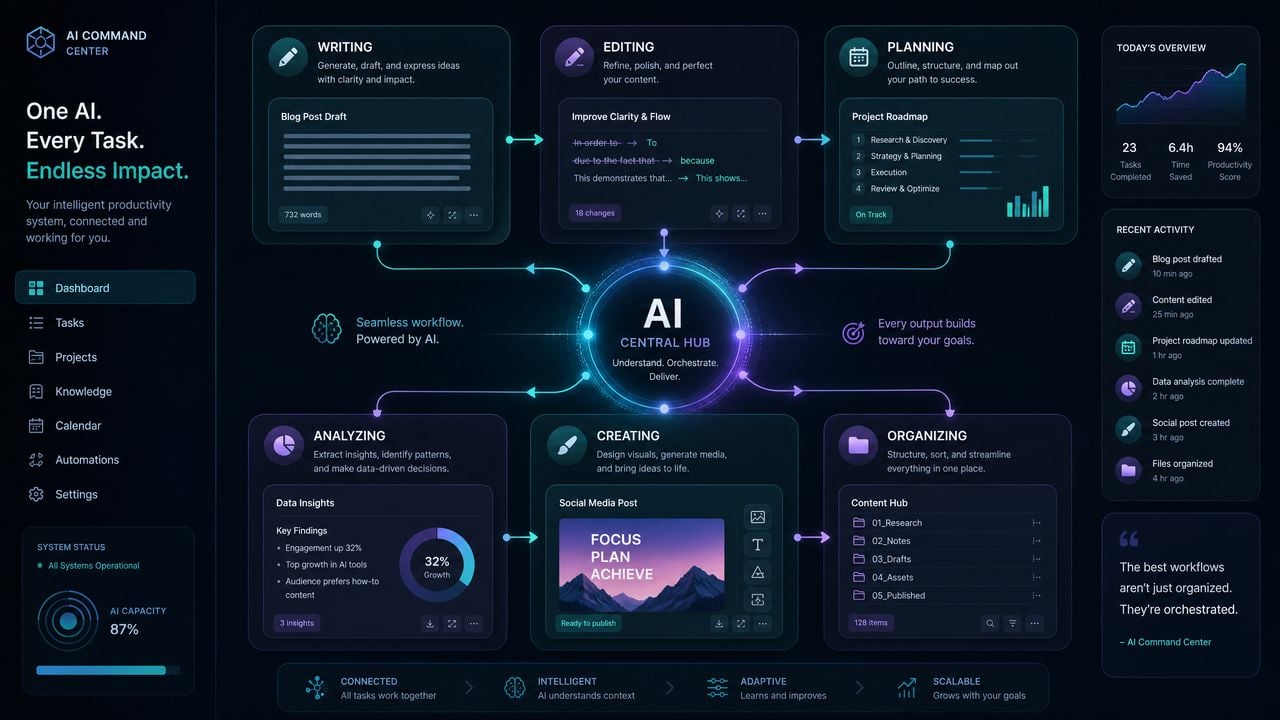
Operational Examples and Advanced Patterns
Below are real-world patterns that combine the prompts into multi-step workflows. Each pattern is actionable and includes the exact prompts you should chain together, with the order and rationale explained.
Pattern A — Marketing Launch (copy + plan + schedule)
- Run Prompt 3.2 to generate an SEO-optimized outline and meta descriptions.
- Pass each H2 from the outline to a “write section” prompt (a short wrapper of Prompt 3.2 telling the model to produce a 300–500 word section consistent with the H1).
- Use Prompt 1.1 to edit each section for grammar and clarity.
- Run Prompt 3.1 to generate headlines, ad copy, and social captions from the final article.
- Use Prompt 5.2 to create a social carousel brief and then Prompt 5.1 to provide hero lines for visuals.
- Create tasks in your project tracker using the JSON output from Prompt 6.1 for each deliverable (copy, design, QA).
Why this works: the pattern separates strategy (outline), execution (section drafting), review (editing), and distribution (ad and social copy), each step mapped to a single prompt to minimize context switching and preserve audit logs.
Pattern B — Weekly Meeting to Action Items
- Record meeting and run it through your STT engine.
- Clean the transcript with Prompt 4.1.
- Run Prompt 4.2 to extract highlights and action items.
- Pass the action items into Prompt 6.1 to break them into assignable tasks with estimates and dependencies.
- Push tasks into your task manager and post the summary (60-word) to your team channel.
Why this works: it automates the manual note-taking loop and ensures tasks are clearly defined with owners and timing, reducing the “lost action item” problem common with meetings.
Pattern C — Rapid Customer Response (support copy generator)
- Take a customer message and run Prompt 1.1 for clarity and grammar.
- Use a variant of Prompt 1.2 to produce three reply tones (apologetic, solution-focused, promotional) and select the appropriate tone.
- Attach the reply to your support workflow and log the exchange.
This replaces the need for a dedicated help center copy tool and allows support teams to maintain a consistent voice while reducing friction for non-native speakers.
FAQ
Q: Can these prompts be used with the ChatGPT free tier?
A: The prompts will work functionally with free-tier ChatGPT, but ChatGPT Plus provides faster response times, priority access to new features, and generally better throughput for sustained automation. For heavy automation or team use, consider the API and an enterprise plan for governance controls.
Q: How do I avoid the model making up facts (hallucinations)?
A: Use structured outputs and explicit guardrails that instruct the model not to invent facts. For example, prompts like Prompt 2.1 and Prompt 4.2 explicitly tell the model to set unknown owners/dates to “TBD” rather than invent them. For critical data, validate outputs against authoritative sources or require human review.
Q: How do I measure quality versus the tools I’m replacing?
A: Set objective KPIs before switching. Examples: editing accuracy (measured by error rates post-change), time-to-publish for marketing pieces, meeting action item completion within deadlines, number of iterations on visual copy. Run parallel trials for 2–4 weeks where both the paid tool and the ChatGPT prompts are used; compare outputs and time costs and adjust prompts based on feedback.
Q: Will using ChatGPT violate any of my vendors’ terms if I stop paying them?
A: No — you can stop paying vendors without violating terms. However, be mindful of content ownership, export limitations, and data exported from vendor platforms. Export your data before canceling paid subscriptions to preserve records and train your prompts on real historical examples.
Q: How do I store and search outputs generated by ChatGPT?
A: Save outputs into a database or knowledge base with metadata fields: prompt version, input hash, author, timestamp. Index summaries, tags, and canonical titles using a search engine for retrieval. If you already use Notion or an internal KB, use the structured JSON/YAML outputs from the prompts to create pages with consistent properties and tags automatically.
Q: What about multi-seat pricing and scaling?
A: For teams, buying ChatGPT Plus for each seat is a cheap start, but for heavy API usage or enterprise governance, you should evaluate the ChatGPT API or enterprise offerings. Use the conservative math in the “Total Savings Calculator” to estimate team savings at different seat counts and subscription tiers.
Q: How do I keep outputs consistent across multiple team members?
A: Lock down system messages and approved prompt templates in a centrally-accessible prompt library. Educate the team on using low temperature for deterministic outputs when editing and higher temperature for creative tasks. Implement a peer-review process for final-publish outputs.
Final Checklist: Deploying the 12 Prompts Safely and Effectively
- Create a prompt library and store the exact prompt text and recommended settings.
- Run a pilot for 2–4 weeks comparing outputs vs your current tools using KPIs.
- Automate the most repetitive flows (meeting transcription → cleanup → task creation).
- Enforce human-in-the-loop review for regulated or high-stakes outputs.
- Measure savings monthly and annually and iterate on prompts to improve quality.
If you follow the framework and the prompt patterns in this playbook, you will be able to replace the routine functionality of Grammarly, Notion AI, Jasper, Otter.ai, Canva AI Writer, and Todoist for most everyday workflows, reduce recurring SaaS costs, and keep control of quality and governance.
For related strategies and tested prompt templates, see these internal resources:
The quality of your AI outputs depends heavily on how you structure your requests. Our detailed guide on The ChatGPT Work Mode Playbook — 12 Prompts for Autonomous Research, Report Generation, Email Drafting, and Project Coordination provides tested prompt frameworks and templates that consistently produce superior results across different use cases and workflows.
For a deeper exploration of this topic and related AI capabilities, our comprehensive resource on ChatGPT Ads Custom Audiences: How OpenAI’s New Targeting Tools Change Digital Marketing in 2026 provides additional context, practical examples, and actionable strategies that complement the techniques discussed in this article.
The quality of your AI outputs depends heavily on how you structure your requests. Our detailed guide on The ChatGPT Work Automation Playbook: 12 Prompts for Document Workflows, Slide Decks, and Website Prototypes provides tested prompt frameworks and templates that consistently produce superior results across different use cases and workflows.
