
20 ChatGPT-5.5 Prompts for Students: Research Papers, Study Notes, Exam Prep, and Academic Writing
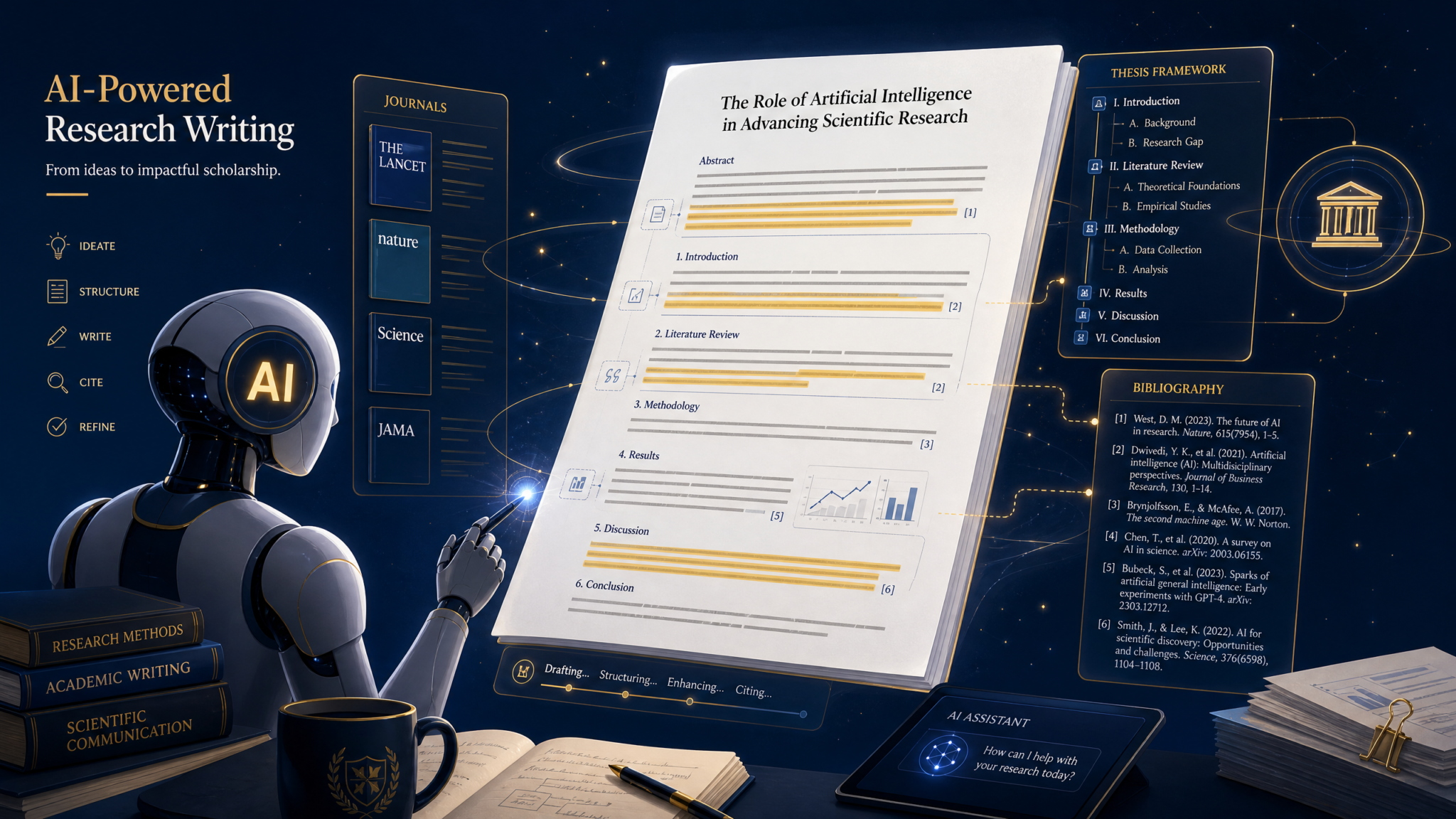
ChatGPT-5.5 is a game-changer for students in 2026. These 20 carefully crafted prompts help with research paper outlines, study note generation, exam preparation, thesis writing, and academic citation—all while maintaining academic integrity.
Yes — this article provides 20 specific, ready-to-use ChatGPT-5.5 prompts for students covering research papers, study notes, exam prep, and academic writing, each accompanied by usage notes, example inputs, expected outputs, and step-by-step guidance to ensure results are accurate, ethical, and tailored to your assignment.
How Students Should Use ChatGPT: Ethics, Academic Integrity, and Best Practices
ChatGPT-5.5 can boost productivity, clarify complex concepts, and accelerate drafting, but responsible use requires rules and workflows that prioritize learning and academic honesty. Below is a practical, step-by-step code of practice you can adopt immediately.
- Always disclose assisted work where required: If your institution requires disclosure of AI assistance, include a short statement in your methods or acknowledgments specifying how ChatGPT-5.5 was used (e.g., idea generation, editing, citation formatting).
- Use ChatGPT for scaffolding, not shortcutting: Use the model to generate outlines, summaries, and examples — then critically engage, verify, and rewrite in your own voice to demonstrate learning.
- Verify facts and citations: Ask ChatGPT to propose citations but verify each source directly from peer-reviewed journals, books, or primary sources. Never copy a citation without checking access details and page numbers.
- Protect privacy and data: Do not paste confidential or personally identifiable information into prompts. When discussing case studies, anonymize details when necessary.
- Iteratively refine outputs: Use stepwise prompting: request an outline first, iterate on sections, ask for alternatives, and then request editing and proofreading.
- Use citation and method transparency for research: For theses and empirical studies, request explicit methods, sample sizes, and statistical assumptions—then evaluate feasibility with your advisor.
- Keep faculty in the loop: If unsure whether a use case is allowed, ask your instructor. Many faculty accept AI-assisted drafts when students show revisions and understanding.
Actionable checklist (copyable):
- Before using: confirm institutional AI policy.
- During use: keep prompts and raw outputs saved for transparency.
- After use: verify sources, rewrite in your voice, and add disclosure if required.
Research Paper Prompts (5 Prompts with Examples and Expected Output)
Each prompt below is designed for research-stage tasks: synthesizing literature, crafting thesis statements, designing methodology, structuring arguments, and formatting citations. Use the model iteratively: ask for an outline, then expand sections, then request critique and alternatives.
Prompt 1 — Literature Review Synthesis
"Literature Review Synthesis:
Topic: [Insert topic here, e.g., 'remote learning impact on undergraduate STEM performance, 2015-2025'].
Instructions:
1) Identify 8–12 peer-reviewed sources (names, authors, year) relevant to the topic.
2) For each source, give a single-sentence summary of the study and its main finding.
3) Synthesize the findings thematically into 4–6 themes (2–3 sentences per theme).
4) Highlight 3 major gaps in the literature and propose 2 possible research questions for each gap.
5) Provide a concise paragraph (150–250 words) summarizing the overall state of the literature and its implications for a new study."
How to use: Replace the topic placeholder with your exact research topic and date range. After the model returns the list of sources, cross-check each citation against library databases (Web of Science, Google Scholar, JSTOR). If ChatGPT lists a source you cannot find, mark it as ‘verify’ and ask the model to provide DOI or URL; then independently verify.
Example input (applied): “Topic: remote learning impact on undergraduate STEM performance, 2018-2025.”
Expected output (abridged sample):
- Source list: “Smith et al., 2019 — quasi-experimental study comparing exam scores…” (list of 8–12 real citations)
- One-sentence summaries: “Smith et al., 2019 — Found a 5% decline in lab performance for first-year engineering students after transition to synchronous online labs.”
- Themes: “Theme 1: Access and equity — several studies report differential impacts by socioeconomic status, often due to hardware and bandwidth constraints.”
- Gaps and research questions: “Gap 1: Longitudinal outcomes beyond one semester. Research questions: (a) How do remote learning experiences in Year 1 affect Year 3 retention? (b) Which remote interventions predict improved lab skills over two years?”
- Summary paragraph (approx. 175 words): A concise literature synthesis describing consensus, conflicting findings, and implications for your proposed study.
Actionable tip: Request the model to output a formatted references list (APA/Chicago) only after you have verified each source.
Prompt 2 — Thesis Statement Generation
"Thesis Statement Assistant:
Topic: [Insert concise research topic].
Context: [e.g., 'Undergraduate honors thesis', 'Master's dissertation', 'Journal article'].
Constraints: word limit for thesis statement (e.g., 25–35 words).
Instructions:
1) Provide 6 distinct thesis statement options that are specific, evidence-focused, and arguable.
2) For each statement, list two testable hypotheses or sub-claims the study would need to support.
3) Rank the six by clarity, originality, and feasibility (one-sentence justification each)."
How to use: Provide the research context and constraints to get thesis statements aligned with scope (undergrad vs. PhD vs. article). Use the hypotheses to guide your methods and data collection plan.
Example output (sample for remote learning topic):
- Thesis 1: “Between 2019 and 2023, remote laboratory instruction decreased first-year engineering students’ hands-on skill acquisition, as measured by lab practical scores and retention rates.” Hypotheses: (1) Students taught remote labs score 10% lower on practicals. (2) Retention in lab-based courses declines by 8% the following semester. Ranked: Clarity 5/5; Originality 3/5; Feasibility 4/5.
- Thesis 2: …
Actionable tip: After selecting a thesis, ask the model to generate an “Introduction paragraph” and a “Significance paragraph” built from that thesis to jumpstart your draft.
Prompt 3 — Methodology Design
"Methodology Designer:
Research question: [Insert question].
Study type: [Choose 'experimental', 'quasi-experimental', 'survey', 'mixed methods', 'qualitative case study'].
Population: [e.g., 'first-year undergraduate STEM students at a large public university'].
Constraints: sample size target, time frame, budget limits (if any).
Instructions:
1) Propose a full study design (sampling, instruments, procedures).
2) Detail measures and instruments (surveys, validated scales, lab assessments) with sample items.
3) Describe data analysis plan (statistical tests, effect sizes, software).
4) Identify ethical considerations and how to address them (consent, anonymization).
5) Provide a power analysis estimate for the primary hypothesis with assumptions."
How to use: Use this prompt to create a method draft suitable for IRB/proposal review. Replace placeholders with accurate constraints. After receiving a design, consult your advisor or methods textbook to validate assumptions and calibrate sample sizes.
Expected output elements:
- Design summary: “Quasi-experimental pretest-posttest with matched controls.”
- Sampling: “Stratified sampling across year and major, n=200 target (100 intervention, 100 control).”
- Measures: “Lab competency rubric (5 items) sample item: ‘accurately assembles apparatus with no instructor assistance’ — score 0–4.”
- Data analysis: “ANCOVA controlling for prior GPA; Cohen’s d for effect size; use R (packages: lme4, car).”
- Power analysis: “Assuming d=0.35, α=0.05, power=0.8, required n≈260 total — consider recruiting 300 to account for attrition.”
Actionable tip: Replace instrument suggestions with validated scales when possible, and request the model to provide citations for instrument validation studies.
Prompt 4 — Argument Structuring
"Argument Builder:
Claim: [Insert central claim or tentative conclusion].
Audience: [e.g., 'peer-reviewed journal readers', 'class instructor', 'policy-makers'].
Instructions:
1) Produce a structured argument outline with 6–8 sequential claims supporting the main claim.
2) For each supporting claim, list the type of evidence needed (empirical, theoretical, case study) and a one-sentence description of how to obtain or cite that evidence.
3) Identify two plausible counterarguments and provide a rebuttal paragraph for each.
4) Output the whole argument as a 400–600 word persuasive draft paragraph with citations in parentheses (author, year) placeholders."
How to use: Provide a specific claim. Use the evidence checklist to gather sources and data. Replace parenthetical placeholders with verified citations from your literature search.
Expected output (sample structure):
- Support claim A: “Remote labs reduce hands-on practice hours” — evidence: lab attendance logs, observational checklists.
- Counterargument: “Remote labs offer better conceptual learning” — rebuttal: “present mixed-methods evidence showing conceptual gains but skill deficits; recommend blended remediation.”
- Draft paragraph: A persuasive paragraph synthesizing claims and responding to counterarguments with citation placeholders.
Prompt 5 — Citation Formatting and Reference Checking
"Citation Formatter and Reference Checker:
Input: Provide a list of raw references or DOIs (paste below).
Target style: [APA 7th, Chicago Author-Date, MLA 9, Vancouver].
Instructions:
1) Convert each raw reference into the target style with full bibliographic details.
2) For each reference, verify and append DOI or stable URL when available.
3) Flag any reference that cannot be verified or appears fabricated.
4) Output a final formatted reference list sorted alphabetically or numerically per style."
How to use: Paste the references you collected from literature searches. After ChatGPT formats them, independently verify DOIs via CrossRef, your institution’s library, or publisher pages. Never rely solely on the model for final citation accuracy.
Expected output (sample):
- Formatted APA entries with DOIs. Any unverifiable entries will be marked and given a suggestion such as “search author/title in CrossRef or contact librarian.”
Study Notes and Summarization Prompts (5 Prompts)
These prompts convert dense textbook chapters, lecture transcripts, and articles into study-ready formats: concise summaries, concept maps, flashcards, comparison tables, and timelines. They work best when you paste the text in manageable chunks and ask for iterative refinement.
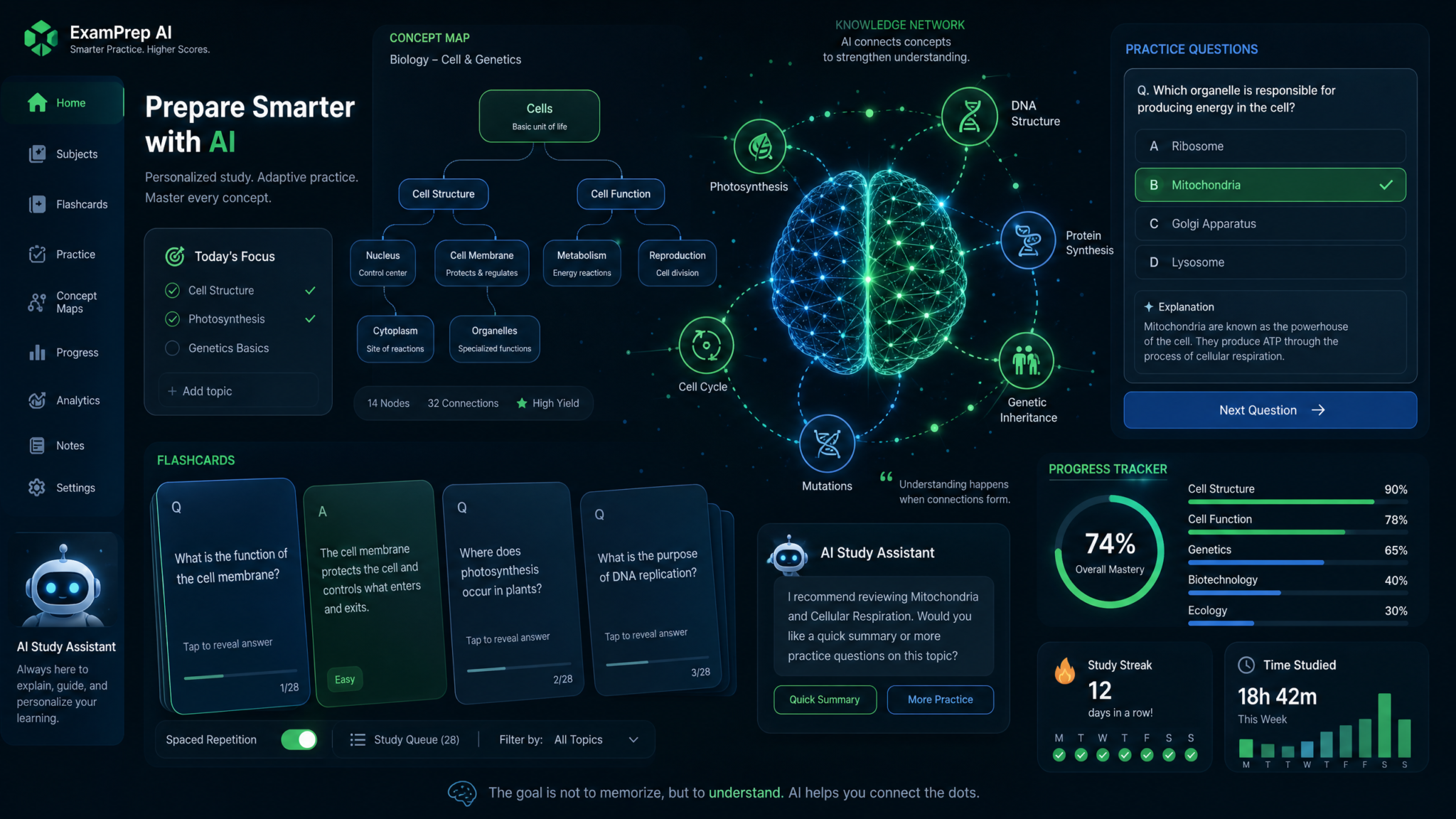
Prompt 6 — Textbook Chapter Summary (Layered)
"Layered Chapter Summary:
Input: Paste textbook chapter text (max 2000 words) or upload in sequential chunks.
Instructions:
1) Provide a one-sentence high-level summary.
2) Provide five bullet-point 'key takeaways' (each 10–15 words).
3) Provide a 300–400 word condensed chapter summary retaining critical terms and definitions.
4) List 8–12 'must-know' terms with 1–2 sentence definitions each.
5) Provide three exam-style short-answer questions based on the chapter (include model answers, 40–80 words each)."
How to use: For long chapters, chunk the text into sequential prompts: “Chunk 1/3”, “Chunk 2/3”, etc., and ask ChatGPT to synthesize across chunks at the end. Keep a glossary file updated with ‘must-know’ terms.
Expected output (sample):
- One-sentence high-level summary: “This chapter explains X, Y, Z and their interrelations.”
- Key takeaways: concise bullets highlighting mechanisms and critical distinctions.
- Condensed summary: 350 words retaining essential arguments and examples.
- Must-know terms: definitions for 8–12 technical terms (e.g., “construct validity — extent to which a test measures the concept it intends to measure”).
- Short-answer questions with model answers for immediate self-quizzing.
Prompt 7 — Concept Mapping Description
"Concept Map Builder:
Topic: [e.g., 'Photosynthesis and cellular respiration'].
Input: Provide key concepts or paste lecture notes.
Instructions:
1) Output a node-and-link list: each node (concept) with a 3-word label and 1–2 sentence definition.
2) For each pair of linked nodes, describe the relationship in one sentence (directional if needed).
3) Provide 3 hierarchical levels: core concept, secondary concepts, and supporting details.
4) Offer a suggested visual layout: top-down or radial, with coordinates or ordering guidance to copy into a concept mapping tool."
How to use: Paste your lecture notes or list of terms. Use the node-and-link list to recreate the map in a tool (e.g., CmapTools, Lucidchart) or on paper. Request alternate layouts if you prefer a different visual emphasis (chronological vs. causal).
Expected output (sample fragment):
- Node: “Photosynthesis (core) — process by which plants convert light into chemical energy.”
- Link: “Photosynthesis -> Glucose Production — light reactions produce ATP/NADPH that fix CO2 into glucose (directional).”
- Layout suggestion: “Top-down: Photosynthesis at top, two branches to light reactions and Calvin cycle; label arrows with intermediate molecules.”
Prompt 8 — Flashcard Generation (Spaced-Repetition Ready)
"Flashcard Generator for Anki/Quizlet:
Input: topic or paste notes (up to 1500 words).
Instructions:
1) Generate 40 flashcards in CSV-friendly format: 'Front' | 'Back'.
2) Use cloze deletions for definitions where appropriate (format: {{c1::term}}).
3) Tag each card with a difficulty level (easy/medium/hard) and a recommended review schedule (e.g., 1 day, 3 days, 7 days).
4) Prioritize conceptual and application questions (not purely definitional) where feasible."
How to use: Copy the CSV-friendly output into Anki or Quizlet. Adjust cloze indices ({{c1::}}) as needed. Use difficulty tags to seed an initial spaced-repetition schedule.
Expected output (sample cards):
- Front: “Define construct validity.” Back: “Extent to which an instrument measures the theoretical construct it aims to measure.” Difficulty: medium; Review: 3 days.
- Front (cloze): “The primary product of Calvin cycle is {{c1::G3P}}.” Back: “G3P (glyceraldehyde-3-phosphate).” Difficulty: easy; Review: 1 day.
Prompt 9 — Comparison Table Creation
"Comparison Table Maker:
Items to compare: [List 3–6 items, e.g., 'qualitative vs quantitative vs mixed methods'].
Criteria columns: [List 5–7 criteria, e.g., 'primary aim', 'data type', 'analysis techniques', 'typical sample size', 'strengths', 'weaknesses'].
Output format: Provide an HTML table with inline styles for border and padding suitable for direct inclusion in a paper or notes."
How to use: Provide items and criteria. The model returns an HTML table you can paste into your notes or learning management system. Use table entries to refine method choices in proposals.
Expected output (sample table):
| Method | Primary aim | Data type | Typical sample size | Strengths | Weaknesses |
|---|---|---|---|---|---|
| Qualitative | Explore perceptions and meanings | Text, interviews, audio | 10–50 | Deep contextual insights | Limited generalizability |
| Quantitative | Test hypotheses and measure effect sizes | Numeric, survey, experimental | 50–1000+ | Statistical inference, replicability | May miss nuance |
| Mixed Methods | Combine breadth and depth | Both qualitative and quantitative | Varies by design | Comprehensive insights | Resource-intensive |
Actionable tip: Ask ChatGPT to format the table for specific publication styles and to include footnotes where methodological nuance matters.
Prompt 10 — Timeline Creation (Historical or Project)
"Timeline Generator:
Type: [Historical or Project].
Input: list of events with dates OR project milestones and estimated durations.
Instructions:
1) Create a chronological timeline with 10–15 entries.
2) For each entry, include date, 1-sentence description, and 1–2 notes on significance or dependencies.
3) Output in two formats: (A) compact text list for notes, and (B) CSV with columns 'date','event','notes' for import into timeline tools."
How to use: Provide events or milestones. For project timelines, ask for contingency plans tied to critical milestones. Import the CSV into tools like Excel, Trello, or timeline generators for visualization.
Expected output (sample for a semester project):
- CSV: “2026-01-10″,”Project kickoff”,”Confirm team and scope”
- Notes: “Week-by-week dependencies and buffer weeks for data collection and revision.”
Exam Preparation Prompts (5 Prompts)
These prompts generate targeted practice materials, identify weaknesses, and simulate exam conditions. Use them to craft practice exams, generate higher-order questions, and build grading rubrics for self-assessment.
Prompt 11 — Practice Question Generation
"Practice Question Generator:
Course: [e.g., 'Organic Chemistry II'].
Topics to cover: [list up to 8 topics].
Question types: [Multiple choice (20), short answer (10), problem-solving (5), essay (2)].
Difficulty distribution: [e.g., 40% easy, 40% medium, 20% hard].
Instructions:
1) Generate questions categorized by topic and difficulty.
2) For each question provide an answer key and concise stepwise solution for problem-solving items.
3) Provide an estimated time allotment per question to simulate timing."
How to use: Use the generated question set to build timed practice sessions. For problem-solving items, practice writing out full solutions, then compare to model solutions to identify mistakes.
Expected output (sample):
- Multiple choice: “Which mechanism best describes electrophilic aromatic substitution? [A/B/C/D]” with correct answer and brief rationale.
- Problem-solving: “Predict products for given reaction; show mechanism.” Stepwise solution included.
Prompt 12 — Concept Explanation at Multiple Levels
"Multi-Level Concept Explainer:
Concept: [e.g., 'elastic potential energy'].
Audience levels: 'Layperson (teen)', 'Undergraduate student', 'Advanced student (grad-level)'.
Instructions:
1) Provide three explanations of the concept tailored to each audience, each 60–120 words.
2) Include 2–3 worked examples or analogies for the layperson and undergraduate levels.
3) Provide one short derivation or formal proof for the advanced level."
How to use: Use the layperson version to test your intuition; use the undergraduate and advanced versions to check conceptual depth and mathematical rigor. Ask follow-up clarifying questions if a step is unclear.
Expected output (sample):
- Layperson: “Elastic potential energy is like the stored energy in a stretched rubber band…”
- Undergraduate: “E = 1/2 k x^2 derivation with example of spring constant and displacement.”
- Advanced: “Generalized to energy storage in elastic materials with tensor notation and small-strain approximation.”
Prompt 13 — Weak Area Identification (Diagnostic)
"Weak Area Diagnostic:
Input: Submit up to 10 past answers (short answers or problem solutions) with the student's current answer and an ideal answer (if available).
Instructions:
1) For each submitted item, provide an analysis identifying conceptual errors, procedural mistakes, and omissions.
2) Assign a grade (0–100) and give a rubric-aligned breakdown (knowledge, application, clarity).
3) Recommend 3 targeted study actions (resources, practice problems, concept reviews) tied to each error.
4) Provide a 2-week micro-study plan with daily tasks to address recurrent weaknesses."
How to use: Paste your past exam answers. Use the diagnostic to see patterns: e.g., repeated algebra mistakes, misunderstanding of definitions, or misapplication of formulas. Follow the micro-study plan and resubmit new work for re-evaluation.
Expected output (sample):
- Analysis: “Student consistently misapplies integration bounds in probability density problems; recommended targeted practice: 12 integration problems focusing on variable limits.”
- Micro-plan: “Day 1–3: Review theory and solved examples; Day 4–10: Daily problem sets increasing in complexity; Day 11–14: Timed practice and review.”
Prompt 14 — Mock Exam Creation (Full-Length)
"Mock Exam Builder:
Course and level: [e.g., 'Introductory Macroeconomics, undergrad'].
Exam length: [e.g., 2 hours].
Section structure: [e.g., Section A: 30 MCQs; Section B: 4 short answers; Section C: 2 essays].
Instructions:
1) Generate a full mock exam with clear instructions for each section.
2) Provide an answer key and model answers with grading rubrics (rubric: points per subtask).
3) Include time recommendations for each section and a suggested marking scheme for self-evaluation."
How to use: Simulate exam conditions (no aids unless permitted). Time yourself using the suggested time recommendations. Use the rubric to mark your answers strictly; then request targeted feedback on missed items.
Expected output (sample):
- Full exam document with questions, followed by an answer key and rubrics like “Short answer 10 points: concept accuracy 6, application 3, clarity 1.”
Prompt 15 — Answer Evaluation and Feedback
"Answer Evaluator:
Input: Paste student answers (up to 2000 words) and corresponding question(s).
Instructions:
1) Grade answers using a 0–100 rubric aligned to clarity, correctness, completeness, and use of evidence.
2) For each answer, provide 5 specific improvement points (what to add, remove, or rephrase).
3) Offer a sample revised answer (150–300 words) that models high-quality academic writing and cites 1–2 relevant sources as placeholders (author, year)."
How to use: Paste your answers and question prompts. Use the feedback to rewrite answers and request a new evaluation for the revision. Iterate until you reach the desired level of quality.
Expected output (sample):
- Grade: 72/100. Improvements: “Clarify thesis sentence; add an example from X study; define technical term Y; correct calculation error in paragraph 3; tighten conclusion.”
- Revised answer: A model answer demonstrating structural and evidentiary improvements.
Academic Writing Prompts (5 Prompts)
Use these prompts to improve essay structure, develop paragraphs, smooth transitions, adjust tone for different audiences, and proofread drafts. Each prompt includes an example “before” and “after” and explains how to use the result responsibly.
Prompt 16 — Essay Structure and Outline
"Essay Outline Generator:
Essay topic: [Insert].
Word limit: [e.g., 2000 words].
Audience and purpose: [e.g., 'academic audience, persuasive/analytical'].
Instructions:
1) Produce a detailed hierarchical outline with headings and subpoints for introduction, 5 body sections, and conclusion.
2) For each body section, include 2–4 evidence items (empirical studies, statistics, historical examples) with citation placeholders.
3) Provide a 150–200 word sample introduction that includes a hook, context, and a clear thesis statement."
How to use: Use the outline to allocate word counts per section (e.g., intro 200, each body 300, conclusion 200). Replace citation placeholders with verified references you collected. Use the sample introduction as a starting draft, but rewrite to reflect your voice and exact sources.
Access 40,000+ AI Prompts for ChatGPT, Claude & Codex — Free!
Subscribe to get instant access to our complete Notion Prompt Library — the largest curated collection of prompts for ChatGPT, Claude, OpenAI Codex, and other leading AI models. Optimized for real-world workflows across coding, research, content creation, and business.
Expected output (sample):
- Outline with numbered sections and subpoints and sample introduction showcasing the thesis.
Prompt 17 — Paragraph Development (From Bullet Points to Draft)
"Paragraph Developer:
Input: 3–5 bullet points representing claims and evidence for a paragraph.
Instructions:
1) Convert bullets into a coherent academic paragraph (120–180 words) with topic sentence, evidence, explanation, and concluding sentence.
2) Highlight the sentence that most clearly connects claim to evidence.
3) Suggest two alternative phrasings for the topic sentence (concise and extended)."
How to use: Provide bullet points you wrote during brainstorming. Use the generated paragraph as a first draft; then edit to incorporate your voice and ensure accuracy of claims and citations.
Example (before -> after):
- Bullets: “Remote labs reduce hands-on practice; observed drop in practical scores; need blended remediation.”
- Generated paragraph: A polished paragraph linking claim and evidence; topic sentence alternatives provided.
Prompt 18 — Transition Improvement (Coherence Enhancer)
"Transition Enhancer:
Input: Paste two or more adjacent paragraphs from your draft.
Instructions:
1) Identify sentences where logical flow is weak and explain why (1–2 sentences per issue).
2) Provide an edited version of the paragraphs with clear transitional phrases and at least three different transition alternatives.
3) Explain the rhetorical function of each added transition (contrast, addition, cause, sequence)."
How to use: Paste paragraphs where flow breaks. Use the explanations to learn how transitions function and to apply similar edits in other parts of your draft.
Expected output (sample):
- Annotated issues: “Paragraph jump lacks a linking sentence between evidence and implication.”
- Edited paragraphs with transitions: “However, despite these improvements…” and explanations of purpose.
Prompt 19 — Tone Adjustment and Audience Targeting
"Tone and Audience Rewriter:
Input: Paste a paragraph or abstract (max 300 words).
Target audience: [e.g., 'policy brief for non-specialists', 'peer-reviewed journal', 'conference poster'].
Tone: [e.g., 'concise', 'persuasive', 'technical'].
Instructions:
1) Produce three variants tailored to each audience/tone combination.
2) For each variant, provide a 2-sentence justification for the wording choices.
3) Flag any jargon and propose plain-language alternatives with exact rewordings."
How to use: Use the variants to prepare multiple deliverables (abstracts, policy briefs). Avoid submitting a directly generated variant verbatim — rewrite in your voice and verify claims.
Expected output (sample):
- Journal abstract: formal, dense, method-centric wording with precise terms and sample result statistics.
- Policy brief: plain language, implications first, recommended actions bullet points.
Prompt 20 — Proofreading and Error Correction
"Proofreader and Style Fixer:
Input: Paste full draft section (up to 2500 words).
Target style guide: [APA, Chicago, Oxford, or 'instructor preferences'].
Instructions:
1) Correct grammar, punctuation, and spelling errors and return the corrected text.
2) Identify 6 style improvements (word choice, concision, sentence variety) and show before/after examples.
3) Flag any ambiguous claims that require citation or clarification.
4) Provide a readability score and suggestions to improve academic tone without sacrificing clarity."
How to use: Paste sections (not full thesis-length documents) to avoid losing context. Keep a copy of your original. Review the flagged ambiguous claims and add citations or clarifications before final submission.
Expected output (sample):
- Corrected text with edits tracked (shown as before/after examples).
- Style improvements: “Change passive voice to active in X sentence; reduce adverbial phrases; replace ‘very important’ with precise metric or finding.”
Tips for Getting Better Results from ChatGPT as a Student
These practical prompt-engineering and workflow tips increase accuracy, preserve learning outcomes, and make outputs easier to verify and integrate into your academic process.
- Be explicit about role and constraints: Start with a system-level instruction in your prompt: e.g., “You are an academic writing coach. Respond concisely and include citation placeholders.” This frames tone and output structure.
- Chunk large texts: For long chapters or drafts, process in chunks (e.g., 1,500–2,000 words). Ask for synthesis across chunks at the end.
- Request sources and verification steps: When ChatGPT lists sources, ask it to provide DOIs and to state where it derived its claims so you can check them. Always verify externally.
- Use iterative refinement: Prompt sequence: Outline → Expand section → Critique and improve → Proofread. Each step is a separate prompt to avoid hallucination and increase accuracy.
- Control creativity with parameters: If available in your interface, set lower temperature (0.0–0.3) for factual outputs (citation lists, methods) and higher (0.6–0.8) for brainstorming or alternative phrasing.
- Ask for rubrics and scoring: Ask the model to create or apply a rubric when generating exam prep or grading feedback to ensure alignment with assessment expectations.
- Include explicit format requirements: Ask for “output as a numbered outline,” “CSV format,” “APA-formatted references,” or “HTML table” to avoid reformatting later.
- Keep a revision log: Save prompts and outputs; annotate changes you made. This supports academic integrity audits and helps you demonstrate learning progress.
- Use the model for active learning tasks: Ask it to generate questions of increasing Bloom’s taxonomy levels and then answer them yourself before checking the model’s solution.
- When in doubt, consult an expert: Use ChatGPT outputs as drafts or study aids, and consult professors, TAs, or librarians for validation, especially when research design or ethics are involved.
Resources and places to learn more:
- Use writing centers, librarians, and your syllabus to align ChatGPT use with course expectations.
- For advanced methods, ask ChatGPT to produce code snippets (e.g., R or Python) and then run them locally with your dataset — always inspect generated code for correctness.
The quality of your AI outputs depends heavily on how you structure your requests. Our detailed guide on The ChatGPT Work Mode Playbook — 12 Prompts for Autonomous Research, Report Generation, Email Drafting, and Project Coordination provides tested prompt frameworks and templates that consistently produce superior results across different use cases and workflows.
For a deeper exploration of this topic and related AI capabilities, our comprehensive resource on OpenAI’s Ad Platform Strategy: How ChatGPT Ads, Custom Audiences, and Conversational Commerce Will Reshape the $600B Digital Ad Market provides additional context, practical examples, and actionable strategies that complement the techniques discussed in this article.
The quality of your AI outputs depends heavily on how you structure your requests. Our detailed guide on 40 ChatGPT-5.5 Prompts for Academic Researchers: Literature Reviews, Hypothesis Generation, Data Interpretation, and Paper Writing provides tested prompt frameworks and templates that consistently produce superior results across different use cases and workflows.
Frequently Asked Questions (FAQ)
Q: Are these prompts allowed under academic integrity policies?
A: It depends on your institution. Many universities permit AI tools for brainstorming, editing, and studying if students disclose usage and submit original work. Always consult your course policy and, when required, include a short disclosure stating how ChatGPT-5.5 assisted (e.g., “Sections X–Y were drafted with the assistance of an AI tool for outlining and copyediting; all claims and citations were independently verified by the author”). Use the model to support learning, not to conceal authorship.
Q: How do I avoid hallucinated sources or fabricated citations?
A: Best practice: never accept a generated citation without verification. Steps:
- Request DOIs from the model immediately after it lists sources.
- Search each citation in CrossRef, Google Scholar, or your library; verify page numbers and journal names.
- If a citation cannot be verified, mark it as ‘unverified’ and remove it from your draft until you find a legitimate source.
Q: Can I cite ChatGPT directly in my paper?
A: Most style guides treat AI models as non-retrievable content because outputs are not stable. If your instructor allows citing AI-generated content, follow their guidance. Otherwise, cite the primary sources ChatGPT points you toward (after verifying them). If you used ChatGPT to generate an outline or edit text, include a disclosure statement rather than a formal citation.
Q: How do I adapt prompts for group work or collaborative projects?
A: Use ChatGPT to generate shared artifacts (e.g., meeting agendas, draft outlines, role assignments). Track contributions: save prompts and outputs, and have team members annotate who implemented suggestions. When generating content for group submission, ensure each member reviews and contributes substantive edits before submission to demonstrate collaborative engagement.
Q: How do I ensure the model’s statistical or mathematical outputs are correct?
A: Always run calculations yourself or in trusted software (R, Python, SPSS). When ChatGPT suggests formulas, hypotheses, or power calculations, copy the recommended code or formulas into your environment and execute them with your data or sample parameters. If you lack programming skills, ask the model to produce step-by-step calculations that you can follow manually and cross-check with a calculator.
Q: Can ChatGPT help with citation style conversion across dozens of references?
A: Yes, but treat the model’s output as a first draft. Provide the raw references or DOIs and ask for the target style. After conversion, batch-verify DOIs and page numbers with CrossRef or your library. Use reference management software (Zotero, Mendeley, EndNote) to manage and export final bibliographies.
Q: What if my instructor forbids AI use?
A: If AI is explicitly forbidden, do not use it for that assignment. Use alternative study aids: textbooks, professor office hours, writing centers, and peer study groups. The risks of policy violation outweigh potential benefits.
Q: How should I store and document AI-assisted drafts?
A: Maintain a folder with:
- Original prompts and each generated output (timestamped).
- Your revised drafts with tracked changes or comments showing what you added or removed.
- Verification records for sources the model suggested (screenshots, DOI checks).
This helps demonstrate your process and learning if questions about integrity arise.
Q: Are there privacy concerns with submitting my work to ChatGPT?
A: Yes. Avoid pasting confidential data, personal identifiers, or unpublished research into prompts. If you must, use institution-provided secure tools or offline AI tools where data does not leave your environment.
Final Notes and Practical Workflows
Below are three reproducible workflows combining these prompts into study and research routines. Each workflow lists exact prompt order, expected outputs, and verification steps so you can implement them immediately.
Workflow A — Research Paper Starter (for a 3000–5000 word paper)
- Prompt 2 (Thesis Statement Generation) — choose top 2 thesis options.
- Prompt 3 (Methodology Designer) — draft methods for feasibility.
- Prompt 1 (Literature Review Synthesis) — collect themes and gaps; verify sources.
- Prompt 4 (Argument Structuring) — produce skeleton argument and counterarguments.
- Prompt 16 (Essay Outline Generator) — finalize detailed outline and word allocations.
- Write section drafts; use Prompt 17 (Paragraph Developer) for weak paragraphs.
- Use Prompt 5 (Citation Formatter) for reference list; verify DOIs and update in reference manager.
- Use Prompt 20 (Proofreader) as the final pass; run a manual read-through and check all flagged ambiguous claims.
Workflow B — Exam Prep Sprint (one-week intensive)
- Prompt 11 (Practice Question Generator) — create a full set of practice items.
- Prompt 12 (Concept Explanation) — clarify core topics at your level.
- Prompt 13 (Weak Area Diagnostic) — submit three practice answers for feedback.
- Follow the micro-study plan generated in Prompt 13 and schedule daily timed sessions with Prompt 14 (Mock Exam Builder).
- Use Prompt 15 (Answer Evaluation) on mock exam answers and iterate.
Workflow C — Study Notes and Retention (ongoing)
- Prompt 6 (Layered Chapter Summary) for each assigned chapter.
- Prompt 8 (Flashcard Generator) to convert summaries into Anki decks.
- Prompt 7 (Concept Mapping) monthly to revise knowledge structure.
- Prompt 10 (Timeline Generator) for courses with historical or project timelines.
- Use spaced repetition schedule and re-evaluate decks using session analytics every 4 weeks.
Implement these workflows with careful verification, and you will transform ChatGPT-5.5 from a novelty into a reproducible academic aid that improves learning and preserves integrity.
Remember: AI is an amplifier of your current process. Use it to augment your study habits, not replace them.
