
OpenAI Codex Gets Massive Update: Background Computer Use, Built-In Browser, and 90 New Plugins
OpenAI Codex Gets Massive Update: Background Computer Use, Built-In Browser, and 90 New Plugins
By Markos Symeonides | April 17, 2026
✓ Instant access✓ No spam✓ Unsubscribe anytime
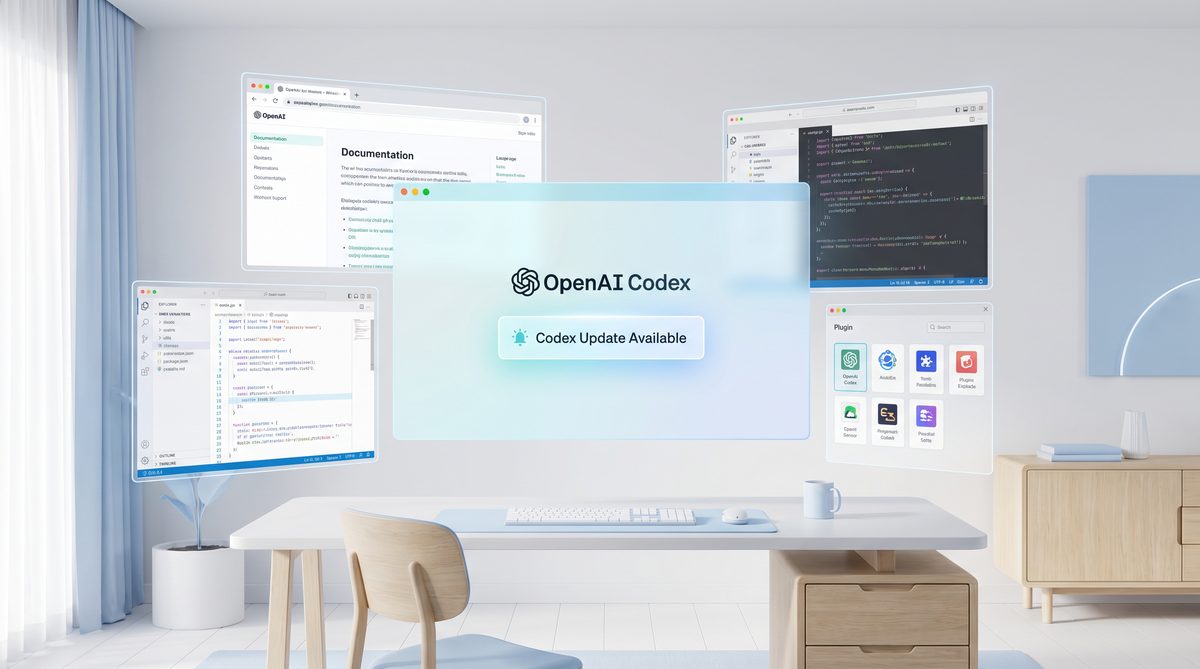
On April 16, 2026, OpenAI announced a substantial update to its flagship AI coding assistant, Codex, marking what many experts call a paradigm shift in AI-powered developer tooling. This update introduces a series of groundbreaking features, including background computer use capabilities, an integrated in-app browser named Atlas, support for image generation through gpt-image-1.5, and an extensive ecosystem expansion with 90 new plugins. These enhancements not only amplify Codex’s core coding abilities but also position it as a versatile, general-purpose AI assistant that transcends traditional programming tasks.
With over 3 million developers using Codex weekly, this update promises to revolutionize developer workflows, streamline collaboration, and fundamentally alter how AI interfaces with the software development lifecycle. This article explores these features in depth, examines their implications, and provides an expert analysis comparing Codex’s new capabilities with competitive offerings in the market.
1. April 16, 2026 Codex Update Announcement
Overview of the Announcement
On April 16, OpenAI released an official statement detailing the latest Codex update, which has been in development for over a year. The announcement highlighted several transformative features designed to push the boundaries of AI-assisted development. These included the ability for Codex to autonomously perform background computer operations, the debut of Atlas, an embedded browser, and the integration of advanced image generation capabilities.
The update also introduced a vast plugin ecosystem expansion, with 90 new plugins enabling Codex to interact with external services, perform advanced file handling, and support enhanced collaboration features. OpenAI emphasized how these additions will enable Codex to function as a comprehensive AI assistant throughout the software development lifecycle, not merely as a code autocomplete tool.
Significance in the AI Development Landscape
This update arrives at a critical juncture as AI tools become increasingly integrated into developer workflows globally. OpenAI’s announcement positions Codex to maintain leadership in the AI developer assistant market by expanding its functional scope and usability. It reflects OpenAI’s commitment to addressing developer needs holistically, enabling AI to handle both coding and ancillary tasks seamlessly.
Industry analysts have noted the update’s potential to redefine AI coding assistants from simple productivity enhancers into indispensable collaborators capable of managing complex, multi-modal workflows.
2. Background Computer Use Feature
What Is Background Computer Use?
The most revolutionary aspect of the update is Codex’s newly acquired ability to use the host computer in the background autonomously. This means Codex can now execute processes, run scripts, access files, and manage system resources without requiring active user input for every action.
For example, Codex can perform code compilation, run tests, fetch dependencies, or even update project documentation automatically while the developer focuses on other tasks. This feature leverages advanced sandboxing and security protocols to ensure safe and controlled background operations.
Technical Implementation Details
OpenAI engineers implemented this feature using a layered architecture that isolates Codex’s background processes within secure containers. These containers have restricted access to the operating system, minimizing any security risks. Furthermore, the system utilizes asynchronous task queues and event hooks to manage and prioritize background operations efficiently.
Developers can configure background task parameters, define triggers, and monitor ongoing activities through an enhanced Codex interface integrated into popular IDEs and editors.
Use Cases and Benefits
- Continuous Integration Support: Codex can autonomously run unit and integration tests after code changes, providing immediate feedback without manual triggering.
- Automated Refactoring: Background analysis enables Codex to suggest and even apply code refactorings over time as projects evolve.
- Resource Management: Developers can delegate resource-intensive tasks like builds or simulations to Codex’s background processes, freeing up system resources for other applications.
This capability reduces context switching and increases developer focus, significantly boosting productivity.
3. Atlas In-App Browser Integration
Introduction to Atlas
Atlas, the new built-in browser integrated directly into Codex, allows the AI to access and retrieve information from the web contextually during coding sessions. Unlike previous iterations where developers had to switch between Codex and external browsers, Atlas is embedded within the Codex environment, streamlining research and documentation retrieval.
How Atlas Enhances Developer Experience
Atlas enables Codex to:
- Fetch up-to-date API documentation, code examples, and technical articles.
- Conduct web searches to clarify ambiguous requirements or explore new libraries.
- Access dynamic developer forums such as Stack Overflow and GitHub repositories for real-time insights.
- Interact with web-based tools and services via plugins (e.g., cloud consoles, CI/CD dashboards).
Security and Privacy Considerations
OpenAI has incorporated strict privacy controls into Atlas. Browsing sessions are sandboxed, and user data is not stored or transmitted without explicit consent. Users have granular control over what data Codex can access and share when using Atlas.
Integration with Other Features
Atlas works in tandem with Codex’s background computer use feature. For example, Codex can autonomously perform web lookups for dependency updates or vulnerability advisories and notify developers in real-time.
4. gpt-image-1.5 Integration for Image Generation
Overview of gpt-image-1.5
gpt-image-1.5 is OpenAI’s latest image generation model, designed to produce high-quality, context-aware images from textual prompts. Its integration into Codex means developers can generate diagrams, UI mockups, and visual assets directly within their coding environment.
Capabilities Within Codex
- On-Demand Diagram Generation: Codex can create flowcharts, UML diagrams, and architecture visuals based on project descriptions.
- UI/UX Mockups: Developers can request interface prototypes to visualize design ideas without leaving the IDE.
- Code Visualization: The AI can generate images representing data structures or algorithm flows to aid comprehension.
Use Case Example
For instance, a developer can write a prompt like "Generate a class diagram for the user authentication module", and Codex will produce a detailed image embedded in the project documentation or code comments.
Technical Integration
The image generation runs asynchronously to avoid interrupting coding workflows. Generated images are cached locally and can be exported in multiple formats (SVG, PNG, JPEG) for easy integration into documentation or presentations.
5. Expansion with 90 New Plugins
Plugin Ecosystem Growth
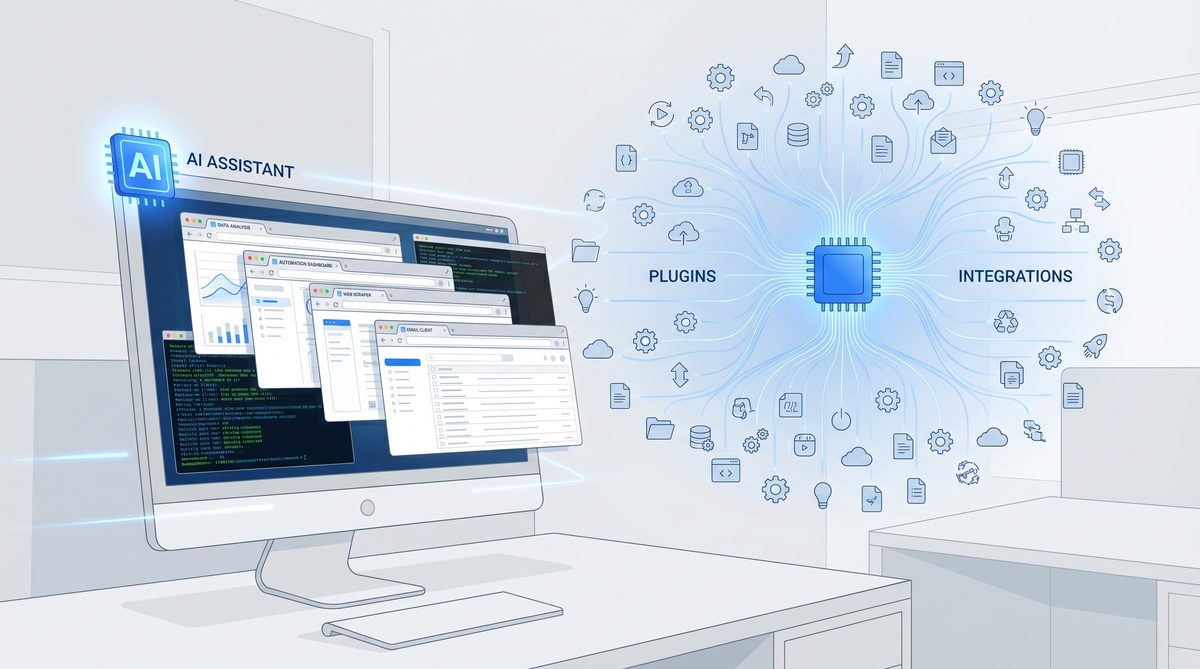
One of the most impactful aspects of this update is the addition of 90 new plugins that extend Codex’s functionality beyond traditional coding tasks. These plugins cover a broad spectrum, including cloud service management, project management tools, data analytics platforms, and developer utilities.
Types of New Plugins
| Category | Example Plugins | Functionality |
|---|---|---|
| Cloud Services | AWS Lambda Manager, Azure DevOps Connector | Deploy and monitor cloud functions, manage CI/CD pipelines |
| Project Management | Jira Assistant, Trello Tracker | Update tickets, automate sprint planning, track progress |
| Data Analytics | Google Analytics Explorer, Snowflake Query Helper | Run queries, visualize data trends, generate reports |
| Developer Utilities | Docker Compose Helper, Kubernetes Manager | Build and deploy containers, manage clusters |
| Communication | Slack Notifier, Email Composer | Send status updates, automate email responses |
How Plugins Extend Codex’s Role
With these plugins, Codex can perform tasks traditionally handled by separate applications, enabling a more integrated and streamlined workflow. This blurs the lines between coding, project coordination, and system administration, centralizing developer activities around a single AI assistant platform.
Developer Customization
Developers can enable, disable, and configure plugins based on their project needs. OpenAI has also released APIs allowing third-party developers to create custom plugins, fostering community-driven expansion of Codex’s capabilities.
6. Enhanced Collaboration and Development Features
GitHub Pull Request Comments Support
Codex now supports direct integration with GitHub Pull Request (PR) comments, allowing it to analyze code changes and provide context-aware suggestions or automated review comments inline. This feature facilitates faster code reviews and helps maintain code quality through AI-powered insights.
Multiple Terminal Tabs
The update adds native support for multiple terminal tabs within the Codex interface, enabling developers to run concurrent shell sessions. This supports multitasking, such as monitoring logs while running builds or managing remote servers alongside local development.
PDF File Previews and Richer File Handling
Codex now offers integrated PDF previewing and enhanced file handling, supporting a wider array of file types directly within the IDE. This allows developers to reference documentation, specifications, or design documents without switching applications.
7. Codex Adoption and Usage Metrics
OpenAI reported that Codex now supports over 3 million developers weekly, a significant growth milestone since its initial launch. This adoption reflects the platform’s increasing relevance across diverse developer demographics, from individual freelancers to large enterprise teams.
The expansion of features catering to collaboration, project management, and multi-modal workflows has been a key driver for this growth, broadening Codex’s appeal beyond pure coding assistance.
8. Preview of Memory Features: Conversation and Project Memory
Introduction to Memory Features
In a preview release alongside the main update, OpenAI introduced early versions of conversation and project memory capabilities. These features allow Codex to retain contextual information across sessions and projects, improving continuity and personalization.
Conversation Memory
Conversation memory enables Codex to remember the context of prior dialogues with a developer, facilitating more natural, coherent interactions. This reduces the need to restate project goals or previous instructions repeatedly.
Project Memory
Project memory stores relevant data about a codebase, coding style preferences, and ongoing tasks, allowing Codex to tailor suggestions and actions more accurately to the specific project context over time.
Implications for Productivity
These memory features promise to reduce onboarding times for new projects, enhance AI-assisted collaboration, and enable more intelligent task automation.
9. Full Lifecycle Coding Support
From Planning to Deployment
With the integration of new features and plugins, Codex now supports the entire software development lifecycle:
- Planning: Integration with project management tools enables sprint planning and task breakdown.
- Development: AI-assisted coding, refactoring, and live error detection streamline coding.
- Testing: Automated test generation and execution run in the background.
- Deployment: Cloud service plugins facilitate deployment and monitoring.
- Maintenance: Issue tracking and documentation updates are automated.
Benefits to Teams and Organizations
This comprehensive support reduces tool fragmentation, accelerates delivery cycles, and enhances code quality, making Codex a strategic asset not just for individual developers but also for large-scale software organizations.
10. Implications for Developer Workflows
Streamlining Multi-Modal Tasks
By centralizing multiple development-related tasks—coding, documentation, testing, deployment, and communication—within a single AI-assisted environment, Codex minimizes context switching and cognitive load.
Enhanced Collaboration
Codex’s GitHub PR comments integration and project memory enable smoother collaboration across distributed teams, reducing friction and accelerating feedback loops.
Automation and Intelligence
Background computer use and memory features mean Codex can proactively manage repetitive tasks, monitor project health, and suggest improvements before developers even ask.
Potential Challenges
Despite these benefits, organizations must consider factors like workflow adaptation, AI oversight to avoid erroneous automation, and data privacy when integrating Codex deeply into their processes.
11. Positioning Codex as a General-Purpose AI Assistant
Beyond Coding: A Multidisciplinary Assistant
With the addition of extensive plugins and multi-modal capabilities such as image generation and web browsing, Codex transcends its original scope as a code generation tool. It now functions as an AI assistant capable of managing diverse tasks related to software development and beyond.
Use Cases Outside Traditional Development
- Generating technical illustrations and marketing visuals.
- Managing project timelines and team communications.
- Performing data analysis and generating reports.
- Monitoring cloud infrastructure and automating operational tasks.
Strategic Implications for OpenAI
This expanded role aligns with OpenAI’s broader vision of general-purpose AI, positioning Codex as a flagship platform to demonstrate AI’s utility across complex, real-world workflows.
12. Expert Analysis and Industry Reactions
Industry Experts Weigh In
Leading AI and software development experts have praised the update for its ambition and depth. Dr. Elena Ramirez, CTO of DevAI Labs, stated:
“OpenAI’s Codex update redefines what AI assistants can do. The integration of autonomous background tasks with rich plugin ecosystems sets a new standard for intelligent developer tools.”
Similarly, software architect Michael Chen remarked:
“The memory features and seamless browsing capabilities address long-standing pain points in AI-assisted development. This update will likely accelerate adoption across enterprises.”
Community Feedback
Early adopters have reported significant productivity gains, particularly appreciating the ability to automate background tasks and the convenience of embedded browsing. However, some have raised concerns about potential security risks associated with background computer access, underscoring the importance of robust safeguards.
13. Comparison with Competitors
Overview of Leading AI Coding Assistants
| Feature | OpenAI Codex (April 2026) | GitHub Copilot | Cursor | Anthropic Claude Code |
|---|---|---|---|---|
| Background Computer Use | ✔ Autonomous background operations with sandboxing | ✘ No autonomous background use | ✘ No | ✘ No |
| In-App Browser | ✔ Atlas integrated browser | ✘ Requires external browser | ✘ No | ✘ Limited web access |
| Image Generation | ✔ gpt-image-1.5 integration | ✘ No native support | ✘ No | ✘ No |
| Plugin Ecosystem | ✔ 90+ plugins covering diverse tools | ✔ Limited plugin support, mostly code focused | ✘ Minimal plugin ecosystem | Limited, mostly chat-based |
| GitHub PR Comments | ✔ Full integration | ✔ Supports suggestions, limited comments | ✘ No | Limited |
| Multiple Terminal Tabs | ✔ Supported | ✘ No | ✘ No | ✘ No |
| Memory Features | ✔ Preview of conversation and project memory | Limited session memory | ✘ No | ✔ Advanced chat memory but limited coding context |
| Full Lifecycle Support | ✔ Integrated planning, coding, testing, deployment | Partial (mainly coding) | Partial | Partial |
Summary of Competitive Positioning
OpenAI Codex’s April 2026 update clearly differentiates it by substantially broadening its capabilities, particularly in autonomous background operations, multi-modal functionality, and lifecycle integration. While GitHub Copilot remains a strong coding assistant, it lacks Codex’s breadth of features and ecosystem extensibility. Cursor and Claude Code, while innovative in their own right, are focused primarily on code generation and chat interactions, respectively, without the integrated tooling ecosystem Codex now offers.
14. Conclusion: The Future of AI-Assisted Development with Codex
OpenAI Codex’s latest update represents a major leap forward in AI-assisted software development. By enabling autonomous background computing, integrating a built-in browser, supporting image generation, and vastly expanding its plugin ecosystem, Codex now offers developers a unified, intelligent environment to manage all aspects of their work.
This update not only improves developer productivity but also signals a shift toward AI as a general-purpose assistant capable of understanding and managing complex, multi-disciplinary workflows. As Codex adoption continues to grow, it is poised to become an indispensable partner in the software development lifecycle.
While challenges remain around security, workflow adaptation, and privacy, OpenAI’s commitment to continuous improvement and community engagement suggests Codex will remain at the forefront of AI-driven developer tools for years to come.
Developer Reactions and Early Adoption Stories
The OpenAI Codex April 2026 update has generated considerable buzz within developer communities worldwide. Early adopters have taken to social media platforms such as Twitter, Reddit, and specialized forums like Dev.to to share their experiences and insights on the new capabilities.
Positive Feedback on Workflow Enhancements
Many developers praise the background computer use feature for its ability to automate routine tasks and minimize context switching. Jane Liu, a full-stack developer active on the r/programming subreddit, commented:
“The autonomous background operations are a game-changer. I no longer have to manually trigger builds or tests — Codex handles it all while I focus on coding.”
Similarly, members of the VSCode and JetBrains user groups highlight the seamless integration of Codex’s Atlas browser as a time saver:
“Having an in-app browser means no more tab overload. I can instantly pull up documentation and examples without leaving the IDE.” – @devmarkus on Twitter
Early Adoption in Enterprise and Startups
Several startups specializing in SaaS and AI-driven products report integrating the new Codex update into their development pipelines. One engineering lead at a fintech startup noted:
“The expanded plugin ecosystem allows us to tie Codex directly into our CI/CD tools and cloud monitoring. It’s like having an AI co-engineer who knows the entire stack and can proactively manage deployments.”
Large enterprises are conducting pilot programs to assess Codex’s memory features for improving cross-team collaboration and knowledge retention.
Concerns and Areas for Improvement
While enthusiasm is high, some developers raise caution regarding security implications of background computer use. A security researcher on Hacker News wrote:
“Autonomous background operations introduce new attack surfaces. It’s critical that OpenAI continues to evolve sandboxing and permission controls to maintain trust.”
Others express interest in deeper customization options for plugins and better support for less common programming languages.
Codex vs the Competition: How the Update Changes the Landscape
The latest Codex update significantly shifts the competitive dynamics among AI coding assistants. Below is a detailed comparison of Codex against key competitors: GitHub Copilot Workspace, Cursor IDE, Anthropic’s Claude Code, and Google’s Jules AI.
| Feature | OpenAI Codex (April 2026) | GitHub Copilot Workspace | Cursor IDE | Anthropic Claude Code | Google Jules |
|---|---|---|---|---|---|
| Background Computer Use | ✔ Autonomous background task execution with sandboxing | ✘ No autonomous background operations | ✘ No | ✘ No | ✘ Limited support, requires manual triggers |
| In-App Browser | ✔ Atlas integrated browser with contextual web access | ✘ External browser required | ✘ No | ✔ Limited web access via chat interface | ✔ Integrated browser, but limited plugin integration |
| Plugin Ecosystem | ✔ Extensive: 90+ plugins spanning cloud, project mgmt, analytics | ✔ Limited plugin support, primarily code completion and refactoring | ✘ Minimal or no plugin support | Limited, mostly chat-based integrations | ✘ Minimal plugin ecosystem |
| Image Generation | ✔ Native integration of gpt-image-1.5 for on-demand visual assets | ✘ No native image generation | ✘ No | ✘ No | ✔ Experimental support via Google’s Imagen integration |
| GitHub PR Comments Integration | ✔ Full support with contextual AI suggestions and automated comments | ✔ Basic suggestions and comment support | ✘ No | Limited | ✘ No |
| Multiple Terminal Tabs | ✔ Supported natively | ✘ Not supported | ✘ No | ✘ No | ✘ No |
| Memory Features | ✔ Preview of conversation and project memory for context retention | Limited session memory | ✘ No memory features | ✔ Advanced chat memory but limited coding context | ✔ Persistent context but early-stage |
| Full Lifecycle Development Support | ✔ Integrated planning, coding, testing, deployment via plugins | Partial – mainly coding assistance | Partial – focused on code editing | Partial | Partial |
Analysis of Differentiating Factors
Codex’s ability to perform autonomous background tasks is unmatched among competitors, enabling continuous integration and automated refactoring without user intervention. The Atlas in-app browser further consolidates workflows, eliminating the need to switch contexts for research or troubleshooting.
The expansive plugin ecosystem, spanning 90 diverse plugins, enables Codex to manage not only coding but also cloud infrastructure, project management, analytics, and communications. This breadth positions Codex as a general-purpose AI assistant rather than a pure code completion tool.
Competitors like GitHub Copilot focus primarily on code generation and suggestions, with limited lifecycle integration. Cursor IDE excels in code editing UX but lacks plugin extensibility. Claude Code emphasizes chat-based AI assistance, suitable for conversational coding but without deep system integration. Google Jules shows early promise in browser integration but remains limited in plugin and lifecycle support.
What This Means for the Future of AI-Assisted Development
From Code Completion to Full-Stack AI Assistants
The evolution embodied by Codex’s update illustrates a clear trajectory: AI tools are moving beyond simple code completion toward becoming full-stack development collaborators. By integrating autonomous background operations, multi-modal capabilities, and extensive ecosystem plugins, AI assistants can now engage with planning, testing, deployment, and maintenance phases.
Implications of Codex as a General-Purpose Tool
With Codex able to manage tasks ranging from cloud deployment to generating technical visuals, it blurs traditional boundaries between developer, system operator, and project manager roles. This convergence enables a more fluid, efficient development process but also necessitates new paradigms in AI governance, security, and developer training.
Future of IDE Integration
We anticipate deeper embedding of AI assistants like Codex into popular IDEs and development platforms, resulting in environments where AI acts as an omnipresent collaborator. Features such as real-time memory context, cross-team knowledge sharing, and proactive issue detection will become standard. The integration of rich plugins will further unify disparate tools into a cohesive workflow.
Predictions for the Next 12 Months
- Wider Adoption of AI-Assisted Lifecycle Management: More organizations will pilot and adopt AI assistants that cover the entire development lifecycle.
- Expansion of Plugin Ecosystems: Third-party developers will contribute a growing number of specialized plugins, increasing Codex’s versatility.
- Advancements in AI Safety and Permissions: Given concerns around autonomous background operations, expect enhanced sandboxing, permission controls, and auditability features.
- Greater Multi-Modal Integration: Enhanced support for voice commands, visual programming interfaces, and collaborative AI sessions.
- Competitive Pressure Driving Innovation: Competitors will respond with accelerated feature rollouts, potentially leading to specialized AI assistants targeting niche developer workflows.
Overall, the April 2026 Codex update sets a new benchmark, positioning AI as an indispensable, intelligent partner in software development’s future.
Access 40,000+ AI Prompts for ChatGPT, Claude & Codex — Free!
Subscribe to get instant access to our complete Notion Prompt Library — the largest curated collection of prompts for ChatGPT, Claude, OpenAI Codex, and other leading AI models. Optimized for real-world workflows across coding, research, content creation, and business.
Access Free Prompt LibraryUseful Links
- OpenAI Official Codex Update Announcement
- GitHub Copilot Official Page
- Cursor AI Assistant
- Anthropic Claude AI
- Stack Overflow Developer Community
- MDN Web Docs: JavaScript
- Jira Project Management
- Google Cloud Platform
The recent update to OpenAI Codex, including the addition of 90 new plugins, marks a significant leap in AI-assisted development. For developers looking to harness these capabilities, The Complete Guide to OpenAI Codex Plugins: Enterprise AI Coding in 2026 offers an in-depth exploration of plugin architecture, integration strategies, and best practices for building custom plugins that enhance productivity within enterprise workflows.
With OpenAI Codex now supporting background computer use and a built-in browser, its role within the software development lifecycle is becoming more integral. The article How Development Teams Are Adopting AI Coding Assistants in 2026: Codex and Claude Code in Production examines how teams incorporate AI tools like Codex throughout development stages, from coding and testing to deployment, highlighting real-world workflows and efficiency gains.
As OpenAI Codex expands its capabilities with new features and plugins, understanding how it stacks up against competitors is crucial for developers. The comprehensive article Claude Code vs OpenAI Codex: The Complete 2026 Comparison Guide for AI-Powered Development provides a detailed analysis of both platforms, comparing their strengths, unique features, and ideal use cases to help teams make informed decisions about their AI coding assistant choices.
🕐 Instant∞ Unlimited🎁 Free
