Introduction to OpenAI Codex Computer Use and Background Agents for Parallel Development Workflows
The rapid advancement of AI technologies continues to reshape the landscape of software development, enabling developers to achieve higher productivity and efficiency. One of the most groundbreaking innovations in this realm is OpenAI Codex, an AI system that translates natural language into code. Recently, OpenAI has expanded Codex’s capabilities by introducing the “Computer Use” feature combined with the concept of background agents. These enhancements empower developers to orchestrate parallel workflows that significantly streamline complex development tasks.
OpenAI Codex Computer Use is an advanced feature designed to enable the AI to interact with external computing environments, execute code, and manage stateful operations within a development context. When paired with background agents—autonomous AI instances that operate concurrently—developers can harness the power of parallelism to accelerate coding, testing, debugging, and integration processes.
In this tutorial, we delve into the practical application of OpenAI Codex Computer Use alongside background agents. We will explore how to configure these agents, coordinate their interactions, and optimize your development workflow by running parallel tasks. This approach is especially beneficial in large-scale projects where multiple components or modules require simultaneous development and verification. Through detailed explanations and real-world examples, you will gain a comprehensive understanding of this paradigm and learn to implement it effectively in your projects.
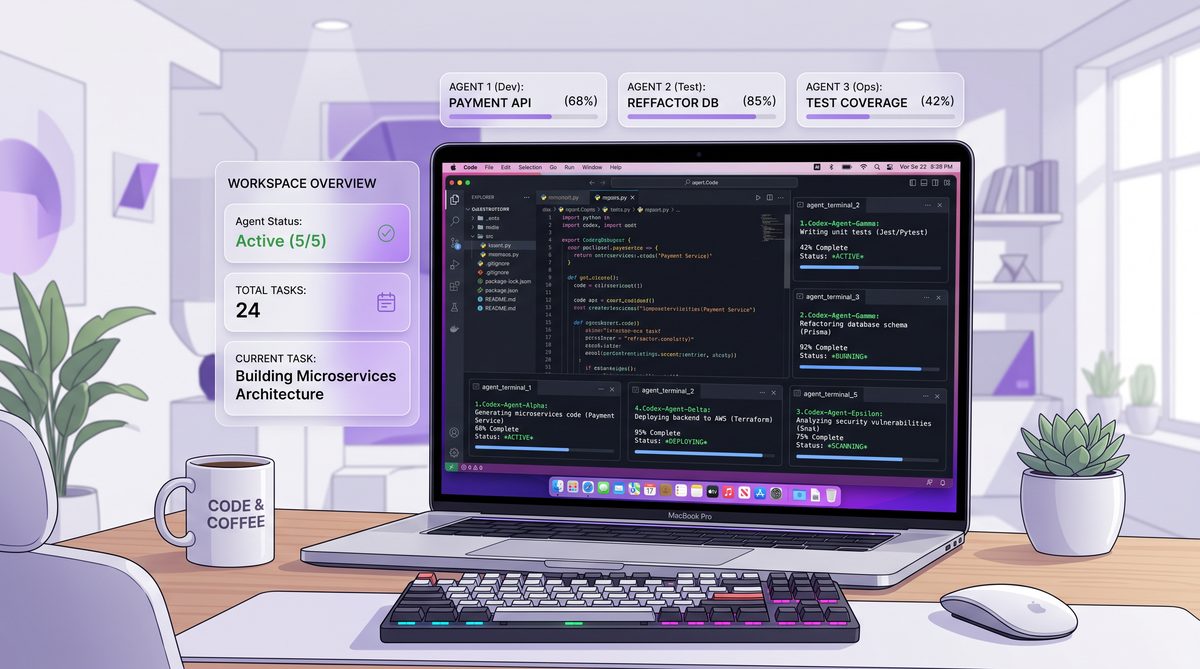
Understanding OpenAI Codex Computer Use: Capabilities and Workflow Integration
OpenAI Codex Computer Use represents a pivotal shift from traditional AI coding assistants toward intelligent agents that can actively engage with computational environments. Unlike earlier models that primarily generated static code snippets in response to prompts, Codex Computer Use allows the AI to execute code, inspect outputs, and perform iterative refinements autonomously within a controlled environment.
What is OpenAI Codex Computer Use?
At its core, OpenAI Codex Computer Use integrates the AI model with a runtime environment where it can run code, access files, and maintain state across sessions. This enables a dynamic interaction loop where the AI can:
- Write and execute code dynamically: Codex generates code and immediately runs it to verify behavior or results.
- Iterate based on execution outcomes: If the code produces errors or unexpected results, Codex can modify and re-run the code.
- Access system resources: It can read from and write to files, interact with APIs, or manipulate databases.
- Maintain contextful state: The environment preserves context between runs, which is critical for complex workflows.
This capability transforms Codex from a passive code generator into an active development partner that can test hypotheses, debug issues, and manage multi-step tasks autonomously.
Key Components of the Computer Use Feature
To leverage OpenAI Codex Computer Use effectively, it’s important to understand its primary components:
| Component | Description | Role in Development Workflow |
|---|---|---|
| AI Code Generator | Produces code snippets, functions, or entire modules based on natural language prompts. | Initial code creation and iterative refinement. |
| Execution Environment | A sandboxed runtime where Codex executes code safely and captures outputs or errors. | Validates and tests generated code immediately. |
| State Management | Maintains memory of previous code executions, files, and data across interactions. | Enables incremental development and debugging. |
| File System Access | Allows reading, writing, and modifying files within the environment. | Supports persistent storage of code and data. |
How Computer Use Enhances Development Workflows
Traditional coding assistants operate in a strictly generative capacity, limited to producing code without executing or validating it. This often places the burden of testing and debugging entirely on the developer after code generation. Computer Use changes the workflow by embedding execution feedback loops directly into the AI interaction:
-
Rapid Prototyping and Validation: Developers can prompt Codex to write a function or module and have it immediately tested within the execution environment. The AI evaluates the results and adjusts the code until it meets specifications.
-
Automated Debugging: When code errors arise, Codex can analyze error messages, identify root causes, and propose fixes without human intervention, accelerating the debugging cycle.
-
Multi-step Task Automation: Complex workflows involving multiple stages—such as data preprocessing, model training, and deployment—can be orchestrated end-to-end by the AI, executing each step sequentially while maintaining context.
-
Seamless Integration with Development Tools: Codex’s environment can be connected to version control systems, CI/CD pipelines, or cloud resources, enabling continuous integration of AI-generated code into production workflows.
Setting Up Your Environment for Codex Computer Use
Before deploying Codex Computer Use, developers need to configure their environments to support this interactive paradigm. Typically, this involves:
- Provisioning a secure sandbox environment: This isolated space allows the AI to execute code safely without risking system integrity.
- Configuring APIs for file system and process control: Enables Codex to read/write files and run commands as needed.
- Establishing context persistence: Using databases or in-memory stores to save the state between AI interactions.
- Integrating monitoring and logging: To track AI actions, execution results, and errors for auditability and improvement.
Once set up, developers interact with Codex via API calls or integrated development environments (IDEs) that expose the AI’s capabilities in an intuitive manner.
Practical Example: Using Codex Computer Use to Develop a REST API Endpoint
Imagine you need to create a REST API endpoint for a service that manages user profiles. Using Codex Computer Use, the workflow might look like this:
- Initial Prompt: You instruct Codex, “Create a Python Flask endpoint
/user/<id>that returns user profile data from a database.” - Code Generation and Execution: Codex writes the Flask route, connects to a mock database, and executes the code to verify the endpoint responds correctly.
- Error Handling: The API call returns a 500 error due to a missing database connection. Codex analyzes the error, updates the connection logic, and re-tests.
- Iteration and Enhancement: Based on your feedback, Codex adds input validation and error messages, rerunning tests each time.
- Finalization: Once the endpoint passes all tests, Codex saves the code to the project directory and commits the changes to the version control system.
This interactive cycle reduces manual coding overhead and integrates testing into the development process seamlessly.
Background Agents: Parallelizing Development Tasks
To maximize productivity, OpenAI Codex Computer Use supports launching multiple AI instances—known as background agents—that operate concurrently on different tasks. This is particularly advantageous in large projects with multiple modules, frontend/backend services, testing suites, or documentation efforts running simultaneously.
By assigning discrete development responsibilities to separate agents, teams can:
- Distribute workload efficiently: Agents independently handle coding, testing, and debugging tasks in parallel.
- Maintain task-specific contexts: Each agent retains memory relevant to its assigned component or workflow.
- Synchronize outputs: Agents communicate results back to a central orchestrator or main workflow for integration.
This parallelism drastically shortens development cycles and promotes modular, scalable coding practices.

How to Set Up and Use the OpenAI Codex Chrome Extension for Browser-Based AI Development
A related topic that complements understanding OpenAI Codex’s advanced features is the exploration of AI-powered continuous integration and deployment (CI/CD) pipelines. These pipelines integrate AI capabilities to automate code validation, testing, and deployment, enabling real-time feedback and rapid iteration. By aligning Codex’s Computer Use and background agent functionalities with AI-enhanced CI/CD workflows, developers can create robust, fully autonomous development ecosystems that minimize human intervention while maximizing quality and speed. This synergy between AI coding agents and automated pipelines represents the frontier of modern software engineering.\n
Setting Up Background Agents for Parallel Development Workflows with OpenAI Codex
In modern software development, parallel workflows are essential for increasing productivity, reducing bottlenecks, and enabling teams to work on multiple features or fixes simultaneously. OpenAI Codex, with its ability to understand and generate code, can be leveraged as a powerful background agent to automate and assist in these parallel workflows. Background agents act as autonomous or semi-autonomous assistants that perform tasks in the background while developers focus on higher-level problem-solving.
Setting up these background agents involves careful planning, integration with existing tools, and a clear understanding of the development lifecycle. This section delves deeply into how to configure OpenAI Codex agents that operate in the background, enabling parallel development without conflicts, improving code quality, and accelerating delivery timelines.
Understanding Background Agents in Parallel Development
Background agents, in this context, are AI-driven processes that continuously or periodically perform development-related tasks such as code review, testing, bug detection, documentation, or even generating code snippets. Unlike interactive use of Codex where a developer asks for immediate assistance, background agents work asynchronously or in parallel, monitoring codebases, CI/CD pipelines, or communication channels.
For example, a background agent could:
- Analyze newly committed code and suggest improvements or fixes automatically.
- Generate unit tests or integration tests for recently added features.
- Update documentation based on code changes to ensure consistency.
- Monitor dependencies and suggest upgrades or security patches.
The ability to run multiple agents in parallel allows teams to delegate different tasks to different AI assistants simultaneously, thus enhancing overall workflow efficiency.
Key Components to Set Up Background Agents with OpenAI Codex
To effectively deploy Codex as background agents in parallel workflows, several components need to be orchestrated:
| Component | Description | Purpose in Parallel Workflow |
|---|---|---|
| API Integration Layer | Interface for connecting Codex to your development environment or automation tools. | Enables seamless communication and data exchange between Codex and code repositories, CI/CD tools, or issue trackers. |
| Task Orchestration System | Manages scheduling, prioritization, and concurrent execution of multiple background agents. | Ensures efficient parallel processing and prevents resource contention or redundant operations. |
| Event Listeners / Triggers | Detects changes, commits, pull requests, or other development events to activate specific agents. | Automates agent activation based on real-time project activities. |
| Data Storage & State Management | Stores agent outputs, logs, and intermediate states for tracking progress and debugging. | Maintains consistency and auditability of background operations. |
| Security & Access Controls | Manages API keys, access permissions, and protects sensitive code or information. | Ensures safe deployment and compliance with organizational policies. |
Step-by-Step Guide to Setting Up a Background Agent for Automated Code Review
To illustrate the practical setup, let’s build a background agent that automatically reviews new pull requests (PRs) using OpenAI Codex, providing inline comments and improvement suggestions. This agent runs independently and in parallel with other agents, such as test generation or dependency scanning.
Step 1: Define the Trigger and Scope
The agent should activate whenever a new PR is opened or updated in the source code repository (e.g., GitHub, GitLab). Using webhooks or API calls, these events can trigger the agent.
Implementation Tip: Configure your repository to send webhook events for the pull_request event type to a server endpoint where your agent listens.
Step 2: Fetch the PR Diff and Context
Upon receiving the event, the agent fetches the code diff or changed files in the PR. This includes the surrounding code context to help Codex understand the intended functionality.
Example API call (GitHub REST API):
GET /repos/{owner}/{repo}/pulls/{pull_number}/filesStep 3: Prepare the Prompt for Codex
Construct a prompt combining the diff, context, and instructions. For instance:
Review the following code changes and suggest improvements or identify potential bugs. Provide explanations for each suggestion.

[CODE DIFF HERE]
Codex can parse code and natural language instructions, so clear prompts help generate actionable feedback.
Step 4: Call the OpenAI Codex API
Use the OpenAI API to send the prompt and receive the review comments. Select a suitable model like code-davinci-002 optimized for code understanding.
Example JSON payload:
{
  "model": "code-davinci-002",
  "prompt": "[constructed prompt]",
  "max_tokens": 500,
  "temperature": 0.3
}
Step 5: Parse and Format Codex Output
Extract the suggestions or comments from the Codex response. Format them into inline comments compatible with the code hosting platform’s review API.
Step 6: Post Review Comments to the PR
Using the repository’s API, post the generated comments as part of the PR review. This could be line-specific comments or a summary review.
Example API (GitHub):
POST /repos/{owner}/{repo}/pulls/{pull_number}/reviewsStep 7: Log and Monitor Agent Activity
Store logs of the reviews generated, timestamps, and any human feedback to improve agent performance and traceability.
Scaling to Multiple Background Agents in Parallel
In a typical development environment, multiple background agents can be deployed to handle various tasks concurrently. For example:
- Agent A (Code Reviewer): Reviews PRs for logic errors and style compliance.
- Agent B (Test Generator): Automatically writes unit tests for new functions committed to the
developbranch. - Agent C (Security Scanner): Analyzes code for known vulnerabilities or insecure patterns.
To manage these parallel agents effectively, a central orchestration system (like Apache Airflow, Celery, or custom microservices) is crucial. This system ensures that agents do not interfere with each other, manage API rate limits, and consolidate their outputs into a unified dashboard or notification channel (e.g., Slack or Microsoft Teams).

OpenAI Codex for Non-Developers: 7 New Features That Make AI Coding Accessible to Everyone
Another critical aspect of deploying AI in development is establishing robust monitoring and observability frameworks. By implementing comprehensive logging and performance tracking for your background agents, you can gain deep insights into their efficiency, error rates, and overall impact on the development lifecycle. This proactive approach to monitoring ensures that any anomalies in agent behavior are swiftly identified and rectified, maintaining the integrity and reliability of your parallel workflows.
Practical Dev Workflows and Advanced Use Cases for OpenAI Codex
Integrating OpenAI Codex Computer Use and background agents into your development lifecycle opens the door to highly sophisticated, automated workflows. By moving beyond simple code generation, teams can orchestrate complex, multi-step processes that operate in parallel, significantly reducing manual overhead and accelerating time-to-market. This section explores practical development workflows and advanced use cases that demonstrate the full potential of these technologies.
Workflow 1: Autonomous End-to-End Feature Development
One of the most compelling use cases for Codex Computer Use is autonomous feature development. In this workflow, a developer provides a high-level specification, and the AI handles the implementation, testing, and refinement.
Scenario: Implementing a new user authentication module.
- Specification Input: The developer prompts Codex with a detailed requirement: “Implement a JWT-based authentication module in Node.js using Express, including login, registration, and token verification middleware. Connect to a MongoDB database.”
- Initial Code Generation: Codex generates the necessary routes, controllers, and database models.
- Execution and Testing (Computer Use): Codex automatically spins up a local testing environment, starts the Express server, and runs a suite of generated API tests against the endpoints.
- Iterative Refinement: If a test fails (e.g., a missing database index), Codex reads the error log, modifies the schema, and re-runs the tests until all pass.
- Final Output: The completed, tested module is presented to the developer for final review and integration.
This workflow transforms the developer’s role from a coder to an architect and reviewer, drastically reducing the time spent on boilerplate and initial implementation.
Workflow 2: Continuous Parallel Refactoring and Technical Debt Reduction
Technical debt accumulates naturally in fast-paced projects. Background agents can be deployed to continuously monitor the codebase and perform refactoring tasks in parallel with active development.
Scenario: Upgrading a legacy codebase from Python 2 to Python 3.
- Agent Orchestration: Multiple background agents are assigned specific directories or modules within the repository.
- Parallel Execution:
- Agent 1 focuses on updating syntax (e.g.,
printstatements). - Agent 2 replaces deprecated libraries with modern equivalents.
- Agent 3 updates the corresponding unit tests to ensure compatibility.
- Agent 1 focuses on updating syntax (e.g.,
- Validation: As each agent completes its task, it uses Codex Computer Use to run the updated tests in an isolated environment.
- Pull Request Generation: Successful refactors are automatically bundled into pull requests with detailed descriptions of the changes made.
By running these agents in the background, teams can systematically reduce technical debt without halting new feature development.
Workflow 3: Intelligent Bug Triaging and Automated Patching
Handling bug reports and production issues is often a reactive and time-consuming process. Background agents can proactively triage and attempt to patch bugs as they are reported.
Scenario: A new exception is logged in an application monitoring tool (e.g., Sentry or Datadog).
- Event Trigger: The monitoring tool triggers a webhook that activates a Codex background agent.
- Context Gathering: The agent retrieves the stack trace, the specific commit that introduced the error, and the relevant source code files.
- Root Cause Analysis: Codex analyzes the context to identify the logical flaw causing the exception.
- Patch Generation and Testing: The agent generates a fix and uses Computer Use to run regression tests, ensuring the patch resolves the issue without breaking existing functionality.
- Deployment: If the tests pass, the agent creates a hotfix branch and submits a PR for immediate developer review.
This automated triaging significantly reduces the Mean Time to Resolution (MTTR) for critical bugs.
Advanced Use Case: Dynamic Environment Provisioning and Infrastructure as Code (IaC)
Codex Computer Use is not limited to application code; it can also manage infrastructure. By interacting with cloud provider APIs or IaC tools like Terraform, Codex can dynamically provision environments required for parallel workflows.
Scenario: Setting up ephemeral testing environments for microservices.
- When a developer initiates a complex integration test, a background agent uses Codex to write and execute Terraform scripts that provision a temporary Kubernetes cluster.
- The agent deploys the necessary microservices, runs the integration tests, and collects the results.
- Upon completion, the agent automatically tears down the infrastructure to optimize cloud costs.
This capability ensures that parallel testing workflows have the necessary resources on-demand, without manual infrastructure management.
How to Use OpenAI Codex Chrome Extension and Computer Use Features
To further optimize these advanced workflows, teams should consider implementing robust API management and gateway solutions. Effective API management ensures that background agents can securely and efficiently communicate with various internal and external services, handling rate limiting, authentication, and traffic routing seamlessly. By integrating comprehensive API gateways, organizations can scale their parallel AI agents without overwhelming backend systems, ensuring high availability and performance across all automated development tasks.
Best Practices for Managing Parallel Workflows
To successfully implement these advanced workflows, teams must adhere to several best practices:
| Best Practice | Description | Impact on Workflow |
|---|---|---|
| Strict Sandboxing | Ensure all Computer Use executions occur in isolated, ephemeral containers. | Prevents malicious or erroneous code from affecting the host system or other parallel tasks. |
| Granular Permissions | Assign the principle of least privilege to background agents (e.g., read-only access where possible). | Minimizes the blast radius if an agent behaves unexpectedly or is compromised. |
| Human-in-the-Loop (HITL) | Require human review for critical actions, such as merging code to the main branch or deploying to production. | Maintains quality control and ensures AI actions align with business objectives. |
| Comprehensive Logging | Maintain detailed audit trails of all agent prompts, generated code, and execution outputs. | Facilitates debugging of the AI workflow itself and ensures compliance with security standards. |
By embracing these practical workflows and advanced use cases, development teams can harness the full power of OpenAI Codex Computer Use and background agents, transforming their operations into highly efficient, parallelized engines of innovation.
Best Practices and Security Considerations for AI-Driven Parallel Workflows
As organizations increasingly adopt OpenAI Codex Computer Use and background agents to drive parallel development workflows, the complexity of managing these systems grows exponentially. While the benefits in speed and productivity are substantial, deploying autonomous AI agents that can write, execute, and modify code introduces unique operational and security challenges. Establishing robust best practices and stringent security protocols is paramount to ensuring that these AI-driven workflows remain efficient, reliable, and secure.
Architectural Best Practices for Parallel Agents
Designing an architecture that supports multiple background agents operating concurrently requires careful planning to avoid resource contention, data corruption, and workflow bottlenecks.
-
Decoupled Microservices Architecture: Structure your background agents as independent microservices. This decoupling ensures that the failure or latency of one agent does not cascade and impact others. It also allows for independent scaling based on the specific workload of each agent type (e.g., scaling up testing agents during a major release).
-
Idempotent Operations: Ensure that the tasks performed by background agents are idempotent. This means that if an agent runs the same operation multiple times (due to a retry mechanism or network failure), the end result remains the same without causing unintended side effects, such as duplicate database entries or redundant code commits.
-
Centralized State and Configuration Management: While agents should operate independently, they must share a consistent view of the project state. Utilize centralized configuration management and state stores (like Redis or etcd) to coordinate agent activities, manage shared resources, and prevent race conditions when multiple agents attempt to modify the same files or configurations.
-
Robust Queueing and Orchestration: Implement enterprise-grade message brokers (such as RabbitMQ or Apache Kafka) and orchestration engines (like Temporal or Apache Airflow) to manage the distribution of tasks to background agents. This ensures tasks are processed reliably, retried upon failure, and executed in the correct sequence when dependencies exist.
Security Considerations and Risk Mitigation
Granting AI agents the ability to execute code and access system resources inherently expands the attack surface of your development environment. Security must be integrated into every layer of the AI workflow.
1. Strict Sandboxing and Isolation
The execution environment used by Codex Computer Use must be rigorously isolated from production systems and sensitive internal networks. Utilize ephemeral, containerized environments (e.g., Docker containers running on restricted Kubernetes nodes) that are spun up for a specific task and destroyed immediately upon completion. This prevents any malicious or erroneous code generated by the AI from establishing persistence or pivoting to other systems.
2. Principle of Least Privilege (PoLP)
Background agents should operate with the absolute minimum permissions necessary to perform their designated tasks. If an agent is tasked solely with code review, it should only have read access to the repository. Agents that require write access should be restricted to specific branches or directories. Furthermore, API keys and secrets provided to the agents must be tightly scoped, regularly rotated, and managed via secure vaults (like HashiCorp Vault or AWS Secrets Manager).
3. Input Validation and Prompt Injection Defense
AI models are susceptible to prompt injection attacks, where malicious input is crafted to manipulate the AI into executing unauthorized commands. When background agents process external inputs (such as user comments on a PR or data from an external API), this input must be strictly sanitized and validated before being incorporated into a prompt for Codex. Implement robust parsing and filtering mechanisms to neutralize potential injection vectors.
4. Human-in-the-Loop (HITL) and Automated Guardrails
While the goal is autonomy, critical actions must remain under human supervision. Implement HITL workflows for high-stakes operations, such as merging code into the main branch, deploying to production, or modifying infrastructure. Additionally, deploy automated guardrails—such as static application security testing (SAST) and dynamic application security testing (DAST)—to scan all AI-generated code for vulnerabilities before it is accepted into the codebase.
Monitoring, Auditing, and Compliance
To maintain control over parallel AI workflows, comprehensive observability is essential.
- Detailed Audit Trails: Log every interaction with the Codex API, including the exact prompts sent, the code generated, and the results of any execution within the Computer Use environment. This audit trail is vital for debugging, forensic analysis in the event of a security incident, and demonstrating compliance with regulatory standards.
- Performance Metrics: Monitor the performance and resource consumption of background agents. Track metrics such as task completion time, error rates, and API usage costs to optimize the workflow and identify inefficient or malfunctioning agents.
- Anomaly Detection: Implement anomaly detection systems that alert security teams to unusual agent behavior, such as an agent attempting to access unauthorized files, making an excessive number of API calls, or generating code that deviates significantly from established patterns.
By meticulously applying these architectural best practices and security considerations, organizations can harness the power of OpenAI Codex and background agents to revolutionize parallel development workflows without compromising safety or quality.
Useful Links
To deepen your understanding and practical skills in using OpenAI Codex and background agents for parallel development, the following official resources and key documentation provide comprehensive guidance and technical insights:
- OpenAI Codex Official Documentation – Detailed technical specifications, API references, and examples for integrating Codex into development workflows.
- OpenAI Agents Guide – Explains how to build and manage AI agents that perform background tasks, including best practices for task orchestration and communication.
- GitHub Actions Documentation – Learn how to automate workflows, testing, and deployment pipelines that can incorporate Codex-generated code and background agents.
- Kubernetes Official Documentation – Essential for managing containerized background agents at scale with orchestration and autoscaling capabilities.
- Snyk Security Scanning Documentation – Guides on integrating vulnerability scanning into your CI/CD pipeline to enhance the security of AI-generated code.
- GitLab CI/CD Pipelines – Alternative CI/CD system documentation useful for automating parallel development and testing workflows.
- OWASP Top Ten Security Risks – Learn about common security risks in software development to better secure AI-assisted development processes.
- ISO/IEC 27001 Information Security Management – Framework for establishing robust security management systems relevant to AI-driven workflows.
- Google Drive API Documentation – Useful for integrating document generation and storage agents working alongside Codex in parallel workflows.
Conclusion
Harnessing OpenAI Codex alongside background agents offers a transformative approach to parallel development workflows, enabling teams to accelerate coding, testing, and deployment processes through intelligent automation. However, achieving this potential requires careful architectural design, meticulous conflict resolution strategies, and sophisticated task orchestration to maintain code quality and workflow efficiency.
Security considerations must be embedded at every layer—from validating AI-generated code to enforcing strict access controls and auditing agent activities—to safeguard the integrity and confidentiality of software projects. Moreover, scalable infrastructure and resource management practices ensure that the system can grow alongside organizational demands without performance degradation or prohibitive costs.
Equally important is the ethical use of AI in development workflows. Transparency, bias mitigation, and maintaining human oversight protect against the risks of over-automation and unintended consequences, fostering trust among developers and stakeholders.
By following the best practices outlined and leveraging key resources, developers, engineers, and technology leaders can confidently integrate OpenAI Codex and background agents into their parallel workflows. This integration not only enhances productivity but also propels innovation through the seamless fusion of human creativity and AI capabilities.
In summary, the future of software development is increasingly collaborative between humans and AI agents. Mastering the orchestration and security of these parallel workflows will be a defining skill for organizations aiming to maintain competitive advantage in the rapidly evolving technology landscape.
Access 40,000+ AI Prompts for ChatGPT, Claude & Codex — Free!
Subscribe to get instant access to our complete Notion Prompt Library — the largest curated collection of prompts for ChatGPT, Claude, OpenAI Codex, and other leading AI models. Optimized for real-world workflows across coding, research, content creation, and business.
Related Posts