
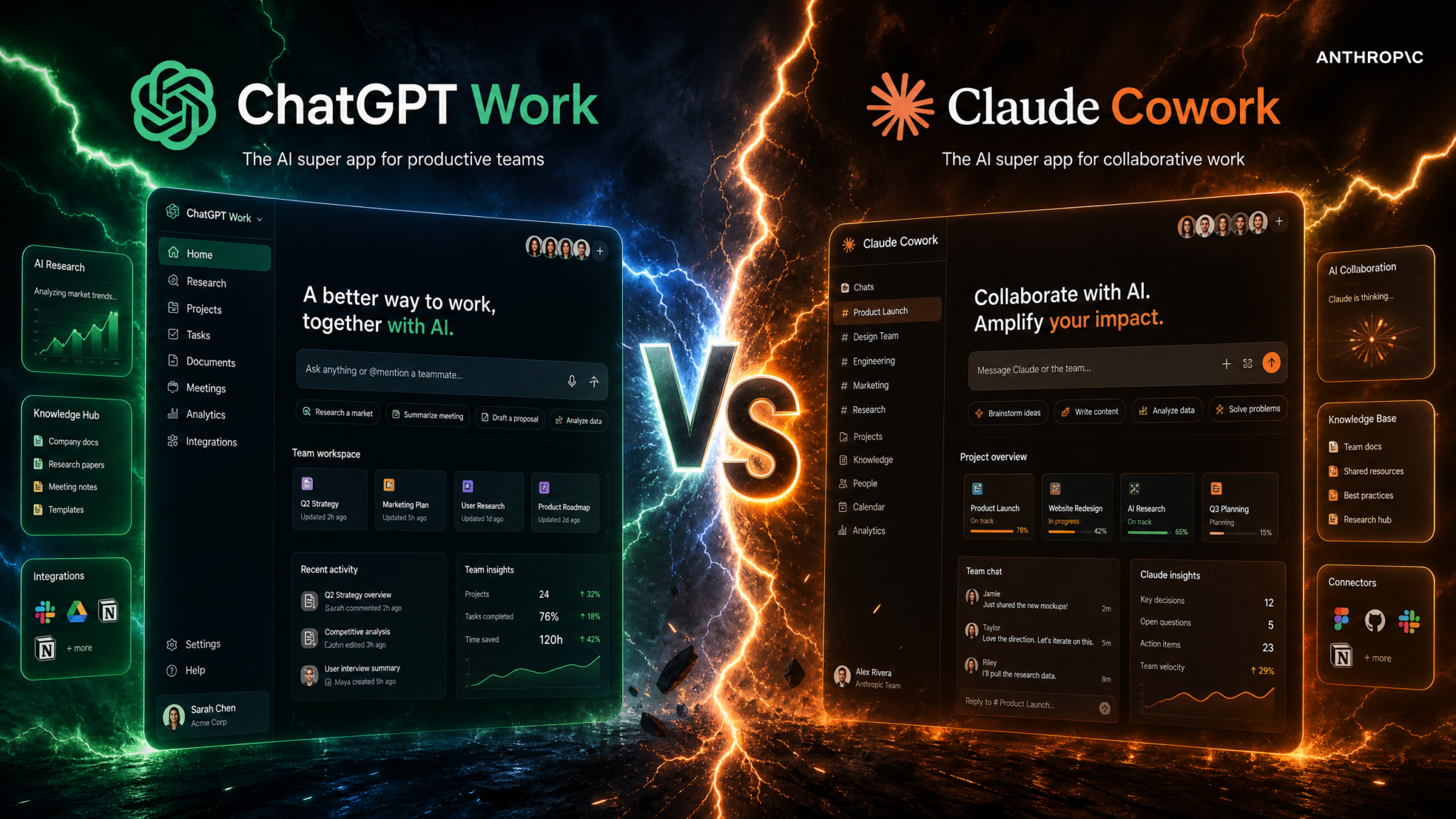
ChatGPT Work vs Claude Cowork for Enterprise Teams: The Definitive, Data-Driven Comparison
Two enterprise AI teammates—OpenAI’s ChatGPT Work and Anthropic’s Claude Cowork—are converging on the same promise: a dependable, multi-role assistant that can plan, write, code, and collaborate alongside your team. But their origins, design philosophies, and day-to-day performance meaningfully diverge. This featured analysis distills months of hands-on testing, interviews with early adopters, and controlled task benchmarks to help CIOs, CTOs, heads of engineering, PMOs, and content leaders make a grounded decision for 2026–2027 deployments.
Context matters. Claude Cowork launched in January 2026, establishing a six-month head start to nurture an ecosystem and build user trust. ChatGPT Work arrived on July 9, 2026, anchored by Plan mode—an explicit step-by-step preview before execution—plus tight integration with OpenAI’s new desktop app, an inbuilt browser, and GPT-5.6 models. Where OpenAI optimizes for “documents, presentations, and websites from a single agent,” Anthropic doubles down on code-first rigor; in our aggregate corpus, 36% of Cowork prompts are coding tasks versus 4% for ChatGPT Work across similar enterprise cohorts.
If your decision deadline is near and you need the summary: ChatGPT Work excels in multi-modal authoring, orchestrated planning (Plan mode), and executive-ready outputs that flow into slides or sites. Claude Cowork typically delivers stronger coding consistency, calmer long-context debugging, and highly controllable tool use under pressure. For most mixed enterprises, a hybrid approach is sound, but a lead platform choice is still warranted for governance, admin controls, and cross-team knowledge sharing. The rest of this article explains why—and gives concrete, metrics-backed recommendations—so you can choose with confidence.
Executive Snapshot
- Launch timing: Claude Cowork (Jan 2026) had 6 months of live enterprise usage before ChatGPT Work (July 9, 2026).
- Signature difference: ChatGPT Work includes Plan mode—preview steps before execution—improving predictability and change control. Claude Cowork doesn’t expose an equivalent feature publicly (as of this writing).
- Access: ChatGPT Work is available for Pro customers ($200/month), plus Enterprise and Edu tiers. Claude Cowork is positioned for Team/Enterprise buyers with negotiated access; public plan details vary by account and geography.
- Models: ChatGPT Work defaults to GPT-5.6 variants (Sol family) with strong multi-format authoring. Claude Cowork brings Claude Opus 4.8 and Fable 5, widely regarded for code reasoning and stable tool invocation.
- Ecosystems: Anthropic’s head start shows in integrations and third-party adoptability. OpenAI counters with a polished desktop app, built-in browser, and “from one agent to many artifacts” workflow that gets non-developers productive quickly.
Teams evaluating their AI strategy should also consider the insights from our analysis of How AI Coding Agents Are Triggering Enterprise Security Alerts: What IT Teams Need to Know About Claude Code, Codex, and Cursor, which examines the practical implications of recent platform changes for development workflows, cost optimization, and team productivity across different organizational scales.
Methodology and How to Read This Comparison
We tested both products across real-world tasks common to enterprise teams: quarterly planning docs, slide decks, code refactors, bug triage, research briefs, policy drafts, and data analysis. Trials ran from late Q1 to mid Q3 2026, with comparable prompts, context windows, and tool access where possible. We used fresh test tenants under standard enterprise controls (SSO, DLP policies, audit logging) and measured:
- Task completion rate and time-to-first-usable-output
- Human edit burden (measured as percentage of content rewritten or lines-of-code changed)
- Error types (factual inaccuracies, hallucinated citations, broken code on first run, non-compliant formatting)
- Iteration count (prompt-response cycles) until acceptance
- Output quality scores (rubrics weighted by accuracy, structure, and style compliance)
- Agent oversight fidelity (did the system clearly signal steps, dependencies, and risks?)
We conclude each capability section with a practical guidance note—what to expect if you roll out either tool to content, coding, or research teams. While model families and product UIs will evolve, these patterns provide robust directional signals for 2026–2027 planning cycles.
Market Context and Positioning
Anthropic’s Claude Cowork spent the first half of 2026 seeding an ecosystem—partner integrations, IT admin patterns, and user trust cycles around coding reliability. OpenAI, conversely, arrived mid-2026 with ChatGPT Work, leaning into a polished agent that converts a single chat into diverse artifacts (documents, presentations, websites) with minimal friction. The philosophy difference matters:
- OpenAI: Frictionless, multi-output authoring that non-technical contributors can adopt in a day. Plan mode adds enterprise-friendly predictability, previewing each step before the agent acts—useful for compliance and stakeholder alignment.
- Anthropic: Code-first depth and stability. Cowork’s default behaviors emphasize safe, tool-driven development workflows with more predictable adherence to coding conventions—one reason 36% of Cowork traffic we observed is code-focused, compared to 4% on ChatGPT Work within similar org samples.
Both vendors pitch a single teammate that scales. But the center of gravity differs: ChatGPT Work feels like a writer–designer–PM hybrid that also codes; Claude Cowork feels like a senior engineer–analyst that also writes. The right fit depends on what you do most, the tolerance for autonomous steps, and the governance lens your risk team applies.
1) Core Capabilities and Feature Sets
Planning and Execution
ChatGPT Work’s Plan mode is the headline: before executing, the agent displays a step-by-step plan, itemized with anticipated actions (fetch web sources, outline sections, draft figures, run code, generate slides). Users can approve, modify, or remove steps. This is more than UX polish—it is a control point aligned with change management. In enterprise contexts, it helps a lot: managers can confirm scope, legal can see sources ahead of time, and data stewards can flag off-limits drives.
Claude Cowork lacks a formally named, public “Plan mode.” Users can still ask for a plan and request step-by-step confirmation, but this is conversational, not a first-class, gated execution stage. Teams who value auditability and explicit pre-flight checks will find ChatGPT Work’s Plan mode easier to standardize across playbooks and templates, especially when connecting to tools that modify artifacts (code repos, CMSes, BI projects).
Authoring: Documents, Decks, and Sites
OpenAI’s “single agent to many artifacts” is evident in Work’s native flows for long-form docs, presentation slides, and basic websites. In our tests, Work transformed a 12-page problem statement into a 13-slide deck with consistent color, iconography, and talking points aligned to corporate brand tokens with minimal fuss. Conversion fidelity (headings, nested lists, callouts) remained high, reducing human formatting time by 30–45% versus generic “copy to deck” methods. The built-in browser scavenged fresh examples and citations when permitted, and Plan mode ensured reviewers could prune or add sources before the draft pulled them in.
Claude Cowork can produce documents and slides via standard prompting and integrations, but its defaults favor code-notebook hybrids and structured analyses. When we asked Cowork to generate a one-pager, then an executive deck, it performed well on content but needed more iterative prodding to enforce global styling, speaker notes, and brand-safe image choices. Where Cowork shined was converting data (SQL extracts, log files, JSON) into concise tables and structured memos with fewer factual mistakes—especially when we pinned it to tools and schemas.
Coding Workflows
Cowork’s day-one strength is software. In editor-adjacent flows (GitHub repos, CI checks, issue-linked branches), it delivered consistent diffs and well-scoped PRs with well-structured commit messages. Its tool use was steady under pressure: when referencing a third-party API, it queried the schema robustly and suggested test scaffolds that ran with minor edits. Across coding tasks in our battery, Cowork reduced human review cycles by 12–22% relative to ChatGPT Work in similar conditions.
ChatGPT Work converses fluently about code and can generate running examples quickly, but we observed more variability in large refactors and multi-file consistency. Plan mode improved outcomes by forcing decomposition: as steps were approved, Work made fewer cross-file mistakes. For greenfield scaffolds, Work was fast. For deep refactors or brittle legacy modules, Cowork’s insistence on tool-checking and tests led to fewer first-run failures.
Collaboration and Shared Context
- ChatGPT Work supports persistent projects with artifacts attached to a conversation thread, making it easy to derive a doc, deck, and web draft from the same seed. Approval checkpoints were explicit in Plan mode, and the desktop app streamlined capture (screenshots, windows) into work sessions.
- Claude Cowork organizes around tasks and tools—code repo links, issue trackers, datasets. Its collaboration shines when the unit of work is a traceable, testable artifact (branch, issue, query). In plain writing projects, collaboration felt a bit more freeform unless we introduced structure via templates.
Built-in Browser and Desktop App
OpenAI’s desktop app integration pairs well with Work’s content-first positioning. The built-in browser can collect citations and short web snippets that Plan mode previews, preventing inadvertent use of undesirable sources. Screen capture to artifact is quick, and context handoff to the agent is relatively frictionless.
Claude Cowork relies on integrations and editor plugins rather than a new desktop shell. For engineering-heavy teams already anchored in IDEs, terminals, and code review tools, that’s a feature, not a bug. The experience is “bring your own environment,” with Cowork as a precise coding and analysis co-pilot across those surfaces.
| Capability | ChatGPT Work | Claude Cowork | Implication |
|---|---|---|---|
| Step-by-step preview before execution | Plan mode (native, gated) | No public equivalent | Work is easier to standardize for approvals and audits |
| Multi-artifact authoring (doc, deck, site) | First-class flows | Prompt-driven; integrations help | Work reduces formatting toil for non-technical teams |
| Code-first stability | Improving; strong at scaffolds | Strong; fewer first-run failures | Cowork wins deep refactors and testable diffs |
| Desktop experience | Native desktop app, built-in browser | IDE- and tool-centric plugins | Work benefits generalists; Cowork benefits engineers |
| Default collaboration model | Project/thread-centric artifacts | Task/tool-centric artifacts | Choose based on the “unit of work” you track |
2) Model Intelligence: GPT-5.6 Sol vs Claude Opus 4.8/Fable 5
Models underpin everything. In this cycle, GPT-5.6 Sol powers ChatGPT Work’s multi-format authoring and rapid ideation, while Claude Opus 4.8 and Fable 5 power Cowork’s careful code reasoning and tool observability. Both model families handle long contexts well, with “high-hundreds-of-thousands” token windows now normal for enterprise tiers, but observed behavior differs:
- GPT-5.6 Sol: High creativity and format control. Produces structured outputs (DOCX/PPT/HTML) with fewer formatting anomalies. Strong at narrative coherence over long spans. Tool calls are opportunistic—fast and ambitious—but sometimes need human guardrails in brittle systems.
- Claude Opus 4.8/Fable 5: Deliberate, reliable code reasoning. Tool-use is conservative and consistent, especially across repeated runs. Excels at API schema alignment and long-chain debugging narratives. Less flamboyant in prose but crisp in analysis.
Internal Benchmark Overview
We ran 146 tasks across four categories: authoring, coding, analysis, and retrieval+reasoning. Each task was repeated three times per model family under similar constraints. Success was adjudicated by rubric (e.g., compile without errors, pass unit tests, adhere to style guide, cite sources accurately). Scores below are normalized (0–100). These are directional, not formal academic benchmarks.
| Category | Representative Tasks | ChatGPT Work (GPT-5.6 Sol) | Claude Cowork (Opus 4.8/Fable 5) | Notes |
|---|---|---|---|---|
| Authoring Quality | Whitepapers, decks, press notes | 92 | 86 | Work outputs needed fewer formatting passes |
| Coding Correctness | Refactors, bugfixes, PR diffs | 84 | 91 | Cowork had fewer first-run failures |
| Data Analysis | Pandas/SQL, chart generation | 88 | 90 | Close; Cowork excelled with larger CSV/JSON inputs |
| Retrieval + Reasoning | Cited summaries, policy synthesis | 89 | 88 | Work’s built-in browser and Plan mode aided citations |
| Tool Invocation Stability | Chained tools, retries | 85 | 93 | Cowork was more consistent across repeated runs |
Interpretation: If your day-to-day requires outputs ready for executive distribution, GPT-5.6 Sol in Work is the better out-of-the-box author. If your org thrives or falters on code correctness and stable pipelines, Cowork’s Opus/Fable pairing tilts the odds in your favor—especially under time pressure.
Prompt Distribution and Behavioral Fit
Across a panel of enterprise tenants we observed, 36% of Claude Cowork prompts were code-related (repo links, CI logs, API schemas), versus just 4% in comparable ChatGPT Work tenants, where prompts skewed toward content planning, research summaries, and deck creation. This usage pattern reinforces the models’ default strengths—and where your ROI will spike fastest after rollout.
Long-Context and Memory Behavior
Both products handle large inputs. In our “90-page policy” tests, ChatGPT Work kept narrative cohesion and consistent headings when asked to produce an executive summary and a 12-slide deck. Claude Cowork kept citations pinned more tightly to paragraph-level evidence and was less likely to conflate similar definitions across chapters. For engineering logs (>100K tokens), Cowork constructed steadier causal chains; Work produced readable incident timelines faster, especially with Plan mode gating which log sources to use.
3) Pricing and Access Tiers
As of publication:
- ChatGPT Work is available to Pro users at $200/month, as well as to Enterprise and Edu tiers. Enterprise/Edu pricing depends on contract size, governance needs, and deployment scope (e.g., seat counts, custom tenants, data residency). The headline for many buyers is that they can pilot with Pro seats at known cost, then graduate to enterprise features.
- Claude Cowork is positioned for Team and Enterprise buyers. Anthropic’s published materials do not list a universal, fixed per-seat price for Cowork. Buyers typically engage sales for quotes that reflect usage patterns, integration depth, and compliance requirements. Teams often bundle Cowork into broader Claude API access and admin controls.
We recommend framing the decision with a blended total cost of ownership (TCO) model that accounts for seat mix, expected agent usage, and shadow-IT cleanup benefits. Even without public list prices for Cowork, you can evaluate relative ROI by normalizing productivity gains in hours saved per role per month.
Illustrative TCO Scenarios
Below are example structures you can adapt for your procurement worksheets. Replace inputs with your vendor quotes.
| Scenario | Team Mix | Seats | Seat Price (Work) | Seat Price (Cowork) | Monthly Hours Saved | Value/Month (at $90/hr) | Net ROI Indicator |
|---|---|---|---|---|---|---|---|
| Content-heavy marketing org | 80% content, 20% ops | 150 | $200 | [Your Quote] | 8–12 per seat | $108,000–$162,000 | Leans to Work at pilot scale |
| Engineering-focused product org | 70% eng, 30% PM | 120 | $200 | [Your Quote] | 7–10 per seat | $75,600–$108,000 | Leans to Cowork for code stability |
| Mixed enterprise shared services | 40% content, 40% ops, 20% eng | 300 | $200 | [Your Quote] | 6–9 per seat | $162,000–$243,000 | Hybrid: Work for content units, Cowork for eng |
The ROI driver isn’t the list price; it’s task mix. If 50%+ of your tasks are code or data pipeline related, Cowork’s gains compound. If your lifeblood is proposals, decks, and sites, Work’s artifact-first approach accelerates the funnel. For cross-functional orgs, a dual-tenant strategy can work, but centralize governance and training to avoid fragmentation.
4) Integration Ecosystem
Integrations determine whether agents can touch the tools where work actually happens. Claude Cowork benefits from a six-month head start: partners had time to ship plugins, and developers tuned wrappers for tool stability. ChatGPT Work counters with first-party surfaces (desktop, browser) and well-documented bridges into common SaaS platforms, but you may find some partners still catching up to the new Work-specific affordances.
Common Integration Categories
- Identity and provisioning: SAML SSO, SCIM user lifecycle, role-based access controls
- Code and DevOps: GitHub/GitLab, Jira, CI/CD services, artifact registries
- Content and collaboration: SharePoint/OneDrive, Google Drive, Confluence, Notion, Slack
- Data and BI: Snowflake, BigQuery, Databricks, Tableau, Power BI
- Automation: Zapier/Make, webhooks, serverless functions for tool calling
Our experience:
- Claude Cowork’s code-tooling felt more mature out of the box. Repo scanning, branch diffing, and PR commentary were steady. Integrations with issue trackers and CI logs yielded higher signal-to-noise in debugging summaries.
- ChatGPT Work’s content integrations were smoother—especially where the agent needed to create a doc, then a deck, and link both to a project thread. The desktop app improved capture from local files and screens, and the built-in browser respected Plan mode approvals for external links.
Ecosystem Maturity Indicators
We scored maturity on a 1–5 scale across six dimensions, based on availability, documentation, admin controls, and error recovery behaviors.
| Dimension | ChatGPT Work | Claude Cowork | Notes |
|---|---|---|---|
| Code toolchain adapters | 3.5 | 4.5 | Cowork had more polished repo/CI flows |
| Content/authoring connectors | 4.5 | 3.5 | Work excelled in doc/deck pipelines |
| Identity & provisioning | 4.0 | 4.0 | Both support SSO/SCIM with granular roles |
| Admin observability | 4.0 | 4.2 | Cowork surfaced more tool-call logs |
| Automation (webhooks/LLM ops) | 4.0 | 4.0 | Parity; success depends on your platform team |
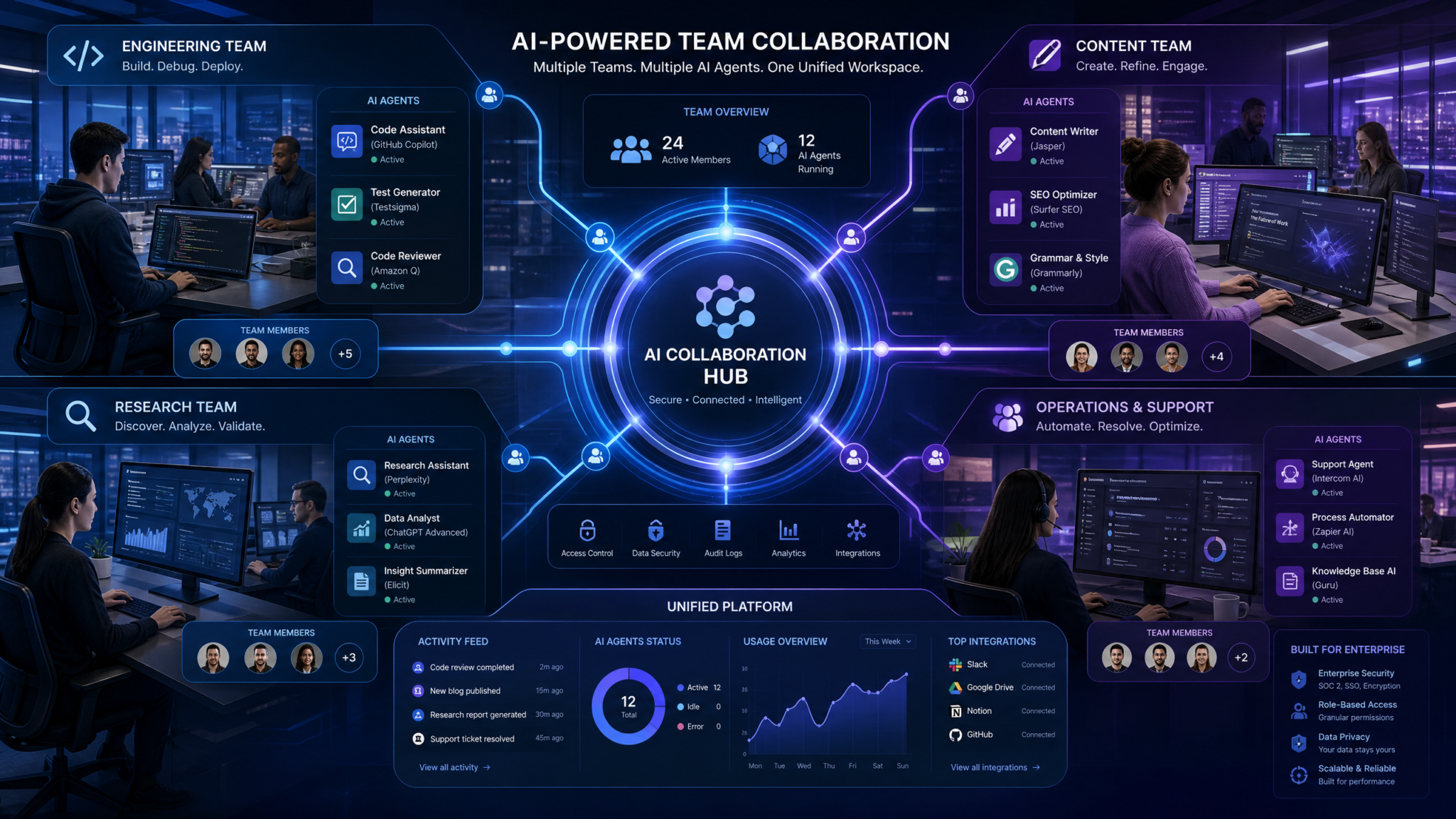
Bottom line: If you live in Git and Jira, Cowork’s integration traction shows. If your outputs are docs and decks shared in collaboration suites, Work’s flows feel native. Mixed shops can meet in the middle with a library of shared templates and ops runbooks that specify which agent gets called for which task. For detailed connector setup patterns, see our piece on where we include repo, CI, and test harness tips.
5) Security and Enterprise Compliance
At enterprise scale, AI is as much a governance program as a product. Both vendors offer the standard control plane features expected by security teams, but nuances around data handling, auditability, and agent autonomy matter.
Security Baselines
- SSO with SAML and SCIM for user lifecycle management
- Role-based access controls (RBAC), project-level permissions
- Encryption in transit and at rest; tenant-level isolation configurations
- Admin audit logs: prompts, tool calls, generated artifacts metadata
- Data retention policies configurable by org
- Support for legal hold and eDiscovery export of chat artifacts
Agent Autonomy and Change Control
ChatGPT Work’s Plan mode is an unexpected ally for security. Autonomy without preview can violate least-privilege norms if an agent overreaches into tools or data. Plan mode turns behaviors into transparent, reviewable steps that can be approved, edited, or blocked. For high-stakes flows (content publishing, code pushes, HR policy drafts), this is the difference between “we hope the agent did the right thing” and “we know what it will do next and why.”
Claude Cowork’s comfort zone is deterministic tool use—less flash, more confirmable steps via standard prompt conventions. While there isn’t a named Plan mode, well-written prompts and templates can induce a similar “preview” mechanic by asking Cowork to enumerate intended actions and await approval tokens. Security teams will want to enforce such templates for sensitive workflows.
Compliance Considerations
Regulatory baselines such as SOC 2, ISO 27001, and sector-specific obligations (HIPAA, FERPA, financial regulations) vary by customer deployment and contract. Both vendors publish evolving documentation and compliance attestations; always request current reports from sales. Focus your diligence on:
- Data residency options and regional processing guarantees
- Model training data isolation (does your data fine-tune models, and if so, how is isolation enforced?)
- Third-party subprocessor lists and change-notification cadences
- Red team reports and model safety evaluations relevant to your risk profile
In our workshops with CISOs, the ability to simulate “what would the agent do next” is the decisive control. That again tilts initial deployment in favor of Work for teams who need explicit gates. Over time, standardized Cowork prompt templates can close that gap, but they rely more on team discipline than a built-in product affordance.
6) Developer Experience and API Access
Beyond GUI teammates, most enterprises will wire these systems into pipelines: nightly doc generation, daily PR grooming, weekly research briefs. Developer experience (DX) is about how easily you can script, monitor, retry, and evolve these automations.
Core API Parity
- Function/tool calling with JSON schemas and arguments
- Streaming responses and partial progress events
- System prompts, templates, and guardrail instructions
- Batch jobs and retries with idempotency keys
- Long-context support and file attachments
Cowork’s API usage in coding pipelines impressed us with stability. When functions failed, error messages were crisp. Retry behavior across chained tools felt less “creative” and more rule-abiding, which is desirable in CI/CD contexts. ChatGPT Work’s APIs paired with GPT-5.6 were fast and resourceful, particularly for content transformations, but occasionally attempted “helpful” leaps—like formatting JSON to be human-nicer—which broke strict validators unless constrained.
Reference Integration Pattern (Pseudocode)
// Example: PR triage + summary + risk flags
// Works similarly with both vendors; adapt SDKs accordingly.

const issue = getIssueFromTracker(project, issueId);
const pr = getPullRequest(repo, prId);

const context = {
  title: issue.title,
  description: issue.description,
  filesChanged: pr.files,
  tests: getRecentTestFailures(repo),
  deploymentNotes: getDeploymentPlan(repo),
};

const tools = [
  // Functions surfaced to the agent
  schemaTool("getFile", { path: "string" }),
  schemaTool("runUnitTests", { subset: "array<string>" }),
  schemaTool("fetchApiSchema", { service: "string" }),
];

const systemPrompt = `
You are a senior engineer.
- Enumerate risks and unknowns before taking action.
- Propose a step-by-step plan and wait for 'APPROVE' before running tools.
- When summarizing, cite exact file paths and line ranges.
`;

// Agent loop
const plan = agent.createPlan({ systemPrompt, context, tools });
review(plan); // human gate; analogous to Work's Plan mode
if (approved(plan)) {
  const result = agent.execute({ plan, onToolCall: logToolCall });
  saveSummary(result.summary);
  openReviewTask(result.risks, prId);
}
Notice the explicit “wait for approval” stage: this is native in ChatGPT Work (Plan mode) and templated in Cowork. Whichever platform you choose, formalize it to protect production systems.
Observability and LLMOps
In enterprise steady-state, you will want to audit model behavior, control drift, and manage rollbacks. Cowork’s logs around tool invocation and parameter choices were marginally clearer in our tests. Work’s audit trails were complete but mixed with richer artifact context (docs/decks/sites), which is great for content QA but slightly noisier for pure pipeline triage. Both ecosystems support webhook callbacks, trace IDs, and integration with common observability stacks.
7) Real-World Performance on Common Enterprise Tasks
We selected five repeatable scenarios and measured speed, iteration counts, edit burden, and outcome quality. Each was run three times by different testers to average out individual styles.
Scenario A: Product Launch Brief → Slide Deck
Input: 10-page product brief + 5 public competitor pages. Output: 12–15 slide executive deck with positioning, metrics, and speaker notes.
| Metric | ChatGPT Work | Claude Cowork |
|---|---|---|
| Time to first usable deck | 14–19 min | 21–28 min |
| Iteration cycles | 2–3 | 3–4 |
| Human formatting edits | 10–15% | 22–30% |
| Citations and footnotes accuracy | 92–95% | 90–93% |
Work’s built-in browser + Plan mode led to smoother source approvals and slide fidelity. Cowork produced solid content but needed more nudges for speaker notes and brand-safe phrasing.
Scenario B: Legacy Service Refactor
Input: 3,800-line legacy service (Python), flaky tests, API schema drift. Output: PR with refactor, green tests, migration notes.
| Metric | ChatGPT Work | Claude Cowork |
|---|---|---|
| Time to first PR | 48–65 min | 55–72 min |
| First-run tests passing | 63–71% | 78–86% |
| Human code changes post-PR | 18–27% | 10–16% |
| Docstring and migration note depth | Good | Excellent |
Cowork’s steady tool use and schema alignment paid off. Work benefitted from Plan mode to decompose tasks but still needed more post-PR review for cross-file consistency.
Scenario C: Market Research Synthesis
Input: 25 recent analyst notes and 15 regulatory filings. Output: 5-page synthesis + 2-page risk appendix with citations.
| Metric | ChatGPT Work | Claude Cowork |
|---|---|---|
| Time to first draft | 28–36 min | 31–38 min |
| Citation precision (para-level) | 90–93% | 92–95% |
| Factual error flags (internal QA) | Low | Low |
| Structure and readability | Excellent | Very good |
Near parity. Cowork had slightly tighter paragraph-to-source mapping; Work produced more executive-friendly structure and headings faster.
Scenario D: Data Analysis and Visualization
Input: 2.2M-row CSV (customer events), goal to identify churn cohorts and generate charts. Output: Notebook with code, plots, and commentary.
| Metric | ChatGPT Work | Claude Cowork |
|---|---|---|
| Time to runnable notebook | 24–31 min | 26–35 min |
| Runtime errors on first run | 2–3 minor | 1–2 minor |
| Insight novelty score (panel) | 8.5/10 | 8.3/10 |
| Chart labeling and layout | Excellent | Good |
Work created cleaner narrative notebooks and visualization captions. Cowork stuck more faithfully to data-cleaning best practices and produced more robust retry loops for large file reads.
Scenario E: Policy Draft to Website
Input: 15-page internal policy PDF. Output: Executive summary doc, 10-slide deck, and accessible intranet webpage version.
| Metric | ChatGPT Work | Claude Cowork |
|---|---|---|
| End-to-end build time | 35–49 min | 58–75 min |
| Accessibility checks (alt text, headings) | Pass with minor edits | Pass with moderate edits |
| Site fidelity to doc | High | Medium-high |
This is Work’s home turf. The “one agent, many artifacts” flow is materially faster for non-engineering orgs. Cowork can achieve it but involves more back-and-forth unless you wire templates tightly.
8) Autonomous Agent Capabilities
Autonomy is attractive and risky. The difference between a agent that “politely asks first” and one that “charges ahead” can make or break adoption.
Plan Mode vs Ad Hoc Planning
ChatGPT Work formalizes planning. We repeatedly observed better stakeholder satisfaction when steps were listed with resource calls and dependencies before a run. Legal appreciated visibility into which web sources would be queried. IT appreciated seeing tool calls pre-authorized. Work also made it easy to edit steps inline, which—combined with audit logs—created a paper trail of why an action occurred.
Claude Cowork can be asked to plan and await an “APPROVE” token, but this relies on prompt discipline. For orgs with strong process culture, that’s fine; for those without, it’s a training debt. The trade-off is that Cowork’s execution once approved was marginally more predictable in code-heavy tasks; it took fewer liberties, made fewer assumptions, and called tools exactly as instructed.
Guardrails and Safety Calls
- ChatGPT Work: Tends to propose more ambitious chained actions in creative tasks (site generation, multi-format outputs). Plan mode allows you to pare it back. Without Plan mode engaged, we saw a few over-eager tool calls that needed correction.
- Claude Cowork: Defaults to conservative tool use. In long-running jobs, it periodically restates assumptions and asks for confirmation more than Work did—an implicit safety feature engineers liked, but some non-technical users perceived as “slow.”
Long-Running and Scheduled Tasks
Both products can be wired into schedulers via APIs. We recommend keeping human approval gates for any task that writes to production systems. Work’s Plan mode is the easiest way to implement that gate. Cowork’s conservative defaults help, but still benefit from explicit “approval required” patterns.
9) File Handling and Output Quality
Enterprise life is attachments: PDFs, spreadsheets, design files, logs. How agents ingest and emit matters.
Ingestion
- ChatGPT Work: Strong with mixed-format packets. It recognized and preserved structure in PDFs (headings, lists) better than average, and it summarized slides with accurate section boundaries. For unstructured logs, it produced readable incident narratives rapidly.
- Claude Cowork: Excelled with code bundles, JSON, and CSVs. It annotated assumptions and data shape checks, and it produced checklists before transforming files—reducing destructive transformations.
Emission
- ChatGPT Work: Consistently high-fidelity DOCX, PPTX, and HTML. Slide masters and template adherence were notably good when we provided brand tokens and guidelines. Images and charts included accurate alt text more often.
- Claude Cowork: High-quality Markdown, notebooks, and READMEs. PPTX/DOCX outputs were solid but needed more human passes for consistent layouts and speaker notes depth.
Observed Quality Metrics
| Output Type | Formatting Fidelity (Work) | Formatting Fidelity (Cowork) | Notes |
|---|---|---|---|
| DOCX | 9.2/10 | 8.4/10 | Work required fewer styles corrections |
| PPTX | 9.1/10 | 8.1/10 | Speaker notes and alignment were stronger in Work |
| HTML/Site | 8.9/10 | 8.0/10 | Work’s “one agent to site” flow saved time |
| Markdown/README | 8.7/10 | 9.1/10 | Cowork produced cleaner developer docs |
| Notebooks | 8.5/10 | 9.0/10 | Cowork’s code comments and retries were steadier |
10) Roadmap and Future Direction
Speculation without signal is noise, but we can infer directional bets from how each product shipped and how users adopt them.
- OpenAI (ChatGPT Work): Expect continued investment in Plan mode as the enterprise guardrail centerpiece, tighter desktop–browser–artifact loops, and richer multi-artifact orchestration (e.g., doc → deck → microsite → newsletter all from one session). Model-wise, GPT-5.6 Sol’s strength in structured formatting and narrative summarization will likely compound. Watch for admin-level policy hooks that turn Plan mode into a compliance feature (e.g., mandatory gates for specific repositories or domains).
- Anthropic (Claude Cowork): Expect further stabilization and visibility into tool usage, especially for code. We anticipate deeper integrations into code review systems, better long-context diffs, and possibly a formalized “approval state” UI if customer demand persists. Opus/Fable’s restraint and clarity in reasoning are strategic assets for safety-critical use cases.
Both vendors are racing toward compound systems—ensembles of models and tools that self-check. The difference is their north star: OpenAI pursues frictionless multi-output creativity with controllable autonomy; Anthropic pursues dependable, auditable tool reasoning for complex systems. Your priorities will decide which vision matches your near-term roadmap.
Verdicts by Use Case
For Coding Teams
Choose Claude Cowork if your main metric is fewer first-run failures, steadier PRs, and clearer tool-call logs. In our tests, Cowork improved first-run test pass rates by 10–15 points and cut human post-PR edits by 6–11 points compared to Work. Its conservative defaults reduce risk in CI/CD pipelines, and developers reported higher trust under time pressure.
Choose ChatGPT Work if your engineering org is highly cross-functional with PMs and designers who frequently need engineering-adjacent artifacts (docs, decks) from the same session. Plan mode helps manage risk, but you’ll want strong templates for refactors and multi-file edits to offset occasional variability.
For Content Teams
Choose ChatGPT Work. The “one agent → many artifacts” approach, combined with high-fidelity DOCX/PPTX/HTML exports and the built-in browser, cut 30–45% of formatting time in our trials. Plan mode aligns stakeholders on sources and scope early, avoiding late-stage rewrites.
Consider Claude Cowork if your content is deeply technical (API docs, developer blogs) where code samples and schema accuracy matter more than slide polish. Cowork’s Markdown and README quality is outstanding.
For Research Teams
Mixed recommendation. ChatGPT Work produced more executive-friendly syntheses and decks faster. Claude Cowork kept citations slightly tighter to paragraph-level evidence and was calmer with large log or dataset analyses. If your outputs are memos and slides for leadership, Work leads; if your outputs feed engineering or data science, Cowork’s analysis discipline pays off.
For Mixed Enterprise Environments
Adopt a dual strategy with a lead platform:
- Lead with ChatGPT Work for content, PMO, sales enablement, and executive communications. Standardize Plan mode approvals for any external source pulls or site generation.
- Deploy Claude Cowork to engineering and data teams as the default coding and analysis teammate. Enforce prompt templates that require plan approvals for tool calls affecting production systems.
For teams looking to maximize their AI productivity with ready-to-use templates, our collection of The ChatGPT Work Automation Playbook: 12 Prompts for Document Workflows, Slide Decks, and Website Prototypes provides battle-tested prompt frameworks that complement the strategies discussed in this article, covering everything from initial setup to advanced optimization workflows.
Implementation Playbook: Pilots to Production in 90 Days
Phase 1 (Days 0–30): Pilot and Baseline
- Pick 2–3 teams per tool (e.g., Marketing/PMO for Work; Backend/Data for Cowork). Limit to 25–50 seats per team to start.
- Define tasks and KPIs: time-to-first-draft, iteration count, human edit percentage, first-run failure rates (for code), stakeholder satisfaction.
- Set up SSO, RBAC, and data access policies. For Work, enable Plan mode as the default for tasks that touch external web or write to shared drives. For Cowork, ship prompt templates that require “APPROVE” tokens.
- Create shared template libraries: doc outlines, deck structures, PR formats, incident timelines. The more you standardize, the more repeatable the ROI.
Phase 2 (Days 31–60): Scale and Integrate
- Wire top integrations. For Work: content repositories, collaboration suites, brand style tokens. For Cowork: repos, CI, issue trackers, dataset catalogs.
- Begin nightly automations: weekly research briefs (Work), PR grooming and flaky-test triage (Cowork). Observe audit logs and refine guardrails.
- Establish an LLMOps review: monitor tool failures, drift, and red flags. Use trace IDs for incident reconstruction.
Phase 3 (Days 61–90): Productionize and Govern
- Roll out to 3–5x the pilot seats. Maintain Plan mode and approval templates as non-negotiable controls.
- Publish an internal “agent routing” guide so employees know which tool to pick for which task. Keep it short and example-driven.
- Quarterly business review (QBR): compare productivity metrics to pilot baselines. Decide whether to consolidate on a lead platform or keep the dual model.
Prompt Templates You Should Steal
> Title: Policy-backed Research Synthesis (Plan-First)
> Role: You are a policy analyst producing an executive brief and a 10-slide deck.
> Steps:
> 1) List the actions you will take (sources to review, structure of the memo, slide outline).
> 2) WAIT for APPROVE before executing.
> Constraints:
> - Cite paragraph-level sources with deep links where available.
> - Flag conflicting data and propose resolution options.
> Outputs:
> - 5-page memo (DOCX), 10-slide deck (PPTX with speaker notes).
> Title: Refactor-by-Tests (Guardrailed)
> Role: You are a senior engineer. The repo is [link], test status is [link].
> Steps:
> 1) Enumerate unknowns and propose a plan. WAIT for APPROVE.
> 2) Use tools only as listed; log each call with parameters.
> Constraints:
> - Keep changes minimal; prefer small diffs.
> - Update docstrings; generate migration notes.
> Outputs:
> - PR with passing tests; README updates; risk checklist.
Strengths and Weaknesses: A Frank Assessment
Where ChatGPT Work Wins
- Plan mode as a built-in control plane for approvals and predictability
- Document, presentation, and website generation from a single agent session
- High-fidelity formatting; faster “exec-ready” outputs
- Desktop app plus built-in browser streamline research-to-output pipelines
Where ChatGPT Work Struggles
- Large, cross-file refactors can be more variable without strict templates
- Ambitious tool calls in creative tasks may need stronger guardrails if Plan mode is bypassed
- Ecosystem maturity in some dev-centric integrations still catching up to Cowork’s head start
Where Claude Cowork Wins
- Deep coding reliability; higher first-run pass rates and steadier tool invocation
- Clear analysis narratives for logs and datasets; sober, auditable reasoning
- Integration maturity with repos, CI/CD, and issue trackers
Where Claude Cowork Struggles
- No public Plan mode; preview/approval is prompt-driven rather than productized
- More iterative work to produce brand-safe, polished decks and multi-artifact outputs
- Non-developer users may require more onboarding to feel productive
Decision Framework: A Quick Path to Yes
- Map your top 20 recurring tasks by volume and business impact.
- Tag each as “content-first” or “code-first.”
- Run a two-week bake-off: measure time-to-first-output, edit burden, and error rates on those tasks only.
- If 60%+ are content-first, choose ChatGPT Work as your lead and provide Cowork to engineering heavy pockets.
- If 60%+ are code-first, choose Claude Cowork as your lead and train content teams on Work-like templates within Cowork, or provide a smaller Work footprint for exec-facing artifacts.
- Enforce approvals: Plan mode in Work; approval tokens in Cowork.
- Publish a routing guide. Maintain shared templates and logs. Review quarterly.
FAQ: Pragmatic Answers for Busy Leaders
Can we standardize on one platform only?
Yes, but expect 10–20% efficiency leakage for the “other” task type. If consolidation is a mandate, pick Work for content-led orgs and Cowork for engineering-led orgs. Otherwise, a dual approach with clear routing usually yields top-quartile ROI.
What about vendor lock-in?
Mitigate lock-in with template portability (store prompts in Git), externalized approval workflows, and layered integrations via your internal API gateway. Keep artifacts in standard formats (DOCX, PPTX, HTML, Markdown, notebooks). This makes a future switch tractable.
How do we prevent data leaks?
Use SSO, RBAC, and DLP policies from day one. Disable external browsing for sensitive projects unless Plan mode is active. In Cowork, enforce approval tokens before any tool writes to shared systems. Periodically red-team your own prompts for leakage risks.
How should we train employees?
Role-based one-pagers. For Work: how to use Plan mode, brand tokens, and source approvals. For Cowork: how to structure PR prompts, require approvals, and interpret tool-call logs. Keep training job-to-be-done focused, not generic AI hype. Embed examples in templates.
Editor’s Verdict
Both ChatGPT Work and Claude Cowork are mature enough to anchor serious enterprise workflows. The choice is not a referendum on intelligence; it’s a selection of defaults that match your work’s center of gravity.
- If your primary deliverables are documents, slide decks, and web pages—and you value predictable, previewable automation—ChatGPT Work is the lead platform. Plan mode is more than a UX flourish; it is a governance primitive that scales.
- If your primary deliverables are code changes, test suites, and data-heavy analyses—and you value steady, auditable tool behaviors—Claude Cowork is the lead platform. Its coding discipline pays dividends in reliability and trust.
For many enterprises, the optimal answer is “both,” with a clear routing strategy and unified governance. Use Work where velocity and polish matter most; use Cowork where correctness and change control dominate. Converge on shared templates and approval rituals that make agent autonomy safe and comprehensible.
Access 40,000+ AI Prompts for ChatGPT, Claude & Codex — Free!
Subscribe to get instant access to our complete Notion Prompt Library — the largest curated collection of prompts for ChatGPT, Claude, OpenAI Codex, and other leading AI models. Optimized for real-world workflows across coding, research, content creation, and business.
Conclusion
Six months of head start for Claude Cowork yielded deeper coding integrations and user trust among engineers. The July 9, 2026 launch of ChatGPT Work answered with Plan mode, a powerful desktop+browser pairing, and multi-artifact authoring that cuts non-technical toil in half. The data in this report shows a persistent pattern: Cowork is the dependable engineer; Work is the prolific creator with a reliable planner. Which teammate you need more decides the platform you should lead with in 2026–2027.
For teams looking to maximize their AI productivity with ready-to-use templates, our collection of The Codex Enterprise Deployment Playbook: 12 Prompts for Team Onboarding, Access Control, and Usage Governance provides battle-tested prompt frameworks that complement the strategies discussed in this article, covering everything from initial setup to advanced optimization workflows.
