
The ChatGPT Pro subscription at $200 per month is not a casual purchase — it’s a professional infrastructure decision. Since OpenAI launched the Pro tier, it has polarized the AI community: some users call it the single best productivity investment they’ve ever made, while others dismiss it as an overpriced vanity tier. The truth, as always, is more nuanced. Whether Pro delivers genuine ROI depends entirely on your workflow, your use case density, and how deeply you’ve integrated AI into your professional output. This deep dive cuts through the marketing language and examines the actual mechanics of what you get, who genuinely benefits, and how to calculate whether that $2,400 annual commitment makes financial sense for your specific situation in 2026.
What’s Actually Included in ChatGPT Pro: A Technical Breakdown
Before evaluating value, you need a precise understanding of what the Pro subscription delivers. OpenAI’s marketing materials describe it in broad strokes, but the technical details matter enormously when you’re making a $200/month decision. Here’s what Pro actually gives you, broken down by capability category.
Unlimited GPT-5.6 Access
The headline feature of ChatGPT Pro is unlimited access to GPT-5.6, OpenAI’s most capable general-purpose model. “Unlimited” here means no hard message caps during normal usage windows — a significant departure from the Plus tier, which throttles GPT-5.6 access during high-demand periods and imposes soft limits that can interrupt long working sessions. In practice, Pro users report being able to run 200-400 substantive GPT-5.6 queries per day without hitting any restrictions, compared to Plus users who frequently encounter rate-limit messages after 40-80 messages in a 3-hour window.
GPT-5.6 itself represents a substantial capability jump over its predecessors, particularly in multi-step reasoning, code generation accuracy, and long-document comprehension. The model handles 128K context windows with significantly better retention than earlier versions — meaning that when you’re analyzing a 90-page research paper or debugging a 3,000-line codebase, the model maintains coherent understanding across the entire document rather than losing context in the middle sections. For Plus users, GPT-5.6 access exists but is rationed, which means the most demanding tasks — exactly the ones where the model’s capabilities matter most — are precisely when you’re most likely to hit a limit.
Extended o3 Reasoning Model Access
The o3 reasoning model is where Pro genuinely separates itself from lower tiers in terms of raw capability. o3 is OpenAI’s chain-of-thought reasoning system, designed for problems that require extended deliberation: complex mathematical proofs, multi-step logical deductions, advanced code architecture decisions, and scientific analysis. Plus users get limited o3 access — typically capped at around 50 messages per week on the standard o3 model, with zero access to o3-high (the maximum-effort reasoning configuration). Pro subscribers get unlimited o3 access including o3-high, which can spend significantly more compute time on each response to produce higher-quality reasoning outputs.
The practical difference between o3-standard and o3-high is substantial for hard problems. In benchmark testing on competition-level mathematics (AIME 2024), o3-high achieves roughly 87% accuracy compared to o3-standard’s 71%. For software architecture problems involving complex trade-off analysis, o3-high produces more complete consideration of edge cases and failure modes. If your work regularly involves problems at the frontier of what AI can currently solve — competitive programming, advanced quantitative analysis, complex system design — o3-high access alone can justify the Pro tier for certain professionals.
Extended Codex Runs and Agentic Capabilities
Pro subscribers receive substantially expanded access to Codex, OpenAI’s code execution and agentic task environment. Where Plus users can run Codex sessions with limited compute time and restricted tool access, Pro unlocks extended Codex runs that can operate autonomously for much longer periods. This matters for tasks like: running comprehensive test suites against generated code, executing multi-file refactoring operations, performing data analysis pipelines on uploaded datasets, and completing multi-step research tasks that require browsing, computation, and synthesis in sequence.
Extended Codex runs in practice means sessions that can run for 10-30 minutes of autonomous operation rather than the 2-5 minute windows available on Plus. For a developer asking ChatGPT to “audit this entire repository for security vulnerabilities and generate a prioritized remediation report,” the difference between a 3-minute and a 20-minute autonomous run is the difference between a surface-level scan and a genuinely comprehensive analysis. How to Use Codex on ChatGPT Mobile: Complete Guide to AI Coding From Your Phone Pro users also get priority access to new agentic features as they roll out, meaning early access to capabilities like computer use, extended browsing sessions, and multi-agent orchestration.
Priority Access and Infrastructure Benefits
Beyond model access, Pro subscribers receive infrastructure-level priority that affects everyday usability. This includes: first-in-queue processing during high-demand periods (meaning Pro users rarely wait more than 1-2 seconds for responses even when servers are under load), priority access to new model releases and features before they reach lower tiers, higher API-equivalent throughput for power sessions, and dedicated support response times. During major demand spikes — new model launches, viral moments that drive traffic surges — Plus users frequently experience 30-60 second response delays or service degradation. Pro users are largely insulated from these events.
Higher Rate Limits and Token Allocations
The token credit system is one of the least understood aspects of ChatGPT’s tiered pricing. While ChatGPT doesn’t expose raw token counts to end users the way the API does, the underlying allocation differences between tiers are significant. Pro subscribers effectively receive approximately 10x the token throughput of Plus subscribers on a per-session basis, and the rate limit windows reset more frequently. For context: a typical GPT-5.6 conversation analyzing a long document might consume 50,000-100,000 tokens. A Plus user doing this work repeatedly throughout a day will hit soft limits within 3-5 such sessions. A Pro user can run 30-50 such sessions before any throttling occurs.
Tier Comparison: Pro vs. Plus vs. Team
Understanding where Pro sits relative to the other paid tiers requires a direct comparison. The table below breaks down the key differentiators across ChatGPT Plus ($20/month), ChatGPT Team ($30/seat/month), and ChatGPT Pro ($200/month).
| Feature | Plus ($20/mo) | Team ($30/seat/mo) | Pro ($200/mo) |
|---|---|---|---|
| GPT-5.6 Access | Limited (rate-capped) | Limited (rate-capped) | Unlimited |
| o3 Standard Access | ~50 messages/week | ~50 messages/week | Unlimited |
| o3-High Access | None | None | Unlimited |
| Codex Run Duration | 2-5 minutes | 2-5 minutes | 10-30 minutes |
| Context Window | 128K (throttled) | 128K (throttled) | 128K (full) |
| Priority Queue | No | Partial | Yes (first priority) |
| New Feature Early Access | Standard rollout | Standard rollout | Beta priority access |
| Data Privacy (training opt-out) | Yes | Yes (team-level) | Yes |
| Shared Workspaces | No | Yes | No (individual only) |
| Admin Controls | No | Yes | No |
| Custom GPTs (creation) | Yes | Yes (shared) | Yes |
| Voice Mode | Standard | Standard | Advanced (lower latency) |
| Image Generation (DALL-E) | Limited | Limited | Higher limits |
| Sora Video Generation | Limited | Limited | Priority + higher limits |
One critical observation from this comparison: Team is not a stepping stone to Pro — it’s a fundamentally different product designed for organizational use cases. Team adds collaborative features (shared workspaces, admin controls, team-level custom GPTs) but doesn’t upgrade the underlying model access or compute allocation. A team of 10 paying $300/month total for Team gets less individual AI capability per seat than a single Pro subscriber paying $200. This means that for a power user working independently, Team is actually a worse deal than Pro despite costing less per individual.
The Enterprise Tier Context
It’s worth noting where Pro sits relative to ChatGPT Enterprise (custom pricing, typically $60-100+/seat/month with minimum seat requirements). Enterprise adds SSO, compliance certifications (SOC 2, HIPAA-eligible configurations), dedicated account management, and custom context window configurations. For individual professionals, Enterprise is inaccessible due to minimum seat requirements. Pro is effectively the highest tier available to individual subscribers, and it delivers capabilities that in some respects exceed what standard Enterprise seats provide in terms of raw model access.
Who Actually Benefits: Use Case Analysis
The honest answer to “who should get Pro” is a relatively narrow set of professionals. Here’s a detailed breakdown of the use cases where Pro delivers clear, measurable value versus where Plus is genuinely sufficient.
Software Developers and Engineers
Developers represent the clearest Pro use case. The combination of unlimited GPT-5.6 for code review and generation, unlimited o3-high for architecture decisions and debugging complex logic, and extended Codex runs for autonomous code tasks creates a workflow multiplier that’s difficult to replicate at lower tiers. Specifically, Pro benefits developers who:
- Work on codebases exceeding 10,000 lines where context window limits matter
- Regularly tackle algorithmic problems requiring extended reasoning (competitive programming, optimization, cryptography)
- Use ChatGPT for end-to-end feature development rather than isolated code snippets
- Run automated code review sessions on large pull requests
- Perform security audits, performance profiling, or dependency analysis on full repositories
A senior developer billing at $150-200/hour who saves 2 hours per week through better AI assistance has a monthly productivity gain of $1,200-1,600 — more than covering the $200 Pro cost. The key question is whether Pro delivers meaningfully more developer productivity than Plus. For developers hitting Plus rate limits regularly (a common complaint among heavy users), the answer is unambiguously yes. 15 Production-Ready ChatGPT System Prompts for Software Development Teams
Researchers and Academics
Academic and scientific researchers represent another strong Pro use case, particularly those working in quantitative fields. The o3-high reasoning model’s performance on mathematical and scientific reasoning tasks makes it a qualitatively different tool for literature synthesis, hypothesis generation, and statistical analysis. Researchers who benefit most from Pro include:
- Quantitative researchers running statistical analyses on large datasets (extended Codex runs for Python/R execution)
- Literature reviewers processing 50+ papers simultaneously (full 128K context utilization)
- Grant writers who need high-quality, technically precise prose generation at volume
- Computational biologists, physicists, and mathematicians working on frontier problems
- PhD students and postdocs who use ChatGPT as a primary research tool rather than occasional assistant
For researchers, the ROI calculation often isn’t purely financial — it’s measured in research velocity. If Pro allows a researcher to complete a literature review in 3 days instead of 2 weeks, the value is career-defining, not just economically significant.
Enterprise Individuals and Consultants
High-billing consultants, lawyers, financial analysts, and strategy professionals represent a compelling Pro use case that’s often overlooked. These professionals typically work on high-stakes, high-complexity problems where output quality directly affects client outcomes and billing rates. A management consultant billing at $400/hour who uses ChatGPT Pro to prepare a 50-slide strategy deck in 8 hours instead of 20 hours has generated $4,800 in additional billable capacity — a 24x return on the monthly Pro cost in a single engagement.
The specific capabilities that matter for this group: unlimited GPT-5.6 for high-quality document drafting, o3-high for complex analytical frameworks and financial modeling logic, and priority access ensuring that critical client deliverables aren’t interrupted by rate limits at inconvenient moments. For consultants and lawyers, the reliability aspect of Pro (no unexpected rate limits mid-project) can be as valuable as the capability ceiling.
Content Creators and Media Professionals
The Pro value proposition for content creators is more nuanced. High-volume content producers — those generating 50+ pieces of content per month, managing multiple client accounts, or running content-driven businesses — can benefit significantly from unlimited GPT-5.6 access. However, content creators who use ChatGPT primarily for ideation, light editing, or occasional drafts will find Plus entirely sufficient. The dividing line is roughly: if you’re spending more than 3-4 hours per day actively working with ChatGPT on content tasks, Pro’s unlimited access pays for itself in eliminated interruptions alone.
Specific content creator use cases where Pro delivers clear value: scriptwriters for video channels producing daily content, newsletter operators managing 5+ publications, SEO agencies handling 100+ client articles monthly, and podcast producers using ChatGPT for research, scripting, and show notes at scale. The ChatGPT-5.5 Prompt Masterclass for Content Creators: 30 Prompts for YouTube Scripts, Newsletter Copy, Social Media, and Blog Posts
Who Should NOT Get Pro
Equally important is identifying who the Pro tier doesn’t serve well:
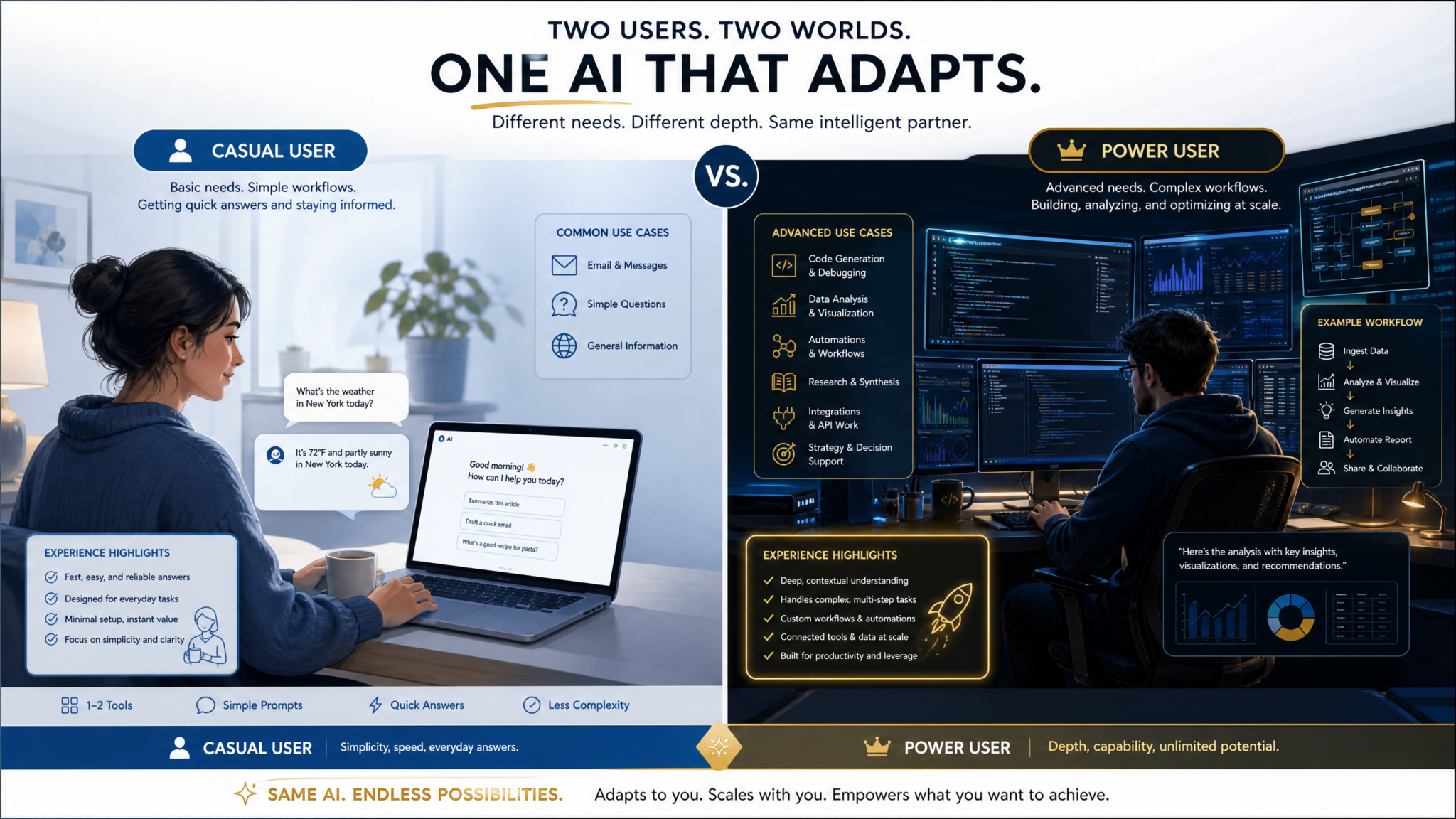
- Casual users and hobbyists: If you use ChatGPT for personal curiosity, occasional writing help, or light productivity tasks, Plus provides ample access at 10% of the cost.
- Teams needing collaboration: If your primary need is shared workspaces, admin controls, or team-level custom GPTs, Team ($30/seat) is the right choice regardless of usage volume.
- Users who primarily need API access: Pro is a ChatGPT.com subscription, not API credits. If your workflow is API-based (building applications, running automated pipelines), you’re better served by direct API spend with appropriate model selection.
- Professionals whose work doesn’t scale with AI speed: If your bottleneck is client approval cycles, regulatory review, or human collaboration rather than AI output generation, faster AI doesn’t increase your throughput.

ROI Calculations: Breaking Down the Numbers
The most rigorous way to evaluate a $200/month subscription is to build actual ROI models for different professional profiles. Here are four detailed calculations across representative use cases.
Scenario 1: Independent Software Developer
| Metric | With Plus | With Pro |
|---|---|---|
| Effective AI working hours/day | 3-4 hours (rate-limited) | 8+ hours (unlimited) |
| Code review sessions/week | ~8 (hitting limits) | 25-30 (unrestricted) |
| Hours saved per week | Baseline | +5-8 hours |
| Value at $120/hour billing rate | Baseline | +$600-960/week |
| Monthly productivity gain | Baseline | $2,400-3,840 |
| Net ROI (after $200 Pro cost) | Baseline | $2,200-3,640/month |
Verdict: For a developer billing at $120+/hour who works with ChatGPT heavily, Pro pays for itself within the first 2 hours of additional productivity per month. The ROI is overwhelmingly positive.
Scenario 2: Content Agency Owner
| Metric | With Plus | With Pro |
|---|---|---|
| Articles produced per month | ~80 (rate-limited) | ~130 (unrestricted) |
| Revenue per article | $150 | $150 |
| Monthly revenue | $12,000 | $19,500 |
| AI subscription cost | $20 | $200 |
| Net revenue increase | Baseline | +$7,320/month |
Verdict: For content businesses where AI throughput directly correlates with revenue capacity, Pro’s ROI is dramatic. The $180 incremental cost (Pro vs. Plus) generates thousands in additional monthly revenue.
Scenario 3: Academic Researcher (Non-Commercial)
| Metric | With Plus | With Pro |
|---|---|---|
| Papers analyzed per literature review | 20-30 (context limits) | 60-80 (full context) |
| Time for grant proposal first draft | 3 days | 1.5 days |
| Statistical analysis sessions/month | ~15 (Codex limits) | 40+ (extended runs) |
| Research velocity multiplier | Baseline | ~1.8-2.2x |
Verdict: The ROI for researchers is harder to quantify financially but significant in career terms. A researcher who submits 3 grant proposals per year instead of 1.5 due to AI-assisted velocity has a dramatically different career trajectory. For researchers whose institutions don’t cover the subscription, the personal investment decision depends on career stage and research intensity.
Scenario 4: Strategy Consultant
| Metric | With Plus | With Pro |
|---|---|---|
| Client deliverables per month | 4-5 major deliverables | 6-8 major deliverables |
| Average deliverable value | $3,000 | $3,000 |
| Monthly revenue | $12,000-15,000 | $18,000-24,000 |
| Time saved on research/analysis | Baseline | 8-12 hours/month |
| Net ROI | Baseline | $6,000-9,000+/month |
Verdict: For high-billing consultants, Pro is one of the highest-ROI professional tools available. The $200 cost is negligible relative to the revenue impact of increased delivery capacity.
Real User Experiences: What Pro Subscribers Actually Report
Beyond theoretical ROI calculations, the actual user experience of Pro subscribers reveals patterns that don’t always match marketing descriptions. Based on aggregated community feedback from Reddit (r/ChatGPT, r/OpenAI), developer forums, and professional networks, here are the consistent themes from Pro users across different professional categories.
What Pro Users Consistently Praise
The absence of rate limits as a workflow change: The most consistently cited benefit isn’t any specific capability — it’s the psychological and practical impact of never hitting a wall mid-task. Multiple Pro users describe it as “the difference between a tool and infrastructure.” When you’re deep in a complex debugging session or halfway through analyzing a research corpus, a rate limit message doesn’t just interrupt your work — it breaks your cognitive flow. Pro users report that this reliability alone has changed how they structure their work, allowing them to commit to AI-assisted workflows for high-stakes tasks where Plus users might hedge by keeping manual fallbacks ready.
o3-high for hard problems: Developers and researchers who regularly tackle frontier-difficulty problems are almost universally positive about o3-high access. The model’s willingness to “think longer” on hard problems — sometimes taking 30-60 seconds to generate a response — produces qualitatively different outputs on problems like complex algorithm optimization, mathematical proof verification, and multi-system architecture design. One common report: “o3-high caught a race condition in my concurrent code that three senior engineers had missed in review.”
Extended Codex for autonomous tasks: Pro users working with Codex for autonomous task completion report that the extended run times enable genuinely useful automation that’s impossible at Plus tier. Tasks like “analyze this 50,000-row dataset, identify anomalies, generate visualizations, and write a summary report” that would timeout on Plus complete successfully on Pro. This shifts ChatGPT from an interactive assistant to something closer to an autonomous junior analyst for certain task types.
What Pro Users Consistently Criticize
The lack of team features: Individual Pro subscribers who work within organizations frequently express frustration that the $200/month tier doesn’t include any collaboration features. You can’t share your Pro-tier access with a colleague, create shared workspaces, or build team-accessible custom GPTs. For professionals who want both Pro-level capabilities and team collaboration, there’s currently no single tier that delivers both — a genuine gap in OpenAI’s product lineup.
Inconsistent o3-high availability: Despite being a paid Pro benefit, o3-high has experienced availability issues during peak demand periods. Some Pro users report queuing delays for o3-high during high-traffic hours, which partially undermines the “priority access” promise. This appears to be an infrastructure scaling issue rather than a policy decision, but it’s a real friction point.
The value gap at moderate usage levels: Pro users who don’t consistently push against Plus limits report feeling like they’re overpaying. If your actual usage pattern means you’d hit Plus rate limits only 2-3 times per month, the $180 incremental cost for Pro is hard to justify. The Pro tier delivers its value nonlinearly — the more intensively you use it, the better the value; at moderate usage levels, Plus may be sufficient.
Access 40,000+ AI Prompts for ChatGPT, Claude & Codex — Free!
Subscribe to get instant access to our complete Notion Prompt Library — the largest curated collection of prompts for ChatGPT, Claude, OpenAI Codex, and other leading AI models. Optimized for real-world workflows across coding, research, content creation, and business.
The Token Credit System: Understanding Tier Differences
ChatGPT’s consumer tiers don’t expose token counts directly, but the underlying token allocation system drives the rate limit differences between tiers. Understanding this system helps explain why certain tasks hit limits faster than others and how to optimize your usage regardless of tier. ChatGPT Token Credits Explained: How the New Pay-Per-Use System Works Across Chat, Work, and Codex in 2026
Each tier operates with a rolling token budget that resets on a time-based window (typically 3 hours for Plus, with different windows for different models). The approximate token allocations per window, based on observed behavior, are:
| Model | Plus (tokens/3hr window) | Pro (effective daily allocation) |
|---|---|---|
| GPT-5.6 | ~800,000 tokens | ~8,000,000+ tokens (effectively unlimited) |
| o3-standard | ~200,000 tokens/week | Unlimited |
| o3-high | Not available | Unlimited |
| DALL-E 3 | ~50 images/day | ~200+ images/day |
| Sora (video) | ~10 videos/day (low res) | ~50 videos/day (high res priority) |
The practical implication of these allocations: a single GPT-5.6 conversation analyzing a 100-page document might consume 150,000-200,000 tokens. A Plus user doing 4-5 such analyses in a 3-hour window will exhaust their allocation. A Pro user can run 40-50 such analyses in the same period. For workflows involving large document analysis, code review of full repositories, or extended multi-turn conversations, the token allocation difference is the primary driver of value.
Optimizing Token Usage Across Tiers
Regardless of tier, certain practices reduce token consumption without sacrificing output quality. These matter more for Plus users but remain relevant for Pro users who want to maximize the value of their allocation:
- Chunking large documents strategically: Rather than uploading an entire document, extract the specific sections relevant to your query. A targeted 5-page excerpt often produces better results than a full 50-page upload while consuming 90% fewer tokens.
- Using system prompts efficiently: Verbose system prompts that repeat context in every message consume tokens unnecessarily. Establish context once at the conversation start rather than restating it in each message.
- Model selection matching task complexity: Not every task requires GPT-5.6 or o3. Using GPT-4o for straightforward tasks (simple summaries, basic formatting, quick lookups) preserves your high-capability model allocation for tasks that genuinely need it.
- Conversation management: Starting fresh conversations for distinct tasks rather than continuing a single mega-conversation prevents context bloat and keeps token consumption efficient.
Decision Framework: Should You Upgrade to Pro?
Rather than a simple yes/no recommendation, here’s a structured decision framework for evaluating the Pro upgrade based on your specific situation. Work through these questions in sequence. The Complete Guide to GPT-5.6 Sol, Terra, and Luna API Pricing — Choosing the Right Tier for Your Budget
Step 1: Measure Your Current Plus Usage
Before upgrading, spend two weeks tracking your ChatGPT usage on Plus with specific attention to: How many times per week do you hit rate limit messages? How many tasks do you abandon or delay because of rate limits? How often do you need o3 but exhaust your weekly allocation before Friday? If you’re hitting rate limits fewer than 5 times per week and rarely exhausting o3 allocation, Pro is likely not worth it for you currently. If you’re hitting limits daily and regularly restructuring your workflow around them, Pro is worth serious consideration.
Step 2: Calculate Your Professional Billing Rate or Revenue Impact
Determine what an additional hour of professional productivity is worth to you. If you bill by the hour or can directly correlate AI output to revenue, use your actual rate. If you’re salaried, estimate the value of your time based on your total compensation divided by working hours. The Pro upgrade pays for itself if it saves you more than ($200 / your hourly rate) hours per month. At $100/hour, that’s 2 hours. At $50/hour, that’s 4 hours. Most heavy ChatGPT users who are currently hitting Plus limits report saving far more than 4 hours per month by eliminating rate-limit interruptions alone.
Step 3: Identify Your Specific High-Value Use Cases
Not all AI usage is equal. Identify the 2-3 tasks in your workflow where AI capability limitations are currently your binding constraint. If those tasks involve: large context window utilization, o3-level reasoning, extended autonomous execution, or high-volume throughput — Pro addresses them directly. If your binding constraints are elsewhere (prompt quality, integration with other tools, team collaboration), Pro may not solve your actual problem.
Step 4: Consider the Alternatives
Before committing to Pro, evaluate whether alternative approaches might deliver similar value at lower cost:
- API direct access: If your workflow is structured enough to use the API, direct API access to GPT-5.6 and o3 can be more cost-efficient for predictable, high-volume workloads. Calculate your estimated monthly token consumption and compare API pricing to $200/month.
- Multiple Plus accounts: Some users run 2-3 Plus accounts to effectively multiply their rate limits. This is against OpenAI’s terms of service and creates account management overhead, but it’s a real alternative some professionals use.
- Competitor platforms: Claude Pro (Anthropic) at $20/month offers competitive capabilities for certain use cases, particularly long-form writing and document analysis. A combination of Claude Pro + ChatGPT Plus ($40/month total) might cover your needs at 20% of the Pro cost.
Step 5: Trial Period Optimization
If you decide to try Pro, approach the first month as a structured experiment rather than a casual upgrade. Set specific goals (e.g., “complete X project that was blocked by rate limits,” “test o3-high on my 5 hardest recurring problems”), measure the actual time saved and output quality improvement, and make your month-2 decision based on measured results rather than general impressions. Many users who cancel Pro after one month do so because they didn’t change their workflow to take advantage of the expanded capabilities — they used Pro the same way they used Plus and didn’t see proportional value.
The Future of ChatGPT Pro: What to Expect in 2026 and Beyond
The Pro tier’s value proposition is not static. OpenAI’s trajectory suggests several developments that will affect the calculus for current and prospective Pro subscribers:
Expanding agentic capabilities: OpenAI’s roadmap clearly prioritizes agentic AI — systems that can take multi-step actions autonomously over extended periods. Pro subscribers will receive first access to these capabilities as they mature. As autonomous agents become more capable (handling complex research, multi-application workflows, extended project execution), the Pro tier’s value for power users will increase substantially. The extended Codex runs available today are an early preview of what autonomous AI assistance will look like at scale.
Model capability increases: Each major model release (GPT-5.7, GPT-6, next-generation o-series reasoning models) will first reach Pro subscribers. Given OpenAI’s historical release cadence of 2-3 major model updates per year, Pro subscribers consistently operate at the capability frontier while lower tiers receive access 2-6 weeks later.
Potential pricing restructuring: OpenAI has signaled interest in usage-based pricing models that might replace or supplement the flat-rate tiers. This could benefit moderate Pro users (who currently overpay relative to their usage) while potentially increasing costs for the heaviest users. Current Pro subscribers should monitor pricing announcements and evaluate whether a usage-based alternative better matches their consumption patterns when such options become available.
Multimodal expansion: Pro’s advantages in text and code are likely to extend more significantly into audio, video, and real-time interaction as these modalities mature. Sora access, real-time voice conversation, and computer use capabilities are all expanding faster for Pro subscribers than for lower tiers. For professionals in creative fields, this multimodal expansion could dramatically increase Pro’s value proposition over the next 12-18 months.
Frequently Asked Questions
Is ChatGPT Pro worth it if I already have API access?
Pro and API access serve different purposes and aren’t direct substitutes. ChatGPT Pro gives you access to the full ChatGPT interface with all its features (memory, custom GPTs, Codex, voice, image generation, Sora) without managing token costs or building integrations. API access gives you programmatic control and potentially lower per-token costs for structured, high-volume workloads. Many serious AI practitioners use both: API for production applications and automated pipelines, Pro for interactive research, complex reasoning tasks, and exploratory work. If you’re primarily doing interactive professional work rather than building applications, Pro is often more cost-effective than equivalent API usage for the same capabilities.
Can I share a Pro subscription with colleagues to reduce per-person cost?
OpenAI’s terms of service prohibit account sharing. Pro is licensed to a single user, and account sharing can result in account suspension. If your goal is team-level access to advanced AI capabilities, ChatGPT Team ($30/seat) is the appropriate product, though it doesn’t provide Pro-level model access. For organizations needing both team collaboration features and maximum AI capabilities, the only current option is ChatGPT Enterprise, which requires minimum seat purchases and custom pricing negotiations.
How does ChatGPT Pro compare to Claude Pro and Gemini Advanced for professional use?
At the $200/month price point, ChatGPT Pro has no direct equivalent competitor — Claude Pro is $20/month and Gemini Advanced is $20/month (or $30 for Google One AI Premium). The more relevant comparison is ChatGPT Pro versus the combination of multiple lower-tier subscriptions. For pure text generation and long-document analysis, Claude Pro offers competitive capabilities at 10% of the cost. For coding specifically, ChatGPT Pro’s o3-high and extended Codex access are currently superior to anything at comparable price points from competitors. The decision often comes down to whether you need the frontier reasoning capabilities (o3-high) and extended autonomous execution that only Pro provides, versus whether a combination of Claude Pro + ChatGPT Plus ($40/month) covers your actual use cases.
What happens to my conversations and data on the Pro tier?
Pro subscribers receive the same data privacy controls as Plus subscribers: conversations are not used for model training by default (you can verify this in Settings → Data Controls), conversation history is stored on OpenAI’s servers with the same security standards as other paid tiers, and you can export or delete your conversation history at any time. Pro does not offer the enhanced data governance features of ChatGPT Enterprise (dedicated instances, custom data retention policies, compliance certifications). If data residency, HIPAA compliance, or enterprise-grade security controls are requirements for your use case, Enterprise is the appropriate tier regardless of individual usage volume.
If I upgrade to Pro mid-month, do I get prorated access?
OpenAI handles mid-month upgrades with immediate access to Pro capabilities upon payment, with billing prorated from the upgrade date to your next billing cycle. You won’t lose access to any features during the transition, and your existing conversation history carries over. If you downgrade from Pro to Plus, you retain Pro access until the end of your current billing period before reverting to Plus-level limits. It’s worth noting that some Pro-specific features (like extended Codex sessions in progress) will terminate at the end of the billing period if you downgrade, so timing major projects around your billing cycle is advisable if you’re considering a downgrade.
Article by Markos Symeonides | ChatGPT AI Hub
