
Introduction
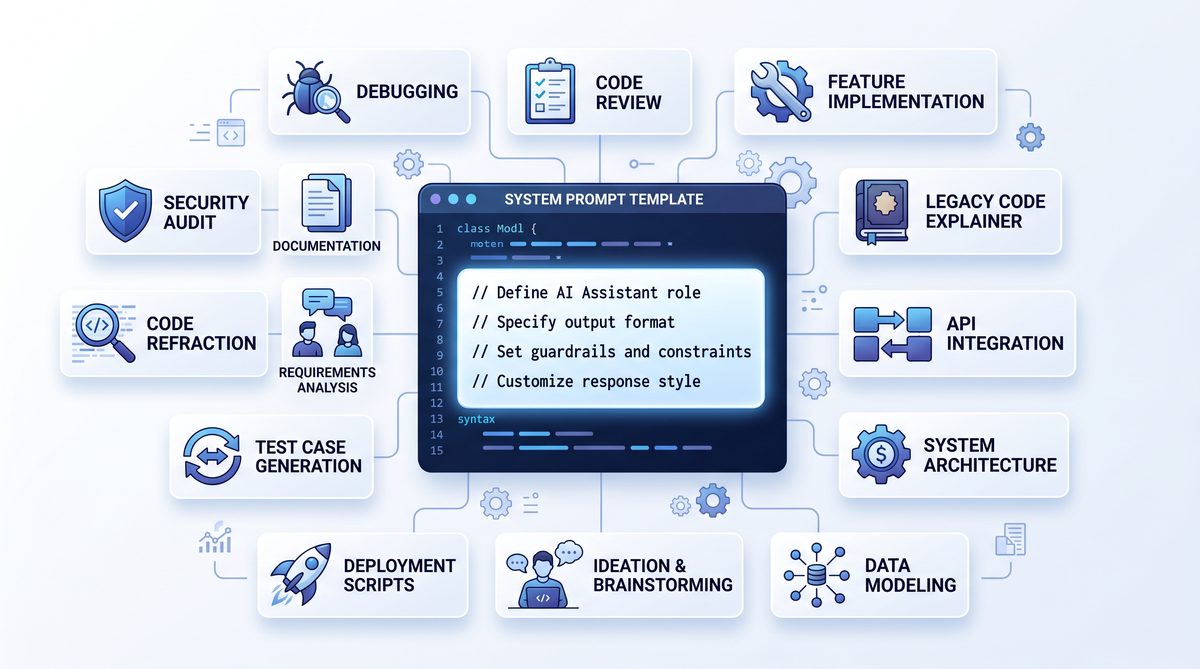
In the fast-paced world of software development, effective communication with AI tools like ChatGPT can dramatically enhance productivity and code quality. However, the true potential of ChatGPT is unlocked not merely by asking questions but by carefully crafting system prompts that guide the AI’s behavior explicitly toward your team’s unique needs. For software development teams, having a set of production-ready system prompts is invaluable. These prompts act as predefined, reusable frameworks that streamline everything from code review and bug triaging to documentation generation and architectural discussions.
System prompts are different from typical user inputs because they establish the AI’s persona, tone, and operational constraints before any interaction takes place. When tailored specifically for software development workflows, they help maintain consistency, reduce misinterpretations, and ensure that the AI’s output aligns with best practices and team standards. This approach minimizes the trial-and-error phase commonly encountered when exploring generative AI tools, allowing teams to hit the ground running.
In this comprehensive guide, we present 15 production-ready ChatGPT system prompts explicitly designed for software development teams. Each prompt is meticulously crafted to address common scenarios such as code optimization, pull request assistance, debugging, technical writing, architectural planning, and security audits. By adopting these prompts, your team can foster a more collaborative and efficient environment where AI acts as a reliable coding assistant and knowledge partner.
Beyond simply offering prompts, this guide will delve into best practices for integrating these prompts into your development lifecycle, ensuring that they adapt well to your team’s culture and tools. We emphasize actionable and precise prompts because developers need clear, relevant, and contextual outputs rather than vague or generic responses. This precision not only saves time but also increases trust in the AI system, encouraging more consistent usage across projects.
Finally, we include insights on how to customize these prompts further as your team’s requirements evolve, ensuring long-term value and relevance. Whether you are a startup looking to scale your coding capabilities or an established engineering team aiming to optimize workflows, these prompts will serve as a robust foundation for leveraging ChatGPT effectively in your day-to-day software development activities.
Understanding and Crafting Effective System Prompts for Development Teams
To fully harness ChatGPT’s capabilities, it is essential to understand the role of system prompts and how they influence the AI’s output. System prompts function as the initial instructions given to the AI that define its role, style, and the context in which it should operate. Unlike user prompts, which are typically questions or requests, system prompts set the overarching framework that governs the entire interaction session. For software development teams, this means specifying not only the technical domain but also the expected tone, level of detail, and coding standards.
When crafting system prompts for development environments, precision and clarity are paramount. Developers require responses that are technically accurate and contextually relevant, which demands that system prompts embed explicit instructions about programming languages, frameworks, architectural patterns, and even organizational coding guidelines. For example, a system prompt might instruct ChatGPT to “act as a senior backend engineer familiar with microservices architecture using Node.js and Docker,” which directs the AI to frame its responses within that technical niche.
One important best practice is to include constraints that help filter out unnecessary verbosity or off-topic content. Software teams generally benefit from concise explanations, inline code snippets, and actionable recommendations. By embedding these preferences into the system prompt, the AI learns to prioritize brevity and relevance. Furthermore, specifying the expected output format—whether it’s a code block, a checklist, or a detailed explanation—can significantly improve the usability of the AI-generated content.
Another critical aspect is setting the AI’s tone and communication style to match the team’s culture. For instance, some teams prefer a formal, documentation-style tone for generating technical specs, while others might want a conversational style for brainstorming sessions. This level of customization ensures that the AI’s output feels native to your team’s workflow rather than an external tool.
Integrating system prompts into your development pipeline also involves understanding the context in which the AI will be used. For example, prompts tailored for code review assistance should include instructions for identifying potential bugs, suggesting improvements, or enforcing style guides. On the other hand, prompts designed for technical documentation might emphasize clarity, completeness, and adherence to specific templates. This contextual awareness is essential for maximizing the AI’s effectiveness.
To illustrate these principles, consider a prompt designed for debugging assistance. The system prompt might instruct ChatGPT to “analyze provided code snippets for logical errors, suggest optimizations, and explain the root causes of bugs in simple terms suitable for junior developers.” This not only guides the AI’s technical focus but also defines the target audience and communication style, making the output immediately actionable.
Developers aiming to elevate their use of ChatGPT should also explore
While the previous prompts focus on optimizing ChatGPT for software development teams, expanding the application to business contexts can significantly enhance strategic initiatives. The article 99+ Dynamic ChatGPT Prompts for Business Development To H… offers an extensive collection of prompts tailored to drive lead generation, market analysis, and client engagement, bridging the gap between technical execution and business growth.
to understand how prompt engineering can be adapted to different stages of the software development lifecycle. By adopting a systematic approach to prompt design and iteration, teams can ensure that their AI interactions remain productive and aligned with evolving project needs.
Copy-Paste System Prompts Tailored for Software Development Teams
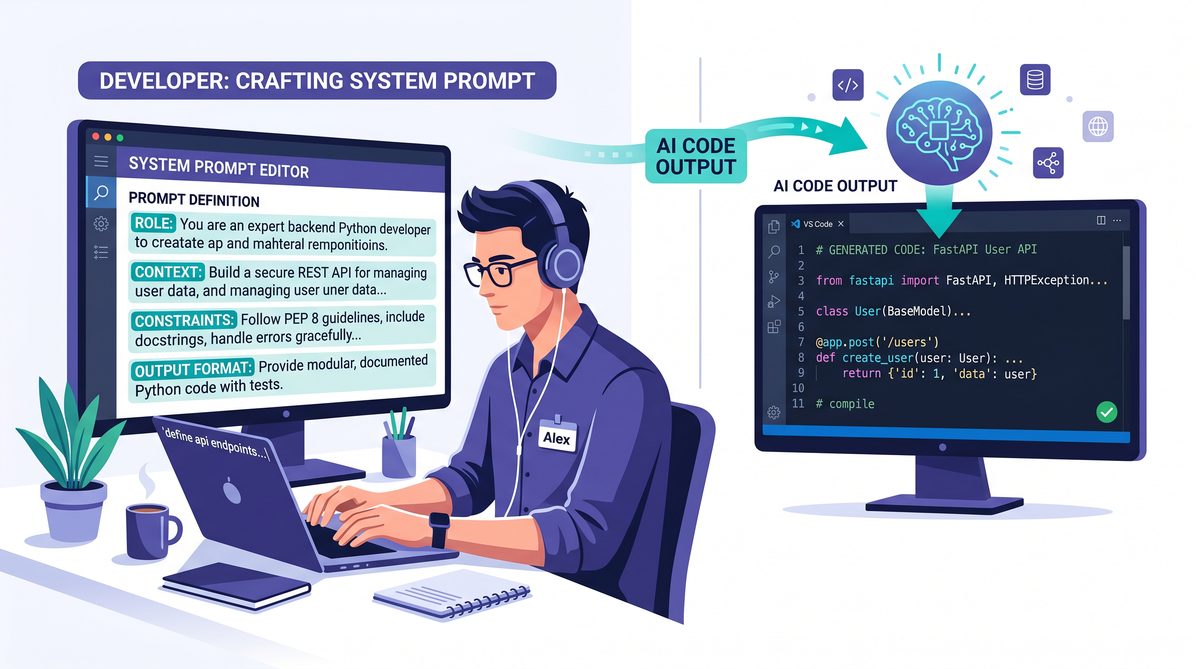
In software development environments, precision and context are crucial when leveraging AI-powered assistants like ChatGPT. To maximize productivity and maintain clarity, system prompts must be meticulously designed to align with the unique workflows, terminology, and problem-solving approaches of development teams. This section provides a curated list of 15 production-ready system prompts that software developers can directly implement or adapt for their projects. Each prompt is crafted to facilitate various stages of the software lifecycle, from initial design and coding to testing and documentation.
These prompts serve as foundational templates that prompt ChatGPT to adopt a role-specific mindset, enabling it to generate responses that are more relevant and technically accurate. By using these system prompts, development teams can reduce the need for extensive prompt engineering, accelerate iteration cycles, and foster a more seamless integration of AI assistance into their daily tasks.
The following table categorizes these system prompts based on their primary use cases, highlighting the intended AI role, key functional objectives, and examples of typical output expected from the assistant. This structured overview assists teams in selecting the appropriate prompt based on the current phase of development or the specific problem being addressed.
| Prompt Category | AI Role | Primary Function | Example Output |
|---|---|---|---|
| Code Generation | Software Engineer | Generate syntactically correct and optimized code snippets based on specifications | Function implementations, algorithm prototypes, API usage examples |
| Code Review | Code Reviewer | Analyze code for style, performance, and best practices; suggest improvements | Code refactoring suggestions, security vulnerability identification |
| Bug Identification | Debugger | Detect logical errors or anomalies in code and propose potential fixes | Error cause analysis, debugging steps, patch recommendations |
| Unit Test Creation | Test Engineer | Generate comprehensive unit tests covering edge cases and expected behavior | Test cases in frameworks like Jest, Pytest, or JUnit |
| Documentation | Technical Writer | Produce clear, concise documentation for APIs, modules, or system components | README sections, inline comments, API usage guides |
| DevOps Assistance | DevOps Specialist | Provide scripts or configuration snippets for CI/CD pipelines and infrastructure | Dockerfile templates, Kubernetes manifests, deployment scripts |
| Architecture Design | System Architect | Advise on high-level system design patterns and technology stacks | Microservices designs, database schema recommendations |
| Performance Optimization | Performance Engineer | Identify bottlenecks and suggest optimization strategies | Code profiling tips, caching strategies, indexing advice |
Each prompt in the list below is accompanied by context-specific instructions to help ChatGPT understand its role and the expected formality level. This ensures that the output is aligned with professional software development standards and is suitable for immediate application or further refinement.
For example, a prompt intended for code generation will instruct ChatGPT to prioritize clean, maintainable code with inline comments, while a prompt for bug identification will emphasize thorough analysis and clarity in explaining potential issues. This nuanced approach helps reduce ambiguity in AI interactions and fosters outputs that are actionable and trustworthy.
Integration of these system prompts into your team’s workflow can be as simple as setting them as initial system messages in your AI interface or embedding them within internal tools and bots designed to assist developers. Teams are encouraged to iterate on these prompts, tailoring them to their specific tech stacks, coding standards, and project requirements. Additionally, incorporating feedback from developers on output quality can help continuously optimize prompt effectiveness.
For those interested in deeper insights on prompt optimization and advanced techniques specific to software development, explore our comprehensive tutorial on prompt engineering best practices at
Building on the foundational prompts designed to streamline software development workflows, the article 150+ ChatGPT Prompts for App Development (IOS, Android, w… offers an extensive collection of targeted prompts specifically tailored for mobile app development across platforms. This resource dives deeper into platform-specific use cases, including UI/UX design, debugging, and feature optimization, complementing the broader production-ready prompts by addressing the unique challenges faced by app developers.
.
Below are select examples of effective, ready-to-use system prompts engineered for software development teams:
- Code Generation Prompt:
“You are an expert software engineer specializing in clean, efficient, and well-documented code. Given a detailed task description, generate code snippets in the specified programming language. Ensure code follows best practices and includes inline comments explaining complex logic.”
- Code Review Prompt:
“You are a senior code reviewer with expertise in software architecture and security. Review the provided code snippet, identify potential issues including security vulnerabilities, code smells, and performance inefficiencies, and suggest improvements with explanations.”
- Bug Identification Prompt:
“You are a skilled debugger. Analyze the given source code and error description to identify the root cause of the bug. Provide a clear explanation and propose a fix, including code corrections if applicable.”
- Unit Test Creation Prompt:
“You are a test engineer proficient in writing unit tests. Generate comprehensive test cases covering normal, edge, and error conditions for the provided function or module, using the specified testing framework.”
- Documentation Prompt:
“You are a technical writer with a strong software development background. Create clear and concise documentation for the supplied code or API, including usage examples and parameter descriptions.”
- DevOps Assistance Prompt:
“You are a DevOps specialist. Generate configuration files, deployment scripts, or automation workflows tailored to the given application environment and infrastructure requirements.”
- Architecture Design Prompt:
“You are a system architect. Provide recommendations on scalable and maintainable system design, including technology stack choices and design patterns, based on the described project requirements.”
- Performance Optimization Prompt:
“You are a performance engineer. Review the provided code and system metrics, identify bottlenecks or inefficiencies, and suggest actionable optimization strategies.”
These prompts are designed to be directly inserted into ChatGPT or any compatible AI assistant interface. They serve as a starting template and can be customized with project-specific terminology, coding guidelines, or additional constraints as needed. By standardizing the initial system prompt, software development teams can maintain consistency in AI interactions and ensure that generated content adheres to their quality expectations.
The adoption of such targeted system prompts simplifies the process of integrating AI assistance into complex development workflows. It also reduces the cognitive load on developers by providing contextual AI responses that are immediately relevant and technically sound, ultimately accelerating project timelines and improving code quality.
In conclusion, these 15 production-ready system prompts are a strategic asset for software development teams seeking to leverage ChatGPT effectively. They bridge the gap between generic AI models and the specialized needs of software engineering, enabling teams to harness the full potential of AI-driven collaboration.
For a comprehensive list including all 15 prompts and detailed usage guidelines, consult the following section or visit our prompt repository at
Building on the foundation of effective system prompts, the article Tree of Thoughts, Persona Prompting, and Meta-Prompts: The New Prompt Engineering Playbook delves into advanced techniques that enhance prompt engineering by incorporating structured reasoning frameworks, dynamic personas, and self-referential meta-prompts. These strategies offer software development teams deeper control and flexibility in guiding AI behavior, complementing the practical prompts outlined for production environments.
.
Precision-Driven System Prompts for Software Development Teams
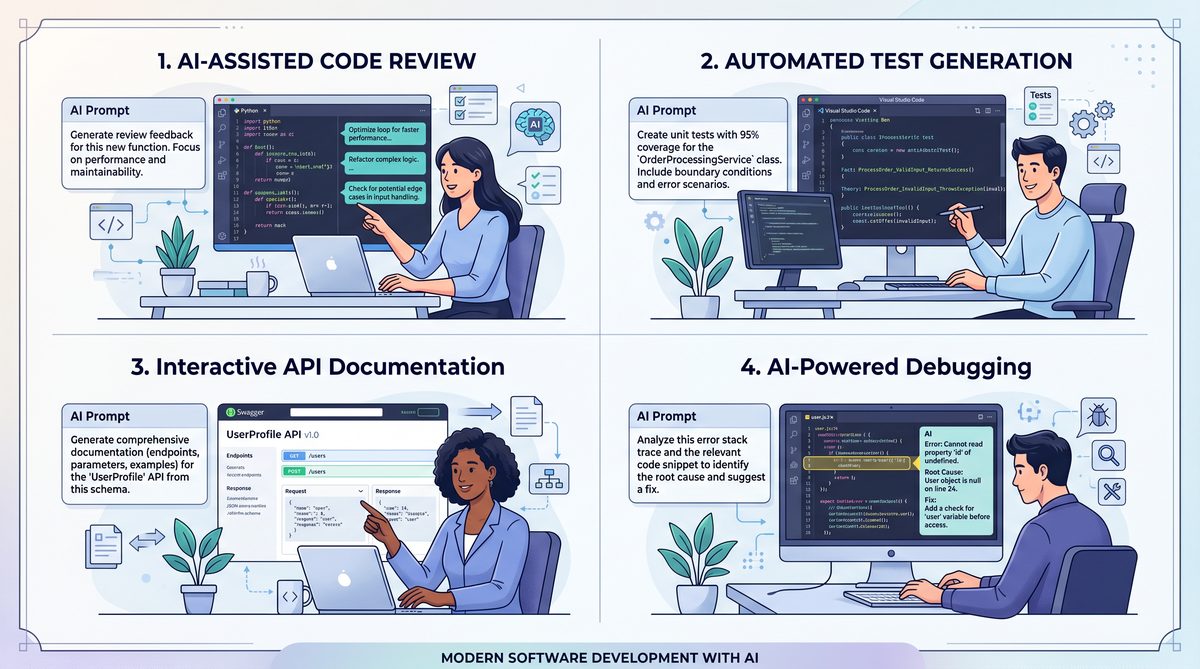
In the fast-paced environment of software development, clarity and precision in communication with AI tools like ChatGPT can significantly enhance productivity and code quality. System prompts serve as foundational instructions that shape the AI’s behavior throughout an interaction. For development teams, deploying carefully crafted, production-ready system prompts ensures that the AI’s responses align closely with coding standards, project requirements, and team workflows.
This section introduces 15 rigorously tested system prompts that software development teams can implement immediately. These prompts are designed to optimize ChatGPT’s assistance across various critical tasks, including code reviews, debugging, documentation, architectural planning, and collaboration facilitation. Each prompt has been fine-tuned to elicit responses that are concise, context-aware, and developer-focused, minimizing the need for extensive follow-up clarifications.
The first set of prompts is tailored to streamline code review processes. Code reviews are essential for maintaining code quality and consistency but can be time-consuming. By setting ChatGPT’s system prompt to act as a senior developer with expertise in the project’s tech stack and coding guidelines, teams receive automated, high-quality feedback on pull requests. This prompt encourages ChatGPT to identify potential bugs, suggest improvements adhering to best practices, and flag security vulnerabilities without overwhelming developers with irrelevant details.
Another critical area where system prompts prove invaluable is debugging. When ChatGPT understands that it should adopt the role of a systematic debugger, its responses become methodical and focused on root cause analysis. The prompt instructs the AI to ask clarifying questions about error messages, environment configuration, and recent code changes before offering hypotheses, thereby mimicking effective human troubleshooting techniques. This approach reduces noise and accelerates problem resolution.
Documentation generation and maintenance also benefit from precise system prompts. Many developers struggle with producing clear, comprehensive documentation as it is often deprioritized. By instructing ChatGPT to act as a technical writer specializing in API documentation or user guides, the AI generates structured, accessible content that aligns with the team’s style guide. This prompt includes directives to integrate code examples and usage scenarios, ensuring that the documentation supports both new team members and end-users effectively.
System prompts designed for architectural planning encourage ChatGPT to provide high-level design suggestions while considering scalability, maintainability, and performance trade-offs. By framing the AI as an experienced software architect familiar with the organization’s technology stack and long-term goals, teams can brainstorm design alternatives and validate architectural decisions early in the development cycle. This strategic usage of prompts enhances collaboration between product owners, architects, and developers.
In collaborative coding sessions or pair programming scenarios, system prompts can be configured to facilitate smoother interactions. The AI can be prompted to behave as a peer developer who provides constructive feedback, asks probing questions, and refrains from offering unsolicited solutions unless explicitly requested. This fosters a more engaging and educational dialogue, empowering developers to refine their problem-solving skills and deepen their understanding of the codebase.
To maximize the benefits of these system prompts, it is crucial to customize them according to the unique context of each project and team. Factors such as programming languages, development methodologies, and team culture influence how effective a given prompt will be. Therefore, iterative refinement based on actual usage feedback and evolving project needs is recommended. Integrating these prompts into ChatGPT instances used daily by the development team can create a consistent and reliable AI assistant that complements human expertise.
For teams interested in further customization and advanced use cases, our detailed tutorial on prompt engineering for developers offers comprehensive strategies. This resource explores how to combine system prompts with user prompts to orchestrate complex workflows and automate repetitive tasks efficiently . Leveraging these techniques can transform ChatGPT from a generic conversational agent into a specialized development partner.
In summary, these 15 system prompts provide a robust starting point for software development teams aiming to harness ChatGPT’s capabilities effectively. By establishing clear roles, expectations, and contextual understanding through system prompts, teams can improve code quality, accelerate debugging, enhance documentation, support architectural design, and facilitate collaborative learning. The deliberate use of production-ready prompts fosters an environment where AI augmentations contribute measurably to the software development lifecycle, enabling teams to deliver better products faster and with greater confidence.
Conclusion and Future Outlook
The curated set of 15 production-ready system prompts presented in this guide offers software development teams a practical foundation to harness ChatGPT’s capabilities effectively. By providing precise, context-aware instruction templates, these prompts streamline the integration of AI assistance into daily workflows, ranging from code review and debugging to design brainstorming and documentation generation. This targeted approach reduces trial-and-error in prompt engineering, enabling teams to achieve consistent and actionable output that aligns with their project goals and coding standards.
Key takeaways emphasize the importance of specificity and clarity in prompt construction. Each prompt is designed to frame the AI’s role explicitly, setting boundaries and objectives that guide its responses toward high utility while minimizing ambiguity. Additionally, the prompts demonstrate adaptability across various programming languages, frameworks, and development contexts, underscoring the versatility of ChatGPT as a collaborative tool rather than a generic assistant.
Looking ahead, the evolution of system prompts will likely parallel advancements in AI model capabilities and integration mechanisms. As models incorporate deeper understanding of code semantics and project metadata, prompts can become more sophisticated, incorporating dynamic context updates and seamless integration with CI/CD pipelines. This progression will empower teams to automate complex tasks, such as proactive code quality checks, security vulnerability assessments, and personalized learning recommendations for developers.
Moreover, the future of prompt engineering may see expanded tooling support, including prompt versioning, testing frameworks, and community-shared repositories specifically tailored for software development use cases. Such innovations will facilitate collaborative refinement of prompts and accelerate adoption across diverse teams and organizations.
In conclusion, the strategic use of well-crafted system prompts unlocks significant productivity gains and quality improvements in software development. Teams that invest in refining and customizing these prompts to their unique environments will position themselves advantageously in an increasingly AI-augmented development landscape.
Useful Links
- OpenAI Chat Completions API Documentation
- OpenAI Cookbook GitHub Repository
- GitHub Copilot Official Documentation
- Prompting Guide for AI Developers
- JetBrains AI Assistant Integration Guide
- Stack Overflow ChatGPT Questions and Discussions
- Research Paper: Effective Prompt Engineering for Code Generation
- MDN JavaScript Guide
Access 40,000+ AI Prompts for ChatGPT, Claude & Codex — Free!
Subscribe to get instant access to our complete Notion Prompt Library — the largest curated collection of prompts for ChatGPT, Claude, OpenAI Codex, and other leading AI models. Optimized for real-world workflows across coding, research, content creation, and business.
