

OpenAI’s introduction of Codex Sites on June 2, 2026, marks a groundbreaking shift in how developers and non-developers alike create interactive web applications. By leveraging the power of advanced AI language models, Codex Sites allows users to generate fully functional, interactive web apps directly from simple text prompts. This tutorial provides a comprehensive, step-by-step guide to building and deploying an interactive project dashboard using Codex Sites, along with essential details on prerequisites, customization, deployment strategies, limitations, and best practices.
What is Codex Sites and How Does It Work?
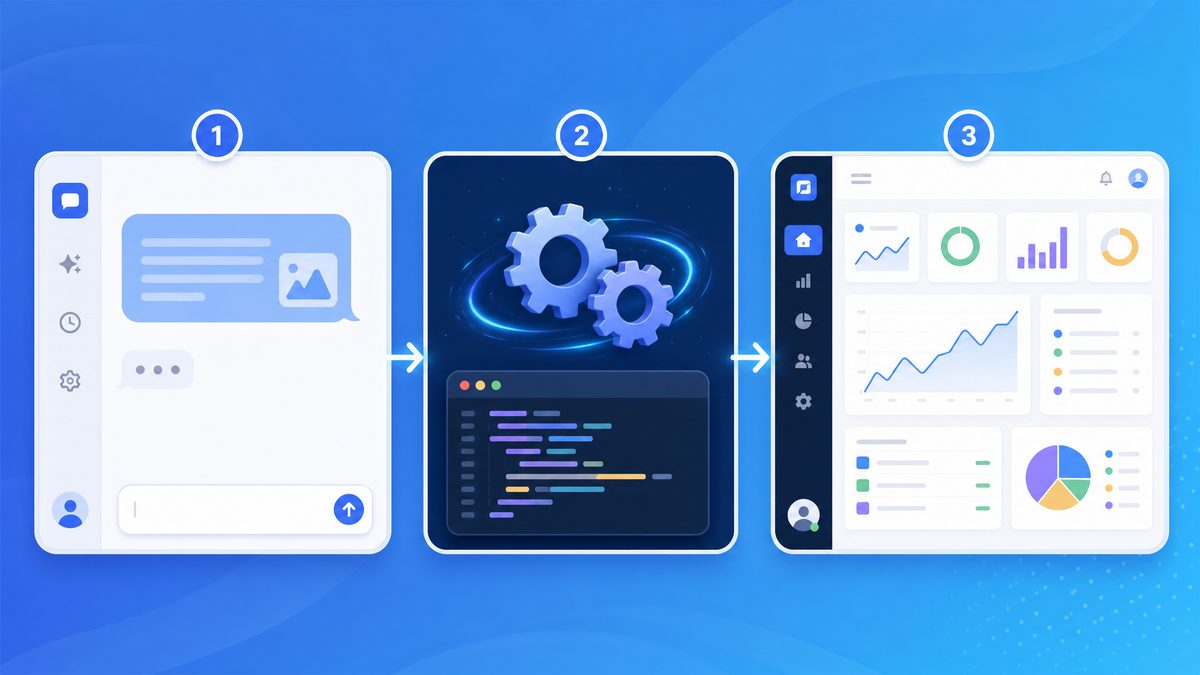
Codex Sites is an AI-powered platform that harnesses OpenAI’s Codex language model to transform natural language prompts into fully coded, interactive web applications. Unlike traditional coding where developers write HTML, CSS, and JavaScript manually, Codex Sites converts descriptive text into well-structured code with interactive features, enabling rapid prototyping and deployment.
At its core, Codex Sites uses:
- Natural Language Understanding: To interpret user prompts describing the desired app’s functionality and layout.
- Context-Aware Code Generation: To produce frontend components, backend logic, and API integrations as needed.
- Live Preview & Iteration: Allowing users to test and modify generated code without leaving the platform.
- One-Click Deployment: To publish apps instantly on scalable hosting infrastructure.
This approach democratizes web app development by lowering technical barriers and accelerating time-to-market for interactive applications.
Deep Dive into Codex Sites’ Workflow
The typical workflow begins when a user inputs a natural language description, such as “Create a to-do list app with categories and deadlines.” Codex interprets this prompt, breaking it down into UI elements like input fields, buttons, and lists, as well as backend logic for data storage and retrieval. It then generates the underlying HTML structure, styles it with CSS, and implements interactivity using JavaScript or frameworks like React, depending on the complexity requested.
One of the platform’s innovations lies in its ability to maintain context across multiple iterations. For example, if the user instructs, “Add a dark mode toggle,” Codex Sites recognizes the existing application state and seamlessly injects the necessary CSS variables and JavaScript event handlers without overwriting previous code. This context-awareness ensures that incremental changes are merged intelligently, enabling a smooth development experience akin to working with a human collaborator.
Practical Applications and Use Cases
Codex Sites is particularly useful for entrepreneurs and designers who want to validate ideas quickly without deep technical expertise. For instance, a startup founder can describe a prototype app in a few sentences and receive a working model within minutes, which can then be shared with stakeholders or potential users for feedback. Educators can also leverage the platform to teach coding concepts by showing how natural language maps directly to code, making programming more accessible to beginners.
Moreover, developers can utilize Codex Sites as a rapid prototyping tool to generate boilerplate code, speeding up the initial stages of app creation. Instead of writing repetitive UI code, they can focus on customizing business logic and optimizing performance, thereby increasing overall productivity.
Technical Insights on AI-Powered Code Generation
Codex is trained on a vast corpus of publicly available code from repositories like GitHub, enabling it to understand diverse coding patterns and best practices. This extensive training allows Codex Sites to generate code that adheres to modern web standards and frameworks, ensuring maintainability and scalability. Additionally, Codex Sites incorporates syntax validation and security checks to minimize errors and vulnerabilities in the generated applications.
The platform also supports API integration by recognizing when external services are mentioned in the prompt. For example, if the user requests, “Connect the app to a weather API and display current conditions,” Codex Sites generates the necessary HTTP requests, parses JSON responses, and dynamically updates the UI with live data. This capability bridges the gap between simple static sites and fully functional dynamic applications.
Tips for Maximizing Codex Sites Effectiveness
- Be Specific in Prompts: The more detailed and explicit your description, the more accurate and tailored the generated code will be. Include information about layout preferences, color schemes, and user interactions.
- Iterate Gradually: Start with a basic app structure and progressively add features. This approach helps maintain clarity and control over the codebase.
- Review Generated Code: While Codex Sites produces high-quality code, reviewing and customizing it can help optimize performance and ensure it meets project requirements.
- Leverage Live Preview: Use the integrated preview to test functionality immediately, making adjustments as needed before deployment.
In summary, Codex Sites represents a significant step forward in AI-assisted software development, enabling users from all backgrounds to create sophisticated web applications efficiently. Its combination of natural language processing, context-aware coding, and seamless deployment makes it a powerful tool for the future of web development.
Prerequisites and Access Requirements
Before building your first app with Codex Sites, ensure you meet the following requirements:
1. OpenAI Account and API Access
Codex Sites is integrated with OpenAI’s developer platform. You need:
- An active OpenAI account with access to Codex Sites features.
- API keys with permissions to utilize Codex Sites capabilities. These may be provisioned based on your subscription plan or enterprise agreement.
It’s important to keep your API keys secure and avoid exposing them in client-side code or public repositories. Consider leveraging environment variables and secret management tools when deploying your apps. Additionally, monitor your API usage dashboards regularly to avoid unexpected rate limits or charges, especially if your app scales quickly.
2. Basic Familiarity with Web Concepts
While Codex Sites minimizes manual coding, understanding fundamentals of HTML, CSS, and JavaScript will help you better customize and troubleshoot generated apps.
For example, knowing how CSS selectors and properties work allows you to fine-tune the visual layout beyond automated suggestions. Similarly, a grasp of JavaScript event handling and DOM manipulation can empower you to extend functionality when the default templates do not meet your needs.
If you’re new to these technologies, numerous online courses and tutorials can accelerate your learning curve. Platforms like MDN Web Docs, freeCodeCamp, and Codecademy offer comprehensive resources that complement your use of Codex Sites.
3. Supported Browsers and Tools
Codex Sites runs in modern web browsers. Recommended environments include:
- Google Chrome (latest version)
- Mozilla Firefox (latest version)
- Microsoft Edge (Chromium-based)
Testing your apps across multiple browsers is essential to ensure consistent behavior and appearance. While Codex Sites optimizes the code for compatibility, subtle differences in rendering engines can affect UI elements or script execution.
In addition to browsers, consider leveraging development tools such as browser developer consoles for debugging and performance profiling. Tools like Lighthouse can also help assess accessibility, SEO, and best practices compliance, enhancing your app’s quality and user experience.
4. Optional: GitHub or Version Control Integration
For advanced workflows, Codex Sites supports integration with GitHub repositories to manage code versions and collaborate with teams efficiently.
Utilizing version control not only tracks changes but also enables branching strategies for experimenting with new features without disrupting the main codebase. For teams, pull requests and code reviews foster better collaboration and code quality.
Additionally, integrating Continuous Integration/Continuous Deployment (CI/CD) pipelines with GitHub Actions or other services can automate testing and deployment of your Codex Sites apps, reducing manual errors and accelerating release cycles.
When setting up repository access, ensure proper permissions and security practices are followed, such as using SSH keys or personal access tokens rather than plain passwords.
Step-by-Step Walkthrough: Building a Project Dashboard Web App
Let’s build a practical example using Codex Sites: an interactive Project Dashboard that displays project statuses, deadlines, team member tasks, and real-time updates.
Step 1: Access Codex Sites Platform
- Log in to your OpenAI developer console.
- Navigate to the Codex Sites section from the dashboard.
- Click Create New Site to start a fresh project.
Step 2: Define Your App with a Text Prompt
In the prompt input box, describe your desired dashboard in clear, detailed language. Example prompt:
Create a project dashboard web app that shows a list of projects with the following columns: Project Name, Status (Active, Completed, On Hold), Deadline, and Assigned Team Members. Include filters to view projects by status. Add a section to display upcoming deadlines. Users should be able to add new projects and update existing ones interactively.Codex Sites will analyze this description and generate the initial codebase, including UI components and necessary data handling.
Step 3: Review and Test the Generated Site
Once generated, Codex Sites presents an interactive preview. You can:
- Navigate the dashboard to verify data display and interactivity.
- Test filters and input forms for adding or updating projects.
- Identify missing features or UI adjustments.
Step 4: Customize and Iterate
Use the built-in code editor to make adjustments or add new features. For example, to change the status filter from a dropdown to a set of toggle buttons, modify the relevant React or Vue component code directly.
Example snippet to replace a dropdown with toggle buttons:
{/* Before: Dropdown */}
{/* After: Toggle Buttons */}
{['all', 'active', 'completed', 'onhold'].map(status => (
))}
Step 5: Connect to Data Sources (Optional)
By default, Codex Sites generates apps with sample or local state data. To make your dashboard production-ready, connect it to databases or APIs. Codex Sites supports configurations for:
- REST API endpoints
- GraphQL queries
- Firebase or Supabase backends
Example prompt addition:
Fetch project data from the REST API endpoint https://api.example.com/projects and submit new projects to the same API via POST requests.Codex Sites will then incorporate API calls within the generated code, including asynchronous data fetching and error handling, ensuring that your dashboard stays synchronized with live backend data.
Additional Practical Tips for Enhancing Your Dashboard
To improve usability and maintainability, consider implementing pagination or infinite scrolling if your project list grows large. This prevents UI slowdown and enhances user experience. For instance, you can prompt Codex Sites to “Add pagination controls to navigate through project pages of 20 items each.”
Real-time updates are valuable for team collaboration. Integrate WebSocket or Firebase real-time listeners so that when one user updates a project status, all other users see the changes instantly. Codex Sites can scaffold this functionality if you specify it in your prompt, such as “Enable real-time updates using Firebase listeners for project changes.”
Accessibility is crucial. Ensure that your dashboard uses semantic HTML elements and ARIA attributes where necessary. For example, use <table> with proper headers for project lists, and label toggle buttons appropriately. You might add to your prompt: “Make the dashboard accessible with keyboard navigation and screen reader support.”
For visual clarity, use color-coded status indicators. For example, green for Active, gray for Completed, and orange for On Hold. This can be achieved by customizing the CSS classes associated with project status labels. Prompting Codex Sites with “Display status labels with distinct colors and tooltips explaining each status” will generate the necessary styling and tooltip components.
Debugging and Performance Optimization
After initial development, use browser developer tools to monitor network requests, console errors, and performance bottlenecks. Codex Sites’ generated code is structured for easy debugging, but you might want to add logging or integrate error reporting services like Sentry for production monitoring.
If performance becomes a concern, especially with complex state updates or large data sets, consider memoization techniques (e.g., React’s useMemo) or virtualization libraries like react-window to optimize rendering.
Example of Adding a New Feature: Project Search
To enhance your dashboard’s functionality, adding a search bar for projects can greatly improve navigation. You can extend your prompt with:
Add a search input above the project list that filters projects by name in real-time as the user types.Codex Sites will generate a controlled input component and implement the filtering logic efficiently, often using debouncing to avoid performance issues on rapid input.
By iteratively refining your prompt and leveraging the code editor, you can build a robust, scalable, and user-friendly project dashboard tailored to your team’s needs.
How to Customize and Iterate on Generated Sites
Codex Sites balances AI automation with flexible manual control. Here are practical ways to customize and improve your app:
1. Editing the Code Directly
Use the integrated IDE to refine UI styles, add event handlers, or optimize logic. The code editor supports syntax highlighting, IntelliSense, and linting for smooth development.
Diving into the code allows developers to tailor the app far beyond the initial AI-generated scaffolding. For example, you can refactor components to improve performance by implementing memoization or lazy loading. You might also add accessibility features such as ARIA attributes and keyboard navigation support to enhance usability for all users. Additionally, editing the code directly enables integration with backend APIs or custom authentication flows that the AI may not generate by default.
When making changes, it’s helpful to follow best practices like modularizing components and maintaining clear naming conventions. This ensures your app remains maintainable as it grows. Using version control integrated within the IDE also allows you to track changes and revert if needed, providing a safety net while experimenting with new features.
2. Refining Prompts for Regeneration
If the initial generation misses features or produces errors, modify your prompt to be more specific or add clarifications. For example:
Add a notification banner at the top to show project updates and deadlines approaching within 3 days.Prompt refinement is an iterative process that leverages the AI’s understanding to better align the generated output with your vision. Including explicit details about layout preferences, data sources, or user interactions can drastically improve results. For instance, specifying the desired framework (React vs Vue), state management approach (Redux, Vuex), or styling method (CSS modules, styled-components) directs the AI to generate code that fits your tech stack.
It’s also effective to provide sample data structures or mock API responses in your prompt. This helps the AI to generate realistic data fetching and rendering logic. When encountering bugs or incomplete features after generation, analyzing the code and updating prompts with targeted requests—such as “Fix the infinite loop caused by useEffect dependencies” or “Add loading spinner during API calls”—can progressively refine your app until it meets requirements.
3. Incorporating External Libraries
Codex Sites supports importing popular JavaScript libraries (e.g., Chart.js for data visualization, Tailwind CSS for styling) by specifying them in the project settings or prompts.
Integrating external libraries can significantly extend your app’s functionality without reinventing the wheel. For example, adding React Query can simplify data fetching and caching, while Formik streamlines form management and validation. Visualization libraries like D3.js or Recharts enable sophisticated charts and graphs to display analytics or user data interactively.
To incorporate these libraries seamlessly, update your project’s package.json dependencies and adjust import statements accordingly. When using Codex Sites’ prompt system, you can instruct the AI to generate code snippets utilizing these libraries, such as “Use Tailwind CSS classes for responsive grid layouts” or “Implement a bar chart using Chart.js with monthly sales data.” This approach accelerates development and leverages community-tested solutions.
4. Theme and Layout Adjustments
Customize color schemes, fonts, and layout via CSS or utility-first frameworks to fit your branding requirements.
Beyond basic styling, consider implementing dynamic theming to allow users to switch between light and dark modes or apply custom color palettes. This enhances user experience and accessibility. Tools like CSS variables or theme providers in styled-components facilitate this flexibility. Additionally, responsive design is critical; ensure your layouts adapt gracefully across devices by utilizing media queries or responsive utility classes.
For layout customization, leveraging CSS Grid or Flexbox provides powerful control over component alignment and spacing. Combining these with utility-first frameworks like Tailwind CSS enables rapid prototyping of complex layouts without writing verbose CSS. In Codex Sites, you can prompt the AI to generate designs adhering to your brand guidelines, specifying font families, base font sizes, button styles, and spacing conventions to maintain visual consistency.
| Customization Area | Method | Example |
|---|---|---|
| UI Components | Edit React/Vue components | Change project card layout to grid view |
| Data Handling | Update fetch logic | Implement pagination for project list API |
| Styling | Modify CSS or Tailwind classes | Apply company brand colors to buttons |
| Interactivity | Add event listeners | Enable drag-and-drop task assignment |
Best Practices for Iteration
While Codex Sites accelerates development, iterative refinement remains essential to align the app with user needs. Start with a minimal viable product (MVP) generated by the AI, then incrementally enhance features based on user feedback and testing. This agile approach reduces wasted effort and surfaces usability issues early.
Utilize debugging tools and performance profilers available in modern browsers to identify bottlenecks or errors introduced during customization. Automated testing frameworks like Jest or Cypress can be integrated to maintain code quality as you iterate.
Access 40,000+ AI Prompts for ChatGPT, Claude & Codex — Free!
Subscribe to get instant access to our complete Notion Prompt Library — the largest curated collection of prompts for ChatGPT, Claude, OpenAI Codex, and other leading AI models. Optimized for real-world workflows across coding, research, content creation, and business.
Finally, document your customizations thoroughly within the codebase and external documentation. Clear comments and changelogs help onboard collaborators and streamline future updates, ensuring the longevity and maintainability of your AI-assisted project.

Deployment and Sharing Options
Codex Sites provides multiple deployment pathways tailored to different needs:
Managed Hosting
By default, apps are hosted on OpenAI’s secure, scalable servers with:
- Automatic HTTPS encryption
- Global CDN for fast load times
- Continuous uptime and monitoring
Custom Domain Setup
Connect your own domain name via DNS configuration to maintain consistent branding and SEO advantages.
Export and Self-Host
For advanced users, export the generated source code as a ZIP or Git repository to deploy on your own infrastructure, such as AWS, Azure, or Vercel.
Collaboration and Access Control
- Invite collaborators with granular permissions.
- Enable password protection or OAuth login for private apps.
- Audit change history and revert to previous versions as needed.
Limitations and Best Practices
While Codex Sites is revolutionary, it’s important to understand its current constraints and recommended usage:
Limitations
- Complex Backend Logic: Codex Sites excels at frontend and moderate backend tasks but may not fully support highly complex server-side workflows.
- Customization Boundaries: Deeply customized UI/UX might require manual code exports and external IDEs.
- Data Privacy: Ensure sensitive data handling complies with your organization’s policies, especially when hosted on managed platforms.
- Learning Curve: Despite reduced coding, some familiarity with development concepts remains necessary for advanced apps.
Best Practices
- Write Clear, Detailed Prompts: The quality of your app depends heavily on prompt specificity.
- Iterate Incrementally: Build your app in stages, testing each feature before adding more complexity.
- Leverage Collaboration: Use team editing and version control to maintain code quality and consistency.
- Secure Your App: Implement authentication and data validation early, especially for apps handling user input.
- Document Customizations: Keep notes on changes made to AI-generated code for future reference.
Comparison with Traditional Web Development
Codex Sites offers a fundamentally different approach compared to conventional web development:
| Aspect | Codex Sites | Traditional Development |
|---|---|---|
| Development Speed | Minutes to hours for MVP | Days to weeks |
| Technical Skill Required | Low to moderate | High |
| Customization | Good with AI-assisted tweaks | Unlimited with manual coding |
| Maintenance | Managed by platform or user | Fully user responsibility |
| Cost | Subscription/API usage fees | Developer salaries, hosting, infrastructure |
This comparison highlights Codex Sites as an ideal solution for rapid prototyping, internal tools, and small-to-medium web applications where speed and ease of use are crucial.
Real-World Use Cases for Teams
Teams across industries are already leveraging Codex Sites to streamline workflows and improve productivity. Notable use cases include:
1. Agile Project Management Tools
Create customizable dashboards to track sprint progress, assign tasks, and visualize deadlines without lengthy development cycles.
2. Customer Support Portals
Build interactive FAQ and ticket tracking apps that integrate with backend CRM systems, enhancing client engagement.
3. Marketing Campaign Trackers
Monitor campaign statuses, budgets, and analytics in real-time with interactive charts and reports.
4. Internal Knowledge Bases
Develop searchable, categorized repositories for company documents, policies, and onboarding materials.
5. Sales Pipeline Visualizers
Track leads, deals, and client interactions with customizable workflows and data integrations.
For teams aiming to innovate without investing heavily in traditional software development, Codex Sites provides a powerful platform to turn ideas into live applications quickly and efficiently. For more insights on collaborative AI tools, see our in-depth guide on
OpenAI Codex has rapidly evolved into a comprehensive development platform that extends far beyond simple code generation. The platform now supports enterprise-grade workflows including automated testing, infrastructure management, and full-stack application deployment through natural language instructions. For a comprehensive exploration of this topic, see our detailed guide on How to Use Codex Sites to Build and Share Interactive Enterprise Dashboards (Step-by-Step Tutorial), which provides actionable strategies and real-world implementation examples.
.
To deepen your understanding of AI-assisted development workflows, check out our comprehensive breakdown of
OpenAI Codex has rapidly evolved into a comprehensive development platform that extends far beyond simple code generation. The platform now supports enterprise-grade workflows including automated testing, infrastructure management, and full-stack application deployment through natural language instructions. For a comprehensive exploration of this topic, see our detailed guide on OpenAI Codex Launches Sites, Annotations, and 6 Enterprise Plugins: Everything You Need to Know, which provides actionable strategies and real-world implementation examples.
.
For developers interested in extending Codex Sites projects with custom APIs, our article on
OpenAI Codex has rapidly evolved into a comprehensive development platform that extends far beyond simple code generation. The platform now supports enterprise-grade workflows including automated testing, infrastructure management, and full-stack application deployment through natural language instructions. For a comprehensive exploration of this topic, see our detailed guide on How to Set Up OpenAI Codex on Amazon Bedrock: Complete Enterprise Deployment Guide, which provides actionable strategies and real-world implementation examples.
offers practical advice and examples.
Finally, if you want to explore alternative platforms and how Codex Sites compares, our feature comparison is available at .
Conclusion
OpenAI’s Codex Sites revolutionizes web application development by enabling users to generate interactive, fully functional apps from simple text prompts. This tutorial walked you through the entire process—from understanding the technology and preparing your environment to building, customizing, and deploying a project dashboard app. While there are limitations, the platform’s ease of use and rapid iteration capabilities make it an invaluable tool for teams and individuals seeking to accelerate digital innovation.
Embrace Codex Sites to unlock new possibilities in AI-assisted development and streamline your web app creation workflows today.
