
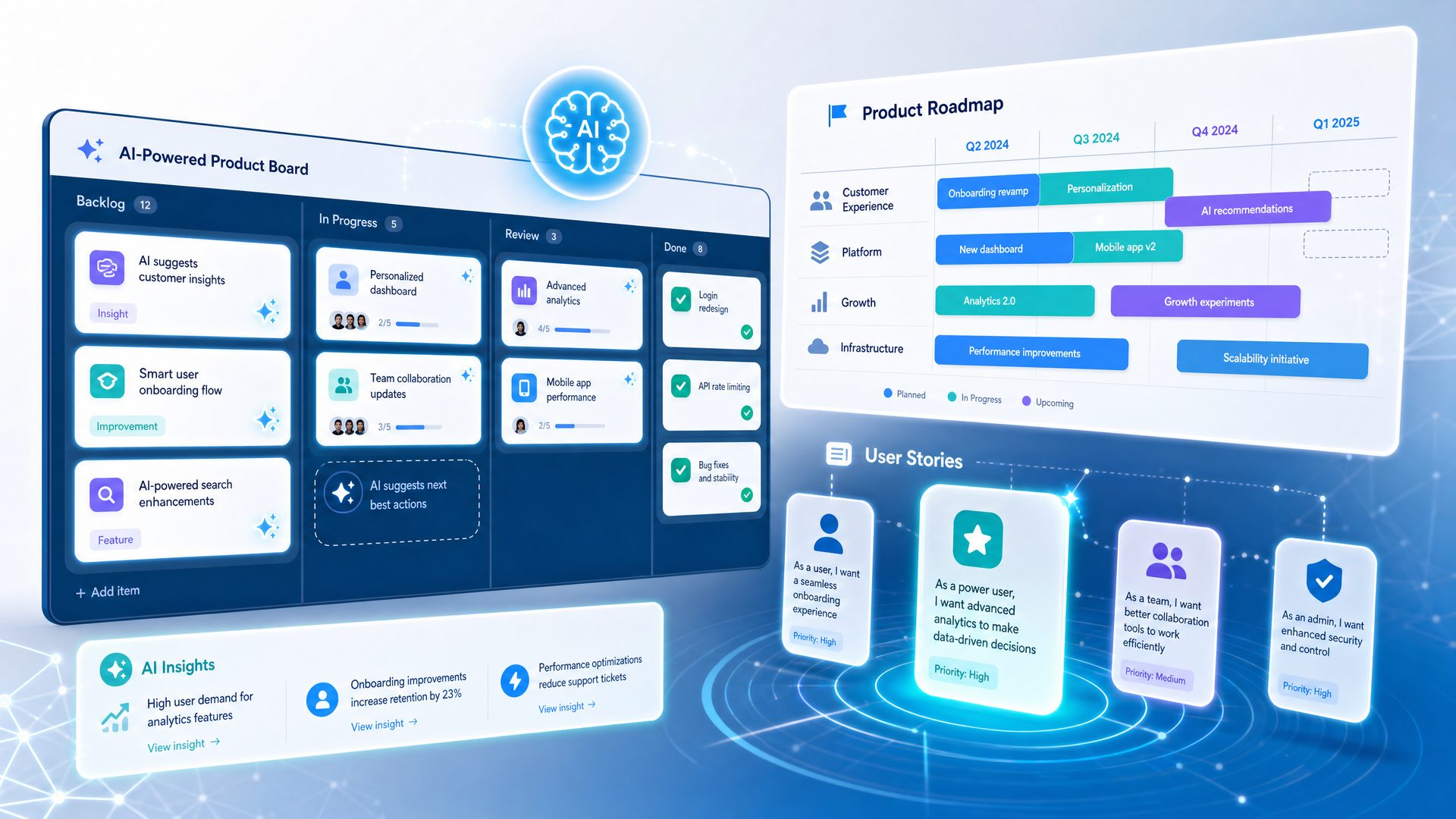
In the rapidly evolving landscape of product development, the integration of artificial intelligence (AI) has become a pivotal factor in enhancing efficiency, accuracy, and strategic decision-making. The release of GPT-5.5 represents a monumental advancement in AI-assisted product management workflows, fundamentally transforming how product teams ideate, plan, and execute their roadmaps.
Traditional product management tools, such as Canvas and similar visual collaboration platforms, have long served as foundational aids for teams to map out ideas, workflows, and project timelines. However, these tools primarily offer static visual frameworks and require extensive manual input and coordination. This often leads to fragmented workflows, delayed feedback loops, and challenges in maintaining alignment across cross-functional teams.
GPT-5.5 transcends these limitations by introducing dynamic, context-aware natural language processing (NLP) and advanced code block generation capabilities. These features enable product managers to automate complex documentation, generate actionable insights, and synthesize diverse data sources with unprecedented speed and precision. The result is a streamlined, AI-augmented workflow that reduces manual overhead and empowers teams to focus on strategic innovation.
Understanding GPT-5.5’s Core Capabilities in Product Management
At its core, GPT-5.5 leverages state-of-the-art transformer architectures and extensive training on diverse datasets to deliver:
- Enhanced Natural Language Understanding (NLU): GPT-5.5 comprehends nuanced product management terminology, stakeholder inputs, and market context, enabling it to generate highly relevant and precise outputs.
- Structured Output Formatting: The model can produce outputs in multiple structured formats such as JSON, Markdown, tables, and code blocks, facilitating seamless integration with existing tools and workflows.
- Context-Aware Prompting: GPT-5.5 maintains context over extended conversations or documents, allowing for iterative refinement of product artifacts like PRDs and roadmaps.
- Multi-Modal Integration: While primarily text-based, GPT-5.5 can be combined with other AI models for image, diagram, or data visualization generation, enhancing the richness of product documentation.
Step-by-Step: How GPT-5.5 Transforms Key Product Management Tasks
Below is a detailed breakdown of how GPT-5.5 can be applied to core product management workflows, highlighting the transition from manual processes to AI-augmented automation.
-
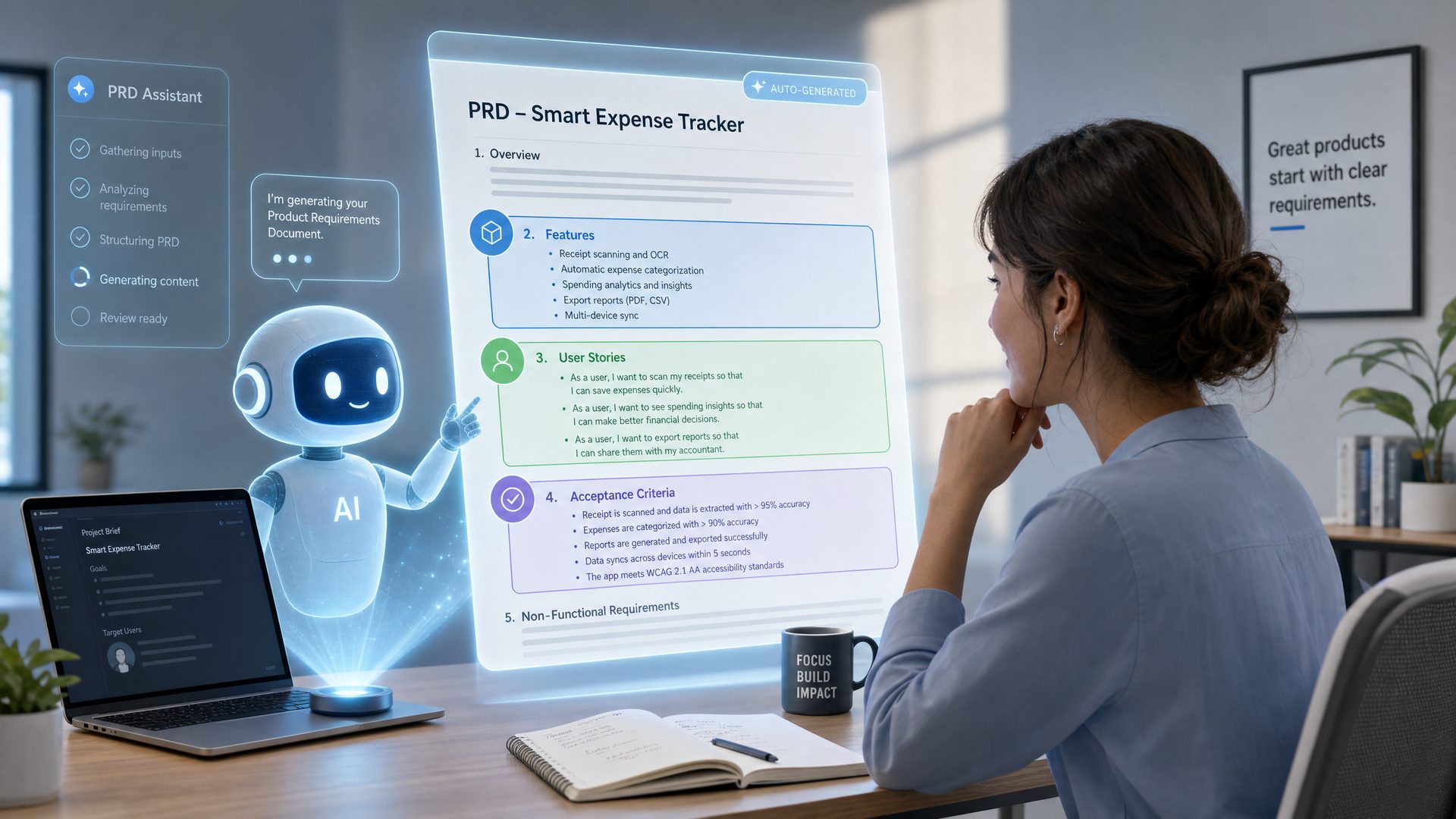
Generating Comprehensive Product Requirement Documents (PRDs)
- Traditional Challenge: PRDs often require consolidating inputs from multiple stakeholders, market research, and technical constraints, which is time-consuming and prone to inconsistencies.
- GPT-5.5 Solution: By feeding GPT-5.5 with stakeholder notes, market data, and feature ideas, it can synthesize a coherent, detailed PRD draft that includes sections like objectives, user personas, functional requirements, and acceptance criteria.
- Example Prompt: “Generate a PRD for a mobile fitness app targeting beginners, including user stories, feature list, and success metrics.”
-
Prioritizing Roadmaps Using Frameworks Like RICE
- Traditional Challenge: Prioritization frameworks require manual scoring and consensus-building, which can be subjective and slow.
- GPT-5.5 Solution: GPT-5.5 can intake feature descriptions and quantitative inputs (Reach, Impact, Confidence, Effort) and output a prioritized roadmap with clear rationale for each ranking.
- Example Prompt: “Rank the following features using the RICE framework and provide a prioritized roadmap.”
-
Conducting Competitive Analyses
- Traditional Challenge: Gathering and synthesizing competitor data is labor-intensive and often outdated by the time it’s compiled.
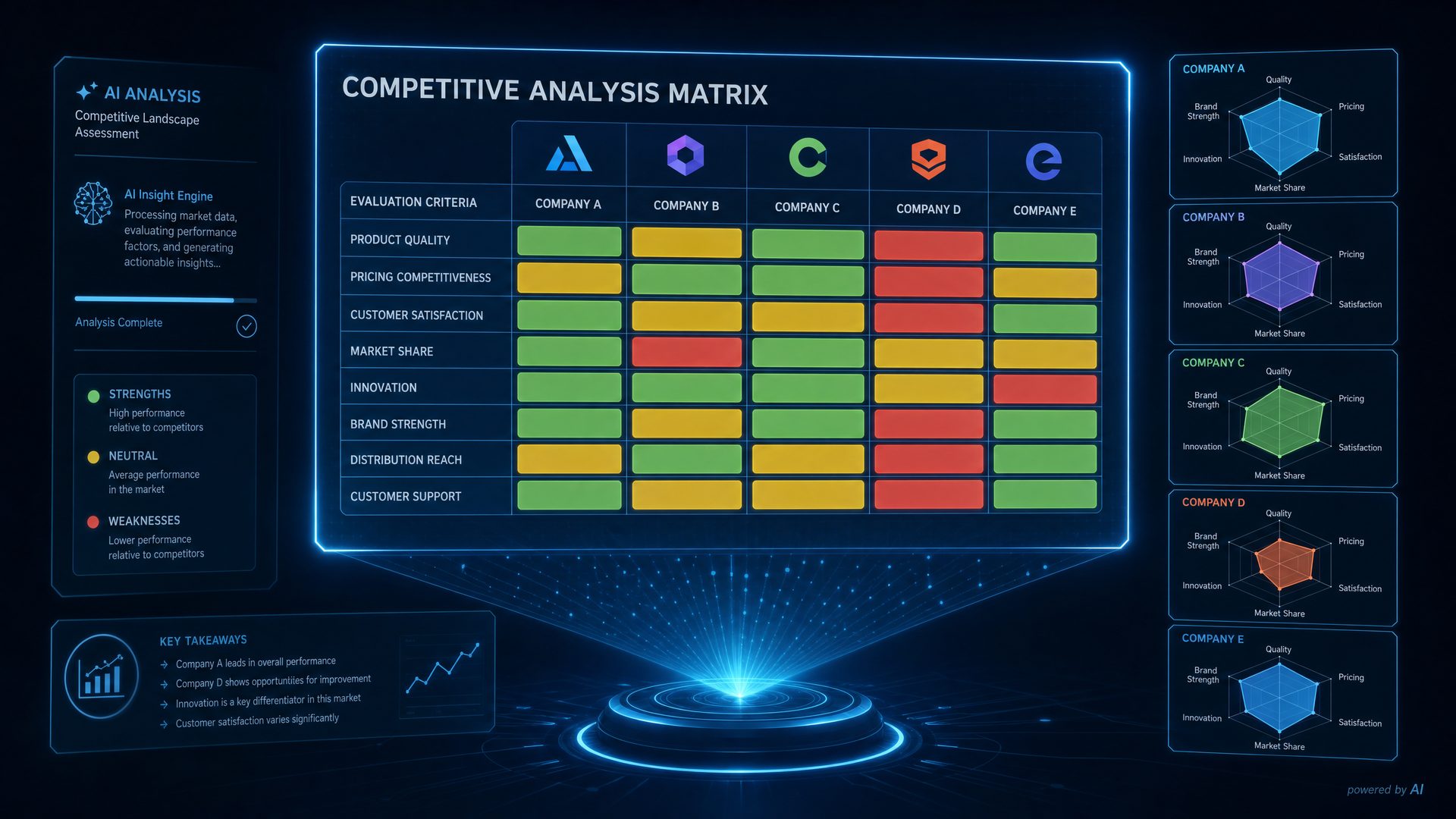
- GPT-5.5 Solution: GPT-5.5 can analyze competitor descriptions, market trends, and user reviews to generate comparative matrices, SWOT analyses, and strategic recommendations.
- Example Prompt: “Create a competitive analysis matrix comparing our product with Competitor A and Competitor B.”
-
Crafting Detailed User Stories and Feature Specifications
- Traditional Challenge: Writing clear, testable user stories and acceptance criteria requires domain expertise and iterative refinement.
- GPT-5.5 Solution: GPT-5.5 can generate user stories from high-level feature descriptions, ensuring consistency and completeness.
- Example Prompt: “Write user stories for a new social sharing feature with acceptance criteria.”
-
Synthesizing Customer Feedback
- Traditional Challenge: Feedback is often unstructured and voluminous, making it difficult to extract actionable insights.
- GPT-5.5 Solution: GPT-5.5 can analyze large sets of customer feedback, categorize sentiments, identify recurring themes, and suggest feature improvements.
- Example Prompt: “Summarize key themes from 500 customer reviews and suggest top 3 product improvements.”
Production-Grade Code Example: Automating PRD Generation with GPT-5.5 API
The following example demonstrates how a product manager or developer can integrate GPT-5.5 into their workflow using a Python script to generate a PRD draft automatically.
<!-- Production-grade Python script to generate a PRD using GPT-5.5 API -->
<code class="language-python">
import requests
import json

# Define the GPT-5.5 API endpoint and your API key
API_ENDPOINT = "https://api.gpt5.5.example.com/v1/generate"
API_KEY = "sk-xxxxxxxxxxxx"

def generate_prd(product_description):
    """
    Generates a Product Requirement Document (PRD) draft using GPT-5.5 API.

    Args:
        product_description (str): High-level description of the product or feature.

    Returns:
        str: Generated PRD content in Markdown format.
    """
    headers = {
        "Authorization": f"Bearer {API_KEY}",
        "Content-Type": "application/json"
    }

    # Construct the prompt with clear instructions and context
    prompt = (
        "You are an expert product manager. "
        "Generate a detailed Product Requirement Document (PRD) for the following product description:\n\n"
        f"{product_description}\n\n"
        "Include sections: Introduction, User Personas, Features, User Stories, Acceptance Criteria, and Success Metrics."
    )

    payload = {
        "model": "gpt-5.5",
        "prompt": prompt,
        "max_tokens": 1500,
        "temperature": 0.7,
        "top_p": 0.9,
        "stop": ["\n\n"]
    }

    response = requests.post(API_ENDPOINT, headers=headers, data=json.dumps(payload))

    if response.status_code == 200:
        result = response.json()
        prd_content = result.get("choices", [{}])[0].get("text", "")
        return prd_content.strip()
    else:
        raise Exception(f"API request failed with status code {response.status_code}: {response.text}")

# Example usage
if __name__ == "__main__":
    product_desc = "A mobile fitness app targeting beginners that tracks workouts, provides personalized plans, and integrates social sharing."
    prd = generate_prd(product_desc)
    print(prd)
</code>
Comparative Analysis: GPT-5.5 vs. Legacy Product Management Tools
| Feature | Legacy Tools (e.g., Canvas) | GPT-5.5 |
|---|---|---|
| Workflow Type | Manual, static visual frameworks | Dynamic, AI-driven automation and generation |
| Collaboration | Manual input and updates, limited context retention | Context-aware, iterative prompting with memory |
| Documentation | Requires manual drafting and consolidation | Automated generation of PRDs, user stories, and specs |
| Prioritization | Manual scoring and consensus building | Automated scoring using frameworks like RICE with rationale |
| Competitive Analysis | Manual data gathering and analysis | AI-driven synthesis and strategic recommendations |
| Customer Feedback | Unstructured, manual review | Sentiment analysis and theme extraction at scale |
| Integration | Often siloed, limited API support | Flexible output formats for seamless integration |
Real-World Industry Use Cases
Leading organizations across various sectors have begun integrating GPT-5.5 into their product management workflows, yielding measurable improvements:
- FinTech Startup: Reduced PRD drafting time by 60%, enabling faster iteration cycles and improved stakeholder alignment through AI-generated detailed documentation.
- Enterprise SaaS Company: Automated roadmap prioritization using GPT-5.5’s RICE scoring, resulting in a 30% increase in on-time feature delivery and better resource allocation.
- Healthcare App Developer: Leveraged GPT-5.5 to synthesize patient feedback and regulatory requirements into actionable user stories, accelerating compliance and user satisfaction.
- Consumer Electronics Manufacturer: Used GPT-5.5 for competitive analysis and market trend synthesis, informing strategic pivots that increased market share by 15% within one year.
Best Practices for Maximizing GPT-5.5 in Product Management
To fully harness GPT-5.5’s capabilities, consider the following guidelines:
- Craft Clear, Context-Rich Prompts: Provide detailed background information and explicit instructions to guide the AI’s output.
- Iterate and Refine: Use GPT-5.5’s context retention to progressively improve documents and analyses through multiple prompt cycles.
- Validate Outputs: Always review AI-generated content for accuracy, completeness, and alignment with business goals.
- Integrate with Existing Tools: Utilize GPT-5.5’s structured output formats to automate imports into project management, documentation, and analytics platforms.
- Maintain Data Privacy: Ensure sensitive product and customer data are handled securely when interfacing with AI services.
This playbook distills these principles into 20 meticulously crafted GPT-5.5 prompts tailored specifically for product management and roadmap planning. Each prompt is designed to maximize clarity, reproducibility, and actionable output, enabling product teams to replace fragmented legacy workflows with a unified, AI-driven process.
For a deeper dive into GPT-5.5’s prompting capabilities and best practices, see our comprehensive GPT-5.5 prompting guide.
20 Detailed GPT-5.5 Prompts for Product Management and Roadmap Planning
In the dynamic world of product management, leveraging AI-driven tools like GPT-5.5 can significantly enhance your ability to strategize, plan, and execute product initiatives. Below, we present an exhaustive masterclass on 20 meticulously crafted GPT-5.5 prompts tailored for product management and roadmap planning. Each prompt is accompanied by deep conceptual explanations, step-by-step instructions, real-world use cases, comparative insights, and production-grade examples to maximize your productivity and decision-making precision.
A Product Requirement Document (PRD) is a foundational artifact in product management that outlines the purpose, scope, and specifications of a product feature or release. It serves as a single source of truth for cross-functional teams including engineering, design, marketing, and QA. A well-structured PRD ensures alignment, reduces ambiguity, and accelerates delivery.
Key sections typically include:
- Overview: High-level summary and context.
- Goals: Clear, measurable objectives.
- User Personas: Target users and their characteristics.
- User Needs: Problems or desires the feature addresses.
- Functional Requirements: Specific behaviors and capabilities.
- Non-Functional Requirements: Performance, security, usability constraints.
- Dependencies: Internal and external systems involved.
- Success Metrics: KPIs to evaluate feature impact.
Using GPT-5.5 to generate a PRD outline based on a feature description can save time and ensure completeness.
- Prepare a clear feature description: Summarize the feature’s purpose, target users, and expected benefits in 2-3 sentences.
- Input the description into the prompt: Replace
<Insert feature description here>with your prepared text. - Run the prompt in GPT-5.5: Request the output as a structured markdown document.
- Review and customize: Edit the generated PRD outline to fit your organization’s standards and add any missing details.
- Share with stakeholders: Use the PRD as a collaboration tool for feedback and alignment.
This approach accelerates PRD creation while maintaining thoroughness.
Using the following feature description, create a detailed Product Requirement Document (PRD) outline including sections for Overview, Goals, User Personas, User Needs, Functional Requirements, Non-Functional Requirements, Dependencies, and Success Metrics.

Feature Description: <Insert feature description here>

Please format the output as a structured markdown document with headings and bullet points.
# Product Requirement Document (PRD) - <Feature Name>

## 1. Overview
- Brief summary of the feature

## 2. Goals
- List of measurable objectives

## 3. User Personas
- Persona 1: Description
- Persona 2: Description

## 4. User Needs
- Need 1
- Need 2

## 5. Functional Requirements
- Requirement 1
- Requirement 2

## 6. Non-Functional Requirements
- Performance
- Security

## 7. Dependencies
- Internal systems
- External APIs

## 8. Success Metrics
- Metric 1
- Metric 2
At a leading SaaS company, product managers used this GPT-5.5 prompt to rapidly generate PRD outlines for quarterly feature releases. This practice reduced initial drafting time by 40%, enabling earlier stakeholder reviews and quicker iteration cycles.
The RICE scoring model is a quantitative prioritization framework that helps product teams objectively rank features based on four dimensions:
- Reach: How many users will be affected within a time frame.
- Impact: The degree of benefit to users (often scored 1-3 or 1-5).
- Confidence: How sure you are about your estimates (percentage).
- Effort: Estimated person-months or points required to build.
The formula is: RICE Score = (Reach × Impact × Confidence) / Effort. Higher scores indicate higher priority.
Using GPT-5.5 to calculate and sort features by RICE score can streamline backlog grooming and roadmap planning.
- Compile feature data: For each feature, estimate Reach, Impact, Confidence, and Effort.
- Format the list as per the prompt: Replace placeholders with actual values.
- Run the prompt: GPT-5.5 will calculate RICE scores and output a prioritized table.
- Validate results: Cross-check scores with team insights and adjust estimates if necessary.
- Use the prioritized list: Inform sprint planning, resource allocation, and stakeholder communication.
Given the following list of features with their Reach, Impact, Confidence, and Effort scores, calculate the RICE score for each feature and provide a prioritized list sorted from highest to lowest score.

Features:
1. <Feature A> - Reach: <number>, Impact: <number>, Confidence: <percentage>, Effort: <number>
2. <Feature B> - Reach: <number>, Impact: <number>, Confidence: <percentage>, Effort: <number>
...

Please output a table with columns: Feature, Reach, Impact, Confidence, Effort, RICE Score, Priority Rank.
| Feature   | Reach | Impact | Confidence | Effort | RICE Score | Priority Rank |
|-----------|-------|--------|------------|--------|------------|---------------|
| Feature A | 1000  | 3      | 80%        | 5      | 480        | 1             |
| Feature B | 800   | 4      | 90%        | 8      | 360        | 2             |
| ...       | ...   | ...    | ...        | ...    | ...        | ...           |
| Framework | Key Factors | Pros | Cons | Best Use Case |
|---|---|---|---|---|
| RICE | Reach, Impact, Confidence, Effort | Quantitative, objective, balances effort and impact | Requires accurate estimates, can be complex | Feature prioritization with measurable metrics |
| Moscow | Must, Should, Could, Won’t | Simple, easy to communicate | Subjective, lacks quantification | Initial backlog sorting |
| Kano Model | Basic, Performance, Excitement features | Focuses on user satisfaction | Qualitative, requires user research | Feature design and innovation |
| Value vs. Complexity | Business value, implementation complexity | Visual prioritization, easy trade-offs | Can oversimplify impact | Quick prioritization in agile teams |
<!--
This Python script demonstrates how to calculate RICE scores for a list of features and output a sorted table.
-->
<script type="text/python">
import pandas as pd

# Sample feature data
features = [
    {"Feature": "Feature A", "Reach": 1000, "Impact": 3, "Confidence": 0.8, "Effort": 5},
    {"Feature": "Feature B", "Reach": 800, "Impact": 4, "Confidence": 0.9, "Effort": 8},
    {"Feature": "Feature C", "Reach": 1500, "Impact": 2, "Confidence": 0.7, "Effort": 6},
]

# Calculate RICE score
for feature in features:
    feature["RICE Score"] = (feature["Reach"] * feature["Impact"] * feature["Confidence"]) / feature["Effort"]

# Create DataFrame
df = pd.DataFrame(features)

# Sort by RICE Score descending
df = df.sort_values(by="RICE Score", ascending=False).reset_index(drop=True)

# Add Priority Rank
df["Priority Rank"] = df.index + 1

print(df[["Feature", "Reach", "Impact", "Confidence", "Effort", "RICE Score", "Priority Rank"]])
</script>
A fintech startup used the RICE framework with GPT-5.5 assistance to prioritize features for their mobile app. By quantifying assumptions and automating calculations, they improved roadmap transparency and stakeholder buy-in, resulting in a 25% faster time-to-market.
Competitive analysis is a critical strategic activity that helps product teams understand the market landscape, identify gaps, and uncover opportunities. A focused competitive analysis on a specific feature allows teams to benchmark against rivals, evaluate strengths and weaknesses, and make informed product decisions.
Key dimensions to analyze include:
- Feature Availability: Does the competitor offer this feature fully, partially, or not at all?
- Strengths: What advantages or unique aspects does the competitor’s implementation have?
- Weaknesses: Limitations, usability issues, or missing elements.
- Pricing: Cost structure related to the feature.
- User Feedback: Customer sentiment and reviews highlighting experience.
GPT-5.5 can synthesize large volumes of competitive data into concise, structured reports, saving hours of manual research.
- Identify competitors: Select at least three direct or indirect competitors relevant to your feature.
- Gather data: Collect information on feature availability, pricing, user reviews, and known strengths/weaknesses.
- Input data into the prompt: Replace placeholders with competitor names and feature details.
- Run the prompt: GPT-5.5 will generate a structured report with tables and bullet points.
- Analyze output: Use the report to identify opportunities for differentiation and potential threats.
Analyze the competitive landscape for the following feature: <Feature Name>. Compare at least three competitors on feature availability, strengths, weaknesses, pricing, and user feedback. Provide a concise summary highlighting opportunities and threats.

Competitors:
- <Competitor 1>
- <Competitor 2>
- <Competitor 3>

Format the output as a structured report with bullet points and tables where appropriate.
# Competitive Analysis - <Feature Name>

| Competitor   | Feature Availability | Strengths              | Weaknesses           | Pricing     | User Feedback Summary    |
|--------------|---------------------|-----------------------|----------------------|-------------|--------------------------|
| Competitor 1 | Yes                 | Fast, reliable        | Limited integrations | $29/month   | Mostly positive, some UX issues |
| Competitor 2 | Partial             | Extensive features    | Complex UI           | $49/month   | Mixed reviews             |
| Competitor 3 | No                  | N/A                   | N/A                  | N/A         | N/A                      |

## Opportunities
- Opportunity 1
- Opportunity 2

## Threats
- Threat 1
- Threat 2
| Competitor | Feature Availability | Pricing Tier | Market Segment |
|---|---|---|---|
| Competitor 1 | Full | $29/month (Pro) | SMBs |
| Competitor 2 | Partial | $49/month (Enterprise) | Mid-market |
| Competitor 3 | None | N/A | Startups |
<!--
This Python script uses pandas to create a competitive analysis table and outputs a markdown report.
-->
<script type="text/python">
import pandas as pd

# Define competitor data
data = {
    "Competitor": ["Competitor 1", "Competitor 2", "Competitor 3"],
    "Feature Availability": ["Yes", "Partial", "No"],
    "Strengths": ["Fast, reliable", "Extensive features", "N/A"],
    "Weaknesses": ["Limited integrations", "Complex UI", "N/A"],
    "Pricing": ["$29/month", "$49/month", "N/A"],
    "User Feedback Summary": [
        "Mostly positive, some UX issues",
        "Mixed reviews",
        "N/A"
    ]
}

df = pd.DataFrame(data)

# Output markdown table
print("# Competitive Analysis - <Feature Name>\n")
print(df.to_markdown(index=False))

print("\n## Opportunities\n- Opportunity 1\n- Opportunity 2\n")
print("## Threats\n- Threat 1\n- Threat 2\n")
</script>
4. Styles and Head: Mastering HTML Document Structure and Styling for Product Management Tools
In the realm of product management and roadmap planning, the presentation of information is just as critical as the content itself. Whether you are building an internal dashboard, a product roadmap visualization, or a collaborative planning tool, understanding how to effectively structure your HTML document and apply styles is foundational. This section dives deep into the <head> element and CSS styling — two pillars that empower you to create performant, accessible, and visually appealing web applications tailored for product management workflows.
Understanding the <head> Element: The Document’s Brain
The <head> element is a container for metadata and resources that define the behavior, appearance, and SEO characteristics of your HTML document. It does not display content directly but influences how the browser interprets and renders the page.
Key components typically found inside the <head>:
<meta>tags: Define character encoding, viewport settings for responsiveness, and SEO metadata.<title>: Sets the page title shown in the browser tab and search engine results.<link>tags: Connect external resources like stylesheets, fonts, and icons.<style>tags: Embed CSS directly within the document.<script>tags: Load JavaScript files or inline scripts that affect page behavior.
For product management tools, the <head> is crucial for:
- Ensuring accessibility and responsiveness: The viewport meta tag enables your roadmap to adapt seamlessly across devices.
- Loading corporate branding assets: Fonts and color schemes that reflect your company’s identity.
- Optimizing performance: Properly linking and ordering CSS and JS files to reduce load times.
Step-by-Step Guide to Building a Robust <head> Section
- Set the Character Encoding: Use UTF-8 to support international characters, essential for global teams.
<meta charset="UTF-8" /> - Configure the Viewport: Make your page mobile-friendly and responsive.
<meta name="viewport" content="width=device-width, initial-scale=1" /> - Define the Page Title: Use a descriptive title that helps users and search engines.
<title>Product Roadmap Planner - Q3 2024</title> - Link External Stylesheets: Connect your CSS files or third-party fonts.
<link rel="stylesheet" href="styles/main.css" /> <link href="https://fonts.googleapis.com/css2?family=Roboto:wght@400;700&display=swap" rel="stylesheet" /> - Include Favicons and Touch Icons: Enhance branding on browser tabs and mobile devices.
<link rel="icon" href="/favicon.ico" type="image/x-icon" /> <link rel="apple-touch-icon" href="/apple-touch-icon.png" /> - Add SEO and Social Sharing Metadata: Improve discoverability and sharing previews.
<meta name="description" content="Interactive product roadmap planning tool for agile teams." />
<meta property="og:title" content="Product Roadmap Planner" />
<meta property="og:description" content="Plan and visualize your product roadmap with ease." />
<meta property="og:image" content="/images/roadmap-preview.png" />
Production-Grade <head> Example for a Product Management Dashboard
<head>
  <meta charset="UTF-8" />
  <meta name="viewport" content="width=device-width, initial-scale=1" />
  <title>Q3 Product Roadmap & Planning Dashboard</title>

  <link rel="stylesheet" href="/css/reset.css" />  <!-- Normalize browser styles -->
  <link rel="stylesheet" href="/css/roadmap.css" />  <!-- Custom styles for roadmap -->
  <link href="https://fonts.googleapis.com/css2?family=Inter:wght@400;600&display=swap" rel="stylesheet" />  <!-- Corporate font -->

  <link rel="icon" href="/favicon.ico" type="image/x-icon" />
  <link rel="apple-touch-icon" href="/apple-touch-icon.png" />

  <meta name="description" content="Interactive product roadmap planning tool for agile teams." />
  <meta property="og:title" content="Q3 Product Roadmap & Planning Dashboard" />
  <meta property="og:description" content="Plan, track, and visualize your product milestones and releases." />
  <meta property="og:image" content="/images/roadmap-og-image.png" />

  <script defer src="/js/roadmap.js"></script>  <!-- Load roadmap interactivity -->
</head>
CSS Styling: Crafting the Visual Identity of Your Product Management Interface
CSS (Cascading Style Sheets) controls the look and feel of your HTML content. In product management applications, CSS is vital to:
- Enhance readability: Clear typography and spacing improve comprehension of complex roadmap data.
- Establish hierarchy: Use colors, font weights, and sizes to differentiate milestones, epics, and tasks.
- Improve usability: Responsive layouts and interactive states (hover, focus) help users navigate efficiently.
- Maintain brand consistency: Align colors, fonts, and UI elements with company guidelines.
Best Practices for Styling Product Management Dashboards
- Use a Consistent Color Palette: Choose colors that convey meaning (e.g., red for delays, green for completed tasks) and maintain accessibility standards (contrast ratios).
- Leverage Typography Hierarchy: Use font sizes and weights to distinguish headings, subheadings, and body text.
- Apply Spacing and Layout Principles: Utilize margins, padding, and grid/flexbox layouts to organize content logically.
- Incorporate Responsive Design: Ensure your roadmap adapts gracefully to different screen sizes, from desktops to tablets and phones.
- Use CSS Variables for Theming: Define reusable variables for colors, fonts, and spacing to simplify maintenance and enable dynamic theming.
Detailed CSS Example: Styling a Product Roadmap Card Component
The following CSS snippet demonstrates a production-ready style for a roadmap card, a common UI element in product management tools. The card displays a feature or milestone with a title, description, status badge, and due date.
/* Root variables for theming */
:root {
  --color-primary: #004080;
  --color-secondary: #0073e6;
  --color-success: #28a745;
  --color-warning: #ffc107;
  --color-error: #dc3545;
  --color-bg: #ffffff;
  --color-text: #222222;
  --font-family: 'Segoe UI', Tahoma, Geneva, Verdana, sans-serif;
  --border-radius: 8px;
  --spacing-unit: 1rem;
}

/* Roadmap card container */
.roadmap-card {
  background-color: var(--color-bg);
  border: 1px solid #ccc;
  border-radius: var(--border-radius);
  box-shadow: 0 2px 6px rgba(0, 0, 0, 0.1);
  padding: calc(var(--spacing-unit) * 1.5);
  margin-bottom: calc(var(--spacing-unit) * 2);
  max-width: 400px;
  font-family: var(--font-family);
  color: var(--color-text);
  transition: box-shadow 0.3s ease;
}

/* Hover effect for interactivity */
.roadmap-card:hover {
  box-shadow: 0 4px 12px rgba(0, 0, 0, 0.15);
}

/* Title styling */
.roadmap-card__title {
  font-size: 1.25rem;
  font-weight: 700;
  margin-bottom: 0.5rem;
  color: var(--color-primary);
}

/* Description text */
.roadmap-card__description {
  font-size: 1rem;
  margin-bottom: 1rem;
  line-height: 1.4;
}

/* Status badge */
.roadmap-card__status {
  display: inline-block;
  padding: 0.25rem 0.75rem;
  border-radius: 12px;
  font-size: 0.85rem;
  font-weight: 600;
  color: #fff;
  text-transform: uppercase;
  letter-spacing: 0.05em;
}

/* Status variants */
.status-completed {
  background-color: var(--color-success);
}

.status-in-progress {
  background-color: var(--color-secondary);
}

.status-delayed {
  background-color: var(--color-error);
}

.status-planned {
  background-color: var(--color-warning);
  color: #222;
}

/* Due date styling */
.roadmap-card__due-date {
  font-size: 0.85rem;
  color: #666;
  margin-top: 0.75rem;
  font-style: italic;
}
HTML Usage Example for the Roadmap Card
<div class="roadmap-card">
  <h3 class="roadmap-card__title">User Authentication Module</h3>
  <p class="roadmap-card__description">Implement OAuth 2.0 login flow with multi-factor authentication support.</p>
  <span class="roadmap-card__status status-in-progress">In Progress</span>
  <div class="roadmap-card__due-date">Due: July 15, 2024</div>
</div>
Comparative Table: Inline Styles vs Embedded Styles vs External Stylesheets
| Styling Method | Description | Advantages | Disadvantages | Best Use Cases |
|---|---|---|---|---|
| Inline Styles | CSS applied directly on HTML elements using the style attribute. |
|
|
Single-use, dynamic styles via JavaScript or quick prototyping |
| Embedded Styles | CSS written inside a <style> tag within the <head> or <body>. |
|
|
Small projects or single-page applications |
| External Stylesheets | CSS stored in separate .css files linked via <link> tags. |
|
|
Medium to large projects, production environments |
Real-World Industry Use Cases
1. Atlassian Jira Roadmap Styling
Jira’s roadmap feature uses a combination of external stylesheets and inline SVG styling to visually differentiate epics, sprints, and dependencies. Their CSS emphasizes clarity with color-coded statuses and responsive layouts to support both desktop and mobile users. The <head> includes meta tags for SEO and performance optimizations, ensuring fast load times even with complex layouts.
The lesson from the Jira pattern is to keep roadmap styling in reusable stylesheets, keep color-coded statuses readable with sufficient contrast and visible focus states, and test responsive layouts and load performance on the devices the team actually supports.
More GPT-5.5 Prompts for Product Management and Roadmap Planning (5–20)
5. Synthesize Customer Feedback Into Product Themes
Prompt: “Analyze the customer feedback below. Group related comments into themes, identify the user problem behind each theme, and include supporting excerpts. Rank themes using only the supplied evidence. Separate observations from interpretations, flag contradictory evidence, and do not invent customer details. Feedback: <Insert feedback>.”
6. Build Evidence-Based User Personas
Prompt: “Using the supplied research notes, draft user personas covering goals, recurring tasks, pain points, constraints, current workarounds, and adoption considerations. Connect each conclusion to its supporting note. Separate confirmed findings from hypotheses that require validation. Research notes: <Insert notes>.”
7. Create a Product Discovery Interview Guide
Prompt: “Create a customer interview guide for investigating <problem or opportunity>. Include an opening script, behavioral questions about recent experiences, neutral follow-up probes, and a closing. Avoid leading questions and requests for feature predictions. Explain what evidence each question is intended to uncover.”
8. Convert Research Into an Opportunity Map
Prompt: “Turn the following research into an opportunity map. Start with the desired outcome, list supported customer opportunities, connect possible solutions to each opportunity, and identify assumptions requiring validation. Mark relationships that are inferred rather than directly supported. Research: <Insert findings>.”
9. Draft Testable User Stories and Acceptance Criteria
Prompt: “Convert this feature concept into concise user stories and testable acceptance criteria: <Insert concept>. Cover the primary path, permissions, validation failures, empty states, recovery behavior, and relevant accessibility needs. List unresolved decisions separately instead of embedding assumptions in the criteria.”
10. Build an Outcome-Oriented Release Plan
Prompt: “Create a release plan for <initiative> using the supplied scope, dependencies, capacity constraints, and target outcome. Divide the work into logical increments, define the outcome expected from each increment, and include validation checkpoints. Do not assign dates where estimates are missing. Inputs: <Insert planning data>.”
11. Map Cross-Functional Dependencies
Prompt: “Analyze the proposed roadmap items below and create a dependency map covering product, design, engineering, data, security, legal, support, and go-to-market work where applicable. Distinguish blocking dependencies from coordination needs, identify sequencing conflicts, and list missing owner information. Items: <Insert roadmap items>.”
12. Produce a Roadmap Risk Register
Prompt: “Create a risk register for this roadmap: <Insert roadmap>. For each risk, describe the trigger, possible effect, affected objective, mitigation, contingency, proposed owner, and review signal. Use qualitative likelihood and severity unless numerical scales are supplied. Separate assumptions from confirmed risks.”
13. Compare Alternative Roadmap Scenarios
Prompt: “Develop conservative, balanced, and aggressive roadmap scenarios from the following constraints and candidate initiatives: <Insert inputs>. For each scenario, explain what is included, deferred, or removed; which outcome it favors; its major dependencies; and the tradeoffs accepted. Preserve uncertainty where evidence is limited.”
14. Write a Stakeholder Roadmap Update
Prompt: “Draft a stakeholder update from these roadmap notes: <Insert notes>. Organize it into outcomes, completed work, current work, decisions, changes, risks, and requested actions. Explain the reason and expected effect of each roadmap change. Do not present tentative plans as commitments.”
15. Define a Product Measurement Plan
Prompt: “Create a measurement plan for <product change>. Connect the product objective to a primary outcome, supporting indicators, guardrail measures, event or data requirements, evaluation cadence, and decision rules. Use placeholders for missing baselines or targets, and identify required data-quality checks.”
16. Design a Product Experiment
Prompt: “Design an experiment for the hypothesis <Insert hypothesis>. Specify the target users, control and treatment conditions, primary measure, guardrails, exposure rules, risks, stopping considerations, and interpretation limits. Do not invent sample sizes, effect estimates, or duration. List the inputs needed to determine them.”
17. Audit and Refine a Product Backlog
Prompt: “Review the backlog below for duplicates, unclear outcomes, oversized items, stale assumptions, missing dependencies, and proposed solutions without defined problems. Recommend whether each item should be clarified, combined, split, validated, deferred, or removed. Preserve the original item identifiers. Backlog: <Insert backlog>.”
18. Facilitate Capacity and Scope Tradeoffs
Prompt: “Given the proposed work, team constraints, and product objectives below, prepare a tradeoff analysis. Identify the smallest coherent scope, work that can be sequenced later, dependencies that limit parallel delivery, and the outcome affected by each cut. Provide decision questions rather than inventing capacity estimates. Inputs: <Insert data>.”
19. Create a Launch Readiness Review
Prompt: “Create a launch readiness review for <release>. Cover product behavior, testing evidence, operational ownership, data and monitoring, security and privacy review, documentation, support preparation, communications, rollout controls, rollback criteria, and unresolved decisions. Classify each item as confirmed, blocked, at risk, or unknown using only the supplied evidence.”
20. Run a Post-Launch Product Review
Prompt: “Prepare a post-launch review from the following goals, results, incidents, feedback, and delivery notes: <Insert evidence>. Compare observed outcomes with the original intent, explain evidence limitations, identify lessons, and recommend whether to continue, revise, expand, or retire the work. Separate immediate fixes from longer-term roadmap candidates.”
Conclusion
These prompts cover discovery, prioritization, specification, roadmap sequencing, launch preparation, and outcome review. Their usefulness depends on the quality of the evidence, constraints, and context supplied with each request.
Treat generated artifacts as working drafts. Verify calculations, challenge unsupported assumptions, assign accountable owners, and use stakeholder review to turn structured output into sound product decisions.
🚀 Stay Ahead with AI Insights
Get the latest ChatGPT tips, tutorials, and news delivered to your inbox weekly.
