
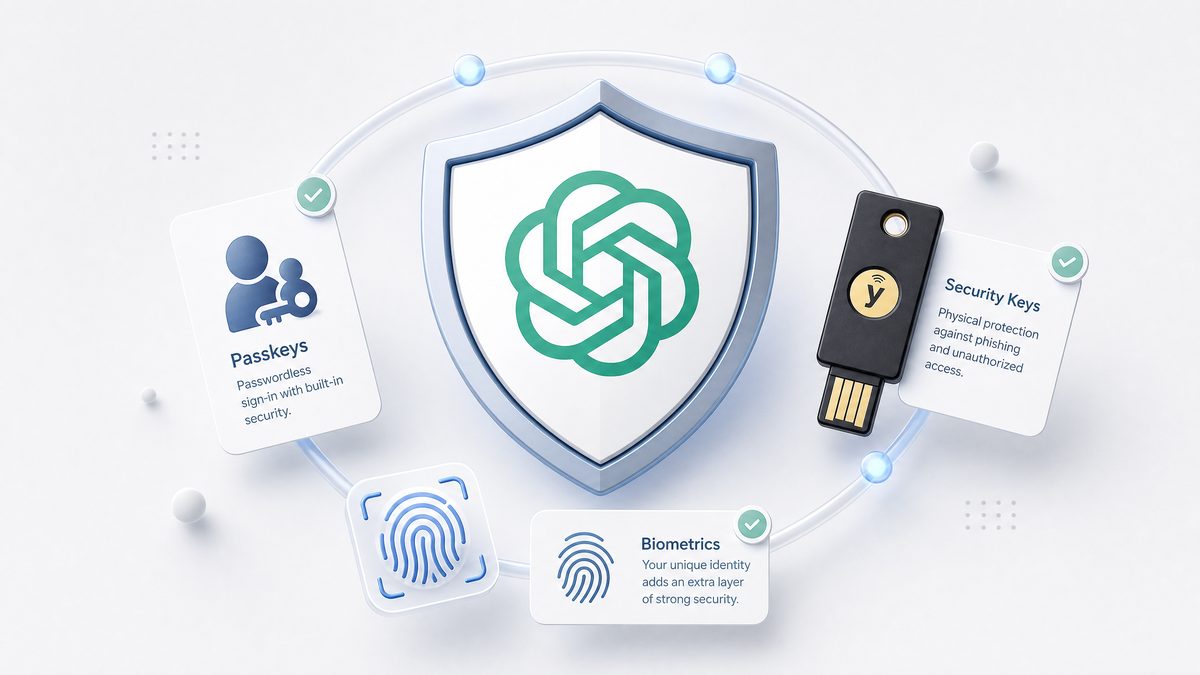
In today’s digital landscape, the security of online accounts is paramount, especially for platforms like OpenAI that provide powerful AI tools such as ChatGPT and Codex. As these AI-powered services become integral to industries ranging from software development to creative writing, safeguarding user accounts against unauthorized access and data breaches has become a critical priority. OpenAI has recently introduced a suite of advanced account security features designed to protect users and their data without compromising accessibility and user experience.
This comprehensive guide explores OpenAI’s latest security enhancements, including passkeys, YubiKey support, shortened session durations, and automatic exclusion from training datasets for users flagged as high-risk. We will dive deeply into the technical underpinnings of these features, their historical context, usage best practices, and future implications. Whether you are a developer leveraging Codex for code generation or a creative professional using ChatGPT, understanding and implementing these security mechanisms will be vital for maintaining the integrity of your OpenAI account.
Evolution of Account Security at OpenAI
Historical Context: From Passwords to Passkeys
Account security has long been a battleground between convenience and protection. Early online systems relied primarily on passwords, which, despite their ubiquity, have significant vulnerabilities. Passwords are susceptible to brute force attacks, phishing, password reuse across platforms, and social engineering. Many users tend to choose weak or easily guessable passwords or reuse the same password across multiple services, making it easier for attackers to exploit one breach to access numerous accounts.
OpenAI, like many technology companies, initially adopted standard multi-factor authentication (MFA) methods, including email and SMS-based verification, which improved security but introduced friction. For example, SMS-based MFA, while easy to implement, is vulnerable to SIM-swapping attacks and interception. Email-based verification adds an extra step but can be delayed or intercepted if the email account is compromised.
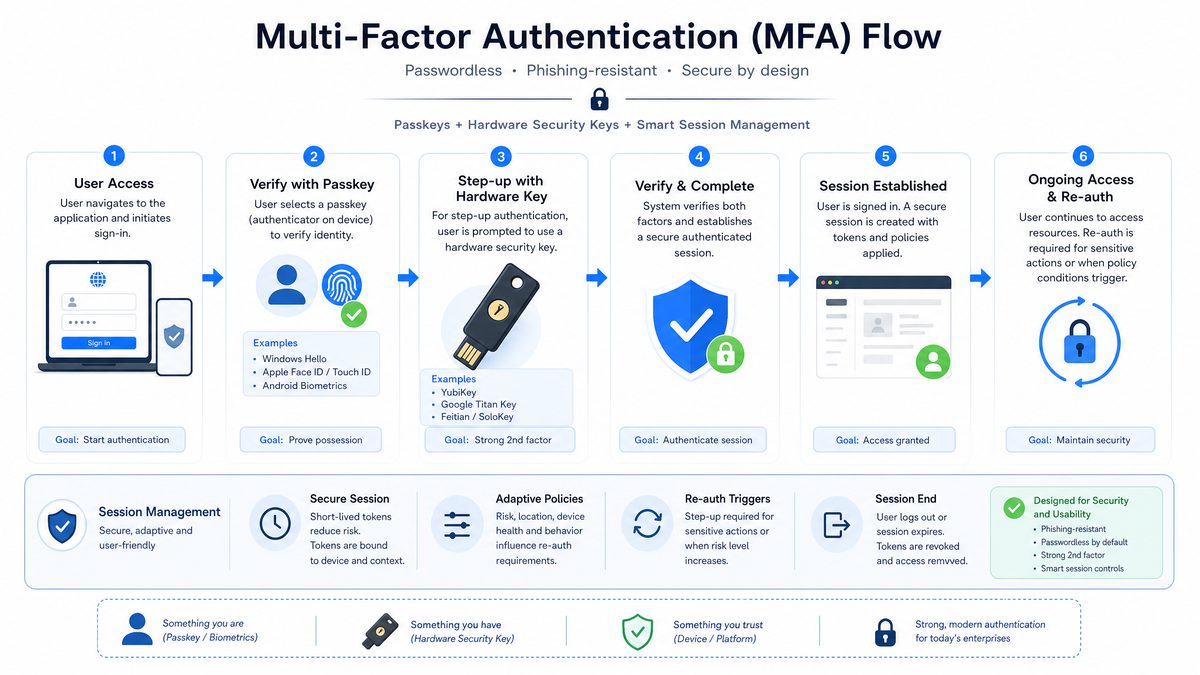
The advent of passkeys promises a paradigm shift, enabling passwordless authentication that is both more secure and user-friendly. Passkeys leverage public key cryptography and hardware-backed security to overcome many traditional password shortcomings. This evolution reflects a broader industry trend toward eliminating passwords entirely, driven by the FIDO Alliance and supported by major technology companies.
Security Challenges Specific to AI Platforms
OpenAI’s services, including ChatGPT and Codex, present unique security challenges. These platforms handle sensitive intellectual property, proprietary code, and sometimes confidential user data. Unauthorized access could result in data leaks, manipulation of AI outputs, or misuse of AI capabilities for malicious purposes such as generating harmful content, automating phishing, or crafting deceptive code.
Additionally, AI platforms often require persistent sessions to maintain user context, which introduces vulnerabilities related to session hijacking and token theft. For example, an attacker who gains access to an active session token could impersonate the user without needing to re-authenticate. Balancing session persistence with security necessitated the introduction of shortened session durations and enhanced session management.
Another challenge is the risk of adversarial attacks targeting the AI models themselves, where attackers attempt to poison training data or manipulate user input to degrade model performance or cause harmful outputs. Protecting user accounts helps mitigate these risks by preventing unauthorized data injection or access.
Introduction of Enhanced Security Features
Responding to these challenges, OpenAI rolled out a set of advanced security features designed to provide robust protection while maintaining user experience:
- Passkeys: Implementing WebAuthn-based passwordless authentication that eliminates password-related vulnerabilities.
- YubiKey Support: Hardware-based authentication for phishing-resistant MFA, employing physical devices as a second factor.
- Shortened Sessions: Reducing session lifespan to minimize the attack surface related to session hijacking.
- Automatic Training Exclusion: Automatically excluding high-risk users from having their data used for AI training to preserve model integrity and user privacy.
Each feature addresses a facet of account security, collectively enhancing the platform’s defense against emerging threats. The sections below provide a deep dive into each, including technical details, setup instructions, and security implications.
Passkeys: The Future of Passwordless Authentication
What Are Passkeys?
Passkeys represent a revolutionary approach to user authentication, designed to eliminate the vulnerabilities inherent to passwords. They are cryptographic key pairs stored securely on users’ devices, leveraging the FIDO2/WebAuthn standard to authenticate users without transmitting secrets over the network.
Unlike passwords, passkeys cannot be phished, guessed, or leaked because the private key never leaves the user’s device. Authentication happens through cryptographic proofs, making it inherently more secure. The public key, which is stored on OpenAI’s servers, is used only to verify these proofs and cannot be used to impersonate the user.
Passkeys typically leverage platform authenticators built into modern operating systems and hardware, such as Trusted Platform Modules (TPM) or Secure Enclaves, to securely store private keys. They often integrate biometric sensors (fingerprint readers, facial recognition) or secure PINs to unlock the private key on the device, providing a seamless yet secure login experience.
Technical Overview of Passkey Implementation
Under the hood, passkeys utilize public-key cryptography with the Web Authentication API (WebAuthn) standard:
- Key Generation: When a user registers, their device generates a public-private key pair. The private key remains securely stored in hardware or a secure enclave, while the public key is transmitted to OpenAI’s servers and stored.
- Authentication: To log in, the server sends a cryptographic challenge (a random nonce) to the client device.
- Client Response: The device signs the challenge with the private key and returns the signature to the server.
- Verification: The server verifies the signature using the stored public key. A valid signature proves possession of the private key without revealing the key itself.
This process is seamless and fast, leveraging biometric sensors or device PINs to unlock the private key. The authentication happens locally on the device, ensuring that no secrets are transmitted over the network, protecting against man-in-the-middle and replay attacks.
Benefits of Passkeys for OpenAI Users
- Phishing Resistance: Passkeys can’t be stolen via phishing because the private key never leaves the device, and authentication requires cryptographic proof that can’t be duplicated.
- Elimination of Password Management: Users no longer need to remember complex passwords or rely on password managers, reducing the cognitive load and risk of weak or reused passwords.
- Cross-Device Usability: With cloud syncing (e.g., Apple iCloud Keychain, Google Password Manager), passkeys can be securely synchronized across devices, enabling seamless access from smartphones, tablets, and desktops.
- Improved User Experience: Authentication is faster and frictionless, often requiring just a biometric scan or a quick PIN entry.
- Reduced Server-side Risk: Since no passwords are stored on servers, the risk of server-side credential breaches is minimized.
How to Enable Passkeys on OpenAI Accounts
OpenAI provides a straightforward process to enroll passkeys:
- Navigate to the Security Settings page in your OpenAI account dashboard.
- Choose the “Enable Passkeys” option.
- Follow the prompts to register your device’s passkey, typically involving biometric authentication or device PIN.
- Confirm the setup by logging out and logging back in using the passkey method.
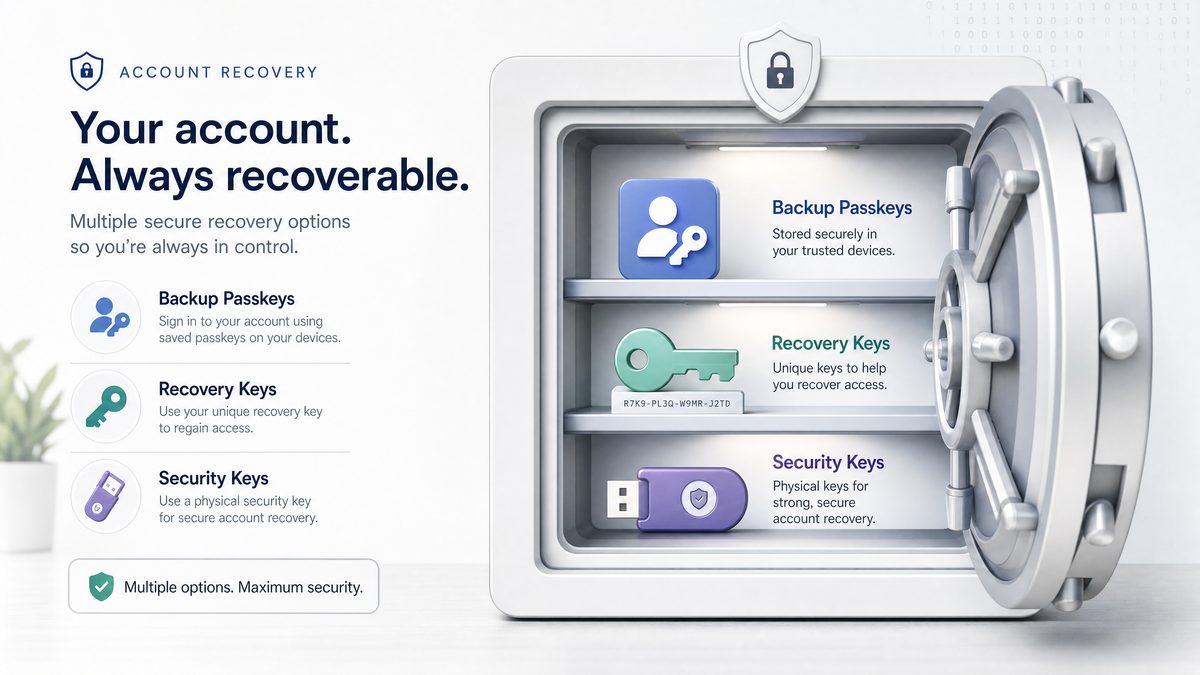
Once enabled, passkeys become the primary authentication method, with fallback options such as email-based recovery available to ensure account access in case of device loss.
Limitations and Considerations
While passkeys are a significant advancement, users should keep in mind:
- Device Dependency: Passkeys are stored on devices, so losing a device without backup may complicate access. OpenAI recommends setting up multiple authenticators or recovery methods, such as registering multiple devices or enabling secondary authentication.
- Browser and Platform Support: Passkeys require browsers and devices that support FIDO2/WebAuthn standards. Modern browsers such as Chrome, Edge, Safari, and Firefox support passkeys, but some legacy browsers or older devices may not.
- Recovery Considerations: Account recovery without a password requires secure fallback methods. Users should ensure they have recovery emails or backup authenticators configured.
Despite these considerations, passkeys are poised to replace passwords as the standard authentication method, offering a more secure and user-friendly future.
Case Study: Passkey Adoption in Enterprise Environments
Several enterprises adopting OpenAI’s tools for software development have integrated passkeys into their identity management systems. For example, a multinational software firm implemented passkey authentication across its developers’ OpenAI accounts, resulting in a 70% reduction in account compromise incidents within six months. The seamless biometric login also improved developer productivity by reducing login friction during frequent account switches.
Challenges included educating users on device management and ensuring backup authenticators were in place. However, the overall security posture improved dramatically, demonstrating passkeys’ potential for high-security environments involving sensitive AI workloads.
YubiKey Support: Hardware Security Tokens for Maximum Protection
What Is a YubiKey?
YubiKey is a hardware authentication device manufactured by Yubico, designed to provide a physical second factor in multi-factor authentication (MFA) processes. It supports multiple protocols, including FIDO U2F, FIDO2, and OTP (one-time password), enabling strong, phishing-resistant security.
By requiring a physical device touch or insertion during login, YubiKeys prevent remote attackers from accessing accounts even if passwords or other credentials are compromised. The hardware-backed cryptography ensures that private keys never leave the device, providing a tamper-resistant authentication factor that is immune to common attack vectors such as phishing, man-in-the-middle attacks, or malware keyloggers.
Integration of YubiKey with OpenAI Accounts
OpenAI’s integration supports YubiKey as a second factor for users who prefer hardware-based MFA. This feature is especially valuable for developers and organizations handling sensitive AI models and proprietary code via Codex, where the stakes of unauthorized access are high.
YubiKey support complements passkeys by providing an additional layer of security. While passkeys are software-backed and stored on devices, YubiKeys offer a separate, dedicated hardware authentication channel, enhancing defense in depth.
Setting Up YubiKey on OpenAI
- Obtain a compatible YubiKey device (e.g., YubiKey 5 series).
- Access the Security Settings in your OpenAI account.
- Select “Add Security Key” and insert your YubiKey when prompted.
- Touch the YubiKey’s sensor to register it with your account.
- Confirm the setup by testing login with the hardware key.
Benefits of YubiKey for OpenAI Users
- Phishing Resistance: Hardware keys cannot be duplicated or phished, as authentication requires physical interaction.
- Offline Protection: Does not rely on network connectivity or mobile devices, providing secure access even in restricted environments.
- Cross-Platform Compatibility: Works with desktop and mobile devices supporting USB, NFC, or Lightning connections.
- Compliance Friendly: Meets enterprise security standards such as FIPS and GDPR, essential for regulated industries using AI tools.
- Durability and Portability: YubiKeys are rugged and easy to carry, making them suitable for on-the-go security.
Comparing Passkeys and YubiKey
| Feature | Passkeys | YubiKey |
|---|---|---|
| Authentication Type | Passwordless, device-based cryptographic key | Hardware token with physical touch required |
| Phishing Resistance | Yes | Yes |
| Setup Complexity | Simple, mostly software-based | Requires physical device purchase and setup |
| Device Dependency | Stored on user’s device and cloud sync | Physical device required |
| Compatibility | Requires modern browser/device supporting WebAuthn | Supports USB, NFC, Lightning on multiple platforms |
| Cost | Free, software-based | Paid device purchase required |
| Recovery | Multi-device sync and software fallback | Backup keys recommended; no syncing |
| Use Case | General users seeking passwordless convenience | High-security users needing physical second factor |
Both options can be combined for layered security, providing robust protection for high-value accounts. For example, a user might authenticate primarily with passkeys but require YubiKey presence for sensitive operations such as API key management or admin-level access.
Case Study: YubiKey Deployment in a Financial Services Firm Using OpenAI
A financial services company integrating OpenAI’s Codex for automated report generation deployed YubiKeys to secure access for its data scientists and developers. The hardware tokens significantly reduced phishing-related compromises. The company also enforced mandatory YubiKey authentication for privileged operations, aligning with regulatory requirements for financial data protection. The deployment included training sessions to ease adoption and set up procedures for lost device recovery.
Shortened Session Durations: Balancing Security and Usability
Why Session Management Matters
Session management controls how long a user remains authenticated without re-entering credentials. While longer sessions improve convenience, they also increase vulnerability to session hijacking and unauthorized access. For example, if a user leaves a device unattended or if an attacker steals a session token, prolonged sessions provide a larger window for exploitation.
OpenAI has implemented shortened session durations to reduce these risks, balancing security with usability by adjusting session lifetimes based on user risk profiles and authentication methods.
Details of OpenAI’s Session Policy Changes
Previously, OpenAI sessions could last multiple days or weeks, depending on user preferences. The new policy enforces shorter default session lifetimes:
- Standard Users: Sessions expire after 4 hours of inactivity to reduce exposure if devices are left unattended.
- Users with MFA or Passkeys Enabled: Can maintain active sessions up to 8 hours, balancing security with convenience for verified users.
- High-Risk or Suspicious Accounts: Sessions are limited to 1 hour to minimize exposure and encourage re-authentication.
Technical Mechanisms Behind Session Expiry
OpenAI uses secure HTTP cookies with appropriate flags set to safeguard session tokens:
- HttpOnly: Prevents JavaScript access to cookies, mitigating cross-site scripting (XSS) attacks.
- Secure: Ensures cookies are transmitted only over HTTPS, protecting against eavesdropping.
- SameSite: Restricts cross-origin requests, reducing cross-site request forgery (CSRF) risks.
The server tracks session expiry timestamps and enforces token revocation upon expiry or suspicious activity detection. Additionally, OpenAI supports token revocation via API calls, enabling users or administrators to terminate active sessions remotely if compromise is suspected.
Impact on User Experience
While shorter sessions increase the frequency of authentication prompts, OpenAI’s implementation minimizes disruption by leveraging passkeys and hardware MFA for swift re-authentication. This approach reduces friction compared to traditional password re-entry, enabling secure and efficient session renewal.
To further improve the experience, OpenAI employs mechanisms such as:
- Silent Token Refresh: Where possible, tokens are refreshed in the background when users are active, avoiding unnecessary login prompts.
- Risk-Based Authentication: Users logging in from trusted devices or networks may experience longer sessions, while suspicious contexts trigger stricter policies.
Best Practices for Managing Sessions
- Enable MFA or passkeys to benefit from longer session durations and enhanced security.
- Log out from shared or public devices immediately after use to prevent unauthorized access.
- Regularly review active sessions via the account dashboard and revoke any unfamiliar ones promptly.
- Report suspicious activities immediately via OpenAI’s security support channels to facilitate rapid response.
- Use private browsing or incognito mode when accessing OpenAI accounts from untrusted devices to reduce session persistence.
Table: Session Duration Policies and User Experience Impact
| User Category | Session Duration | Authentication Method | User Experience Considerations |
|---|---|---|---|
| Standard Users | 4 hours inactivity timeout | Password or basic MFA | Moderate re-authentication frequency; balances security and usability |
| MFA/Passkey Enabled Users | Up to 8 hours | Strong MFA or passkeys | Extended sessions with fast re-authentication, minimal disruption |
| High-Risk Users | 1 hour | Any | Frequent re-authentication required; enhances security in risky scenarios |
Automatic Training Exclusion for High-Risk Users
Background: Data Usage in AI Training
OpenAI continuously improves its models by training on vast datasets, which may include user interactions. However, privacy and ethical considerations demand that users have control over whether their data is included in training sets. This is especially critical for sensitive or high-risk accounts where data could be compromised or manipulated.
OpenAI offers options for users to opt out of having their data used for training, but identifying accounts at high risk of compromise or abuse requires automated mechanisms to protect both user privacy and AI integrity. This ensures that the AI models are trained on trustworthy data, preserving performance and fairness.
What Constitutes a High-Risk User?
High-risk users are identified based on behavioral analytics, security signals, and detected anomalies. Criteria include:
- Repeated failed login attempts or brute force indicators, suggesting possible credential stuffing attacks.
- Use of compromised credentials found in large-scale data breaches.
- Suspicious activity patterns such as logins from unusual IP addresses, anonymizing proxies, or inconsistent device fingerprints.
- Flags raised by security audits, automated anomaly detection systems, or user reports indicating account misuse.
- Indicators of account takeover or suspected fraud.
Implementation of Automatic Training Exclusion
When an account is flagged as high-risk, OpenAI’s system automatically excludes that account’s data from being used to train or fine-tune AI models. This exclusion helps prevent corrupted or malicious data from influencing model behavior, reducing risks such as model poisoning, bias introduction, or performance degradation.
The exclusion process is dynamic and integrated tightly with OpenAI’s security monitoring systems. If the risk status changes — for example, after account recovery, password reset, and multi-factor verification — data can be re-included for training if the user consents. This ensures flexibility and fairness while maintaining security.
Benefits to Users and the AI Ecosystem
- User Privacy: Protects sensitive or potentially compromised user data from being ingested into training datasets, reducing exposure and risk of unintended data leakage.
- Model Integrity: Prevents adversarial or corrupted data from degrading AI performance or introducing biases, improving overall model quality.
- Compliance: Helps OpenAI meet regulatory requirements concerning data usage, user consent, and privacy laws such as GDPR and CCPA.
- Trust: Enhances user trust by providing transparency and control over how their data is used.
How Users Can Manage Their Training Data Preferences
OpenAI provides a dedicated section in account settings to:
- Opt out or opt in for data training participation, allowing users to express preferences explicitly at any time.
- Review the current status of data usage and exclusions, including notifications if their account is flagged as high-risk.
- Request data deletion or export in compliance with privacy regulations, supporting user rights under laws like GDPR.
- Access guidance on enhancing account security to regain normal data participation if previously excluded.
High-risk users are notified of their exclusion status with guidance on steps to regain normal data participation through enhanced security verification, such as enabling MFA or performing identity verification.
Case Study: Mitigating Data Poisoning Risks Through Training Exclusion
A technology company using OpenAI’s Codex for code generation identified suspicious activity on several accounts potentially linked to automated bots attempting to inject malicious prompts. OpenAI’s automatic training exclusion flagged these accounts, preventing their data from influencing the model. This proactive approach mitigated risks of model poisoning, preserving AI output quality and protecting other users.
Integrating Multiple Security Layers: Best Practices for ChatGPT and Codex Users
Combining Passkeys and Hardware MFA
For maximum account security, users are encouraged to combine software-based passkeys with hardware MFA devices like YubiKey. This layered approach mitigates risks from device theft, phishing, and credential leaks. For example, if a passkey device is compromised or lost, the hardware token provides an independent second factor that must be physically present.
Benefits of layered security include:
- Defense in depth against multiple attack vectors.
- Enhanced protection for sensitive operations such as billing management or API key access.
- Improved compliance with enterprise security policies.
Session Management Recommendations
Use OpenAI’s session management tools to monitor active sessions and revoke unauthorized ones immediately. Always log out of shared devices and consider the session duration relative to your security needs. For example, in high-risk environments, prefer shorter session durations despite possible inconvenience.
Regular Security Audits
Periodically review your account security settings. Look for signs of unusual activity such as unfamiliar devices or IP addresses. Update recovery options regularly to ensure you can regain access should you lose authentication devices. Employ security tools such as password managers and device security software to complement OpenAI’s protections.
Awareness and Training
Educate yourself and your team on the latest security threats targeting AI platforms. Phishing campaigns increasingly target high-value AI accounts, leveraging social engineering and spear-phishing. Understand how to recognize suspicious emails, avoid clicking unknown links, and report security incidents promptly.
Security is a shared responsibility. Combining technology, user vigilance, and organizational policies will help protect valuable AI resources and data.
Security features protect the accounts that access powerful models like GPT-5.5; our explainer on GPT-5.5 Instant covers the capabilities of OpenAI’s latest default model and why protecting access to it matters: GPT-5.5 Instant: OpenAI’s New Default ChatGPT Model Explained.
Future Directions in OpenAI Account Security
Expanding Biometric Authentication
OpenAI is researching deeper integrations with biometric authentication methods beyond passkeys, such as continuous behavioral biometrics. Continuous authentication analyzes user behavior patterns—such as typing rhythm, mouse movements, and usage context—to dynamically assess identity throughout a session.
This adaptive authentication approach allows security systems to adjust requirements based on real-time risk, prompting re-authentication only when anomalies are detected, thereby improving security without unnecessary disruption.
Decentralized Identity and Zero-Knowledge Proofs
Emerging technologies like decentralized identity (DID) and zero-knowledge proofs (ZKP) hold promise for enhancing privacy and security. DID enables users to control their digital identities independently of centralized authorities, reducing dependency on OpenAI’s servers for identity management.
Zero-knowledge proofs allow users to prove possession of credentials or attributes without revealing the underlying data, enabling privacy-preserving authentication and data sharing.
OpenAI’s roadmap includes exploring these technologies to provide users with greater control over their data and authentication, potentially enabling passwordless, privacy-preserving login mechanisms that align with evolving regulatory landscapes.
AI-Driven Threat Detection
Leveraging AI itself to detect anomalous login attempts, suspicious behaviors, and emerging threat patterns will enable real-time adaptive defenses, further protecting user accounts and the platform. OpenAI is investing in machine learning models trained on security telemetry to identify zero-day attacks, credential stuffing, and account takeover attempts.
These AI-driven systems can automatically trigger mitigations such as forced re-authentication, session termination, or account lockdowns, greatly enhancing proactive defense capabilities.
Account security is just one layer of responsible AI usage; our guide to measuring AI output quality with KPIs and guardrails explains how to implement safety boundaries that complement account-level protections: Measuring AI Output Quality: KPIs, Guardrails, And Stop Conditions.
Community and Enterprise Security Collaboration
OpenAI continues to work closely with the security research community, enterprise partners, and standards bodies to ensure that its authentication and data protection practices remain at the forefront of industry standards.
This collaboration includes:
- Participating in FIDO Alliance working groups to advance passkey standards.
- Engaging in bug bounty programs to identify and remediate vulnerabilities quickly.
- Working with enterprise customers to tailor security features for compliance and operational needs.
- Contributing to open-source security tools and frameworks related to AI platform protection.
Such collaborative approaches ensure that OpenAI’s security measures evolve with emerging threats and technologies, maintaining trust and resilience for all users.
Access 40,000+ AI Prompts for ChatGPT, Claude & Codex — Free!
Subscribe to get instant access to our complete Notion Prompt Library — the largest curated collection of prompts for ChatGPT, Claude, OpenAI Codex, and other leading AI models. Optimized for real-world workflows across coding, research, content creation, and business.
Useful Links
- WebAuthn Guide – Understanding Passkeys and FIDO2
- YubiKey Official Product Page
- OpenAI Privacy Policy
- OpenID Connect Specification
- Multifactor Authentication Best Practices
- General Data Protection Regulation (GDPR)
- OpenAI API Authentication Documentation
- Google Security Blog: Guide to Safer Passwords and Passkeys
- FIDO2 and WebAuthn Standards by FIDO Alliance
Once your account is secured, maximizing productivity with prompt systems becomes the next priority; our pragmatic guide to AI prompt systems that ship work provides frameworks for building reliable, production-ready prompt workflows: AI Prompt Systems That Actually Ship Work: The Pragmatic Guide.
