
Prompting GPT-5.5 Instant: How to Leverage Memory Sources, Personalization, and Reduced Hallucinations

Mastering Prompting for GPT-5.5 Instant: A Comprehensive Guide
Author: Markos Symeonides
The release of GPT-5.5 Instant marks a transformative step in large language model (LLM) capabilities. With enhanced memory integration, improved visual reasoning, and refined output reliability, GPT-5.5 Instant demands a fresh, strategic approach to prompting. This guide provides an authoritative, in-depth exploration of how to craft effective prompts tailored to GPT-5.5 Instant’s unique architecture and capabilities.
1. Understanding GPT-5.5 Instant’s Memory Sources and Their Impact on Prompting
One of the most significant advancements in GPT-5.5 Instant is its ability to pull context from multiple memory sources such as past chat interactions, uploaded files, and integrated Gmail accounts. This fundamental shift requires prompt engineers and users to rethink how they structure inputs to maximize the model’s contextual awareness and personalization.
1.1 The New Memory Paradigm: Multi-Source Context Integration
Unlike previous versions, GPT-5.5 Instant can automatically access and incorporate information from a user’s previous conversations, documents, and emails. This memory integration means the model can provide more consistent and personalized responses without requiring repeated context insertion.
For example, if you’ve previously discussed your company’s quarterly results in a chat or uploaded an Excel file with financial data, GPT-5.5 Instant can draw from these sources to enhance the accuracy and relevance of answers related to business analytics.
1.2 Prompting Strategy Adjustments for Memory-Enabled Models
- Explicitly reference past context: When relevant, mention or cue the model to use specific past interactions or files.
- Reduce redundant context input: Since the model remembers prior data, avoid repeating large blocks of information unnecessarily.
- Clarify temporal relevance: Use prompts that distinguish between recent and older data to ensure the model prioritizes the right information.
1.3 Example: Leveraging Memory in a Prompt
Hi GPT, based on our last discussion about the 2024 Q1 sales report (refer to the Excel file I uploaded last week), can you summarize the key growth drivers? Also, cross-reference with the recent customer feedback email chain in my Gmail.In this example, the prompt explicitly instructs GPT-5.5 Instant to reference two memory sources. This guides the model to integrate data from files and emails for a nuanced response.

2. Personalization: Guiding GPT-5.5 Instant to Use Your Context Effectively
Personalization is a core strength of GPT-5.5 Instant, powered by its memory capabilities. However, to unlock this potential, prompts must be crafted to direct the model to use the specific user context appropriately.
2.1 Techniques to Enhance Personalization
- Define user identity and preferences clearly: Include relevant background information or preferences in the prompt to shape responses.
- Use role-based prompting: Frame the prompt so GPT assumes a role that fits your context (e.g., “Act as my financial analyst” or “You are my project manager”).
- Leverage memory references: Indicate which stored contexts the model should prioritize.
2.2 Example: Personalized Prompting for Task Management
You are my personal assistant familiar with my calendar and email. Please draft a follow-up email for the meeting scheduled on April 15th with the marketing team, referencing our last campaign's performance metrics.This prompt instructs GPT-5.5 Instant to assume a familiarized role and pull from calendar and email memory sources, enabling a context-aware, personalized output.
2.3 Balancing Contextual Detail and Prompt Clarity
While GPT-5.5 Instant can handle rich context, overly long or ambiguous prompts can overwhelm or confuse the model. Striking a balance between providing enough detail and maintaining prompt clarity is essential. Use bullet points or numbered lists to organize complex instructions where appropriate.
3. Trust and Verification: Leveraging Reduced Hallucinations in GPT-5.5 Instant
GPT-5.5 Instant introduces significant improvements in factual accuracy and reduced hallucinations. However, understanding when to trust outputs and when to verify remains critical.
3.1 Improved Reliability: What Has Changed?
Thanks to enhanced training datasets, retrieval-augmented generation, and advanced context integration, GPT-5.5 Instant delivers more accurate and consistent responses. It also better flags uncertainties or gaps in knowledge.
3.2 When to Trust GPT-5.5 Instant Outputs
- Routine or well-established knowledge: Answers involving general facts, standard procedures, or previously validated data.
- Contextualized tasks with memory references: Responses drawing from user-provided files or verified emails.
- Visual reasoning outputs: When the model references uploaded images or diagrams accurately.
3.3 When to Apply Verification
- Critical decisions or high-stakes information: Legal, medical, or financial advice requiring expert validation.
- New or rapidly changing domains: Emerging technologies, breaking news, or ongoing events.
- Ambiguous or incomplete prompts: When the input lacks clarity, the model may infer inaccurately.
3.4 Prompting for Confidence and Source Citation
To encourage GPT-5.5 Instant to provide source-based answers and indicate confidence levels, use prompts like:
Provide a summary of the topic along with references or source citations. If uncertain, please state so explicitly.This improves transparency and helps users gauge when to trust outputs or seek additional verification.
4. Crafting Prompts for Response Length: Concise vs Detailed Outputs
GPT-5.5 Instant offers flexible control over response verbosity. Tailoring prompt instructions can optimize output length and focus.
4.1 Prompting for Conciseness
- Use directives such as
“In 2-3 sentences,”“Summarize briefly,”or“Give a bullet-point overview.” - Limit scope by asking for key points or highlights only.
- Example:
Briefly summarize the main features of GPT-5.5 Instant in 3 bullet points.4.2 Prompting for Detail
- Request elaboration using terms like
“Explain in detail,”“Provide a comprehensive analysis,”or“Include examples and use cases.” - Encourage multi-paragraph or multi-step explanations.
- Example:
Explain in detail how GPT-5.5 Instant integrates memory from files and emails to improve response accuracy. Include practical use cases.4.3 Before and After Prompt Examples: Conciseness vs Detail
| Prompt | Response Style | Output Characteristics |
|---|---|---|
| Summarize GPT-5.5 Instant features. | Concise | General overview, 1-2 sentences, less context |
| Summarize GPT-5.5 Instant features in 3 bullet points. | Concise (Improved) | Clear bullet points, focused key features |
| Explain GPT-5.5 Instant features. | Detailed | Paragraph-long descriptions, examples, technical depth |
| Explain GPT-5.5 Instant features with use cases and technical details. | Detailed (Enhanced) | Multi-paragraph, practical applications, nuanced explanation |
5. Exploring Visual Reasoning Capabilities in GPT-5.5 Instant
GPT-5.5 Instant introduces significantly enhanced visual reasoning abilities, enabling it to interpret and analyze images, charts, and diagrams more effectively.
5.1 How to Prompt for Visual Analysis
- Upload or reference images: Attach images or provide links and explicitly instruct the model to analyze visual content.
- Use descriptive instructions: Ask specific questions about the image’s content, relationships, or implications.
- Request multi-modal integration: Combine text and image inputs for richer insights.
5.2 Example Prompts for Visual Reasoning
Analyze the attached flowchart and explain the decision-making process step-by-step.Based on the graph image I uploaded, identify the main trend in sales growth over the past year and predict the next quarter's performance.5.3 Limitations and Best Practices
Despite improvements, visual reasoning is optimized for clear, high-quality images. Complex or ambiguous visuals may require additional textual context or follow-up prompts for clarification.
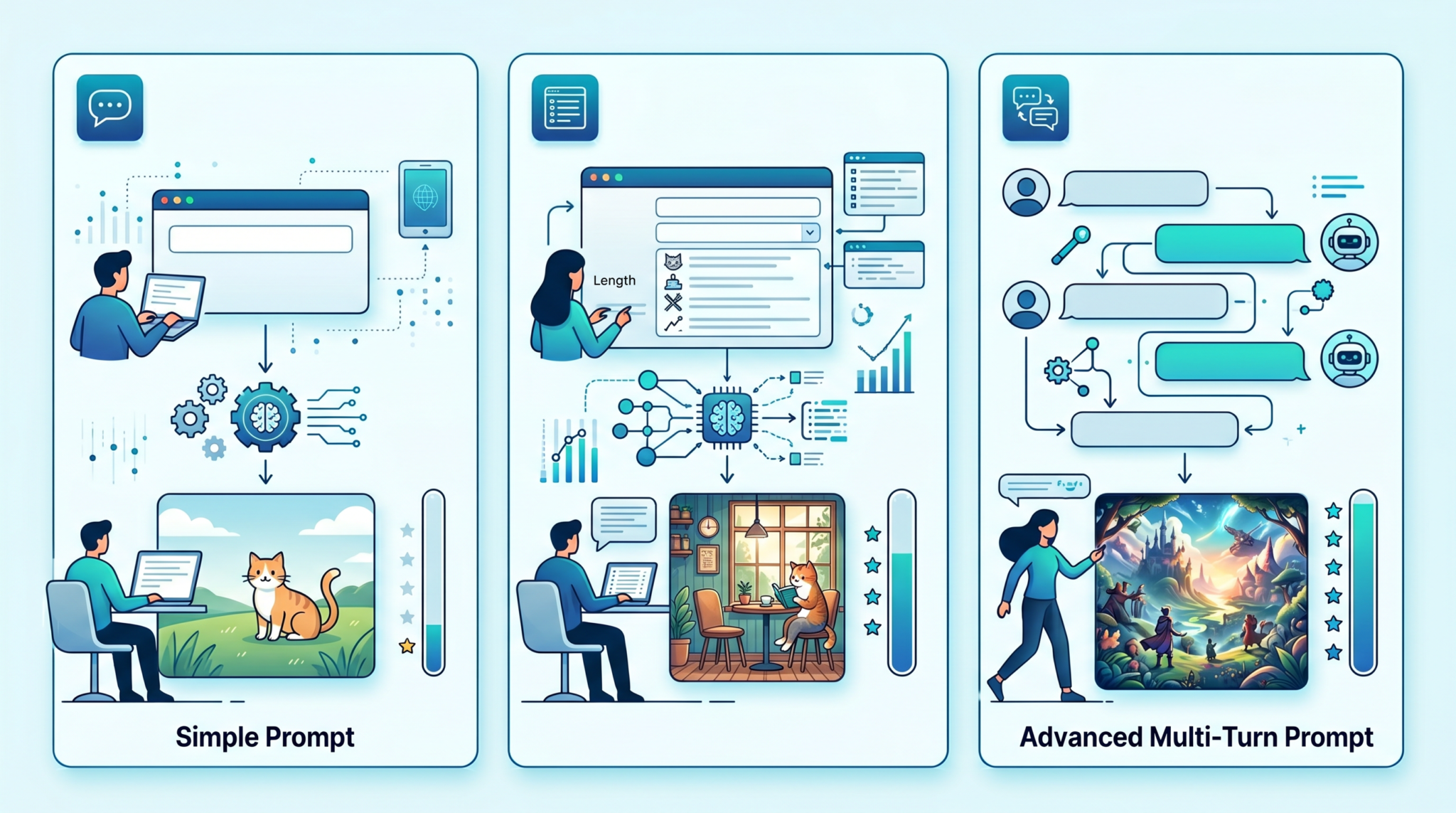
6. Multi-Turn Conversation Strategies with GPT-5.5 Instant
GPT-5.5 Instant supports extended multi-turn dialogues with improved context retention across interactions, making it ideal for complex, iterative tasks.
6.1 Maintaining Context Across Turns
- Rely on the model’s memory to preserve relevant information without repeating it in each prompt.
- Use reminders or references to prior turns when switching topics or requesting clarifications.
6.2 Prompting Techniques for Dialogue Flow
- Explicit turn indicators: Use markers like “In our last conversation,” or “Continuing from earlier,” to orient the model.
- Summarize periodically: Ask the model to recap key points to ensure alignment.
6.3 Example Multi-Turn Dialogue Snippet
User: Can you help me draft a project proposal for our new AI tool?

GPT-5.5 Instant: Certainly! What are the key goals and target audience?

User: The goal is to automate customer support. The audience is mid-sized e-commerce companies.

GPT-5.5 Instant: Understood. Here's a draft outline. Would you like me to expand on any section?
7. Activating Web Search in GPT-5.5 Instant Prompts
GPT-5.5 Instant can perform live web searches to fetch up-to-date information. Proper prompting is essential to trigger and control this functionality.
7.1 How to Prompt for Web Search Activation
- Include explicit instructions such as
“Search the web for…”or“Find the latest information on…”. - Specify the type of sources or date ranges if necessary.
- Request source citations to validate retrieved information.
7.2 Example Web Search Prompt
Search the web for recent developments in quantum computing as of June 2024 and summarize the top three breakthroughs with source links.7.3 Combining Web Search with Memory
GPT-5.5 Instant can fuse retrieved web data with existing memory sources. Prompting can direct how to integrate these inputs, e.g., “Compare the latest news findings with our previous reports.”
8. Prompting Patterns: What Works Better in GPT-5.5 Instant vs GPT-5.3
Transitioning from GPT-5.3 to 5.5 Instant requires understanding which prompt patterns have evolved or become more effective.
8.1 Enhanced Context Utilization
GPT-5.5 Instant excels at leveraging long-term memory and multi-source context, reducing the need for exhaustive prompt context dumping common in GPT-5.3.
8.2 Visual and Multi-Modal Prompts
GPT-5.3 had limited visual reasoning. GPT-5.5 Instant prompts that include images or visual data yield richer, more accurate outputs.
8.3 Dynamic Web-Integrated Prompting
Web search activation is new in 5.5 Instant. GPT-5.3 prompts focused solely on static knowledge, whereas 5.5 prompts can dynamically request fresh data.
8.4 Before/After Comparison Table
| Prompting Aspect | GPT-5.3 Approach | GPT-5.5 Instant Approach |
|---|---|---|
| Context Handling | Manual context inclusion; repetitive | Automatic memory retrieval; minimal redundancy |
| Visual Input | Unsupported or basic | Advanced visual reasoning integrated |
| Web Search | Unavailable | Prompt-activated, real-time search |
| Personalization | Limited to session context | Multi-source memory and preference integration |
9. Enterprise Prompting: Designing Team-Level Prompt Templates
In enterprise settings, consistency and scalability in prompting are critical. GPT-5.5 Instant’s capabilities enable sophisticated team-level prompt templates that leverage memory and personalization.
9.1 Characteristics of Effective Enterprise Templates
- Modular Design: Templates divided into reusable components (e.g., context, task, constraints).
- Memory Integration: Placeholders for user or project-specific data automatically pulled from shared knowledge bases.
- Role-based Instructions: Clear role definitions for the model to emulate specific functions or expertise.
- Flexibility: Parameterized prompts allowing team members to customize inputs without rewriting templates.
9.2 Example Enterprise Template for Customer Support
[Role: Customer Support Agent]

Context: Use the latest customer interaction logs and product update files from the shared drive.

Task: Provide a resolution summary and next steps for the following query:

User Query: {insert customer question here}

Constraints: Keep the response under 150 words and maintain a polite tone.
This framework enables consistent, context-aware outputs aligned with enterprise knowledge bases and tone guidelines.
10. 15+ Specific GPT-5.5 Instant Prompt Examples with Explanations
Below are detailed prompts crafted for GPT-5.5 Instant showcasing various capabilities and best practices.
-
Using the sales data file from last quarter and the recent customer satisfaction emails, generate a SWOT analysis of our product line.Explanation: Combines multiple memory sources for a comprehensive business analysis.
-
Summarize the attached PDF document on climate change policies. Highlight any new regulations passed in 2024.Explanation: Directs the model to analyze uploaded documents and extract timely insights.
-
Act as my personal coding assistant. Based on our previous conversations, suggest improvements to my Python script for data cleaning.Explanation: Leverages prior chat context for personalized coding help.
-
Analyze the chart image I just uploaded and explain the correlation between variables A and B.Explanation: Uses visual reasoning to interpret data visualization.
-
Search the web for recent breakthroughs in renewable energy technology and provide a summary with links.Explanation: Activates web search to retrieve up-to-date scientific information.
-
Provide a concise, bullet-point summary of the main points from our last meeting notes stored in the team drive.Explanation: Uses file memory and prompts for concise formatting.
-
Explain the concept of reinforcement learning as if teaching a graduate student, including examples.Explanation: Tailors response style for a specific audience level.
-
Draft a polite follow-up email for a delayed project update, referencing the last email thread in my Gmail.Explanation: Uses email memory for personalized communication drafting.
-
Compare the performance of GPT-5.3 and GPT-5.5 Instant in handling multi-turn conversations.Explanation: Requests comparative analysis incorporating model knowledge.
-
List common pitfalls when prompting GPT-5.5 Instant and suggest how to avoid them.Explanation: Ideal for prompt engineering and user education.
-
Provide a detailed step-by-step guide to optimizing prompts for GPT-5.5 Instant with examples.Explanation: Comprehensive instructional prompt showing model’s educational strengths.
-
Using the uploaded organizational chart image, identify key decision-makers for project approval.Explanation: Applies visual reasoning to corporate data.
-
Explain how to activate web search in GPT-5.5 Instant and best practices for its use.Explanation: Educational prompt on new features.
-
Summarize the latest cybersecurity threats reported in news articles from the past month.Explanation: Combines web search and temporal specificity.
-
Generate a team prompt template for customer support responses, incorporating shared knowledge from the enterprise wiki.Explanation: Demonstrates enterprise-level prompting best practices.
11. Common Mistakes When Prompting GPT-5.5 Instant and How to Avoid Them
Despite GPT-5.5 Instant’s power, certain pitfalls reduce prompt effectiveness. Awareness and mitigation of these mistakes can dramatically improve outcomes.
11.1 Overloading Prompts with Excessive Context
Because the model accesses memory sources, users often redundantly include large context blocks, causing confusion or slower responses.
Solution: Trust the model’s memory retrieval and focus prompts on instructions rather than context dumping.
11.2 Ambiguous or Vague Instructions
Imprecise prompts lead to generic or irrelevant outputs. For example, “Tell me about sales” is too broad.
Solution: Be specific about the information, format, and scope required.
11.3 Ignoring Model’s Role and Persona Capabilities
Failing to assign a role or persona can yield inconsistent tone or style.
Solution: Use role-based prompt framing to instruct the model on desired voice and expertise.
11.4 Neglecting to Request Source Citations or Confidence Indicators
Trusting all outputs blindly can be hazardous.
Solution: Prompt the model to cite sources or highlight uncertainty when applicable.
11.5 Overusing Web Search Activation
Excessive or unnecessary live searches may slow responses and produce noise.
Solution: Enable web search selectively for topics requiring current information.
12. Advanced Memory Management Techniques in GPT-5.5 Instant
12.1 Understanding Memory Hierarchies and Access Patterns
GPT-5.5 Instant utilizes a hierarchical memory system that prioritizes different sources based on recency, relevance, and source type. The model dynamically weighs information from short-term chat memory, medium-term uploaded files, and long-term connected accounts (e.g., Gmail, calendars). Understanding this hierarchy is crucial for crafting prompts that elicit the most pertinent information.
For example, when querying sales performance, recent uploaded spreadsheets or emails are weighted more heavily than a discussion from several months ago. This allows the model to provide up-to-date insights while retaining historical context.
12.2 Memory Source Prioritization via Prompting
Prompts can explicitly instruct GPT-5.5 Instant to prioritize or exclude certain memory sources. This fine-tuning is valuable in scenarios where specific data streams are more reliable or relevant.
- Example prompt to prioritize file memory:
Focus primarily on the data from the uploaded Excel file titled "2024 Marketing Metrics" and disregard earlier chat discussions for this analysis.- Example prompt to exclude email memory:
Provide recommendations based on our document repositories only; please ignore emails and past chat logs for this task.This control helps avoid conflicting or outdated inputs from less relevant memory sources.
12.3 Managing Memory Overload and Expiry
Although GPT-5.5 Instant’s memory integration is powerful, excessive or conflicting context can degrade response quality. Users should:
- Periodically clear or archive obsolete memory sources to maintain relevancy.
- Use prompt constraints to limit the scope of memory retrieval.
- Encourage the model to summarize or abstract previous data to reduce cognitive load.
For instance:
Summarize the key points from our previous quarterly reports before analyzing the new data.This approach helps maintain concise and targeted outputs while leveraging historical insights.
13. Customizing GPT-5.5 Instant’s Tone and Style Through Prompt Engineering
13.1 Role-Based Style Conditioning
GPT-5.5 Instant supports nuanced role emulation that affects tone, vocabulary, and formality. You can instruct the model to adopt professional, casual, technical, or creative styles depending on your needs.
- Formal corporate communication:
You are a senior business consultant. Write a formal report on the market expansion strategy with professional tone and clear structure.- Casual brainstorming assistant:
Act as my creative partner. Provide informal, out-of-the-box ideas for a new mobile app concept.13.2 Style Parameters and Tone Modifiers
Use explicit style keywords and modifiers in prompts to fine-tune outputs further. Examples include:
Use simple language suitable for a non-technical audience.Maintain a motivational and encouraging tone throughout the response.Adopt a skeptical and analytical voice when reviewing scientific claims.
Combining these with memory references ensures the response not only fits the content but also the intended delivery style.
13.3 Practical Example: Tone and Style Customization
You are a technical writer summarizing the attached whitepaper on AI ethics. Write a concise summary using accessible language aimed at policy makers unfamiliar with AI jargon.
This prompt guides GPT-5.5 Instant to balance technical content with clarity and audience appropriateness, enhancing comprehension and engagement.
14. Integrating GPT-5.5 Instant with External Tools and APIs
14.1 Leveraging API Hooks for Dynamic Prompting
GPT-5.5 Instant can be integrated with external APIs and tools to enrich prompt inputs and validate outputs dynamically. This integration enables real-time data retrieval, automated context updates, and multi-system workflows.
For example, a sales dashboard API can feed the latest figures into the prompt, which GPT-5.5 Instant then analyzes, generating insights or forecasts without manual data entry.
14.2 Automated Context Injection
Developers can automate the injection of relevant context from connected systems by programming prompt templates that dynamically pull user or organizational data. This approach minimizes manual prompt crafting and ensures consistent context across interactions.
- Example: A CRM tool automatically appends the latest customer interaction summary to the prompt when requesting GPT-5.5 Instant to draft follow-up emails.
14.3 Output Post-Processing and Validation
Integrating GPT-5.5 Instant with external validation services (e.g., fact-checking APIs, compliance checkers) allows automated vetting of generated content. This is particularly useful in regulated industries such as finance or healthcare.
For instance, after GPT-5.5 Instant generates a financial summary, a compliance API can scan the text for regulatory adherence, flagging any potential issues before delivery.
14.4 Use Case: End-to-End Workflow Example
- User requests a market analysis report.
- Backend system fetches latest sales data and competitor info via APIs.
- Dynamic prompt is constructed combining fetched data and user preferences.
- GPT-5.5 Instant generates a detailed report.
- Compliance and plagiarism APIs review the output.
- Final report is delivered to the user with citations and compliance certification.
This workflow demonstrates how GPT-5.5 Instant can be embedded in complex enterprise ecosystems, enhancing automation, accuracy, and governance.
Conclusion
GPT-5.5 Instant is a milestone in AI prompting, combining expansive memory, improved factuality, visual reasoning, and web search capabilities. Effective prompting for GPT-5.5 Instant balances leveraging these innovations with clear, precise instructions tailored to context and task. By adopting the strategies, templates, and best practices outlined in this guide, developers, professionals, and enterprises can harness GPT-5.5 Instant’s full potential for insightful, personalized, and accurate AI interactions.
Related Reading
Stay Ahead of the AI Curve
Get weekly insights on ChatGPT, Claude, and AI productivity delivered straight to your inbox. Join 40,000+ professionals who never miss an update.
