
20 ChatGPT Prompts for AI-Powered Meeting Notes: Summaries, Action Items, Follow-Ups, and Decision Tracking
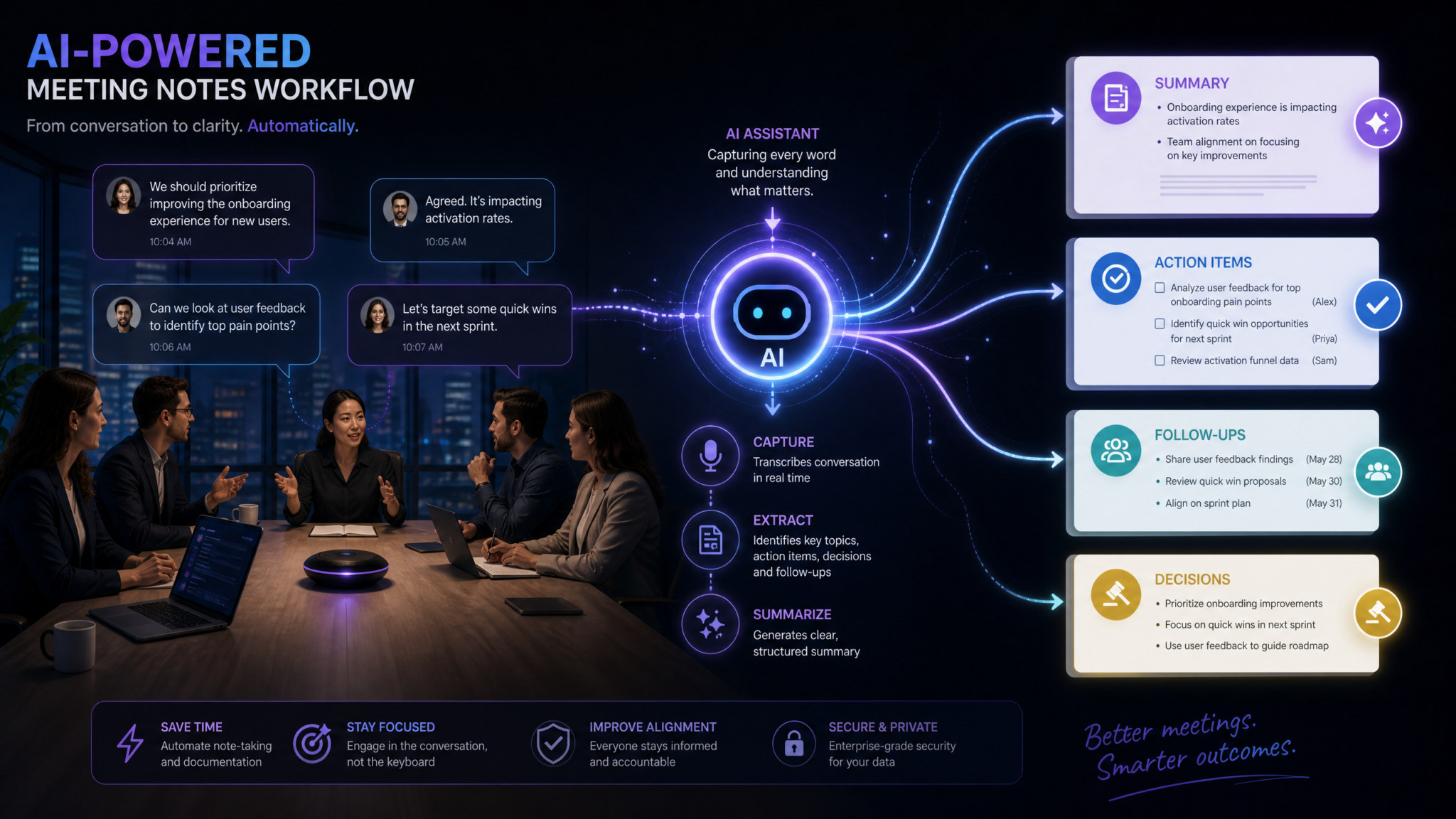
Meeting documentation has long been one of the most time-consuming, inconsistent, and undervalued parts of professional life. Hours of discussion get condensed into scattered bullet points, critical decisions vanish from institutional memory, and follow-up tasks fall through the cracks. ChatGPT changes this equation entirely — turning raw meeting chaos into structured, actionable intelligence with the right prompts. This masterclass gives you 20 battle-tested prompts organized across the complete meeting lifecycle, from agenda preparation through accountability tracking, each designed to save time, improve clarity, and ensure nothing gets lost between the lines.
Why ChatGPT Transforms Meeting Documentation Workflows
The average knowledge worker spends 31 hours per month in unproductive meetings, according to research from Atlassian. Add to that the 4–6 hours typically spent per week writing up notes, distributing summaries, and chasing action item updates, and you’re looking at a significant portion of every professional’s workweek consumed by meeting overhead. The problem isn’t the meetings themselves — it’s the documentation infrastructure around them.
Traditional meeting notes suffer from three core failures: inconsistency (different note-takers capture different things), incompleteness (real-time pressure means things get missed), and inaccessibility (notes live in personal folders, email chains, or scattered documents that nobody revisits). ChatGPT addresses all three failures when you know how to use it strategically.
The key insight most professionals miss is that ChatGPT isn’t just a transcription tool — it’s a cognitive transformation layer. You feed it raw, messy input: a rough transcript, a wall of bullet points, a stream-of-consciousness summary, or even your personal shorthand notes. It returns structured intelligence: organized summaries, ranked priorities, formatted emails, and decision logs. The difference in output quality comes down almost entirely to prompt quality. That’s what this masterclass delivers.
The Meeting Documentation Problem in Numbers
| Documentation Failure | Reported Impact | ChatGPT Solution |
|---|---|---|
| Inconsistent note formats | 67% of teams report difficulty finding past meeting info | Template-based structure on every meeting |
| Missed action items | 45% of decisions made in meetings never get executed | Automated extraction and assignment prompts |
| Summary time cost | Average 47 minutes per meeting to write proper notes | Reduced to under 10 minutes with prompt workflows |
| Stakeholder miscommunication | 38% of escalations traced to unclear meeting follow-ups | Audience-specific summary generation |
| Decision amnesia | 58% of managers can’t recall key decisions after 2 weeks | Structured decision logs with context preservation |
How to Use This Masterclass
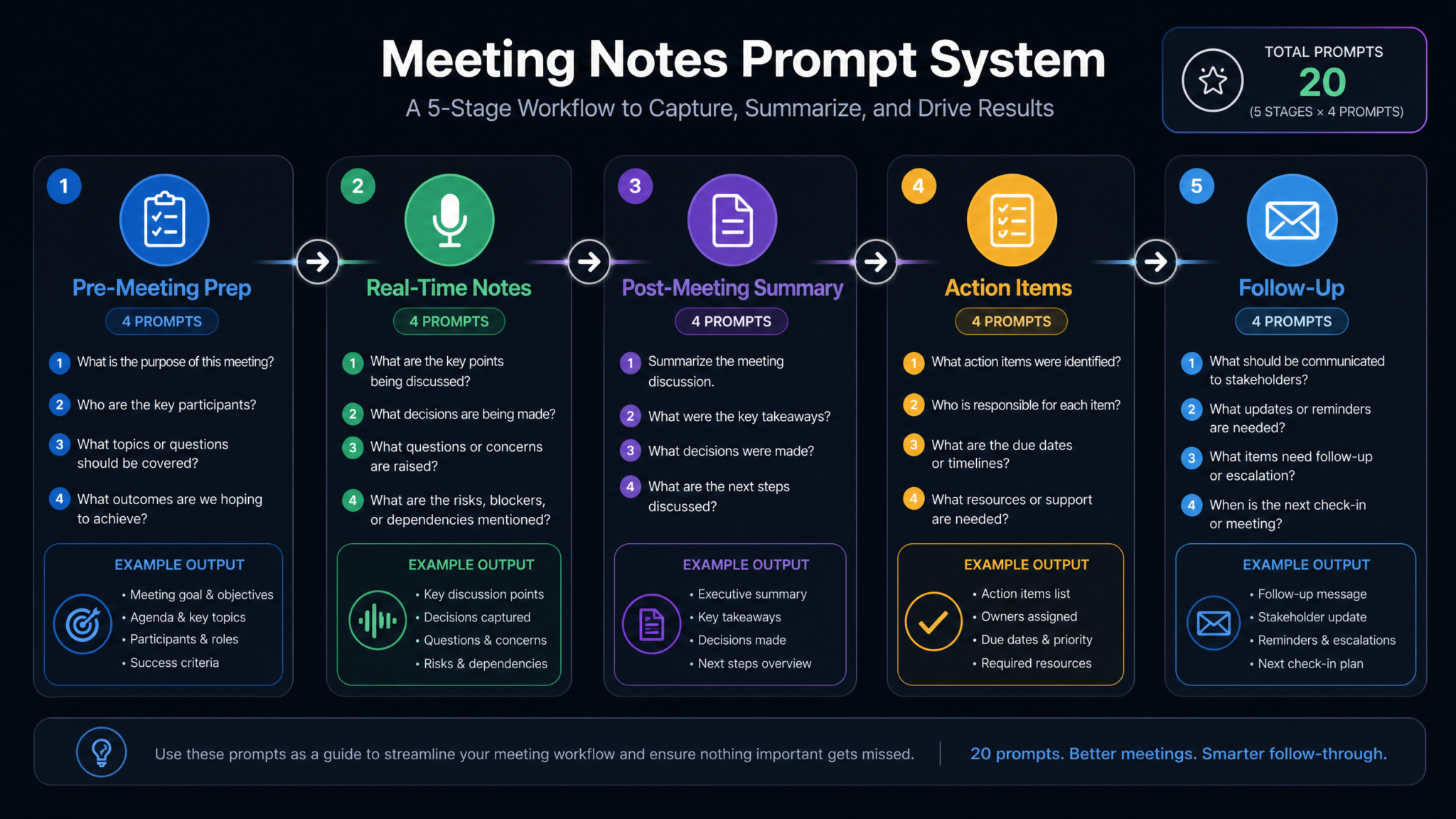
Each of the 20 prompts below includes four components: the prompt itself in a formatted code block (ready to copy and customize), an explanation of why it’s designed the way it is, the expected output format so you know exactly what you’ll get, and customization tips for adapting it to your specific meeting context. The prompts are organized sequentially through the meeting lifecycle, so you can use all 20 together as a complete system or pick individual prompts for specific pain points.
The final section maps all 20 prompts into a visual workflow diagram that shows how they connect — making it easy to see which prompt feeds into the next and where each fits in your documentation process.
Category 1: Pre-Meeting Preparation (Prompts 1–4)
Great meeting documentation starts before the meeting begins. The pre-meeting phase is where you set the structural foundation — defining what success looks like, priming participants with context, and generating the questions that will drive the most valuable discussion. These four prompts create the scaffolding that makes everything downstream easier.
Prompt 1: Strategic Agenda Creation
Most meeting agendas are either nonexistent or generic bullet lists that don’t drive outcomes. This prompt generates a structured, time-boxed agenda that aligns with your meeting’s strategic purpose and the decision-making level of your participants.
You are an expert meeting facilitator and organizational consultant.

Create a detailed, strategic meeting agenda for the following:

Meeting Type: [e.g., Quarterly Business Review / Sprint Planning / Executive Briefing / Client Kickoff]
Duration: [e.g., 60 minutes / 90 minutes]
Primary Goal: [What single decision or outcome must this meeting achieve?]
Participants: [List roles, not names — e.g., VP of Product, 3 Senior Engineers, 2 Stakeholders from Finance]
Context/Background: [2-3 sentences on what's happening, what's already been decided, what's still open]
Known Tensions or Conflicts: [Optional: any disagreements or competing priorities to be aware of]

Generate an agenda with:
1. A specific, outcome-oriented title for each agenda item (not just topic labels)
2. Time allocation for each section with recommended format (presentation, discussion, decision, FYI)
3. The key question each section needs to answer
4. Who owns/facilitates each section
5. A pre-meeting preparation note for attendees (what to read, decide, or bring)
6. A parking lot section for issues likely to arise but out of scope for this meeting

Format the output as a distributable agenda document ready to share with all participants.
Why this prompt works: It forces you to articulate the meeting’s single primary goal upfront, which filters out agenda items that don’t serve that goal. The “key question each section needs to answer” framing is particularly powerful — it shifts meetings from information-sharing to decision-making, which is where professional time is most valuably spent.
Expected output format: A structured agenda document with a header block (meeting title, date/time/location, objective), numbered agenda items with time stamps, owner columns, and a formatted pre-read note at the bottom. Typically 400–600 words, ready to paste into calendar invites or Notion/Confluence documents.
Customization tips: For recurring meetings (weekly standups, monthly reviews), add a field: “This is meeting #[X] in a series; last meeting’s unresolved items were: [list].” For high-stakes executive meetings, add: “The most politically sensitive topic is [X]; suggest how to sequence it.”
Prompt 2: Participant Briefing Document
Nothing derails a meeting faster than half the room not knowing why they’re there. This prompt generates individual or role-based briefing notes that bring every participant up to speed in under two minutes.
You are a communications strategist preparing participants for a high-stakes meeting.

Create participant briefing notes for the following meeting:

Meeting Topic: [One-sentence description]
Meeting Date and Duration: [Details]
Full Agenda: [Paste the agenda or list main topics]
Background Documents Available: [List titles of any documents participants should have read]

For each of the following participant roles, generate a tailored 150–200 word briefing that covers:
- Why their presence is specifically important (not generic)
- What they are expected to contribute, decide, or approve
- The one key piece of context they must understand before arriving
- Any pre-work they must complete (review a document, gather data, prepare a position)
- What success looks like from their perspective

Participant Roles: [List each role — e.g., Project Sponsor, Technical Lead, Finance Reviewer, Client Representative]

Format as separate briefing cards, one per role. Use plain language. Avoid jargon unless role-specific terminology is appropriate and the audience is technical.
Why this prompt works: Personalized briefings dramatically increase meeting quality because participants arrive prepared, focused, and understanding their specific contribution. Generic meeting invites are why people show up unprepared; role-specific briefings eliminate that excuse.
Expected output format: Separate titled sections for each role, each approximately 150–200 words, formatted as cards that can be copied into individual calendar invite descriptions or sent as personalized pre-meeting messages.
Customization tips: For external stakeholders (clients, partners, board members), add: “Use formal language and avoid internal terminology.” For large meetings with many similar roles, group participants: “Create one briefing for all engineering team members, one for product leadership.”
Prompt 3: Strategic Question Generation
The quality of a meeting is determined by the quality of questions asked. This prompt generates layered questions — from surface-level information gathering to deep strategic inquiry — that extract maximum value from your participants’ time and expertise.
You are a strategic business analyst and experienced meeting facilitator.

Generate a comprehensive question bank for the following meeting:

Meeting Topic: [Clear description]
Current Situation: [What's the current state — metrics, status, challenges]
Desired Outcome: [What decision or clarity are you seeking?]
Stakeholder Perspectives: [Who will be in the room and what are their likely positions?]
Known Unknowns: [What do you know you don't know?]
Political/Organizational Context: [Optional: any sensitivities, competing interests, or history]

Generate questions in four tiers:

TIER 1 — Opening/Context Questions (3–4): Questions to establish shared understanding and surface assumptions
TIER 2 — Analytical Questions (4–5): Questions that dig into data, causes, and evidence
TIER 3 — Decision-Forcing Questions (3–4): Questions that require a position, commitment, or choice
TIER 4 — Risk and Challenge Questions (3–4): Devil's advocate and "what if" questions to stress-test proposals

For each question, note: the intended respondent (role), the information it's designed to surface, and a follow-up probe question if the first answer is vague or evasive.
Why this prompt works: Tier-based question structures prevent meetings from getting stuck in endless context-setting. The inclusion of follow-up probe questions is critical — most meetings stall because facilitators don’t know how to push past initial answers to get to real positions and commitments.
Expected output format: Four clearly labeled sections with questions in a table format showing the question, intended respondent, information target, and follow-up probe. Total of 13–17 questions, ready to print as a facilitator reference sheet.
Customization tips: For client-facing meetings, add: “Flag any questions that may feel confrontational and suggest a more diplomatic phrasing alternative.” For technical reviews, add: “Include questions that bridge technical findings to business impact.”
Prompt 4: Context Synthesis from Previous Meeting Records
Every meeting exists in a series. This prompt synthesizes historical meeting records to extract the through-lines — ongoing decisions, unresolved questions, and commitments made — so you never start a meeting without full institutional memory.
You are a knowledge management specialist analyzing meeting history to prepare for an upcoming session.

Analyze the following meeting records and create a context synthesis document:

[PASTE PREVIOUS MEETING NOTES — can be multiple meetings, rough or formatted]

From this material, extract and organize:

1. DECISIONS MADE (with dates): What was formally decided and by whom?
2. OPEN QUESTIONS (still unresolved): What questions were raised but not answered?
3. COMMITMENTS AND THEIR STATUS: What was promised, by whom, by when — and was it delivered?
4. RECURRING THEMES: What topics, tensions, or risks keep appearing across meetings?
5. ESCALATED ISSUES: What problems were flagged as needing higher-level attention?
6. CHANGED POSITIONS: Where has thinking evolved or reversed since earlier meetings?
7. RECOMMENDED FOCUS FOR NEXT MEETING: Based on open items and patterns, what should the next meeting prioritize?

Format as a one-page briefing document (under 500 words) that a new participant could read in 3 minutes and arrive fully contextualized.
Why this prompt works: Institutional memory is one of the most undervalued assets in organizations. This prompt creates continuity between meetings, prevents re-litigating settled decisions, and gives new attendees immediate context. It’s especially powerful for quarterly reviews, project retrospectives, and any meeting with rotating participants.
Expected output format: Seven clearly labeled sections in a condensed brief format. Output is intentionally compact — prioritizing the most critical information for the next meeting rather than comprehensive archival. Approximately 400–500 words.
Customization tips: Feed it 3–6 months of meeting notes for a quarterly review to get pattern analysis. For project retrospectives, add: “Specifically identify what was estimated versus what actually happened and note the gap.”
Category 2: Real-Time Note Structure (Prompts 5–8)
The biggest challenge during live meetings is capturing information fast enough without losing quality. These four prompts help you set up capture templates before the meeting, then process your rough notes during or immediately after. The goal isn’t perfect real-time transcription — it’s creating a structured skeleton that’s easy to fill in quickly.
Prompt 5: Custom Meeting Note Template Generator
A blank page is the enemy of good note-taking. This prompt creates a meeting-specific template tailored to your meeting type, participant profile, and documentation requirements — so your note-taker can focus on listening, not structure.
You are a documentation systems expert specializing in meeting infrastructure.

Create a custom note-taking template for the following meeting type:

Meeting Type: [e.g., Client Discovery Call / All-Hands / One-on-One / Technical Design Review / Board Update]
Expected Duration: [X minutes]
Number of Participants: [Number and roles]
Primary Documentation Purpose: [What will these notes be used for — legal record, team reference, client deliverable, internal archive?]
Distribution Audience: [Who will receive the notes — just attendees, wider team, external parties?]
Required Sections: [Any mandatory sections — e.g., legal requirements, client contract obligations]
Preferred Format: [e.g., Notion, Google Docs, Confluence, Word, plain text, Markdown]

Generate a note-taking template that includes:
- Header block with all key meeting metadata fields
- Pre-structured sections matching the meeting type
- In-template prompts to guide note-takers (what to capture in each section)
- Shorthand legend for common notations (Action = [A], Decision = [D], Question = [Q], Risk = [R], Follow-Up = [FU])
- A real-time decisions table to fill during the meeting
- A parking lot section
- A confidence rating field (for flagging sections where notes may be incomplete)

Make the template practical for someone typing quickly in a live meeting — minimal formatting, maximum capture efficiency.
Why this prompt works: In-template guidance prompts (“capture the specific metric referenced here”) are the difference between amateur and professional note-taking. The shorthand legend creates consistency across note-takers in the same organization, making notes machine-readable for later AI processing.
Expected output format: A ready-to-use document template with headers, tables, and in-line instructions. Can be directly pasted into Notion or Google Docs and saved as a recurring template.
Customization tips: Build a library of 5–8 templates for your most common meeting types. For meetings with legal or compliance requirements, add: “Include a section for recording who was present when each key decision was made, with timestamp notation.”
Prompt 6: Key Point Extraction from Raw Notes
This is the workhorse prompt of real-time documentation. Feed it your messiest, most incomplete live notes and it will extract the structured intelligence hidden inside.
You are a professional meeting analyst converting raw notes into structured intelligence.

Process the following raw meeting notes and extract key information:

[PASTE YOUR RAW, UNFORMATTED MEETING NOTES HERE]

Meeting Context:
- Meeting Type: [e.g., Weekly Team Sync]
- Date and Duration: [Details]
- Participants: [Roles present]
- Primary Purpose: [What this meeting was meant to achieve]

From these notes, extract and organize:

1. KEY POINTS DISCUSSED (with speaker role where identifiable): Bullet list, most important first
2. DECISIONS MADE: Specific decisions with context — what was decided, what alternatives were considered, who made the call
3. ACTION ITEMS: Every commitment made, with who, what, and by when (if stated or implied)
4. OPEN QUESTIONS: Unresolved questions or topics that need follow-up
5. IMPORTANT NUMBERS/DATA REFERENCED: Any metrics, dates, budgets, percentages mentioned
6. NOTABLE QUOTES: Any particularly significant statements worth preserving verbatim
7. WHAT WAS NOT COVERED: Agenda items or expected topics that weren't reached
8. CONFIDENCE NOTES: Flag any section where the source notes were ambiguous or potentially incomplete

Use only information present in the source notes. Do not invent, infer, or add context not explicitly present. When uncertain, mark with [VERIFY].
Why this prompt works: The critical instruction “use only information present in the source notes” is non-negotiable for meeting documentation — you cannot have AI inventing details. The [VERIFY] flag system creates an audit trail, allowing humans to catch and correct gaps before distribution.
Expected output format: Eight labeled sections with bullet points under each. Action items formatted as: [Owner Role] will [action] by [date/milestone]. Typically 500–900 words depending on meeting length and note volume.
Customization tips: For transcript-based processing (if you have an auto-transcription tool), replace the raw notes field with the full transcript and add: “The speaker labels in this transcript are [accurate / approximate / unknown].”
Prompt 7: Verbatim Quote Capture and Context Preservation
Some statements made in meetings need to be preserved exactly as said — commitments from senior leaders, client promises, scope definitions, or any statement that might be disputed later. This prompt identifies and formats significant verbatim quotes with full context.
You are a meeting documentation specialist focused on preserving high-stakes statements with accuracy and context.

Review the following meeting notes or transcript and identify all statements that should be preserved as close to verbatim as possible:

[PASTE NOTES OR TRANSCRIPT]

Identify and format quotes based on these priority categories:

CATEGORY A — COMMITMENTS: Explicit promises, guarantees, or pledges by named roles
CATEGORY B — DECISIONS: Definitive statements that a course of action was chosen or approved
CATEGORY C — SCOPE DEFINITIONS: Statements that define what is or isn't included in a project/agreement
CATEGORY D — RISK ACKNOWLEDGMENTS: Statements where someone explicitly accepts or flags a risk
CATEGORY E — DISAGREEMENTS ON RECORD: Statements where a participant registered formal objection or dissent
CATEGORY F — NUMERICAL COMMITMENTS: Any specific numbers, dates, budgets, or targets stated

For each quote, provide:
- The quote (as verbatim as source allows; use [paraphrase] marker if exact wording unclear)
- Speaker role
- Context (one sentence: what was being discussed when this was said)
- Category label
- Risk level if misremembered or disputed: [LOW / MEDIUM / HIGH / CRITICAL]
- Recommended action: [Archive only / Include in summary / Send confirmation email / Legal review recommended]
Why this prompt works: Most meeting notes paraphrase everything, which loses legal and operational precision. Categorizing by risk level ensures that critical commitments get appropriate follow-up. The “recommended action” field turns passive documentation into active risk management.
Expected output format: A structured table or formatted list with all six fields for each identified quote. High-risk quotes highlighted or marked for immediate attention.
Customization tips: For client-facing meetings, this prompt is essential. Add: “Any statement about deliverables, timelines, or pricing should automatically be classified as CRITICAL risk level.” For legal proceedings or HR meetings, output should be reviewed by appropriate professionals before being used as official records.
Prompt 8: Meeting Timeline and Flow Reconstruction
For complex, long meetings, understanding the chronological flow of discussion — what led to what, how the conversation evolved — is as valuable as the individual points made. This prompt reconstructs the narrative arc of a meeting.
You are a meeting analyst specializing in organizational decision dynamics.

Reconstruct a chronological narrative timeline of the following meeting:

[PASTE MEETING NOTES, TRANSCRIPT, OR ROUGH TIMELINE]

Meeting Duration: [Total time]
Meeting Type: [What kind of meeting this was]

Create a timeline that captures:

1. PHASE MAPPING: Divide the meeting into natural phases (e.g., Context Setting → Problem Analysis → Solution Exploration → Decision → Next Steps) with approximate time markers if available

2. MOMENTUM SHIFTS: Moments where the conversation changed direction, energy, or focus — and what triggered the shift

3. DECISION PATHWAY: For each major decision, trace the conversation that led to it — what options were raised, what arguments were made, what evidence was cited

4. EMOTIONAL/DYNAMIC NOTES: Where discussion became heated, where consensus emerged organically, where silence or hesitation was notable [mark these as [QUALITATIVE — NOT FOR DISTRIBUTION]]

5. EFFICIENCY ANALYSIS: Estimate what percentage of the meeting time was spent on: context setting, analysis, decision making, and logistics/scheduling

6. WHAT DROVE THE OUTCOME: Your analytical assessment of the key factor(s) that determined the final outcome

Format as a narrative timeline document that helps anyone who wasn't present understand not just what was decided, but how and why the meeting went the way it did.
Why this prompt works: Organizations often need to reconstruct the reasoning behind decisions, especially for compliance, retrospectives, or onboarding. The [QUALITATIVE — NOT FOR DISTRIBUTION] flag ensures sensitive observational content stays internal while still being captured for facilitator learning.
Expected output format: Narrative sections with time markers, structured as a flowing document rather than bullet points. The emotional/dynamics section clearly separated and marked internal only. Total 600–900 words for a 60-minute meeting.
Category 3: Post-Meeting Summaries (Prompts 9–12)
Post-meeting summaries are where most documentation effort is invested — and most quality is lost. These four prompts address the spectrum of summary needs: from the 90-second executive skim to the comprehensive minutes for the record, from the audience-specific brief to the visual overview.
Prompt 9: Executive Summary (90-Second Version)
Senior leaders and busy stakeholders need the essence of a meeting in under 200 words. This prompt creates the tightest possible summary without losing critical substance.
You are a C-suite communications specialist who writes briefings for executives with limited time.

Create an executive summary of the following meeting that can be read in 90 seconds:

[PASTE MEETING NOTES OR FULL SUMMARY]

Constraints:
- Maximum 200 words for the main summary
- Written for: [CEO / Board Member / Client Executive / Department Head who wasn't present]
- Audience's primary concern: [e.g., financial impact / timeline risk / customer outcomes / team performance]
- Decisions they need to ratify or be informed of: [List if known]

Structure:
SITUATION (1-2 sentences): Where things stood before this meeting
OUTCOME (2-3 sentences): What was decided or resolved — the headline result
IMPLICATIONS (2-3 bullet points): What this means for the business, project, or team going forward
REQUIRED FROM [RECIPIENT ROLE] (if any): Any specific input, approval, or decision needed from this person
NEXT MILESTONE: The single most important next date or event to be aware of

Tone: Confident, direct, no passive voice. Lead with outcomes, not process. Assume the reader will ask "so what?" after every sentence — answer it before they can.
Why this prompt works: The “answer ‘so what?’ before they can” instruction fundamentally changes the density of writing. Most meeting summaries describe what happened; executive summaries must communicate why it matters to the reader’s specific concerns.
Expected output format: Five clearly labeled micro-sections, total under 200 words. Clean, direct prose with no jargon unless audience-appropriate. Designed to be pasted directly into an email, Slack message, or executive dashboard.
ChatGPT Prompts for Executive Communication and Business Writing
Prompt 10: Comprehensive Meeting Minutes
For formal meetings — board sessions, client reviews, legal proceedings, governance meetings — you need comprehensive minutes that serve as an official record. This prompt creates legally-aware, formally structured minutes.
You are a professional corporate secretary and documentation specialist.

Create formal, comprehensive meeting minutes from the following notes:

[PASTE COMPLETE MEETING NOTES]

Meeting Details:
- Organization/Project Name: [Name]
- Meeting Title: [Official name]
- Date, Time, Location/Platform: [Details]
- Meeting Called By: [Role]
- Minutes Prepared By: [Role]
- Distribution List: [Who will receive these minutes]
- Classification: [Internal / Confidential / Client-Facing / Public Record]

Format requirements:
1. ATTENDANCE: Present (with roles), Apologies/Absent, Guests
2. QUORUM STATEMENT (if applicable): Whether required quorum was met
3. PREVIOUS MINUTES: Reference to last meeting's minutes and any corrections
4. AGENDA ITEMS: Each item with: topic summary, discussion summary, resolution or outcome
5. DECISIONS REGISTER: Numbered list of all formal decisions with who moved, who seconded (if applicable)
6. ACTIONS REGISTER: Numbered list with owner, description, deadline, priority
7. NEXT MEETING: Confirmed date, time, location/platform, proposed agenda items
8. CLOSE: Time meeting formally concluded

Language: Formal, past tense, third person. Report what was said, not who said it (except for formal motions). Avoid opinion or interpretation.
Why this prompt works: The formal language constraints (past tense, third person, no interpretation) are legally significant for official records. The quorum statement and motion/second structure make this appropriate for board and governance meetings where procedural accuracy is mandatory.
Expected output format: Formally structured document following standard minutes format. All sections labeled with reference numbers. Decisions and actions numbered for cross-reference. Suitable for legal or governance records.
Prompt 11: Stakeholder-Specific Summary Versions
The same meeting often needs to be communicated differently to different audiences. This prompt generates multiple customized summaries from a single master notes set — each tuned to a specific audience’s concerns and context level.
You are a strategic communications specialist who tailors complex information for diverse audiences.

From the following meeting notes, create [NUMBER] distinct summary versions for different stakeholder groups:

[PASTE MASTER MEETING NOTES]

STAKEHOLDER GROUP 1: [Role/Group]
- What they care most about: [Primary concern]
- What they already know: [Context level]
- What they need to do with this information: [Action, approval, awareness]
- Appropriate length: [Word count]
- Tone: [Formal / Conversational / Technical / Executive]

STAKEHOLDER GROUP 2: [Role/Group]
[Same fields as above]

STAKEHOLDER GROUP 3: [Role/Group]
[Same fields as above]

For each version:
- Lead with information most relevant to that audience's primary concern
- Include only the details that are both relevant AND appropriate for that audience
- Translate technical concepts to business language (or vice versa) as appropriate
- Specify what action (if any) each audience needs to take
- Flag information that was discussed but should be withheld from this audience [OMITTED — INTERNAL ONLY]

Clearly label each version with the intended audience at the top.
Why this prompt works: Information control is as important as information sharing. The [OMITTED — INTERNAL ONLY] flag creates a transparent audit trail for what was deliberately excluded and why, which is crucial for legal defensibility and editorial integrity.
Access 40,000+ AI Prompts for ChatGPT, Claude & Codex — Free!
Subscribe to get instant access to our complete Notion Prompt Library — the largest curated collection of prompts for ChatGPT, Claude, OpenAI Codex, and other leading AI models. Optimized for real-world workflows across coding, research, content creation, and business.
Prompt 12: Visual Summary and Infographic Brief
For high-profile meetings, a visual one-pager often communicates more effectively than paragraphs of text. This prompt generates a structured brief ready for a designer — or a text-based visual summary using tables and structured formatting.
You are a visual communications strategist who translates complex meeting content into clear visual formats.

Create a visual summary brief for the following meeting, in two versions:

[PASTE MEETING NOTES]

VERSION A — DESIGNER BRIEF (for someone who will create a visual):
Create a content specification for a one-page visual summary including:
- Headline: Single sentence capturing the meeting's key outcome
- 3-5 key facts/numbers to feature prominently (with visual treatment suggestions: chart, icon, callout box)
- Decision flow: If a major decision was made, outline the key options that were considered and the chosen path
- Action grid: Owner → Task → Deadline in a 3-column visual format
- Next milestone: Prominently featured date and milestone
- Color/tone recommendation: Based on meeting outcome (positive/neutral/concern)

VERSION B — TEXT-BASED VISUAL SUMMARY (formatted for Slack, email, or Confluence):
Using only text formatting, emojis (sparingly), and tables, create a visually scannable one-page summary that communicates the same information as a graphic would — prioritizing whitespace, hierarchy, and visual rhythm over prose density.

Both versions should be comprehensible in under 60 seconds of reading time.
Category 4: Action Item Management (Prompts 13–16)
Action items are where meeting value is either realized or lost. Research consistently shows that without structured follow-through systems, over 40% of meeting commitments are forgotten within 48 hours. These four prompts create a comprehensive action management infrastructure.
Prompt 13: Complete Action Item Extraction
You are a project management specialist with expertise in commitment extraction and accountability systems.

Extract every action item from the following meeting notes — including both explicit and implicit commitments:

[PASTE MEETING NOTES]

Meeting context: [Meeting type, project/initiative name, phase/stage]

EXPLICIT ACTIONS: Things directly stated as tasks, assignments, or commitments
IMPLICIT ACTIONS: Things that logically must happen based on decisions made, even if not explicitly assigned
ASSUMED ACTIONS: Things that were discussed as ongoing responsibilities likely requiring re-confirmation

For each action item, extract or infer:
1. ACTION ID: [A-001, A-002, etc. for easy reference]
2. DESCRIPTION: Clear, specific, verb-first description of what must be done
3. OWNER: Named role (or [UNASSIGNED] if not clear)
4. DUE DATE: Specific date if stated, or [NO DATE SET — RECOMMEND: X days/weeks] based on context
5. DEPENDENT ON: Any preceding actions that must complete first
6. BLOCKERS: Known obstacles or information gaps
7. PRIORITY: [CRITICAL / HIGH / MEDIUM / LOW] based on business impact and urgency
8. SUCCESS CRITERIA: How will completion be verified?
9. SOURCE QUOTE: The exact phrase from the notes that generated this action item

Flag actions where ownership is unclear as [OWNERSHIP CONFLICT] and suggest who should own based on role and context.
Why this prompt works: The implicit/explicit/assumed categorization is where most action item systems fail — people only capture what’s directly stated and miss the 30–40% of commitments that were implied by decisions made. The source quote field creates accountability and prevents disputes about whether an action was actually assigned.
Expected output format: A numbered action register table with all nine fields. UNASSIGNED items highlighted. OWNERSHIP CONFLICT items flagged in red with reasoning for suggested owner. Typically 10–25 items for a 60-minute meeting.
Best ChatGPT Prompts for Productivity and Workflow Automation
Prompt 14: Action Assignment Optimization and Deadline Setting
You are an organizational design consultant specializing in workload management and realistic deadline setting.

Review the following extracted action items and optimize assignments and deadlines:

[PASTE ACTION ITEM LIST FROM PROMPT 13]

Team context:
- Upcoming known deadlines/milestones: [List]
- Team capacity issues: [Anyone overloaded, on leave, new to role?]
- Project phase: [Early/mid/late — affects urgency calibration]
- Decision-making velocity needed: [How quickly must things move?]

For each action item:
1. Validate or recommend an owner based on role and capacity (flag if someone appears overloaded)
2. Set or validate a realistic deadline (neither too aggressive nor too loose) with reasoning
3. Identify the minimum viable completion (what's the smallest thing that counts as done?)
4. Suggest a check-in milestone (halfway point for high-priority items)
5. Identify who needs to be informed of completion (not just the owner)

Then generate:
- A WEEKLY VIEW: Which items are due this week, grouped by owner
- A RISK REGISTER: Which items are highest risk of slipping and why
- A CRITICAL PATH: Which 3-5 items, if delayed, would cascade and block other work

Output formatted as both a list (for documents) and a CSV-ready format (for import into project management tools like Linear, Asana, or Notion).
Prompt 15: Priority Ranking with Impact-Effort Analysis
You are a strategic prioritization consultant using frameworks including MoSCoW, ICE scoring, and impact-effort matrices.

Analyze and rank the following action items for prioritization:

[PASTE ACTION ITEM LIST]

Business context:
- Top 3 organizational priorities this quarter: [List]
- Most critical upcoming deadline: [Date and what it is]
- Available team capacity this week: [Rough estimate — e.g., 40% of normal due to sprint end]
- Stakeholder with highest visibility into this work: [Role]

For each action item, score on:
- IMPACT: How significantly does completing this advance a key goal? [1-10]
- URGENCY: How time-sensitive is this? [1-10]
- EFFORT: How much work is required? [1-10, lower = less effort]
- DEPENDENCY VALUE: How many other items does this unblock? [0-5]

Calculate a composite priority score and rank all items.

Then categorize using MoSCoW:
- MUST DO THIS WEEK: Cannot move forward without these
- SHOULD DO THIS WEEK: Important but won't block progress if slightly delayed
- COULD DO IF CAPACITY ALLOWS: Valuable but deferrable
- WON'T DO YET: Deprioritized with documented rationale

Include a one-paragraph recommendation on what the team should focus on Monday morning, written as a direct manager briefing.
Prompt 16: Dependency Mapping for Complex Action Sets
You are a project systems analyst specializing in dependency mapping and workflow sequencing.

Analyze the following action items and create a comprehensive dependency map:

[PASTE ACTION ITEM LIST WITH PRIORITIES AND OWNERS]

Project context:
- Overall project phase and next major milestone: [Details]
- External dependencies (vendor deliverables, client approvals, regulatory steps): [List]
- Team structure: [Who reports to whom, who can approve what]

Create:

1. DEPENDENCY CHAIN DIAGRAM (text-based): Show which actions must precede others in a clear A → B → C format, with parallel tracks where items can proceed simultaneously

2. CRITICAL PATH IDENTIFICATION: Highlight the single longest dependency chain that determines the minimum time to project milestone

3. PARALLEL WORKSTREAM MAP: Identify all actions that can proceed in parallel to maximize team efficiency

4. EXTERNAL DEPENDENCY RISKS: For any item dependent on someone outside the team, assess risk level and suggest contingency

5. SEQUENCING RECOMMENDATION: Given dependencies, suggest the optimal order to start work this week — accounting for lead times, approval cycles, and team handoffs

6. BOTTLENECK ANALYSIS: Identify any single role or team that is a bottleneck (too many items dependent on them) and suggest how to redistribute

Format the dependency chain as a numbered sequence that a project manager could directly convert into a Gantt chart or board column structure.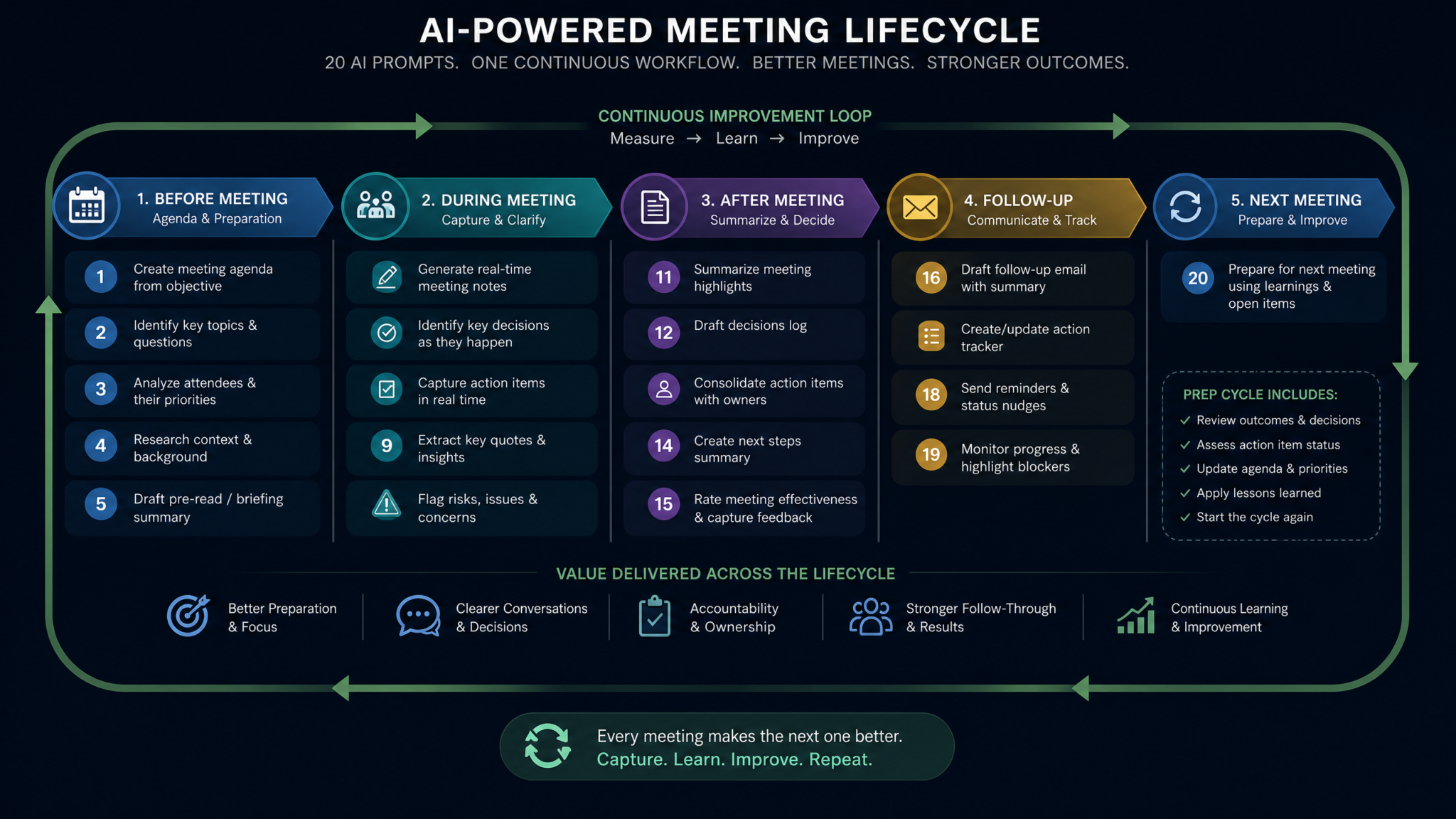
Category 5: Follow-Up Automation (Prompts 17–20)
The follow-up phase is where meeting value compounds — or evaporates. These four prompts automate the most time-consuming follow-up tasks: drafting communication, maintaining decision records, preparing for what comes next, and ensuring accountability without micromanagement.
Prompt 17: Follow-Up Email Suite Generation
You are a professional communications specialist who writes clear, direct, action-oriented follow-up communications.

Generate a complete follow-up email suite for the following meeting:

MEETING SUMMARY: [Paste brief summary]
ACTION ITEMS: [Paste action list with owners and deadlines]
KEY DECISIONS: [Paste decisions made]
OPEN QUESTIONS: [Paste unresolved items]
NEXT MEETING DATE: [If confirmed]

Generate the following emails:

EMAIL 1 — ALL ATTENDEES SUMMARY (Subject line included)
Tone: Professional and collegial. Goal: Confirm shared understanding, distribute action items, create written record of decisions.
Required elements: Thank opening (1 sentence max), key outcomes, decisions made, action items by owner, next meeting invite confirmation, open questions requiring offline resolution.
Length: Under 300 words. No bullet point nesting more than one level deep.

EMAIL 2 — INDIVIDUAL ACTION ITEM NOTIFICATIONS (Template for personalization)
Generate one template email for each action item owner.
Tone: Direct and collegial — not commanding.
Required elements: Specific action description, deadline, success criteria, offer of support/resources, how and when to confirm completion.
Length: Under 150 words each.

EMAIL 3 — STAKEHOLDER BRIEFING (For someone not at the meeting)
Tone: Informational, no assumed context.
Required elements: Why this meeting matters to them, what was decided that affects them, what (if anything) you need from them, timeline for their awareness.
Length: Under 200 words.

EMAIL 4 — ESCALATION EMAIL (If any items require senior sign-off)
Tone: Respectful, concise, decision-focused.
Required elements: One-sentence context, specific decision or approval needed, recommended course of action, deadline for their input.
Length: Under 100 words.
Why this prompt works: Most post-meeting communication is either the same email sent to everyone (inefficient) or nothing at all (catastrophic). This prompt generates a tiered communication suite that matches message to audience in a single session, typically saving 45–60 minutes of drafting time per meeting.
Expected output format: Four clearly labeled email drafts, each with subject line, ready to copy into your email client. Individual action notification templates formatted with [RECIPIENT NAME] for personalization fields.
Customization tips: For client-facing follow-ups, add: “Email 1 is a client communication. Use formal language, reference the project name and contract number, and include our support contact information.” For recurring team meetings, email 1 becomes a standing template with only the dynamic fields needing updates.
Prompt 18: Decision Log Update and Maintenance
Organizational decision logs are one of the most valuable and most neglected knowledge assets. This prompt maintains a running decision log with rich context that makes every decision auditable and retrievable.
You are a knowledge management specialist maintaining an organizational decision registry.

Update the following decision log with decisions from the most recent meeting:

EXISTING DECISION LOG:
[Paste current log, or write "No existing log — create from scratch"]

NEW MEETING INFORMATION:
Meeting date, type, and participants: [Details]
Decisions made in this meeting: [Paste from meeting notes]
Additional context: [Any relevant background]

For each new decision, create a structured decision record with:

DECISION ID: [D-YYYY-MM-DD-###]
DECISION TITLE: Short, searchable title (10 words max)
DECISION STATEMENT: Precise description of what was decided (not how or why — just the decision itself)
CONTEXT: What problem or question prompted this decision?
OPTIONS CONSIDERED: What alternatives were evaluated before this choice was made?
RATIONALE: Why was this option chosen over others?
MADE BY: [Role(s) responsible — not names for privacy, unless required]
DATE: [Date decided]
EFFECTIVE DATE: When this decision takes effect
REVIEW DATE: When this decision should be re-evaluated (if applicable)
DEPENDENCIES: Other decisions this affects or is affected by
STATUS: [ACTIVE / SUPERSEDED / UNDER REVIEW / REVERSED]
REVERSAL HISTORY: If this supersedes a previous decision, reference [Decision ID]

Also generate: A changelog entry summarizing this session's additions in 2-3 sentences for the log header.
Why this prompt works: The “Options Considered” and “Rationale” fields are the most valuable and most often missing from decision logs. Without them, decisions look arbitrary in retrospect, creating organizational confusion and rework. Capturing the reasoning at the moment of decision is infinitely easier than reconstructing it months later.
Expected output format: Formatted decision records ready to append to a central log. Each record follows the same structured template for consistency across time and note-takers. Status field makes it easy to filter active versus superseded decisions.
Customization tips: Store your decision log in a shared workspace (Notion, Confluence, SharePoint) and update it after every significant meeting. For regulated industries, add: “Include a compliance impact field noting whether this decision has regulatory implications.”
Prompt 19: Next Meeting Preparation Package
You are a meeting effectiveness consultant helping teams maximize continuity between sessions.

Using the following meeting record, generate a complete preparation package for the NEXT meeting:

CURRENT MEETING SUMMARY: [Paste]
ACTION ITEMS WITH STATUS: [Paste]
OPEN QUESTIONS: [Paste]
NEXT MEETING DATE AND TYPE: [Details if known]
NEXT MEETING CONFIRMED AGENDA: [If already set, or write "TBD"]

Generate:

1. RECOMMENDED AGENDA FOR NEXT MEETING
Based on: open items, pending action status, and natural progression of the work.
Format as a prioritized agenda draft with rationale for each item's inclusion.
Flag items from this meeting that SHOULD NOT carry forward (resolved, irrelevant, or better addressed asynchronously).

2. PRE-MEETING CHECKLIST FOR MEETING ORGANIZER
Timeline-based checklist: what to do 1 week before, 2 days before, morning of.
Includes: confirming action item status, sending pre-reads, booking rooms/links, confirming attendance.

3. ACTION STATUS REVIEW TEMPLATE
A standardized check-in format to review progress on this meeting's actions at the top of the next session.
Each action item presented as: [Description] — Owner — Original Deadline — Status [Complete/In Progress/Blocked/Not Started] — Update.

4. RISK BRIEF FOR NEXT MEETING FACILITATOR
Identify: any items likely to generate conflict, topics where clarity is still missing, action items at risk of not completing in time, and any relationship dynamics to be aware of.
Write for the facilitator's eyes only — candid, not diplomatic.

5. SUCCESS CRITERIA FOR NEXT MEETING
Define 3-5 specific outcomes that would make the next meeting a success. These become the evaluation criteria at session close.
Why this prompt works: This prompt operationalizes continuity — it takes the output of one meeting and transforms it into the input for the next, creating a self-reinforcing documentation system. The “Risk Brief for Facilitator” section is unique in giving the meeting leader private, candid intelligence that improves facilitation quality without being inappropriate to distribute widely.
Expected output format: Five clearly labeled sections. The agenda draft formatted ready to share; the risk brief clearly marked [FACILITATOR ONLY — NOT FOR DISTRIBUTION]. Total 600–900 words.
ChatGPT Prompts for Team Collaboration and Asynchronous Communication
Prompt 20: Accountability Tracking System and Progress Reporting
You are an organizational accountability specialist who designs systems for tracking commitments without micromanagement.

Create a comprehensive accountability tracking report for the following project/initiative:

[PASTE ALL ACTION ITEMS FROM MULTIPLE MEETINGS — INCLUDE MEETING DATES]

Time period covered: [Date range]
Reporting to: [Role who will receive this report]
Team being assessed: [Team name and size]
Project phase: [Current phase and overall status]

Generate:

1. COMPLETION VELOCITY DASHBOARD
- Total actions assigned this period: [number]
- Completed on time: [% and number]
- Completed late: [% and number]
- In progress (on track): [% and number]
- In progress (at risk): [% and number]
- Not started (expected to have started): [% and number]
- Blocked: [% and number]

Identify the top 3 completion bottlenecks with specific analysis.

2. OWNER PERFORMANCE SUMMARY
For each action owner (by role), show: assigned vs. completed, average days early/late, recurring types of delays.
Frame these as systemic observations, not individual blame. Note: Flag any pattern suggesting capacity issues rather than performance issues.

3. OVERDUE ITEMS ESCALATION LIST
Items more than [X] days overdue, formatted for management attention:
[Item] — [Owner] — [Original deadline] — [Days overdue] — [Reason if known] — [Recommended escalation action]

4. MEETING ROI ASSESSMENT
Based on decisions made and actions taken: Which meetings generated the most follow-through value? Which generated the most actions with least completion? What does this suggest about meeting frequency or format?

5. ACCOUNTABILITY HEALTH SCORE
Generate an overall score [0-100] with component breakdown: Action clarity (were items specific enough?), Ownership clarity (was every item assigned?), Deadline realism (were deadlines achievable?), Follow-through rate (% completed on time), Communication quality (were updates shared proactively?).

Include 3 specific, actionable recommendations to improve accountability health next period.
Why this prompt works: The distinction between capacity issues and performance issues is crucial for managerial fairness and accuracy. Accountability systems that don’t make this distinction cause retention problems and destroy team trust. The Meeting ROI Assessment is a powerful feedback loop that improves future meeting design based on historical execution data.
Expected output format: Five sections ranging from quantitative dashboards (section 1) to qualitative analysis (section 4) to a scored assessment with recommendations (section 5). Designed as a standalone report for management review, not just an internal document.
Customization tips: Run this prompt monthly for ongoing projects. Over time, the historical pattern analysis becomes increasingly valuable. For organizations using project management tools, the overdue items list can be formatted as a CSV for direct import into Jira, Asana, or monday.com.
The Complete Meeting Lifecycle Workflow: All 20 Prompts Connected
These 20 prompts aren’t isolated tools — they’re nodes in a complete meeting intelligence system. The diagram below shows how each prompt feeds into the next, creating a continuous loop of meeting preparation, execution, documentation, action management, and follow-through.
The Five-Phase Meeting Intelligence Lifecycle
╔══════════════════════════════════════════════════════════════════════════════╗
║                    COMPLETE MEETING INTELLIGENCE LIFECYCLE                   ║
╠══════════════════════════════════════════════════════════════════════════════╣
║                                                                              ║
║  PHASE 1: PRE-MEETING PREPARATION                                           ║
║  ─────────────────────────────────────────────────────────────────────────  ║
║  [P1] Strategic Agenda ──► [P2] Participant Briefings ──► [P3] Questions    ║
║                                        │                                     ║
║                              [P4] Context Synthesis ◄── Previous Meeting    ║
║                              (feeds ALL pre-meeting prompts)                 ║
║                                                                              ║
║  PHASE 2: REAL-TIME CAPTURE                                                  ║
║  ─────────────────────────────────────────────────────────────────────────  ║
║  [P5] Template Generator ──► LIVE MEETING ──► [P6] Key Point Extraction    ║
║                                    │                                         ║
║                        [P7] Quote Capture + [P8] Timeline Reconstruction    ║
║                              (both process live notes)                       ║
║                                                                              ║
║  PHASE 3: POST-MEETING SYNTHESIS                                             ║
║  ─────────────────────────────────────────────────────────────────────────  ║
║  P6 + P7 + P8 output feeds all summary prompts:                             ║
║  [P9] Executive Summary ──► [P10] Full Minutes ──► [P11] Stakeholder Cuts   ║
║                                        │                                     ║
║                              [P12] Visual Summary                            ║
║                       (all four derived from same source notes)              ║
║                                                                              ║
║  PHASE 4: ACTION MANAGEMENT                                                  ║
║  ─────────────────────────────────────────────────────────────────────────  ║
║  P10 minutes feed:                                                           ║
║  [P13] Extract Actions ──► [P14] Assign + Deadline ──► [P15] Priority Rank ║
║                                        │                                     ║
║                              [P16] Dependency Map                            ║
║                       (creates the master action execution plan)             ║
║                                                                              ║
║  PHASE 5: FOLLOW-UP & CONTINUITY                                             ║
║  ─────────────────────────────────────────────────────────────────────────  ║
║  [P17] Email Suite ◄── P11 summaries + P14 action assignments               ║
║  [P18] Decision Log ◄── P10 minutes + P9 executive summary                  ║
║  [P19] Next Meeting Prep ◄── P16 dependency map + P15 priorities            ║
║  [P20] Accountability Report ◄── P13-P16 (all action data, over time)       ║
║                                                                              ║
║  FEEDBACK LOOPS:                                                             ║
║  P18 Decision Log ─────────────────────────────────────► P4 (next meeting) ║
║  P19 Next Meeting Prep ────────────────────────────────► P1 (next cycle)   ║
║  P20 Accountability Report ────────────────────────────► P2 (briefings)    ║
║                                                                              ║
╚══════════════════════════════════════════════════════════════════════════════╝
Reading the Workflow Diagram
The three feedback loops at the bottom of the diagram are what transform a collection of individual prompts into an organizational intelligence system:
- P18 → P4 (Decision Continuity Loop): Every updated decision log feeds directly into the next meeting’s context synthesis, ensuring institutional memory is never lost and decisions are never accidentally repeated or contradicted.
- P19 → P1 (Agenda Continuity Loop): The next meeting preparation package directly seeds the strategic agenda creation prompt, meaning each meeting builds logically on the previous one rather than starting from scratch.
- P20 → P2 (Accountability Intelligence Loop): The accountability tracking data informs participant briefings for the next meeting — people arrive already knowing the status of their commitments, reducing defensive reporting and increasing productive discussion time.
Implementation Paths: Start Simple, Scale Smart
| Implementation Level | Prompts to Start With | Time Investment | Expected Impact |
|---|---|---|---|
| Minimal Viable System (beginners) | P6, P9, P17 | 15–20 min/meeting | 70% reduction in summary writing time |
| Core Professional System (most teams) | P1, P5, P6, P9, P13, P14, P17, P18 | 30–40 min/meeting | Complete meeting documentation + action tracking |
| Full Enterprise System (complex orgs) | All 20 prompts | 60–90 min/meeting (decreases with practice) | Organizational knowledge management + ROI tracking |
| Executive/Client Meetings (high-stakes) | P3, P7, P9, P10, P11, P17, P18 | 45–60 min/meeting | Legal quality records + multi-audience communication |
Pro Tips for Scaling Your Meeting AI System
Having great prompts is only part of the equation. Here are the operational strategies that separate teams who occasionally use AI for meetings from teams who have fundamentally transformed their meeting culture with it.
Build a Prompt Library in Your Workflow Tool
Save each of these 20 prompts as templates in whatever tool your team lives in — Notion, Confluence, Obsidian, or even a shared Google Doc. Create a “Meeting AI Toolkit” page with each prompt pre-populated and editable. The goal is to reduce the friction of using the prompts to near zero: open the toolkit, paste your notes into the relevant prompt, copy the output, done.
Create Standard Input Templates
The quality of AI output depends heavily on the consistency of input. Design a standard rough-notes format for your team — even a simple convention like tagging speaker roles (ENG:, PM:, CLIENT:), decisions (DEC:), and actions (ACT:) in live notes dramatically improves the precision of extraction prompts. Teams that standardize their input format report 40–50% better output quality from the same prompts.
Run a “Prompt Audit” Monthly
Every month, review your outputs against your actual meeting quality. Are summaries capturing what matters? Are action items complete? Are follow-up emails getting responses? Adjust your prompts based on the feedback patterns you observe. The prompts in this guide are starting points — the best version for your organization will emerge from iteration.
Combine with Transcription Tools
Pairing these prompts with an AI transcription tool (such as Otter.ai, Fireflies, or similar platforms) creates an even more powerful system. The transcription handles verbatim capture; these prompts handle intelligence extraction and communication. You get the accuracy of full transcription with the conciseness and structure of expert summarization — the best of both approaches.
Establish a Decision Log Culture Before You Need It
The decision log (Prompt 18) becomes exponentially more valuable over time — but only if it’s maintained consistently from the start. The temptation is to start it when things get complex, but by then you’ve already lost months of decision context. Start Prompt 18 from your very first meeting on any new project or initiative, even if the decisions seem minor at the time.
Protect Sensitive Content with Clear Protocols
Before feeding meeting notes into any AI tool, establish clear organizational protocols for what content can and cannot be processed externally. Meeting notes containing personally identifiable information, confidential business data, or legally privileged communications should be reviewed against your organization’s data governance policies. Where necessary, anonymize or redact sensitive fields before processing, or use self-hosted AI solutions. The [QUALITATIVE — NOT FOR DISTRIBUTION] and [FACILITATOR ONLY] markers in the prompts above are designed to help you manage sensitive content — but human judgment is always the final gate.
Track Prompt Performance as a Team Metric
Measure the impact of your meeting AI system the same way you’d measure any operational improvement: meeting-to-action completion rates (tracked via Prompt 20), summary distribution time (before vs. after), stakeholder satisfaction with communication clarity, and meeting duration trends. Teams that treat meeting documentation as a measurable system see continuous improvement; teams that treat it as administrative overhead see none.
“The meeting is not the work — it’s the catalyst for work. Everything that makes the work happen comes after the meeting ends. That’s where AI delivers the most value: in the connective tissue between conversation and action.”
The Compounding Effect
The single most important thing to understand about this system is that its value compounds. In month one, you save time on documentation. In month three, you have a decision log that prevents expensive rework. In month six, you have accountability data that improves team performance. In year two, you have institutional memory that survives personnel changes. None of this happens from a single meeting well-documented — it happens from consistent use of a structured system over time.
The 20 prompts in this guide give you everything you need to build that system, starting with your next meeting. The investment is a few hours of setup. The return is an organization that never loses a decision, never forgets a commitment, and never starts a meeting without knowing exactly where it fits in the larger story of the work being done.
Start with the three prompts most relevant to your current biggest meeting pain point. Add more as the workflow becomes natural. Within 30 days, you’ll have the foundation of a meeting intelligence system that will pay organizational dividends for years.
