
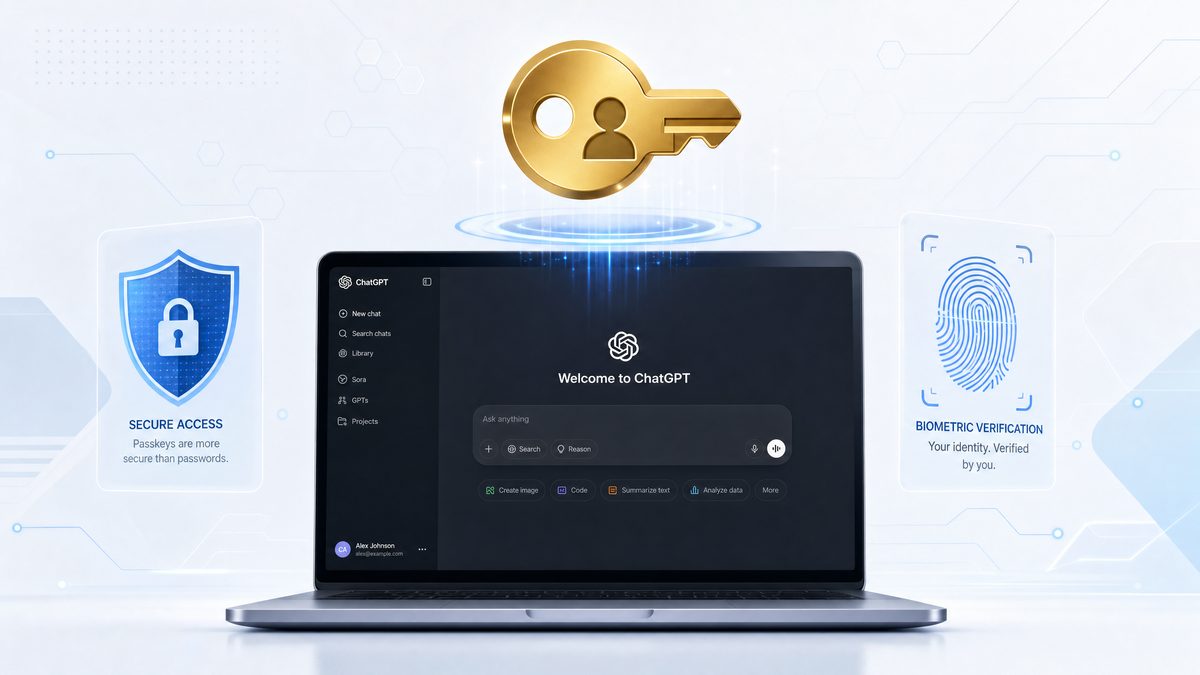
In a groundbreaking move towards enhanced cybersecurity, OpenAI has unveiled its new “Advanced Account Security” (AAS) mode, which replaces traditional passwords with passkeys or physical security keys for accessing ChatGPT, Codex, and other OpenAI services. This initiative marks a decisive shift in authentication protocols, aimed at protecting high-risk users such as journalists, researchers, and activists from increasingly sophisticated phishing attacks and credential theft.
This article explores the technological foundation of OpenAI’s new AAS mode, the implications for user security and privacy, the practical implementation details, and how this approach aligns with broader industry trends toward passwordless authentication. Developers and tech professionals will also find an in-depth analysis of passkeys and hardware tokens, integration strategies, and comparative data that demonstrate the superiority of this method.
Understanding OpenAI’s Advanced Account Security: What It Means
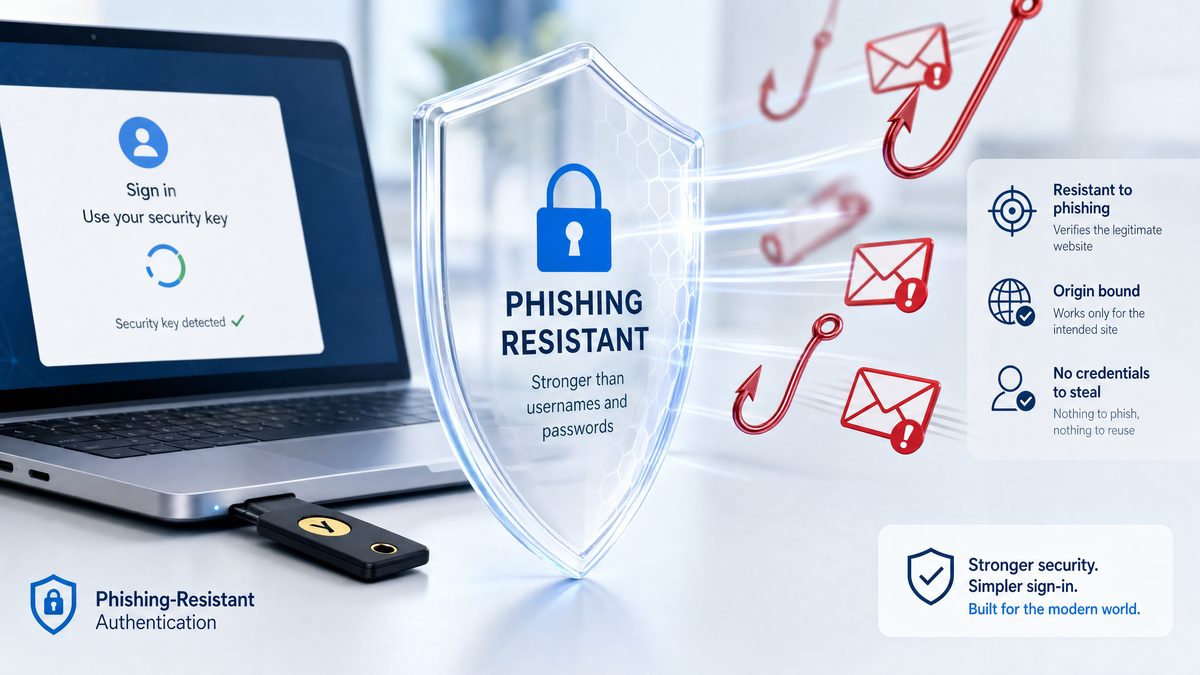
OpenAI’s Advanced Account Security mode introduces a mandatory shift from password-based authentication to a passwordless model relying on passkeys or physical security keys compliant with the FIDO2/WebAuthn standards. This new security layer is primarily targeted at users who face elevated risks of account compromise due to their sensitive roles or exposure, such as investigative journalists, academic researchers, human rights defenders, and other at-risk communities.
Passwords have long been the dominant form of user authentication but are fraught with vulnerabilities. Phishing attacks, credential stuffing, and brute force attempts exploit the weaknesses inherent in password schemes, especially when users reuse or choose weak passwords. OpenAI’s AAS mode addresses these vulnerabilities by adopting an authentication mechanism that is resistant to phishing and does not transmit secrets that can be intercepted or stolen.
What Are Passkeys?
Passkeys are a modern authentication standard based on public-key cryptography. Instead of a password, a unique cryptographic key pair is generated for each service. The private key remains securely stored on the user’s device (often within hardware security modules such as the TPM or Secure Enclave), while the public key is registered with the service provider (OpenAI in this case).
When authenticating, the service sends a challenge, and the device’s private key signs it locally, proving possession of the key without revealing it. This process is inherently phishing-resistant because the private key never leaves the device, and the authentication cannot be tricked into revealing credentials to malicious sites.
Technically, passkeys leverage asymmetric cryptography algorithms such as Elliptic Curve Digital Signature Algorithm (ECDSA) or Ed25519, which provide strong security with efficient computation suitable for devices ranging from smartphones to hardware security modules. The private key’s containment within a Trusted Platform Module (TPM), Secure Enclave, or equivalent hardware-backed keystore ensures protection against extraction even if the device is compromised at the software level.
Additionally, passkeys support biometric integration, allowing devices to unlock the private key using fingerprint sensors, facial recognition, or PINs. This biometric gating not only enhances security but also streamlines user experience by removing the need for memorized secrets.
Physical Security Keys
For users requiring even stronger security assurances, OpenAI supports physical security keys such as YubiKeys or Google’s Titan Security Keys. These USB, NFC, or Bluetooth devices provide hardware-based protection, ensuring that authentication can only occur when the physical key is present, further mitigating risks of remote attacks.
Physical security keys implement FIDO2 standards and contain secure elements that isolate cryptographic operations from the host system. This isolation protects against malware and keyloggers, as the signing of authentication challenges happens entirely within the secure hardware.
Moreover, these security keys often support multiple protocols, including Universal 2nd Factor (U2F), FIDO2/WebAuthn, and sometimes smart card functionality, enabling versatile use across various platforms and services. Users can register multiple keys to ensure redundancy, and some keys offer multi-protocol support for backward compatibility with legacy systems.
Technical features of popular physical security keys include:
- Hardware-backed key storage: Private keys are generated and stored in non-exportable hardware modules, preventing extraction.
- Cryptographic challenge-response: Keys sign server challenges directly, ensuring that authentication is bound to specific domains.
- Multi-protocol support: Compatibility with USB-A, USB-C, NFC, and Bluetooth for flexible device use.
- Tamper resistance: Physical protections against side-channel and fault injection attacks.
User Experience and Enrollment
To enable Advanced Account Security, users must register a passkey or a physical security key with their OpenAI account. During enrollment, the device generates the key pair, and the public key is securely stored on OpenAI’s authentication servers. Subsequent logins require only a biometric gesture (fingerprint or facial recognition) or a physical tap on the security key, eliminating the need to remember or type passwords.
This streamlining of authentication not only enhances security but also improves usability, reducing friction for users who previously struggled with password management. However, users should securely back up their passkeys or register multiple authenticators to prevent lockouts, as losing a passkey or security key can restrict access.
Enrollment typically follows these detailed steps:
- Initiation: The user initiates registration via the OpenAI account security settings.
- Challenge Generation: OpenAI’s server generates a registration challenge with parameters specifying supported algorithms, relying party identifiers, and user information.
- Key Pair Generation: The client device or security key generates a new asymmetric key pair internally.
- Attestation: The device provides attestation data proving the key’s provenance and hardware security, which OpenAI can verify to ensure trustworthiness.
- Public Key Registration: The public key and related metadata are sent to OpenAI and stored securely.
- Confirmation: The user receives confirmation that the authenticator is registered and can be used for subsequent logins.
During login, the user experiences a fast, seamless interaction, often requiring just a touch or biometric confirmation. This reduces the cognitive load of managing complex credentials and helps prevent phishing by tightly binding authentication to the legitimate OpenAI domain.
To mitigate risks associated with device loss, OpenAI encourages users to:
- Register multiple passkeys or security keys across their frequently used devices.
- Use cloud-synced passkeys where supported, such as Apple’s iCloud Keychain or Google’s Password Manager, which securely back up credentials.
- Familiarize themselves with account recovery options offered by OpenAI, which may include secondary authenticators or identity verification processes.
Case Study: Implementing Passkeys in High-Security Environments
Consider a large non-governmental organization (NGO) employing hundreds of researchers and field operatives working in politically sensitive regions. Prior to adopting OpenAI’s Advanced Account Security, their accounts were secured with passwords supplemented by SMS-based two-factor authentication. Despite these measures, several accounts were compromised through SIM swapping and phishing attacks, leading to exposure of confidential research and jeopardizing field operations.
After integrating AAS with passkeys, the NGO conducted an extensive rollout campaign involving user training, hardware security key distribution, and establishing multi-authenticator registration policies. Their IT team ensured that all users enrolled at least two authenticators — typically a passkey on a mobile device and a physical security key for redundancy.
The result was a marked reduction in account compromise incidents. The passkey system’s phishing resistance and cryptographic challenge-response mechanisms effectively neutralized attacks that previously succeeded. Additionally, usability improvements reduced password reset requests and helped maintain operational continuity during personnel turnover.
This case underscores how advanced authentication technologies can be pragmatically deployed in complex, high-risk scenarios, balancing security, usability, and organizational policy compliance.
Technical Architecture and Security Advantages of Passkeys in OpenAI’s Ecosystem
OpenAI’s integration of passkeys leverages the WebAuthn (Web Authentication) API and FIDO2 protocols, which have been developed to facilitate secure, passwordless logins across platforms. These protocols define standards for creating and using public-key credentials, ensuring interoperability between devices, browsers, and servers.
How WebAuthn Works in OpenAI’s Authentication Flow
When a user opts into Advanced Account Security:
- Registration: The client device generates a new cryptographic key pair and registers the public key with OpenAI’s server.
- Authentication: Upon login, OpenAI’s server sends a challenge to the client.
- Response: The client signs the challenge using the private key stored locally and returns the signature.
- Verification: OpenAI verifies the signature with the stored public key. If valid, access is granted.
This challenge-response mechanism eliminates the need for shared secrets and drastically reduces attack vectors such as credential interception or replay attacks. It also prevents phishing because authentication is bound to the legitimate domain and cannot be replicated by fraudulent sites.
Delving deeper into the technical process:
- Client Data: The client sends a JSON-encoded structure containing the challenge, origin, and type of request. This ensures that the assertion or registration is contextually bound to the correct relying party.
- Authenticator Data: The authenticator provides data including the relying party ID hash, flags indicating user presence and verification, and a signature counter to prevent replay attacks.
- Signature: The private key signs a concatenation of the authenticator data and the hash of the client data, producing a cryptographic signature that the server can verify.
The server-side verification process involves:
- Checking the signature against the registered public key.
- Validating the challenge matches the one sent.
- Ensuring the relying party ID corresponds to OpenAI’s domain.
- Monitoring the signature counter to detect cloned authenticators.
This layered verification provides strong assurances that the authentication event is genuine, user-initiated, and secure.
Cryptographic Algorithms and Their Security
OpenAI’s AAS system primarily employs Ed25519 and ECDSA using the P-256 curve, two widely vetted elliptic curve algorithms known for their balance between security and performance. Ed25519 offers high-speed signature generation and verification with strong resistance to side-channel attacks, making it ideal for mobile devices and hardware tokens. ECDSA P-256 remains the most commonly supported algorithm across browsers and authenticators, ensuring compatibility.
These algorithms rely on the hardness of the elliptic curve discrete logarithm problem (ECDLP), considered computationally infeasible to solve with current classical computing resources. This ensures that private keys remain secure against brute force and cryptanalytic attacks for the foreseeable future.
Implementations on hardware security modules also include protections such as constant-time operations and physical tamper resistance, further securing the private keys from extraction.
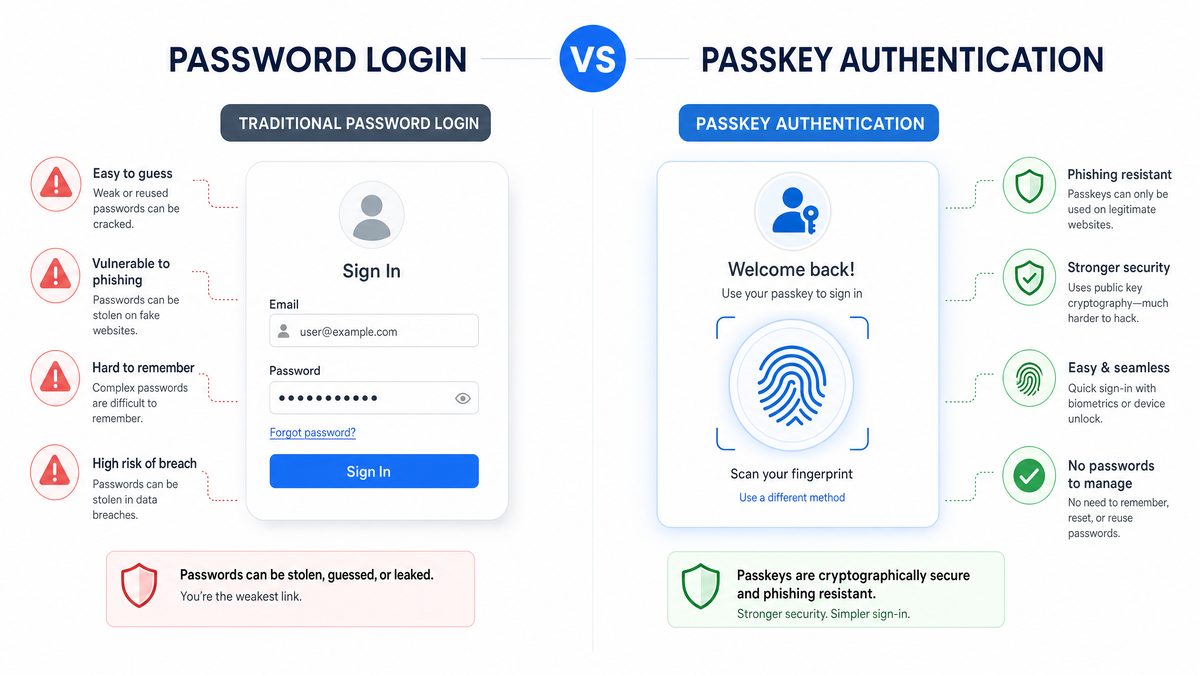
Comparative Table: Traditional Passwords vs. Passkeys/Physical Security Keys
| Feature | Traditional Passwords | Passkeys / Physical Security Keys |
|---|---|---|
| Authentication Method | Shared secret (password) | Public-key cryptography (asymmetric keys) |
| Phishing Resistance | Low – passwords can be stolen | High – private keys never leave device |
| Credential Theft Risk | High – passwords stored/ transmitted insecurely | Minimal – keys stored securely on device |
| User Convenience | Requires memorization and input | Biometric or tap – no typing required |
| Replay/Man-in-the-Middle Attacks | Possible if session hijacked | Mitigated by cryptographic challenge-response |
| Reset and Recovery | Via email or security questions (vulnerable) | Requires backup keys or device recovery mechanisms |
This table underscores the stark contrast in security posture between legacy password systems and modern passkey authentication. While passwords remain vulnerable to a myriad of attack vectors including phishing, brute force, and database breaches, passkeys leverage cryptography and hardware isolation to virtually eliminate these threats.
Integration with ChatGPT and Codex Services
OpenAI’s services like ChatGPT and Codex, often used for sensitive research, code generation, and content creation, now benefit from this enhanced security model. By enforcing Advanced Account Security, OpenAI ensures that accounts cannot be easily hijacked, protecting intellectual property and confidential communications.
From a developer perspective, the authentication flow integrates seamlessly with OpenAI’s existing OAuth 2.0 and API key management infrastructure, while adding a robust layer of identity assurance. This ensures that API access tokens and user sessions are issued only after verifying possession of the registered passkey or hardware key, mitigating the risk of unauthorized API usage Claude Opus 4.7 for Software Engineering: The Complete 2026 Guide.
Specifically, OpenAI’s authentication servers incorporate passkey verification within the OAuth authorization code flow. This means that when a user authenticates to obtain an OAuth token, OpenAI verifies the cryptographic assertion from the passkey before issuing tokens that grant access to sensitive APIs. This integration helps prevent token theft or misuse, as attackers cannot obtain tokens without the physical or biometric presence of the user’s key.
Furthermore, the security model extends to session management. OpenAI utilizes mechanisms such as short-lived access tokens and refresh tokens bound to successful passkey authentication events. This tight coupling reduces the window of opportunity for token replay or session hijacking attacks.
Developers building on top of OpenAI’s platform benefit from this enhanced security without complex integration overhead. The passkey authentication process is abstracted away by OpenAI’s identity provider, allowing developers to focus on application logic while trusting that account access is securely managed.
Deep Dive: OAuth 2.0 Flow with Passkey Integration
In a standard OAuth 2.0 authorization code flow, a client redirects the user to OpenAI’s authorization endpoint to obtain an authorization code, which is then exchanged for access and refresh tokens. With Advanced Account Security, the flow includes an additional step:
- After the user submits their identifier (e.g., email), OpenAI prompts for passkey authentication.
- The client device responds with a WebAuthn assertion signed by the private key.
- OpenAI verifies the signature and, upon success, proceeds to issue an authorization code.
- The client exchanges the authorization code for tokens, now assured of the user’s authenticated identity through passkey verification.
This integration ensures that token issuance is contingent on possession of the secure key, effectively preventing unauthorized token acquisition and reinforcing the security of API access for ChatGPT, Codex, and other OpenAI services.
Real-World Implications and Impact on At-Risk Users
The rollout of Advanced Account Security is especially significant for users who operate in environments where digital security threats are acute. Journalists covering sensitive topics, researchers working on controversial projects, and activists in hostile regimes are prime targets for sophisticated cyberattacks, including spear-phishing and account takeovers.
Phishing-Resistant Authentication Benefits
Phishing remains one of the most effective methods attackers use to gain unauthorized access. Even multi-factor authentication methods relying on SMS or OTP apps are vulnerable to interception or social engineering. Passkeys and physical security keys, by contrast, cannot be phished because authentication is cryptographically tied to the legitimate service and device.
This enhancement dramatically reduces risks of account compromise, which could lead to exposure of sensitive research data, confidential conversations, or source identities, potentially endangering lives or careers. The adoption of AAS by OpenAI highlights a commitment to user safety in the AI ecosystem, where data privacy and integrity are paramount.
Consider a case study involving a human rights activist in a high-risk jurisdiction. Previously, the activist’s OpenAI account might have been secured with a password and SMS-based two-factor authentication. Sophisticated state-sponsored attackers could deploy SIM swapping or phishing campaigns to intercept OTP codes and compromise the account, exposing confidential communications with sources.
With Advanced Account Security enabled, the activist’s authentication requires possession of a hardware security key or biometric passkey bound to their device. Even if attackers manage to phish the user’s login page, the cryptographic challenge-response cannot be faked without the physical key. This mitigates the risk of account hijacking and protects sensitive information.
Challenges and Considerations for Adoption
Despite the security advantages, transitioning to a passwordless model entails some challenges:
- Device Dependency: Passkeys are stored on user devices. Losing a device without having backup authenticators can lock users out. To counter this, OpenAI recommends registering multiple authenticators and leveraging cloud-synced passkeys where available.
- Recovery Procedures: OpenAI provides mechanisms to register multiple authenticators and account recovery options, but these must be carefully managed to avoid becoming attack vectors. For example, recovery workflows must balance usability with security, potentially integrating identity verification or out-of-band verification steps.
- Accessibility: Some users may lack compatible devices or physical keys, requiring fallback options without compromising security. OpenAI’s system supports transitional mechanisms, but encourages upgrade paths to passkeys for all users.
- Developer and User Education: Both developers integrating OpenAI APIs and end-users need guidance on managing passkeys and security keys effectively. This includes understanding enrollment, best practices for backup, recognizing phishing attempts, and how to recover accounts securely.
OpenAI has published extensive documentation and best practices to facilitate smooth onboarding, emphasizing security hygiene and backup protocols AI Coding Agents in 2026: Codex vs Claude Code vs Gemini — Which Wins?. Their resources include detailed tutorials on registering passkeys, managing multiple authenticators, and recovering accounts without compromising security.
Furthermore, OpenAI’s support teams are trained to assist users with passkey enrollment and troubleshooting, ensuring that the transition to this advanced security model is as frictionless as possible, even for non-technical users.
Case Study: Overcoming Recovery Challenges in Remote Regions
In a remote research station with limited internet connectivity, scientists rely on OpenAI services for AI-assisted data analysis. The region’s infrastructure constraints make hardware security keys difficult to distribute, and cloud syncing unreliable due to spotty connections.
To address this, the team implemented a multi-authenticator strategy, registering passkeys on multiple devices including laptops and smartphones, and maintaining physical security keys locally. They also set up an offline recovery protocol involving secure in-person verification and temporary access tokens managed by their IT department.
This approach balanced security with practicality, ensuring that users would not be locked out due to device loss or connectivity issues, while preserving the integrity of their OpenAI accounts.
Future Trends: Passwordless Authentication in AI and Beyond
OpenAI’s adoption of passkeys reflects a broader industry shift toward passwordless authentication, driven by the need to combat credential theft and improve user experience. Major technology companies, including Apple, Google, and Microsoft, have already integrated passkeys into their platforms, signaling a unified move toward this standard.
According to recent industry reports, passwordless authentication adoption is projected to grow at a compound annual growth rate (CAGR) exceeding 25% over the next five years, as organizations seek to reduce costs related to password resets and security incidents. OpenAI’s leadership in this space sets a benchmark for AI providers and SaaS platforms alike.
Implications for AI Security and Data Protection
As AI systems become more pervasive and handle increasingly sensitive data, securing access to AI platforms is critical. Passwordless authentication aligns with zero-trust security models, where identity verification must be robust and phishing resistant. OpenAI’s implementation sets a precedent for other AI providers to follow suit, bolstering the security posture of the entire ecosystem How to Use OpenAI Codex Computer Use: Step-by-Step Tutorial for 2026.
Zero-trust frameworks emphasize the principle “never trust, always verify,” requiring continuous authentication assurance. Passkeys and hardware security keys complement this model by providing cryptographic proof of user identity without relying on vulnerable secrets.
Moreover, as AI applications integrate with enterprise identity providers, passkey standards facilitate federated authentication, allowing organizations to enforce consistent security policies across multiple platforms including AI services.
Developer Considerations and API Security
For developers building AI-powered applications using OpenAI’s APIs, the shift to Advanced Account Security means that API key management, user authentication, and session control will need to incorporate public-key cryptography principles. This transition encourages more secure coding practices and reduces risks from leaked credentials or automated attacks.
Developers should consider the following best practices:
- Enforce Strong Authentication: Require Advanced Account Security for administrative or high-privilege API keys to minimize risk.
- Implement Token Binding: Bind API tokens to authenticated sessions derived from passkeys, reducing token replay risks.
- Monitor Authentication Events: Log and analyze authentication attempts to detect anomalies or potential compromise.
- Educate Users: Provide clear guidance on passkey registration, usage, and recovery within developer portals and user interfaces.
OpenAI’s developer documentation provides extensive examples and SDK support for integrating passkey-based authentication flows into applications, ensuring that developers can adopt these security enhancements without significant overhead.
Comparative Overview of Passwordless Authentication Methods
| Authentication Method | Security Level | User Convenience | Deployment Complexity | Typical Use Cases |
|---|---|---|---|---|
| Passkeys (FIDO2/WebAuthn) | Very High | High (biometric / tap) | Moderate | End-user login, high-risk accounts |
| Physical Security Keys (USB/NFC) | Very High | Medium (requires hardware) | High | Highly sensitive accounts, corporate environments |
| OTP via Authenticator Apps | Moderate | Medium (code entry) | Low | General 2FA |
| SMS-based OTP | Low | Medium | Low | Legacy 2FA |
| Passwords Only | Low | Low | Low | Legacy authentication |
This comparative data demonstrates that OpenAI’s move to passkeys and physical security keys places it firmly in the highest tier of authentication security and usability, setting a new standard for AI platform access control.
It is worth noting that while OTP methods add an additional security layer over passwords, they still rely on shared secrets or communication channels that can be compromised through SIM swapping or phishing. Passkeys, by contrast, remove the reliance on secrets that can be intercepted or reused.
Emerging Innovations in Passkey Technology
Looking forward, innovations such as multi-device passkey synchronization, decentralized identity (DID) integration, and hardware advances will further enhance passwordless authentication. For example, Apple and Google have begun enabling passkeys synchronized via their cloud services, allowing users to authenticate seamlessly across multiple devices without manual key registration.
Decentralized identity frameworks may allow users to maintain control over their credentials independent of service providers, potentially reducing reliance on centralized authentication servers and enhancing privacy. Hardware innovations, including biometric sensors with liveness detection and quantum-resistant cryptographic chips, will continue to raise the security bar.
OpenAI’s early adoption and ongoing support for passkeys position it to integrate these advancements as they mature, maintaining a cutting-edge security posture while ensuring user convenience and privacy.
Access 40,000+ AI Prompts for ChatGPT, Claude & Codex — Free!
Subscribe to get instant access to our complete Notion Prompt Library — the largest curated collection of prompts for ChatGPT, Claude, OpenAI Codex, and other leading AI models. Optimized for real-world workflows across coding, research, content creation, and business.
Useful Links
- WebAuthn Guide
- FIDO Alliance Official Website
- OpenAI Blog: Advanced Account Security Announcement
- OpenAI Developer Docs: Authentication
- Yubico Security Keys
- Apple Passkeys Developer Resources
- Auth0 Multi-Factor Authentication Best Practices
- Microsoft’s Passwordless Future
- UK National Cyber Security Centre: Passwordless Authentication
