
Introduction
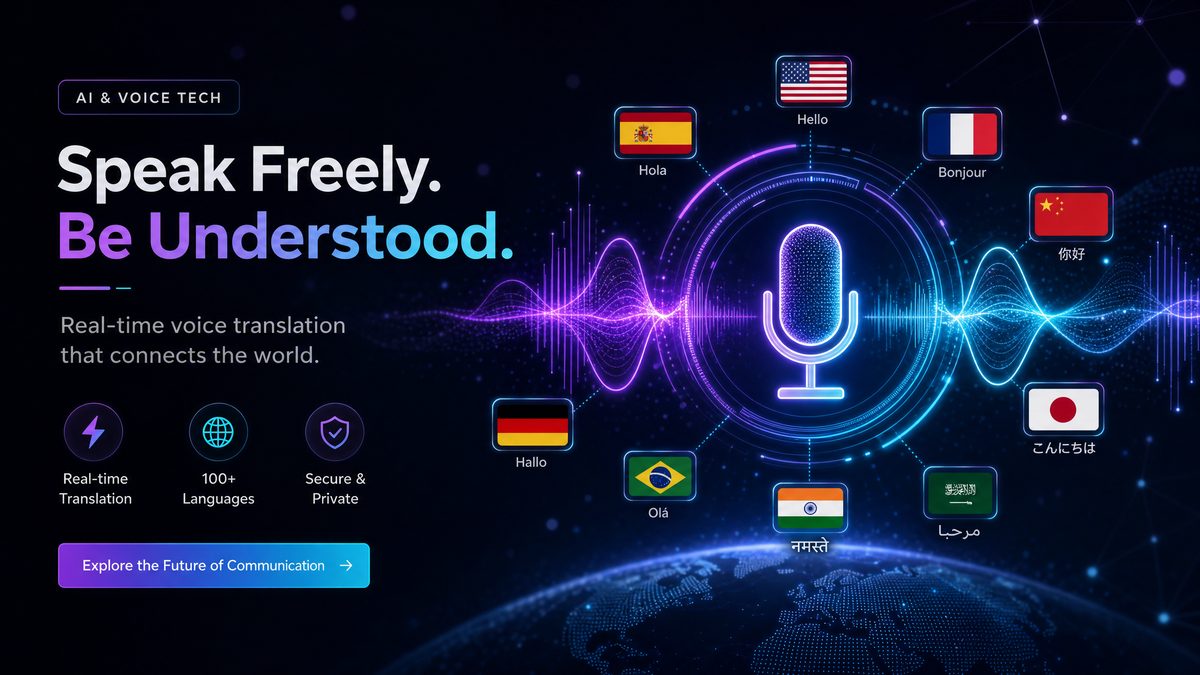
Overview of OpenAI’s Realtime Voice API
OpenAI’s Realtime Voice API represents a significant advancement in voice-powered artificial intelligence technology. Designed to facilitate seamless and interactive voice applications, this API enables developers to integrate speech-to-text, text-to-speech, real-time translation, and transcription capabilities all within a single, scalable platform. By harnessing cutting-edge models such as GPT-Realtime-2, GPT-Realtime-Translate, and GPT-Realtime-Whisper, OpenAI has made it possible to build applications that process and respond to voice inputs with unprecedented speed and accuracy.
The API supports real-time streaming of audio data, low-latency responses, and extended conversational context, enabling developers to create highly engaging and natural voice experiences. Whether it is a virtual assistant, a live translation service, or a transcription tool, the Realtime Voice API opens new horizons for voice-powered AI applications.
Key Capabilities and Innovations
The core innovations of OpenAI’s Realtime Voice API include:
- Real-time speech-to-text and text-to-speech: Enables instantaneous conversion between voice and text, supporting fluid two-way voice interactions.
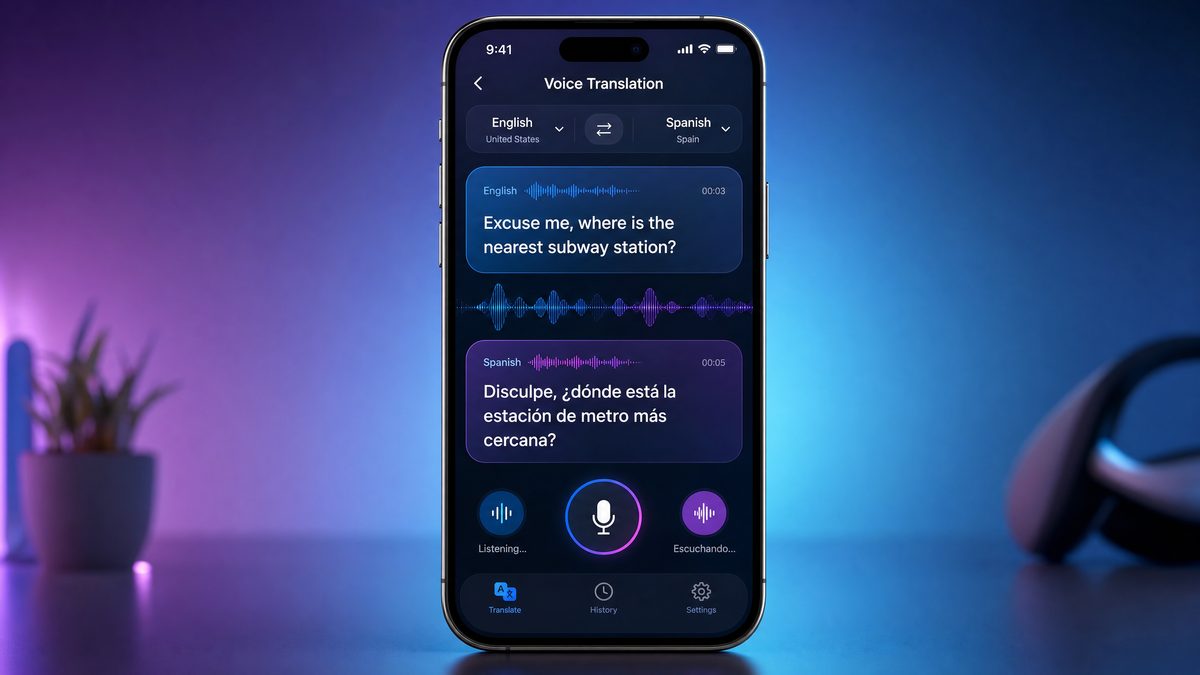
- Multilingual voice translation: Allows applications to translate spoken language in real time between dozens of languages and dialects, facilitating cross-lingual communication.
- Extended context windows: Supports up to 128,000 tokens in conversation history, allowing applications to maintain rich, long-term dialogue context.
- Parallel API calls: Permits simultaneous use of multiple voice models for transcription, translation, and conversation management, optimizing performance.
- Adjustable reasoning parameters: Provides developers with fine-grained control over the AI’s behavior, including response creativity, depth, and logical inference.
Use Cases for Voice-Powered AI Applications
Applications powered by the Realtime Voice API span a broad spectrum of industries and scenarios, such as:
- Virtual assistants and chatbots: Conversational agents for customer service, personal productivity, and entertainment.
- Live multilingual translation: Real-time interpretation for meetings, conferences, and global collaboration.
- Transcription services: Accurate, low-latency transcription for media production, legal documentation, and accessibility.
- Interactive voice applications: Voice-controlled software for IoT devices, smart home systems, and accessibility tools.
Why Use GPT-Realtime-2, GPT-Realtime-Translate, and GPT-Realtime-Whisper?
The Realtime Voice API offers three specialized models tailored to different voice AI needs:
| Model | Primary Function | Key Features | Ideal Use Cases |
|---|---|---|---|
| GPT-Realtime-2 | Real-time conversational voice AI | Speech-to-text + text-to-speech, conversational context, low latency | Voice assistants, interactive chatbots, voice-controlled apps |
| GPT-Realtime-Translate | Multilingual real-time voice translation | Real-time audio translation, supports multiple languages and dialects | Live translation, multilingual customer support, international meetings |
| GPT-Realtime-Whisper | Accurate speech transcription | Noise robustness, domain-specific vocabulary, punctuation handling | Transcription for media, accessibility, legal and medical documentation |
Using these models individually or in combination allows developers to tailor voice applications to specific needs, achieving both accuracy and responsiveness.
Benefits of Realtime Interaction and Translation
Realtime interaction capabilities reduce the latency between user input and AI response, enabling conversations that feel natural and immediate. Meanwhile, integrated translation expands accessibility across languages, breaking communication barriers in global contexts. Together, these benefits empower developers to create voice experiences that are not only efficient but inclusive and context-aware.
Scope of This Guide
This comprehensive guide covers everything you need to know to build voice-powered AI applications using OpenAI’s Realtime Voice API. You will learn how to:
- Set up your OpenAI account and obtain API access
- Install necessary SDKs and tools
- Create voice interaction applications with GPT-Realtime-2
- Build multilingual translators using GPT-Realtime-Translate
- Integrate accurate transcription with GPT-Realtime-Whisper
- Implement parallel API calls for enhanced functionality
- Customize reasoning parameters to optimize AI behavior
- Follow best practices for scalability, security, and performance
- Build and deploy a complete multilingual voice assistant application
Prerequisites for following this guide include a basic understanding of programming (preferably JavaScript/Node.js or Python), familiarity with RESTful APIs, and an OpenAI API key with access to the Realtime Voice API. Development environment setup instructions will be covered to ensure you are ready to start coding.
This article is designed to be a one-stop resource for developers ranging from beginners to advanced practitioners aiming to leverage OpenAI’s newest voice AI technologies.
1. Getting Started with OpenAI’s Realtime Voice API
1.1 Setting Up Your OpenAI Account and API Access
To begin using OpenAI’s Realtime Voice API, you first need to create an OpenAI account and obtain the necessary API credentials.
Registering for API Access: Visit the OpenAI Platform Signup page to create an account. Follow the verification steps and agree to the terms of service.
Generating and Managing API Keys: Once logged in, navigate to the API keys section. Here you can create new API keys, which serve as your authentication tokens when calling the Realtime Voice API endpoints. It is critical to keep these keys secure and never expose them in client-side code or public repositories.
Understanding Usage Limits and Pricing: The Realtime Voice API operates under a usage-based pricing model. Be sure to review the latest pricing details on the OpenAI Pricing page. Usage limits, quotas, and billing cycles should be monitored in your account dashboard to avoid unexpected charges.
1.2 Installing Required Tools and SDKs
To interact with the Realtime Voice API, OpenAI provides several SDKs supporting multiple programming environments.
Overview of SDKs: The primary SDKs include the official openai client for Node.js (npm package) and Python (pip package). These SDKs simplify API calls, authentication, and streaming responses.
Installing SDKs:
- For Node.js:
npm install openai
pip install openai
Other languages may require direct REST API calls or third-party wrappers.
Setting up Environment Variables: To securely manage your API key, set it as an environment variable named OPENAI_API_KEY. For example, in Linux/macOS:
export OPENAI_API_KEY="your_api_key_here"
For Windows PowerShell:
$env:OPENAI_API_KEY="your_api_key_here"
This approach avoids hardcoding sensitive information in your source code and enables safer deployment.
1.3 Creating Your First Voice-Powered Application Skeleton
Let’s create a basic application structure that connects to OpenAI’s Realtime Voice API and sends a voice request.
Basic Project Setup:
- Node.js example: Initialize a new project and install dependencies.
mkdir voice-app
cd voice-app
npm init -y
npm install openai mic speaker
python -m venv venv
source venv/bin/activate
pip install openai pyaudio
Connecting to the API Endpoint: Use the SDK client to connect to the Realtime Voice API. For example, in Node.js:
import OpenAI from "openai";

const openai = new OpenAI({
  apiKey: process.env.OPENAI_API_KEY,
});

async function simpleVoiceRequest() {
  const response = await openai.chat.completions.create({
    model: "gpt-realtime-2",
    modalities: ["audio"],
    audio: {
      voice: "default",
      format: "wav",
    },
    messages: [{ role: "user", content: "Hello, OpenAI!" }],
  });
  console.log(response.choices[0].message);
}
Testing a Simple Voice Request and Response: Once connected, test sending an audio input (such as a recorded voice snippet or live microphone stream) and receive a text or speech response. This validates your integration and lays the foundation for more complex voice interactions.
By completing this initial setup, you have the basic tools to build voice-powered applications using OpenAI’s Realtime Voice API.

2. Deep Dive into GPT-Realtime-2 for Voice Interaction
2.1 Understanding GPT-Realtime-2 Capabilities
GPT-Realtime-2 is the flagship model for real-time conversational voice AI. It integrates tightly with both speech-to-text and text-to-speech to enable fluid, interactive voice conversations.
Real-time Speech-to-Text and Text-to-Speech Integration: GPT-Realtime-2 processes streaming audio input, transcribes speech instantly, and generates natural language responses. These responses can be synthesized back into speech, enabling a full-duplex voice interaction where users and the AI talk back and forth seamlessly.
Handling Conversational Context: One of the strengths of GPT-Realtime-2 is its ability to maintain conversational context over prolonged exchanges. This means the AI remembers prior user inputs and can generate contextually relevant replies, making conversations coherent and meaningful.
2.2 Step-by-Step Guide: Using GPT-Realtime-2
Streaming Audio Input from Microphone: Capturing live audio input is the first step. In Node.js, you can use the mic package to stream audio data:
import mic from "mic";

const microphone = mic({
  rate: "16000",
  channels: "1",
  debug: false,
  exitOnSilence: 6,
});

const micInputStream = microphone.getAudioStream();
microphone.start();
Sending Audio Streams to GPT-Realtime-2 API: The captured audio stream is piped or sent in chunks to the GPT-Realtime-2 endpoint via the SDK’s streaming interface. This allows near-instant processing:
const responseStream = await openai.chat.completions.create({
  model: "gpt-realtime-2",
  modalities: ["audio"],
  audio: { format: "wav" },
  stream: true,
  messages: [{ role: "user", content: micInputStream }],
});
Receiving and Processing Streamed Responses: The API returns a stream of tokens or audio data representing the AI’s reply. Handle these chunks in real-time to update UI or send audio output.
Implementing Text-to-Speech Output for Replies: Use libraries such as speaker (Node.js) or pyttsx3 (Python) to play synthesized speech returned from the API response, providing immediate voice feedback to users.
2.3 Managing Longer Contexts with 128K Tokens
The Realtime Voice API supports an extended context window up to 128,000 tokens, a revolutionary increase over previous models. This enables AI to remember and reason over very long conversations or documents.
Benefits of Longer Context Window: Extended context allows applications to maintain coherent dialogues across lengthy interactions, recall earlier user inputs, and manage complex conversations without losing track.
Storing and Sending Conversation History Efficiently: To leverage this, developers should store conversation transcripts and metadata in a structured format (e.g., JSON), sending relevant context portions with each API call. Avoid sending unnecessary data to optimize performance and token usage.
Best Practices for Chunking and Context Management: Implement chunking strategies where conversation history is segmented into logical units (topics, sessions). Use summarization techniques to compress older context when needed and always prioritize recent or relevant history in API requests.
By effectively managing this vast context capability, your voice applications will deliver more natural and insightful interactions.
3. Using GPT-Realtime-Translate for Multilingual Voice Applications
3.1 Overview of GPT-Realtime-Translate Features
GPT-Realtime-Translate empowers developers to build applications that translate spoken language in real time. This model supports dozens of languages and dialects, enabling natural multilingual voice experiences.
Real-time Voice Translation Capabilities: The model transcribes incoming audio in the source language, translates it into the target language, and outputs either text or synthesized speech in the translated language, all with minimal latency.
Supported Languages and Dialects: Supported languages include widely spoken global languages such as English, Spanish, Mandarin, French, German, Japanese, Arabic, Hindi, and many regional dialects. This broad coverage makes the API suitable for international applications.
3.2 Step-by-Step Guide: Building a Voice Translator
Capturing Audio Input in Source Language: Use the same audio streaming methods described in section 2.2 to capture microphone input or audio files in the source language.
Sending Audio Streams to GPT-Realtime-Translate: Specify the model as gpt-realtime-translate and include parameters for source and target languages:
const translationResponse = await openai.chat.completions.create({
  model: "gpt-realtime-translate",
  modalities: ["audio"],
  audio: { format: "wav" },
  source_language: "en",
  target_language: "es",
  stream: true,
  messages: [{ role: "user", content: audioStream }],
});
Handling Translated Voice/Text Output: The API returns translated text or synthesized voice. You can display the translated text or play the audio output to users.
Synchronizing Audio Playback with Translated Text: For enhanced user experience, synchronize the playback of translated audio with on-screen text highlights. This can be achieved by timestamped transcripts or chunked audio processing.
3.3 Use Cases and Practical Tips for Translation Apps
Live Meetings and Conferences: Implement multilingual captioning and interpretation to facilitate communication among participants speaking different languages.
Multilingual Customer Support Bots: Provide 24/7 support for customers worldwide by translating their voice queries and responding naturally in their language.
Additional tips include optimizing network bandwidth for streaming, managing latency expectations, and customizing translation models for domain-specific terminology.
4. Leveraging GPT-Realtime-Whisper for Accurate Speech Recognition
4.1 Introduction to GPT-Realtime-Whisper
GPT-Realtime-Whisper is a specialized model optimized for robust and accurate speech transcription. Building on the Whisper architecture, it excels in noisy environments and diverse acoustic conditions.
How Whisper Differs from Other Models: Unlike general conversational models, Whisper focuses purely on converting speech audio to text with high fidelity. It supports multiple languages and dialects, and its architecture is tuned to handle accents, background noise, and varying audio quality.
Benefits for Noise Robustness and Transcription Accuracy: This makes GPT-Realtime-Whisper ideal for applications requiring precise transcription such as media captioning, legal depositions, and medical dictation.
4.2 Step-by-Step Guide: Integrating GPT-Realtime-Whisper
Streaming Audio Input for Transcription: Capture audio streams as previously described. Send the audio data to the Whisper endpoint with streaming enabled:
const transcriptionStream = await openai.chat.completions.create({
  model: "gpt-realtime-whisper",
  modalities: ["audio"],
  audio: { format: "wav" },
  stream: true,
  messages: [{ role: "user", content: audioStream }],
});
Receiving and Handling Text Transcriptions in Real-Time: Process streamed transcript chunks as they arrive, updating UI or storing text incrementally. This reduces latency and enhances user experience.
Using Transcription Data for Downstream Applications: Transcripts can feed into search indexing, sentiment analysis, or be used as input for other GPT models to generate summaries or responses.
4.3 Enhancing Transcription with Custom Vocabulary and Punctuation
Adjusting Model Parameters for Domain-Specific Terms: You can augment the transcription accuracy by providing custom vocabulary lists or hints to the model, enabling it to recognize specialized terms, names, or jargon.
Handling Punctuation and Formatting in Transcripts: Whisper supports automatic punctuation insertion. You can configure parameters to control capitalization, paragraph breaks, and other formatting to produce clean, readable transcripts.
5. Parallel Tool Calls: Combining Multiple GPT Realtime APIs
5.1 What Are Parallel Tool Calls?
Parallel tool calls refer to the practice of making simultaneous API requests to different GPT Realtime models to combine their capabilities within a single application workflow.
Definition and Advantages: By invoking multiple models concurrently, applications can, for example, transcribe audio while also translating it and generating conversational replies, all in real time. This parallelism enhances responsiveness and feature richness.
Example Scenarios Requiring Multiple API Calls Simultaneously:
- Live multilingual captions where transcription and translation run side by side.
- Voice assistants that transcribe user queries and simultaneously generate translated answers.
- Media applications that provide real-time subtitles and voice-over translation concurrently.
5.2 Implementing Parallel Calls in Your Application
Sending Audio to GPT-Realtime-Whisper and GPT-Realtime-Translate Concurrently: Using asynchronous programming techniques (e.g., Promises in JavaScript or asyncio in Python), send the same audio stream to multiple endpoints:
const whisperPromise = openai.chat.completions.create({ model: "gpt-realtime-whisper", ... });
const translatePromise = openai.chat.completions.create({ model: "gpt-realtime-translate", ... });

const [transcription, translation] = await Promise.all([whisperPromise, translatePromise]);
Aggregating and Synchronizing Responses: Collect and merge responses to present a unified output. For example, display transcriptions alongside translations, or use transcription to validate translation accuracy.
Handling Errors and Timeouts in Parallel Calls: Implement robust error handling to manage partial failures. Timeouts and retries should be configured to prevent blocking the entire application flow.
5.3 Optimizing Performance and Cost with Parallelization
Balancing Responsiveness and Resource Usage: While parallel calls increase capability, they also multiply API usage and resource consumption. Prioritize critical calls and batch or debounce less urgent requests.
Strategies for Managing Parallel API Quotas: Monitor usage metrics and implement quota management logic to avoid exceeding rate limits. Consider fallback mechanisms or degraded modes when limits are approached.
6. Advanced Features: Adjustable Reasoning and Customization
6.1 Understanding Adjustable Reasoning Parameters
Adjustable reasoning allows developers to tailor the AI’s cognitive processing depth and response style using configurable parameters. This capability is particularly useful when precise control over AI behavior is necessary.
What is Adjustable Reasoning in GPT Realtime Models? It involves tweaking settings such as temperature, maximum tokens, reasoning depth, and other custom flags that influence the AI’s creativity, verbosity, and logical inference capabilities.
Use Cases Benefiting from Reasoning Adjustments:
- Complex question answering requiring detailed explanations
- Logical inference in troubleshooting, diagnostics, or decision support
- Creative storytelling or brainstorming with controlled randomness
6.2 How to Configure Reasoning Settings via the API
When making API calls, include reasoning parameters in the request payload. For example:
{
  "model": "gpt-realtime-2",
  "temperature": 0.3,
  "max_tokens": 512,
  "reasoning_depth": 3,
  "messages": [{ "role": "user", "content": "Explain quantum entanglement." }]
}
Parameter Options and Their Effects:
| Parameter | Description | Typical Values | Effect |
|---|---|---|---|
| temperature | Controls randomness in responses | 0.0 – 1.0 | Lower = deterministic; Higher = creative |
| max_tokens | Maximum tokens in response | Up to 128000 (context limit) | Limits length of output |
| reasoning_depth | Number of inference steps | 1 – 5+ | Higher = more detailed reasoning |
Examples of API Calls with Adjusted Reasoning: Use these parameters in the SDK calls to customize output complexity and style depending on your application’s needs.
6.3 Practical Scenarios for Reasoning Customization
Complex Question Answering: For technical domains like medicine or law, increase reasoning depth to generate thorough, multi-step explanations.
Logical Inference in Conversational AI: Use custom reasoning parameters to enable the AI to perform deduction, hypothesis testing, and error correction during dialogues.
7. Best Practices for Building Scalable Voice-Powered AI Applications
7.1 Managing Long Conversations and Context Windows
Efficient context management is critical when working with large token windows (up to 128K).
- Store conversations in structured logs, annotating speaker roles and timestamps.
- Use summarization or abstraction to compress older parts of the conversation.
- Prioritize recent dialogue to maintain relevance.
- Implement caching and incremental context updates to reduce token overhead.
7.2 Ensuring Low Latency and High Responsiveness
Low latency is essential for natural voice interactions.
- Stream audio in small chunks to the API to reduce buffering delays.
- Use efficient audio codecs and formats (e.g., WAV, Opus) optimized for streaming.
- Handle backpressure and buffer management carefully to prevent audio dropouts.
- Optimize network connections to minimize jitter and packet loss.
7.3 Security and Privacy Considerations
Voice data often contains sensitive information.
- Encrypt audio streams and API requests using TLS.
- Implement access controls and API key rotation policies.
- Comply with regulations such as GDPR and HIPAA where applicable.
- Provide users with clear privacy notices and options for data deletion.
7.4 Monitoring, Logging, and Analytics
Track API usage, performance metrics, and user interactions to improve your application.
- Log voice session metadata, transcription accuracy, and translation quality.
- Analyze latency and error rates to identify bottlenecks.
- Collect user feedback to guide iterative improvements.
8. Complete Example: Building a Multilingual Voice Assistant
8.1 Application Overview and Features
This example combines GPT-Realtime-2 for conversational voice interaction, GPT-Realtime-Translate for multilingual support, and GPT-Realtime-Whisper for robust transcription. The assistant can listen, transcribe, translate, and respond in multiple languages in real time.
8.2 Code Walkthrough
Setting up Audio Input/Output:
- Use microphone input streams for capturing user voice.
- Play synthesized output through speakers.
Making Parallel API Calls: Simultaneously send audio to Whisper for transcription and Translate for multilingual conversion.
Managing Conversation Context and Reasoning Parameters: Store conversation history, pass it with each API request, and adjust reasoning parameters to control reply complexity.
Handling User Interface and Feedback: Display transcriptions, translations, and AI responses in a synchronized UI with real-time audio playback.
8.3 Deployment and Testing Tips
- Test across different devices and network conditions to ensure robustness.
- Scale infrastructure to handle multiple concurrent users using load balancing and API quota management.
- Implement progressive enhancement to gracefully handle failures or degraded network.
Conclusion
OpenAI’s new Realtime Voice API unlocks powerful capabilities for building voice-powered AI applications that are interactive, multilingual, and scalable. By leveraging GPT-Realtime-2, GPT-Realtime-Translate, and GPT-Realtime-Whisper models, developers can create solutions that understand and respond to voice input in real time, translate across languages, and transcribe speech with exceptional accuracy.
This guide has walked you through setting up your environment, integrating each model, managing parallel tool calls, customizing reasoning, and adhering to best practices for scalability and security. You now have the foundational knowledge and practical insights to build sophisticated voice AI applications tailored to a variety of domains.
We encourage you to experiment with the API, explore advanced features, and contribute to the growing ecosystem of voice AI solutions. For further learning, keep an eye on OpenAI’s documentation and community forums, and leverage the rich libraries of prompts and code examples available online.
Useful Links
- OpenAI Voice API Documentation
- OpenAI Realtime Voice API Overview
- OpenAI Node.js Quickstart
- OpenAI Python SDK
- OpenAI Whisper Speech Recognition
- Speech Recognition – Wikipedia
- Google Cloud Speech-to-Text
- AWS Transcribe
- Web Speech API – MDN
- TensorFlow Audio Recognition Tutorial
