
How to Migrate from the OpenAI Assistants API to the Responses API: A Complete Developer Guide with Code Examples
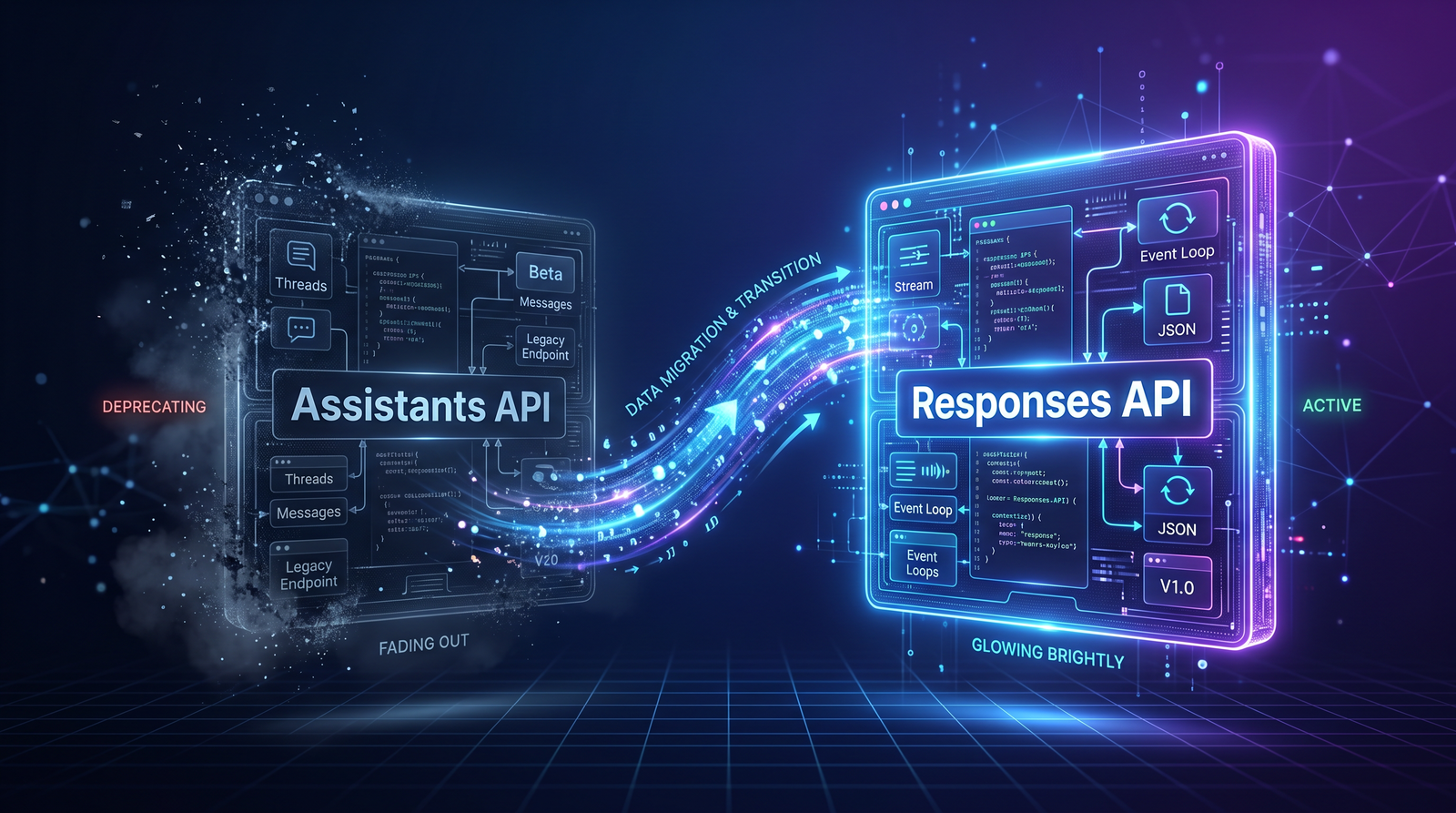
How to Migrate from the OpenAI Assistants API to the Responses API: A Complete Developer Guide with Code Examples
Author: Markos Symeonides, ChatGPT AI Hub
Overview: This long-form tutorial explains why many teams are moving from the Assistants API to the Responses API, what architectural differences to expect, and provides a step-by-step migration plan that includes complete Python and TypeScript code examples. We’ll cover stateful conversations, file search migration using embeddings, moving code interpreter workloads, streaming responses, robust error handling, testing strategies, and a recommended migration timeline. Throughout the article you’ll find practical snippets you can copy, adapt, and test in your environment. This guide also includes a migration checklist as an ASCII table you can use to track your progress.
Why change: motivations for migrating
There are several reasons organizations consider migrating from the Assistants API to the Responses API. The short list is: simplicity and unification, broader feature coverage, better streaming and multimodal support, and often improved alignment with the product stack used by the provider. The Responses API generally consolidates chat, tool usage, function calling, and multimodal inputs into a single surface that can be easier to maintain as your application grows.
From an engineering perspective the primary motivations are improved developer ergonomics (one API to learn), clearer patterns for message composition and tool integration, and (in some provider roadmaps) better support for low-latency streaming and server-driven actions. For product managers, the Responses API commonly offers more straightforward billing models and consistent model selection across text, image, and embeddings usage.
Note: this migration should include considerations for authentication, rate limits, permissions, and telemetry. See
For a deeper exploration of related concepts, our comprehensive guide on OpenAI’s GPT-5.5-Cyber: How a Specialized AI Model Is Redefining Cybersecu provides detailed strategies and practical frameworks that complement the approaches discussed in this section.
for details on securing API keys and tokens before you begin the migration.
High-level architecture differences
Understanding the conceptual differences between the Assistants API and the Responses API will help you plan the migration. Below are the most important distinctions to be aware of:
1) Endpoint surface and naming: The Assistants API tends to be assistant-centric—each assistant is defined, configured, and maintained, and it may include built-in tooling. The Responses API is model- or response-centric: you call a responses.create (or equivalent) endpoint with an input payload that includes context, tools, or modalities.
2) Conversation state: Assistants API may have in-server session storage and assistant-specific state management. Responses API often expects you to pass the conversation history explicitly (the messages or inputs array). Therefore, you’ll probably move from server-managed state to client- or application-managed state, or you will implement session storage that replays the conversation for each call.
3) Tooling and function-calls: With Assistants you might have been registering tools directly with the assistant configuration. With the Responses API, the typical pattern is to supply a list of available tools/functions within the request and handle tool invocations from model outputs, or to interpret structured tool-calls embedded in responses. This often increases flexibility and makes version control of tools simpler, because the application supplies tools at runtime.
4) Files and search: Models don’t do file search natively; most modern patterns use embeddings and a vector index for file search or retrieval. If your Assistants setup relied on hosted file search features, migrate to an embeddings + vector store approach and wire the search results into the Responses API requests as additional context.
5) Streaming: The Responses API typically provides multiple streaming mechanisms (chunked HTTP, WebSocket, SSE) that enable low-latency partial responses. Compare the Assistants API streaming semantics to the Responses API and choose the streaming approach that best suits your application.
Before you start: inventory and planning
Migration starts with a clear inventory. Document where you use the Assistants API and what features you rely on. For every integration, capture:
– Which assistant IDs and versions are used.
– How you maintain or persist conversation state (sessions, cookies, DB records).
– Any registered tools, functions, or external integrations the assistant calls.
– File access patterns: Are you searching uploaded files? Are users uploading CSVs or images for the assistant to process?
– Streaming usage patterns (e.g., live chat vs. batch generation).
– Testing, logging, and monitoring instrumentation.
Use this inventory to rank migrations by risk and impact. Low-risk items are great candidates for early migration: simple question-answer assistants, read-only workflows, and stateless endpoints. Save high-risk items—stateful assistants that orchestrate payments or contain complex toolchains—for later phases, once you’ve validated the new patterns on simpler assistants.
Step-by-step migration plan (high-level)
Step 0: Prepare your environment—update SDKs, secure API keys, and prepare a sandbox project for experiments.
Step 1: Create an adapter layer in your application that normalizes the assistive calls. The adapter will translate your existing assistant API usages into the Requests/Responses API payload shape. This makes the migration iterative and allows A/B testing.
Step 2: Migrate stateless flows first. Convert direct Q&A and single-turn interactions to Responses API calls. Ensure output parity.
Step 3: Migrate streaming flows by mapping your streaming client-side behavior to the Responses API streaming endpoint.
Step 4: Migrate tools and function-calls. Implement tool definitions within the Responses request, and build the runtime that executes tools when the model requests them.
Step 5: Migrate stateful conversations by choosing a session strategy: replay the conversation history, maintain server-side transcript and provide recent messages as context, or combine both with summarized context to stay within token limits.
Step 6: Migrate file search to embeddings and a vector store. Integrate the retrieval step into your pipeline so that top-k results are included in request context.
Step 7: Port tests, monitoring, and telemetry. Run integration tests and stepped rollout (canary, feature flags).
Mapping patterns: Assistants API -> Responses API
Here are common mappings you’ll need to implement in code and in your mental model:
a) Assistant identity -> model + input: Instead of calling an assistant by ID, you typically call the Responses API and set a model or developer prompt that reproduces the assistant’s behavior. For assistant-specific configuration (personality, system prompts, safety rules), pass these as system messages or as top-level context in every request.
b) Long-running session state -> explicit messages: If the Assistants API stored conversation state server-side, you must either continue to store it (and rehydrate it into Responses calls) or store compact summaries. The Responses API will expect the messages array to be part of the request so the model sees the conversation history.
c) Registered tools -> runtime tool registry included in the request: The Responses API will accept a description of available tools or will provide a mechanism for a tool to be invoked. Define tools with clear input/output schemas and implement the runner that executes them when invoked.
d) File Search -> Retrieval augmented generation: Run retrieval locally (embeddings + vector index) and pass back the top results as context in the input for a single Responses call or as external knowledge in a retrieval step managed by your application.
Python: Basic Responses API usage (stateless)
The following Python examples show how to use a hypothetical official SDK client named “OpenAI” that exposes a client.responses.create method. Adapt the import and client initialization as required by your SDK version. This example demonstrates a simple single-turn prompt transformed from an assistant to the Responses API.
from openai import OpenAI
import os

client = OpenAI(api_key=os.environ.get("OPENAI_API_KEY"))

def simple_response(prompt: str):
    # Assemble the request payload in the Responses API shape
    response = client.responses.create(
        model="gpt-4o-mini",
        input=[
            {"role": "system", "content": "You are a helpful assistant."},
            {"role": "user", "content": prompt}
        ],
        max_tokens=512
    )
    # Responses API may return a field like 'output' or 'choices'
    # Inspect the structure your SDK returns and adapt accordingly
    text = ""
    if hasattr(response, "output") and isinstance(response.output, list):
        # Flatten textual parts
        for part in response.output:
            if isinstance(part, dict) and part.get("type") == "message":
                text += part.get("content", "")
    else:
        # Fallback: try a typical 'text' or 'choices' path
        text = getattr(response, "text", None) or getattr(response, "choices", [])[0].get("text", "")
    return text

if __name__ == "__main__":
    print(simple_response("Explain the difference between HTTP and HTTPS in simple terms."))
Notes: Replace model name with the model your team plans to use; the Responses API uses an input/messages array pattern, but confirm the exact SDK naming for your version. If your original assistant relied on a configured personality, add that to the system message or to a prompt template you include in every request.
TypeScript/Node: Basic Responses API usage (stateless)
The TypeScript example below demonstrates a similar stateless call. It uses an exported OpenAI client from an SDK. Adjust the import to match your package.
import OpenAI from "openai";
const client = new OpenAI({ apiKey: process.env.OPENAI_API_KEY });

export async function simpleResponse(prompt: string) {
  const response = await client.responses.create({
    model: "gpt-4o-mini",
    input: [
      { role: "system", content: "You are a helpful assistant." },
      { role: "user", content: prompt }
    ],
    max_tokens: 512
  });

  // Parse the response according to the SDK return shape
  let text = "";
  if (response.output && Array.isArray(response.output)) {
    for (const part of response.output) {
      if (part.type === "message" && part.content) {
        // depending on the SDK, content can be a string or array of parts
        if (typeof part.content === "string") {
          text += part.content;
        } else if (Array.isArray(part.content)) {
          for (const c of part.content) {
            if (c.type === "text") text += c.text || "";
          }
        }
      }
    }
  } else if (response.text) {
    text = response.text;
  } else if (response.choices?.length) {
    text = response.choices[0].text || "";
  }

  return text;
}
Handling stateful conversations
Stateful conversation migration is the most delicate part of the transition. Below are several strategies and code examples for preserving conversation quality while staying within token limits and maintaining performance.
Strategy A: Full replay. Store the entire message transcript in your database and replay the messages in full with each Responses API call. This matches the original model context but can blow out token usage for long conversations.
Strategy B: Windowed replay. Keep a sliding window of the last N messages or the last M tokens. This is a pragmatic balance between context fidelity and cost.
Strategy C: Summarize older context. Summarize earlier parts of the conversation into a compact system message and supply the summary as context along with the recent messages. This reduces token usage while preserving historical context.
Strategy D: Hybrid (summaries + key facts store). Keep a vector database of important user facts and retrieve relevant facts per turn so you don’t have to pass large transcripts each time.
Below is a Python example that implements a windowed replay with optional summarization. The summarization step uses a separate model call to produce an abbreviated system message.
from openai import OpenAI
import os

client = OpenAI(api_key=os.environ.get("OPENAI_API_KEY"))

# Simple in-memory session store for demo purposes
SESSIONS = {}

def add_message(session_id: str, role: str, content: str):
    SESSIONS.setdefault(session_id, []).append({"role": role, "content": content})

def summarize_messages(messages):
    prompt = "Summarize the following conversation into key bullet points:\n\n"
    for m in messages:
        prompt += f"{m['role']}: {m['content']}\n"
    resp = client.responses.create(model="gpt-4o-mini", input=[{"role":"user","content":prompt}], max_tokens=200)
    # naive parsing
    summary = ""
    try:
        summary = resp.output[0]["content"]
    except Exception:
        summary = "Summary: (could not extract)"
    return summary

def build_context(session_id, window_size=6):
    messages = SESSIONS.get(session_id, [])
    if len(messages) <= window_size:
        return messages
    # Keep last N messages and a summary of earlier messages
    recent = messages[-window_size:]
    earlier = messages[:-window_size]
    summary = summarize_messages(earlier)
    context = [{"role":"system", "content": "Summary of earlier conversation:\n" + summary}] + recent
    return context

def respond(session_id, user_text):
    add_message(session_id, "user", user_text)
    context = build_context(session_id)
    # call Responses
    response = client.responses.create(
        model="gpt-4o-mini",
        input=context,
        max_tokens=512
    )
    # extract assistant text
    assistant_text = ""
    if response.output and isinstance(response.output, list):
        # assumes the model returns one message with assistant content
        for part in response.output:
            if part.get("type") == "message" and part.get("role") == "assistant":
                assistant_text += part.get("content", "")
    add_message(session_id, "assistant", assistant_text)
    return assistant_text
Notes: In production you'd store sessions in a persisted store (Redis, DynamoDB) and run summarization asynchronously or on a schedule. Summaries should be updated when necessary and validated for hallucinations or data leakage.
Streaming migration patterns
If you rely on streaming behavior in the Assistants API, you must map that to the Responses API streaming options. Streaming improves perceived latency by emitting partial tokens or events as the model generates them.
General steps to migrate streaming:
1) Identify the streaming transport used by your client (HTTP/2 streaming, SSE, WebSocket). The Responses API may provide one or more streaming options—choose the one that best mirrors your UI needs.
2) Keep the same event semantics in the UI: partial token events, delta updates, and "done" / "error" events. Ensure the client-side reconstructor is compatible with the Responses streaming events.
3) Implement server-side backpressure and error handling. If the client disconnects, ensure the model generation is canceled if supported by the SDK or you have an application-level timeout.
Below is a TypeScript example that shows how you might stream token-level updates to a WebSocket client using an SDK streaming interface. This example is conceptual—replace the SDK streaming method with the supported method in your SDK, or implement HTTP streaming parsing.
import OpenAI from "openai";
import WebSocket from "ws";

const client = new OpenAI({ apiKey: process.env.OPENAI_API_KEY });

const wss = new WebSocket.Server({ port: 8080 });

wss.on("connection", (ws) => {
  ws.on("message", async (message) => {
    const data = JSON.parse(message.toString());
    const prompt = data.prompt;

    // Hypothetical streaming API; adapt to your SDK
    const stream = await client.responses.stream({
      model: "gpt-4o-mini",
      input: [{ role: "user", content: prompt }],
      max_tokens: 1024
    });

    try {
      for await (const event of stream) {
        if (event.type === "delta") {
          // event.delta can be partial text
          ws.send(JSON.stringify({ type: "partial", text: event.delta }));
        } else if (event.type === "response_end") {
          ws.send(JSON.stringify({ type: "done" }));
        } else if (event.type === "tool_call") {
          // If the model requests a tool call, send an event
          ws.send(JSON.stringify({ type: "tool_request", tool: event.tool }));
        }
      }
    } catch (err) {
      ws.send(JSON.stringify({ type: "error", message: err.message }));
    }
  });
});
Note: If your SDK doesn't have an async iterator streaming primitive, you can implement streaming parsing of a chunked HTTP response or SSE feed. Ensure you support reconnects and client-side aggregation of partial tokens.
File search migration: embeddings + vector search
Many teams migrated away from assistant-hosted file search toward Embeddings + Vector store retrieval. In a typical migration you will: upload files to storage, compute embeddings for file chunks, store embeddings in a vector database (e.g., Pinecone, FAISS, Milvus, Weaviate), and at runtime query the vector DB to fetch top-k relevant chunks and include them in the Responses API request as context.
Below is a Python example demonstrating embedding generation and a simple cosine-similarity search in-memory for demonstration. In production, prefer a dedicated vector DB for scale and persistence.
import numpy as np
from openai import OpenAI
import os
import json
import math

client = OpenAI(api_key=os.environ.get("OPENAI_API_KEY"))

# Simple in-memory "index" for demo
INDEX = []

def embed_text(text):
    resp = client.embeddings.create(model="text-embedding-3-small", input=text)
    # adapt parse to your SDK's response shape
    embedding = resp.data[0].embedding
    return embedding

def add_document(doc_id, text):
    # Split into chunks in a real system
    embedding = embed_text(text)
    INDEX.append({"id": doc_id, "text": text, "embedding": embedding})

def cosine_similarity(a, b):
    a = np.array(a); b = np.array(b)
    return float(np.dot(a, b) / (np.linalg.norm(a) * np.linalg.norm(b) + 1e-8))

def search(query, top_k=3):
    q_emb = embed_text(query)
    scored = []
    for item in INDEX:
        score = cosine_similarity(q_emb, item["embedding"])
        scored.append((score, item))
    scored.sort(key=lambda x: x[0], reverse=True)
    return [it for s, it in scored[:top_k]]

# Usage
add_document("doc1", "This document explains how HTTP cookies work.")
add_document("doc2", "This document explains web sockets and streaming.")
add_document("doc3", "This document contains company policy on data retention.")

def answer_with_retrieval(query):
    hits = search(query, top_k=2)
    context = "\n\n".join([h["text"] for h in hits])
    prompt = f"Use the following documents to answer the question. Documents:\n{context}\n\nQuestion: {query}"
    resp = client.responses.create(model="gpt-4o-mini", input=[{"role":"user","content":prompt}], max_tokens=512)
    # parse response text (see earlier parsing examples)
    return resp.output[0].get("content","(no content)")

if __name__ == "__main__":
    print(answer_with_retrieval("How does a web socket differ from an http request?"))
Notes: For large datasets, chunk files into reasonable token-sized pieces and store embeddings in a vector DB. Keep metadata (file id, chunk offset) so you can display source attribution in answers.
Also consider adding a reranking step if precision is critical: fetch top-N by vector similarity and rerank using a cross-encoder or a small LLM reranker before passing the top-K to the Responses API.
Code interpreter / execution workloads
Many teams used "code interpreter" functionality: assistants that accept file uploads, run code, return result files, charts, or analysis. If your Assistants API included built-in code execution, you'll need to replace that with an application-level execution environment and possibly a "tool" integration that the Responses API can call when it requests to run code.
Recommended approach: Keep the execution environment segregated (sandboxing, resource limits, auditing). Expose execution as a tool that the model can request, with a well-defined input schema (language, code string, files) and a well-defined output schema (stdout, stderr, exit_code, artifacts). When the Responses API output includes a tool call, your runtime executes the code and feeds the results back into a follow-up Responses call.
Below is a simplified Python example showing a tool-runner pattern that accepts a 'run_python' tool call. In practice you'd authenticate, sandbox, limit execution time, and tune resource usage carefully.
import subprocess
import tempfile
import json
from openai import OpenAI
import os

client = OpenAI(api_key=os.environ.get("OPENAI_API_KEY"))

def run_python_code(code, timeout=5):
    with tempfile.NamedTemporaryFile(mode="w", suffix=".py", delete=False) as f:
        f.write(code)
        fname = f.name
    try:
        proc = subprocess.run(["python3", fname], capture_output=True, text=True, timeout=timeout)
        return {"stdout": proc.stdout, "stderr": proc.stderr, "returncode": proc.returncode}
    except subprocess.TimeoutExpired as e:
        return {"stdout": "", "stderr": f"Timeout: {str(e)}", "returncode": -1}
    finally:
        try:
            os.unlink(fname)
        except Exception:
            pass

def handle_tool_call(session_id, tool_request):
    # Example tool_request: { "name": "run_python", "args": { "code": "print('hi')"} }
    if tool_request["name"] == "run_python":
        res = run_python_code(tool_request["args"]["code"])
        return res
    else:
        return {"error": "Unknown tool"}

def orchestrate(session_id, user_prompt):
    # Build input with a mapping of tools the model may call
    tools = [
        {
            "name": "run_python",
            "description": "Executes provided Python code in a sandbox and returns stdout, stderr.",
            "parameters": {"type":"object","properties":{"code":{"type":"string"}}}
        }
    ]
    resp = client.responses.create(
        model="gpt-4o-mini",
        input=[{"role":"system","content":"You can call tools by returning a JSON object like {\"tool_call\": {\"name\":\"run_python\",\"args\":{...}}}."},
               {"role":"user","content": user_prompt}],
        tools=tools
    )
    # Detect tool call in response
    output = resp.output[0].get("content", "")
    # naive parse: if model returns a JSON tool_call, execute
    try:
        parsed = json.loads(output)
        if parsed.get("tool_call"):
            result = handle_tool_call(session_id, parsed["tool_call"])
            # feed result back to the model for follow-up
            follow_up = client.responses.create(
                model="gpt-4o-mini",
                input=[
                    {"role":"system","content":"The tool returned the following output. Use it to answer the user."},
                    {"role":"assistant","content": json.dumps(result)},
                    {"role":"user","content":"Continue your answer."}
                ],
                max_tokens=512
            )
            return follow_up.output[0].get("content", "")
    except Exception:
        pass
    return output
Important safety points: never execute untrusted code without sandboxing. Consider using containerized execution, resource limits, network egress restrictions, and a secure audit trail. Use static analysis and heuristics to prevent obviously harmful commands like file deletion, network access, or escalation attempts.
Error handling and retries
Robust error handling is critical when migrating. Map existing error semantics from the Assistants API to the Responses API and add new guardrails to handle the additional failure modes that may appear (e.g., streaming breaks, partial tool failures).
Key patterns to implement:
- Idempotency: For requests that can be safely retried (non-destructive), include an idempotency key so retries don't cause duplicate side effects. If the Responses API supports idempotency headers or request IDs, use them. Otherwise, implement idempotency in your layer.
- Exponential backoff: Implement jittered exponential backoff for 5xx server errors and rate-limit responses (429). Use a capped retry count and switch to an error-of-last-resort fallback or static response for critical flows.
- Partial failure handling: For composite operations (e.g., model generation + tool executions), design compensating transactions. If a tool invocation fails, the assistant should respond gracefully, possibly offering to retry or reporting the partial result.
- Monitoring and observability: Instrument latency, error rates, streaming disconnects, and tool invocation failures. Track per-assistant or per-route metrics and set alerts on error spikes.
Example exponential backoff snippet (TypeScript) for a Responses call:
import OpenAI from "openai";
const client = new OpenAI({ apiKey: process.env.OPENAI_API_KEY });

async function callWithRetries(payload, maxRetries = 5) {
  let attempt = 0;
  const baseDelay = 200; // ms
  while (true) {
    try {
      const resp = await client.responses.create(payload);
      return resp;
    } catch (err) {
      attempt++;
      const status = err?.status || err?.response?.status;
      if (attempt > maxRetries || (status && status < 500 && status !== 429)) {
        // Non-retryable error
        throw err;
      }
      const backoff = Math.min(10000, baseDelay * Math.pow(2, attempt));
      const jitter = Math.random() * 200;
      await new Promise((resolve) => setTimeout(resolve, backoff + jitter));
    }
  }
}
Testing and validation
Testing should be both automated and manual. Build unit tests for your adapter layer that translates assistant calls to the Responses API. Add integration tests that validate end-to-end flows in a sandbox environment. Implement regression tests comparing outputs of the old assistant and the new Responses-based assistant for identical prompts.
Suggested test types:
- Unit tests: Validate message formatting, tool invocation payload shapes, and error transformations.
- Contract tests: Ensure that the Responses API returns the fields your application expects. If your adapter assumes "output[0].content", write contract tests that assert this shape or gracefully handle missing shapes.
- Integration tests: Use a synthetic dataset to run entire user flows through your stack. For code execution, test tool invocations with safe, deterministic code snippets.
Access 40,000+ AI Prompts for ChatGPT, Claude & Codex — Free!
Subscribe to get instant access to our complete Notion Prompt Library — the largest curated collection of prompts for ChatGPT, Claude, OpenAI Codex, and other leading AI models. Optimized for real-world workflows across coding, research, content creation, and business.
- Performance/load tests: Validate latency, streaming behavior under concurrency, and rate limits.
Example pytest (Python) for a response adapter:
import pytest
from my_app.adapter import translate_to_responses_payload

def test_translate_basic_prompt():
    prompt = "Hello"
    payload = translate_to_responses_payload(prompt)
    assert "input" in payload
    assert any(m['role'] == 'user' and 'Hello' in m['content'] for m in payload['input'])
For end-to-end regression, store a golden set of prompts and previous assistant outputs. Run them through the new Responses API implementation and compare results using semantic similarity (embedding distance) rather than exact string equality to allow minor natural language variation.
Telemetry and monitoring
Ensure you capture these signals after migration:
- Request latency (p95/p99).
- Streaming disconnects and partial responses.
- Tool invocation success/failure rates.
- Token usage and cost per request.
- Model fallback rates (if you use multiple models).
Log the model, the request id from the Responses API, and a small truncated hash of the prompt content for debugability without leaking sensitive content. An observability pipeline that correlates request id, user id, and backend logs will make incident response faster.
Gradual rollout and rollback strategies
Migrate incrementally using feature flags. Start with a small percentage of traffic or with low-risk user segments. Monitor errors, user satisfaction, and cost metrics. If you see regressions, rollback quickly by switching the adapter to the old Assistants API for that segment. Keep a clean fallback path for critical flows.
For zero-downtime migration, maintain both code paths concurrently until the new path proves stable. Then remove the old path after deprecation. Update documentation and team training materials so support engineers understand the new patterns.
Migration checklist
Use the ASCII checklist table below to track migration items. Copy into a text file or convert it into a spreadsheet. Each row is a migration task; mark it Done, In Progress, or Blocked as you progress.
+----+---------------------------------------------------------------+----------------+
| #  | Task                                                          | Status         |
+----+---------------------------------------------------------------+----------------+
| 1  | Inventory all assistants, versions, and endpoints             | [ ]            |
| 2  | Identify stateless assistants for quick migration             | [ ]            |
| 3  | Implement an adapter layer to normalize API calls             | [ ]            |
| 4  | Port basic single-turn flows to Responses API                 | [ ]            |
| 5  | Validate response parity for single-turn tests                | [ ]            |
| 6  | Migrate streaming endpoints and test reconnection behavior   | [ ]            |
| 7  | Define tool schemas and implement runtime tool executor      | [ ]            |
| 8  | Migrate code interpreter flows to sandboxed tool execution    | [ ]            |
| 9  | Replace assistant file search with embeddings + vector search | [ ]            |
| 10 | Implement session state replay or summarization strategy     | [ ]            |
| 11 | Add idempotency and retry logic for critical routes           | [ ]            |
| 12 | Port and extend automated tests (unit/integration/load)      | [ ]            |
| 13 | Implement observability: traces, metrics, logs               | [ ]            |
| 14 | Run A/B testing and staged rollout                           | [ ]            |
| 15 | Decommission Assistants API usage and finalize cutover       | [ ]            |
+----+---------------------------------------------------------------+----------------+
Example migration timeline
The exact timeline depends on the complexity and size of your assistant portfolio. Below is a suggested phased schedule for a medium-sized product team migrating a dozen assistants that vary in complexity. You can compress or expand these phases depending on team capacity.
Week 1: Planning and inventory. Update SDKs in a feature branch. Create the adapter interface and define per-assistant migration priority.
Week 2-3: Migrate stateless assistants and Q&A flows. Implement basic monitoring and cost tracking.
Week 4-5: Migrate streaming flows and validate latency. Add client-side streaming support for the updated streaming events.
Week 6-8: Implement tool invocation layer and migrate medium-complexity assistants that call external services. Implement and test sandboxed code execution for code-interpreter-type assistants.
Week 9-10: Migrate file search to embeddings and vector store. Validate retrieval quality and integrate source attribution.
Week 11-12: Migrate remaining stateful assistants, finalize summarization strategies, and run full regression tests. Expand rollout to more users using feature flags.
Week 13: Finalize cutover, remove old API paths after successful monitoring window, and document the changes.
Complete migration example: end-to-end flow (TypeScript)
Below is an integrated TypeScript example that demonstrates: building context (windowed + summary), performing retrieval via embeddings, invoking the Responses API, and handling a potential tool request. This end-to-end snippet is intentionally opinionated to illustrate a concrete architecture; you will need to adapt it to your environment and SDK shapes.
import OpenAI from "openai";
import fetch from "node-fetch"; // or built-in fetch in newer runtimes

const client = new OpenAI({ apiKey: process.env.OPENAI_API_KEY });

// in-memory session store (demo only)
const SESSIONS = new Map();

// simple embed + vector store in memory for demo purposes
const DOCS = [];

async function embedText(text: string) {
  const resp = await client.embeddings.create({ model: "text-embedding-3-small", input: text });
  return resp.data[0].embedding;
}

async function addDoc(id: string, text: string) {
  const emb = await embedText(text);
  DOCS.push({ id, text, emb });
}

function cosine(a: number[], b: number[]) {
  let dot = 0, na = 0, nb = 0;
  for (let i = 0; i < a.length; i++) {
    dot += a[i] * b[i];
    na += a[i] * a[i];
    nb += b[i] * b[i];
  }
  return dot / (Math.sqrt(na) * Math.sqrt(nb) + 1e-8);
}

async function retrieve(query: string, k = 3) {
  const qemb = await embedText(query);
  const scored = DOCS.map(d => ({ score: cosine(qemb, d.emb), doc: d }));
  scored.sort((a, b) => b.score - a.score);
  return scored.slice(0, k).map(s => s.doc);
}

async function summarize(messages: Array<{role: string, content: string}>) {
  const promptParts = messages.map(m => `${m.role}: ${m.content}`).join("\n");
  const resp = await client.responses.create({
    model: "gpt-4o-mini",
    input: [{ role: "user", content: `Summarize the conversation into key points:\n\n${promptParts}` }],
    max_tokens: 200
  });
  return resp.output?.[0]?.content || "No summary available";
}

async function getContext(sessionId: string) {
  const messages = SESSIONS.get(sessionId) || [];
  const windowSize = 6;
  if (messages.length <= windowSize) return messages;
  const recent = messages.slice(-windowSize);
  const earlier = messages.slice(0, -windowSize);
  const summary = await summarize(earlier);
  return [{ role: "system", content: "Summary of earlier conversation:\n" + summary }, ...recent];
}

async function handleUserInput(sessionId: string, userText: string) {
  const session = SESSIONS.get(sessionId) || [];
  session.push({ role: "user", content: userText });
  SESSIONS.set(sessionId, session);

  // retrieval step
  const docs = await retrieve(userText, 2);
  const docContext = docs.map(d => `Source ${d.id}: ${d.text}`).join("\n\n");

  const context = await getContext(sessionId);
  context.push({ role: "user", content: `Context documents:\n${docContext}` });
  context.push({ role: "user", content: userText });

  const resp = await client.responses.create({
    model: "gpt-4o-mini",
    input: context,
    max_tokens: 800,
    // tools definition depends on SDK; this is conceptual
    tools: [
      { name: "run_python", description: "Execute python code", parameters: { type: "object", properties: { code: { type:"string" } } } }
    ]
  });

  // Parse main response
  const assistantText = resp.output?.[0]?.content || "";

  // If the model requested a tool call embedded as JSON:
  try {
    const maybeJSON = JSON.parse(assistantText);
    if (maybeJSON?.tool_call) {
      // perform tool call and feed back result
      const toolResult = await runTool(maybeJSON.tool_call);
      const followUp = await client.responses.create({
        model: "gpt-4o-mini",
        input: [
          { role: "system", content: "A tool ran and returned the following:" },
          { role: "assistant", content: JSON.stringify(toolResult) },
          { role: "user", content: "Use the tool output to answer the user." }
        ],
        max_tokens: 512
      });
      const text = followUp.output?.[0]?.content || "";
      session.push({ role: "assistant", content: text });
      SESSIONS.set(sessionId, session);
      return text;
    } else {
      session.push({ role: "assistant", content: assistantText });
      SESSIONS.set(sessionId, session);
      return assistantText;
    }
  } catch (e) {
    // not JSON or no tool call
    session.push({ role: "assistant", content: assistantText });
    SESSIONS.set(sessionId, session);
    return assistantText;
  }
}

// simplistic tool runner for demonstration
async function runTool(toolCall: any) {
  if (toolCall.name === "run_python") {
    // call to backend service that executes python and returns stdout
    // For demo, we simply echo; implement proper secure execution in prod
    return { stdout: "Executed code (demo)", stderr: "", returncode: 0 };
  }
  return { error: "unknown tool" };
}
This integrated example demonstrates how retrieval, session summarization, and tool execution might be combined to replace equivalent Assistant behaviors in a Responses-centric pipeline.
Common pitfalls and how to avoid them
Pitfall: Not preserving system prompts or assistant persona. If your assistant had a carefully tuned persona in its Assistants configuration, ensure you pass that persona as a system message or a prompt template with every Responses API call. Otherwise, behavior will drift.
Pitfall: Token blowup due to naive replay of long conversations. Use the summarization or windowing strategies discussed earlier.
Pitfall: Tool output formatting mismatch. Define stable, machine-readable result schemas for tools and validate them. Use JSON schema to guarantee parsability and avoid fragile natural-language parsing of tool output.
Pitfall: Security issues in code execution. Use robust sandboxing, and never execute arbitrary user-supplied commands on systems with network or file access unless strictly guarded.
Cutover, deprecation, and post-migration tasks
After you've migrated assistants and validated behavior, make sure to:
- Update developer documentation and internal runbooks to explain the new responses-centric flow.
- Retrain support staff to handle questions about the new streaming semantics and tool workflows.
- Decommission old assistant configurations if they are no longer used, and audit logs to ensure there is no residual traffic hitting the legacy endpoints.
- Run a final cost analysis and set budget alerts if the Responses API usage profile changes billing patterns.
Additional resources and recommended reading
Before and during migration consider these topics: embeddings for retrieval, safe code execution sandboxing, streaming architectures, and observability best practices. See
For a deeper exploration of related concepts, our comprehensive guide on How to Use OpenAI Codex for Automated Code Review: Setting Up PR Analysis, Secur provides detailed strategies and practical frameworks that complement the approaches discussed in this section.
,
For a deeper exploration of related concepts, our comprehensive guide on Deep Dive: Gemini 3.1 Pro Complete Guide u2014 Every Feature, Benchmark, and Use provides detailed strategies and practical frameworks that complement the approaches discussed in this section.
, and
For a deeper exploration of related concepts, our comprehensive guide on Inside OpenAI’s Agentic AI Research Paper: 5 Key Findings That Reveal How provides detailed strategies and practical frameworks that complement the approaches discussed in this section.
for more deep-dive materials and checklists you can integrate into your internal documentation. Also ensure you review any official provider migration docs in parallel with this guide.
Appendix: Quick reference — mapping of common patterns
- Assistant persona -> system message or prompt template passed into every Responses API call.
- Built-in assistant tools -> declare tools in the request and implement a tool runner for executions triggered by model outputs.
- Session state -> persisted transcripts + windowing or summaries + retrieval of key facts.
- File search -> embeddings generation and vector DB retrieval; include top-k results in the input.
- Streaming -> map your client-side streaming reconstructor to the Responses API streaming feed and handle partial events, tool requests, and finalization events.
- Error handling -> implement retry with exponential backoff, idempotency keys for side-effectful actions, and observability hooks for model-generated errors or tool failures.
Final thoughts
Migration from the Assistants API to the Responses API is a meaningful engineering effort but also an opportunity to rationalize architecture, improve observability, and adopt more robust tool invocation patterns. By starting with low-risk assistants, building an adapter, and incrementally rolling out changes with strong testing and monitoring, you can reduce risk and unlock the benefits of a unified Responses API. Use the code examples in this guide as a starting point—adapt them to your SDK and runtime environments, and take care to implement secure code execution and rigorous testing for production workloads.
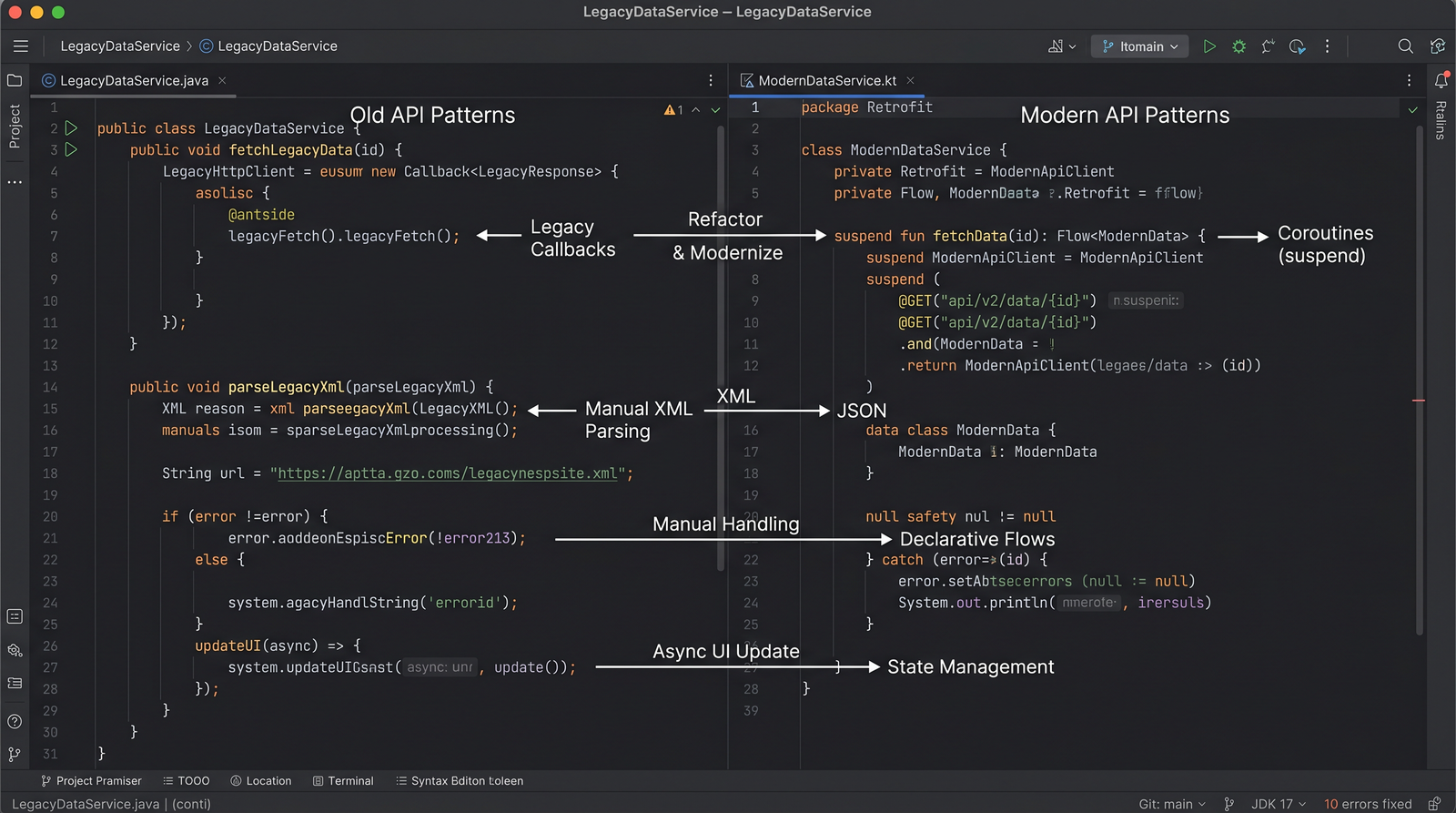

Thanks for reading. If you have questions about a specific part of your migration or need a code review for your adapter, reach out or create an issue in your team's migration tracker. Good luck!
