
How to Migrate Your Workflow from Claude Cowork to ChatGPT Work: A Step-by-Step Developer Guide
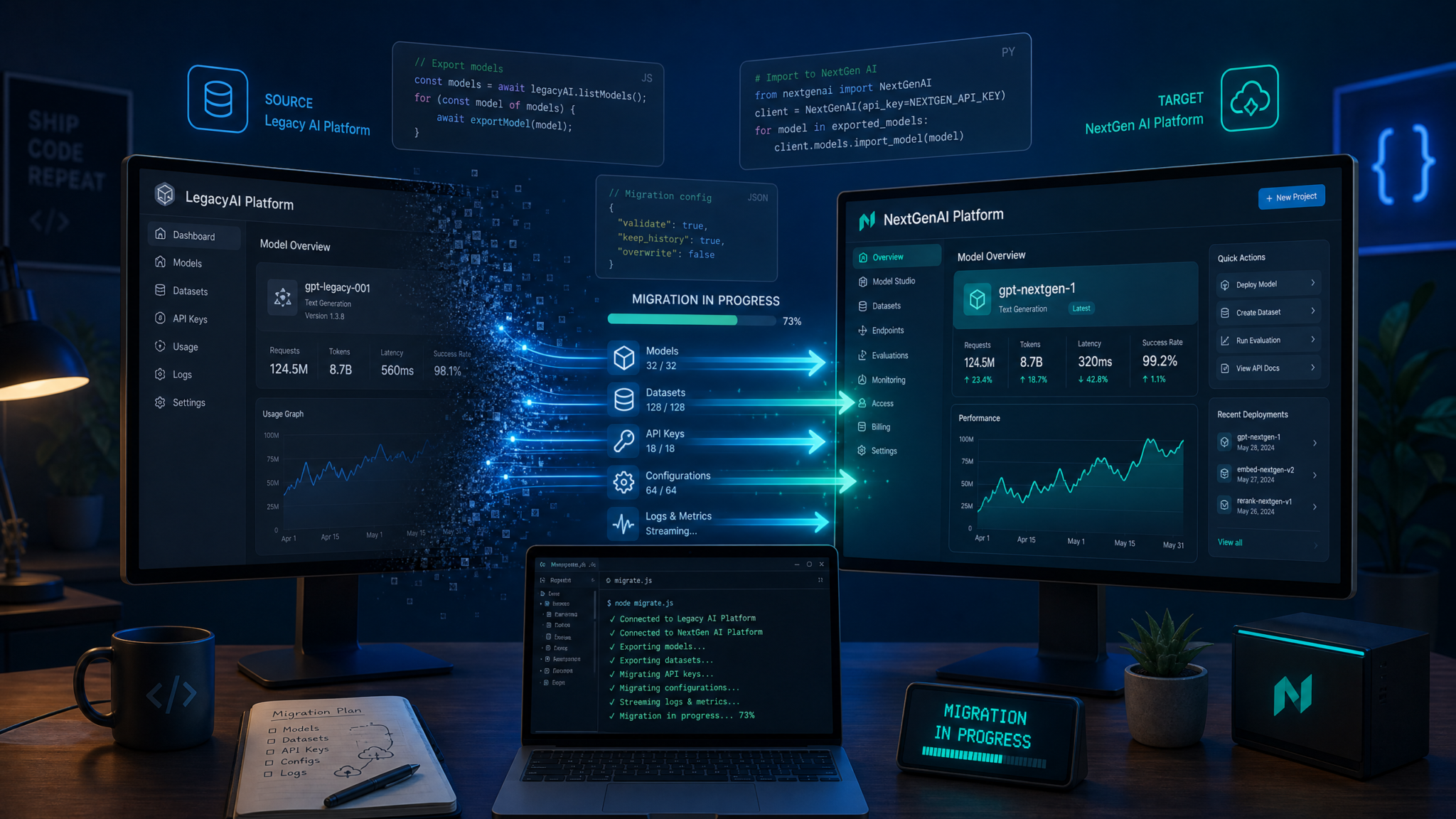
Migrating Workflows from Claude Cowork to ChatGPT Work: A Complete, Hands-On Tutorial
On July 9, 2026, OpenAI launched ChatGPT Work, a collaborative, execution-capable workspace that directly targets the same category pioneered by Claude Cowork in January 2026. If you have teams already building shared projects, automations, and content pipelines in Cowork, the big question is whether and how to move to ChatGPT Work—especially given Work’s flagship capability: Plan mode. Plan mode is a structured, step-by-step preview of actions that you explicitly approve before any execution begins. It provides a governance and safety layer that is not publicly documented in Claude Cowork today, creating a new default expectation for reviewability in AI-led operations.
This tutorial is a practical, end-to-end guide for technical leads, operations managers, and builders charged with migrating (or partially migrating) from Claude Cowork to ChatGPT Work. You will learn how to inventory your current workflows, map features, replicate (and improve) pipelines with Plan mode, handle projects spanning documents, presentations, and code, and keep your teams productive throughout the transition. We include side-by-side code examples, CLI patterns, tables for quick comparison, and a repeatable migration playbook you can adapt to your environment. Where APIs or parameters evolve, treat these examples as implementation patterns; verify exact syntax against the latest vendor documentation.
For teams looking to maximize their AI productivity with ready-to-use templates, our collection of The ChatGPT Work Automation Playbook: 12 Prompts for Document Workflows, Slide Decks, and Website Prototypes provides battle-tested prompt frameworks that complement the strategies discussed in this article, covering everything from initial setup to advanced optimization workflows.
What Is ChatGPT Work, and How Does It Compare to Claude Cowork?
Both offerings serve teams that want to move beyond ad hoc prompts into shared, repeatable, and governed workflows:
- Claude Cowork (January 2026): A collaborative environment around Claude that emphasizes cooperative task execution, shared context, and multi-file projects. Cowork introduced approachable team workflows with strong reasoning quality and a human-in-the-loop ethos. However, as of this writing, there is no publicly documented equivalent to Work’s Plan mode.
- ChatGPT Work (July 9, 2026): A workspace-layer extension of ChatGPT for Pro, Enterprise, and Edu customers that couples its conversation and tools with Plan mode. Plan mode presents a human-readable plan (sequence of steps, resources, tools) and requires explicit approval before the system performs actions such as editing files, generating presentations, or calling external tools. Work also inherits OpenAI’s enterprise controls, user management, and auditability features typical of the enterprise ChatGPT offerings. See
Understanding the broader ecosystem is essential for making informed decisions about AI tooling. Our comprehensive resource on The Complete Guide to the New ChatGPT Desktop App: Work, Codex, and Atlas Unified breaks down the technical architecture, integration patterns, and deployment considerations that enterprise teams need to evaluate before committing to a platform.
for a deeper explanation and best practices.
Terminology and Concept Mapping
Before you start migrating, align your team on equivalent concepts. The table below gives you a fast lookup for how common Cowork terms map to ChatGPT Work.
| Concept | Claude Cowork | ChatGPT Work | Notes for Migration |
|---|---|---|---|
| Workspace / Project | Cowork Project | Work Project (or Work Workspace) | Group related docs, code, and tasks. In Work, Plan mode scopes actions at project or run level. |
| Run / Task Execution | Task/Session in a Project | Run with optional Plan preview | In Work, a run can be gated by Plan approval, creating a formal checkpoint. |
| File Storage | Project files (attachments, knowledge) | Work Files (inherited from ChatGPT’s file system and vector stores) | Use vector stores or file attachments in Work where you used Cowork attachments. |
| Tool Use | Tools/functions, possible “computer use” for automation | Tools/functions, Work-integrated connectors, code interpreter where available | Map function schemas. Where Plan mode is enabled, tool calls are surfaced in the plan. |
| Human Review | Manual review in chat or via team protocols | Plan mode approval step | Replace informal reviews with explicit Plan approvals for auditability. |
| Versioning | Project history, message/thread logs | Run history, file versions, plan transcripts | Export Cowork histories; import key artifacts; rely on plan transcripts in Work for change records. |
Why Move Now: The Governance Gap Created by Plan Mode
ChatGPT Work’s Plan mode forces a structured breakdown of intended steps before anything executes. This may include:
- Listing files to be read or modified
- Tools to be called (e.g., code execution, slide generation, custom APIs)
- External systems affected (e.g., calendar, storage, comms)
- Estimated resource usage (tokens, time, data read/write)
- Risk flags (e.g., PII exposure, permissions)
Many enterprises insist on pre-execution visibility and explicit approval for changes that touch shared content, repositories, or external services. Plan mode makes that standard practice. While Cowork supports human-in-the-loop cooperation, there is no publicly documented Plan equivalent with step-by-step preflight validation. If formal governance, auditability, and change control are your gating factors for broader AI adoption, ChatGPT Work can shorten your path to compliant rollout. That said, if your team relies on Cowork-specific ergonomics or model behavior, you should measure whether Work’s gains in process control outweigh switching costs. The “When to stay vs when to switch” section below provides a structured rubric.
High-Level Feature Comparison
| Capability | Claude Cowork | ChatGPT Work | Migration Notes |
|---|---|---|---|
| Launch date | January 2026 | July 9, 2026 | Work is newer; expect rapid iteration. |
| Availability tiers | Varies by Anthropic plan | Pro, Enterprise, Edu | Check licensing for all active users; consolidate where feasible. |
| Plan/Preview mode before execution | No publicly documented equivalent | Yes (Plan mode) | Central advantage for governance and audits. |
| Projects with shared files | Yes | Yes | Export/import content; map folder structures. |
| Tool/function calling | Yes | Yes | Align schemas; test with dry runs under Plan. |
| Document + presentation creation | Supported via prompts, tools | Supported via prompts, tools, and Plan review | Use Plan to validate slide outlines and structure first. |
| Code execution/sandboxes | Supported where enabled | Supported where enabled | Treat any sandboxed code execution as a tool; show in Plan. |
| API access | Anthropic Messages API + Cowork layer | OpenAI APIs + Work layer | Use portable patterns (see code cookbook section). |
| Audit trails | Thread history | Run logs + Plan transcript | Plan transcripts become change records. |
Architecture Differences That Matter During Migration
1) Execution Model
Claude Cowork: Task-oriented collaboration with strong model reasoning and shared project context. Human review tends to happen ad hoc in chat or by team-defined steps, but without a dedicated pre-execution plan artifact.
ChatGPT Work: Every non-trivial run can start in Plan mode. The system lays out a structured plan that you can edit, annotate, or reject. Only after you approve does execution proceed. This can reduce errors, unwanted file edits, or tool misuse. It also produces a durable Plan transcript for auditing and knowledge transfer.
2) File/Knowledge Handling
Both systems let you attach files and maintain project-specific assets. ChatGPT Work inherits ChatGPT’s file handling and vector-store-style retrieval patterns, enabling grounded synthesis. For content that must be authoritative, pin source citations and require Plan to enumerate exactly which sources will be read.
3) Tools and Extensibility
Both support function/tool calling via JSON schemas. In Work, tool invocations can be previewed during Plan. If you rely heavily on external APIs, you can wrap them as Work tools, encode rate limits and safety constraints, and verify their inclusion in the plan before execution. This enables what many teams previously hacked together as a “dry run” mode in other systems.
4) Governance and Auditability
Work’s Plan mode is a first-class governance primitive. Approval becomes a policy rather than a culture. Plan transcripts and run logs serve as compliance artifacts, simplifying internal audits and postmortems. If you are operating under ISO 27001, SOC 2, or similar frameworks, this reduces manual record-keeping. In Cowork, you may approximate this with documented chat approvals, but the lack of a formal plan artifact increases variance and review time.
5) Availability and Access Control
ChatGPT Work is available for Pro, Enterprise, and Edu users. In practice, this means you can pilot with Pro, then scale to Enterprise without replatforming. Cowork availability may depend on Anthropic account tiers. In either case, ask your admin for SSO enforcement, project-level permissions, and data retention settings, then encode those into your migration acceptance criteria.
Preparation: Inventory, Risk, and Scope
Successful migrations begin with a rigorous inventory. Capture all workflows you run in Cowork and classify them by business criticality, data sensitivity, and change risk. Document ownership, SLAs, and dependencies. At minimum, create a table like this:
| Workflow | Owner | Inputs | Outputs | Tools/APIs | Data Sensitivity | Criticality | Migration Priority |
|---|---|---|---|---|---|---|---|
| Quarterly research brief | Analyst Team | PDF reports, web captures | 10-page brief (DOCX + PDF) | Summarization, citation tool | Medium | High | P1 |
| Sales deck generator | Revenue Ops | Case studies, pricing sheet | PPTX | Slide tool, image generator | Low | Medium | P2 |
| SDK code skeletons | DevRel | API spec (OpenAPI) | Repo scaffolds | Code tool, linter | Low | High | P1 |
Next, extract representative artifacts from Cowork—source documents, prompts, and any custom tool specs. If your Cowork projects rely on external connectors, log the endpoints, auth flows, and rate limits. Create a mapping sheet for each workflow noting function schemas you will port. Finally, decide on a migration lane:
- “Fork-and-freeze”: Copy the workflow into Work, freeze changes on the Cowork version, and redirect users.
- Phased dual-run: Run both versions in parallel until Work achieves parity. Preferred for high-risk flows.
- Greenfield: Redesign in Work to take advantage of Plan mode and different tooling; do not aim for literal parity if there’s technical debt to shed.
A Migration Methodology You Can Reuse
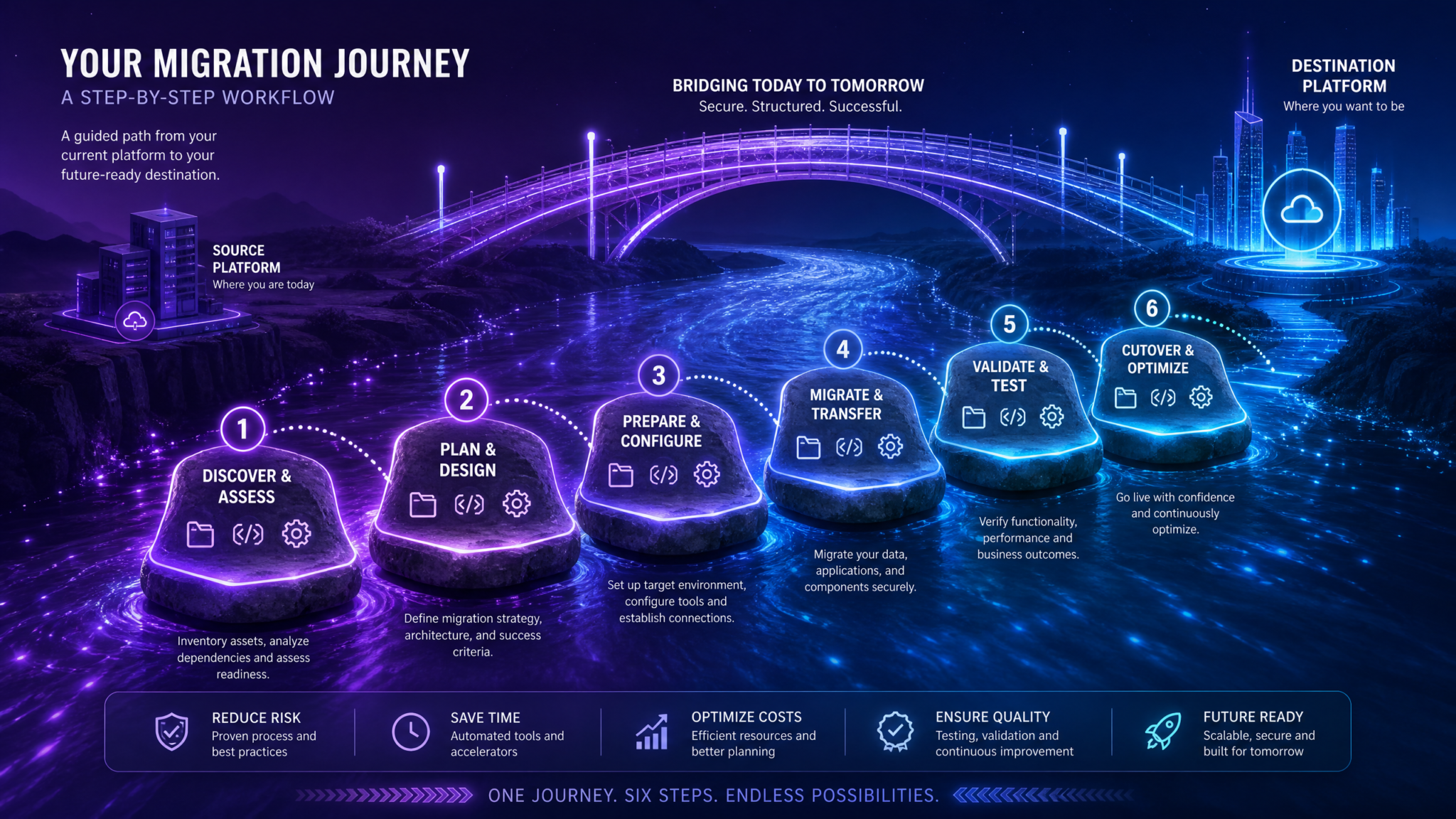
- Define acceptance criteria: For each workflow, list functional parity goals, Plan requirements (which steps must appear), and data governance expectations.
- Export Cowork artifacts: Files, prompts, function schemas, thread summaries that capture intent and edge cases.
- Recreate in Work: Stand up a Work project, upload files, register tools, and enable Plan mode for all runs that modify content or call external systems.
- Dry-run with Plan only: Generate plans repeatedly without execution; refine until steps are accurate, minimal, and free of side effects.
- Pilot with limited execution: Approve plans and execute in a restricted environment; log issues; observe run times and token usage.
- Parallel production: Run both Cowork and Work versions for a few cycles; collect user feedback and incident records.
- Cutover and decommission: Redirect users, lock Cowork versions, and archive plan transcripts for your migration audit.
Step-by-Step: Migrating Common Workflows
Below we show concrete examples with side-by-side patterns. To keep code portable, we model Cowork calls using Anthropic’s Messages + tool-use patterns and ChatGPT Work calls using OpenAI-style Assistants/Runs augmented with a Plan preview. Where the exact Work or Cowork SDKs differ, focus on the shapes and guardrails—they’re what you must test in your environment.
1) Document Analysis and Synthesis Pipeline
Goal: Given a set of PDFs in a project folder, produce a 2-page executive summary with citations. In Cowork, you likely built a project with attached PDFs and a task prompt. In Work, we replicate this with Plan mode requiring the system to enumerate which documents it will read and how it will cite them.
Claude Cowork-style (Messages with tools)
# Pseudo-implementation for Cowork using Anthropic Messages API
from anthropic import Anthropic
client = Anthropic(api_key=ANTHROPIC_API_KEY)

PROJECT_ID = "cowork-doc-synthesis-001"
FILES = [
  {"id": "file_abc123", "name": "report1.pdf"},
  {"id": "file_def456", "name": "report2.pdf"},
]

tools = [
  {
    "name": "read_file",
    "description": "Read and chunk a file by id",
    "input_schema": {"type": "object", "properties": {"file_id": {"type": "string"}}, "required": ["file_id"]}
  },
  {
    "name": "write_file",
    "description": "Write a file to the project",
    "input_schema": {"type": "object", "properties": {"path": {"type": "string"}, "content": {"type": "string"}}, "required": ["path", "content"]}
  }
]

system_prompt = """
You are assisting with a doc synthesis task inside a Cowork project.
Summarize the attached PDFs into a 2-page executive brief with proper citations (Author, Year).
Cite inline like (Source N) and provide a references section mapping sources.
""".strip()

# Kick off a message with file references (attachments handled by Cowork layer)
msg = client.messages.create(
    model="claude-3-opus-20240229",
    max_tokens=2000,
    temperature=0.2,
    system=system_prompt,
    tools=tools,
    messages=[
        {"role": "user", "content": "Please produce the executive brief from the project PDFs."}
    ],
    metadata={"project_id": PROJECT_ID, "files": [f["id"] for f in FILES]}
)

# Handle tool calls (pseudo): the model may call read_file on each attachment, then write_file
for content_block in msg.content:
    if content_block["type"] == "tool_use" and content_block["name"] == "read_file":
        file_id = content_block["input"]["file_id"]
        # ... read and return file contents via tool_result ...
ChatGPT Work with Plan mode
// Pseudo-implementation for ChatGPT Work using OpenAI-like APIs
import OpenAI from "openai";
const client = new OpenAI({ apiKey: process.env.OPENAI_API_KEY });

const PROJECT_ID = "work-doc-synthesis-001";
const FILES = [
  { id: "file_abc123", name: "report1.pdf" },
  { id: "file_def456", name: "report2.pdf" }
];

const tools = [
  {
    name: "read_file",
    description: "Read and chunk a file by id",
    parameters: { type: "object", properties: { file_id: { type: "string" } }, required: ["file_id"] }
  },
  {
    name: "write_file",
    description: "Write a file to the project",
    parameters: { type: "object", properties: { path: { type: "string" }, content: { type: "string" } }, required: ["path", "content"] }
  }
];

const systemPrompt = `
You are assisting with a doc synthesis task inside a ChatGPT Work project.
Produce a 2-page executive brief with citations (Author, Year) and a references section mapping (Source N) to titles.
`;

// 1) Create a "plan" run: preview only
const plan = await client.work.runs.create({
  project_id: PROJECT_ID,
  input: "Please produce the executive brief from the project PDFs.",
  system: systemPrompt,
  files: FILES.map(f => f.id),
  tools,
  plan: { enabled: true, require_approval: true }  // Illustrative parameter names
});

// 2) Inspect the plan: which files will be read? which tools? any risk flags?
console.log("Plan preview:", plan.steps);

// 3) Approve the plan to execute
const run = await client.work.runs.approve({ run_id: plan.id });

// 4) Stream execution results; artifacts written to project files
for await (const event of client.work.runs.stream({ run_id: run.id })) {
  if (event.type === "tool_call" && event.name === "write_file") {
    console.log("Writing file:", event.input.path);
  }
}
Key migration notes:
- In Cowork, human review occurs via reading the chat or tool call sequence. In Work, the plan enumerates intended file reads/writes before executing.
- Use Plan to enforce citation policy: reject any plan that fails to list source files distinctly or that conflates references.
- Keep your function schemas identical across both systems wherever possible to minimize maintenance.
2) Presentation Generation from Structured Notes
Goal: Convert a meeting notes document into a 12-slide deck with title, agenda, 3 key sections, and a summary. Enforce brand template and export as PPTX.
Claude Cowork-style
# Cowork-style CLI pseudo-commands (wraps Anthropic API)
cowork project open --id sales-deck-2026
cowork file attach --path notes/quarterly_notes.md
cowork run start --task "Create a 12-slide deck from notes with brand template 'BrandX-Template-2026'. Export PPTX."
# The run proceeds; review outputs in the Cowork UI
ChatGPT Work with Plan mode
# Python pseudo-code for ChatGPT Work with Plan enforcing template checks
from openai import OpenAI
client = OpenAI()

PROJECT_ID = "sales-deck-2026"
BRAND_TEMPLATE = "BrandX-Template-2026.potx"

tools = [
  {
    "name": "generate_slides",
    "description": "Create a slide deck following a template",
    "parameters": {
      "type": "object",
      "properties": {
        "outline": {"type": "array", "items": {"type": "string"}},
        "template": {"type": "string"},
        "export_format": {"type": "string", "enum": ["pptx", "pdf"]},
        "output_path": {"type": "string"}
      },
      "required": ["outline", "template", "export_format", "output_path"]
    }
  }
]

user_prompt = """
Create a 12-slide deck from notes/quarterly_notes.md with sections:
- Title, Agenda, 3 Key Sections (3 slides each), Summary, Appendix (2 slides)
Use the brand template and export as PPTX.
"""

# 1) Generate a plan
plan = client.work.runs.create(
    project_id=PROJECT_ID,
    input=user_prompt,
    plan={"enabled": True, "require_approval": True},
    tools=tools,
    system=f"Use template {BRAND_TEMPLATE}. Verify template exists before generation."
)

# 2) Validate the plan lists: template existence check, exact slide count, output path
assert any(step.get("name") == "generate_slides" for step in plan.steps), "Plan missing slide generation."
assert any("template" in str(step) and BRAND_TEMPLATE in str(step) for step in plan.steps), "Plan missing template."

# 3) Approve and execute
client.work.runs.approve(run_id=plan.id)

# 4) On completion, fetch the PPTX artifact
deck = client.work.files.get(project_id=PROJECT_ID, path="outputs/quarterly_deck.pptx")
with open("quarterly_deck.pptx", "wb") as f:
    f.write(deck.read())
Migration note: In Work, Plan serves as your guardrail to verify that the slide outline, template path, and export format match expectations before any generation occurs. In Cowork, replicate this rigor by adding a checklist message the team must manually confirm—but that’s more error prone.
3) Code Authoring and Evaluation
Goal: Given an OpenAPI spec, scaffold a TypeScript SDK and run unit tests. You may have been using Cowork to stitch together code suggestions and a linter tool. In Work, pair the same tool schemas with Plan mode to approve file writes and test execution.
Claude Cowork-style (Messages + tools)
// Pseudo-code for Cowork using Anthropic tool calls
const anthropic = require("@anthropic-ai/sdk");
const client = new anthropic.Anthropic();

const TOOLS = [
  { name: "read_file", input_schema: { type: "object", properties: { path: { type: "string" } }, required: ["path"] } },
  { name: "write_file", input_schema: { type: "object", properties: { path: { type: "string" }, content: { type: "string" } }, required: ["path", "content"] } },
  { name: "run_tests", input_schema: { type: "object", properties: { command: { type: "string" } }, required: ["command"] } }
];

const system = `
You're assisting with SDK scaffolding. Read openapi.yaml, create src/client.ts, and set up Jest tests.
`;

const msg = await client.messages.create({
  model: "claude-3-opus-20240229",
  system,
  tools: TOOLS,
  messages: [{ role: "user", content: "Generate the SDK and run npm test." }],
  metadata: { project_id: "sdk-scaffold-001" }
});

// The model will call write_file and run_tests. Monitor outputs in Cowork UI.
ChatGPT Work with Plan mode and gated test runs
# Example: Using a hypothetical Work CLI to enforce plan approval
work project open --id sdk-scaffold-001

# 1) Create a plan
work run plan \
  --input "Generate TS SDK from openapi.yaml, write src/client.ts, add Jest tests, and run npm test." \
  --require-approval \
  --tool read_file --tool write_file --tool run_tests

# 2) Display plan steps (files to be written, commands to be executed)
work run show --last

# 3) Approve plan if safe
work run approve --last

# 4) Stream execution and capture artifacts
work run logs --follow
work file get outputs/test-report.xml
Migration note: Many engineering orgs will require that commands like “npm test” or “pytest” appear explicitly in the plan with their working directory and environment settings. That’s the exact kind of “preflight” Plan mode is designed to provide.
4) ETL-lite: Extract Tables from PDFs into CSV
Goal: Convert a set of regulatory PDFs into clean CSVs with validated headers. Add a schema check before writing outputs.
Claude Cowork
# Cowork pseudo-code
from anthropic import Anthropic
client = Anthropic()

tools = [
  {"name": "extract_tables", "input_schema": {"type": "object", "properties": {"file_id": {"type": "string"}}, "required": ["file_id"]}},
  {"name": "validate_schema", "input_schema": {"type": "object", "properties": {"csv_path": {"type": "string"}, "schema": {"type": "array"}}, "required": ["csv_path", "schema"]}},
  {"name": "write_file", "input_schema": {"type": "object", "properties": {"path": {"type": "string"}, "content": {"type": "string"}}, "required": ["path", "content"]}}
]

system = "Extract tables from each PDF into CSV with headers: ['id','date','amount','status']."

msg = client.messages.create(
    model="claude-3-5-sonnet-20240620",
    system=system,
    tools=tools,
    messages=[{"role": "user", "content": "Process the PDF batch."}],
    metadata={"project_id": "etl-lite-001"}
)
ChatGPT Work with Plan-based schema validation
import OpenAI from "openai";
const client = new OpenAI();

const plan = await client.work.runs.create({
  project_id: "etl-lite-001",
  input: "Process the PDF batch.",
  tools: [
    { name: "extract_tables", parameters: { type: "object", properties: { file_id: { type: "string" } }, required: ["file_id"] } },
    { name: "validate_schema", parameters: { type: "object", properties: { csv_path: { type: "string" }, schema: { type: "array", items: { type: "string" } } }, required: ["csv_path", "schema"] } },
    { name: "write_file", parameters: { type: "object", properties: { path: { type: "string" }, content: { type: "string" } }, required: ["path", "content"] } }
  ],
  system: "Extract tables from each PDF into CSV with headers: ['id','date','amount','status']. Validate schema before write.",
  plan: { enabled: true, require_approval: true }
});

// Enforce that validate_schema runs before write_file for each CSV
const steps = plan.steps.map(s => s.name);
if (!steps.includes("validate_schema")) {
  throw new Error("Rejecting plan: Missing validate_schema step.");
}

// Approve and execute
await client.work.runs.approve({ run_id: plan.id });
Projects that Span Documents, Presentations, and Code
Real projects sprawl. A typical research-to-delivery pipeline might:
- Collect and analyze documents (PDFs, spreadsheets)
- Draft a written report (DOCX/Markdown)
- Generate a slide deck for stakeholders (PPTX)
- Produce code snippets, charts, or a small utility tool (repository files)
Migrating such projects requires a coherent file strategy, consistent tool schemas, and clear approval points. Use Plan mode in Work to segment the pipeline into sub-plans (e.g., “Analysis Plan,” “Report Draft Plan,” “Deck Plan,” “Code Plan”). Each sub-plan should:
- List exact files to read and write
- Clarify tool usage and external effects
- Include acceptance criteria (e.g., no deck with > 15 slides unless approved)
- Raise risk flags (e.g., “contains PII,” “calls external API”)
Recommended Project Structure
project-root/
  inputs/
    reports/
    data/
  working/
    notes/
    analysis/
  outputs/
    drafts/
    deck/
    code/
  config/
    schema.json
    brand-template.potx
    policies.yaml
In Cowork, you likely attached a handful of files and referenced paths ad hoc. In Work, make structure explicit. Upload your brand template, store schema definitions, and write a policies.yaml that the system must respect. Then, in your Plan, require the model to reference these paths explicitly before execution.
Policies You Can Enforce via Plan
- Output location policy: All generated content lands in outputs/ with a date-stamped filename.
- Slide count cap: Plans proposing more than 15 slides must include a justification step and explicit approval.
- Schema conformance: CSVs must pass validate_schema before write_file.
- Code safety: Any run_tests step must specify command and working directory; never run global installs.
Implement a Policy Gate in Work
from openai import OpenAI
client = OpenAI()

def enforce_policy(plan):
    # Example policy gate for a composite project
    steps = plan.get("steps", [])
    # 1) Require outputs to be written only under outputs/
    for s in steps:
        if s.get("name") == "write_file":
            path = s.get("input", {}).get("path", "")
            if not path.startswith("outputs/"):
                raise ValueError(f"Reject: write_file outside outputs/: {path}")
    # 2) If generate_slides is present, ensure slide_count <= 15 unless 'justification' step exists
    slide_steps = [s for s in steps if s.get("name") == "generate_slides"]
    if slide_steps:
        has_justification = any(s.get("name") == "justify_slide_count" for s in steps)
        for s in slide_steps:
            count = s.get("input", {}).get("slide_count", 0)
            if count > 15 and not has_justification:
                raise ValueError("Reject: slide count > 15 without justification step.")

plan = client.work.runs.create(
    project_id="multi-artifact-001",
    input="Full pipeline from docs to report, deck, and helper script.",
    plan={"enabled": True, "require_approval": True},
    tools=[ ... ]  # your consolidated tool list
)
enforce_policy(plan)
client.work.runs.approve(run_id=plan["id"])
Integration Differences: File Systems, APIs, Third-Party Tools
Migrations often succeed or fail on integrations, not prompts. Here’s how to reason about key differences and portability.
File Systems and Knowledge
- Claude Cowork: Projects hold attached files; Anthropic’s Messages API supports file attachments and tool use that can read from those attachments. You typically specify attachment IDs and rely on the model to retrieve and reason about them.
- ChatGPT Work: Projects leverage ChatGPT’s file capabilities and retrieval patterns (including vector-store-like behavior). Tools read and write within project scope. Plan mode surfaces which files are accessed and in what order.
Portable pattern: never rely on implicit context. Instead, always pass explicit file IDs/paths in your tool inputs. Make the model—and thus the plan—show its work.
APIs and Tool Use
- Both ecosystems implement function/tool calling with JSON schemas. This enables strong portability if you standardize on schema-first design.
- For Work, favor Plan-gated runs in production. For Cowork, introduce a “preflight” tool that asks the model to enumerate intended steps as JSON; require humans to review it before a second “execute” phase. While not as integrated as Plan mode, it narrows the governance gap.
Third-Party Tools
Whether you’re calling a CRM API, a BI system, or a cloud storage endpoint, treat these calls as first-class tools with clear input schemas. Explicitly capture rate limits and authentication strategies in your policies. In Work, require the plan to disclose outbound calls, including endpoints and scopes.
Rate Limits, Token Budgets, and Observability
- Token budgets: Enforce plan-estimated token usage ceilings. The plan can include a budget estimate; you can reject if it exceeds limits. Many teams target 25–35% overhead buffers for reliability.
- Observability: Ensure your run logs capture tool inputs/outputs (redact secrets), timing, and step outcomes. In Work, archive plan transcripts alongside run logs for reproducibility.
Code Equivalence Cookbook: Common Operations, Both Platforms
Below are representative snippets for tasks you’ll likely port. Treat syntax as illustrative and verify against vendor SDKs. The important bit is the shape and approval flow.
Create a Project
Claude Cowork (pseudo-API)
# Create a new Cowork project
cowork project create --name "Q3 Research" --description "Market analysis for Q3"
ChatGPT Work
# Create a new Work project
work project create --name "Q3 Research" --description "Market analysis for Q3"
Upload Files
Claude Cowork
cowork file attach --project "Q3 Research" --path inputs/reports/q3.pdf
cowork file attach --project "Q3 Research" --path inputs/data/pricing.csv
ChatGPT Work
work file upload --project "Q3 Research" --path inputs/reports/q3.pdf
work file upload --project "Q3 Research" --path inputs/data/pricing.csv
Start a Run with Plan and Approve
ChatGPT Work
work run plan \
  --project "Q3 Research" \
  --input "Summarize q3.pdf and correlate with pricing.csv; produce a 1-page brief." \
  --require-approval

# Inspect and approve
work run show --last
work run approve --last
Equivalent “Preflight” in Cowork (Emulated)
# Emulate a plan in Cowork by asking the model to emit a JSON plan first
from anthropic import Anthropic
client = Anthropic()

system = "You will generate a JSON plan of steps before executing any tools."
user = "Summarize q3.pdf and correlate with pricing.csv; produce a 1-page brief."

tools = [
  {"name": "read_file", "input_schema": {"type": "object", "properties": {"path": {"type": "string"}}, "required": ["path"]}},
  {"name": "write_file", "input_schema": {"type": "object", "properties": {"path": {"type": "string"}, "content": {"type": "string"}}, "required": ["path","content"]}}
]

plan_msg = client.messages.create(
    model="claude-3-5-sonnet-20240620",
    system=system,
    tools=[],
    messages=[{"role": "user", "content": f"Create a JSON plan only: {user}"}]
)

# Human reviews plan_msg.content (JSON). If approved, start an execution message allowing tools:
exec_msg = client.messages.create(
    model="claude-3-5-sonnet-20240620",
    system="Now execute the approved plan.",
    tools=tools,
    messages=[{"role": "user", "content": user}]
)
Register a Custom Tool (Function)
Claude Cowork
// Define tool schema for a CRM lookup
const crmLookup = {
  name: "crm_lookup",
  description: "Get account details by domain",
  input_schema: {
    type: "object",
    properties: { domain: { type: "string", format: "hostname" } },
    required: ["domain"]
  }
};
ChatGPT Work
const crmLookup = {
  name: "crm_lookup",
  description: "Get account details by domain",
  parameters: {
    type: "object",
    properties: { domain: { type: "string", format: "hostname" } },
    required: ["domain"]
  }
};
Approve an External API Call via Plan
plan = client.work.runs.create(
    project_id="revops-001",
    input="Enrich leads for ACME.com and FOOBAR.io from CRM.",
    tools=[crmLookup, {"name": "write_file", "parameters": {"type":"object","properties":{"path":{"type":"string"},"content":{"type":"string"}},"required":["path","content"]}}],
    plan={"enabled": True, "require_approval": True},
    system="Disclose API calls and expected data fields."
)
# Validate plan includes crm_lookup with expected domains
domains = []
for step in plan.get("steps", []):
    if step.get("name") == "crm_lookup":
        domains.append(step.get("input", {}).get("domain"))
assert set(domains) == {"acme.com", "foobar.io"}, "Reject plan: domains mismatch."
client.work.runs.approve(run_id=plan["id"])
Webhooks for Run Completion
Claude Cowork (emulated)
# Start a run and poll (if webhooks unavailable)
cowork run start --task "Process batch"
cowork run watch --follow
ChatGPT Work (webhook registration)
await client.work.webhooks.create({
  project_id: "etl-lite-001",
  url: "https://example.com/work-webhook",
  events: ["run.completed", "run.failed", "plan.created"]
});
Testing and Validation: Your Migration Quality Gate
Do not ship a ported workflow without a minimal test harness. Treat your AI workflow like any other integration with tests and fixtures:
- Determinism harness: Freeze model version, temperature, and input files. Expect minor variability but ensure outputs meet acceptance criteria.
- Plan schema test: Assert that a Plan contains all required steps in the expected order, and that risk flags appear when sensitive files are touched.
- Golden samples: Maintain a small set of canonical inputs and golden outputs. Use text diff and semantic diff checks.
- Token budget assertions: Reject plans that exceed token ceilings by more than your buffer (e.g., 30%).
- Tool failure drills: Simulate API and tool errors; ensure retry/backoff behavior appears in plan or execution logic.
When you cut over, run both Cowork and Work versions in parallel for a fixed period (e.g., 2–4 weeks). Collect incident reports and user satisfaction ratings. Many teams find that stress testing with a “hard case” batch—noisy PDFs, edge-case data—exposes 80% of migration issues early. Where possible, integrate automatic linting of plans: policies.yaml → validation gate → approve/deny. That’s how you transform governance from a meeting to a pipeline step.
Security, Privacy, and Compliance Considerations
Two principles help you navigate controlled environments:
- Make approvals explicit. Replace “we’ll check the chat” with “we approved Plan X at 2026-07-28T10:04Z; transcript Y.”
- Minimize implicit context. Reference files and scopes explicitly in tool inputs. Don’t rely on “the model knows” if auditors need evidence.
In ChatGPT Work, store and tag plan transcripts with retention policies. If your data policies restrict PII movement, ensure the Plan flags PII-bearing files and propose de-identification steps. For third-party integrations, require that the Plan lists endpoints, scopes, and any write operations. Where an operation could post externally (e.g., Slack, email, calendar), default-deny unless whitelisted in policies.yaml and surfaced in the plan. These practices align with common enterprise controls (least privilege, change management, audit trails).
When to Stay with Cowork vs When to Switch
Switching platforms is not an end in itself. Use this rubric to decide based on outcomes.
| Scenario | Lean Cowork | Lean ChatGPT Work | Rationale |
|---|---|---|---|
| Your team depends on Cowork-specific ergonomics or model behavior that is hard to replicate | Yes | No | Minimize disruption; plan a longer pilot on Work. |
| Regulated environment needs pre-execution approval and formal artifacts | Maybe | Yes | Work’s Plan mode aligns with governance requirements. |
| Your workflows frequently write to shared drives, repos, or external systems | Maybe | Yes | Plan-gated operations reduce risk and provide audit trails. |
| You want to consolidate on OpenAI across Pro, Enterprise, and Edu tiers | No | Yes | Work is available across these tiers. |
| You have low-risk, internal-only content creation with tight Cowork workflows already in place | Yes | Maybe | Stay on Cowork if switching cost outweighs Plan’s benefits. |
Decision checklist:
- If your top three workflows require plan-level approvals or consistent preflight validation, bias toward Work.
- If your main differentiator is model behavior and your governance demands are light, extend Cowork.
- For hybrid orgs, keep Cowork where it’s strongest and gradually shift high-governance pipelines to Work. Cross-reference with
Developers who want hands-on implementation guidance should explore our detailed walkthrough in How to Use ChatGPT Work to Build Websites and Presentations Without Code, which covers the complete development lifecycle from initial configuration through production deployment with working code examples.
to ensure your shortlist is comprehensive.
Performance and Cost Considerations
Plan mode adds an extra planning pass before execution. That costs tokens and time. In practice, teams report small overhead relative to the reductions in rework and incident risk—especially for long-running or tool-intensive flows. Adopt a measurement mindset:
- Log per-run planning tokens, execution tokens, and wall-clock times.
- Track “averted incidents”: plans that would have written to the wrong path, executed disallowed commands, or exceeded slide caps.
- Use caching: for recurring content (e.g., brand templates, standard prompts), store them on the project and reference by ID instead of re-sending.
- Batch operations where possible: one plan for a cohesive batch is more efficient than many small plans if governance is equivalent.
Independent pre-2026 studies indicated 20–30% productivity uplifts from structured AI assistance and 25–50% speedups in coding tasks with copilots. You can approach these numbers if you lock in governance early (so work is not blocked by ad hoc approvals) and invest in plan linting to cut cycle time.
Maintaining Productivity During the Transition
Transitions fail when users are thrust into new tools mid-deliverable. Keep your org productive with a simple change plan:
- Announce lanes: which teams switch now, which later, and which stay on Cowork. Publish the rationale and criteria in your wiki.
- Run office hours: 30-minute twice-weekly slots during the dual-run period for unblockers and pattern sharing.
- Provide plan checklists: e.g., “Any tool that writes externally must appear in Plan with endpoint + method; slide decks must list template file.”
- Ship reference projects: one per department. Include inputs, a policies.yaml, and a golden example. Cross-link to for developers who need to extend tools.
- Measure and celebrate: weekly dashboards on plan approvals, run success rates, and token costs. Share wins where Plan prevented a bad change.
Troubleshooting Common Migration Issues
- Plan omits a critical step: Strengthen your system prompt to require a structured checklist, and add a policy check that rejects missing steps.
- Excessive Plan verbosity: Encourage the model to group related micro-steps; set a max step count and reject plans that exceed without justification.
- Tool schema drift: Store schemas centrally and import them where needed. Add unit tests that validate schemas match between Cowork and Work versions.
- File path mistakes: Require Plans to show absolute project-relative paths. Add a validation rule that denies writes outside outputs/.
- Long-running operations: Use Plan to confirm batching and scheduling; integrate webhooks for completion rather than polling.
- Team confusion over where to work: Freeze Cowork workflows post-cutover; rename projects to “deprecated” and point to Work replacements.
End-to-End Example: Multi-Artifact Migration with Policies
This extended example brings together documents, slides, and code with a single Work plan plus validation. It mirrors a common research-to-delivery pipeline.
# policies.yaml (shared between plan linter and humans)
rules:
  - id: enforce-outputs-path
    description: All writes must target outputs/
    type: path
    pattern: "^outputs/"
  - id: slide-cap
    description: Slide counts <= 15 unless justified
    type: metric
    target: "generate_slides.slide_count"
    max: 15
    exception_step: "justify_slide_count"
  - id: schema-required
    description: CSVs must pass validate_schema prior to write
    type: order
    before: "write_file"
    require: "validate_schema"
  - id: external-call-disclosure
    description: Outbound API endpoints must be listed with scopes
    type: disclosure
    target: "api_calls"
from openai import OpenAI
client = OpenAI()

PROJECT = "research-pipeline-2026"
INPUT = """
1) Analyze inputs/reports/*.pdf
2) Draft outputs/drafts/report.md
3) Generate outputs/deck/summary.pptx (12 slides)
4) Emit outputs/code/chart.py to reproduce figures
Ensure CSVs conform to config/schema.json and slides use config/brand-template.potx
"""

tools = [
  {"name": "read_file", "parameters": {"type":"object","properties":{"path":{"type":"string"}},"required":["path"]}},
  {"name": "write_file", "parameters": {"type":"object","properties":{"path":{"type":"string"},"content":{"type":"string"}},"required":["path","content"]}},
  {"name": "generate_slides", "parameters": {"type":"object","properties":{"outline":{"type":"array","items":{"type":"string"}},"template":{"type":"string"},"slide_count":{"type":"integer"},"output_path":{"type":"string"}},"required":["outline","template","slide_count","output_path"]}},
  {"name": "validate_schema", "parameters": {"type":"object","properties":{"csv_path":{"type":"string"},"schema_path":{"type":"string"}},"required":["csv_path","schema_path"]}}
]

system = """
Follow policies in config/policies.yaml.
Disclose any external calls. Never write outside outputs/.
"""

plan = client.work.runs.create(
    project_id=PROJECT,
    input=INPUT,
    plan={"enabled": True, "require_approval": True},
    tools=tools,
    system=system
)

def check_plan(plan):
    steps = plan.get("steps", [])
    # Enforce outputs/ path
    for s in steps:
        if s.get("name") == "write_file":
            path = s["input"]["path"]
            if not path.startswith("outputs/"):
                raise ValueError(f"Reject: write outside outputs/: {path}")
    # Slide cap
    for s in steps:
        if s.get("name") == "generate_slides":
            if s["input"].get("slide_count", 0) > 15:
                if not any(t.get("name") == "justify_slide_count" for t in steps):
                    raise ValueError("Reject: slide count > 15 without justification.")
    # Validate schema before any CSV write
    csv_writes = [s for s in steps if s.get("name") == "write_file" and s["input"]["path"].endswith(".csv")]
    for w in csv_writes:
        csv_path = w["input"]["path"]
        if not any(s.get("name")=="validate_schema" and s["input"]["csv_path"]==csv_path for s in steps):
            raise ValueError(f"Reject: {csv_path} missing validate_schema step.")

check_plan(plan)
client.work.runs.approve(run_id=plan["id"])
In Cowork, mirror this with a two-phase protocol (preflight JSON plan → human approve → execute), but expect higher operational overhead. Work’s native Plan artifact reduces cognitive load and makes the approval auditable by default.
Documentation, Knowledge Transfer, and Long-Term Maintainability
Once your first workflows are running in Work, invest in maintainable practices:
- Centralize tool schemas in a repository. Version them. Use semantic versioning and changelogs.
- Keep policies.yaml next to the project, and maintain a global policies repo for common org-wide rules.
- Normalize file structures across projects (inputs/, outputs/, config/). Your users will know where to find things.
- Automate plan validation with a lightweight linter that reads policies.yaml and enforces rules before approvals are possible. You can create a custom tool “lint_plan” that runs automatically in Work.
- Train project owners on how to read and improve plans. Encourage users to suggest improvements in the Plan step comments.
When your org is ready, build a catalog of approved Work templates: a Report + Deck template, an ETL-lite template, a Code scaffold template, and so on. Give each template a README that lists acceptance criteria, policies, and performance budgets. Provide pointers to for deeper dives on topics like slide engineering or retrieval grounding.
Frequently Asked Questions
Does ChatGPT Work replace the need for separate project management tools?
No. Work manages AI-driven tasks and shared artifacts, and Plan mode provides pre-execution governance. But you still need your issue trackers, kanban boards, and calendars. Integrate by exposing them as read-only tools in Work plans (e.g., “read_issue_status”) and restricting write operations to auditable steps.
Can I disable Plan mode?
Yes for low-risk tasks in development or sandbox environments, but for production workflows that write files or call external APIs, default to Plan. The small overhead buys you predictability and auditability.
How do I ensure consistent citations in document synthesis?
Require the plan to list all source files and a citation strategy. During execution, enforce a “validate_citations” step that checks each citation matches a source. Reject runs that fail this rule.
What about cost overhead from plan generation?
Measure it. In most teams, token spend from the planning phase is modest relative to the rework avoided. Optimize by caching prompts, reducing unnecessary steps, and batching where possible.
Putting It All Together: A Practical Migration Checklist
- Inventory Cowork workflows; classify by criticality and sensitivity.
- Extract artifacts: files, prompts, tool schemas, histories.
- Define acceptance criteria and policies (policies.yaml).
- Stand up Work projects; upload assets; register tools.
- Enable Plan mode; iterate until the plan is accurate and minimal.
- Pilot with dual-run; validate outputs with golden samples.
- Cut over; freeze Cowork versions; archive Plan transcripts as migration records.
- Train teams; publish templates; monitor performance and costs.
Advanced Tips: Raising Plan Quality
- Structure prompts to demand a plan with headings like “Files to read,” “Tools to call,” “Writes,” “External Calls,” and “Risks.”
- Use guardrail tools: a “path_resolver” that normalizes paths and a “risk_analyzer” that flags PII or external posts.
- Introduce a “dry-run” step for heavy operations. Plans can propose sampling a subset before full execution.
- Cache intermediate results in working/ and reference them in Plan; avoid recomputation during multi-stage pipelines.
- Limit degrees of freedom: specify exact file globs and output filenames in prompts; it reduces plan variance.
Example Prompts for Reliable Plans
Draft a Plan with the following sections: 1) Files to read (with exact project-relative paths), 2) Tools to call (with parameters), 3) Files to write (paths must begin with outputs/), 4) External Calls (endpoints, scopes), 5) Risks and Mitigations. Do not execute yet. After we approve, execute steps exactly as planned and report deviations.
You must validate CSV schema from config/schema.json before writing any CSVs. If any header mismatches, insert a remediation step to normalize headers, then re-validate. Reject the execution if normalization would drop more than 5% of rows.
For slide generation, enforce: template=config/brand-template.potx, slide_count=12 unless justified. Any justification must be noted in a “justify_slide_count” step with rationale.
Governance by Design: Embedding Plan Mode into Your Culture
Tools don’t change culture by themselves; you must institutionalize their use. Add Plan reviews to your definition of done for AI-assisted changes. Create a brief “Plan 101” for new users: what a good plan looks like, common pitfalls, and how to request changes without derailing the run. Encourage teams to propose edits to the plan rather than discarding it—iterative planning leads to higher-quality outputs and reusable patterns.
Build Plan literacy by publishing anonymized examples of excellent and poor plans. After a successful run, link the Plan transcript in your project documentation. That’s how you accumulate organizational memory that survives team changes and quarter boundaries.
Access 40,000+ AI Prompts for ChatGPT, Claude & Codex — Free!
Subscribe to get instant access to our complete Notion Prompt Library — the largest curated collection of prompts for ChatGPT, Claude, OpenAI Codex, and other leading AI models. Optimized for real-world workflows across coding, research, content creation, and business.
Conclusion: Migrate with Confidence—and Make Your Workflows Safer
Claude Cowork established the value of shared, AI-assisted teamwork in early 2026. ChatGPT Work, launched on July 9, 2026, advances that foundation with Plan mode: a first-class, pre-execution review that turns tacit approvals into explicit, auditable artifacts. For organizations that need stronger governance, safer file operations, and predictable external integrations, this is a decisive advantage.
This tutorial outlined a step-by-step migration approach: inventory your Cowork workflows, export artifacts, rebuild in Work with Plan mode, validate with golden samples and policy gates, then cut over with clear communication and templates. We provided code patterns for both ecosystems, detailed comparisons, and practical tips for maintaining productivity. You don’t need to move everything at once; start with the workflows that benefit most from Plan mode—those that write, call external APIs, or produce high-stakes deliverables.
The hallmark of a successful migration is not just parity but improvement: fewer surprises, faster reviews, and clearer accountability. ChatGPT Work’s Plan mode helps you get there by making AI actions legible and negotiable before they happen. When paired with disciplined project structure, schema-first tools, and automated plan linting, you can scale AI-led operations with confidence—and turn governance from a roadblock into a force multiplier. For additional deep dives and templates, see across our library.
