
Codex Security Plugin vs CLI vs SDK vs Cloud: Coverage, Automation, Cost Controls, Artifacts, and Human Review

Start with the operating surface, not with a “best” scanner
Codex Security is not a single button with one deployment model. OpenAI documents four operating surfaces: the desktop plugin or workbench, the command-line interface, the TypeScript SDK, and a connected-GitHub cloud workflow. Each surface changes who initiates the scan, where repository content is accessed, how automation is built, what artifacts are saved, how coverage must be interpreted, and where humans remain accountable for remediation decisions.
The practical mistake is to compare these surfaces as if they were interchangeable security products. A desktop reviewer investigating a suspicious pull request, a release engineer adding a CI gate, a platform team building an internal findings service, and a security lead evaluating cloud-connected repository scans have different risk boundaries. The right question is not “which Codex Security surface is strongest?” The useful question is “which surface produces the evidence we need, against an authorized target, with the least unnecessary access, within our review and budget controls?”
OpenAI’s current documentation places an especially important boundary around the cloud workflow: Codex Security cloud is described as a research preview. That status matters for enterprise adoption because a research-preview workflow should not be treated as a default replacement for established local review, CI evidence, change-management approvals, disclosure handling, or pull-request controls. It may be useful for evaluation and workflow design, but teams should avoid presenting it internally as a mature blanket control unless their own risk review supports that conclusion.
This article explains how OpenAI’s Codex Security Scanner supports built-in threat modeling and vulnerability detection for enterprise repositories. The complete Codex Security Scanner: How to Use OpenAI’s Built-In Threat Modeling and Vulnerability Detection for Enterprise Repositories article provides the destination-specific detail for this section’s Codex Security Scanner decision because it is the exact subject match for the marker and directly expands on scanner coverage for enterprise codebases.
The four Codex Security operating surfaces
1. Desktop plugin and workbench
The desktop plugin or workbench is the most reviewer-centered surface. OpenAI describes it as a place to organize repositories, scans, findings, progress, evidence, coverage, and patch review. It fits a workflow where a security reviewer, staff engineer, or application-security lead wants an interactive view of what was scanned, what was found, what evidence supports each finding, and which generated patch proposals deserve normal engineering review.
The workbench model is useful when teams are still learning how Codex Security behaves on their codebase. OpenAI recommends a focused rollout, a dedicated reviewer group, editable threat models, lower-risk repositories during evaluation, and normal code review of generated patch pull requests. Those recommendations are operationally important: the workbench should not be introduced by pointing it at the most sensitive monorepo on day one, nor should generated patches bypass the team’s existing review, test, ownership, and release gates.
2. Command-line interface
The CLI is the operational automation surface for engineers who want local, scripted, CI, pre-commit, comparison, validation, patch, saved-scan, deep-scan, bulk, repository, path, diff, and working-tree workflows. It is powerful precisely because it runs close to the code and can be inserted into developer and release processes. That same closeness creates risk: OpenAI’s CLI guidance warns that local scans run with operating-system permissions, do not pause for approval, and can inherit environment variables.
That operating model makes the CLI unsuitable for casual experimentation in a shell full of unrelated production credentials. Before a local scan, OpenAI directs users to scan only repositories they own or are authorized to assess, remove unrelated credentials, run a dry run, and write scan outputs outside the repository. Those steps are not bureaucracy; they reduce the chance that logs, proof artifacts, or generated reports capture secrets, unrelated customer data, or repository contents that should not become part of a saved security artifact.
3. TypeScript SDK
The TypeScript SDK is the integration surface for teams building internal tooling around Codex Security. The public open-source repository exposes both the CLI and TypeScript SDK under the Apache-2.0 license, along with Docker and findings-service examples. The SDK is the surface to consider when a platform-security team wants to connect scans to internal policy, ticketing, triage queues, dashboards, repository inventory, severity normalization, deduplication, or custom artifact retention.
The SDK should be treated as a software integration that carries the same responsibilities as any other security platform integration. Provider or model credentials, saved findings, scan histories, exported reports, vulnerability details, proof artifacts, and source snippets can become sensitive records. The findings-service example is described as preview, so production adoption should include explicit storage design, access control, audit logging, retention policy, and failure-mode review rather than a direct copy of an example service into a regulated environment.
4. Connected-GitHub cloud workflow
The connected-GitHub cloud workflow is the least local of the four surfaces and the one OpenAI identifies as a research preview. It is relevant when a team wants repository-connected scanning without requiring each reviewer to run local tooling. The preview status should shape expectations: use it to evaluate fit, repository connection patterns, evidence output, and review workflow, but do not assume it has the same maturity, configurability, audit posture, or change-control fit as a local CI implementation unless your organization has validated those requirements.
OpenAI’s help material states that Codex Security does not automatically modify code in the cloud workflow. That boundary is critical for administrators and repository owners. A cloud scan may help identify and reason about issues, but remediation still belongs inside human-owned engineering workflow: issue triage, patch review, test execution, pull-request approval, merge controls, deployment checks, and post-fix validation.
Access, authorization, and runtime prerequisites
All four surfaces start with authorization. OpenAI’s guidance is explicit that scans should be run only against repositories the user owns or is authorized to assess. Codex Security access is still required to run scans through the public package, and some protected findings may require Trusted Access for Cyber. A team should therefore separate three gates that are often conflated: legal permission to assess the code, product access to use Codex Security, and any additional trusted-access requirements for protected cyber work.
The public @openai/codex-security package has documented runtime prerequisites: Node.js 22.13.0 or newer and Python 3.10 or newer are required for full scan, history, export, and saved-finding workflows. That requirement is not just an installation detail. If a CI runner, developer workstation, or container image uses older runtimes, the scan plan may fail before it produces usable evidence, or the team may be forced into an undocumented environment that security and platform teams cannot support.
Repository access must also be scoped deliberately. A local CLI scan runs with the permissions of the operating-system user, which may include readable files outside the repository, inherited shell variables, local caches, package-manager credentials, SSH material, or cloud tokens. The safer pattern is to scan from a clean working environment, remove unrelated credentials, keep output paths outside the repository, and store reports in private locations with retention controls. Reports and logs may contain source code, credentials, vulnerability details, and proof artifacts.
This article provides production-ready Codex Security prompts for automated vulnerability scanning, patch generation, and security code review. The complete Codex Security Masterclass: 30 Production-Ready Prompts for Automated Vulnerability Scanning, Patch Generation, and Security Code Review article provides the destination-specific detail for this section’s Security Code Review decision because it directly matches the security code review topic while adding practical prompt-based review and remediation context.
A concise comparison of the four surfaces
| Surface | Best-fit target and operator | Automation and evidence pattern | Primary operational cautions |
|---|---|---|---|
| Desktop plugin / workbench | Interactive repository and finding review by security reviewers, senior engineers, or pilot teams. | Organizes scans, findings, repository progress, evidence, coverage, and patch review in a reviewer-facing workflow. | Use focused rollout, lower-risk repositories during evaluation, dedicated reviewers, editable threat models, and normal pull-request review for patches. |
| CLI | Developer workstations, release engineering, CI jobs, pre-commit checks, bulk scans, diffs, paths, working trees, and validation workflows. | Supports scripted local scans, saved scans, comparisons, report generation, artifacts, coverage output, and optional SARIF export. | Local scans use OS permissions, do not pause for approval, can inherit environment variables, and require careful credential isolation and private output storage. |
| TypeScript SDK | Internal platform integrations, custom dashboards, findings services, deduplication, policy workflows, and repository-scale automation. | Lets teams build controlled workflows around scan execution, saved findings, exports, classification, and downstream systems. | Requires product access, runtime readiness, credential controls, secure storage, retention planning, and caution around preview examples such as the findings service. |
| Connected-GitHub cloud workflow | Repository-connected evaluation and cloud-based scan workflow exploration where preview status is acceptable. | Can support cloud-connected scanning and review workflows without requiring every operator to run local tooling. | OpenAI describes it as a research preview; do not treat it as a general replacement for CI, human review, pull-request controls, or validated enterprise governance. |
The decision framework: target, operator, automation, evidence, budget, and review
Target: Start by naming the exact thing being assessed. A full repository scan, a single path, a pull-request diff, a working tree, a historical comparison, and a bulk repository set have different evidence value. OpenAI documents that a complete scan can produce a manifest, findings, coverage, report, artifacts, and optional SARIF exports, but coverage may be complete, partial, or unknown. If coverage is partial or unknown, the scan is not evidence that the unexamined areas are safe.
Operator: Decide who should run or own the workflow. A security reviewer may prefer the workbench because it centralizes findings and evidence. A release engineer may prefer CLI execution in CI because it fits build and merge checks. A platform team may choose the SDK when it needs policy integration, deduplication, or internal reporting. A security leader may evaluate the cloud workflow when connected repository scanning is desirable and research-preview constraints are acceptable.
Automation: Choose the surface that matches the automation boundary. The CLI is suitable for local scripts, pre-commit checks, CI scans, deep scans, bulk scans, comparisons, and validation. The SDK is more appropriate when the organization needs a maintained integration rather than shell scripts. The workbench is better for human-guided investigation and patch review. The cloud workflow should be evaluated as a preview surface, not assumed to be the most automated or lowest-risk path simply because it is cloud-connected.
Evidence: Treat artifacts as sensitive records. Findings, reports, logs, proof artifacts, SARIF files, manifests, and coverage summaries may include source code, credentials, vulnerability explanations, and reproduction-relevant details. Evidence storage should therefore be private, access-controlled, and governed by retention policy. Writing outputs outside the repository reduces accidental commits, but it does not remove the need for secure storage and review of who can access the generated material.
Budget: Budget control is not only a finance issue; it affects evidence quality. OpenAI notes that cost and time limits can preserve partial output, but those limits do not imply complete coverage. A team that caps a scan must record what was scanned, what was deferred, and which open questions remain. The correct governance pattern is to label constrained outputs as partial evidence, then decide whether to rescan, narrow scope, increase the limit, or route the repository to manual review.
Review: Keep humans in the remediation loop. Patches generated or proposed through Codex Security remain proposals, and OpenAI’s guidance preserves normal pull-request controls. Reviewers still need to inspect the vulnerability claim, assess exploitability and business impact without publishing sensitive details, validate the patch against tests and threat models, check for regressions, and ensure disclosure or customer-communication obligations are handled through the organization’s policy.
Operational rule: use Codex Security to produce structured security evidence and remediation proposals, not to delegate authorization, ownership, disclosure judgment, or merge approval to an automated scan.
A practical opening posture for teams evaluating Codex Security
A defensible first rollout is deliberately narrow. Select repositories the organization owns and is authorized to assess, prefer lower-risk code during evaluation, create a small reviewer group, remove unrelated credentials from scan environments, run dry runs, keep outputs outside the repository, and document what coverage status means in internal language. That approach gives founders, enterprise administrators, and security teams a shared vocabulary before Codex Security results become part of release governance.
For a local-first team, begin with the CLI on a clean workstation or controlled CI runner, then compare saved reports and coverage evidence against existing code-review outcomes. For a reviewer-led application-security team, begin with the workbench so reviewers can inspect findings, coverage, and patch proposals interactively. For a platform team, prototype the SDK only after storage, credentials, and retention requirements are written down. For a cloud-first evaluation, keep the research-preview label visible in risk documentation and avoid promising automatic remediation or complete coverage.
The rest of this article applies that framework in detail: how coverage should be read, where automation belongs, which artifacts require protection, how cost and time controls change evidentiary weight, and why human review remains the control that turns scanner output into safe engineering action.
How the workbench, CLI, SDK, and cloud workflow behave in day-to-day security operations
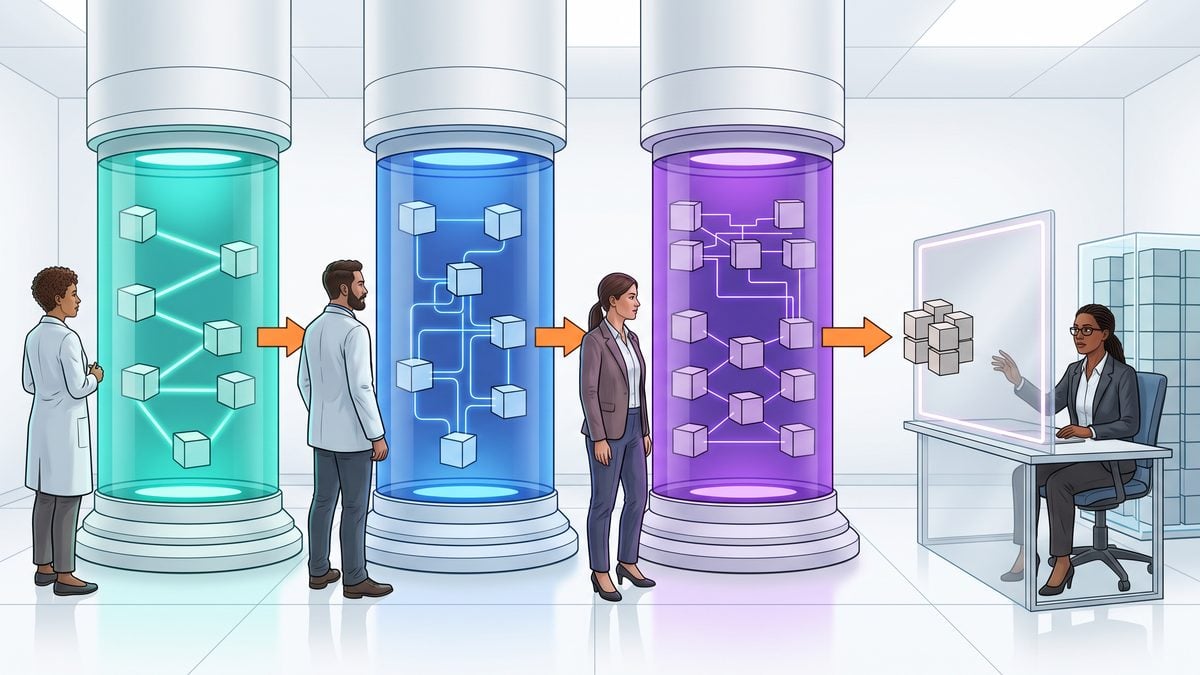
Codex Security is easiest to compare when each surface is treated as an operating workflow rather than as a different skin over the same scanner. The desktop workbench is optimized for interactive review, repository triage, evidence inspection, coverage discussion, and patch evaluation. The CLI is optimized for local automation, CI-style repeatability, saved scans, diff and working-tree checks, bulk operation, validation, and patch workflows. The TypeScript SDK is the integration layer for teams that want to embed scanning, history, export, saved-finding, deduplication, classification, or findings-service patterns into internal systems. The connected-GitHub cloud workflow is the hosted path, but OpenAI describes the cloud product as a research preview, so it should be evaluated with preview governance and not treated as the default compliance system of record.
The first operational rule is authorization. OpenAI’s Codex Security guidance requires scanning only repositories that the operator owns or is authorized to assess. That rule applies equally to the workbench, CLI, SDK, and connected-GitHub cloud workflow. A scanner run against a repository is not permission to test third-party infrastructure, publish vulnerability details, run exploit steps, or bypass a disclosure process. The safer framing is “authorized code security review with artifacts,” not “general penetration testing.”
The second operational rule is artifact custody. OpenAI warns that Codex Security results and logs may include source code, credentials, vulnerability details, and proof artifacts. That warning matters most for the CLI and SDK because local runs can write files wherever the operator directs them, but it also applies to workbench review and any cloud workflow that stores or displays findings. A practical policy is to write scan outputs outside the repository, keep them in private storage, apply retention rules, and prevent generated reports from being committed back into the application codebase unless the security team has explicitly approved that evidence-handling pattern.
Setup and runtime boundary: desktop review, local execution, embedded automation, or connected cloud
| Surface | Setup model | Runtime boundary | Best operational fit | Main caution |
|---|---|---|---|---|
| Desktop plugin / workbench | Interactive desktop workflow for organizing scans, repositories, progress, findings, evidence, coverage, and patch review. | Desktop-managed review surface with repository-focused workflows. | Evaluation pilots, human triage, focused repository rollout, coverage review, and patch assessment. | Do not treat an interactive finding as automatically validated; generated patches still need normal code review. |
| CLI | Local command-line package and workflows for repository, path, diff, working-tree, deep, bulk, CI, pre-commit, saved-scan, comparison, validation, and patch use cases. | Runs with operating-system permissions and does not pause for approval during local scans. | Repeatable local scans, developer pre-commit checks, CI experiments, bulk repository sweeps, and evidence export. | Remove unrelated credentials, isolate environment variables, run a dry run, and keep outputs outside the repository. |
| TypeScript SDK | Programmatic integration using the public @openai/codex-security package, with Node.js 22.13.0+ and Python 3.10+ required for full scan, history, export, and saved-finding workflows. |
Runs inside the application, worker, or internal service that the team builds around it. | Security platforms, internal dashboards, findings-service prototypes, custom classification, deduplication, and controlled automation. | SDK automation inherits the host system’s storage, credential, queue, and authorization risks; treat it as a security product integration. |
| Connected-GitHub cloud workflow | Hosted workflow connected to GitHub repositories. | Cloud workflow; OpenAI describes the Codex Security cloud product as a research preview. | Exploring hosted repository analysis where preview constraints are acceptable and normal review controls remain in place. | Do not rely on it as a mature control without validating preview status, artifact custody, repository authorization, and human review gates. |
The desktop workbench has the lowest coordination cost for a reviewer group because the product surface is explicitly organized around repositories, scan progress, findings, evidence, coverage, and patch review. That makes it suitable for the first two to four repositories in a rollout, where the security team is still calibrating severity expectations, coverage interpretation, and remediation quality. OpenAI recommends a focused rollout, a dedicated reviewer group, editable threat models, lower-risk repositories during evaluation, and ordinary code review for generated patch pull requests; the workbench is the most natural place to establish that operating rhythm before broad automation.
The CLI has the strongest repeatability story, but it also has the sharpest local-risk profile. OpenAI’s CLI guidance says local scans run with operating-system permissions, do not pause for approval, and can inherit environment variables. That is different from an agent workflow that prompts before crossing a sandbox boundary. For Codex Security CLI usage, the conservative setup is a clean shell, only the repository under review, no unrelated credentials in the environment, a dry run before the first substantive scan, and an output directory that is outside the repository and protected by the same controls used for vulnerability evidence.
The SDK is not a shortcut around governance; it is a way to encode governance. A team using the TypeScript SDK can build a queue that accepts authorized repository identifiers, creates scan records, stores manifests and findings, exports SARIF when appropriate, tracks saved findings, and routes results to reviewers. That same team must also decide how provider credentials are stored, how scan artifacts are retained, how protected findings are gated, how custom severity classification is reviewed, and how deduplication decisions are audited. The public repository includes CLI and SDK code under Apache-2.0 and examples such as Docker and findings-service patterns, but OpenAI describes the findings service as preview, so teams should label those integrations accordingly.
The connected-GitHub cloud workflow should be treated as a separate operating surface, not simply “the CLI in the cloud.” OpenAI describes the cloud product as a research preview, and the sources state that Codex Security does not automatically modify code in the cloud workflow. That means cloud scanning can support review, but patch application and remediation still require human-controlled repository processes. A useful adoption rule is to keep cloud workflow trials on repositories where repository owners, security reviewers, and maintainers already agree on who may see findings, who may propose changes, and who approves merge decisions.
Target types and scan modes: standard, deep, changes, diff, working tree, and bulk
Codex Security supports different target shapes across the surfaces. The workbench is designed around repository-level organization and scan review. The CLI can scan repositories, paths, diffs, working-tree changes, deep targets, bulk sets, CI contexts, pre-commit contexts, saved scans, comparisons, validations, and patch workflows. The SDK is appropriate when those actions need to be invoked from internal systems. The connected-GitHub cloud workflow is tied to repositories available through the connected GitHub flow, so repository authorization and connection scope become central controls.
| Scan or target pattern | Workbench | CLI | SDK | Cloud workflow | Decision rule |
|---|---|---|---|---|---|
| Standard repository scan | Strong fit for guided review, progress, findings, evidence, and coverage inspection. | Strong fit for repeatable local or CI-oriented operation. | Strong fit when standard scans must be queued, recorded, exported, or correlated. | Potential fit for connected repositories, subject to research-preview governance. | Use this first when a team is establishing baseline coverage and reviewer expectations. |
| Deep scan | Useful when reviewers need richer coverage discussion and can tolerate longer or more expensive analysis. | Useful for explicit deep workflows where limits and partial output handling are planned. | Useful when deep scans are reserved for high-risk repositories or release gates. | Evaluate cautiously under preview constraints. | Reserve for repositories or releases where the extra analysis has an agreed review owner and budget boundary. |
| Changes scan | Useful for reviewing a targeted set of changes and the evidence around them. | Strong fit for diff, working-tree, pre-commit, and CI checks. | Strong fit for pull-request bots or internal change-review pipelines. | Use only within the connected workflow’s supported behavior and preview status. | Use for developer feedback and pull-request triage; do not mistake it for full repository coverage. |
| Bulk repository operation | Less natural if each result needs detailed interactive review. | Strong fit, because the CLI supports bulk workflows. | Strong fit for queueing, policy routing, deduplication, and centralized evidence capture. | Evaluate only after preview implications and repository scope are understood. | Use only after artifact storage, authorization, reviewer capacity, and cost/time limits are documented. |
Standard, deep, and changes scans should not be marketed internally as “low, medium, and high confidence.” OpenAI’s sources describe different target and coverage behavior, and they also warn that coverage can be complete, partial, or unknown. A changes scan may be excellent for pull-request feedback while still being the wrong evidence for a whole-repository security claim. A deep scan may produce more useful findings for a complex subsystem, but if deferred areas or open questions remain, the result still requires reviewer interpretation before it is used as release evidence.
Coverage status is the language that should survive into governance documents. A complete scan, according to the official operating model, can produce a manifest, findings, coverage, report, artifacts, and optional SARIF exports. Coverage can also be partial or unknown. Cost and time limits can preserve partial output, but partial output does not imply complete coverage. A security team should therefore write acceptance criteria in coverage terms: what was targeted, what was deferred, what is unknown, which artifacts were produced, who reviewed them, and what decision was made.
This article covers Codex Security prompts for automated threat modeling, code auditing, and vulnerability remediation. The complete Codex Security Prompts Masterclass: 30 Production-Ready Prompts for Automated Threat Modeling, Code Auditing, and Vulnerability Remediation article provides the destination-specific detail for this section’s Threat Modeling decision because it is semantically aligned with threat modeling in Codex security workflows without reusing the scanner article already selected.
Authentication, access, and protected findings
The public CLI and SDK package does not make Codex Security universally available. OpenAI’s sources state that running scans still requires Codex Security access, and some protected findings may require Trusted Access for Cyber. That distinction is important for procurement and rollout planning: installing a package, connecting a repository, or building an SDK wrapper is not the same thing as having access to every finding class or every protected workflow. Teams should confirm access before designing CI gates, executive dashboards, or service-level objectives around scan outputs.
Authentication design differs by surface. In the desktop workbench, the main operating question is which users can access the Codex Security experience, which repositories they can work on, and which reviewer group is responsible for findings. In the CLI, the main question is which local user context, shell environment, filesystem permissions, and credentials are present at execution time. In the SDK, the main question is which service identity, queue worker, secret store, database, and export destination are allowed to initiate scans and read results. In the connected-GitHub cloud workflow, the main question is which repositories are connected and who has authority to initiate, review, and act on cloud-produced findings.
A safe implementation separates scanner access from remediation authority. A developer may be allowed to run a changes scan on a branch, while only maintainers can merge a generated patch. A security engineer may be allowed to view protected evidence, while a broader engineering group receives a redacted remediation task. A service account may be allowed to export SARIF to an internal system, while raw proof artifacts remain in restricted storage. These distinctions reduce the risk that scan output containing secrets, source snippets, or vulnerability proof material is overshared.
History, saved findings, exports, and evidence handling
History matters because one scan rarely settles a security question. The workbench is designed to organize scans and findings so reviewers can inspect progress, evidence, repositories, coverage, and patch review in context. The CLI supports saved-scan, comparison, validation, and export workflows. The SDK supports full scan, history, export, and saved-finding workflows when the runtime prerequisites are met. The cloud workflow may provide hosted workflow state, but because the product is described as a research preview, organizations should avoid assuming it satisfies their retention, audit, or evidence-chain requirements without an explicit review.
| Artifact type | Operational value | Handling requirement |
|---|---|---|
| Manifest | Shows what the scan understood as the target and helps reviewers reconstruct scope. | Store with the scan record so later reviews can distinguish target scope from inferred conclusions. |
| Findings | List candidate security issues, severity information, and remediation context. | Restrict access because findings may contain vulnerability details or sensitive code references. |
| Coverage | Documents complete, partial, or unknown coverage and highlights deferred areas or open questions. | Require human review before the scan is used as release evidence or governance proof. |
| Report | Packages results for reviewer, maintainer, or management consumption. | Do not publish broadly until secrets, proof artifacts, and disclosure obligations are reviewed. |
| Artifacts | Support finding reproduction, validation, or patch reasoning. | Protect as sensitive security evidence and apply retention controls. |
| SARIF export | Allows integration with code-scanning and security-reporting systems that consume SARIF. | Confirm that the destination system is authorized to store code snippets, paths, and vulnerability details. |
A practical evidence rule is to treat coverage as a first-class artifact, not a footnote. If coverage is partial because a time limit was reached, the report is still useful, but it cannot support the same conclusion as a complete scan. If coverage is unknown for an area that includes authentication, authorization, cryptography, deserialization, payment logic, tenant isolation, or deployment automation, a reviewer should either schedule additional analysis or explicitly record that the security decision was made with unresolved coverage.
Progress, cost controls, and partial output
Progress visibility has different meanings on each surface. In the workbench, progress is part of the interactive reviewer experience alongside repositories, findings, evidence, coverage, and patch review. In the CLI, progress is operational output that must be captured carefully because logs can include sensitive details. In the SDK, progress should be modeled as application state that can survive worker restarts, queue retries, and reviewer handoff. In the cloud workflow, progress should be interpreted within the hosted preview experience and not substituted for a separately approved audit trail unless the organization has validated that use.
Cost and time limits are control mechanisms, not quality guarantees. OpenAI’s sources state that cost and time limits can preserve partial output, and that partial output does not imply complete coverage. That means a CI pipeline can be configured to avoid runaway scans, but the resulting artifact may still need to be labeled “partial.” A mature workflow separates “scan completed within budget” from “coverage is sufficient for this decision.” Those are different assertions, and only the second one belongs in release governance.
The highest-risk mistake is to turn a partial scan into a blocking or passing gate without preserving context. If a time-limited changes scan produces no findings, the correct statement is not “the pull request is secure.” The correct statement is that no finding was produced for the targeted scan under the configured limits, with the recorded coverage status. If a scan produces findings before a cost limit stops execution, the findings may still be actionable, but reviewers should avoid assuming that unfound areas were assessed.
Patch workflow and human review
OpenAI’s Codex Security sources are explicit that patches remain proposals for human review and normal pull-request controls. The cloud workflow does not automatically modify code. The workbench can help reviewers inspect evidence, coverage, and patch proposals. The CLI can participate in patch workflows. The SDK can route proposed remediations into internal systems. None of those surfaces should bypass maintainers, test suites, secure-coding review, architectural ownership, or disclosure policy.
A safe remediation workflow starts with finding validation, not patch generation. The reviewer should confirm that the repository is authorized for assessment, the finding is within scope, the coverage status is understood, and the issue maps to a real security concern or policy requirement. Only then should the team evaluate a proposed patch. The patch review should check whether the change fixes the issue, introduces compatibility risk, weakens other controls, exposes secrets in tests or logs, changes public API behavior, or creates a new trust-boundary problem.
- Validate scope: Confirm that the repository, branch, diff, or working tree was authorized for scanning and that the scan target matches the review question.
- Read coverage first: Identify complete, partial, unknown, deferred, and open-question areas before ranking findings.
- Triage findings: Assign owner, severity, exploitability context, affected component, and required remediation evidence.
- Review proposed patch: Treat generated changes as suggestions that must pass normal pull-request review, tests, and security approval.
- Record decision: Save the manifest, findings, coverage, report, artifacts, and export references in private storage with retention controls.
- Verify after merge: Run an appropriate follow-up scan or validation workflow and document whether coverage changed.
The human-review requirement is also a capacity-planning requirement. A team that enables bulk CLI scans or SDK-driven queueing without assigning reviewers can generate more sensitive evidence than it can safely process. A team that enables changes scans in pre-commit or CI without developer education can create alert fatigue or false confidence. A team that pilots the cloud preview without repository-owner buy-in can create uncertainty about who is responsible for remediation. The better rollout pattern is narrow: choose lower-risk repositories, name a dedicated reviewer group, define scan targets, document artifact storage, and expand only after the review loop is working.
A workflow matrix for choosing the right surface
| Workflow need | Recommended starting surface | Why it fits | When to add another surface |
|---|---|---|---|
| Initial evaluation on a small number of repositories | Desktop workbench | It supports interactive review of repositories, progress, findings, evidence, coverage, and patch proposals. | Add CLI once reviewers agree on scan targets, output handling, and acceptance criteria. |
| Developer feedback on unmerged code | CLI changes, diff, working-tree, or pre-commit workflow | The CLI supports local and change-focused patterns that fit developer loops. | Add SDK if the organization wants centralized result collection or custom routing. |
| CI experiment with explicit limits | CLI | The CLI supports CI and can preserve partial output when cost or time limits are used. | Add SARIF export or SDK integration after artifact sensitivity and destination permissions are approved. |
| Internal security platform integration | TypeScript SDK | The SDK can support scan orchestration, history, export, saved findings, and custom workflow logic. | Add workbench review for cases where analysts need richer interactive evidence inspection. |
| Hosted repository workflow exploration | Connected-GitHub cloud workflow | It provides a cloud path for connected GitHub repositories. | Add local CLI or SDK evidence capture if preview status does not satisfy retention or audit needs. |
The practical conclusion for this section is not that one surface wins. The workbench is strongest when humans are learning the evidence model and reviewing patches. The CLI is strongest when repeatable local or CI operation matters and the team can control credentials, logs, and outputs. The SDK is strongest when security engineering wants to build controlled internal automation. The connected-GitHub cloud workflow is worth evaluating where hosted repository analysis is useful, but its research-preview status should shape expectations, controls, and rollout scope. Across all four, the durable requirements are the same: authorized repositories only, private artifact custody, explicit coverage interpretation, cost and time limits that do not overstate completeness, and human review before remediation is accepted.
Automation and evidence: turning scans into reviewable security records

Automation is where the four Codex Security surfaces diverge most sharply: the workbench is strongest when a reviewer needs visual context and patch triage, the CLI is strongest when a repository or diff must be scanned from a repeatable local or CI job, the TypeScript SDK is appropriate when a team needs Codex Security inside a larger internal workflow, and the connected-GitHub cloud workflow is useful for repository-connected automation while remaining a research preview according to OpenAI’s Codex Security materials. The practical decision is not whether automation is desirable; it is which surface can produce evidence that your reviewers, auditors, and incident-response team can trust without overstating coverage.
OpenAI’s CLI guidance supports repository, path, diff, working-tree, deep, bulk, CI, pre-commit, saved-scan, comparison, validation, and patch workflows. That breadth makes the CLI the natural bridge between individual developer checks and organization-level evidence, but it also increases operational risk because local scans run with operating-system permissions, do not pause for approval, and may inherit environment variables. A scanner that can see a credential-bearing file, token environment variable, or private proof artifact may also include sensitive material in logs, findings, reports, or exported evidence, so automation design must begin with isolation rather than convenience.
For CI adoption, use a staged rollout instead of immediately making Codex Security a blocking gate across all repositories. Start with lower-risk repositories that have clear owners, define the scan target and expected artifact set, require private storage for results, and route findings to a trained reviewer group before any merge-blocking rule is enforced. This avoids a common failure mode in AI-assisted security scanning: treating a new finding feed as an authoritative vulnerability database before the team has validated coverage, false-positive rate, severity mapping, and patch-review behavior on representative code.
This article focuses on advanced Codex CLI prompts for multi-agent development, code review, and CI/CD automation. The complete Codex CLI Prompts Masterclass: 40 Advanced Prompts for Multi-Agent Development, Code Review, and CI/CD Automation article provides the destination-specific detail for this section’s CI Security Automation decision because it fits the CI automation aspect of the marker and is useful where the current article compares CLI-driven automation with other Codex security approaches.
CI pattern: collect artifacts first, then decide whether to gate
A reliable CI integration should capture the scan command, tool version, repository revision, target scope, elapsed time, cost or time limit settings, generated artifacts, coverage status, and reviewer disposition. Those records matter because OpenAI’s materials distinguish complete, partial, and unknown coverage, and a scan limited by budget or time can preserve partial output without proving that the unscanned areas are safe. A CI job that fails only on “critical findings” but discards the manifest and coverage file is weaker than a non-blocking job that preserves a full evidence bundle for review.
| CI stage | Recommended initial behavior | Evidence to preserve | Operational warning |
|---|---|---|---|
| Pull request | Run a changes or diff-oriented scan where appropriate, then route results to the repository owner or security reviewer. | Manifest, findings, coverage status, scan log, SARIF export if enabled, and reviewer notes. | Do not treat a clean diff scan as proof that the full repository has no exploitable paths. |
| Scheduled repository scan | Run a broader or deeper scan on an agreed cadence for selected repositories. | Full evidence bundle, deferred areas, open questions, comparison against prior saved scans, and policy decisions. | Cost or time limits may leave partial output; reviewers must read coverage before relying on the result. |
| Release hardening | Use saved-scan, comparison, validation, and patch-review workflows where the CLI supports them. | Release revision, accepted risks, false-positive decisions, validated patches, and unresolved findings. | Generated patches remain proposals and require normal pull-request controls. |
| Bulk repository assessment | Scan only repositories the organization owns or is authorized to assess, using private artifact storage outside the repository. | Repository inventory, authorization record, per-repository coverage, scan logs, and exception register. | Bulk automation can multiply exposure if credentials or source artifacts are written to shared logs. |
Recommended workflow: run Codex Security in report-only mode during the pilot, store artifacts in a restricted location, and require reviewers to classify each finding as accepted, fixed, duplicate, false positive, needs more evidence, or out of scope. The exact labels can follow your existing vulnerability-management process, but the important requirement is that the disposition is recorded separately from the raw model-generated finding. This separation prevents later readers from confusing scanner output with human validation.
Pre-commit checks: useful for early signal, risky as a secret boundary
Pre-commit use is best for fast, localized checks that help developers catch issues before a branch or pull request exists. OpenAI’s CLI materials include pre-commit workflows, but local execution means the scan runs with the developer machine’s operating-system permissions and may inherit environment variables. That makes pre-commit unsuitable as a casual “scan everything” hook on a workstation that also contains unrelated production credentials, cloud tokens, private customer data, or secrets from other projects.
Recommended pre-commit rule: keep the target narrow, avoid scanning unrelated directories, run a dry run before enabling automatic hooks, and write outputs outside the repository. If your hook emits a report into the working tree, a developer may accidentally commit vulnerability details, proof artifacts, or credential material. The safer default is to store local results in a private user-controlled output directory that is excluded from source control and covered by workstation retention policy.
# Example control pattern, not a product-specific command contract:
# 1. Verify the installed Codex Security CLI documentation.
# 2. Run only on the intended diff or path.
# 3. Write output outside the repository.
# 4. Do not pass unrelated environment variables into the scan process.

REPO_ROOT="$(git rev-parse --show-toplevel)"
PRIVATE_SCAN_DIR="$HOME/.local/share/codex-security-scans/$(basename "$REPO_ROOT")"

mkdir -p "$PRIVATE_SCAN_DIR"

# Replace the next line with the documented command and flags for your installed version.
# codex-security scan --target "$REPO_ROOT" --output "$PRIVATE_SCAN_DIR"
This shell pattern intentionally avoids naming undocumented flags as authoritative behavior. The operational principle is still concrete: find the repository root, create private storage outside the repository, and invoke only the documented command set from the installed CLI. Security teams should review any hook before distribution because a well-intentioned hook can leak secrets through shell tracing, CI log echoing, inherited environment variables, or artifact upload defaults.
Bulk scans and Docker: isolate scale before you accelerate it
The public OpenAI repository for Codex Security exposes Docker examples and containerized bulk-scan examples, but containerization should be treated as an isolation and reproducibility tool rather than a guarantee that secrets are safe. A container can still receive mounted source trees, injected environment variables, credentials for provider/model access, and artifact-output volumes. The design question is therefore: what exact files, variables, network routes, and output locations does the scan container need, and what can be denied?
Recommended bulk-scan posture: use a repository inventory approved by legal or security leadership, confirm each repository is owned by or authorized for assessment by the organization, run an initial dry run, and produce one artifact bundle per repository. Bulk automation should also record failures and skipped repositories instead of silently dropping them from the summary. A clean dashboard that excludes failed scans is more dangerous than a noisy dashboard that exposes unknown coverage.
| Bulk-scan concern | Control to apply | Why it matters |
|---|---|---|
| Repository authorization | Maintain an approved repository list and exclude third-party code unless assessment is authorized. | Codex Security access does not create permission to test repositories you do not own or administer. |
| Credential exposure | Run with a minimized environment and remove unrelated credentials before scanning. | OpenAI warns that local scans can inherit environment variables and outputs may include credentials. |
| Artifact location | Write manifests, findings, coverage, reports, logs, and SARIF outside the repository. | Evidence can include source code, vulnerability details, and proof artifacts that should not be committed. |
| Scale failures | Track errors, timeouts, partial coverage, and unknown coverage as first-class results. | Partial output is useful evidence only when its limits are visible to reviewers. |
Cost, time limits, resumability, and comparison evidence
OpenAI’s Codex Security guidance states that cost and time limits can preserve partial output, but those limits do not imply complete coverage. This is a useful property for large repositories and scheduled scans because it allows teams to retain work already performed instead of losing the entire run. The reviewer’s responsibility is to read the coverage artifact, identify deferred areas and open questions, and decide whether the partial result is enough for the decision at hand.
Resumability should be governed as an evidence-continuity feature, not as an excuse to ignore incomplete scans. The CLI materials include saved-scan, comparison, and validation workflows, which can help teams compare results over time and revisit prior outputs. A sound process records the saved scan identifier or local evidence location, the repository revision, the reason the first run stopped, the configuration used for the resumed or comparison scan, and whether previously deferred areas were actually covered later.
Decision rule: allow time-limited scans for exploratory triage and scheduled broad monitoring, but require complete or explicitly accepted coverage before relying on results for release approval, regulatory evidence, or high-risk remediation closure. If coverage is partial or unknown, the release record should say exactly that and identify compensating review, such as manual code review, targeted tests, or a deeper follow-up scan.
SARIF, manifests, findings, coverage, and scan logs
A complete Codex Security scan can produce a manifest, findings, coverage, report, artifacts, and optional SARIF exports. These are not interchangeable documents. The manifest establishes what was scanned and under what conditions; findings describe suspected issues; coverage explains what the scan did and did not address; the report is a human-readable synthesis; artifacts may support evidence or reproduction; and scan logs explain execution details, errors, warnings, and operational context.
This hands-on Codex vulnerability-scanner tutorial covers static analysis, CVE matching, and patch suggestions, offering an implementation-oriented companion for teams that need to normalize and move scanner findings through machine-readable security pipelines such as SARIF. The complete How to Build a Cybersecurity Vulnerability Scanner with OpenAI Codex article provides the destination-specific detail for this section’s SARIF Workflows decision because the target is specifically about building a Codex security scanner and handling vulnerability findings, which is materially closer to SARIF workflows than a generic plugin tutorial.
| Artifact | Primary use | Retention and access guidance |
|---|---|---|
| Manifest | Establish scan scope, inputs, and execution context. | Store with the release or investigation record; restrict access if repository paths or source metadata are sensitive. |
| Findings | Drive vulnerability triage, owner assignment, and remediation planning. | Treat as sensitive because findings may describe exploitable weaknesses or include source excerpts. |
| Coverage | Determine whether the result is complete, partial, or unknown. | Require reviewer sign-off before using scan output as evidence of review. |
| Scan logs | Diagnose tool failures, skipped work, configuration issues, and runtime warnings. | Keep private because logs may include paths, commands, source snippets, or secrets if the environment was not isolated. |
| SARIF export | Integrate findings into code review and security dashboards. | Preserve original artifacts when SARIF consumers do not retain all coverage and proof context. |
False-positive feedback and custom severity policy
False-positive feedback should be captured as a structured reviewer decision, not as an ad hoc comment buried in a pull request. The open-source Codex Security repository exposes examples around deduplication and custom severity classification, and those capabilities are most useful when tied to a written severity policy. A policy should define how your organization maps scanner output to business impact, exploitability, affected asset type, exposure, data sensitivity, and remediation deadline.
Example severity policy framework: classify a finding as higher severity when it affects an externally reachable path, authentication or authorization boundary, sensitive-data handling path, cryptographic control, software supply-chain process, or privileged automation. Classify it lower only when the reviewer can document why the path is unreachable, the preconditions are unrealistic in your environment, compensating controls are already enforced, or the finding is a duplicate of a tracked issue. This framework is a recommendation, not an OpenAI severity guarantee.
When feeding back false positives, avoid deleting the original finding without a trace. Keep the scanner finding, reviewer rationale, evidence consulted, final disposition, and any policy rule that caused the severity to change. This preserves auditability and gives future reviewers a way to detect drift if the same pattern reappears in another repository. It also prevents a dangerous shortcut: using “AI said low severity” as a substitute for threat modeling.
Findings service preview, SDK use, and provider choice
The public Codex Security repository includes findings-service examples, and OpenAI characterizes the findings service as preview. That status matters operationally: teams should not make a preview findings service the sole system of record for production vulnerability management unless they have explicitly accepted the risk, implemented backups or exports, and documented how records will be reconciled if the preview behavior changes. For most organizations, the safer path is to use preview components for evaluation while keeping the authoritative record in an established issue, security, or governance system.
The TypeScript SDK is appropriate when a team needs to embed scan orchestration, deduplication, severity classification, or artifact routing inside an internal developer platform. That flexibility comes with responsibility for credentials, authorization checks, storage access, logging behavior, and error handling. The SDK should not be used to bypass the human-review expectations that OpenAI attaches to patch workflows; generated patches remain proposals and must pass normal pull-request review, tests, and ownership checks.
Provider and model choice should be governed as a separate security decision because the open-source repository notes provider/model selection as an area with distinct credentials and security requirements. A provider credential used for scanning should be scoped to the scanning workflow, stored outside the repository, rotated under the same standard as other automation secrets, and withheld from local hooks unless necessary. Do not mix unrelated production credentials into a scan environment merely because a developer workstation or CI runner already has them available.
Private artifact handling and secret isolation checklist
Private artifact handling is not optional for Codex Security automation. OpenAI’s guidance states that results and logs may include source code, credentials, vulnerability details, and proof artifacts. Store outputs outside the repository, restrict access to the reviewer group and repository owners, apply retention rules, and avoid public issue trackers for raw findings. If a finding requires disclosure outside the organization, use your normal coordinated-disclosure, customer-notification, legal, and incident-response processes rather than exporting scanner artifacts directly.
- Before scanning: confirm repository authorization, remove unrelated credentials, run a dry run, choose the narrowest practical target, and decide where artifacts will be stored.
- During scanning: minimize inherited environment variables, avoid shell tracing that prints secrets, monitor cost and time limits, and preserve warnings rather than hiding them from logs.
- After scanning: review coverage before findings, classify each finding with human rationale, keep patches behind pull-request review, and record false-positive decisions separately from raw output.
- For CI and bulk scans: isolate provider credentials, use private artifact storage, track failed or partial scans, and prevent SARIF or logs from being published to places broader than the intended reviewer audience.
- For preview components: treat the connected-GitHub cloud workflow and findings-service examples according to their stated preview status, and avoid making them the only durable evidence store without a documented fallback.
Operational warning: a Codex Security run is evidence of a particular scan under particular conditions, not proof that the repository is secure. Coverage, deferred areas, partial outputs, scan logs, reviewer validation, and normal code review determine how much weight the organization should give that evidence.
The comparison point across CLI, SDK, Docker, workbench, and cloud is therefore straightforward: choose the surface that produces the right evidence with the least unnecessary exposure. Use the workbench when human triage and patch review are central, the CLI when repeatable repository and CI automation are needed, the SDK when Codex Security must be embedded into an internal platform, Docker when isolation and repeatability help bulk operation, and the connected-GitHub cloud workflow only with its research-preview status clearly reflected in rollout and evidence policy.
Selection matrix: choose the surface by evidence need, automation risk, and review capacity
The safest way to select among the Codex Security workbench, CLI, TypeScript SDK, and connected-GitHub cloud workflow is to start from the repository’s risk class and the evidence you need to preserve, not from a preference for a graphical or automated interface. OpenAI describes Codex Security as available across these surfaces, but each surface changes who operates the scan, where execution happens, what artifacts are practical to collect, and how much human review must be built around the output.
| Decision factor | Desktop plugin/workbench | CLI | TypeScript SDK | Connected-GitHub cloud workflow |
|---|---|---|---|---|
| Best fit during rollout | Security reviewers triaging known repositories, reviewing evidence, and managing patch proposals in an interactive workflow. | Developers and security engineers running repeatable local, CI, diff, working-tree, deep, bulk, saved-scan, comparison, validation, and patch workflows. | Platform teams embedding scan, export, saved-finding, deduplication, severity, or findings-service patterns into internal tooling. | Teams evaluating connected GitHub automation where research-preview status is acceptable and normal human review remains mandatory. |
| Primary control point | Reviewer judgment, repository selection, threat-model editing, coverage review, and patch review. | Shell environment, repository authorization, output paths, CI policy, cost/time limits, and artifact storage. | Application authorization, service credentials, storage design, scan policy, and internal workflow controls. | Repository connection governance, cloud workflow scope, preview-risk acceptance, and pull-request review policy. |
| Evidence strength | Strong for reviewer-led triage when findings, progress, coverage, evidence, and patch context are preserved. | Strong for reproducible automation when manifest, findings, coverage, report, artifacts, logs, and optional SARIF are retained. | Variable; depends on whether the internal application preserves the same scan records and exposes coverage status clearly. | Useful for connected workflow evidence, but preview status means teams should avoid treating it as the sole system of record. |
| Risk to manage | Over-trusting an interactive scan without documenting deferred areas, open questions, or patch assumptions. | Local scans run with operating-system permissions, do not pause for approval, and can inherit environment variables. | Embedded automation can spread unsafe defaults, provider credentials, or incomplete findings handling across many repositories. | Research-preview workflows require explicit acceptance that behavior and operational suitability may not match mature production controls. |
| What it does not prove | It does not prove absence of vulnerabilities, completeness of manual review, or safety of a generated patch. | It does not prove full coverage when output says partial or unknown, and cost/time-limited output is not complete evidence. | It does not prove the correctness of your internal deduplication, severity policy, storage, or authorization design. | It does not prove cloud automation is generally available, production-stable, or sufficient without human validation. |
Recommendation: use the workbench for the first security-review cohort, the CLI for controlled repeatability, the SDK only after artifact and authorization patterns are already proven, and the connected-GitHub cloud workflow only with explicit research-preview acceptance. This sequencing lets a team learn what good coverage, usable findings, and defensible patch review look like before turning scans into broad automation.
For teams that already use SARIF pipelines, the CLI is often the first automation candidate because OpenAI documents optional SARIF export as part of a complete scan output pattern. Treat SARIF as one downstream representation, not as the complete record: the manifest, coverage data, report, artifacts, logs, deferred areas, and open questions remain necessary when a reviewer later needs to determine whether a scan actually covered the code path under discussion.
Phased rollout plan: from low-risk authorized repositories to broader use
A Codex Security rollout should begin only with repositories the organization owns or is authorized to assess. OpenAI’s CLI guidance specifically warns users to scan only authorized repositories, remove unrelated credentials, run a dry run, and write scan outputs outside the repository; those steps are operational requirements, not optional hygiene, because reports and logs may contain source code, credentials, vulnerability details, and proof artifacts.
| Phase | Repository scope | Primary surface | Exit criteria | Do not advance if |
|---|---|---|---|---|
| Phase 0: governance setup | No production scanning yet; choose two or three authorized low-risk repositories for later evaluation. | Workbench planning and CLI dry-run planning. | Reviewer roles, artifact storage, disclosure workflow, retention period, and stop conditions are approved. | No owner can confirm authorization, artifact storage is public or undefined, or reviewers cannot access coverage records. |
| Phase 1: reviewer-led pilot | Low-risk internal repositories with minimal sensitive data and active maintainers. | Desktop workbench, with limited CLI validation where needed. | Findings are triaged, coverage status is understood, and at least one patch proposal is reviewed through normal pull-request controls. | Coverage is unknown for important areas, findings contain secrets, or maintainers bypass code review to apply generated patches. |
| Phase 2: repeatable local and CI evidence | Additional authorized repositories with clear owners and test suites. | CLI with saved-scan, comparison, validation, CI, or SARIF export workflows. | Artifacts are stored outside repositories, partial-output rules are documented, and CI gates distinguish scan failure from vulnerability confirmation. | Environment variables are not filtered, output paths write into the repository, or cost/time limits hide unreviewed deferred areas. |
| Phase 3: platform integration | Repository groups with similar language stacks, ownership, and compliance needs. | SDK and controlled findings-service patterns where justified. | Internal tooling preserves manifest, findings, coverage, report, artifacts, severity rationale, and reviewer disposition. | Deduplication drops evidence, severity policy is opaque, or provider/model credentials are shared beyond approved operators. |
| Phase 4: broader automation review | Broader authorized GitHub repositories after pilot evidence is accepted. | Connected-GitHub cloud workflow only where research-preview status is acceptable. | Human review, patch controls, disclosure routing, and rollback procedures work without relying on the preview as the only record. | Stakeholders expect cloud automation to automatically modify code, replace reviewers, or prove vulnerability absence. |
Phase 0 should produce a written operating policy before anyone runs broad scans. The policy should name repository owners, security reviewers, application maintainers, release managers, legal or disclosure contacts, and artifact custodians; each name matters because Codex Security output can include sensitive implementation details and proof artifacts that should not be copied into public issue trackers or uncontrolled chat threads.
This article describes a Codex workflow that gathers context, creates pull requests, runs tests, and keeps human review before shipping or merging changes. The complete How to Build a Codex Signal-to-Pull-Request Workflow: From Integration Opportunity to Tested Code and Human Review article provides the destination-specific detail for this section’s Human Reviewed Remediation decision because it directly supports the human-review requirement for AI-generated fixes before changes are accepted into production workflows.
Phase 2 can add CI only after the team has decided what the gate means. A practical rule is to fail the pipeline for missing artifacts, corrupt output, unauthorized repository scope, or unreviewed critical policy violations, while routing new findings to a security queue until a human confirms severity and exploitability. This avoids training developers to treat every scanner message as either an emergency or noise.
Phase 3 should treat the SDK as a software product inside the organization. If platform engineers build a wrapper around the public package, they must preserve authorization checks, private storage, coverage states, cost/time-limit metadata, and reviewer disposition rather than returning a simplified “pass” or “fail” result that hides what the scan actually examined.
Phase 4 requires special caution because OpenAI describes the connected-GitHub cloud workflow as a research preview. A preview workflow may still be useful for evaluation, but governance should state that it is not the sole release gate, not a proof of production readiness, and not permission to reduce pull-request review, regression testing, or disclosure discipline.
Reviewer roles, coverage acceptance, and stop conditions
The reviewer model should separate at least four roles: the repository owner confirms authorization and business context; the security reviewer validates finding plausibility and severity; the maintainer evaluates code-change impact; and the release owner decides whether remediation timing fits the release train. In smaller teams one person may hold multiple roles, but the decision record should still show which judgment was made under which responsibility.
| Review area | Acceptance rule | Required evidence | Stop condition |
|---|---|---|---|
| Authorization | The repository owner or delegated security authority confirms the repository is in scope. | Repository name, owner, authorization note, scan operator, and date. | Ownership is unclear, third-party code is out of scope, or the scan would test systems without permission. |
| Coverage | Complete coverage may support an evidence record; partial or unknown coverage must be documented with deferred areas and open questions. | Coverage file, manifest, report, scan mode, cost/time limits, and reviewer notes. | A decision maker wants to treat partial or unknown coverage as proof that the repository is secure. |
| Secrets and sensitive output | Artifacts are stored privately outside the repository and access is limited to approved reviewers. | Storage location, retention period, access list, and deletion procedure. | Logs contain unrelated credentials, production secrets, or regulated data that cannot be safely retained. |
| Patch review | Every patch remains a proposal and must pass normal pull-request review. | Diff, finding link, reviewer disposition, tests added or updated, and maintainer approval. | A patch is applied directly to protected branches or merged without tests for the affected behavior. |
| Regression testing | Security fixes must run relevant unit, integration, and release tests before deployment. | Test results, changed risk assumptions, release note, and rollback plan. | The patch changes authentication, authorization, crypto, parsing, data deletion, billing, or safety-critical code without targeted regression tests. |
Coverage acceptance should be explicit because OpenAI’s documentation distinguishes complete, partial, and unknown coverage, and notes that cost and time limits can preserve partial output. A scan stopped by a time budget may still be valuable for triage, but the evidence record must say which paths, files, dependency areas, or questions remain unresolved before the result is used in a release decision.
Disclosure handling should be decided before the first serious finding appears. Internal product flaws should route through the organization’s vulnerability-management process; third-party or upstream flaws should follow the organization’s responsible-disclosure policy; and sensitive proof artifacts should remain private until the authorized disclosure owner approves what can be shared. Codex Security output is not permission to publish exploit details, test external systems, or contact third parties outside the organization’s policy.
Evidence retention should balance investigation value against the sensitivity of the artifacts. A practical workflow is to retain the manifest, findings, coverage, report, reviewer disposition, patch pull request, and regression results for the period required by the organization’s security program, while applying stricter access controls or shorter retention to raw logs or proof artifacts that contain code, credentials, or sensitive data.
Patch review and regression testing: treat generated fixes as untrusted changes
OpenAI’s Codex Security guidance frames patches as proposals for human review, and that boundary should remain visible in every workflow. A generated patch can be syntactically plausible while changing authorization semantics, weakening validation, breaking compatibility, or masking a vulnerable path without removing the underlying risk.
A strong patch-review checklist starts with traceability: the pull request should identify the finding, the affected code path, the security property being restored, and the tests that would fail before the fix and pass after the fix. If the patch removes code without explaining the threat model, or if it changes public API behavior without release-owner review, reviewers should send it back for revision rather than treating the scanner’s confidence as sufficient.
Patch review checklist:
1. Confirm the finding is in an authorized repository and within the approved scan scope.
2. Confirm the coverage status for the affected area is complete or document remaining uncertainty.
3. Verify that the patch addresses the root cause rather than only the reported symptom.
4. Add or update regression tests that exercise the vulnerable path and the intended safe path.
5. Run the repository’s normal unit, integration, and release checks.
6. Require maintainer approval and security-review disposition before merge.
7. Preserve the scan report, patch diff, test result, and reviewer notes in the approved evidence store.
Regression testing should be deeper for code that handles identity, permissions, payment flows, cryptography, deserialization, file handling, network input, secrets, logging, or administrative operations. A patch that touches any of those areas should not be merged solely because it resolves a scanner finding; it should also prove that normal users, unauthorized users, malformed inputs, and expected operational failures still behave correctly.
What each Codex Security surface does not prove
The workbench does not prove that every vulnerability has been found. It helps organize scans, findings, repositories, progress, evidence, coverage, and patch review, but the reviewer must still inspect coverage status, deferred areas, threat-model assumptions, and the effect of any proposed fix.
The CLI does not prove that a local run was safe. Local scans execute with operating-system permissions and do not pause for approval, so a clean-looking report says nothing about whether the operator exposed unrelated environment variables, wrote sensitive output into the repository, or scanned code outside the authorized scope.
The TypeScript SDK does not prove that an internal integration is governed correctly. The public repository exposes CLI and SDK components under Apache-2.0 and includes examples such as Docker and findings-service patterns, but any production wrapper still needs its own authorization, credential isolation, private storage, severity governance, coverage display, and retention controls.
The connected-GitHub cloud workflow does not prove that cloud scanning is a mature universal release gate. Because OpenAI describes it as a research preview, teams should treat results as useful evaluation evidence only within a governance model that preserves human review, normal pull-request controls, and independent regression testing.
Conclusion: make Codex Security a reviewed evidence system, not an automatic verdict
Codex Security is most useful when teams treat it as a way to produce structured security evidence: manifests, findings, coverage records, reports, artifacts, optional SARIF, patch proposals, and reviewer dispositions. The operating surface should match the maturity of the team’s controls: workbench first for reviewer learning, CLI next for repeatability, SDK after evidence handling is proven, and cloud preview workflows only with explicit preview-risk acceptance.
The final decision rule is simple: no scan result is a proof of absence, no partial or unknown coverage is complete evidence, no generated patch bypasses code review, and no automation replaces authorization or disclosure policy. Teams that preserve those boundaries can expand from low-risk repositories to broader security automation without turning Codex Security into an uncontrolled source of sensitive artifacts or unsupported release claims.
Access 40,000+ AI Prompts for ChatGPT, Claude & Codex — Free!
Get instant access to our complete Notion Prompt Library — the largest curated collection of prompts for ChatGPT, Claude, OpenAI Codex, and other leading AI models. Optimized for real-world workflows across coding, research, content creation, and business.
Useful Links
- OpenAI Codex Security documentation
- Codex Security CLI documentation
- Codex Security plugin and workbench documentation
- OpenAI Help: Codex Security
- OpenAI codex-security repository
