
⚡ The Brief
- What it is: OpenAI Codex Desktop 2026 is a major update to the Codex platform, introducing AI-powered desktop automation and multi-agent workflows.
- Who it’s for: This update is designed for developers, researchers, and knowledge workers who require advanced AI capabilities for desktop automation.
- Key takeaways: The update includes ‘Computer Use’ for macOS, multi-agent workflows, a new gpt-image-1.5 model, and over 90 plugins, enhancing AI interaction with operating systems.
- Pricing/Cost: The cost details for Codex Desktop 2026 are not specified, but it is likely to follow OpenAI’s existing pricing models for enterprise solutions.
- Bottom line: Codex Desktop 2026 represents a significant leap in AI capabilities, enabling unprecedented levels of system interaction and productivity automation.
✓ Instant access✓ No spam✓ Unsubscribe anytime
OpenAI Codex Major Update: Ushering in a New Era of AI-Powered Desktop Automation and Multi-Agent Collaboration (April 16, 2026)
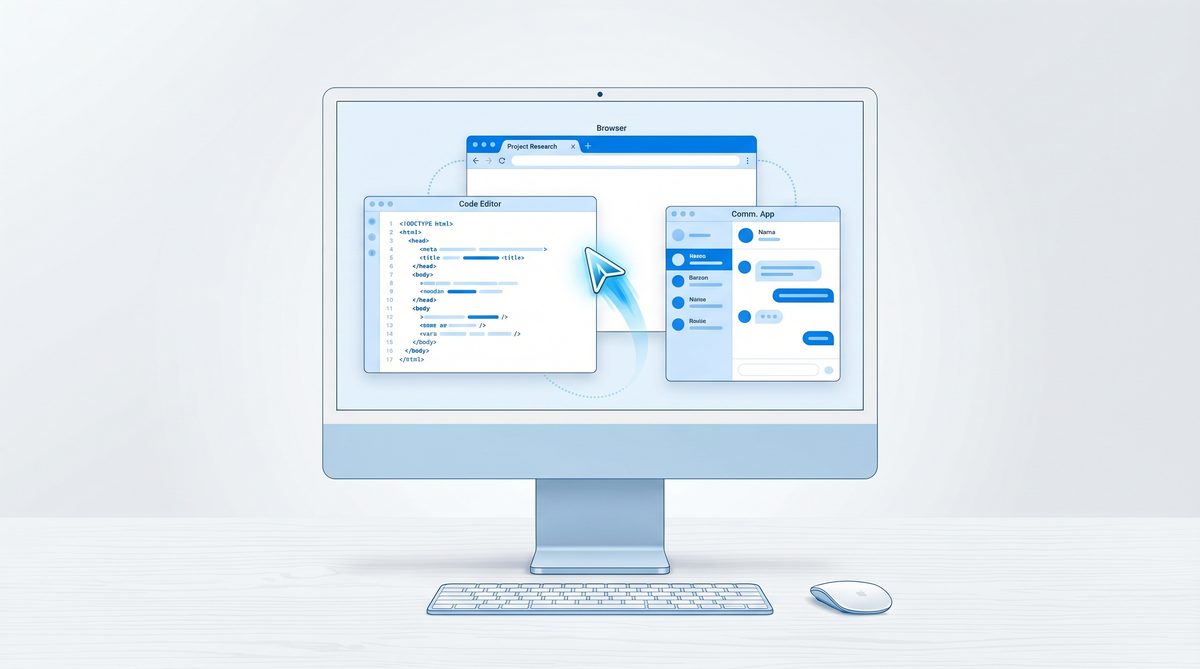
The landscape of artificial intelligence underwent a seismic shift on April 16, 2026, with OpenAI’s announcement of a monumental update to its flagship code-generation and automation platform, Codex. This release, dubbed “Codex Desktop 2026,” transcends mere incremental improvements, introducing groundbreaking capabilities that redefine how AI interacts with personal computing environments and orchestrates complex tasks. The core of this update revolves around two transformative features: ubiquitous “Computer Use” functionality for macOS, allowing Codex to perceive and interact with the entire operating system in the background, and the advent of sophisticated multi-agent parallel workflows. Complementing these are a deeply integrated browser, the powerful new gpt-image-1.5 model for design mockups, and an expansive ecosystem of over 90 plugins, solidifying Codex’s position as an indispensable tool for developers, researchers, and knowledge workers alike.
For years, the promise of an AI that could truly understand and operate a computer like a human has been the holy grail of artificial general intelligence. While earlier iterations of AI models demonstrated impressive text generation and reasoning, their ability to translate these cognitive functions into direct, interactive control over a graphical user interface (GUI) remained largely constrained. OpenAI Codex Desktop 2026 shatters these limitations, particularly for macOS users, by enabling a level of system interaction previously confined to science fiction. This article delves deep into the intricacies of these new features, exploring their technical underpinnings, practical applications, and the profound implications they hold for the future of human-computer interaction and automated productivity.
Revolutionizing Desktop Interaction: Codex’s “Computer Use” on macOS
The most immediately impactful and perhaps most astonishing feature of the Codex Desktop 2026 update is its “Computer Use” capability for macOS. This is not merely an extension of existing screen-reading or accessibility APIs; it represents a fundamentally new paradigm of AI interaction with the operating system. At its core, “Computer Use” allows Codex to “see,” “click,” and “type” across virtually all applications running on a macOS device, and crucially, to do so autonomously in the background. This capability transforms Codex from a powerful coding assistant into a full-fledged digital co-worker capable of executing complex, multi-application workflows without direct human intervention.
The Mechanics of Perception: How Codex “Sees” the Desktop
Understanding how Codex achieves this level of perception is key to appreciating its power. OpenAI has developed a proprietary, low-latency visual and semantic parsing engine that operates continuously within the macOS environment. This engine does not simply capture screenshots; it leverages a combination of optical character recognition (OCR), object detection, and a deep understanding of macOS’s underlying UI frameworks to create a rich, semantic representation of the screen’s contents. When Codex “sees” the desktop, it’s not just pixels; it’s an intelligent interpretation of buttons, text fields, menu items, window titles, and their hierarchical relationships within applications. This semantic understanding allows Codex to identify actionable elements, interpret their context, and formulate appropriate responses.
- Real-time UI Element Recognition: Codex identifies buttons, text input fields, dropdowns, checkboxes, and other interactive elements with high precision, even in custom-drawn applications.
- Contextual Text Extraction: Beyond raw OCR, Codex understands the role of text on the screen, differentiating between labels, input values, error messages, and content.
- Window and Application State Awareness: Codex maintains a dynamic model of active windows, their z-order, and the current state of applications, allowing it to navigate complex UIs.
- Accessibility API Integration (Enhanced): While not solely reliant on them, Codex deeply integrates with and enhances macOS accessibility APIs, using them as a data source to enrich its semantic model of the UI.
This sophisticated perception system is optimized for minimal resource consumption, allowing Codex to run efficiently in the background without significantly impacting system performance. It continuously monitors changes in the UI, enabling it to react dynamically to pop-ups, dialog boxes, and application state transitions.
The Art of Interaction: Clicking, Typing, and Beyond
Once Codex “sees” and understands the desktop, its ability to “click” and “type” translates its cognitive understanding into concrete actions. This interaction layer is equally advanced, designed to mimic human-like precision and adaptability.
- Precision Pointer Control: Codex can accurately target specific UI elements, simulating mouse clicks, drags, and scrolls with pixel-level precision where necessary, or more abstract semantic clicks based on element IDs.
- Intelligent Text Input: When “typing,” Codex doesn’t just send raw keystrokes. It understands the context of the input field, leveraging its language models to generate appropriate text, validate formats, and even auto-correct if it detects an error in its own input. This includes filling out forms, writing emails, or entering code into an IDE.
- Keyboard Shortcuts and Modifiers: Codex is fully capable of utilizing macOS keyboard shortcuts, including modifier keys (Command, Option, Control, Shift), to perform actions like copying, pasting, saving, or switching applications.
- Menu Navigation: It can navigate complex menu structures within applications, selecting items from dropdowns, context menus, and the main application menu bar.
Crucially, these interactions are executed in the background. This means a user can continue working on other tasks while Codex operates an application in a minimized window or even on a different virtual desktop. The implications for productivity are staggering: imagine Codex compiling a report in Pages, updating a CRM in Salesforce, and drafting an email in Mail, all while you’re focused on a video conference.
Use Cases and Transformative Potential
The “Computer Use” feature fundamentally alters what’s possible with AI automation on a personal computer. Its applications span across virtually every domain:
- Automated Data Entry and Management: Codex can extract data from web pages or documents, then input it into spreadsheets, databases, or enterprise software (e.g., ERP, CRM). This eliminates tedious, error-prone manual data entry.
- Software Testing and QA: Developers can instruct Codex to navigate complex application flows, click through UI elements, input test data, and verify outputs, significantly accelerating automated UI testing.
- Content Creation and Publishing Workflows: From drafting blog posts in a CMS, uploading images to a media library, to scheduling social media updates across platforms – Codex can manage entire content pipelines.
- Financial Operations: Automating invoice processing, expense reporting, reconciliation tasks across different financial software.
- Customer Support Automation: Integrating with helpdesk software to triage tickets, extract information, and even draft initial responses based on historical data.
- Personal Productivity: Organizing files, managing calendar events, sending personalized emails, fetching specific information from various sources, and compiling it into a coherent summary.
- Research and Data Collection: Navigating academic databases, downloading papers, extracting key figures, and organizing research materials.
The ability for Codex to operate across applications seamlessly means it can bridge the gaps between disparate software, creating unified workflows that were previously impossible without custom scripting or manual intervention. This is particularly powerful for legacy systems or applications without robust APIs, where UI automation becomes the primary means of interaction. The integration of this capability with Codex’s existing code generation prowess means that users can describe a desired automation in natural language, and Codex can not only generate the underlying logic but also execute it directly on the desktop.
Multi-Agent Parallel Workflows: Orchestrating AI Teams
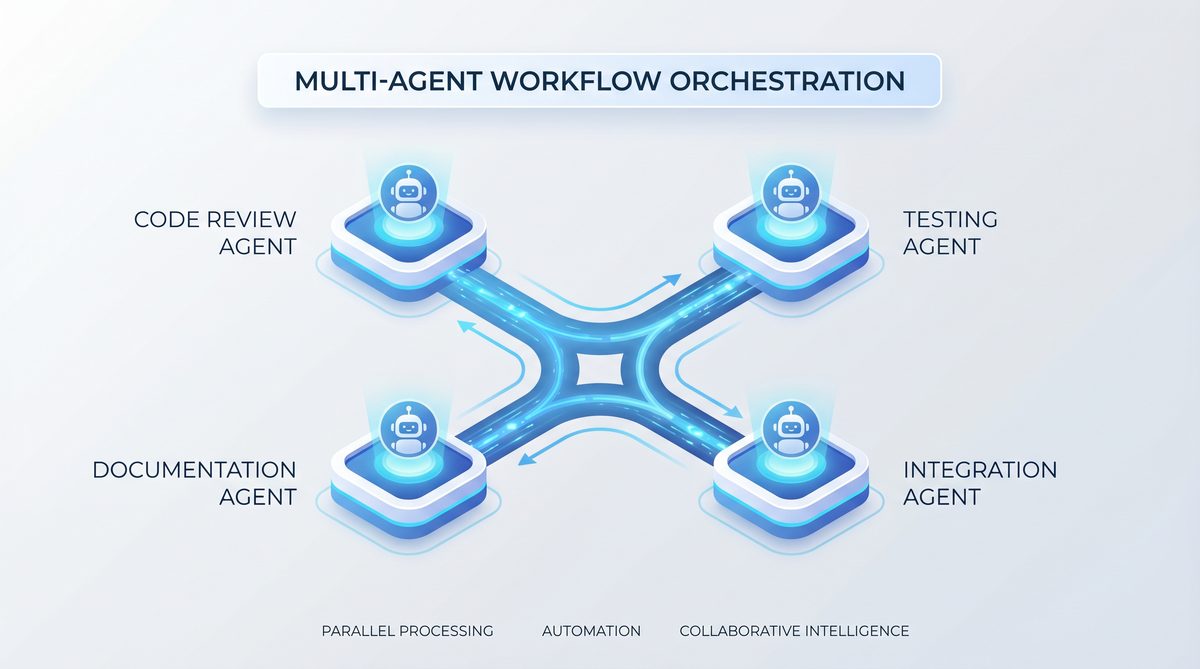
Beyond individual desktop automation, the Codex Desktop 2026 update introduces a paradigm-shifting capability: multi-agent parallel workflows. This feature allows users to define and orchestrate multiple specialized AI agents, each with distinct roles and capabilities, to collaborate on complex tasks simultaneously. This moves beyond simple sequential task execution, enabling true AI teamwork where agents can communicate, share information, and work in parallel to achieve a common goal more efficiently and effectively.
The Architecture of Collaboration: Defining Roles and Communication
OpenAI has engineered a sophisticated framework for defining and managing these multi-agent systems. Users can now instantiate multiple Codex agents within a single workflow, assigning each a specific persona, a set of tools (including the new “Computer Use” capability), and a defined scope of responsibility. This is akin to assembling a human project team, where each member brings specialized skills to the table.
- Agent Personas and Specializations: Users can define agents with specific expertise, e.g., a “Data Analyst Agent,” a “UX Designer Agent,” a “Code Reviewer Agent,” or a “Researcher Agent.” Each persona is imbued with a tailored understanding and knowledge base.
- Dynamic Task Assignment: The orchestrator (either a primary Codex agent or the user) can dynamically assign sub-tasks to individual agents based on their capabilities and the current state of the workflow.
- Inter-Agent Communication Protocol: A secure and efficient communication protocol allows agents to exchange messages, share data artifacts (e.g., code snippets, data tables, design mockups), and request assistance from one another. This communication can be structured (e.g., JSON objects) or natural language based.
- Parallel Execution Engine: The underlying engine is designed to execute multiple agent tasks concurrently, maximizing throughput and reducing overall completion time for complex projects. This is particularly beneficial for tasks that can be broken down into independent sub-components.
Synergistic Collaboration: How Agents Work Together
The true power of multi-agent workflows lies in the synergy created by their collaboration. Consider a scenario where a user wants to develop a new web application from scratch:
- User Input: The user provides a high-level prompt: “Develop a simple e-commerce website for handmade crafts, including product listings, a shopping cart, and a checkout process. Make it visually appealing and user-friendly.”
- Orchestration (Primary Agent): A primary “Project Manager Agent” receives this request. It breaks down the task into major components: UI/UX design, frontend development, backend development, and database integration.
- Parallel Execution:
- UX Designer Agent: Simultaneously, a “UX Designer Agent” (equipped with
gpt-image-1.5and the integrated browser) begins sketching out wireframes and mockups based on best practices and the prompt. It might use the integrated browser to research existing e-commerce sites for inspiration. - Frontend Developer Agent: A “Frontend Developer Agent” starts preparing the basic HTML structure, CSS frameworks, and JavaScript components, anticipating the design output.
- Backend Developer Agent: A “Backend Developer Agent” begins designing the API endpoints, database schema, and server-side logic based on common e-commerce requirements.
- UX Designer Agent: Simultaneously, a “UX Designer Agent” (equipped with
- Iterative Communication and Feedback:
- The UX Designer Agent shares its initial mockups with the Frontend Developer Agent.
- The Frontend Developer Agent provides feedback on implementation feasibility or suggests alternative UI components.
- The Backend Developer Agent might query the Frontend Agent about data requirements for the product listings.
- Integration and Refinement: As components are developed, agents integrate them. The Frontend Agent integrates the UI mockups with its code. The Backend Agent connects to the database and exposes APIs. The Project Manager Agent oversees the integration, identifies conflicts, and requests resolutions.
- Testing Agent: A dedicated “Testing Agent” might be brought in to automatically test endpoints and UI flows as they are developed, utilizing the “Computer Use” feature to interact with the developing application in a browser.
This dynamic, iterative, and parallel approach dramatically accelerates development cycles and allows for more complex projects to be tackled with greater efficiency. The agents can self-correct, learn from each other’s outputs, and even propose alternative solutions, mirroring the collaborative dynamics of a high-performing human team. This distributed intelligence model represents a significant leap towards more autonomous and capable AI systems.
Implications for Enterprise and Development
The impact of multi-agent parallel workflows extends far beyond individual productivity:
- Accelerated Software Development: Entire software teams can be augmented by AI agents handling boilerplate code, testing, documentation, and even initial design phases.
While this update expands Codex’s capabilities for desktop interaction and multi-agent systems, understanding the practical implementation of these advancements is crucial. For a deeper dive into leveraging these features, particularly how to set up and utilize Codex as a powerful desktop agent for automating various tasks, explore our detailed guide on How to Use OpenAI Codex Desktop Agent for Automated Workflows in 2026, which provides step-by-step instructions and future-gazing insights into its potential.
This frees human developers to focus on higher-level architectural decisions and creative problem-solving. - Complex Research and Analysis: Researchers can deploy agents to simultaneously gather data from various sources, analyze different aspects of the data, and synthesize findings into comprehensive reports.
- Automated Business Process Management: Orchestrating agents to manage end-to-end business processes, from lead generation and qualification to customer onboarding and support.
- Real-time Data Processing: Multiple agents can process streaming data in parallel, identifying anomalies, generating alerts, and initiating automated responses.
- Personalized Learning and Tutoring: Agents can adapt to individual student needs, providing personalized feedback, generating practice problems, and even simulating interactive learning environments.
The ability to define and manage these AI teams opens up a new frontier in automation, allowing organizations to tackle challenges that were previously too complex, too time-consuming, or too resource-intensive for either human teams or single-agent AI systems.
Enhanced Capabilities: Integrated Browser, GPT-Image-1.5, and 90+ Plugins
The Codex Desktop 2026 update doesn’t stop at desktop interaction and multi-agent systems. OpenAI has also significantly enhanced the platform’s core capabilities, making it an even more versatile and powerful tool for a wide range of tasks. These enhancements include a deeply integrated browser, the introduction of the powerful gpt-image-1.5 model for visual design, and an expanded ecosystem of over 90 specialized plugins.
The Integrated Browser: A Seamless Web Interaction Layer
While the “Computer Use” feature allows Codex to interact with *any* application on macOS, the integrated browser provides a specialized, optimized environment for web-based tasks. This isn’t just a basic web viewer; it’s a fully functional, AI-aware browser designed for deep interaction and data extraction.
- Semantic Web Understanding: The integrated browser leverages Codex’s language models to understand the semantic structure and content of web pages, not just their visual layout. This allows it to identify forms, tables, articles, and interactive elements with high accuracy.
- Advanced Web Scraping and Data Extraction: Codex can navigate complex websites, fill out forms, click through pagination, and extract structured or unstructured data with unprecedented precision. It can handle dynamic content, JavaScript-rendered pages, and CAPTCHAs with advanced techniques.
- Automated Web Workflows: From researching topics, comparing product prices, booking appointments, to managing online accounts – the integrated browser enables Codex to perform a vast array of web-based tasks autonomously.
- Sandbox Environment: The integrated browser operates in a secure, sandboxed environment, protecting the
While the new desktop computer use capabilities significantly broaden Codex’s horizons, understanding its core functionality as a coding assistant remains paramount. For those looking to dive deeper into leveraging Codex’s foundational programming prowess, our comprehensive guide on how to set up and utilize OpenAI Codex as your AI coding agent offers a complete walkthrough of its setup and workflow, providing essential context for maximizing its potential in both traditional and multi-agent development environments.
from potentially malicious web content while allowing Codex to interact freely. - Integration with “Computer Use”: The integrated browser can seamlessly hand off tasks to other desktop applications via the “Computer Use” feature. For example, Codex could extract data from a website in its integrated browser, then open a spreadsheet application on the desktop to input that data.
This dedicated web interaction layer significantly augments Codex’s capabilities, making it an unparalleled tool for research, data collection, and web-based automation.
This dedicated web interaction layer significantly augments Codex’s capabilities, making it an unparalleled tool for research, data collection, and web-based automation. For a comprehensive breakdown of how to leverage these powerful new features, including detailed instructions on setting up and optimizing multi-agent systems for desktop control, be sure to consult our complete guide to using OpenAI Codex as a desktop agent for automated workflows in 2026.
GPT-Image-1.5: Vision for Design and Mockups
The introduction of gpt-image-1.5 marks a significant leap in Codex’s visual capabilities, particularly for design and user interface (UI) mockups. This new generative AI model bridges the gap between natural language descriptions and visual output, allowing users to rapidly prototype and iterate on design concepts.
- Text-to-Image Generation for UI: Users can describe desired UI elements, layouts, or even full application screens in natural language, and
gpt-image-1.5will generate high-fidelity visual mockups. For example, “a login screen with a dark theme, two input fields for username and password, a ‘Remember Me’ checkbox, and a prominent ‘Login’ button.” - Design Iteration and Refinement: Users can provide feedback on generated mockups, requesting changes like “make the login button green,” “add a ‘Forgot Password’ link,” or “change the font to a sans-serif style.” The model can iteratively refine designs based on these natural language instructions.
- Component Library Integration:
gpt-image-1.5can be trained on existing design systems and component libraries, ensuring that generated mockups adhere to brand guidelines and utilize pre-defined UI elements. - Layout Generation from Data: For data-heavy applications, Codex can analyze data structures and suggest optimal UI layouts for displaying that information, generating the visual representation using
gpt-image-1.5. - Bridge to Code Generation: The visual mockups generated by
gpt-image-1.5can then serve as direct input for Codex’s code generation capabilities, allowing it to translate the visual design into actual frontend code (HTML, CSS, JavaScript frameworks). This creates a seamless design-to-code workflow.
gpt-image-1.5 empowers developers and designers to rapidly visualize ideas, explore different design options, and accelerate the initial stages of product development. It democratizes design by making powerful visual creation tools accessible through natural language.
An Expansive Ecosystem: 90+ Plugins
The utility of Codex is further amplified by an ecosystem of over 90 specialized plugins, which significantly extend its functionality. These plugins allow Codex to interact with a vast array of third-party services, APIs, and local applications, making it a truly universal automation platform.
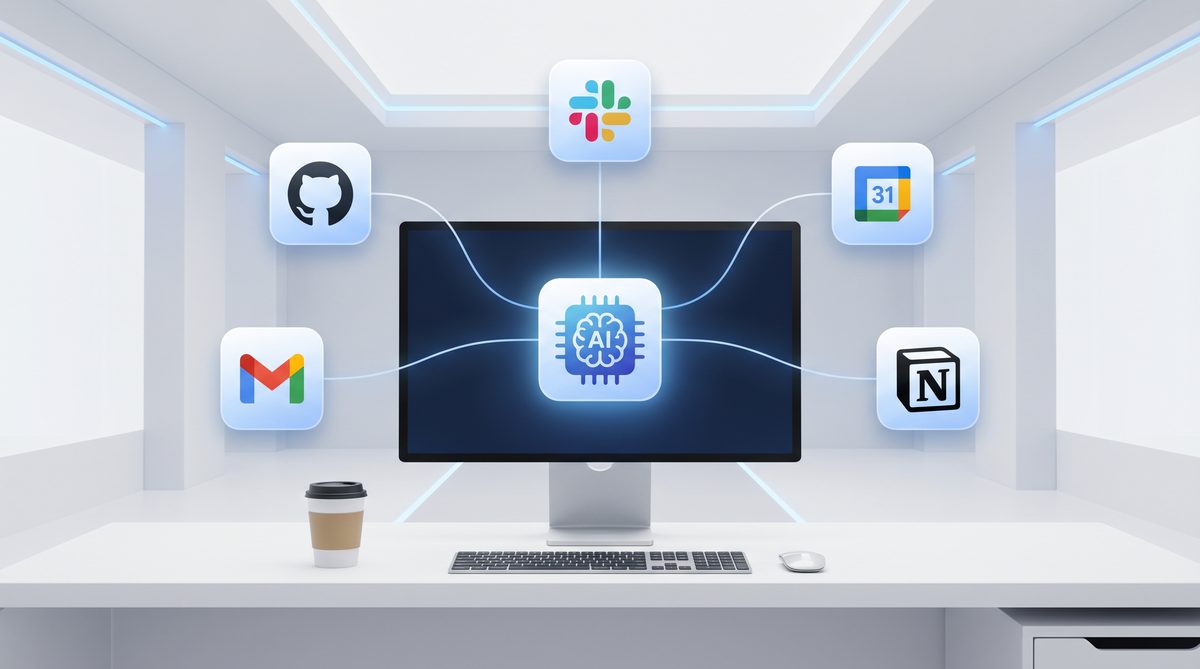
- Third-Party Service Integrations: Plugins for popular services like Google Workspace (Docs, Sheets, Calendar), Microsoft 365 (Word, Excel, Outlook), Salesforce, HubSpot, Slack, Jira, GitHub, various cloud platforms (AWS, Azure, GCP), and many more. These allow Codex to perform actions within these services directly.
- Developer Tools: Plugins for interacting with version control systems, CI/CD pipelines, package managers, and various IDEs, streamlining development workflows.
- Data Analysis and Visualization: Integrations with statistical packages, data visualization libraries, and database connectors, enabling advanced data manipulation and reporting.
- Creative Tools: Integrations with graphic design software APIs, video editing tools, and sound processing applications, expanding Codex’s reach into creative domains.
- Custom Plugin Development: OpenAI has also provided robust APIs and SDKs for developers to create their own custom plugins, allowing organizations to integrate Codex with their proprietary internal systems and niche applications. This ensures that Codex can be tailored to virtually any business need.
While the current advancements in multi-agent workflows and desktop computer use with OpenAI Codex are groundbreaking, it’s worth noting that these capabilities build upon an already impressive foundation. For a deeper dive into the core enhancements that laid the groundwork for these new features, including its ability to operate in the background, its integrated browser, and the introduction of 90 new plugins, be sure to read our comprehensive analysis on the massive update that brought background computer use, a built-in browser, and 90 new plugins to OpenAI Codex.
The sheer breadth of these plugins transforms Codex into a central hub for all digital tasks. Whether it’s managing a project in Jira, sending an email in Outlook, updating a spreadsheet in Google Sheets, or deploying code to a cloud server, Codex can now do it all, often orchestrating these actions across multiple plugins and desktop applications simultaneously. This extensibility ensures that Codex remains adaptable and powerful, capable of evolving with the ever-changing landscape of software and digital services.
This article delves into the groundbreaking advancements in OpenAI Codex, particularly its newfound ability to interact with desktop environments and orchestrate complex multi-agent workflows, further solidifying its position as a transformative tool in software development. For a deeper dive into the specific features enabling these capabilities, including background computer use, a built-in browser, and an impressive suite of 90 new plugins, be sure to check out our comprehensive analysis of the OpenAI Codex massive 2026 update, which details how these enhancements are revolutionizing AI-powered coding and automation.
Security, Ethics, and Control: Responsible AI Deployment
🕐 Instant∞ Unlimited🎁 Free
With such powerful capabilities, especially the “Computer Use” feature, questions of security, ethics, and user control become paramount. OpenAI has proactively addressed these concerns with a robust framework designed to ensure responsible deployment and user peace of mind.
Granular Permissions and User Oversight
The “Computer Use” feature on macOS is not an “always-on” or “all-access” capability by default. OpenAI has implemented a system of granular permissions that users must explicitly grant and configure:
- Application-Specific Access: Users can specify which applications Codex is allowed to interact with. For example, granting access to a browser and a spreadsheet application, but restricting it from sensitive financial software.
- Time-Bound Sessions: Automation sessions can be set with time limits, after which Codex will cease interaction until re-authorized.
- Visual Feedback and “Pause” Functionality: When Codex is actively controlling the desktop, there is clear visual indication (e.g., a colored border around the active window, a system tray icon). Users can interrupt or pause Codex’s operations at any moment with a dedicated hotkey or menu option. This “human-in-the-loop” control is crucial.
- Audit Trails: Detailed logs of all actions performed by Codex (clicks, keystrokes, data accessed) are maintained, allowing users to review its activity for transparency and debugging.
- Secure Enclaves and Data Handling: OpenAI has implemented advanced security measures, including data encryption and processing within secure enclaves, to protect any sensitive information Codex might interact with. No personal data accessed via “Computer Use” is transmitted to OpenAI’s servers unless explicitly configured by the user for specific cloud-based tasks.
Ethical Considerations and Guardrails
OpenAI recognizes the ethical implications of an AI capable of operating a computer. They have built in several guardrails:
- Content Moderation: Codex is designed with built-in content moderation filters to prevent it from generating or interacting with harmful, illegal, or unethical content.
- Bias Mitigation: Continuous efforts are made to mitigate biases in the underlying models, ensuring that Codex’s actions are fair and equitable.
- Transparency and Explainability: OpenAI is working on improving the explainability of Codex’s actions, allowing users to understand *why* it made a particular decision or performed a specific action.
- Human Oversight in Critical Tasks: For highly sensitive or irreversible tasks, Codex is designed to prompt for human confirmation or intervention, ensuring that critical decisions remain under human control.
- Responsible Use Guidelines: OpenAI provides comprehensive guidelines and best practices for using Codex responsibly, educating users on potential risks and how to mitigate them.
The Future of Human-AI Collaboration
The Codex Desktop 2026 update fundamentally shifts the dynamic of human-computer interaction from a tool-based relationship to a collaborative partnership. Instead of merely executing commands, Codex can now understand intentions, perceive context, and act autonomously to achieve goals. This doesn’t mean replacing humans; rather, it means augmenting human capabilities, freeing up cognitive load from repetitive or mundane tasks, and allowing individuals to focus on creativity, strategy, and complex problem-solving.
The introduction of multi-agent workflows further amplifies this, allowing humans to act as orchestrators and mentors to AI teams, designing and overseeing complex projects executed by intelligent digital entities. This future of work is one where humans and AI collaborate seamlessly, each bringing their unique strengths to bear on the world’s most challenging problems. OpenAI’s commitment to responsible AI development, combined with these unprecedented technical advancements, positions Codex Desktop 2026 as a landmark release that will undoubtedly shape the next decade of personal computing and artificial intelligence.
Comparative Analysis: Codex Desktop 2026 vs. Previous Iterations and Competitors
To truly appreciate the magnitude of the Codex Desktop 2026 update, it’s beneficial to compare its new features against previous versions of Codex and other existing automation tools and AI platforms. This comparison highlights the unique value proposition and the significant leap forward that this release represents.
Codex Evolution: From Code Generation to Desktop Automation
The journey of Codex began primarily as a code generation model, capable of translating natural language into various programming languages. Subsequent updates enhanced its understanding of complex coding tasks, improved its ability to debug, and expanded its language support. However, these capabilities were largely confined to text-based interaction or integration with specific IDEs.
| Feature | Codex (Pre-2026) | Codex Desktop 2026 | Key Improvement / New Capability |
|---|---|---|---|
| Core Functionality | Code generation, code completion, debugging suggestions (text-based) | Code generation, desktop automation, multi-agent orchestration, visual design | Expansion beyond code to full system interaction and collaborative AI. |
| Desktop Interaction | Limited, relied on specific IDE integrations or external scripting. | “Computer Use” on macOS: Sees, clicks, types across all apps in background. | Ubiquitous, autonomous GUI interaction across the entire OS. |
| Multi-Tasking / Workflows | Sequential task execution, single-agent focus. | Multi-agent parallel workflows with inter-agent communication. | True AI teamwork, concurrent task execution, complex project orchestration. |
| Visual Capabilities | Minimal, mostly text-to-code or code-to-visual representation (e.g., generating HTML/CSS). | GPT-Image-1.5 for design mockups, visual UI generation from text. | Direct visual creation and iteration from natural language. |
| Web Interaction | Relied on external browser control via scripting or API calls. | Integrated, AI-aware browser for semantic web understanding and automation. | Optimized, secure, and deeply integrated web interaction. |
| Extensibility | Fewer plugins, primarily focused on developer tools. | 90+ plugins for diverse third-party services and custom integrations. | Vastly expanded ecosystem for universal automation. |
| Autonomy Level | Assisted, requiring significant human guidance. | Highly autonomous, capable of background operation and self-correction. | Reduced human-in-the-loop for routine or complex automated tasks. |
Codex Desktop 2026 vs. Robotic Process Automation (RPA) Tools
Traditional RPA tools have long been used for automating repetitive, rule-based tasks on desktop applications. However, Codex Desktop 2026 represents a significant evolution beyond RPA.
| Feature | Traditional RPA Tools | OpenAI Codex Desktop 2026 | Key Differentiator |
|---|---|---|---|
| Core Intelligence | Rule-based, deterministic, follows pre-defined scripts. | Generative AI, large language models, semantic understanding. | Cognitive understanding, adaptability, and natural language processing. |
| Task Definition | Graphical recorders, flowcharts, explicit step-by-step scripting. | Natural language prompts, high-level goal description. | Ease of use, abstract task definition, less technical expertise required. |
| Adaptability to Changes | Fragile; breaks easily with UI changes, requires re-recording. | Robust; adapts to minor UI changes, understands intent. | Semantic understanding makes it resilient to UI modifications. |
| Error Handling | Requires explicit error handling logic in scripts. | Can self-diagnose, attempt recovery, or ask for clarification. | Intelligent error recovery and problem-solving. |
| Multi-Application Workflows | Challenging, often requires complex integrations or custom code. | Seamless, inherent “Computer Use” across all macOS apps. | Native, integrated approach to cross-application automation. |
| Scalability | Typically scales by running multiple instances of bots. | Multi-agent parallel workflows for intrinsic scalability. | Designed for collaborative, concurrent task execution. |
| Cost of Development/Maintenance | High initial setup, ongoing maintenance for script changes. | Lower initial setup, more adaptive, less maintenance for minor changes. | Reduced total cost of ownership due to AI’s adaptability. |
Codex Desktop 2026 vs. Other AI Assistants (e.g., ChatGPT, Copilot)
While other AI assistants offer impressive natural language capabilities, Codex Desktop 2026 distinguishes itself through its deep integration with the operating system and its focus on autonomous action.
| Feature | General AI Assistants (e.g., ChatGPT, Copilot) | OpenAI Codex Desktop 2026 | Key Differentiator |
|---|---|---|---|
| Primary Output | Text, code snippets, information summaries. | Executable actions on desktop, fully automated workflows, visual designs. | Translates understanding directly into system interaction and task completion. |
| Interaction Scope | Primarily text-based chat interface, limited system control. | Full macOS desktop control, integrated browser, multi-app interaction. | Operates within and across the entire computing environment. |
| Autonomy | Assisted generation, user still performs most actions. | Autonomous background operation, goal-oriented task execution. | Can complete multi-step tasks without continuous human input. |
| Visual Generation | Often requires separate image generation models or external tools. | Integrated GPT-Image-1.5 for direct UI mockup generation. | Unified platform for both textual and visual AI output. |
| Collaboration Model | Single-user interaction with the AI. | Multi-agent parallel workflows, AI-to-AI collaboration. | Enables complex, distributed AI projects. |
In essence, Codex Desktop 2026 is not just an intelligent assistant; it is an intelligent agent capable of autonomous action across the entire digital ecosystem of a macOS user. Its ability to perceive, interact, and orchestrate complex workflows, combined with its visual and multi-agent capabilities, positions it as a truly transformative platform, pushing the boundaries of what AI can achieve in real-world computing environments.
Access 40,000+ AI Prompts for ChatGPT, Claude & Codex — Free!
Subscribe to get instant access to our complete Notion Prompt Library — the largest curated collection of prompts for ChatGPT, Claude, OpenAI Codex, and other leading AI models. Optimized for real-world workflows across coding, research, content creation, and business.
Access Free Prompt LibraryUseful Links
- OpenAI Official Blog
- OpenAI Research Papers
- macOS Developer Documentation
- Apple macOS Overview
- WIRED – Artificial Intelligence
- TechCrunch – Artificial Intelligence
- Nature – Artificial Intelligence Articles
- IBM Research – AI
- Accenture – AI Index
- Gartner – Artificial Intelligence
Frequently Asked Questions
What is the main feature of Codex Desktop 2026?
The main feature of Codex Desktop 2026 is its 'Computer Use' capability for macOS, which allows the AI to autonomously interact with the operating system, enhancing desktop automation and productivity.
How does Codex Desktop 2026 benefit developers?
Developers benefit from Codex Desktop 2026 through its advanced automation capabilities, multi-agent workflows, and integration with over 90 plugins, streamlining coding and system management tasks.
What is the gpt-image-1.5 model used for?
The gpt-image-1.5 model is used for creating design mockups, allowing developers and designers to generate visual content and prototypes more efficiently within the Codex ecosystem.
Can Codex Desktop 2026 be used on operating systems other than macOS?
While the 'Computer Use' feature is currently specific to macOS, Codex Desktop 2026's other functionalities, such as multi-agent workflows and plugins, can be utilized across various platforms.
What are multi-agent workflows in Codex Desktop 2026?
Multi-agent workflows in Codex Desktop 2026 enable the coordination of multiple AI agents to perform complex tasks simultaneously, improving efficiency and task management in automated environments.
How does Codex Desktop 2026 improve human-computer interaction?
Codex Desktop 2026 improves human-computer interaction by allowing AI to perform tasks autonomously in the background, reducing manual input and enhancing user productivity through seamless system integration.
🕐 Instant∞ Unlimited🎁 Free
