
OpenAI Codex v0.135: Windows Desktop Control, Enhanced Diagnostics, and Memory Architecture
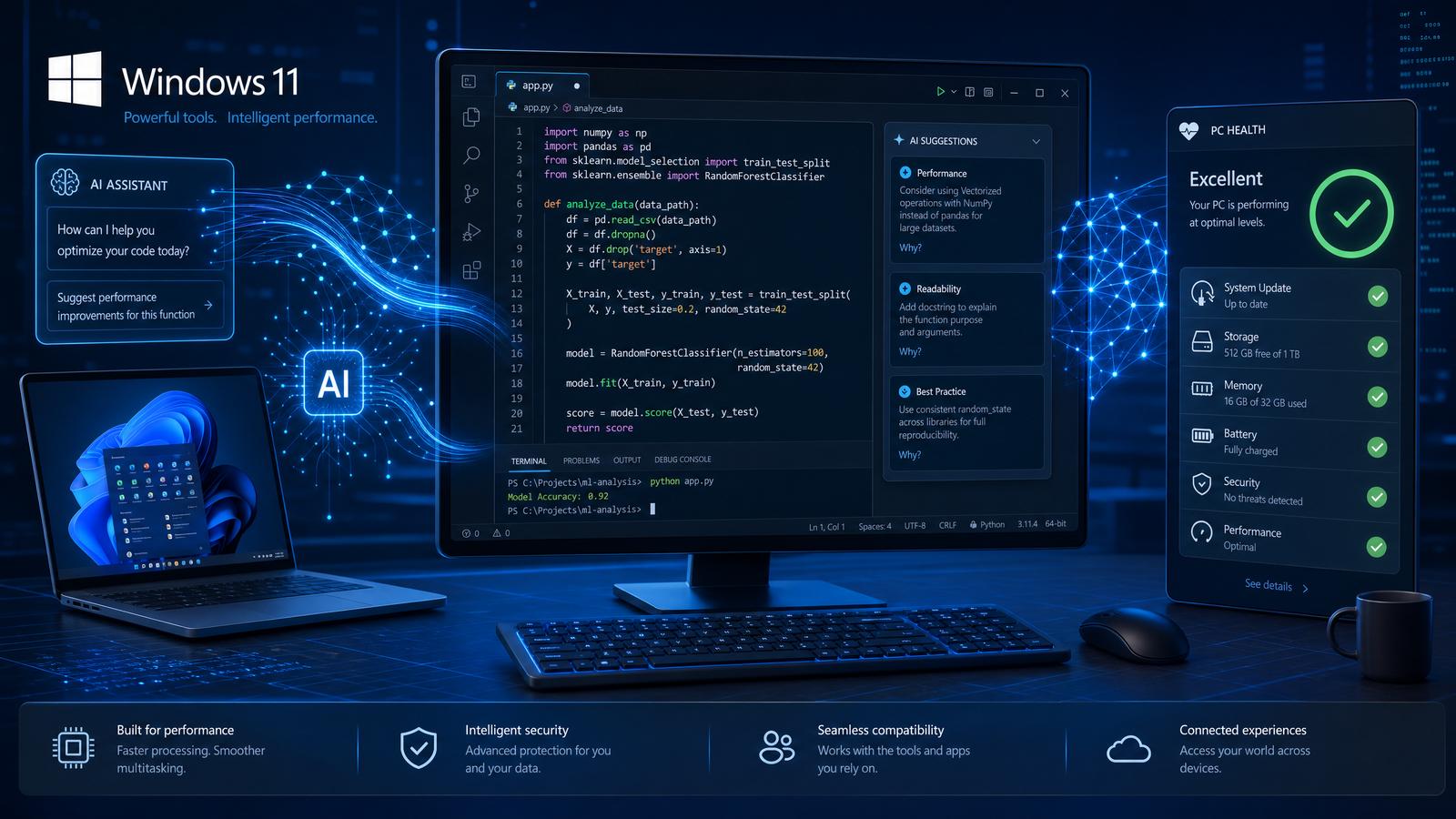
On May 28, 2026, OpenAI released Codex version 0.135, marking a significant milestone in AI-assisted coding and system integration capabilities. This update introduces groundbreaking features including comprehensive Windows desktop application control, the innovative Codex Doctor diagnostics suite, a robust SQLite-based memory architecture, enhancements to Vim mode editing, and the introduction of named permission profiles. Collectively, these advancements redefine both local and remote development workflows, empowering developers with unprecedented control, introspection, and customization.
In this release, OpenAI Codex extends its functionality beyond code generation and completion to offer direct interaction with the Windows desktop environment. This allows developers to script and automate complex GUI workflows, manipulate native Windows applications programmatically, and integrate AI-driven logic directly into traditional desktop software ecosystems. The integration leverages the Windows UI Automation (UIA) framework and COM interfaces to provide a reliable, low-latency control channel.
Simultaneously, the Codex Doctor diagnostics suite debuts as a sophisticated debugging and introspection toolset designed to analyze both AI-generated code and runtime system states. It employs advanced static analysis, dynamic tracing, and machine learning-based anomaly detection to help developers identify bugs, performance bottlenecks, and security vulnerabilities with high precision. This suite integrates seamlessly into popular IDEs and CI/CD pipelines, offering real-time feedback and actionable recommendations.
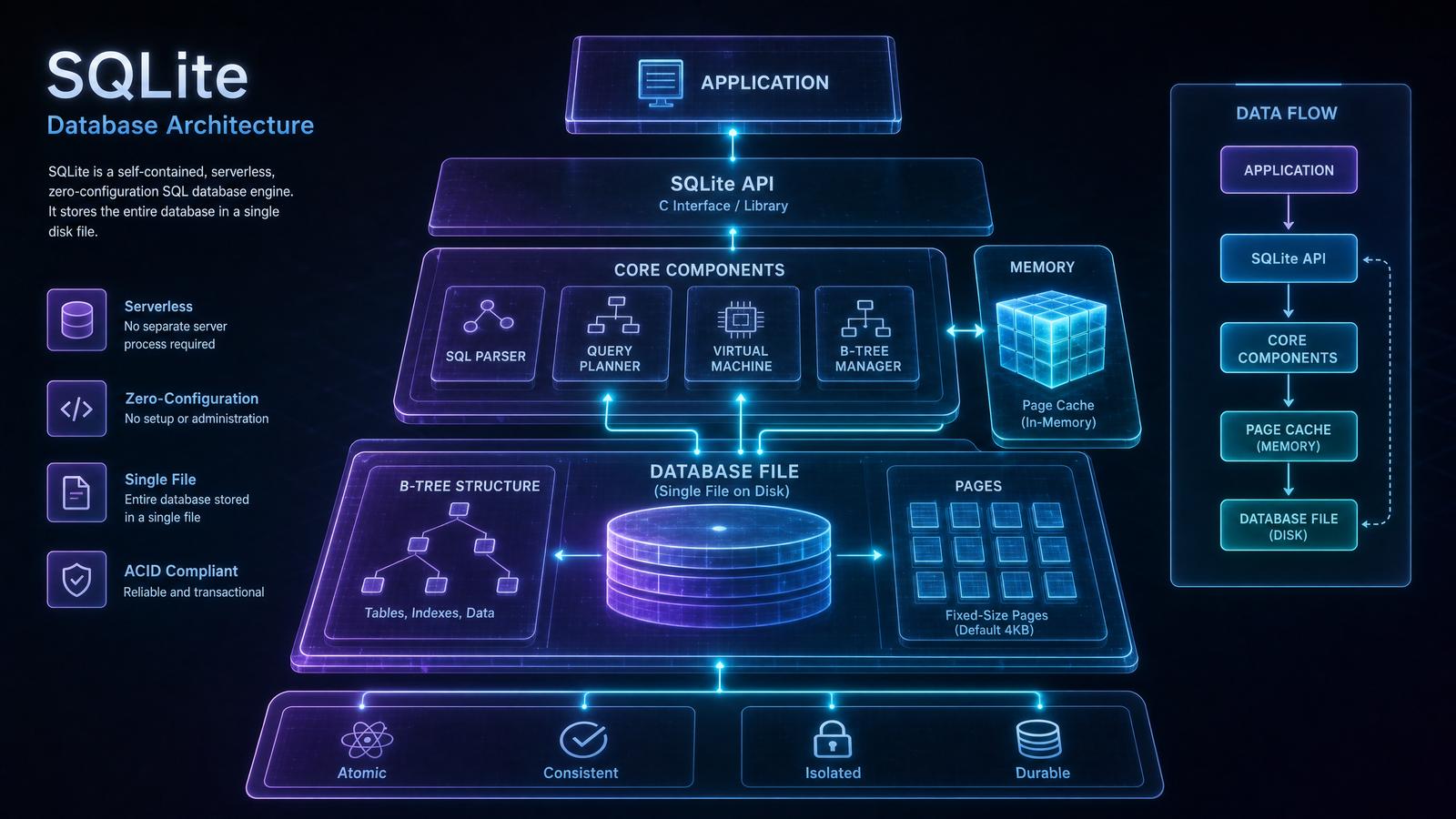
The introduction of a SQLite-backed memory architecture represents a paradigm shift in how Codex manages contextual understanding and state persistence. By leveraging a lightweight, transactional relational database, Codex can store, query, and update extensive conversational histories, codebases, and environment metadata efficiently. This architecture supports complex memory operations such as temporal queries, version tracking, and multi-session context sharing, enabling a more coherent and context-aware coding assistant experience.
Enhancements to Vim mode editing in Codex v0.135 focus on delivering a more fluid and intuitive modal editing experience. These improvements include extended support for custom command mappings, integration with external Vim plugins, and optimized handling of multi-cursor editing scenarios. The update also introduces a novel “context-aware operator” feature that adapts Vim commands based on code syntax and semantic analysis, significantly boosting editing efficiency for developers accustomed to modal workflows.
Finally, named permission profiles offer a structured, granular approach to managing Codex’s capabilities and data access. Developers and organizations can define, assign, and audit permission sets tailored to specific projects, team roles, or compliance requirements. This feature enhances security and governance by enforcing least-privilege principles and providing transparent logs of AI interactions and data usage.
Detailed Overview of Key Features
- Windows Desktop Control: Enables programmatic manipulation of Windows UI elements, supports event-driven automation, and integrates with PowerShell for hybrid scripting.
- Codex Doctor: Combines static code analysis, dynamic runtime inspection, and AI-powered diagnostics to streamline debugging workflows.
- SQLite Memory Architecture: Implements ACID-compliant storage for conversational context, enabling persistent and queryable memory states.
- Vim Mode Enhancements: Adds context-sensitive commands, plugin compatibility, and multi-cursor support for advanced modal editing.
- Named Permission Profiles: Provides fine-grained access control and audit trails for AI assistant permissions.
Production-Grade Configuration Example: Enabling Windows Desktop Control
{
  "codex_version": "0.135",
  "features": {
    "windows_desktop_control": {
      "enabled": true,
      "uia_framework": {
        "enable_event_hooks": true,
        "default_timeout_ms": 5000
      },
      "powershell_integration": {
        "enabled": true,
        "script_path": "C:\\Users\\Dev\\Scripts\\automation.ps1"
      }
    }
  },
  "security": {
    "permission_profiles": ["default", "windows_automation_admin"],
    "audit_logging": true
  }
}
Step-by-Step Walkthrough: Using Codex to Automate Notepad on Windows
- Initialize Codex with Windows Desktop Control enabled. Ensure your environment config includes the feature toggle as shown above.
- Invoke Codex to launch Notepad via PowerShell:
OpenAI.Codex.execute("powershell", "Start-Process notepad.exe") - Use UI Automation API to locate the Notepad window:
window = OpenAI.Codex.UIAutomation.find_window(title="Untitled - Notepad") - Send text input to Notepad’s edit control:
edit_box = window.find_child(control_type="Edit") edit_box.set_text("Hello from Codex v0.135!") - Save the file via simulated menu interaction:
window.menu_select("File->Save As")
OpenAI.Codex.UIAutomation.set_text_in_dialog("File name:", "C:\\temp\\codex_note.txt")
window.dialog_click("Save")
1. Windows Desktop Application Control (Version 26.527)
One of the hallmark features of Codex v0.135 is its seamless integration with Windows desktop environments via the newly introduced Windows Desktop Control module, updated to version 26.527. This functionality allows Codex to programmatically interact with native Windows applications, providing developers AI-driven automation and control over GUI elements, window management, and input simulation.
Technical Overview
Windows Desktop Control leverages the Windows UI Automation (UIA) framework in combination with low-level Windows API hooks (e.g., SetWindowsHookEx, SendInput) to enable precise control over desktop applications. The integration operates at multiple abstraction layers to provide both high-level UI element manipulation and low-level input event simulation.
At its core, Codex interfaces with the UIAutomationClient.dll COM interfaces to traverse the UI Automation tree, interrogate element properties (such as Name, ControlType, IsEnabled), and invoke control patterns like IInvokeProvider or IValueProvider. This allows it to interact with a broad spectrum of Windows applications, including Microsoft Visual Studio, terminal emulators (e.g., Windows Terminal, ConEmu), File Explorer windows, and even many third-party applications that expose accessibility interfaces.
Additionally, Codex hooks into Windows messaging queues and leverages APIs such as SendMessage, PostMessage, and SetForegroundWindow for window management operations. For input simulation, it uses the SendInput API to generate synthetic keyboard and mouse events with millisecond precision, supporting complex input sequences including modifier keys, multi-touch gestures, and drag-and-drop actions.
Codex’s event hooking capabilities subscribe to system-wide events through SetWinEventHook, allowing it to listen for window creation, destruction, focus changes, and accessibility property updates in real time. This event-driven model facilitates reactive automation scripts that respond dynamically to changes in the desktop environment.
// Example: Automating Notepad window creation and text insertion using Codex Windows Desktop Control API

const notepad = codex.windows.createWindow('notepad.exe');
notepad.waitForReady();

notepad.typeText('Hello from OpenAI Codex v0.135!');
notepad.saveFile('C:\\Users\\Dev\\Documents\\hello.txt');
notepad.closeWindow();
Expanded Code Example: Robust Notepad Automation with Error Handling and Focus Management
async function automateNotepad() {
    try {
        // Launch Notepad and wait for it to be ready
        const notepad = await codex.windows.createWindow('notepad.exe');
        await notepad.waitForReady();

        // Ensure the window is focused before typing
        await notepad.focusWindow();

        // Insert multiline text using keyboard simulation
        await notepad.typeText('Hello from OpenAI Codex v0.135!\nThis is an automated message.');

        // Save the file using the File menu via UI Automation patterns
        const fileMenu = await notepad.findElement({ name: 'File', controlType: 'MenuItem' });
        await fileMenu.invoke();

        const saveAsMenuItem = await notepad.findElement({ name: 'Save As...', controlType: 'MenuItem' });
        await saveAsMenuItem.invoke();

        // Wait for the Save As dialog and enter filename
        const saveDialog = await codex.windows.waitForWindow('Save As');
        const filenameBox = await saveDialog.findElement({ automationId: '1001', controlType: 'Edit' });
        await filenameBox.setValue('C:\\Users\\Dev\\Documents\\hello.txt');

        const saveButton = await saveDialog.findElement({ name: 'Save', controlType: 'Button' });
        await saveButton.invoke();

        // Close Notepad gracefully
        await notepad.closeWindow();
    } catch (error) {
        console.error('Automation failed:', error);
    }
}

automateNotepad();
Key API capabilities include:
- Window Lifecycle Management: Create, focus, minimize, maximize, and close windows programmatically. Supports asynchronous operations with promise-based APIs for ensuring readiness and state transitions.
- Element Inspection: Enumerate UI elements and their properties through UIA tree traversal. Supports querying by properties such as
Name,AutomationId,ControlType, and custom conditions. - Input Simulation: Send keyboard, mouse, and touch events with high precision. Supports complex sequences including multi-key chords, delays, and gestures.
- Event Hooking: Subscribe to window events such as creation, destruction, and focus changes. Provides event handlers for accessibility property changes and dynamic UI updates.
- Dialog and Modal Handling: Detect and interact with modal dialogs or pop-up windows, enabling automation scripts to handle confirmation prompts, file dialogs, and error messages seamlessly.
- Multi-Monitor Support: Coordinates window placement and interaction across multiple displays, accounting for DPI scaling and different screen resolutions.
Windows Desktop Control API: Core Interfaces and Methods
| Interface / Method | Description | Example Usage |
|---|---|---|
createWindow(exePath: string): WindowHandle |
Launches an application and returns a handle to control it. | const win = codex.windows.createWindow('notepad.exe'); |
WindowHandle.waitForReady(): Promise<void> |
Waits asynchronously until the window UI is fully loaded and interactive. | await win.waitForReady(); |
WindowHandle.typeText(text: string): Promise<void> |
Simulates typing of a string into the focused control. | await win.typeText('Hello World'); |
WindowHandle.findElement(filter: ElementFilter): Promise<UIElement> |
Finds a UI element matching the specified filter criteria. | await win.findElement({ name: 'OK', controlType: 'Button' }); |
UIElement.invoke(): Promise<void> |
Invokes an action on the element, such as clicking a button. | await button.invoke(); |
WindowHandle.closeWindow(): Promise<void> |
Closes the window gracefully, ensuring cleanup. | await win.closeWindow(); |
Impact on Development Workflows
Prior to this, automating Windows desktop applications required cumbersome scripting in AutoHotkey, PowerShell, or custom C++/C# code leveraging raw Windows API calls. These approaches often involved significant boilerplate, manual synchronization, and fragile window handle management.
Codex v0.135 abstracts these complexities by providing a unified, high-level API surface that supports asynchronous programming paradigms and integrates natural language prompt capabilities. Developers can rapidly prototype user interaction flows, automate GUI testing, or set up complex environment configurations directly through AI-guided code generation or embedded scripting.
The version 26.527 update enhances reliability and compatibility with the latest Windows 11 and Windows 12 APIs, including native support for:
- Dark Mode: UI Automation tree traversal and element property querying now correctly interpret dark mode themes, enabling accurate color-based validations and interactions.
- High-DPI Scaling: Window coordinate and input event calculations are DPI-aware, ensuring scripts behave consistently on 4K and multi-monitor setups with differing scaling factors.
- Accessibility Improvements: Expanded support for UIA control patterns and enhanced event hooking for UI updates, improving automation on modern apps built with WinUI 3 and UWP.
Production-Grade Configuration Snippet for Windows Desktop Control Initialization
const codexConfig = {
    windowsDesktopControl: {
        version: '26.527',
        enableEventHooks: true,
        maxWaitTimeoutMs: 10000,
        dpiAwareness: 'PerMonitorV2',
        accessibilityPatterns: ['Invoke', 'Value', 'ExpandCollapse', 'Selection'],
        inputSimulation: {
            keyboardDelayMs: 10,
            mouseMoveSpeed: 800, // pixels per second
            multiTouchSupport: true
        },
        logging: {
            level: 'verbose',
            outputFile: 'C:\\Logs\\codex-wdc.log'
        }
    }
};

codex.initialize(codexConfig);
Step-by-Step Walkthrough: Automating a Complex Multi-Window Workflow
- Start application: Launch the primary application window using
createWindowand wait for readiness. - Navigate UI: Enumerate UI elements to locate navigation menus or buttons using
findElementwith property filters. - Invoke actions: Perform clicks or keyboard shortcuts to open dialogs or secondary windows.
- Handle dialogs: Detect modal dialogs, fill in required input fields, and confirm with button invocations.
- Monitor events: Use event hooks to detect window state changes or errors and react accordingly.
- Close windows: Gracefully close all windows, ensuring no orphan processes remain.
This workflow is fully automatable with Codex, enabling robust, maintainable, and scalable Windows desktop automation flows without manual intervention.
2. Codex Doctor: Rich Diagnostics and Environment Inventory
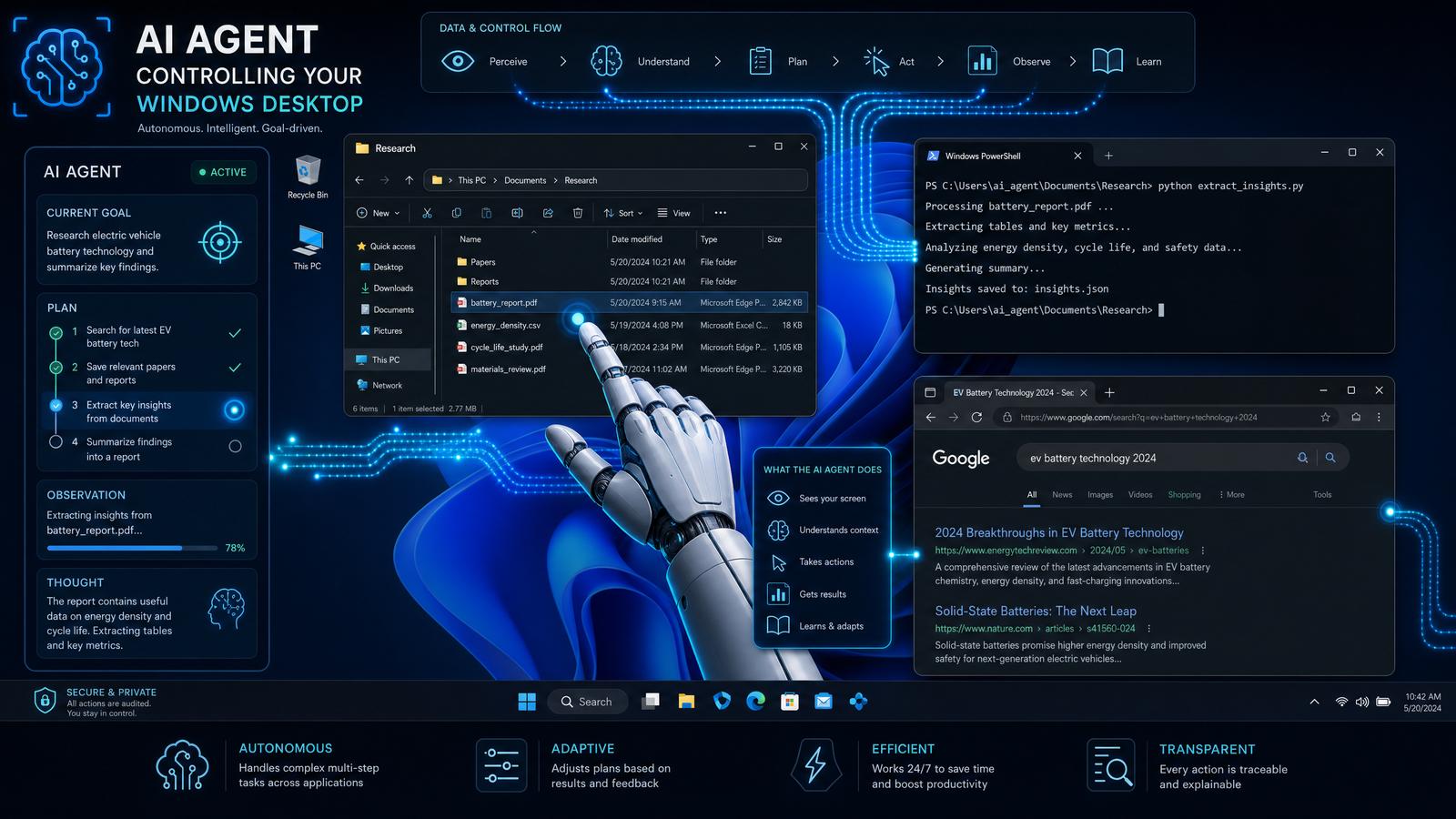
Codex v0.135 introduces Codex Doctor, a comprehensive diagnostics engine designed to provide developers with actionable insights into their development environment’s health and configuration. This tool is pivotal for maintaining stable, efficient, and reproducible development workflows by continuously monitoring key system parameters and software states.
Codex Doctor’s modular architecture enables extensible diagnostics that cover everything from operating system details to version control states, terminal sessions, and active processes. The engine produces detailed reports that can be consumed programmatically or visually, empowering teams to detect and resolve environment-related issues before they escalate into costly debugging sessions.
Diagnostic Features
| Diagnostic Module | Description | Data Collected |
|---|---|---|
| Environment Snapshot | Captures detailed OS, installed software, environment variables, and system resource usage. This module aggregates hardware and software metadata to provide a holistic view of the development environment. |
|
| Git Repository Inventory | Analyzes current Git status, branches, remotes, and uncommitted changes within the active repository directory. Useful for CI pipelines and ensuring codebase integrity. |
|
| Terminal Session Audit | Tracks active terminal sessions, running processes, and historical command executions to reconstruct developer workflows. |
|
| Thread and Process Inventory | Monitors active threads and processes related to development tools, IDEs, build systems, and package managers, providing resource consumption metrics. |
|
In-Depth Usage Example with Code Integration
The following example demonstrates invoking Codex Doctor’s full diagnostic report in a Node.js environment. The generated report can be serialized to JSON for API consumption or rendered to HTML for human-friendly display.
// Import Codex Doctor module (assumed available in the Codex API namespace)
const codex = require('codex-ai');

// Async function to run full diagnostics and handle output
async function runDiagnostics() {
  try {
    const report = await codex.doctor.runFullDiagnostic();

    // Log summary to console
    console.log('=== Diagnostic Summary ===');
    console.log(report.summary());

    // Output detailed data tables (as JSON)
    const detailedTablesJson = report.detailedTables();
    console.log('=== Detailed Diagnostic Tables (JSON) ===');
    console.log(JSON.stringify(detailedTablesJson, null, 2));

    // Optionally generate an HTML report for web dashboard integration
    const htmlReport = report.toHTML({
      theme: 'dark',
      includeGraphs: true,
      timestamp: new Date().toISOString()
    });
    // Save or transmit htmlReport as needed...
  } catch (error) {
    console.error('Error running Codex Doctor diagnostics:', error);
  }
}

// Execute diagnostics
runDiagnostics();
Integration with Continuous Integration (CI) Pipelines
Codex Doctor outputs JSON-formatted reports that can be integrated seamlessly into automated workflows. For example, a Jenkins pipeline step can invoke the diagnostics and publish environment health reports as build artifacts or trigger alerts if anomalies are detected.
pipeline {
  agent any

  stages {
    stage('Run Codex Diagnostics') {
      steps {
        script {
          def diagnosticsJson = sh(script: 'node runCodexDoctor.js', returnStdout: true).trim()
          writeFile file: 'codex_diagnostics_report.json', text: diagnosticsJson
          archiveArtifacts artifacts: 'codex_diagnostics_report.json', fingerprint: true
        }
      }
    }
    stage('Analyze Diagnostics') {
      steps {
        script {
          def report = readJSON file: 'codex_diagnostics_report.json'
          if (report.environmentSnapshot.memoryUsage.percent > 90) {
            error('Memory usage exceeds threshold, aborting build.')
          }
        }
      }
    }
  }
}
Codex Doctor Data Schema Overview
To facilitate programmatic consumption, Codex Doctor structures its output according to a defined JSON schema. Below is an abbreviated version highlighting main fields:
{
  "environmentSnapshot": {
    "os": {
      "name": "Windows",
      "version": "10.0.19044",
      "build": "19044.1706"
    },
    "hardware": {
      "cpu": {
        "model": "Intel(R) Core(TM) i7-9700K CPU @ 3.60GHz",
        "cores": 8,
        "threads": 8
      },
      "gpu": [
        {
          "vendor": "NVIDIA",
          "model": "GeForce RTX 2070",
          "vramMB": 8192
        }
      ],
      "memory": {
        "totalMB": 16384,
        "usedMB": 8000,
        "freeMB": 8384,
        "percentUsed": 49
      }
    },
    "environmentVariables": {
      "PATH": "C:\\Program Files\\Git\\bin;C:\\Windows\\System32",
      "HOME": "C:\\Users\\devuser"
    }
  },
  "gitRepositoryInventory": {
    "currentBranch": "feature/codex-doctor",
    "commitHash": "a1b2c3d4e5f6g7h8i9j0",
    "remotes": {
      "origin": "[email protected]:username/repo.git"
    },
    "stagedFiles": ["src/index.js", "README.md"],
    "unstagedFiles": ["src/utils.js"]
  },
  // Additional modules omitted for brevity...
}
Benefits
- Proactive Issue Detection: Identify misconfigurations, outdated dependencies, and environment conflicts before they impact development. For example, Codex Doctor can detect mismatched Node.js versions or incompatible Python virtual environments and produce actionable warnings.
- Contextual Awareness: Codex leverages diagnostic data to tailor code suggestions and automation scripts precisely to the current environment. This adaptability reduces trial-and-error cycles and improves developer productivity.
- Auditability: Maintain a historical log of environment changes and resource utilization trends over time. These logs can be automatically archived and visualized to detect regression patterns or performance degradation in build systems.
- Security Compliance: By inventorying installed software and environment variables, Codex Doctor assists in identifying outdated or vulnerable dependencies, contributing to proactive security posture management.
- Cross-Platform Consistency: Supports diagnostics on Windows, Linux, and macOS, enabling unified environment reporting across diverse developer setups.
Advanced Configuration Options
Codex Doctor supports fine-grained configuration to customize diagnostic depth and reporting frequency:
scanInterval– Interval in milliseconds for periodic environment snapshots.includeProcesses– Boolean flag to enable or disable process/thread inventory collection.maxCommandHistory– Maximum number of commands to retrieve per terminal session.outputFormats– Array specifying desired output formats:["json", "html", "csv"].alertThresholds– Custom thresholds for resource usage that trigger alerts or warnings.
const diagnosticConfig = {
  scanInterval: 60000, // Run diagnostics every 60 seconds
  includeProcesses: true,
  maxCommandHistory: 100,
  outputFormats: ['json', 'html'],
  alertThresholds: {
    memoryUsagePercent: 85,
    cpuUsagePercent: 90
  }
};

codex.doctor.configure(diagnosticConfig);
3. SQLite-Based Memory Architecture: Moving Beyond Legacy Config Profiles
Historically, OpenAI Codex’s persistent state management was anchored on flat legacy configuration profiles stored as plain files or simplistic key-value stores. This approach, while initially sufficient, imposed significant constraints on the system’s scalability, data integrity, query expressiveness, and maintainability. Codex version 0.135 introduces a transformative architectural redesign by migrating the entire persistent memory state into a robust, embedded SQLite-based relational database. This shift empowers Codex with advanced data management capabilities essential for modern AI code generation workflows.
Stay Ahead of the AI Curve
Get weekly insights on ChatGPT, OpenAI, and AI tools delivered to your inbox.
Design Rationale
The migration to SQLite was driven by several critical technical imperatives:
- Structured Data Storage: Unlike flat config files, SQLite supports complex relational schemas, enabling the representation of intricate relationships between user sessions, code snippets, permissions, and interaction logs. This facilitates advanced querying capabilities such as JOINs, filtering, and sorting across multiple dimensions.
- Transaction Safety: SQLite’s ACID-compliant transactions ensure that all memory state updates are atomic, consistent, isolated, and durable. This drastically reduces the risk of data corruption due to partial writes or concurrent access, which was a persistent challenge in the legacy system.
- Performance Optimization: By leveraging advanced SQLite indexing strategies, Codex can achieve rapid retrieval and update operations on large datasets, significantly improving responsiveness in real-time code assistance and session management.
- Extensibility and Schema Evolution: The relational model allows for seamless schema migrations and backward-compatible feature rollouts. This future-proofs Codex’s memory architecture, accommodating new data types, metadata, and features without disruptive overhauls.
- Portability and Deployment Simplicity: SQLite’s serverless, single-file architecture simplifies deployment across diverse environments, including Windows desktops, cloud containers, and embedded devices.
Memory Schema Overview
The new memory architecture is organized into several core tables, each serving a specific domain of persistent data management:
| Table | Purpose | Key Columns |
|---|---|---|
user_context |
Stores user-specific session metadata, activity timestamps, and personalization preferences. | session_id (PK), user_id, last_active, preferences_json |
code_snippets |
Holds persistent code fragments, boilerplate templates, and reusable programming constructs. | snippet_id (PK), language, content, tags |
interaction_logs |
Records detailed user-Codex interactions, including inputs, outputs, and timestamps for audit and analytics. | log_id (PK), timestamp, input_text, output_text |
permission_profiles |
Manages named permission sets, controlling access rights and feature toggles per user or session. | profile_id (PK), name, permissions_json |
Additional Tables and Indexing Strategies
To further optimize performance and support advanced features, supplementary tables and indexes have been introduced:
snippet_tags: A junction table enabling many-to-many relationships betweencode_snippetsandtags, facilitating tag-based search.user_activity: Tracks granular user actions for behavioral analytics.- Indexes on frequently queried columns such as
user_context.last_activeandinteraction_logs.timestampaccelerate date-range queries.
Technical Migration Steps
The migration from legacy flat profiles to the SQLite database was executed through a meticulous multi-phase process designed to ensure data integrity and system continuity:
- Data Extraction: Legacy config files were parsed and exported into structured JSON dumps using custom ETL scripts. These scripts normalized inconsistent data formats and sanitized input to prevent injection vulnerabilities.
- Schema Design: Database architects collaborated with Codex engineers to define a normalized relational schema, emphasizing referential integrity and minimizing redundancy.
- Data Import: Using parameterized SQL INSERT statements and prepared transactions, the JSON dumps were ingested into SQLite. Batch imports with progress tracking were implemented to handle large datasets efficiently.
- API Update: Codex’s internal memory management APIs were refactored from file-based read/write operations to SQLite CRUD operations. This involved adopting SQLite’s prepared statements and connection pooling for thread-safe concurrent access.
- Testing & Validation: A comprehensive test suite was developed, including unit tests, integration tests, and regression tests. Checksums and data diff tools verified data fidelity post-migration. Performance benchmarks ensured latency targets were met or exceeded.
Example: Data Extraction and Import Workflow
#!/usr/bin/env python3
import json
import sqlite3

# Step 1: Load legacy config JSON dump
with open('legacy_config_dump.json', 'r') as f:
    legacy_data = json.load(f)

# Step 2: Connect to SQLite database
conn = sqlite3.connect('codex_memory.db')
cursor = conn.cursor()

# Step 3: Create user_context table if not exists
cursor.execute("""
CREATE TABLE IF NOT EXISTS user_context (
  session_id TEXT PRIMARY KEY,
  user_id TEXT NOT NULL,
  last_active DATETIME DEFAULT CURRENT_TIMESTAMP,
  preferences_json TEXT
)
""")

# Step 4: Insert extracted data with parameterized queries
for session in legacy_data['sessions']:
    cursor.execute("""
    INSERT OR REPLACE INTO user_context (session_id, user_id, last_active, preferences_json)
    VALUES (?, ?, ?, ?)
    """, (
        session['session_id'],
        session['user_id'],
        session.get('last_active', None),
        json.dumps(session.get('preferences', {}))
    ))

# Commit transaction and close connection
conn.commit()
conn.close()
Sample SQL Schema Snippet for user_context Table
-- SQLite schema definition for user_context table

CREATE TABLE user_context (
  session_id TEXT PRIMARY KEY,
  user_id TEXT NOT NULL,
  last_active DATETIME DEFAULT CURRENT_TIMESTAMP,
  preferences_json TEXT
);

-- Index to speed up queries filtering by user_id
CREATE INDEX IF NOT EXISTS idx_user_context_user_id ON user_context(user_id);

-- Index on last_active for efficient session activity tracking
CREATE INDEX IF NOT EXISTS idx_user_context_last_active ON user_context(last_active);
Advanced Query Example: Fetch Active Users with Specific Preferences
Using SQLite’s JSON1 extension, Codex can query complex JSON structures stored in preferences_json. For example, to find all sessions where the user has enabled a specific feature flag:
SELECT session_id, user_id, last_active
FROM user_context
WHERE json_extract(preferences_json, '$.feature_flags.experimental_mode') = 1
AND last_active > datetime('now', '-7 days');
Impacts and Benefits
This architectural overhaul delivers substantial improvements in Codex’s memory robustness and feature capabilities:
- Reliability: ACID transactions eliminate data corruption risks during unexpected shutdowns or concurrent writes.
- Scalability: Efficient indexing and query planning accommodate growing volumes of user sessions and code snippets without performance degradation.
- Feature Enablement: Enables advanced context-aware code completion by correlating historical interaction logs with current session state.
- Maintainability: Centralized schema management simplifies debugging, auditing, and future enhancements.
- Cross-Platform Consistency: SQLite’s widespread support ensures consistent behavior across Windows desktop, Linux servers, and cloud environments.
Integration with Other Codex Components
The SQLite memory database interfaces seamlessly with other Codex subsystems:
- Permission Management:
permission_profilestable integrates with authentication modules to enforce role-based access control at runtime. - Diagnostics:
interaction_logsprovide rich telemetry data for enhanced diagnostics and user behavior analysis. - Code Generation Pipeline: Contextual data from
user_contextandcode_snippetsinforms prompt engineering and output customization.
For a deep dive into permission profiles and their role in security, see Section 5: Permission Profiles and Security Model.
This substantial shift towards a relational memory architecture lays a solid foundation for Codex’s continuous evolution, enabling sophisticated features such as multi-session synchronization, collaborative coding, and enhanced debugging workflows.
4. Vim Mode Enhancements: Text-Object Editing and Improved Word/Line-End Behavior
OpenAI Codex v0.135 introduces a significantly enhanced embedded Vim mode tailored to meet the complex demands of modern code editing. These enhancements focus on advanced text-object editing capabilities and refined cursor movement behaviors, which collectively boost developer productivity and editing precision. By integrating language-aware parsing and customizable text-object definitions, Codex empowers developers to perform granular, context-sensitive editing operations that were previously cumbersome or impossible in traditional Vim emulation.
New Text-Object Editing Features
Text objects in Vim are key for efficient navigation and editing, allowing users to operate on logical chunks of text rather than individual characters. Codex expands this concept beyond the traditional word, sentence, or paragraph, introducing richer semantic awareness and customization options.
- Expanded Text Objects: Codex now supports semantic text objects that correspond directly to programming constructs and markup. For example:
function block: Selects the entire function body, including braces and inner statements.class definition: Targets the entire class, including its declaration and contained methods.HTML/XML tags: Allows selection of tags, including nested elements and attributes, facilitating rapid markup editing.
These objects are identified via integrated Abstract Syntax Tree (AST) parsing or DOM-like structures for markup languages, enabling precise selection regardless of formatting or nested complexity.
- Nested Object Selection: The new Vim mode supports cascading and nested selections, allowing users to toggle between inner and outer text objects. For example:
vi{selects the inner block of a function (excluding braces).va{selects the entire function block, including braces and signature.- Similar behaviors apply for classes (
vic,vac) and tags (vit,vat).
This nested selection capability is implemented via recursive parsing of syntax nodes, making it resilient to complex nesting and edge cases like anonymous functions or inline classes.
- Custom Text-Object Definitions: Recognizing that developers often work in domain-specific languages or frameworks, Codex allows users to define their own text objects:
Regex-based objects:Users can specify regex patterns to define arbitrary text objects, such as task-annotation comments, log blocks, or SQL statements embedded in code.AST pattern matching:Advanced users can define objects using AST node types or tree patterns, enabling selections like “all function calls with a specific decorator” or “all JSX elements with a certain attribute.”
Example configuration snippet (JSON) to define a custom text object targeting Python decorator blocks:
{
  "customTextObjects": {
    "decorator": {
      "type": "astNode",
      "nodeType": "Decorator",
      "selectInner": true
    }
  }
}
After defining this, invoking
vid(visual inner decorator) would select the decorator block under the cursor.
Improved Word and Line-End Behavior
Traditional Vim motions treat words as sequences of alphanumeric characters separated by whitespace or punctuation. However, programming languages often use compound identifiers with diverse naming conventions. Codex v0.135 addresses this by introducing code-aware word boundary recognition and enhanced line-end handling.
Code-Aware Word Boundaries
Codex distinguishes between different identifier conventions, enabling smarter cursor movements and editing commands:
- CamelCase: Cursor motions recognize transitions between lowercase and uppercase letters as word boundaries. For example, in
myFunctionName, motions will stop atmy,Function, andName. - snake_case: Underscores serve as word delimiters. Motions treat each segment as a separate word.
- kebab-case: Hyphens are correctly identified as separators.
- Unicode-aware: Multi-byte Unicode characters, such as emojis or non-Latin alphabets, are handled seamlessly, ensuring motions and deletions respect character boundaries.
Example usage in Vim mode to delete the inner content of a function block:
// Vim mode example: deleting inner function block

vim.normalMode();
vim.execute('di{');  // Deletes inner content of the current function block
Enhanced Line-End Motions
Line-end motions and editing commands now correctly handle:
- Trailing Whitespace: Cursor movement commands like
$andg_intelligently skip trailing spaces and tabs, positioning the cursor at the last visible character instead of the physical line end. This reduces accidental whitespace deletions or insertions. - Multi-Byte Unicode Characters: Cursor motions respect the true display width of characters, avoiding cursor jumps into the middle of surrogate pairs or composed glyphs.
- Mixed Line Endings: Handles files with mixed CRLF and LF endings without confusion, ensuring consistent behavior across platforms.
Example: Smart Word Deletion
// Delete the next camelCase segment within an identifier

vim.normalMode();
vim.execute('dw');    // Deletes the next word segment, respecting camelCase boundaries
Comparison: Previous vs. Codex v0.135 Vim Mode
| Feature | Legacy Vim Mode | Codex v0.135 Vim Mode |
|---|---|---|
| Text Objects | Basic: word, paragraph, sentence |
Extended: functions, classes, HTML/XML tags, custom via regex and AST Supports nested and cascading selections |
| Cursor Movement | Generic word boundaries (whitespace/punctuation) |
Code-aware camelCase, snake_case, kebab-case, Unicode-aware Prevents mid-character cursor placement for multi-byte glyphs |
| Line-End Handling | Simple line-end movement to physical line end |
Intelligently handles trailing whitespace, multi-byte Unicode, and mixed line endings Positions cursor at last visible character |
Step-by-Step Walkthrough: Editing a Function Block Using Vim Mode
- Place the cursor anywhere inside a function block.
- Enter normal mode with
vim.normalMode();. - Execute
di{to delete the inner content of the function block without removing the braces or signature. - Alternatively, use
da{to delete the entire function including braces and signature. - To select the block visually for copying or refactoring, use
vi{(inner block) orva{(entire block). - For custom objects, define patterns in the configuration file and use their respective keybindings.
Real-World Configuration Example: Defining a Custom Text Object for JavaScript Arrow Functions
{
  "customTextObjects": {
    "arrowFunction": {
      "type": "astNode",
      "nodeType": "ArrowFunctionExpression",
      "selectInner": true,
      "keybinding": "ia"  // 'inner arrow function'
    }
  }
}
With this configuration, invoking via would visually select the inner body of the arrow function under the cursor, enabling complex edits like wrapping or extracting logic.
These improvements make OpenAI Codex’s Vim mode a powerful tool for developers who prefer modal editing but require modern code intelligence and customization. The integration of AST parsing and Unicode-aware motions ensures smoother workflows, fewer errors, and more expressive editing commands.
Complete Guide to Claude for Legal: Setting Up Anthropic’s 20+ Connectors and Practice-Area Plugins
5. Named Permission Profiles: Granular Access Control and Security
Security and permission management in OpenAI Codex have been significantly advanced through the introduction of named permission profiles. These profiles are persistently stored within the robust new SQLite memory architecture, enabling highly structured, auditable, and dynamic control over Codex’s operational permissions. This design optimizes both security posture and developer flexibility by allowing precise, context-aware permission configurations that align with the principle of least privilege.
Named permission profiles represent a paradigm shift from static, global permission sets to a modular, role-based access control (RBAC) system. Each profile encapsulates a comprehensive JSON schema defining allowed APIs, granular file system access levels (read, write, execute), network access constraints (specific hosts or IP ranges), and UI control scopes (which windows, terminals, or application controls Codex can manipulate).
Features and Usage
- Profile Definition: Developers define profiles as JSON objects that explicitly enumerate permissible actions across multiple subsystems. This includes fine-tuned controls over file system operations (e.g., read-only access to configuration directories), network communication (e.g., allowing HTTP calls only to authorized endpoints), and UI manipulation (e.g., restricting control to a subset of application windows).
- Runtime Switching: Profiles can be dynamically activated or swapped during runtime to escalate or restrict Codex’s capabilities. This is particularly valuable in complex workflows where tasks require different privilege levels, ensuring minimal exposure during sensitive operations.
- Audit Logs: All profile-related activities—including creation, modification, switching, and permission usage—are meticulously logged in an append-only audit trail. This audit data is queryable via SQL interfaces for compliance reporting, forensic analysis, and debugging.
- Inheritance and Composition: Profiles support inheritance, allowing developers to create base profiles and extend or override permissions for specialized roles. This reduces configuration duplication and enables scalable permission architectures.
- Conditional Permissions: Future-proof hooks allow conditional permission grants based on contextual metadata such as time of day, user role, or environmental variables, enabling adaptive security postures.
Detailed JSON Schema for Permission Profiles
The following JSON schema outlines the structure and allowed fields within a named permission profile:
{
  "name": "string",                                // Unique profile identifier
  "description": "string",                         // Human-readable profile description
  "permissions": {
    "filesystem": {
      "read": ["string"],                          // List of allowed directories/files for read access
      "write": ["string"],                         // List of allowed directories/files for write access
      "execute": ["string"]                        // List of allowed executables or scripts
    },
    "network": {
      "allow": ["string"],                         // List of allowed hostnames/IPs (supports CIDR notation)
      "deny": ["string"]                           // Explicitly denied hosts (overrides 'allow')
    },
    "uiControl": {
      "windows": ["string"],                        // Window identifiers or classes Codex can control
      "terminals": ["string"]                       // Terminal sessions Codex can access
    },
    "apiAccess": ["string"],                        // List of allowed internal API endpoints
    "environment": {                                // Environment variables accessible to Codex
      "read": ["string"],
      "write": ["string"]
    }
  },
  "inherits": ["string"]                            // Optional parent profiles for inheritance
}
Example: Creating, Switching, and Auditing Permission Profiles
Below is a production-grade JavaScript example illustrating how to create complex permission profiles, switch between them dynamically, and query audit logs for compliance checks.
// Define a production profile with restricted network and filesystem access
const prodProfile = {
  name: "Production",
  description: "Restricted access for running in production environment",
  permissions: {
    filesystem: {
      read: ["/app/config", "/app/logs"],
      write: ["/app/logs"],
      execute: []
    },
    network: {
      allow: ["api.mycompany.com", "db.mycompany.internal"],
      deny: ["0.0.0.0/0"]
    },
    uiControl: {
      windows: ["MainAppWindow"],
      terminals: []
    },
    apiAccess: ["readMetrics", "submitLogs"],
    environment: {
      read: ["NODE_ENV", "API_TOKEN"],
      write: []
    }
  }
};

// Create the profile in Codex
await codex.permissions.createProfile(prodProfile);

// Switch to the Production profile before deploying live tasks
await codex.permissions.switchToProfile("Production");

// Audit: Query permission switch events in the last 24 hours
const auditEvents = await codex.permissions.queryAuditLogs({
  eventType: "permission_switch",
  from: Date.now() - 24 * 60 * 60 * 1000
});

console.table(auditEvents);
Step-by-Step Walkthrough: Implementing Named Permission Profiles in a CI/CD Pipeline
- Define Profiles: Create distinct profiles such as
Development,Testing, andProductionwith tailored permissions reflecting the operational security needs at each stage. - Profile Storage: Persist these profiles in the embedded SQLite database ensuring durability and queryability for audits.
- Integrate in Pipeline: At each CI/CD stage, invoke
codex.permissions.switchToProfile()to activate the appropriate profile dynamically. - Monitor Usage: Continuously monitor audit logs for unauthorized permission escalations or anomalies during pipeline runs.
- Review and Refine: Periodically review profile definitions and audit logs to tighten permissions and adapt to evolving security requirements.
Comparison: Permission Management Before and After v0.135
| Aspect | Legacy System | v0.135 Named Profiles |
|---|---|---|
| Permission Scope | Global, monolithic Single flat permission set applied universally to all Codex operations |
Granular, profile-based Multiple named profiles with scoped permissions tailored per task or environment |
| Management Interface | Manual config files Static JSON/YAML files manually edited and deployed |
Programmatic API + SQLite persistence Dynamic profile management via API with persistent, queryable storage |
| Auditability | Limited Minimal or no logging of permission changes |
Full logging and history tracking Append-only audit trails with SQL querying support for compliance |
| Flexibility | Rigid Permissions fixed until manual updates |
Dynamic Profiles switchable at runtime with inheritance and conditional support |
| Security Posture | Coarse-grained Higher risk of privilege escalation due to broad scopes |
Fine-grained Principle of least privilege enforced through scoped profiles |
Best Practices for Named Permission Profiles
- Least Privilege Principle: Always start with minimal permissions and incrementally add only necessary privileges.
- Profile Naming Conventions: Use clear, descriptive names reflecting role or environment (e.g.,
Dev_ReadOnly,Prod_Admin). - Version Control: Store profile definitions as code artifacts and track changes through version control systems.
- Regular Auditing: Schedule automated audits of permission usage and profile changes to detect anomalies early.
- Automated Testing: Integrate permission profile validation in CI workflows to prevent misconfigurations.
By adopting named permission profiles, developers gain a powerful toolkit to implement robust, auditable, and flexible security controls tailored to the diverse operational contexts of OpenAI Codex.
25 Advanced OpenAI Codex Prompts for Enterprise Workflows: Unlocking AI Beyond Code Generation
6. How These Features Change the Game for Local and Remote Development
OpenAI Codex v0.135 represents a significant evolution in AI-assisted software development, addressing many of the challenges faced by developers in both local and remote environments. By integrating advanced capabilities such as Windows Desktop Control, enhanced diagnostics, and a robust memory architecture, Codex now empowers developers with unprecedented control, insight, and productivity. Below, we break down how each of these features fundamentally transforms workflows and developer experiences across diverse environments.
-
Enhanced Environment Control:
The introduction of the Windows Desktop Control API marks a major step in bridging AI coding assistants with native desktop automation capabilities. This API allows Codex to interact with and manipulate Windows GUI elements programmatically, enabling developers to automate complex workflows that traditionally required manual intervention or separate scripting tools like AutoHotkey or PowerShell.
Technical Overview
Windows Desktop Control exposes a set of COM interfaces and UI Automation endpoints that Codex can invoke to perform actions such as:
- Sending keystrokes and mouse events
- Interacting with window handles (HWND) and controls (buttons, input fields, menus)
- Reading UI element properties and states
- Triggering system dialogs and custom app workflows
Example: Automating a File Save Dialog
const { WindowsDesktopController } = require('openai-codex-desktop-control');

async function automateSaveDialog() {
  const controller = new WindowsDesktopController();
  // Focus on the Save dialog window
  await controller.focusWindow('Save As');
  // Enter filename
  await controller.typeText('my_report.txt');
  // Click the Save button
  await controller.clickButton('Save');
  console.log('File save dialog automated successfully');
}
automateSaveDialog().catch(console.error);
This kind of direct desktop control enables developers to script interactions with legacy tools and environments that lack APIs, especially useful in remote desktop or virtualized Windows instances where GUI automation bridges gaps left by headless CI/CD pipelines.
Impact on Remote Development
For remote developers using Windows virtual machines (VMs) or containers, this API reduces reliance on fragile screen-scraping or brittle RDP automation. Codex can operate with higher fidelity and stability, integrating desktop operations directly into code-centric workflows.
-
Deep Diagnostics and Observability:
Codex Doctor introduces a powerful diagnostic engine that integrates real-time telemetry, environment introspection, and error analysis into the AI-assisted development loop. This feature is designed to drastically reduce the time spent on reproducing issues and guessing environmental causes.
Key Capabilities
- Environment Snapshotting: Captures the exact runtime state, including OS version, installed packages, environment variables, and hardware metrics.
- Error Trace Analysis: Parses stack traces and correlates them with known issues and code context to provide actionable debugging tips.
- Live Log Streaming: Streams logs from local or remote processes directly into the Codex interface for real-time feedback.
Example: Diagnosing a Dependency Conflict
const codexDoctor = require('codex-doctor');

async function diagnoseDependencyIssue() {
  const diagnostics = await codexDoctor.analyzeEnvironment({
    packageManager: 'npm',
    projectPath: '/home/dev/project'
  });
  if (diagnostics.conflicts.length) {
    console.log('Dependency conflicts detected:');
    diagnostics.conflicts.forEach(conflict => {
      console.log(`- ${conflict.package}: ${conflict.issue}`);
    });
  } else {
    console.log('No dependency conflicts found.');
  }
}
diagnoseDependencyIssue().catch(console.error);
This diagnostic insight dramatically reduces the “works on my machine” problem by making environment discrepancies explicit and quickly actionable.
Benefits for Large Teams and CI/CD
In team environments and continuous integration pipelines, Codex Doctor can automatically flag environment drift and alert developers before bugs proliferate downstream, enhancing overall software quality and release velocity.
-
Reliable and Scalable State Management:
The new SQLite memory architecture within Codex’s context management system enables persistent, performant, and scalable handling of long-term state. This is particularly critical for:
- Maintaining session history and context across multiple invocations
- Supporting multi-user collaboration scenarios with isolated yet shareable memory spaces
- Persisting intermediate computation states to avoid redundant recalculations
Architecture Details
The memory subsystem leverages SQLite’s transactional nature to store context snapshots, indexed by session and user IDs, enabling ACID-compliant state updates without sacrificing performance. This architecture also supports:
- Incremental context loading and unloading based on active sessions
- Efficient querying of stored knowledge relevant to the current task
- Conflict resolution policies for concurrent state mutations in collaborative coding
Example: Persisting Session Context
const sqlite3 = require('sqlite3').verbose();
const db = new sqlite3.Database(':memory:');

db.serialize(() => {
  db.run("CREATE TABLE session_context (session_id TEXT, key TEXT, value TEXT, PRIMARY KEY(session_id, key))");
  const stmt = db.prepare("INSERT OR REPLACE INTO session_context VALUES (?, ?, ?)");
  stmt.run('session123', 'lastEditedFile', 'app.js');
  stmt.finalize();

  db.each("SELECT key, value FROM session_context WHERE session_id = 'session123'", (err, row) => {
    if (err) throw err;
    console.log(row.key + ": " + row.value);
  });
});

db.close();
This persistent context enables Codex to maintain continuity in multi-step tasks, even if sessions are interrupted or shared among distributed teams.
-
Productive Editing Experience:
Vim mode enhancements in Codex v0.135 cater to developers who prefer modal editing and keyboard-driven workflows. These improvements include:
- Context-aware code completion and snippet expansion integrated into Vim insert and normal modes
- Multilevel undo/redo stacks with AI-assisted conflict detection
- Visual mode support for AI-enabled block refactoring and transformations
Example: AI-assisted Refactoring in Vim Mode
" Trigger AI refactor for selected lines in visual mode vnoremaprf : call AIRefactor() function! AIRefactor() let l:selection = getline("'<", "'>") " Send selection to Codex for refactoring let l:refactored_code = CodexRefactor(l:selection) " Replace the selected lines with refactored code call setline("'<", l:refactored_code) endfunction These enhancements reduce friction for power users, allowing them to harness AI assistance without breaking their preferred editing habits.
-
Security and Compliance:
Named permission profiles introduce a granular security model that governs what operations Codex can perform in different contexts. This is crucial for enterprise environments that demand strict compliance and auditability.
Permission Profiles Overview
Profile Name Allowed Actions Use Case ReadOnly Code analysis, diagnostics, suggestions Review and audit tasks Standard Code editing, debugging, desktop control (limited) General development workflows Admin Full desktop control, environment modification, memory state management DevOps, automation scripts, system-level tasks Example: Defining a Custom Permission Profile
{
  "profileName": "ComplianceMode",
  "allowedActions": [
    "codeAnalysis",
    "readEnvironmentVariables",
    "logAccess"
  ],
  "restrictions": {
    "noWriteAccess": true,
    "noExternalNetwork": true
  }
}
This profile-based approach ensures that AI operations adhere to organizational policies, reducing risks related to accidental data exposure or unauthorized system changes.
Collectively, these features position OpenAI Codex v0.135 as a versatile AI development assistant that seamlessly adapts to diverse workflows—from developers coding locally on their machines to teams collaborating remotely via cloud IDEs and virtualized environments.
By enabling precise desktop automation, deep environmental insight, resilient state management, enhanced editing ergonomics, and stringent security controls, Codex v0.135 facilitates smoother transitions between local and remote development contexts. This leads to consistent developer experiences, improved productivity, and higher software quality regardless of where or how code is authored.
For further technical details on integrating these features into your workflow, visit the Codex v0.135 Developer Guide and explore tutorials on environment configuration, desktop control scripting, and session management.
Related Reading
7. Conclusion
OpenAI Codex v0.135 represents a significant advancement in the evolution of AI-powered programming assistants, setting a new benchmark for functionality, flexibility, and integration within developer workflows. This release introduces native Windows desktop control capabilities, which empower developers to programmatically automate and manipulate GUI elements, system dialogs, and application windows with unprecedented precision. This is achieved by leveraging the Windows UI Automation API and COM interfaces, enabling Codex to interact with virtually any desktop application, thereby broadening the scope of automation beyond traditional command-line or web-based scenarios.
Additionally, v0.135 incorporates an extensive suite of diagnostic tools designed to enhance environment introspection, error detection, and runtime monitoring. These diagnostics include real-time performance profiling hooks, detailed exception stack tracing with symbolic debugging information, and environment state snapshots that can be serialized for post-mortem analysis. For example, developers can now programmatically retrieve system resource usage metrics and application logs directly from Codex using built-in commands, facilitating quicker root cause analysis and reducing downtime in production deployments.
One of the most transformative features introduced in this version is the scalable SQLite memory backend, which serves as a persistent, lightweight, and transactional memory store. This backend supports complex querying and indexing, enabling Codex to maintain long-term contextual awareness across sessions. The architecture employs WAL (Write-Ahead Logging) mode and custom VFS (Virtual File System) hooks to optimize for concurrent read/write access patterns typical in multi-threaded AI environments. Below is an example configuration snippet demonstrating how to initialize the SQLite memory backend with custom pragmas tuned for high throughput:
import sqlite3

def initialize_memory_backend(db_path=':memory:'):
    conn = sqlite3.connect(db_path, isolation_level=None, check_same_thread=False)
    cursor = conn.cursor()
    cursor.execute("PRAGMA journal_mode=WAL;")
    cursor.execute("PRAGMA synchronous=NORMAL;")
    cursor.execute("PRAGMA cache_size=10000;")
    cursor.execute("PRAGMA temp_store=MEMORY;")
    # Custom table for context storage
    cursor.execute("""
        CREATE TABLE IF NOT EXISTS context_memory (
            id INTEGER PRIMARY KEY AUTOINCREMENT,
            timestamp DATETIME DEFAULT CURRENT_TIMESTAMP,
            context_key TEXT UNIQUE,
            context_value BLOB
        );
    """)
    conn.commit()
    return conn
This memory backend allows Codex to maintain and query persistent context data efficiently, facilitating advanced features such as session continuity and personalized code suggestions based on historical interactions.
Enhanced Vim Editing Capabilities
Codex v0.135 further integrates advanced Vim editing functionalities, effectively bridging the gap between AI assistance and the power-user text editing experience. The AI assistant can now understand and generate complex Vimscript commands, perform multi-buffer manipulations, and dynamically adjust Vim key mappings to optimize coding workflows. For instance, Codex can automate repetitive editing patterns by generating custom macros or plugins on-the-fly, supporting rapid prototyping and iterative development.
Below is an example of a Codex-generated Vimscript snippet that creates a custom command to toggle spell checking and highlight trailing whitespace, enhancing code readability:
function! ToggleSpellAndWhitespace()
    if &spell
        set nospell
        highlight clear ExtraWhitespace
    else
        set spell
        highlight ExtraWhitespace ctermbg=red guibg=red
        match ExtraWhitespace /\s\+$/
    endif
endfunction

command! ToggleSpell call ToggleSpellAndWhitespace()
Granular Permission Management and Security
Security remains a paramount concern in AI-assisted development environments. Codex v0.135 advances granular permission management by introducing role-based access controls (RBAC) and sandboxing mechanisms that limit AI operations to predefined scopes. These controls prevent unauthorized code execution, mitigate risks of privilege escalation, and ensure compliance with organizational security policies.
The permission system can be configured via declarative YAML policies, which specify allowed API calls, file system access, network operations, and environment variable exposure. An example policy fragment is shown below:
permissions:
  - role: developer
    allow:
      - file_read: ['/src/**', '/configs/**']
      - file_write: ['/src/**']
      - network_access: ['api.openai.com']
  - role: tester
    allow:
      - file_read: ['/tests/**']
      - file_write: []
      - network_access: []
This model enables organizations to tailor Codex’s operational footprint precisely, minimizing attack surfaces while maximizing productivity.
Summary Table of Key Enhancements
| Feature | Description | Benefit | Example Use Case |
|---|---|---|---|
| Windows Desktop Control | Native integration with Windows UI Automation API for GUI scripting | Automate desktop apps and workflows beyond CLI and web | Automated testing of desktop software UI elements |
| Comprehensive Diagnostics | Real-time profiling, stack tracing, and environment snapshots | Faster debugging and reliability improvements | Production incident root cause analysis |
| Scalable SQLite Memory Backend | Transactional, persistent memory store with advanced indexing | Maintains long-term context and session continuity | Context-aware code completion across sessions |
| Advanced Vim Editing Integration | Dynamic Vimscript generation and multi-buffer operations | Boosts power-user productivity and custom workflows | Automated creation of Vim macros and plugins |
| Granular Permission Management | Role-based access controls and sandboxing | Enhanced security and policy compliance | Restricting AI actions in sensitive environments |
In conclusion, OpenAI Codex v0.135 is not only a powerful tool for developers but also a thoughtfully engineered platform that addresses the complex interplay between automation, security, and developer experience. Its extensible architecture ensures that it can adapt and scale alongside evolving software development paradigms, making it an indispensable asset in the modern AI-assisted coding landscape.
For detailed guidance on integrating these features into your workflow, explore the GPT-5.5 Instant guide, which provides comprehensive tutorials, best practices, and advanced usage scenarios.
