
OpenAI Deprecates the Assistants API: What Developers Need to Know Before the August 2026 Shutdown
OpenAI Deprecates the Assistants API: What Developers Need to Know Before the August 2026 Shutdown
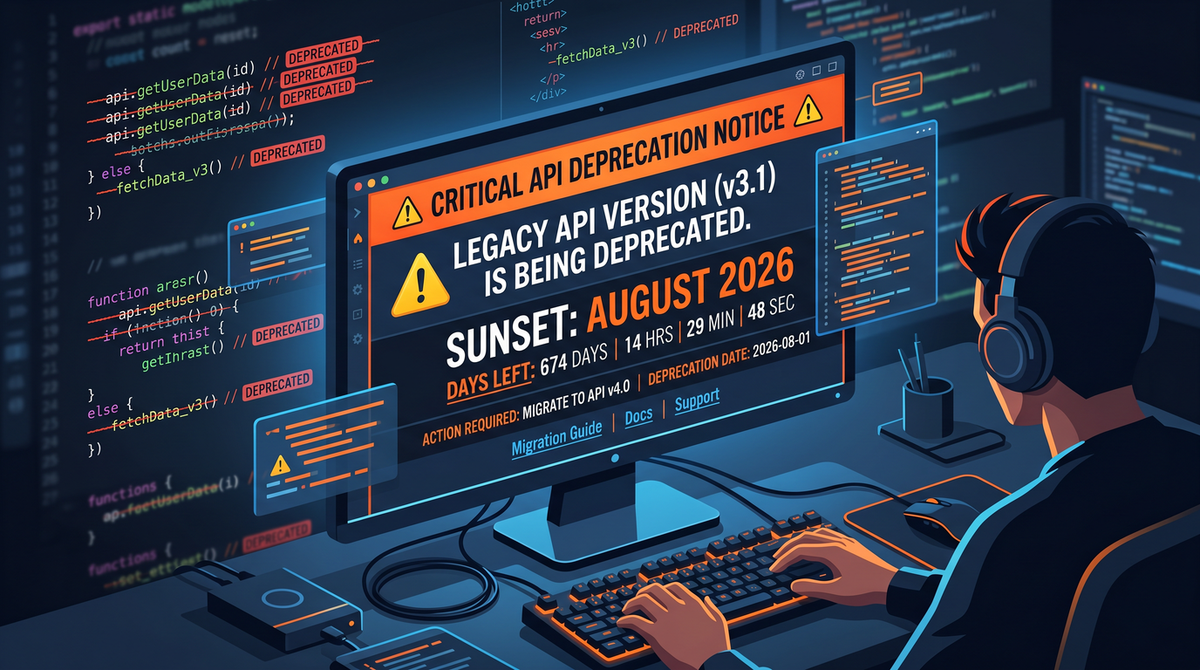
OpenAI has formally announced the deprecation and end-of-life of the Assistants API, with a full shutdown slated for August 26, 2026. Here’s the comprehensive briefing developers, product leaders, and enterprise platform teams need to navigate the transition to the Responses API.
What Changed: The Official Announcement and Timeline
OpenAI has officially begun the deprecation process for the Assistants API, ending a multi-year run for one of the company’s most developer-facing products for building agent-like applications. The company has set an explicit end-of-life date: August 26, 2026. On and after that date, Assistants API endpoints and associated features are slated to stop working in production environments.
For developers, that date is the critical line in the sand. Integrations that still depend on Assistants constructs such as assistants, threads, messages, and runs must be migrated to the Responses API, which OpenAI positions as the streamlined successor. While some timelines, milestones, and feature parity details will continue to be clarified through official channels, the shutdown date is definitive: August 26, 2026.
Practically, that means planning and execution of a migration should begin now. Organizations with complex tool-use, retrieval, or long-lived thread patterns will need to use the coming months to redesign around the Responses API’s model of state and tools, and to ensure that all data currently stored or referenced via Assistants is exported, reindexed, or otherwise preserved ahead of the cutoff.
Assistants API in Retrospect: What It Was and Why It Mattered
The Assistants API emerged as one of OpenAI’s first comprehensive attempts to give developers a higher-level, batteries-included way to build agents on top of foundation models like GPT-4. It bundled together several previously scattered primitives into a unified set of concepts intended to simplify common production patterns:
- Assistants: Configurable entities that encapsulated instructions (persona), default tools, and sometimes file resources. An assistant could be reused across multiple threads to enforce a consistent role and capability set.
- Threads: Server-stored conversational state. Rather than forcing developers to manage message history and state externally, the Assistants API maintained a canonical log of messages for each conversation.
- Messages: User and assistant messages appended to a thread, potentially including attachments such as files or images.
- Runs: Executions of an assistant against a given thread, producing outputs and optionally invoking tools via “run steps.”
- Tooling: Built-in affordances for function calling, code execution (code interpreter), and information retrieval (file search), with standardized interfaces for running external tools or functions.
- File management: APIs for uploading, referencing, and searching files as part of assistant behavior, as well as vectorization under the hood for retrieval workflows.
The playbook this enabled was powerful: a developer could define an assistant persona with access to a curated set of tools, upload or connect to relevant knowledge sources, and then run controlled, auditable interactions that were automatically logged. Because the system handled the heavy lifting of state, tool orchestration metadata, and content routing, teams could focus on business logic and UX rather than plumbing.
What made the Assistants API particularly popular was that it bridged the gap between “toy” chat demos and pragmatic, production-grade agent flows. With features like function calling, retrieval, and code execution available behind a consistent interface, it offered a stepping stone to more sophisticated use cases—customer support copilots, software QA agents, data analysis assistants, and domain-specific research copilots—without forcing teams to rebuild every layer from scratch.
In short, Assistants served as an opinionated framework on top of OpenAI’s models. It proved the demand for agentic capabilities, helped standardize tool-use patterns, and influenced how the broader ecosystem thought about stateful, tool-using AI systems.
Why OpenAI Is Sunsetting It: The Responses API as Successor
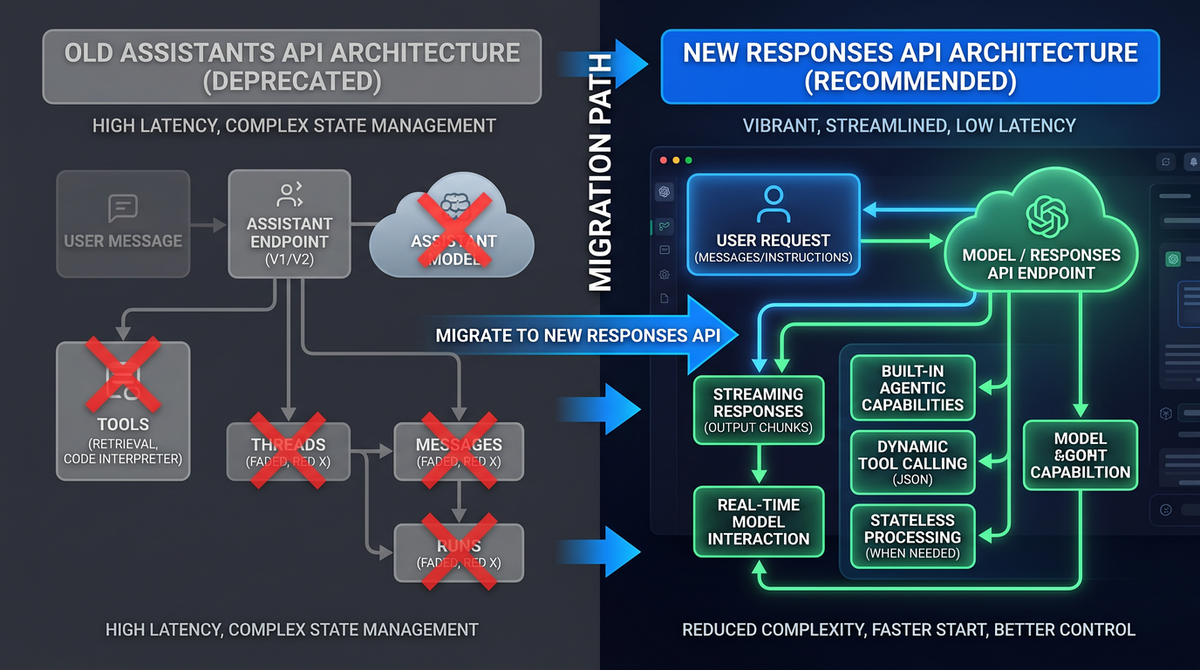
In its deprecation notice, OpenAI positions the Responses API as the streamlined replacement for Assistants. While Assistants delivered a curated framework for building agents, Responses consolidates generative functionality—chat, text, and tool use—under a single surface designed for speed, simplicity, and broader model compatibility.
In practical terms, this shift reflects three goals:
- Simplify the developer experience: By removing server-managed thread constructs and pushing state management to the application layer, the API surface becomes more generic and interoperable across use cases. Fewer API concepts can make it easier to reason about performance, costs, and fault isolation.
- Unify model access and tooling semantics: Responses is meant to be the one place where developers invoke models and orchestrate tool calls. This can reduce fragmentation, lower cognitive load, and ensure feature velocity applies evenly across model families.
- Improve performance, transparency, and composability: With application-managed state, teams gain more control over how they store, index, shard, retry, and route conversational context. This often leads to better throughput and observability in production, along with easier multi-vendor strategies.
Developers who embraced Assistants’ “batteries included” approach will notice the shift: Responses is less prescriptive about state and storage, and more focused on a clear, model-centric invocation plus a flexible tool interface. The trade-off is that you’ll bring your own state and data indexing strategy—something many production teams prefer anyway for compliance, performance, and cost control.
Key Differences Between the Assistants API and the Responses API
As you plan a migration, it’s essential to understand conceptual and operational differences. The lists below highlight themes developers will feel most in code and architecture. Note that naming and exact parameter shapes can evolve; always validate against current OpenAI docs when implementing.
State and Conversation Management
- Assistants: Server-managed threads. You append messages to a thread stored by OpenAI, and runs operate against that thread. Persistent storage, message history, and run logs are primarily on the provider side.
- Responses: Application-managed state. You typically pass in recent conversation turns or a condensed memory yourself. You decide which turns to include, how to summarize, and how to persist data in your own store.
Unit of Work and Lifecycle
- Assistants: You “create a run” that references an assistant and a thread; the system manages run steps, tool calls, and outputs. Polling and streaming revolve around run lifecycle events.
- Responses: You “create a response.” Tool calls are embedded in the response process. Streaming delivers model deltas and tool call proposals without the additional abstraction of runs and run steps.
Tool Use and Function Calling
- Assistants: Provided built-in tool categories (e.g., function calling, retrieval, code execution). Tools could be declared at the assistant level and invoked in runs.
- Responses: Focuses on a generic “tools” mechanism, typically including function-calling style schemas. You bind tools at invocation time and handle tool results in your application.
File Handling and Retrieval
- Assistants: Supported file uploads, attachments to messages, and native retrieval flows that indexed and searched content. The system owned the storage and retrieval orchestration across threads.
- Responses: Encourages externalizing retrieval and file pipelines. You handle uploads, storage, and retrieval (often via your own vector database or search stack), feeding relevant snippets as context when invoking a response.
Observability and Auditing
- Assistants: Centralized logs of threads, messages, and run steps could simplify after-action review and audit trails.
- Responses: Observability is do-it-yourself. You capture request, response, tool invocation, and streaming telemetry in your own logging/analytics layer for richer, application-specific visibility.
Performance, Costs, and Control
- Assistants: Convenience features sometimes added overhead or obscured token usage across long server-managed threads.
- Responses: More explicit control over context length and data flow can lead to better cost predictability, faster turnarounds, and easier experimentation with compression, summarization, or retrieval routing.
Deprecation Timeline and Shutdown Date
OpenAI’s notice centers on a single, critical milestone:
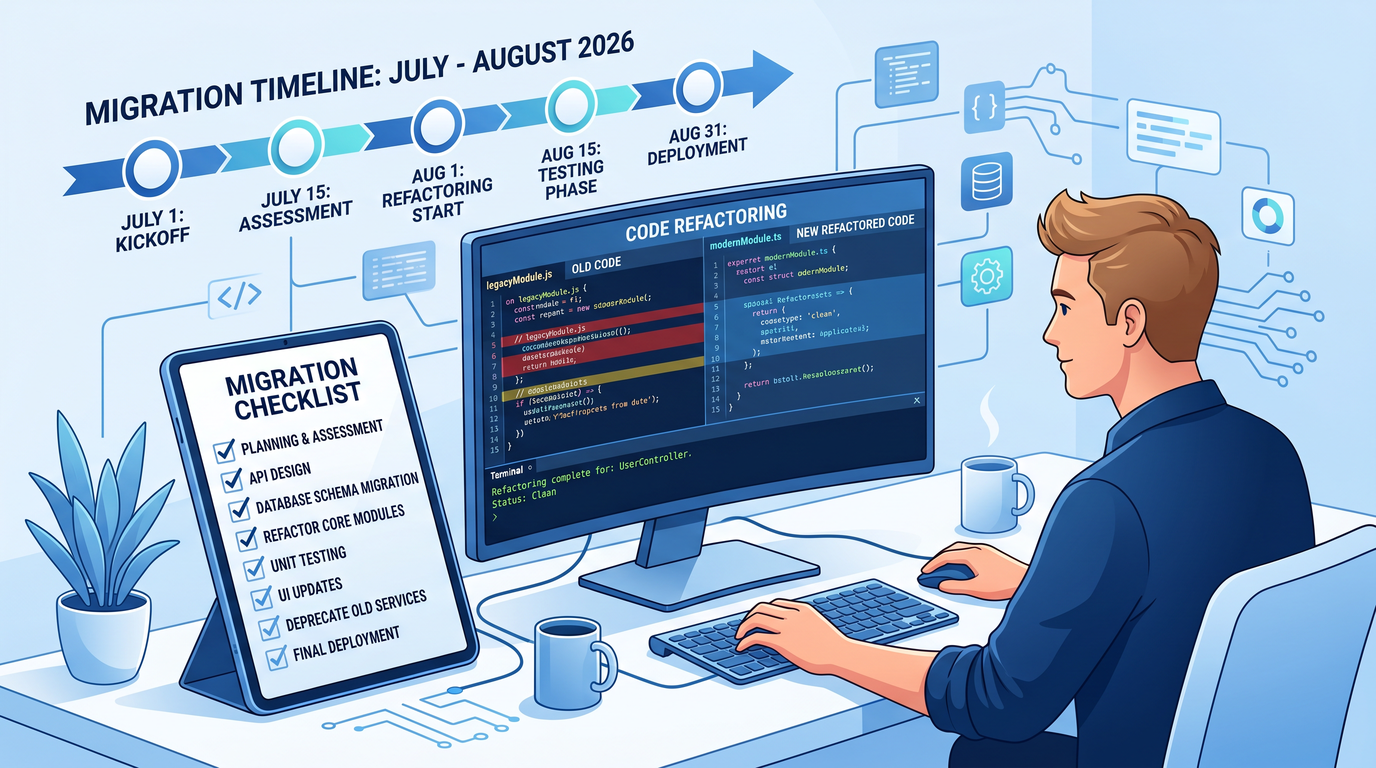
- August 26, 2026: Final shutdown of the Assistants API. After this date, Assistants endpoints and associated features are expected to be unavailable in production.
Between now and the shutdown, OpenAI is encouraging all developers to complete a migration to the Responses API. Additional operational signals—such as deprecation warnings in responses, SDK updates that discourage Assistants usage, or changes in support SLAs—tend to accompany end-of-life cycles across the industry. Watch OpenAI’s official documentation, status pages, and SDK repositories for any interim changes that could affect performance, rate limits, or access.
Teams with compliance or risk obligations should treat the shutdown date as non-negotiable and bake in a comfortable migration buffer. For complex agent stacks, many organizations will need multiple quarters to inventory dependencies, redesign data flows, test parity, and harden production pipelines.
Migration Strategy: A Step-by-Step Guide
The safest way to migrate is to treat this like any other high-impact platform change: create an inventory, define success metrics, refactor incrementally behind feature flags, and test thoroughly in staging. The steps below reflect migrations we’ve seen succeed in similar API transitions.
1) Inventory everything Assistants touches
- Catalog all services, jobs, and user flows that call Assistants endpoints, including hidden cron jobs, internal bots, and one-off data pipelines.
- List SDK versions in use across repos; flag any that lock you into Assistants-specific abstractions.
- Identify all “threads, messages, runs” that represent business-critical state and must be preserved, migrated, or rehydrated elsewhere.
2) Map features to Responses equivalents
- Rewrite “server-managed thread” expectations into “app-managed conversation state.” Decide on a storage layer (database, object store, vector DB) and data model.
- Translate Assistants tools into Responses function-calling style tools. Clarify input/output schemas, safety constraints, and retries.
- Replace retrieval/file features with your own retrieval pipeline or a third-party stack. Establish an indexing plan, chunking rules, and context-window budgets.
3) Export and archive Assistants data you need to keep
- Export threads and messages that have legal, compliance, or customer-experience value. Store them in your own archive with metadata for search/analytics.
- Decide what to drop; not all raw history belongs in your new system. Create a summarization pass if you need compact memory for ongoing conversations.
- Download referenced files and reconnect them to a new storage bucket or retrieval service you control.
4) Refactor your state model
- Create a Conversation or Session entity in your database to replace Assistants’ server-side Thread.
- Attach message turns to that entity; manage truncation and summarization policies to stay within token budgets.
- Introduce a Memory or Context table for long-term facts, embeddings, and external knowledge relevant to the session.
5) Implement Responses calls and streaming
- Build a minimal wrapper around Responses to standardize model selection, safety settings, tools registration, and telemetry (latency, token counts, errors).
- Add streaming support to match your current UX; wire deltas to your front-end with backpressure and cancellation.
- Handle tool calls and tool results within your application loop. Ensure transactional safety around tools that mutate state.
6) Migrate tools and retrieval
- Port functions used with Assistants to your Responses wrapper. Validate JSON schema, default arguments, and error handling.
- Stand up or connect to a retrieval layer: vector database, hybrid search, or document store. Introduce re-ranking or citation generation for UX trust.
- Budget context. Adopt chunking, selection heuristics, and summarization to keep prompts lean while preserving accuracy.
7) Update file flows and security
- Move uploads to a storage service you control; add virus scanning, MIME validation, and PII checks as required.
- Generate retrieval snippets server-side and feed them into Responses input as contextual content.
- Enforce least-privilege access to documents; log and audit file access just as you do for user data.
8) Establish observability and guardrails
- Instrument every Responses call with request IDs, token counts, latency, and error taxonomies. Centralize logs for triage.
- Add guardrails for hallucinations, tool failures, and safety compliance. Use structured evaluation suites during canary rollouts.
- Track regressions in user-facing metrics: task success, escalation rates, latency, and satisfaction scores.
9) Test and roll out safely
- Shadow traffic: run Assistants and Responses in parallel behind the scenes to compare outputs and tool usage.
- Use feature flags to progressively shift cohorts to Responses. Maintain a rollback plan for each surface area.
- Document new operational runbooks for on-call engineers and support staff.
10) Retire Assistants usage ahead of the deadline
- Remove dead code paths, SDK dependencies, and infrastructure tied solely to Assistants concepts.
- Archive remaining Assistants data you wish to retain. Validate you can reconstruct critical history from your own store if required.
- Re-run your inventory to confirm there are no stragglers calling Assistants endpoints.
For a broader strategic view on large migrations and sequencing, see:
Developers transitioning from the Assistants API will find that OpenAI’s MCP Tool Search feature in Codex provides a powerful alternative for dynamic tool discovery. Our detailed walkthrough covers how to configure tool registries, implement search-based tool routing, and build agents that automatically discover and invoke the right tools without hardcoded function definitions. How to Use MCP Tool Search in OpenAI Codex.
Code Examples: Before (Assistants) vs After (Responses)
The snippets below illustrate common patterns. They are intentionally simplified and focus on the shape of a migration rather than exact SDK calls. Always consult the latest official OpenAI SDK and API documentation for final parameter names and supported features.
Example 1: Basic Q&A with a Tool Call
Before: Assistants-style flow (Python, illustrative)
# PSEUDOCODE — illustrative only; consult up-to-date SDK docs
from openai import OpenAI

client = OpenAI()

# 1) Create an assistant with a tool (function) definition
assistant = client.beta.assistants.create(
    name="WeatherHelper",
    instructions="You are a helpful weather assistant. Use the get_weather tool when needed.",
    tools=[
        {
            "type": "function",
            "function": {
                "name": "get_weather",
                "description": "Get current weather for a city",
                "parameters": {
                    "type": "object",
                    "properties": {"city": {"type": "string"}},
                    "required": ["city"]
                }
            }
        }
    ],
    model="gpt-4.1"
)

# 2) Create a thread and add a user message
thread = client.beta.threads.create()
client.beta.threads.messages.create(
    thread_id=thread.id,
    role="user",
    content="What's the weather in Paris?"
)

# 3) Run the assistant on the thread
run = client.beta.threads.runs.create(
    thread_id=thread.id,
    assistant_id=assistant.id
)

# 4) Poll for tool calls (run steps) and handle them
while True:
    run_status = client.beta.threads.runs.retrieve(thread_id=thread.id, run_id=run.id)
    if run_status.status == "requires_action":
        tool_calls = run_status.required_action.submit_tool_outputs.tool_calls
        outputs = []
        for call in tool_calls:
            if call.function.name == "get_weather":
                # Call your actual weather API
                city = call.function.arguments.get("city")
                weather = {"tempC": 22, "condition": "Partly cloudy"}  # stub
                outputs.append({
                    "tool_call_id": call.id,
                    "output": f"{weather['tempC']}C and {weather['condition']}"
                })
        client.beta.threads.runs.submit_tool_outputs(
            thread_id=thread.id, run_id=run.id, tool_outputs=outputs
        )
    elif run_status.status in ("completed", "failed", "cancelled"):
        break

# 5) Read assistant's final message from the thread
messages = client.beta.threads.messages.list(thread_id=thread.id)
assistant_messages = [m for m in messages if m.role == "assistant"]
print(assistant_messages[-1].content if assistant_messages else "No reply")
After: Responses-style flow (Python, illustrative)
# PSEUDOCODE — illustrative only; consult up-to-date SDK docs
from openai import OpenAI

client = OpenAI()

# 1) Define tools at call-time (function-calling style)
tools = [
    {
        "type": "function",
        "function": {
            "name": "get_weather",
            "description": "Get current weather for a city",
            "parameters": {
                "type": "object",
                "properties": {"city": {"type": "string"}},
                "required": ["city"]
            }
        }
    }
]

# 2) Provide conversation turns from your own store
messages = [
    {"role": "system", "content": "You are a helpful weather assistant."},
    {"role": "user", "content": "What's the weather in Paris?"}
]

# 3) Create a response; detect tool calls and handle them inline
resp = client.responses.create(
    model="gpt-4.1",
    input=messages,
    tools=tools,
    tool_choice="auto"
)

# 4) If tool calls are proposed, fulfill and resubmit
tool_calls = getattr(resp, "tool_calls", [])  # shape may vary by SDK
if tool_calls:
    # Fulfill calls in your app
    tool_outputs = []
    for call in tool_calls:
        if call.function.name == "get_weather":
            city = call.function.arguments.get("city")
            weather = {"tempC": 22, "condition": "Partly cloudy"}  # stub
            tool_outputs.append({
                "tool_call_id": call.id,
                "output": f"{weather['tempC']}C and {weather['condition']}"
            })

    # 5) Send tool outputs back for the model to produce a final answer
    followup = client.responses.create(
        model="gpt-4.1",
        input=messages + [
            {"role": "tool", "tool_call_id": o["tool_call_id"], "content": o["output"]}
            for o in tool_outputs
        ],
        tools=tools
    )
    print(followup.output_text)
else:
    print(resp.output_text)
Example 2: Retrieval-augmented response with files
Before: Assistants-style retrieval (JavaScript, illustrative)
// PSEUDOCODE — illustrative only; consult up-to-date SDK docs
import OpenAI from "openai";
const client = new OpenAI();

// 1) Create an assistant that can use retrieval
const assistant = await client.beta.assistants.create({
  name: "DocsHelper",
  instructions: "Answer using the attached documentation when relevant.",
  tools: [{ type: "retrieval" }],
  model: "gpt-4.1"
});

// 2) Upload files and attach to a thread
const file = await client.files.create({
  purpose: "assistants",
  file: fs.createReadStream("./handbook.pdf")
});

const thread = await client.beta.threads.create({
  messages: [
    {
      role: "user",
      content: "Summarize the leave policy.",
      attachments: [{ file_id: file.id, tools: [{ type: "retrieval" }] }]
    }
  ]
});

// 3) Run the assistant; it will use retrieval automatically
const run = await client.beta.threads.runs.create({
  thread_id: thread.id,
  assistant_id: assistant.id
});

// 4) Poll for completion, then read the assistant message
let status;
do {
  status = await client.beta.threads.runs.retrieve(thread.id, run.id);
} while (!["completed", "failed", "cancelled"].includes(status.status));

const messages = await client.beta.threads.messages.list(thread.id);
const lastAssistant = messages.data.reverse().find(m => m.role === "assistant");
console.log(lastAssistant?.content);
After: Responses-style retrieval (JavaScript, illustrative)
// PSEUDOCODE — illustrative only; consult up-to-date SDK docs
import OpenAI from "openai";
import { embed, searchTopK } from "./retrieval.js"; // your retrieval helpers

const client = new OpenAI();

// 1) Preprocess: upload file to your storage, index into your vector DB
// (outside this snippet). At query time, run retrieval yourself:
const userQuestion = "Summarize the leave policy.";
const contextSnippets = await searchTopK(userQuestion, { k: 5 }); // returns text chunks

// 2) Build the prompt with citations
const system = "You are a helpful assistant. Use the provided context; cite sources.";
const context = contextSnippets.map((s, i) => `[#${i+1}] ${s.text}`).join("\n\n");
const messages = [
  { role: "system", content: system },
  { role: "user", content: `${userQuestion}\n\nContext:\n${context}` }
];

// 3) Create the response
const resp = await client.responses.create({
  model: "gpt-4.1",
  input: messages
});

// 4) Return the answer with your own citations UI (not shown)
console.log(resp.output_text);
Streaming notes
With Assistants, many teams relied on run-event streaming to power real-time UX. With Responses, streaming typically delivers token deltas and tool-call proposals directly. Update your front-end event handlers to consume streaming chunks from the Responses API, render partial text, and surface tool invocations as needed. Keep backpressure, cancellation, and heartbeat timeouts in mind to ensure robust user experiences.
Threads, Runs, and File Storage: What Happens Next
The question on most developers’ minds: What actually happens to Assistants-era artifacts—threads, runs, messages, files—over the coming months?
- Threads and messages: These are server-managed state within the Assistants API. After the shutdown date, they will no longer be available via Assistants endpoints. If your application depends on historic thread contents, export and re-store them now within your own systems.
- Runs and run steps: Runs represent the execution lifecycle of an assistant against a thread. Expect these to become inaccessible once the API shuts down. If you need them for audits or postmortems, extract and archive.
- Files and retrieval indexes: Files uploaded for Assistants workflows and any associated indexes should be considered tied to the Assistants service. Migrate them to your own storage and retrieval pipeline; do not assume they will remain accessible after shutdown.
- Compliance and retention: Organizations with data-retention policies must set up internal archiving for any Assistants data they are required to keep. Validate these archives meet legal and regulatory standards for your jurisdiction and industry.
The bottom line: treat every Assistants-native artifact as ephemeral relative to the August 26, 2026 cutoff. If you plan to rely on any of it later—for customer support, analytics, or legal reasons—move it out of the Assistants domain and into your own data plane.
Impact on Existing Applications and Third-Party Integrations
The magnitude of impact varies by how deeply an application leans on Assistants abstractions. Here are the common patterns we’re seeing and what to expect.
Applications with light usage
If you primarily used Assistants as a slightly friendlier wrapper around chat completion plus a small number of function calls, the move to Responses is straightforward. You’ll mostly rewire state to your own database, register tools at call time, and adjust streaming handlers. Your user experience may improve with tighter control over context and telemetry.
Applications with heavy threads and retrieval
Apps that used server-managed threads as a canonical source of truth—and that relied on built-in retrieval—face a larger rewrite. You’ll need to design your own conversation state, memory, and retrieval layers. While this is non-trivial, it’s also an opportunity to implement a data plane that is more portable, compliant, and cost-efficient across providers.
Agent frameworks and orchestration layers
Frameworks that tightly couple with Assistants’ runs and run steps will need to add (or switch to) Responses backends. In many cases, orchestration logic becomes simpler when state is fully under app control. If you maintain a framework, consider offering both a minimal wrapper for Responses and optional adapters for popular vector databases, search engines, and tool registries.
Third-party integrations and marketplaces
Vendors that published “Connect with Assistants” integrations should deprecate those connectors, notify customers, and ship new connectors that speak Responses. Expect customers to ask whether you also support multi-vendor abstractions; this is a natural point to add portability features.
Enterprise platform teams
Central platform teams should treat this as a program: align InfoSec, Legal, and Data stakeholders; define a reference architecture; create shared libraries; and roll out a migration roadmap across product teams. Build an internal Responses wrapper with opinionated defaults for logging, privacy, tool safety, and evaluation. The payback is reduced duplication and a smoother, more compliant migration.
Action Items Developers Should Take Now
- Freeze new Assistants development: Stop adding new features or services that depend on Assistants; direct all new work to Responses.
- Audit your codebase: Find all Assistants API calls, SDK wrappers, and configuration. Flag repositories that require changes.
- Export critical data: Proactively export threads, messages, runs, and any attached files you’ll need later. Store them securely in your own systems.
- Stand up a retrieval stack: If you used Assistants retrieval, select and deploy your own solution now (vector DB, hybrid search). Define chunking and indexing policies.
- Implement a Responses wrapper: Centralize model selection, tools registration, streaming, telemetry, and error handling in one module shared across services.
- Port function tools: Migrate all function-calling definitions to your Responses wrapper. Ensure robust schema validation and retries.
- Update front-end streaming: Shift from run-event streaming to Responses streaming deltas in your UI. Handle cancellation and backpressure.
- Harden observability: Add structured logs, metrics, and traces around Responses calls. Build dashboards for latency, token usage, error rates, and tool failures.
- Plan phased rollout: Use feature flags to stage migration. Shadow traffic and capture diffs before flipping user cohorts.
- Train your teams: Share migration guides and runbooks with engineering, support, and ops. Align on data retention and privacy changes.
Frequently Asked Questions
Does the August 26, 2026 shutdown date apply globally?
Yes, the end-of-life date applies across regions unless OpenAI communicates region-specific exceptions. Plan for a single global cutoff to avoid surprises.
Will OpenAI provide a one-click migration tool?
Do not assume an automated migration. Because the Responses model shifts state and retrieval responsibilities to your application, a mechanical one-to-one converter is unlikely to exist for non-trivial apps. You’ll need to refactor state, port tools, and redesign retrieval pipelines.
Can I keep using Assistants until the exact shutdown day?
While you may be technically able to call the endpoints until the shutdown, waiting until the last moment is risky. Deprecations often introduce unannounced constraints or reduced support. Migrate well in advance to protect your SLAs.
What happens to my historic threads and runs after shutdown?
Treat them as inaccessible via Assistants endpoints post-shutdown. If you need the data, export it now to your systems and implement your own storage/archival strategy.
How do I replicate Assistants’ retrieval?
Stand up a retrieval-augmented generation (RAG) pipeline under your control. That typically involves a document store, embedding/indexing, chunking policies, query-time search, optional re-ranking, and prompt construction that includes citations. Feed selected snippets into Responses input for grounded answers.
Does the Responses API support function calling?
Yes. Responses includes a tool mechanism commonly used for function calling. You declare tools at invocation time and handle tool calls and results within your application loop.
What about code interpreter and file search tools?
Assistants exposed convenient “code interpreter” and “retrieval/file search” abstractions. Under Responses, expect to implement code execution and file pipelines yourself or via third-party services. This adds work but gives you more control over performance, security, and cost.
Will pricing or rate limits change?
Pricing and rate limits are set at the model/API level and can evolve independently of the Assistants shutdown. Monitor OpenAI’s official pricing and rate limit documentation; adjust your budgets and backoff strategies accordingly.
How do I ensure parity in user experience?
Shadow test. Run Assistants and Responses in parallel on sampled traffic, compare final answers and tool usage, and iterate on prompts, retrieval snippets, and tool schemas until your metrics match or improve.
What’s the best way to manage long-term memory?
Use application-managed memory. Short-term context lives in recent turns and summaries; long-term memory lives in a store keyed to the user or session. Retrieve selectively to feed relevant facts into the model at call time.
Industry Reaction and Strategic Implications
The sunset of the Assistants API is part of a broader trend: consolidating generative AI functionality under fewer, more composable primitives while encouraging developers to own state and data flow. This aligns with lessons learned across the industry since the first wave of agent demos: production-grade agent systems need transparent control over context, observability, and failure handling.
Vendors that built deeply around Assistants will accelerate their roadmap for Responses and, in many cases, add multi-vendor support. Expect orchestration platforms to highlight portability features and offer adapters for popular vector stores, function registries, and safety layers. Enterprise buyers will ask harder questions about lock-in and the lifecycle of “batteries-included” features provided by model companies.
On the developer experience front, we’ll likely see a flourishing of open-source libraries that provide the convenience once offered by Assistants—conversation memory, retrieval glue, tool registries—on top of Responses or equivalently simple primitives from other providers. The net effect could be a richer ecosystem of pluggable components you can tailor to your compliance and performance needs.
For product teams, the shift to application-managed state should be a net positive: more control over token budgets, the ability to compress or expand context intelligently, and better observability that feeds back into rapid iteration cycles. The cost is initial migration effort—but the payoff is a more robust, auditable, and portable agent architecture.
Strategically, OpenAI’s move signals confidence that developers prefer clear, low-level power to high-level magic—especially when building line-of-business systems. The Responses API positions OpenAI to evolve models and features quickly without carrying the complexity of server-managed threads and run lifecycles. That’s good news for iteration velocity across the model lineup.
Resources and Further Reading
- OpenAI official documentation for the Responses API and migration notes (check for the latest SDK examples and streaming guidance).
- Guides on building retrieval-augmented generation (RAG) systems, including chunking strategies, embedding choices, and re-ranking approaches.
- Best practices for tool/function calling, schema validation, and error handling under model uncertainty.
- Observability patterns for generative systems: structured logging, token economics dashboards, and evaluation pipelines.
- Security and privacy primers for LLM applications: PII detection, least-privilege access for files, and prompt injection defenses.
Explore related coverage on ChatGPT AI Hub:
The deprecation of the Assistants API is part of OpenAI’s broader strategy to consolidate developer tools into the Codex Desktop Work OS. Our analysis examines how this unified workspace integrates file management, code execution, and agent orchestration into a single environment that replaces the fragmented tooling developers previously relied on. Codex Becomes OpenAI’s Desktop Work OS.
Access 40,000+ AI Prompts for ChatGPT, Claude & Codex — Free!
Subscribe to get instant access to our complete Notion Prompt Library — the largest curated collection of prompts for ChatGPT, Claude, OpenAI Codex, and other leading AI models. Optimized for real-world workflows across coding, research, content creation, and business.
Appendix: Conceptual Mapping Cheatsheet
The following mappings can help you translate Assistants concepts into Responses-era building blocks without relying on a one-to-one feature mirror. Think in terms of responsibilities and data flow rather than object names.
Assistants to Responses mental model
- Assistant (persona, default tools) → System prompt templates and a shared Responses wrapper that registers tools for each call or route.
- Thread (server-managed conversation) → Application-managed Conversation/Session entity with stored turns, summaries, and memory tables.
- Message (user/assistant content) → Rows in your database. You decide how many to include per call and when to summarize.
- Run (execution lifecycle) → A single Responses invocation. Streaming provides deltas; your code handles tool calls inline.
- Run steps (tool calls, outputs) → Application-level tool-call handling with structured logging and retries.
- Retrieval/file search → Your own RAG service: ingestion, indexing, query-time selection, and citation assembly.
- Files storage → Your storage bucket(s) and access gateways. Attach retrieval snippets or signed links as needed.
- Audit trail → Your observability stack: logs, traces, and analytics events keyed to Conversations and Response IDs.
Migration checkpoints
- State: Design Conversation schema; add summary and memory tables; implement pruning/summarization policies.
- Tools: Port function schemas; standardize return types; implement retries and circuit breakers.
- Retrieval: Select vector DB/search; define chunking; build ingestion pipeline; tune query-time ranking.
- Streaming: Update UI to consume Responses deltas; add cancellation and error banners.
- Security: Enforce file scanning; permission checks; redact sensitive data in logs; implement content safety gates.
- Observability: Add token accounting, latency histograms, error taxonomies, tool success rates; alert on drifts.
- Testing: Build golden datasets; run shadow mode; compare accuracy, latency, and tool call fidelity.
- Rollout: Flag by cohort; monitor KPIs; keep rollback path until confidence is high.
